WordPress Plugin Tweak (rss Re

Good afternoon,

We’re needing a coder that can tweak the plugin of WordPress called WPoMatic and make it take the FULL post of RSS instead of excerpt.

That can be done linking it with Readability library or something like http://fivefilters.org/content-only/

This is a simple task, just to link WPoMatic and make it take (extract) full posts of any RSS.

If you can do it, please reply to us.

Php Rss Feed Reader

I need a custom PHP RSS feed reader.

I will need to look and operate like the example provided at:

http://modelflixx.com/work_bin/project1.php

The script will also need to be written in pure PHP.

I have a max budget of $30 for this project and I am looking to have it completed ASAP (today)

Please don’t overbid because i will not reply.
Please be sure that you can complete this project today.

Post Expire – WordPress

I need some customisation done to set dates for posts to expire. There are tons of options out there, but they do not do what I want. They either delete the posts or set them to draft status or move them to archives or to a different category.

What Do I want?

— Cusomisation to set a date for expiring post on a given date (custom field)
— This Should not delete the posts permanently (Very imp).
— Expired posts stays in the same category but under a new header ‘Expired posts’ below the active posts.
— Expired Posts Uses a different css id/class, so they can be greyed out.

Example is here: http://www.discountvouchers.co.uk/4270.html

Look at posts below by scrolling down and see under ‘Expired discount vouchers from Debenhams’

Bid only if you have experience with wordpress.

On Page Seo

The on page work is as follows:

Create xml sitemap and submit to google
Implement google analytics
Re-write title tags on all pages
re-write meta descriptions on all pages
Optimise H1 and other header tags as appropriate
Optimise image alt tags as appropriate

The site has 10 pages and I will give the details to any bidder that needs them as long as they listen to my requirements and provide reference sites.

This is a OSCommerce site so you will need to install the necessary addons to insure all the pages have their own tags and appropriate descriptions.

Bid low to be selected right away.

Custom Blog/site Development

I want a Custom blogging development done preferably in wordpress.
YOU WILL HAVE TO WORK CLOSELY WITH ME ON THIS PROJECT.

It will be all in one solution kind of thing.
It will have scraping scripts/functions , storing content in databases etc.

Functions
=========

[1]. About 1000 keywords will be given in groups of 5-20. The script will scrape content for each group from various sources like –

– Forums
– Digg
– News and authority sites (I’ll give u a list of these sites)
– Twitter
– Google Blog search
– Technorati
– Other sites (Other list of sites will depend on the market the keywords belong to)
– Videos from youtube

For each group the scraped content will be stored in database. And can be edited as well from a user interface.

WE WILL HAVE TO DISCUSS SCRAPING FROM INDIVIDUAL SOURCES ABOVE IN DETAIL.

The scraped content will strip all html and will contain only text. The scraped content will also have an excerpt for all the content blocks extracted. We will discuss it in detail.

[2]. The html page will be created for all the keywords based on the content extracted for that particular group of keywords. There will be an option “if that group of keywords fall into” “commercial” category. Then for all those keywords there will be an additional field called “Rating” which will be a number from 1-10 like 7.1, 8.3 and so on which will be calculated with an algorithm which I will tell you. In case of ‘commercial’ keywords the rating of the product will be described along with the graphics in pie chart or bars forms.

[3]. A Headlines and titles generator which will generate the titles of the html pages. I have a desktop software for that – you can use it’s database of titles.

[4]. Some user added content which we will discuss.

[5]. Some “presell” part which will appear on all pages

[6]. Random tips portion which will be taken from text files uploaded on the server.

[7]. The scraped content will be organized on the html page in a very user friendly and unique way.
See example here – http://www.consumersearch.com/acne-treatments

How content from various sources is presented under the heading –

“Expert & User Review Sources”

I want some content on the left part and some content at the bottom of the blog post.

[8]. There will be options at the end of the blog post like –

USER COMMENTS MAKE A COMMENT NEWS VIDEOS

[9]. Comment generation.
The script will auto generate comments based on some scraped content and database of some generic sentences. We will discuss that.

[10]. There will be an option to edit any part of the html page thus formed.

Happy Bidding!

Quick Tips – Understanding Memory and Multiprocessing

You may not be able to clone yourself to get more work done, but After Effects can with the right settings. In this tutorial, we take a quick look at memory and multiprocessing in CS4 and CS5 and the advantages of 64bit applications. For more information check out the Adobe Help Page.


QuickTip

Download Tutorial .flv

File size 45.8MB


Design WordPress Site

We are looking for a talented web designer(s) to DESIGN s website similar to;

http://www.monica.com/
http://www.beyonceonline.com/uk/home

Using WordPress and Joomla.

Here are the the template needs to reflect;

Functions;

– Music (mp3 player, comments etc)
– News (wordpress integration)
– Lyrics
– Videos
– Images
– Community
– Event calendar

WEBSITE TO BE DESIGNED WITH…

WORDPRESS or JOOMLA.

Only serious bidders please.

HAPPY BIDDING!

Association Site Programming

I need a programmer who is compentent in php, mysql and PayPal Website Payments Standard.

The site is for an association and we want to allow members to create accounts from which will enable them to vote in elections, submit papers for review and to update their profiles.
The site will also take papers from non-association members who will create their own accounts.

I have attached a Word document that describes the site in more detail with links to example page layouts.

I have also attached a flowchart that hopefully help with the organisation of the site, there is one question in the student member payment process that needs looking at and I would appreciate any help there.

Regards

Mark Warren

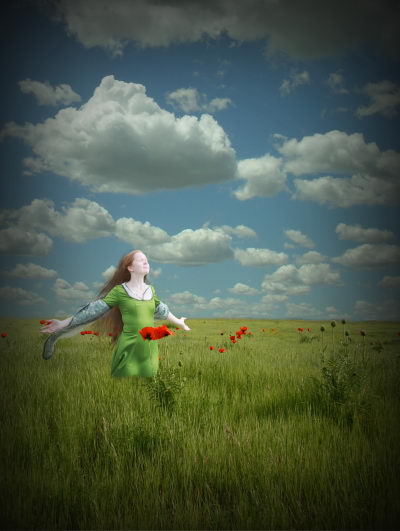
Create a Beautiful and Dramatic Scene With Photo Manipulations – Basix

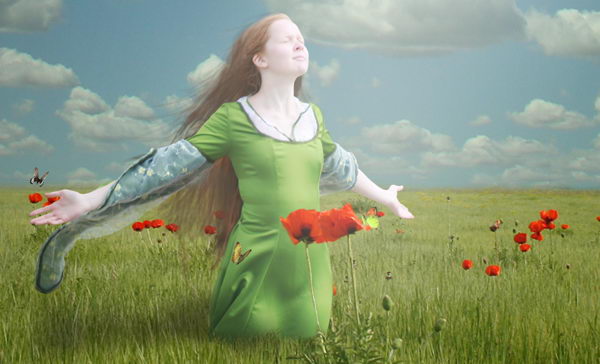
Today we will learn a number of techniques to help you add drama to a photo manipulation. We will to do this by learning how to combine two pictures to create a picturesque background, how to draw long hair manually using Photoshop brushes, as well as how to add some adjustment layers to add dramatic effects to the final image. Let’s get started!


Resources


Step 1

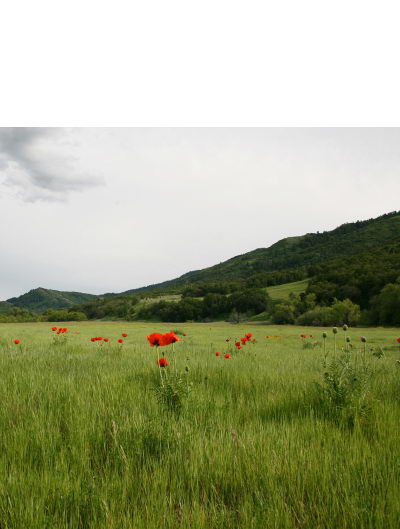
Create a new file, size 1600 px wide and 2122 px high at a resolution of 300 pixels/inch. Paste field to new file.


Step 2

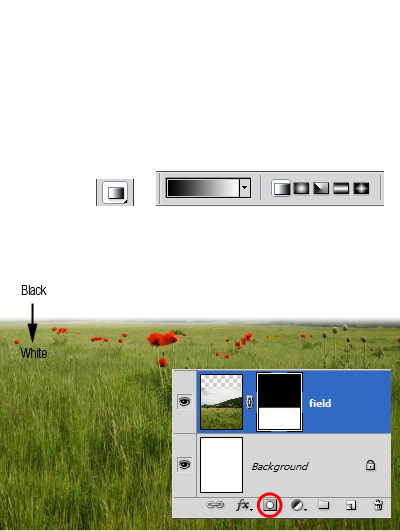
Add layer mask. Activate gradient tool. Draw linear gradient from black to white.


Step 3

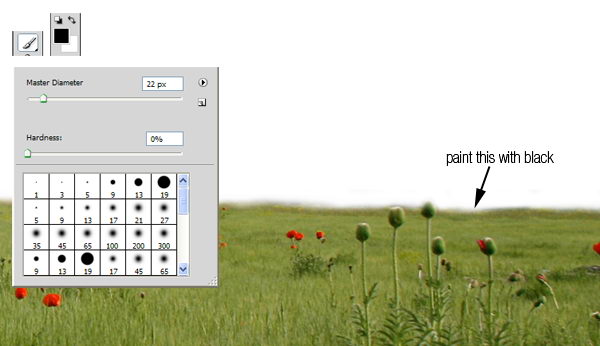
Zoom in until you can see all the details. Paint unneeded background with black to remove it.


Step 4

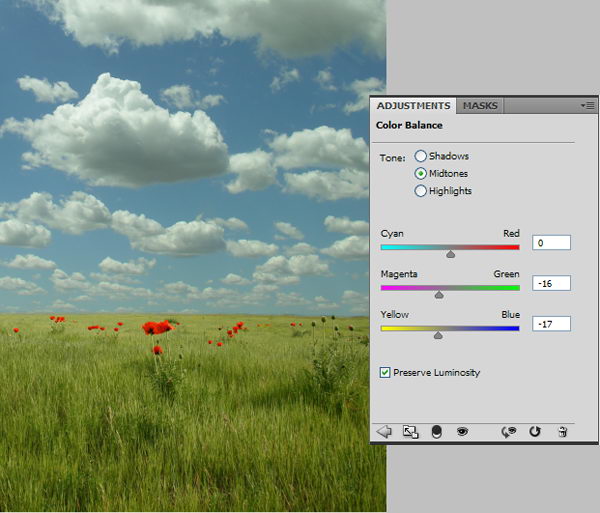
Paste sky underneath field layer. The colors will not match the field so we will have to fix it. From the adjustments panel click Color Balance with setting shown below.


Step 5

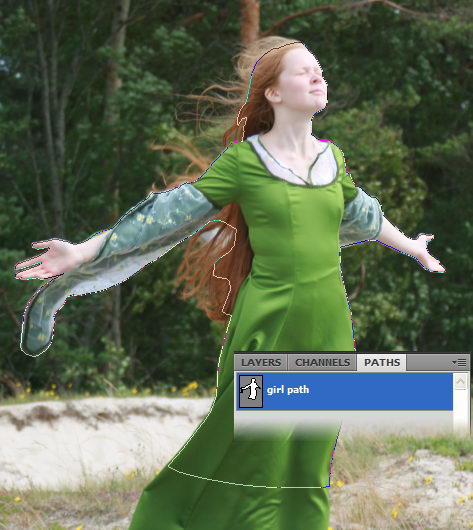
Download the girl picture. Create new path and with pen tool draw path around her. Avoid selecting her hair. We’ll just recreate it in a few steps.


Step 6

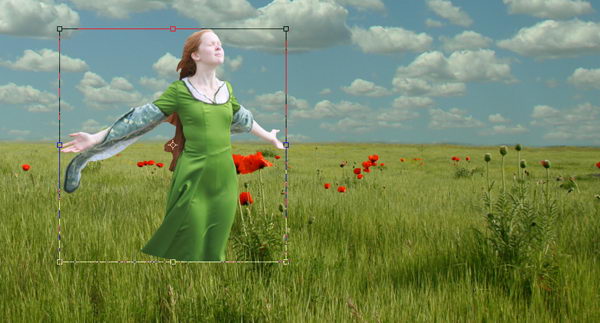
Hit Cmd+Enter to convert path into a selection. Copy the girl and paste it into the new background. Press Cmd+T for transformation and while holding shift drag its corner until she is the appropriate size.


Step 7

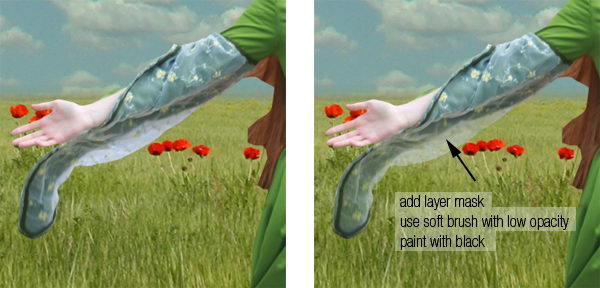
Before we proceed with this tutorial, we will need to fix some small details. She has transparent sleeve and it has to reveal some background behind her. To do this, add layer mask, select soft brush with low opacity (10-20%), then paint it with black.


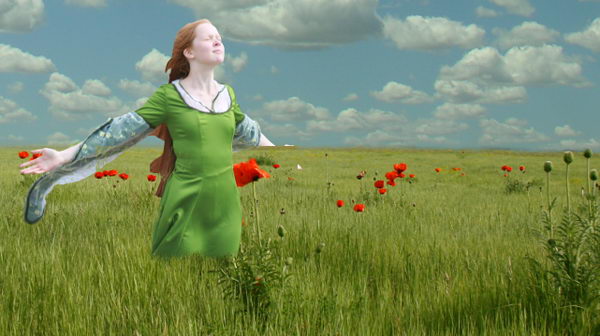
Step 8

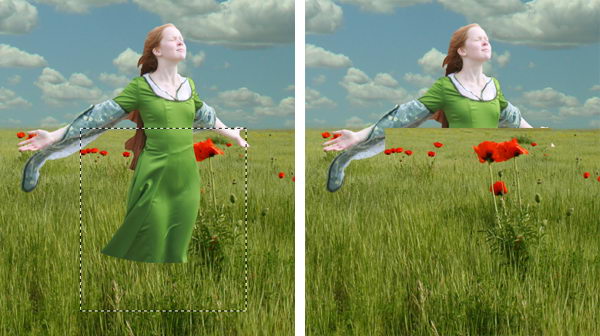
Activate field layer. Select some field behind her. Hit Cmd+J to duplicate it to a new layer. Then hit Cmd+shift+] to move it to the top layer.


Step 9

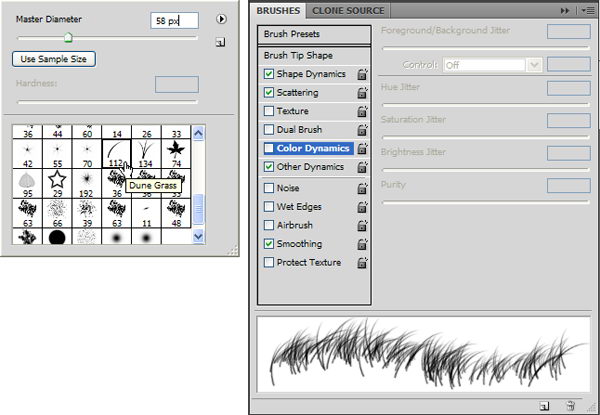
Add a layer mask to the new field. For masking grass, Photoshop has a very useful brush in its default set, named Dune Grass. So, right click and select it. Remove the check mark in front of Color Dynamics.

Next, make sure your foreground color is set to black and layer mask is selected. Start painting until the girl looks like standing in the middle of the field.


Step 10

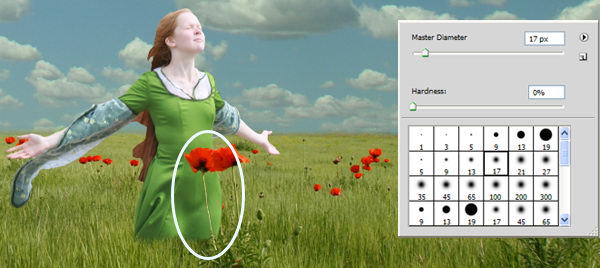
To strengthen the illusion that the girl is standing inside the field, it’s a good idea to have something in front of her. Change our brush to standard round brush, paint some flowers with white to reveal it.


Step 11

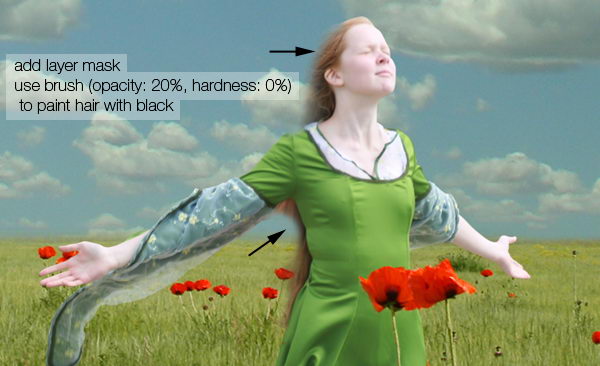
Now let’s draw her hair. But before doing that, make sure the layer mask is active. Paint her hair with black using a soft, low opacity brush until it is transparent.


Step 12

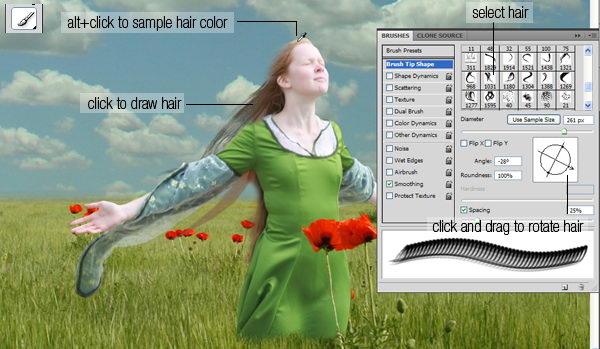
Load the hair brush set. This set consisted of some long premade hairs. Using the brush tool, Cmd+click her hair to sample its color. Open brush panel (F5), click and drag the inside preview box to rotate brush tip. Once you’ve found perfect size and position click to draw an instant long hair. To get a natural color, be sure to sample various color from the hair.

Repeat this step until you have enough hair.


Step 13

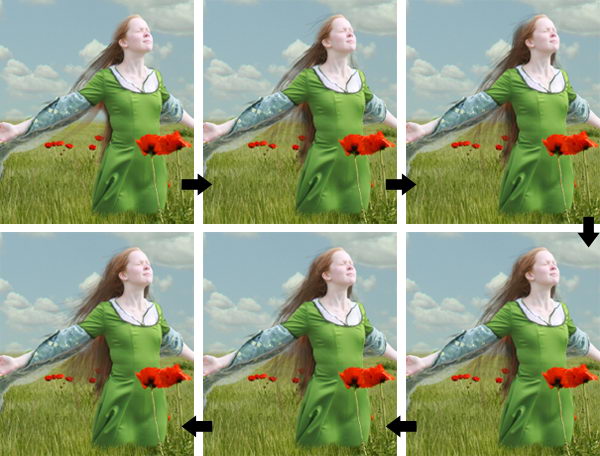
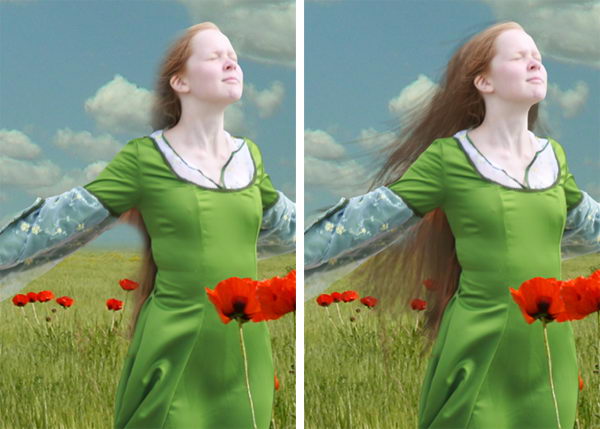
After step 12 you may find that the result isn’t entirely realistic. If you look closely you may find that there are repeating objects in her hair. This is a common problem when using premade brushes. The best way to avoid this is by drawing some hairs manually.

Grab the hair brushes set from here. Lower your brush opacity to 15-25%. If you use a tablet, then that’s a good thing. You can activate its Pen Pressure from the Brush Panels.

Manual painting is not easy. It may help to work with a lot of layers. That way you can always delete layers that you don’t like. Below are the steps I took while creating the hair.


Step 14

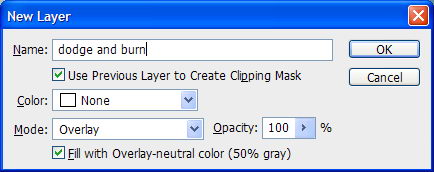
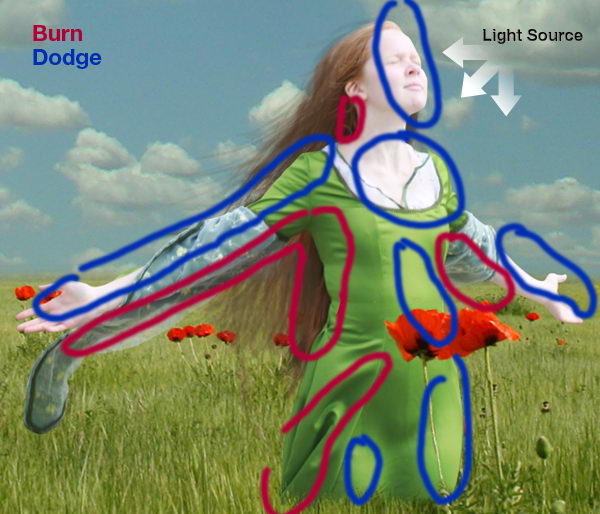
Now, we need to add some lighting to the girl. To do this we’ll use non-destructive dodging and burning. Hold cmd and click New Layer icon. Choose Use Previous, Mode: Overlay, and Fill with.

Activate burn tool, set opacity to 20% and start painting to make her darker. Do the same with the dodge tool for opposite effects. Remember, if you hold alt while dodge tool selected, then you’ll have burn tool. Same thing happen to burn tool.


Step 15

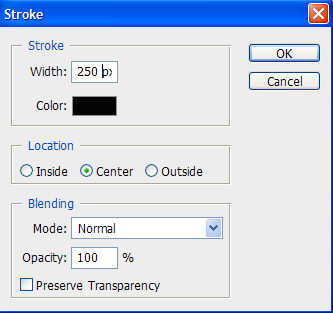
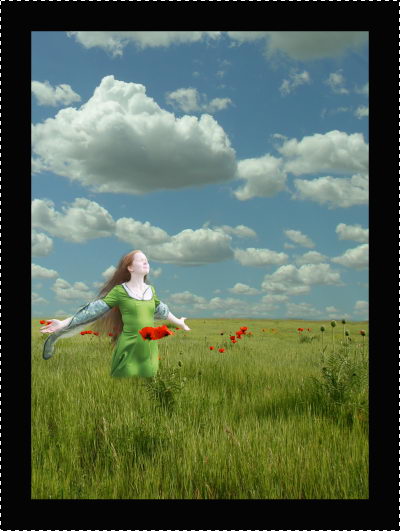
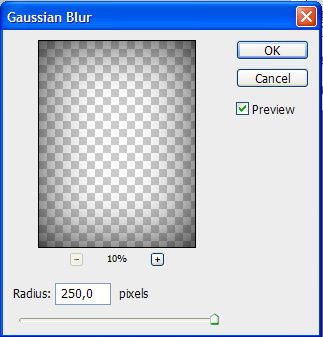
Now, I’ll add dark border around the image. Hit ctrl+A to select all. Click Edit > Stroke. Use very large width and click OK. Soften the border using Gaussian Blur with a very big radius.


Step 16

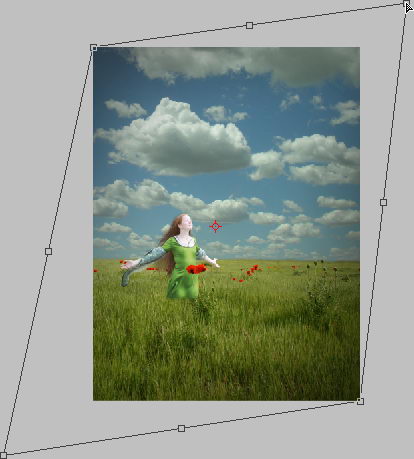
Hit ctrl+T. Hold ctrl and drag its corner until you find nice lighting.


Step 17

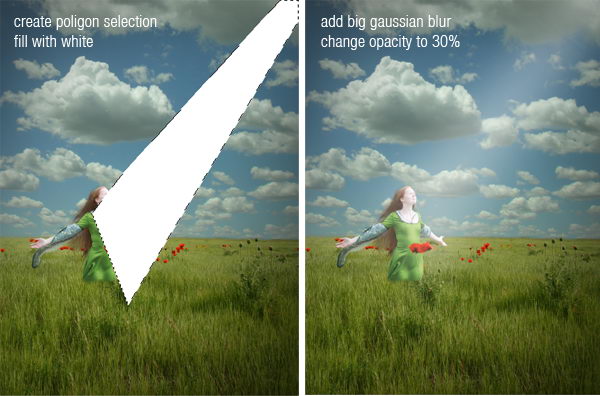
To add fake light draw a poligonal selection and fill it with white. Add very big Gaussian Blur and lower down layer’s opacity to 30%.


Step 18

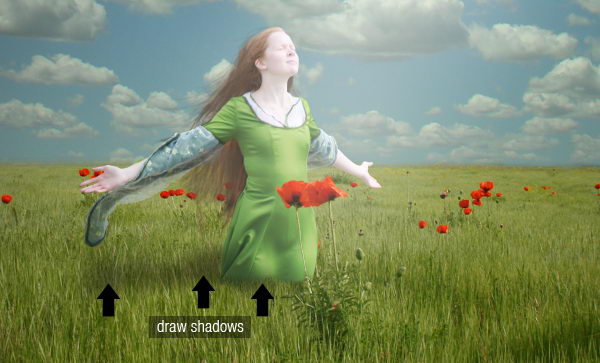
Draw the girl’s shadow on the field.


Step 19

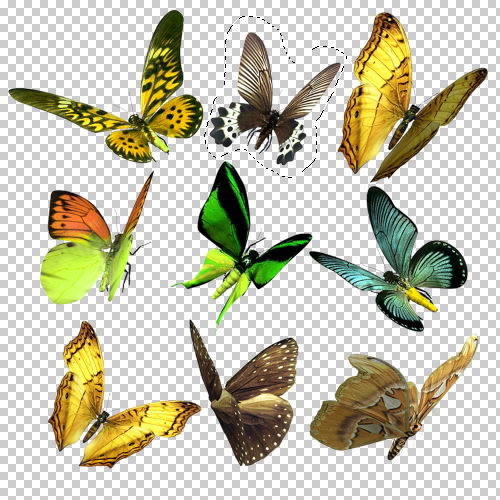
Grab the butterfly set. The butterflies are already in a transparent png file, so you just need to select it and drag it to the image. Resize it to match its proportion. Don’t forget to add shadows for a realistic look.


Step 20

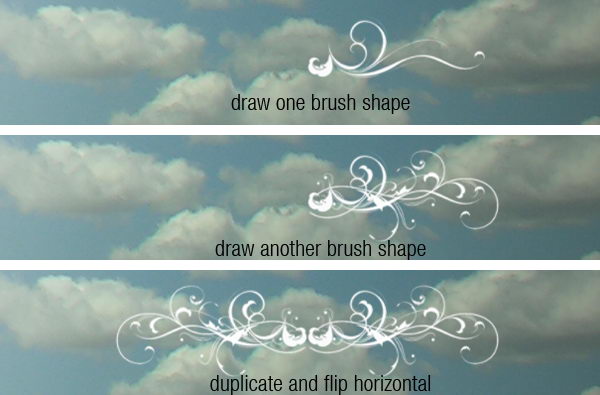
Load the floral brushes. Try to experiment with the brush shape. Combine them to get a unique shape like I did here, then add some text in the English font found from dafont.


Step 21

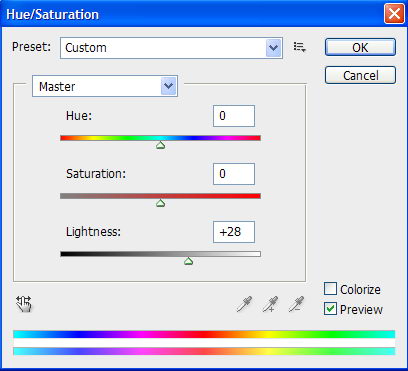
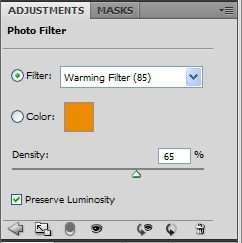
For final adjustment, select the sky layer and use Brightness/Contrast to raise its Lightness. I also added an adjustment layer Photo Filter with a warming filter on top of the image.


Conclusion

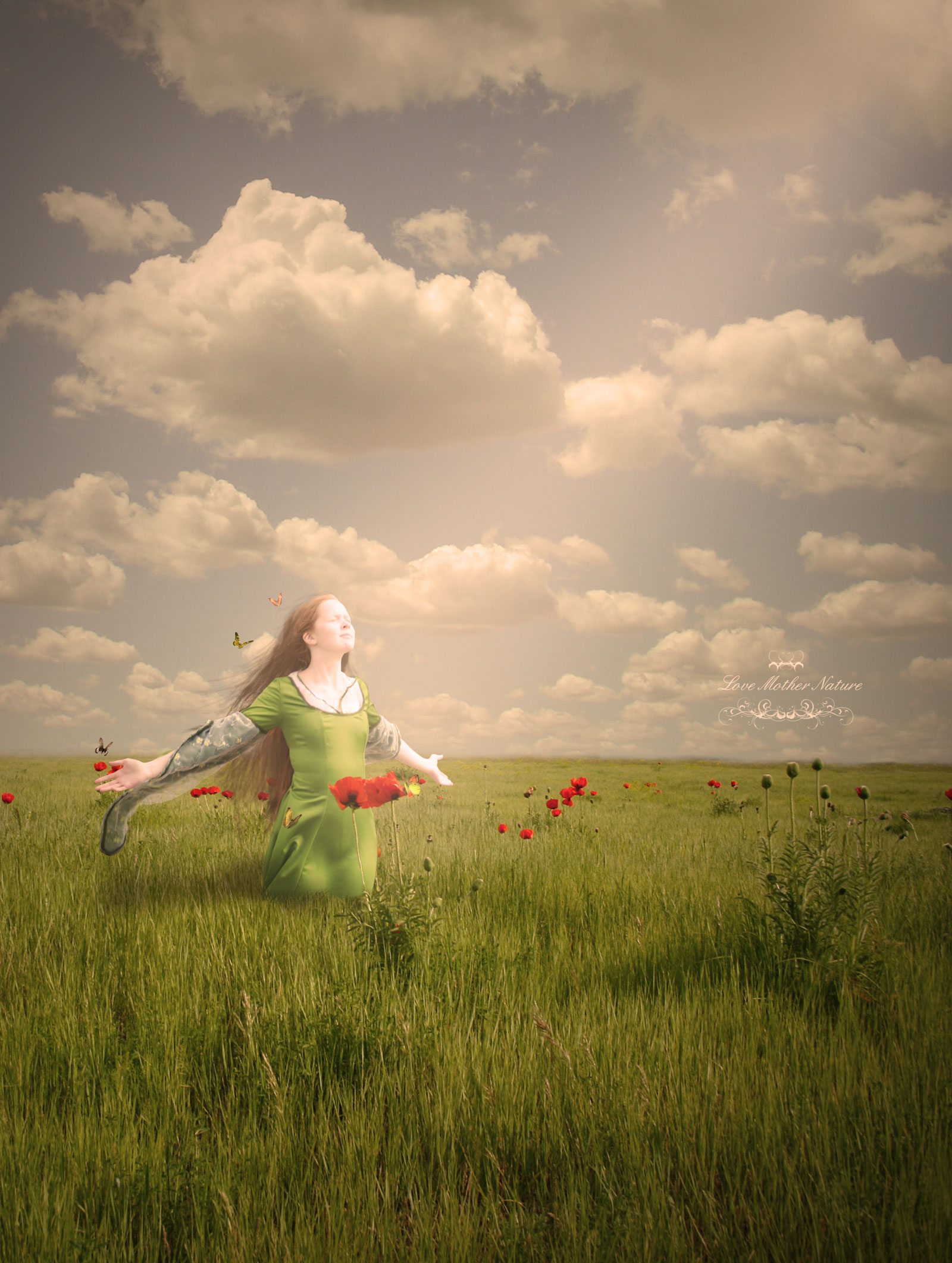
I hope you have enjoyed this tutorial and learned something new. You can view the final image below or view a larger version here.


Full-time Web Developer

Hello SL Providers,

Thank you for reviewing my job post. We are a US based firm looking to find a very detail oriented, dependable website developer and programmer. Most of our sites are WordPress based, however, a few are custom coded in PHP/Mysql and will require excellent coding and design skills. We are looking for one special provider for a long-term position with the following skills:

# EXTREME WordPress experience including customization, plugin installs. Experience with the plugins: WPROBOT, WPREMIX, WPREVIEW, and PRETTY LINKS.
# Advanced knowledge of Photoshop and graphic design
# Advanced knowledge of Dreamweaver / related
# Can code Compliant W3C Designs
# Advanced PHP/Mysql skills
# CSS/xhtml skills

We are looking to hire someone full-time for a two week trial period. If we are happy working with each other after two weeks, we will offer you full-time position. We use basecampHQ to manage projects and tasks. You will be required to login daily and provide status reports on assigned projects and record your time for completed tasks.

If you’re interested in this opportunity, we invite you to submit the following:

– Your resume
– Website projects you’ve worked on
– Your Skype user-name
– Your monthly rate
– Your strengths and weaknesses as it relates to the above tasks
– The hours you’re willing to work (e.g. 9-5 Monday-Friday)

Thank you,

Todd

President, Reagormedia
Time Zone: -6 GMT

Fix & Run Scraper

I need an excellent php coder to finish a scraper. The previous coder has stopped working on it, and I need the scraper finished and executed. You need to continue with the existing one, do not code a new one! The scraper needs to be finished asap!

In total, we are talking about more than 80000 pages to be scraped with more than 1 million total database entries. The scraper currently stops at some point after 400.000 hits. So, for this project I need the scraper fixed and I need you to execute the scraper. More information can only be given via private message. The coder needs to speak perfect English!

Thereafter, you need to help me to install the interface that allows for the management of the mysql database (this exists already).

Small Website For Me

Front zone (5 pages)
1) Homepage
2) Portfolio: it’s a photo gallery with a description to each photo, there should be thumbnails at the bottom below the big photo (they should be like a horizontal slide bar with arrows at the beginning and at the end to slide to next and previous photos and if you click on any thumbnail – it shows up a big photo in the center with it’s description at the right on top of it!
3) Services/Prices – just an html content
4) Contacts – also html content

Admin Zone:
1) Homepage – html editor to edit homepage content
2) admin zone of photo gallery where we can add photos and description to each photo, and set dimensions of thumbnails and big photos (gallery should scale each photo to those dimensions upon it’s uploading)
3) Services/Prices – html editor to edit content
4) Contacts – html editor