WordPress hack: Remove admin name in comments class

This code simply have to be pasted in your functions.php file to work:

function remove_comment_author_class( $classes ) {
	foreach( $classes as $key => $class ) {
		if(strstr($class, "comment-author-")) {
			unset( $classes[$key] );
		}
	}
	return $classes;
}
add_filter( 'comment_class' , 'remove_comment_author_class' );

Thanks to C. Bavota for this interesting piece of code!

Looking for WordPress hosting? Try WP Web Host. Prices starts at $5/month and you can try it for free!

WordPress hack: Remove admin name in comments class

Best practices for coding HTML emails

Keep it simple and lightweight

If you have to remember only one of all the tips I’m going to give you in this post, it should be this one. In fact, an html email is not a website, so you shouldn’t try to embed a website into an email.

Some years ago, I used to work for a French TV channel and I often had to slice some PSD’s into html emails. The PSD’s contained gradients, funky fonts, and even animated gifs. As a result, the work (despite all efforts I’ve put in it) looked different from one email client to another, the fonts had to be replaced by Arial, and the whole email was extremely heavy and highly relied on images.

On the other hand, a simple html email will loaded smoothly, and will be more pleasant to read.


(Yoast.com Newsletter)

Don’t abuse images

An image is worth a thousand words, but it may also take forever to load. I have received many emails that consisted of a few lines of text and nothing else but big images. As a result, the recipient had to wait until the image was loaded (Which can sometimes takes up to 5 seconds!) in order to read the information embedded in the email.

This is, in my opinion, a waste of time for the recipient, as well as a waste of money for the sender: Most people won’t wait 5 seconds in order to have the big image you send them loaded. They’ll trash the email. It’s as simple as that.

An html email should be beautiful and pleasurable to view, but don’t over do it. Like I’ve just said, keep it simple, you won’t regret it.

Work with tables

As many email clients handle CSS worst than IE6 (Yes, I’m not joking), you shouldn’t even try to make advanced layouts using CSS. Instead, you should do a jump 10 years ago and say hello to tables, tr’s and td’s again.

If you’re like me, you’re a CSS fan, and this might sound very frustrating. In fact, having to code the dirty way is never pleasant, but you don’t have much of a choice. Do not hesitate to test by yourself: Chances are that you’ll soon be using tables again.

Always use images from your server

Among html email worst practices I ever saw, embedding images directly in the email definitely arrived at good place. This is wrong in many points: First, it will make the email heavier (I’ve seen 300ko messages!), and secondly, there’s a strong risk that the recipient email client block those images.

What you should do is to create a hierarchy of directories on your server, for example Newsletters and then May_2010, and upload images for your html email in it. Once done, simply call them using absolute url paths:

<img src="http://www.catswhocode.com/images/cat.jpg" alt="A cat" />

Write your CSS inline and use html attributes

In email clients, the lack of CSS support is definitely something to keep in mind. Don’t try linking to an external CSS file, and try to avoid as many CSS declarations as possible in the <head> section of your document.

It may be dirty, but the best way to make sure your CSS will be (quite) correctly interpreted by the recipient’s client is to code your CSS the inline way, as shown in the example below:

<p style="background:#069; color: white;">A new background and font color with inline CSS</p>

Another “dirty but effective” option to consider is the use of html attributes, such as background or bgcolor:

<body bgcolor="#069">

Don’t forget the text format

It may seems a bit obsolete in 2010, but many people, including myself, prefers the good old “plain text” format than html emails. When creating an email list subscription form, try to allow the visitor to choose between the html and plain text format.

Make sure your emails display in various clients

When creating a website, any serious developer will test its render on various browsers. This should be the same with html emails: people use a wide variety of clients and in order to be professional you should try to support most of them.

In my opinion, the following clients should be supported: Gmail, Yahoo mail, Mozilla Thunderbird, Apple Mail and Microsoft Outlook. below, you’ll find two great guides about CSS in html emails:

  • Guide to CSS support in email clients: A very interesting guide describing which CSS properties can be used depending on the user’s email client. PDF and Excel versions are downloadable.
  • CSS3 support in email clients : Enjoying CSS3? Here’s another great resource brought to you by Campaign Monitor, showing the few CSS3 properties you can already use in your html emails.

Use Google Analytics to track conversions

Sending a good html email is definitely a great thing, but your goal is to have people click on it and visit your site. There’s lots of way to track clicks on emails, but one of the easiest is to use Google Analytics, that you’re probably already using on your website.

I’ve never been a big email list sender so I never experimented with Google Analytics conversion tracking. Though, it looks like doing so is very easy: All you have to do is to add some GET parameters to your links, as shown in the example below:

<a href="http://www.mysite.com/page.php?utm_campaign=fall-sale&utm_medium=email&utm_source=female-list">Click here</a>

However, if you want to know more about click tracking using Google Analytics, you should have a look at this article.

Like CatsWhoCode? If yes, don’t hesitate to check my other blog CatsWhoBlog: It’s all about blogging!

Best practices for coding HTML emails

What Gives You a Real Sense of Completion?

You’re going from start to finish on your task lists.  Projects are winding down nicely and the stuff on the horizon is falling into place nicely.  You are productive – and you’re awesome at being so.  You’re doing things until they are done.

But what gives you a true sense of being done?  Is it crossing things off your to-do list?  Is it going to bed at night (or early morning!) with a clear and rested mind?  What gives the readers of WorkAwesome a real sense of completion?

Pac-Man Eats Up Productivity

Last week’s playable Pac-Man game on Google’s home page (permanently playable here, by the way) may have been awesome for those nostalgic about playing the game – the iconic video game turned 30 last week – but it sure did sap the productivity out of the day for most.

A report by software firm Rescue Time (developers of time-tracking software) revealed that nearly 5 million hours of work time was eaten up by the little guy.  Totally awesome in one way, not so much in another.

Admittedly, I played it for a spell once i came across the page.  I was obviously not alone.  How many WorkAwesome readers chased Clyde and the gang around?

The GTD Implementation System

David Allen, the “Godfather of Getting Things Done”, has just released a new product that’s ideal for those who have a basic understanding of the popular methodology.

The GTD Implementation Guide goes through the system in a step-by-step fashion, allowing you to get into things quickly and effectively.  You can check out more on the latest addition to the GTD product line here.

GTD and Getting Things Done are registered trademarks of David Allen & Co.

CSS DIY Organization


I detest looking at code or mark-up that I’ve written in the past, which I don’t understand right off the bat. I’m surely no different from you in that I want to be able to come back years later, pick the code up, and understand exactly what is going on. I don’t want to dissect the simplest concepts, where the brackets are located, or even how the mark-up is indented. I have created habits to help me with rapid development, which have kept my sanity somewhat intact. I will be honest though, I have never given much thought to how I write and organize my CSS until recently, and that is what I am sharing today.


Introduction: Why Bother?

There are plenty of ways to do what I am suggesting with CSS. Let me be the first to say, don’t use anything that I am writing about today if your comfort level is not high with my concepts. Instead, think about the concepts, and improve on the solutions I am writing about. Share your own insights. I won’t argue with you if you think there is a better way to organize style sheets, as in the end there is no right or wrong way. However, I believe the more structure you add, the better off you are in the end when working with CSS.

“How easy is it for us, as developers, to rapidly find, understand, repair or add-on to a given code base? The easier that task is, the better the internal usability.”

There are a couple of concepts that I want to cover now in general to get the brain juices working. First, there is a concentration on usability with web development. We want the users of our websites to find things quicker, navigate more naturally, and overall intrinsically understand the concepts of our applications. That’s a very worthy use of time and energy. What is sometimes forgotten is the internal usability in all of the planning and discussions for our projects. How easy is it for us as developers, to rapidly find, understand, repair or add-on to a given code base? The easier that task is, the better the internal usability. In my opinion, that concept is as worthy of our time and thought as the front end usability.

Second, remember there is a C in CSS. It’s the cascading part. The method I use might fly in the face of some conventional thoughts, but when you back yourself into a corner for only using a certain aspects of CSS, you lose out on the power. When I am planning a large project, I think of the id selectors as “explain the entity”, class selectors as “describe the entity” and style attributes as “override what I just said”. I cascade the properties down to lessen the code, and give a little method to the madness. Again, there are no right or wrong ways, but when you have no plan, you are setting yourself up for a lot of extra work, not to mention extra overhead.

Finally, remember there are always tradeoffs in development. The most elegant ways of doing things aren’t always the most efficient.

Sometimes, the most efficient ways of doing things cost you down the road when you have to pick the code back up for support.

No one can make these choices for you, but you need to consider the tradeoffs while you write. Sometimes you have to bite the bullet just a little bit, perhaps to add an additional HTTP request to make the end result internally usable. Other times, you need to add a good comment to remind yourself of the choice that you made, and move on.


A Couple of Choices: Frameworks or The Wild West

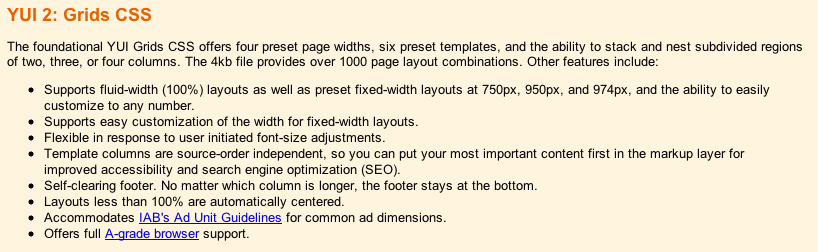
Chances are, you are using either a framework to handle your CSS or you are adding your styles in a manner that you have grown accustomed to, but without much of a structure. Both have there upsides and downsides. Let’s look at a few CSS frameworks first, from the horse’s mouths:
Blue Print

YUI 2

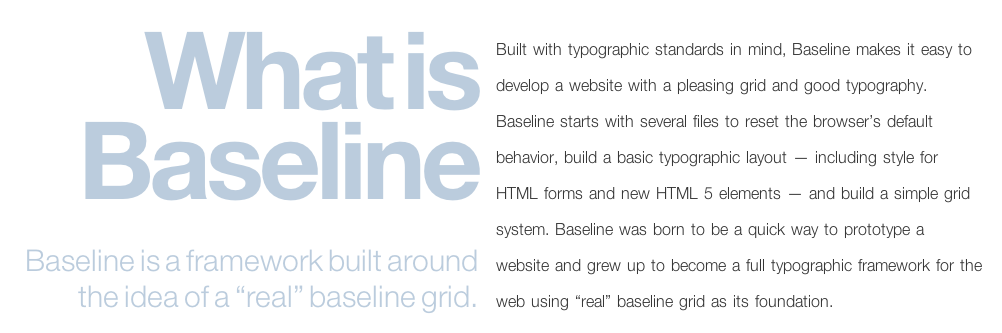
Baseline

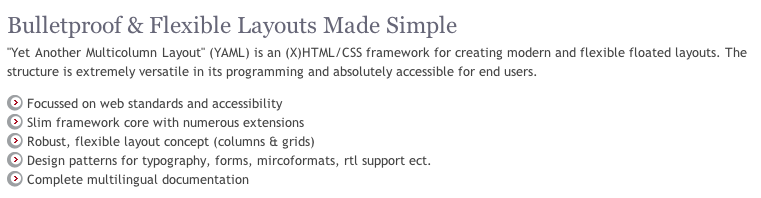
YAML

There are a numerous more, and just like a frameworks for your server side language of choice, each have their advantages over one another, and each have their drawbacks. I am not here to steer you away from a framework, as I have used them in the past and I believe in the concepts. I think when you are working on a large team, there is no better choice as it standardizes your styles and it lessons the voice of the individual developer and designer. That said, I do believe there are some drawbacks from using a CSS framework, as it adds to the overhead particularly with styles you aren’t using, and the learning curve is rather high. This can be a bit frustrating particularly with projects that have strict schedules. That said, the learning curve is just that, a curve, and over time you will master whichever project you deem best. The advantage of using a framework is that you now have improved your internal usability, as you are using a set method paradigm, although that method is something that is most likely outside of your control.

Wild West

The other solution is what I call the “Wild West” where anything goes. I’ll be honest and say there are many times I have just pushed something out the door without much thought to the future, or in the case of a very small project where the CSS is not very substantial. The learning curve here isn’t so bad, because you are writing your CSS as you go. You have complete control over your style’s destiny. Pretty cool so far! The problem is the internal usability. Come back to that project after it is no longer fresh in your mind, and there will be some problems. “Why the heck did I write this like this” or “I have no idea what I meant by this comment” or “Why is that input not changing styles” or “what is this big chunk of chum controlling” are common responses after the style sheet is no longer fresh in your mind.


My Choice: The Hybrid Solution

If I could put the framework solution on a sliding scale with the wild west solution on the other end, I think I would prefer something just in the middle. While one bed is too hard, and the other bed is too soft, I want to find the bed that is just right. That’s what I call the hybrid solution. It shares traits with both the wild west and frameworks. On the one hand, I have control over my styles, and with that the learning curve is rather low. On the other, I want to give a little structure to what I write, so that when I come back to it later, I have at least a familiarity of the structure because I build onto my methods which each project.

It’s a bit of a DIY project like in home improvement. You are trading the structure and cost of a professional for the convenience and familiarity of using your own hands to do the work. What you hope for in the end is the same finished project, but one without the learning curve or foreign ideas and concepts from the industrial strength version.


File Naming Convention

Thinking back on the choices that we have to make as developers, I make the choice of increasing the HTTP requests for a little better organization. I know I am costing myself a little bit of performance but what I get in the end is CSS that is easier to understand when I have to look at them next. You may make a different choice here, and you won’t get much argument from me. I just prefer smaller file sizes organized in a consistent manner over the one large CSS file or header in my HTML.

Here’s what works for me:

  • reset.css : A reset css is one that sets all or at least of the majority of browser styles to nullify. I use a reset css so that I can battle some differences with browsers, and I see the value when dealing with cross browser issues. It’s not Nirvana, and there are some that prefer no reset, or what I recently read, a soft reset. I prefer to reset everything, and I use the Eric Meyer flavor of resets.

  • forms.css: I segregate my form styles from the rest of my CSS. I want to know when I am working on forms, and they aren’t quite appearing as I wish exactly where to go.

  • global.css: My global css file is something that I use for each larger project that I write. What is contained in this small file are small classes which I might use over and over again in projects. My rule of thumb is, if there is a shortcut for the property, then it probably doesn’t belong in the global file. I wouldn’t use the font property. For instance:

/* Colors */
.red {
    color: red;
    background: inherit;
}

.blue {
    color: blue;
    background: inherit;
}

.highlight {
    color: black;
    background: yellow;
}

/* Lists */
.horizontal {
    list-style-type: none;
    display: inline;
}

.vertical {
    list-style-type: none;
    display: block;
}

/* Text */
.small {
    font-size: small;
}

.large {
    font-size: large;
}

.bold {
    font-weight: bold;
}

Notice that these are very specific classes, that add to the cascading rules of styles. While none generally will be used as the only style for an element, they add to the description of the element that they class is applied.

  • style.css: My style.css is my main controller of my style. If you think in terms of OO for CSS, my style.css is my class, while the other files extend my class (somewhat anyway) and add to the inheritance of my main objects. I use my style.css to import my other files, and to define my local, project only, id selectors and classes.


ID and Class Selectors: Think a Little Differently

My hybrid method diverges here from most people, as my general rule with ids is merely to explain the element in question. ID Selectors are only used once per page (including GET processes), so I want these to be very specific in nature. In order to really maximize the reuse of code, any property outside of that explanation of an element, I really would prefer to use a class selector. Since this ID is unique to the page, I only want to use unique explanations for this selector.

For instance, my width would be somewhat unique. My padding and margin would be somewhat unique. My position would be somewhat unique. You could argue that the display for this selector would be somewhat unique. My color for the element; not really unique. My background, again not really unique. For the not really unique items, I think of these as “describe the element” for which I use class selectors.

Let’s illustrate this with a little code. For ease, I am using a recent tutorial by Jeffrey Way titled Quick Tip: Practical CSS Shapes. What if we took the original CSS:

#container {
	background: #666;
	margin: auto;
	width: 500px;
	height: 700px;
	padding-top: 30px;
	font-family: helvetica, arial, sans-serif;
	}

h1 {
	 background: #e3e3e3;
	 background: -moz-linear-gradient(top, #e3e3e3, #c8c8c8);
	 background: -webkit-gradient(linear, left top, left bottom, from(#e3e3e3), to(#c8c8c8));
	 padding: 10px 20px;
	 margin-left: -20px;
	 margin-top: 0;
	 position: relative;
	 width: 70%;
	 -moz-box-shadow: 1px 1px 3px #292929;
	 -webkit-box-shadow: 1px 1px 3px #292929;
     box-shadow: 1px 1px 3px #292929;
	 color: #454545;
	 text-shadow: 0 1px 0 white;
}

and transformed to this:

#container {
	margin: auto;
	width: 500px;
	height: 700px;
	padding-top: 30px;
	font-family: helvetica, arial, sans-serif;
	}

#heading-one {
	 padding: 10px 20px;
	 margin-left: -20px;
	 margin-top: 0;
	 position: relative;
	 width: 70%;
}

.norm-background {
        color: #fff;
        background: #666;
}

.heading-fancy {
	 background: #e3e3e3;
	 background: -moz-linear-gradient(top, #e3e3e3, #c8c8c8);
	 background: -webkit-gradient(linear, left top, left bottom, from(#e3e3e3), to(#c8c8c8));
	 -moz-box-shadow: 1px 1px 3px #292929;
	 -webkit-box-shadow: 1px 1px 3px #292929;
	 color: #454545;
	 text-shadow: 0 1px 0 white;
}

So far, all I have really done is added two new classes from the unique h1 selector and abstracted that h1 out to a unique ID. I haven’t gained anything for the moment, and in actuality I have added just a whee bit more overhead to my file. Where’s the advantage then?

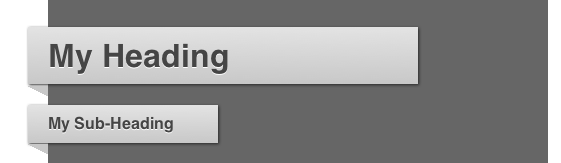
If you think for a moment that you might reuse these descriptions somewhere else, perhaps for a sub-heading, then we have some code reuse. Let’s look to see what we can do now. Here’s how it originally looks:

Heading

and here is how it looks with a sub-heading:

Subheading

I only added a new definition now:

#heading-two {
	 padding: 10px 20px;
	 margin-left: -20px;
	 margin-top: 0;
	 position: relative;
	 width: 30%;
}

Along with a little HTML:

    <h1 id="heading-one" class="heading-fancy"> My Heading <span class="arrow"></span> </h1>
    <h2 id="heading-two" class="heading-fancy small"> My Sub-Heading <span class="arrow"></span> </h2>

We have code reuse, and we have a method which is consistent. If you take this method and apply it, you will reduce the number of styles (or objects if you prefer) that you write. Less code with a method means easier support at a later date. Really, nothing earth shattering here, but when you begin to explain your ID selectors but describe your classes it’s an easy method to add a little sanity to your code.


Style Attributes

I’m sure someone, somewhere, has told you to never use the style attribute. I am also sure that some of you will disagree with me, and that’s OK, I can take it. I am going to break that rule just a bit with a caveat. Never use it without a little thought to what you are doing. There are legitimate uses for the style attribute, particularly when working with complex applications using AJAX calls, but those uses come from your behavior layer.

When you should use the style attribute, is when you need to make a quick final call to override something in the cascade display for the element which wouldn’t make sense to add to your global.css file. For instance, you might need to override a style from your behavior layer based on an user action. It does add to the complexity just a bit, but it adds to the cascade. I wouldn’t use multiple properties, as this is a quick override, or rather, “forget what I just told you, do this instead”. It’s a cascade, and you should treat your CSS as such, in my opinion.


Indentation, Layout and Comments

We spend a lot of time putting emphasis on our indentation in our code and HTML, but I don’t often see the same emphasis in our CSS. It makes the world of difference. Let’s take our working example again:

<div id="container" class="norm-background">
    <h1 id="heading-one" class="heading-fancy"> My Heading <span class="arrow"></span> </h1>
    <h2 id="heading-two" class="heading-fancy small"> My Sub-Heading <span class="arrow"></span> </h2>
</div>

If we indent that in our markup, why not indent it the same way in our CSS:

#container {
	margin: auto;
	width: 500px;
	height: 700px;
	padding-top: 30px;
	font-family: helvetica, arial, sans-serif;
	}

    #heading-one {
         padding: 10px 20px;
         margin-left: -20px;
         margin-top: 0;
         position: relative;
         width: 70%;
    }

    #heading-two {
         padding: 10px 20px;
         margin-left: -20px;
         margin-top: 0;
         position: relative;
         width: 30%;
    }

It adds just a little more emphasis as to what is going on with these ID selectors. I understand now that they are children to the container div without comparing my mark-up.

When deciding on the layout of your style file, this is the rule of thumb that I use. You have to @import your additional CSS files first starting with the reset.css file, and then the rest. Define your elements next such as h1, anchors, etc. Next, define your ID selectors in your style.css. If you are working with multiple pages, comment the start of each new page within your indentation. For instance, #container is probably an element of the layout which is the container for each page, so start there with your indentation and work out commenting where you are using each element. Finally, define your classes. I don’t normally indent my classes, due to the fact that they are often reused, and the indentation doesn’t show where they are used.

Finally, and probably most importantly, comment your CSS just as you would your server side code. If there is any context that you can give to a class, such as elements that it is used, or ID that it matches, comment it. Any context that you give your future self is like having a time machine. Marty McFly might not have knocked that creepy guy out of the way of oncoming traffic if he had just read the Flux Capacitor comments first.


Conclusion

I am relatively sure my methods will not have a new dance move named after it, nor will it cure cancer. I am not even sure if they would be adapted by a single person outside of my immediate family. That said, I really hope you take the concepts away from this and build methods that work for you. Development usability is a goal that we should all be striving to achieve. When you create a methodology, you increase your internal usability exponentially as you are developing habits which you reuse and share with your team and others. It fixes development problems, increases productivity, and decreases the overall cost of development. It is one of those rare win / win propositions that you encounter in your daily development life.

Thanks for reading, and please share your ideas.

Finding Your Hand Drawn Lettering Voice


Learning to letter by hand is a journey, or at least it has been for me. Starting with a passion for letters and typography, I experimented with tracing type, fitting letters into unusual spaces, and discovering how to pull words and styles together cohesively. It can take quite some time for your compositions to come together, your focus tighten, and your voice to develop.

Continue reading “Finding Your Hand Drawn Lettering Voice”

Inspiration: 40 Bold, Bright and Beautiful Shape Based Illustrations


At Vectortuts+ we love colors and shapes! From round and cheerful to pointy and moody, we love them all. This post showcases 40 great illustrators from around the globe, each have mastered the art of composing shape and color perfectly to make stunning creations. Venture with us into the glorious world of color and shape, beginning with fiery yellow and red, moving on to soothing pink and purple and ending with mysterious blue and black.

Continue reading “Inspiration: 40 Bold, Bright and Beautiful Shape Based Illustrations”

Recording the Drums – Part 4 – Audio Premium

In this week’s Audio Premium content, Bobby Owsinski continues his series on how to record the drums.

To learn more about what you get as part of Audio Premium, read this.

In Part 4 of my drum miking series we’re going to look at a couple of ways to do overhead miking, the philosophy and placement of the sometimes mysterious room mics, and some surprising and interesting alternative miking techniques. Don’t forget, as I’ve stated in the intro of every part of this series, the real key to a great drum sound is a great drummer or a great sounding kit (preferably both in that order). These two items will make just about any engineer look like a genius to his or her clients.

Table of Contents

  • The Two Philosophies Of Overhead Microphones
  • Using Room Mics
  • Miking The Room With A Single Mic From The Front
  • Miking The Room Using A Stereo Mic Overhead
  • Parallel Room Mics
  • Using Three Room Mics
  • Alternative Miking Techniques
  • The Single Mic Technique
  • The Two Mic Technique
  • The Three Mic Technique – Option 1
  • The Three Mic Technique – Option 2
  • The Three Mic Technique – Option 3
  • The Four Mic Technique – Option 1
  • The Four Mic Technique – Option 2

Existing Premium members can log-in and download. Not a Plus member? Join now.


Workshop #74: Just Win by Villains Inc.

At Audiotuts+ we irregularly put up a reader track for workshopping and critique (find out how to submit a track). This is how it works: you upload your song, and every week or so we’ll publish one here and step away from the podium. The floor is yours to talk about the track and how the artist can fix problems in and improve upon the mix and the song.

This track has been submitted for your friendly, constructive criticism. They have put their track (and their heart and soul) in your hands to learn and get useful feedback.

  • Do you enjoy the song or track itself? Does it have potential?
  • Can the arrangement be improved?
  • How did you find the mix? What would you do differently?
  • What do you enjoy about the rhythm track? What can be done to improve it?
  • Is the choice of instruments relevant and effective for the style/song?
  • Are the lyrics (if any) effective? Does the style, arrangement and genre of the song suit them?
  • Can you suggest any specific techniques that might improve the track?
  • Do you have any other constructive feedback?

Just Win by Villains Inc.

Artist’s website: www.fliptheu.com

Description of the track:

t1mp – music, mixing, arrangement
jim settle – arrangement,mixing
mick leonardi – vocals, lyrics

Download audio file (Justwin.mp3)

Terms of Use: Users can stream the track for the purposes of giving feedback but cannot download or redistribute it.

Have a listen to the track and offer your constructive criticism for this Workshop in the comments section.


Submit Your Tracks for Workshopping

Need constructive criticism on your own tracks? Submit them using this form.


Open Mic: Tell Us Which Music Magazines You Read

Magazines tend to be more up-to-date than books, but lag a little behind the immediacy of the Internet. Do you read music or audio magazines? Which do you find most helpful?

Each Tuesday we open our mic to readers and lurkers alike to come out of the woodwork and tell us your thoughts and opinion, your experiences and mistakes, what you love and what you hate. We want to hear from you, and here’s your chance.


How often do you buy audio magazines? Which do you find most helpful?

Or has the Internet completely replaced books and magazines for you?


Adding an Artist’s Touch to Your Photographs – Psd Premium Tutorial


Today, we have another Psd Premium tutorial exclusively available to Premium members. If you want to improve your photo manipulation skills, then we have an awesome tutorial for you. Learn more after the jump!


This Premium Tutorial is Filled with Creative Tips

As an artist, I love working with great imagery, especially when the project involves collaborating with talented photographers and art directors. Starting out with a great, well-lit shot makes my job much easier. But every now and then the project involves taking something more ordinary and turning it into something special.

While it can be more of a challenge to create something special from an ordinary shot, the artist side of me loves that challenge. And it was while working on one such project that I got the idea for creating this tutorial. In this tutorial we’ll go through the steps I used to turn the shot below to the one you see above. Along the way you’ll learn about manipulating depth of field, creating lighting effects that give the image a little bit of ‘bling’, how to create a split toning color effect and finally how to apply a texture and color treatment to the image to give it a cool, vintage look.

By the end you’ll see some new ways of working that you can vary and apply to your images adding that special touch of your own. Let’s get started!


Professional and Detailed Instructions Inside

Premium members can Log in and Download! Otherwise, Join Now! Below are some sample images from this tutorial.


Psd Premium Membership

As you know, we run a premium membership system here that costs $9 a month (or $22 for 3 months!) which gives members access to the Source files for tutorials as well as periodic extra tutorials, like this one! You’ll also get access to Net Premium and Vector Premium, too. If you’re a Premium member, you can log in and download the tutorial. If you’re not a member, you can of course join today!

How To Ask Your Boss To Work From Home

I’m writing this article from home – where I’d love to do all of my work.  Much of my writing is done here, but my day job doesn’t afford me the ability to enjoy the same “luxury.”  That’s not to say I don’t do some of my work for my day job at home – that does happen from time to time.  Actually, the separation of the two pursuits makes not only for a clear set of responsibilities depending on where I am (for example, I can leave my work at the office should I choose), but it makes for more productivity on the whole.

But many of you have one job.  One that you could do just as easily from home.  One that you know you could do better from home.  So why not do that?  How can you go from working at the office to working at home?  Here’s a step by step method to get your boss to say “yes” to your request to work from home…

Establish Trust

You may have been at your current employer for a while – and if you’ve been in your current position, even better.  Gaining the trust you’ll need to have in order to pull this off shouldn’t be as difficult as it will be for some.  Timothy Ferris of The Four-Hour Work Week points out that this should be done in small steps regardless…so the trust you have (or will have) established is key in getting the process of working from home underway.  You’ll know your situation best – and you’ll know deep down whether or not you have the trust of your boss to a level that enables you to take it to the next step.

Think Small First

You’ll be tempted to go all out at first – after all, you’ll be excited that you’re even considering the notion of working from home.  You need to take this slowly.  Again, since you know your work situation best, decide whether or not shorter work days is the approach you should take or if you should ask for one less day in the office per week.  The latter is the most ideal, because it opens doors to asking for additional days down the road.  Shaving hours off the workday only gets you so much further in terms of productivity.  Explain to your boss that an entire day at home will work best – but if you know that won’t fly start with less hours per day at the office.  As your productivity increases, you’ll be able to ask for more as the results of the experiment work in your favour.

Get To Work

You’ve managed to convince your boss that you can work just as (if not more) effectively from home.  Now do it.  Show them you were right.  Prove it to them on an ongoing basis.  No slacking.  This will require discipline.  Set office hours for yourself.  You’re at home to work, so keep your eye on the prize.

Go Back To The Well

One day at home has proven to be successful – now go back and ask for more.  You’ve got a precedent your arsenal now, so that should help your cause.  Again, don’t get greedy.  The worst thing you can do is overestimate the situation because you’ll likely end up back where you started.  Knowing when to ask for what is a delicate matter.  Don’t lose sight of that.

If All Else Fails

None of this may work in succession – or at all.  If you’ve miscalculated your boss’s willingness to allow you to work from home, you’re going to be facing an uphill battle going forward – because your boss may sense an apparent unhappiness on your part.  It’s likely a perception, but we all know what they say about perception.  You’d better be sure about your status in the workplace before pursuing this – or be sure that you may not want to be there in the long run.

Things To Keep In Mind

  • Be prepared with a list of how working from home will benefit your boss and the organization (lowering carbon footprint, no commute means more time to work, morale boosting, less downtime, etc.).
  • Be ready to move on.  This could all go over like a lead balloon if you’re not prepared – and have misread your working situation as well.
  • Be sure that you have all the fortitude needed to work from home.  Some people need to be at an office to do their best work.  Some people prefer not to bring their work home, regardless of how passionate they are about it.
  • Be ready to work.  The success of the venture is all on you and how you make it work.  Be ready to take that on.
  • Be dressed for work.  A Skype video conference call won’t go over so well if you’re in your pajamas.

Working from home can be the ideal situation for many of us – and for the companies we work for.  It can be the ultimate win-win.  Just remember that what looks good on paper doesn’t always look good in practice.  Telecommuting can be the best way to be more productive at what you do…as long as you tell yourself that it’s up to you to make that happen.