Bootstrap is the most popular and probably the most complete front-end web framework, which allows developers to fasten the creation of a website or web app. In this article, I have compiled 5 ready-to-use web forms for your Bootstrap projects. It’s time to save some time! General Rules for your Bootstrap Form As the most …
When companies become misaligned, different departments may be working toward entirely different goals – in some cases, these goals may be at odds with each other. This is a challenge for the best companies out there, not to mention a startup in the midst of rapid growth. The result is a lack of collaboration as well as a lack of a shared vision and internal conflict.
In some cases, misalignment can even be fatal. More than 90 percent of startups have been known to fail; not because of the competition, but by self-destruction.
Company alignment may be simultaneously simple to understand and also abstract. Often, however, it’s a concept that’s difficult to execute and put into practice. That’s exactly why this blog post will take you through actionable ways that you can keep your startup in alignment.
1. Your Mission Should Be Your Foundation
The foundation of company alignment is having a shared mission or purpose. Before you can think about aligning your team along revenue targets and other objectives, you need to unite your team with a more powerful vision first – your mission.
Your mission should be one that’s short, memorable and specific
More specifically, what are you trying to do for your customers? Take Google’s mission statement, for instance: “To organize the world’s information and make it universally accessible and useful.”
Think of your mission as a “theme” or motto or phrase – just a few words. Your mission should be one that’s short, memorable and specific.
The purpose of this mission is that it provides your team with the a broader perspective about what they are doing and, most importantly, why. It unites them around a more powerful vision – one that transcends revenue-based objectives.
The second component is then aligning your mission with your specific revenue targets, growth goals and other similar objectives (more on this to come). The idea behind this is that your targets become tied to something arguably much more powerful that your team members can personally connect with.
As you will see, in the chaos of a startup, a motto is something that everyone will find easy to remember. It can serve as a powerful mechanism for keeping your entire team aligned and simultaneously moving together toward your goals.
2. Clearly Define Your Goals & Objectives at the Top
This may seem like an obvious step, but it bears repeating: Your startup likely has goals and priorities, but it’s important that these are as clear as possible.
there will be things that you will need to say ‘no’ to
You also need to figure out what’s most important at this very moment. There will always be other things that you could be devoting attention to, but it’s a CEO’s job to stay focused on the most important goals at the present moment.
To put it another way: there will be things that you will need to say ‘no’ to.
But, why is this so important? Because it ensures that the CEO models this behaviour from the top down. When other priorities start to trickle in, you risk contaminating the entire team by leading them in alternate directions. This can be disastrous for startups because it can slow progress whereas, by nature, startups have to move quickly.
3. Align Departmental Goals With The Company’s
Once you have clearly defined your company’s goals at the top level, the next step is to ensure that: a) Your entire team understands what you’re working toward at the highest level, and b) You determine sub-objectives for each department (sales, marketing, accounting, etc.) and that they are tied to and help accomplish your company’s broader goals.
Having your own company objectives is important, but what does this mean for all of the other departments? Make that clear and ensure everyone is contributing to the greater whole – which is ultimately at the essence of company alignment.
You can also take this one step further by connecting departmental sub-objectives with your broader mission. In doing so, your goals become infused with meaning. Put another way, employees start to believe in the ‘why’ of what you’re doing, which is essential in getting them to act.
It’s one thing for your employees to understand your goals but it’s a whole other thing for them to actually believe in them.
4. Translate Goals Into Clearly Defined Actions
Once you have set your goals (both at the top level and at the departmental level), it’s important to determine how these goals can be further refined into clearly defined actions that both you and departments can work toward.
Here’s an example: It’s one thing to set a goal of losing 10 pounds but in order to accomplish that goal you need to refine the action steps that will move you in that direction (for example: eating healthier, starting a fitness plan, etc.).
So, start off by outlining two or three objectives and then breaking those goals into more concrete steps and even measurable metrics that will actually be your team’s focus.
5. Repetition is Key
In a startup, things move quickly. The content of meetings just a week ago can become like a distant memory. That’s why it’s so important for management to make it a point to go over your objectives on a daily basis.
It’s not enough to communicate your goals one time – this is a continual process.
One of the best ways to do this? Go back to your mission (step one). By connecting your objectives with your broader mission statement, you can easily reinforce these goals and keep them at the forefront of your startup without having to continually go into the specifics of those goals.
6. Regularly Review Progress
While it’s important to have clearly defined goals and action steps, it’s arguably equally important to review the progress of these action steps on a regular basis (at least monthly but ideally bi-weekly).
Management will likely find that teams will not be working in alignment at first, so it’s a good idea to ensure that everyone recognizes that this process will be a slow one – one that will require continual nudges in the direction of your goals.
misalignment doesn’t just happen overnight, it’s a slow process
Reviewing your progress on a regular basis not only gives your team the opportunity to redirect wherever necessary, but it also serves as a continual reminder of your company’s objectives.
Remember, too, that misalignment doesn’t just happen overnight, it’s a slow process. That’s why regularly reviewing your goals (and, more specifically, the action steps) will keep your company on the right track.
One of the best ways to track progress? Having an internal dashboard that is set up on the wall for all team members to see.
7. Daily Stand-ups for Everyone
Stand-ups – daily meetings where employees report on what they’re working on are a mainstay of software companies (and, more specifically, engineering teams).
However, there is a lot of value that can come from having involvement from everyone – or at least the core teams.
Communal stand-ups give an opportunity for all teams to share what they’re working on, to collaborate with one another and ultimately to keep your goals at the very culture of your startup.
8. Celebrate Success (But Also Be Transparent About Challenges)
It’s important to take the time to highlight success stories of team members or even entire departments that are working toward and hitting company’s goals. A great example is a team lunch.
Celebrating these milestones creates a culture of teamwork and reinforces your objectives.
Of course, it’s important to also be transparent as far as numbers go and to give insight into any challenges as well. This, too, creates transparency within your organization and ensures that everyone is always on the same page.
Wrapping It Up
Above all, the key to keeping company alignment is a solid foundation: a mission that unites your entire team. From there, top company goals and sub-departmental objectives should work in tandem so that everyone is contributing to the greater whole.
This shared mission, however, is the glue that holds your startup together. As your team grows, your mission (and, more specifically, your values) are what will guide management as they make a myriad of decisions, including those that have to do with hiring.
Throw in continually measuring progress, stand-ins and celebrating milestones and you have a recipe for success when it comes to ensuring that your entire organization is working toward a common goal.
Lastly, recognize that keeping company alignment is a continual process – after all, your goals and objectives will continue to change over time. Eventually, however, the process of setting clear goals and continually working toward them as a team will simply become part of your company culture.
Cannondale has electrified a significant chunk of its bicycle lineup, and now it's determined to conquer the mountain biking world in earnest. The company has unveiled a redesigned Moterra e-bike (above) for the harsher climbs and a brand new Habit…
Those rumors of the Pixel 4 sporting hand gesture control just became more tangible. Ice Universe has obtained photos that reportedly show the detached bezels for the Pixel 4 and Pixel 4XL, including a rather conspicuous ovoid hole on the right side…
Amazon is apparently confident The Boys will prove a hit — so confident that it's committing to more before the Prime Video show is even available. The company has renewed its ugly-side-of-superheroes production for a second season days ahead of th…
Netflix regularly works with unionized actors (they're ubiquitous in Hollywood), but usually on a show-by-show basis. Now, though, it's establishing a deeper connection. The service has signed a roughly three-year contract with SAG-AFTRA that provide…
Tinder is exploring a different approach to fighting app store fees — it's simply ignoring what the store operators want. The dating giant has introduced a default payment process into its Android app that skips Google Play's system entirely, inste…
Those murmurs of WarnerMedia making DC Universe's shows more widely available? They're true. DC's Doom Patrol has been renewed for a second season, and it'll be available on both DC Universe and HBO Max when it resumes in 2020. The move will also bri…
The Russian government is used to perpetrating hacks, but it just became a target — and the data says a lot about its goals. A hacking group nicknaming itself 0v1ru$ infiltrated the servers of SyTech, a contractor for the FSB intelligence agency on…
This post was done in partnership with Wirecutter. When readers choose to buy Wirecutter's independently chosen editorial picks, Wirecutter and Engadget may earn affiliate commission. Read the full guide to camera cle…
Marvel has provided the first details for phase four of its Cinematic Universe, and it won't surprise you to hear that Disney+ will play a large role. There are no less than five superhero shows reaching the streaming service, although you'll have t…
It's been half an Earth century since humanity first made landfall on its nearest celestial neighbor, and there's plenty of reason to celebrate, but that doesn't mean the news of the world has frozen in place like the flag Apollo 11's crew left behin…
When the Kingdom Hearts: VR Experience dropped earlier this year, it was incomplete and missing some levels that might have put a damper on your nostalgia trip. Now, Disney and Square Enix are rolling out the experience's second part, which turns mor…
Do you need to deliver a presentation about technology or science?
If you’ve got a high-tech presentation to deliver, you’ll want a high-tech PowerPoint template to enhance your message. You’ll also want to use science and technology PowerPoint templates for presentations with a scientific or technology theme.
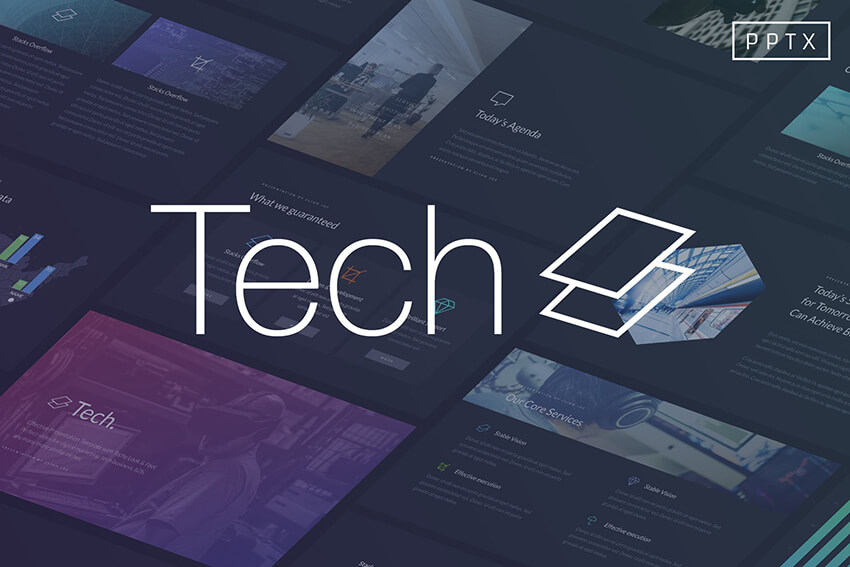
This high-tech PowerPoint template is available on Envato Elements.
Starting your tech presentation with a professionally designed presentation template is a huge timesaver. Using pre-made technology PowerPoint templates means that your presentation will look great and make a positive impression on your target audience.
In this article, we feature a curated selection of great science and technology PowerPoint templates from Envato Elements and GraphicRiver. The templates were created to help your presentation about technology stand out and they make use of all the current technology trends.
Best High-Tech Science & Technology Templates on Envato Elements (With Unlimited Use)
You can find great technology PowerPoint templates on Envato Elements. Best of all, you can download as many as you want for a single low price. Each template comes with multiple creative presentation options. They feature the latest designs and are full of options.
You may be thinking that getting a technology PowerPoint templates free download is a good idea. But the truth is that free technology PowerPoint templates don’t offer as much as these premium templates. They’re often not updated or don’t include support. They may be difficult to use or limited in the number of options you get.
To create a truly professional and unique PowerPoint slideshow quickly and easily, your best bet is to go with premium templates like those available through Envato Elements.
Are you working on a high-tech presentation? Here are some of the best new science and technology templates (with awesome slide designs) from Envato Elements:
Are you looking for a unique professionally designed presentation? This great high-tech PowerPoint template includes modern, polished layouts that’ll truly help your presentation about technology to stand out. Choose from between 20 different masters. Plus, you can easily change the color, add or remove a shape, and even change the font to make this design match your needs.
This easy-to-edit template can be used as a science PowerPoint template, or for any technology-related presentation. Edit this template directly from within PowerPoint. Here’s just some of what you’ll get:
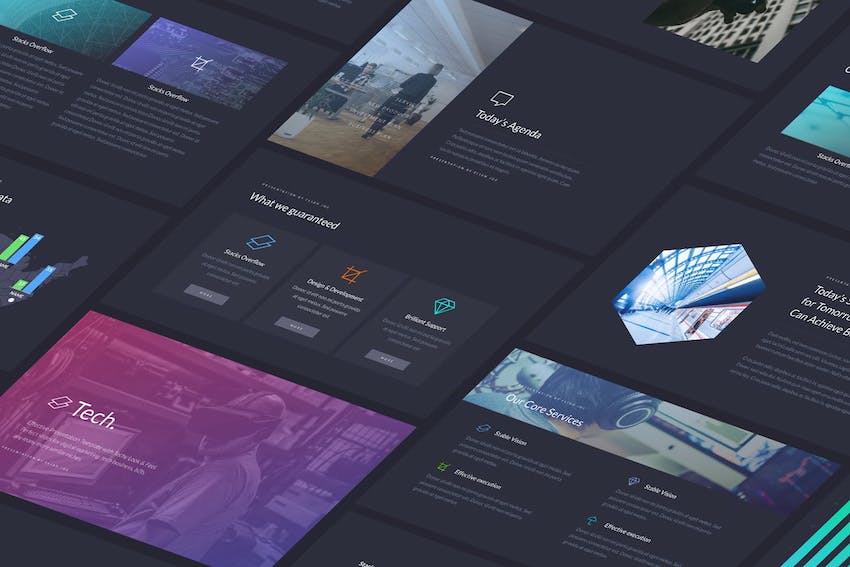
The Tech PowerPoint Template features a unique modern look that’ll help you engage your audience. Plus, it’s easy to use. You’ll find that the image placeholders are ready for you to drag-and-drop your own photos and graphics. The template also includes some popular slide layouts such as device mockups and professional company profile slides.
These eye-catching PowerPoint technical presentation templates can also be used for business presentations or even creative presentations. Choose between three different color themes and a light or dark background. It also includes documentation. And the presentation is designed for both a widescreen and a standard format.
The Thumper PowerPoint presentation template works well for technology-related slideshows as well as many other types of slideshows. It’s based on a high-contrast color scheme that’s sure to catch the eye of your target audience. Plus, the template includes over 100 unique slides. The PowerPoint file is fully editable and master slides are included.
Envato Elements (Design Without Limits)
Envato Elements – Unlimited creative template downloads for one low price.
Envato Elements has a single compelling (all inclusive) offer:
Sign up for Envato Elements and you get access to thousands of graphics and templates (with unlimited use), from creative website themes to technology PowerPoint templates, and more—all for one low price.
Get unlimited downloads from a massive digital warehouse of creative assets.
That’s right! Download as many professional templates and graphics as you want, then customize them to fit any of your project needs.
While Envato Elements is a powerful option, if you prefer to buy new PowerPoint slide templates one at a time (instead of getting unlimited access to hundreds of creative slide designs), check out the selection from our GraphicRiver marketplace below.
Quickly Discover Great Science & Technology Templates on GraphicRiver
GraphicRiver offers templates for one-time individual purchase. On the GraphicRiver marketplace you can quickly find best-selling science and technology PowerPoint templates.
GraphicRiver is a great option if you’re tempted by free technology PowerPoint templates. The templates you’ll find on GraphicRiver are much more developed than most free templates and offer many more options—download one for a reasonable, low price.
There are hundreds of science PowerPoint templates to choose from on GraphicRiver. You can narrow down your search and filter by category to find the technology-related template you want. Or, browse through the top PowerPoint themes for 2019.
20 Great Science & Technology Templates (for 2019)
If you’re making a presentation that includes technology or science, you need the right slide design. Plus, you’ll likely also want charts, graphs, and diagrams to present your data. Here are some of the best science and high-tech PowerPoint templates available on GraphicRiver:
This technology PowerPoint template keeps the fun in a tech-oriented design, with its use of bright accent colors and dynamic lines. Unusually-shaped image masks and layered graphic elements will hold your audience’s interest. This template comes with over 359 unique slide layouts that are easy to customize.
The creative layouts in this PowerPoint template will make you look like a high-tech presenter. You get 320+ unique, easy-to-personalize slides in high resolution (16:9 ratio or 2560px X 1440px). Simply drag-and-drop your own technology images for PowerPoint in the placeholders to customize. With its clever diagrams, colorful illustrations, and unusual image masks, your presentation about technology or science is sure to stand out.
Who says a science presentation can’t be dramatic? The Lummerville template combines science and drama in this dark color palette that’s trendy today. But if you’d rather lighten things up, you can do that, too. The colors, shapes, and other slide elements in this template are fully editable. You also get icons, infographics, charts, maps, and other graphic elements to make your technology or science presentation more effective.
You’ll find over 160 unique multipurpose slides in this flexible PowerPoint template. The modern and simple design is based on free fonts for your convenience. Drag-and-drop your own technology images for PowerPoint and videos to replace the image and video placeholders. There are also tons of unique infographics you can modify to present your own ideas and concepts.
The Information Technology PowerPoint Template was designed especially for giving or making technology-related presentations. You can quickly change the colors, shapes, and charts to meet your own needs. The design comes in two common sizes: standard (4:3) and widescreen (16:9). This unique template is based on the Dosis font.
Here’s a truly unique PowerPoint design template for your science or technology presentation. These easy-to-modify professionally-made slide designs have plenty of space for graphics and icons. You can also easily change the color themes, fonts, and more. Each image placeholder is drag-and-drop ready for you to add your own graphics.
Choose from between 40 unique slides in this information technology PowerPoint template. You’ll find that the download includes both backgrounds and master slides as well as icons. Each slide can be easily modified to highlight your ideas and concepts. This PowerPoint template is based on the Trebuchet MS font, which comes with Windows.
With a bright yellow, turquoise, and black color scheme, this modern-style technology and science PowerPoint presentation template includes over 800 slides. You’ll also find that it contains maps, icons, and vector files. Choose between light and dark versions of each slide. The template is also fully animated. These functional and elegant slides are sure to get results.
The Pitch Deck Digital template is filled with helpful features. Here’s some of what you’ll get:
12 ready-made color themes
drag-and-drop ready image placeholders
1000+ vector icons
You’ll also find that this technology template includes 419 unique slides including popular slide design types like timelines, device mockups, portfolio slides, and more.
Here’s a unique science PowerPoint template that’s filled with unique vector graphics to help you illustrate your slideshow and make your message stand out. The template includes fully animated objects and slide transitions. It’s designed for HD screen resolution. You can also choose between over 500 font icons.
The Digital Agency PowerPoint Template features a clean and professional design. This technology and science PowerPoint template is fully animated and easy-to-edit. There are plenty of charts and diagrams for you to share your data. The template also includes social media and digital marketing infographics. There’s also a variety of maps.
This eye-catching high-tech PowerPoint template will help your slide deck stand out. The template is fully editable and also fully animated. The design is available in two common sizes: 16:9 (HD quality) and A4 (print ready). For consistency, the template was designed based on master slides. Choose between five different color schemes.
Use the charts and diagrams as well as the infographics in this presentation template to help your audience visualize your data. Animated slides are also included. Easily modify every part of the template to meet your specific needs. This template includes three different color themes. The template is based on the Bebas font from Font Squirrel.
Customize this powerful PowerPoint template quickly and easily by adding your own information and choosing between the various options available. Drag-and-drop your technology images for PowerPoint over the placeholders to replace them. Choose between light and dark color schemes. This template works equally well for technical PowerPoint presentations or creative presentations.
With its bright color scheme, you’re likely to attract the attention of your presentation’s target audience. These elegant slides are easy to edit. The download comes with over 500 editable fonts. There are also professionally-designed infographics to help you display your data visually. There are even device mockups with a screen placeholder.
This professional template is filled with tools to help you make your technical or science PowerPoint presentations a success. It’s useful for other presentations as well. The template includes:
a variety of slide designs including data-driven charts, maps, and more
Are you looking for a modern and clean PowerPoint template? The Grace Digital PowerPoint template may be just what you need. This attractive template was designed for businesses, but it’s also ideal for science and technology presentations. You’ll find it’s got a wide variety of charts and diagrams including world maps, tables, custom charts, timelines, and more.
This professionally designed PowerPoint template is based on free fonts for your convenience. Its bright-on-dark color scheme gives this presentation template a unique tech look and feel. The template includes animation to capture and hold your audience’s attention. There’s also a help file so you can get started on creating your presentation quickly.
Get three templates for the price of one with this technology theme bundle! In this single pack, you get the Zenon, Media Strategy, and Modex technology PowerPoint templates. This comes out to over 630 unique slide layouts—including charts, infographics, vector icons, device mockups, and illustrations.
“Technology with a heart” is one way to describe this PowerPoint template that’s also compatible with Google Slides. This template uses master slides, which makes editing more convenient: change recurring elements on the master slides and they’re applied to all the slides in the template. The Informatics template also includes vector icons, charts, and device mockups.
What Makes a Great Technical Presentation?
Now that you’ve seen our technical presentation templates, let’s talk about what makes a great technical presentation. After all, a template is only a part of your presentation and should serve as an aide rather than the main attraction.
1. Tailor the Topic to the Audience
First and foremost, remember to tailor the topic to the audience. In other words, if you’re giving a technical presentation to potential investors that aren’t familiar with the industry jargon, you should avoid using it. Additionally, you should prepare a glossary of key terms or explain them as you go so your audience can follow along easily.
However, if you’re giving a presentation to a room full of your peers and colleagues, then the use of jargon shouldn’t matter.
2. Visuals Help Explain Complex and Abstract Ideas
Remember that most people tend to memorize information better if there’s a visual representation of the idea. Visuals such as charts, graphs, and even photos will not only help your audience remember your presentation, but they’ll also make it easier to explain complex and abstract ideas.
Throughout your presentation, you’ll have to present different concepts. This might include data, key stakeholders, information about the project or the company, and more. Using different slide layouts will help your audience make a distinction between different concepts and it’ll make your presentation more engaging.
Context matters and makes it easier to follow along. Make sure that your presentation includes enough background information that’ll help your audience better understand the idea behind it. This can include history about your company or a problem you were working on that led you to come up with a solution which is now the topic of your presentation.
Don’t forget to practice your presentation and then practice some more. This will help you memorize your presentation and the content of your slides as well as boost your confidence before the big day.
5 Top Creative Tips to Use Science & Technology PPT Templates Effectively
When you’re making a presentation about science and technology, you want to come across as being on the cutting edge. After all, a presentation about technology that doesn’t use the latest technology is bound to underwhelm. Here are some tips to make your presentation more high-tech:
1. Animate Your Slides
Many of the technology and science PowerPoint templates we’ve mentioned have built-in animation, so all you’ve got to do is use the animated slide layouts. But if the template you chose doesn’t provide this option, you can add animations to your PowerPoint presentations yourself. They can make your technology or science presentation look almost like video.
2. Embed Video
Speaking of video, you can wow your audience even more by adding video on your slides. The easiest way is by embedding a video from YouTube, although you can also insert your own video into the slide. Do make sure the video is relevant to your topic and doesn’t run too long, or you risk putting your audience to sleep.
3. Don’t Overlook Your Charts
Don’t take charts for granted. In the first place, use them instead of tables and lists of statistics. And when you do use charts, break out of the traditional (boring) line graphs and bar charts. Most of the technology or science PowerPoint templates we mentioned provide creative charts that can be edited dynamically. That means all you’ve got to do is enter your data and the charts update automatically. Also, if the template provides animated charts, use them. Or, animate the charts yourself.
4. Add Motion With GIFs
A GIF can be described as an animated image. It’s a video clip that loops or automatically plays over and over again and doesn’t have sound. You can find free and paid GIFs online or create your own and insert it in your PowerPoint slide. As with animation and videos, use GIFs sparingly and only if they strengthen your message.
5. Use Voice-Over Narration
Even if you’ll be presenting the slides live, having a voice-over narration on some of them can be just the thing to jolt your audience to attention. With PowerPoint, you can record your own voice-over narration that synchronizes with the slides. If your slide has pictures of people, for instance, why not add their voices on the slide?
Learn more creative PowerPoint presentation tips and techniques:
How to Make a High-Tech PowerPoint Presentation Quickly
Once you’ve found the perfect technical presentation template, it’s time to customize it and create your high-tech PowerPoint presentation. For the purposes of this quick walk-through, I’m using the React PowerPoint template. It’s got a clean and elegant layout and comes with a grand total of 30 slides that are based on master slides so you can easily edit it.
Step 1. Decide on Which Slides You’ll Use
As mentioned earlier, the React PowerPoint template comes with a variety of slides which include About, Service, Mockups, and other slides. If you’re using a similar template, chances are you’ll have several slides that can be used to showcase your services or information about your company. There’s no need to use all of the slides in the template, so the first thing you need to do is decide which slides you’ll use.
Step 2. Edit the Contents of Each Slide Layout
Once you’ve picked the slides you intend to use, you’ll need to edit the demo content. Replacing the text is as easy as clicking into the slide, selecting the demo text, and entering your own. As you can see, I’ve selected all the text in Slide #2 in the About section and as soon as I start typing, it’ll be replaced with the information I enter. Simply repeat this process on all the slides you plan to use.
Once you’ve entered all your presentation content, take some time to customize the fonts. You can change the fonts by selecting the text and then choosing a different font from the drop-down menu in the Ribbon, like I’ve done on the second slide in the About section. Alternatively, you can change all the fonts at once by choosing a different font theme from the Design tab by clicking on the second tab and selecting Fonts from the drop-down menu.
Finally, customize the colors in your presentation template to match your brand colors. You can do this by clicking on the element that uses color and then choosing a different color from the right-hand sidebar. Or, click over to the Design tab and choose a different color theme from the first drop-down menu. The latter option will allow you to quickly change all the colors at once.
5 Benefits of Using the Top High-Tech PowerPoint Presentation Templates (In 2019)
If you’re still wondering why you should use a high-tech PowerPoint template for your presentation, you should know that there are a few benefits that come with using templates.
Here are five reasons why you should use a PowerPoint presentation template for your tech presentation:
It saves you time. The biggest benefit of using a premade template is that you don’t have to waste time creating each slide from scratch. The layout is already built so all you’ve got to do is add in your content.
Your slide deck will have a professional look and feel. While your slide is an aid to your presentation, it still needs to look good. You may be a tech wizard, but that doesn’t mean design is your second nature. Instead of trying to do everything, focus on what you do best and leave the design to the professionals.
A template comes with all the possible slides you’ll need. It can even help you include the slides you might not have thought of otherwise, like a FAQ slide or a call to action slide.
Your presentation will be more memorable. Instead of boring, bland slides or templates that come with PowerPoint, your audience will enjoy a polished presentation customized with your brand colors and other assets.
Lastly, you can customize every aspect of your presentation template. From fonts to colors and images, you’re only limited by your imagination.
Benefits of Envato Elements (The Power of Unlimited Use)
When it comes to finding a great high-tech PowerPoint template, Envato Elements is hard to beat. It offers a ton of great PPT templates for a flat-rate subscription.
Envato Elements: one flat rate, tons of presentation templates.
Sign up for Envato Elements and get access to thousands of unlimited use graphics and templates, from web themes to presentation templates, and more—all for one low price.
Grab This eBook on Making Great Presentations (Free Download)
Learn the best presentation strategies in our eBook: The Complete Guide to Making Great Presentations (grab it now for FREE). Learn how to create a powerful presentation that’ll move your audience to action.
Download a Top Science & Technology PowerPoint Template Today
If you’re looking for a science or technology PowerPoint template for your next presentation, go ahead and grab one (or more) of these great templates from Envato Elements. With unlimited access to creative graphics and templates, you can try out as many presentation slide design styles as you want!
Editorial Note: Our staff updates this post regularly—adding new technology and science PowerPoint templates with the best, trending designs. That way, you can find just the design you need to make high-impact PowerPoint presentations.
Business cards are a staple of the corporate and professional world. The usefulness of a business card is showing all of your contact details in a single, convenient location. Hand one to someone you meet, and you’re more likely to continue the conversation later.
Digital business cards can include all of your contact and social details in a single, convenient finished product to share with recipients.
In the digital era, it’s essential to also use digital business cards to share all of your contact details in one convenient view. Digital business cards are easy to share and perfect to consolidate all of your accounts and contact details in a single view.
In this tutorial, you’ll see five apps that make it easy to build virtual business cards that are ready to share. Check out the tools below to see how to create a virtual business card that helps you connect with potential clients and collaborators.
The purpose of a digital business card is simple:to help you connect with more potential clients, partners, and co-workers.
I’m sure you’re already familiar with traditional business cards, the printed product that you might hand to a potential client or colleague. It’s a perfect way of networking and leaving your contact details to connect later on.
Digital business cards serve primarily the same purpose. Most of us are on so many platforms (LinkedIn, Twitter, Instagram, and more) that it can be overwhelming to share all of those details at once. That’s where virtual business cards shine.
The point of an e business card is to create a single, simple, shareable file with all of your contact details. That way, the recipient has no friction to follow your account on social media or contact you using the details.
E business cards, like this one built with about.me are quick summaries and contact details that the recipient can use to reach out.
A virtual business card is often shared via email in your contact signature. Instead of mentioning your social details in the body of the email, it’s easier to have them all in an e business card at the bottom in the form of a signature. Most virtual business card tools will help you generate a card to add as the signature to your email.
See even more ideas for great email signatures in the round-up below:
Many digital business card builders are free tools that help you to launch the finished product as a website. Some virtual business card tools will create shareable URLs that you can send. Instead of making the recipient remember all of your social handles, use the e business card site as a launchpad.
Printed business cards are still useful and important, but it’s important to create digital versions as well. Luckily, you don’t have to choose whether you want to create only a traditional or electronic business card. In this tutorial, we’ll focus on tools to do both!
The Best Apps for Digital Business Cards
When you’re ready to build a digital business card, it helps to have a tool that makes it more accessible. Using an app or service to develop and maintain your digital card saves you time and helps you keep it up-to-date.
If you’re wondering, “how do you make an electronic business card?” the answer lies in this section. It’s easier to do that when you use apps built to design virtual business cards. Let’s check out five of the best tools to do just that.
Haystack is targeted at creating digital business cards for your team with a consistent style. You can use it to set up a style that everyone within your organization can easily tap into. All they’ve got to do is add their user-specific contact details, and they’ll quickly create an e business card.
Another great feature is the analytics data built into Haystack. That type of data helps your team see how many users are visiting your contact cards, helping you understand how your marketing efforts are working.
The digital business card you saw in the intro to this tutorial was built on the Haystack platform. Setting it up as a test case took only a few minutes, so my testing can personally vouch for its ease of use.
Like many of the tools you’ll see in this round-up, Switchit focuses on simplicity. The pre-built templates and designs have already taken care of most of the work for you. All that’s left to customize is the contact placeholders with your details. Most of the core features are available as part of a “forever free” plan to help you create a virtual business card on a budget.
Switchit is also a great option because the recipients don’t even need the app to view your card. You get an easily shareable link or template that you can drop into a variety of outlets.
Featuring a free article plus a more premium option, there’s room to grow within the Inigo app. The free virtual business card app has plenty of features to create your digital business card on your mobile device and easily share it with others.
Inigo business cards are clickable, so it’s easier to help users take action. List the social profiles and sites you want to send users to and let them use your virtual business card as a stepping stone to work together.
One of the best features of Inigo is the “back office” feature that makes it easy to build cards for everyone in your organization. That way, you don’t have to rely on each employee on your team setting up a digital business card in Inigo from scratch. Build the template with your branding, then batch create them for everyone. When you’re finished, push the template to user devices with the app.
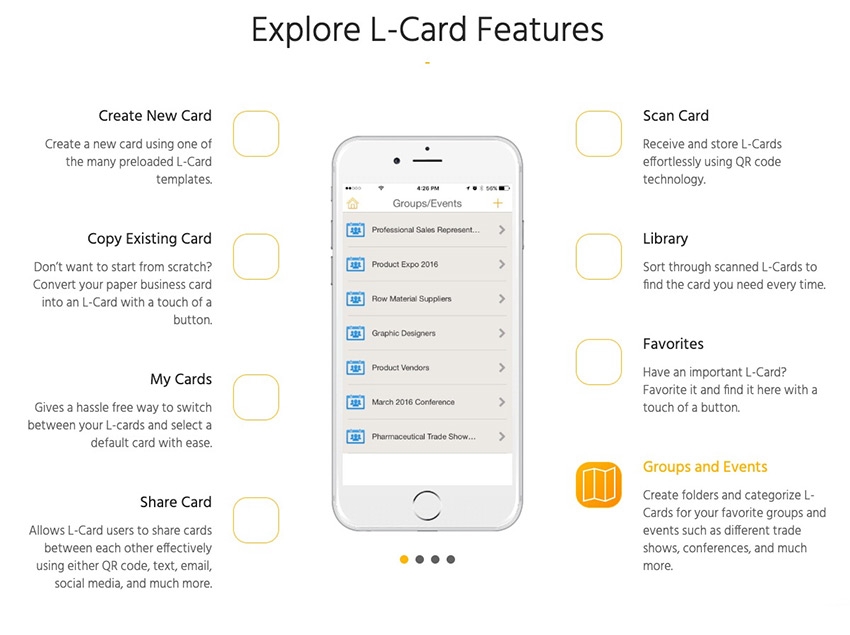
L-card has all of the best features that you need in an electronic business card tool, particularly a great selection of pre-built templates. Those help you launch your e business card much more quickly than designing one on a blank slate.
This app is focused on the mobile experience, prioritizing the Apple iOS and Android apps. Digital business cards on L-Card are designed to replace the physical copies thanks to easy scanning and sharing features. You can build a deep and easy-to-browse library with the organization tools as well.
about.me is another tool that helps you put together your contact information quickly in the form of a virtual business card. The twist on this site is that the finished product saves as an easy-to-share website.
If you’re active on many social platforms, this is one of my favorite tools. It makes it very easy to click on the social apps you use and add your username to the card.
One of my favorite features is that about.me can help you launch the virtual business card on a custom domain. For example, if you own your name as a .com, you can post your virtual business card as a slimmed-down personal homepage. Instead of coding a webpage or hiring a designer, a digital business card is a good enough placeholder.
How to Build a Professional Printed Business Card
Digital business cards have arrived and are a great way to consolidate your contact info. But you shouldn’t skip the traditional, printed business card format. You never know when you might meet a potential customer.
The problem is that building a business card is “yet another” to-do item on your list. You need a way to save time while designing your business card so that you can get back to running and growing your business.
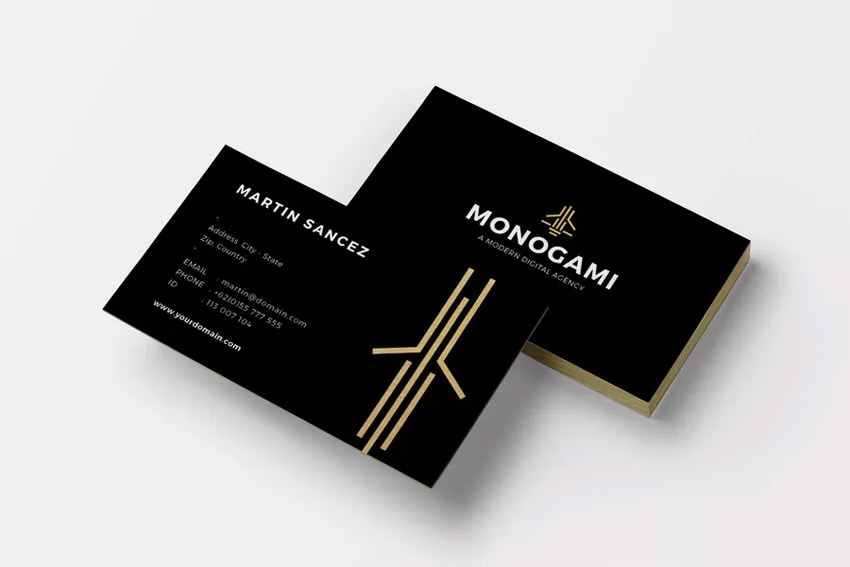
That’s where business card templates from Envato Elements come into play. With a pre-built business card template, it’s easy to design a contact card that stands out. It features a deep, all-you-can-download library to try as many business cards as you want.
Save hours of design work when you start with a pre-built template. The dimensions and design are already set for you, so all you’ve to do is fill in your details. Elements includes templates for practically every app, from Photoshop to Illustrator and even Microsoft Word.
Printed templates like this business card design are the perfect real-world partner to a virtual business card.
If the all-you-can-download model of Elements isn’t your style, remember to check out GraphicRiver as a budget alternative for high quality business card templates. Pay for templates one-at-a-time on GraphicRiver. You’ll still have access to thousands of great business cards that are just waiting to be customized.
Make sure to check out the round-up below to see the very best business card designs in a single source:
Digital business cards are a modern way of sharing your details, but also consider building a traditional card. Every opportunity to network is a chance to grow your business, so don’t be caught without a business card.
Build a Business Card In Your Browser With Placeit
The templates that we checked out above are perfect for customizing in leading graphic design apps. But what if you don’t have time to learn a new app to build a business card?
That’s why Placeit, an online design tool, is so useful. Instead of downloading templates, tinkering around in an unfamiliar app, and trying to learn all of the tools, use your web browser to design a business card.
Placeit gives you templates as a starting point, but it doesn’t sacrifice customizations in the process. Any modern web browser is adequate to use Placeit to create your business card. You can change everything, including the details, fonts, color scheme, and more.
You can also create a printed product in your web browser on Placeit to complement your e business card.
Placeit is another excellent option to build a physical counterpart to your virtual business card. It’s ideal for beginner designers that don’t want to learn a graphic design app to generate a great business card.
Build Your Business Card Today
It’s easier to build a digital business card when you use one of the five tools covered in this tutorial. Choose one of these options to make it easy to share all of your contact information in a single virtual business card.
Don’t forget: it’s also easy to build printed business cards as well, so don’t skip that step. Printed business cards are still an important business tool. Use a business card template from Envato Elements or a contact card template from GraphicRiver to customize your details. Or, try out the easy browser-based Placeit to build a business card with no extra apps required.
This tutorial featured a new twist on a classic business document: the business card. We’ve explained how to build electronic business cards as well as featured some of the best print business card templates. Go build Your business card today!

 Cannondale has electrified a significant chunk of its bicycle lineup, and now it's determined to conquer the mountain biking world in earnest. The company has unveiled a redesigned Moterra e-bike (above) for the harsher climbs and a brand new Habit…
 Those rumors of the Pixel 4 sporting hand gesture control just became more tangible. Ice Universe has obtained photos that reportedly show the detached bezels for the Pixel 4 and Pixel 4XL, including a rather conspicuous ovoid hole on the right side…
 Amazon is apparently confident The Boys will prove a hit — so confident that it's committing to more before the Prime Video show is even available. The company has renewed its ugly-side-of-superheroes production for a second season days ahead of th…
 Netflix regularly works with unionized actors (they're ubiquitous in Hollywood), but usually on a show-by-show basis. Now, though, it's establishing a deeper connection. The service has signed a roughly three-year contract with SAG-AFTRA that provide…
 Tinder is exploring a different approach to fighting app store fees — it's simply ignoring what the store operators want. The dating giant has introduced a default payment process into its Android app that skips Google Play's system entirely, inste…
 Those murmurs of WarnerMedia making DC Universe's shows more widely available? They're true. DC's Doom Patrol has been renewed for a second season, and it'll be available on both DC Universe and HBO Max when it resumes in 2020. The move will also bri…
 The Russian government is used to perpetrating hacks, but it just became a target — and the data says a lot about its goals. A hacking group nicknaming itself 0v1ru$ infiltrated the servers of SyTech, a contractor for the FSB intelligence agency on…
 By Tim Barribeau and Ben Keough
 Marvel has provided the first details for phase four of its Cinematic Universe, and it won't surprise you to hear that Disney+ will play a large role. There are no less than five superhero shows reaching the streaming service, although you'll have t…
 It's been half an Earth century since humanity first made landfall on its nearest celestial neighbor, and there's plenty of reason to celebrate, but that doesn't mean the news of the world has frozen in place like the flag Apollo 11's crew left behin…
 When the Kingdom Hearts: VR Experience dropped earlier this year, it was incomplete and missing some levels that might have put a damper on your nostalgia trip. Now, Disney and Square Enix are rolling out the experience's second part, which turns mor…