The Future For This Website

Just a quick update at where I am with this website at the minute, As you all may know I have been at University the past few months and all the work involved with the assignments took up most of my time so I didn’t really have time to update this website with tutorials and posts.

Now I have broken up from University until sometime in September so I am looking to get some tutorials done and some posts written so I can get this website active again, I appreciate your patience with this and hope you will stick with me whilst I get some written.

I have a post which I am writing at the minute which should be ready for the early part of next week, this post is explaining The Differences With Each File Format In Photoshop so this can give some beginners a better understanding what the difference between a .PNG and a .JPG is I hope that some people will find this interesting and for the more advanced users the will probably some image types you didn’t know about.

I am also writing a tutorial which I should have ready in the next week or so, but you will have to wait and see what it is on when it is released, feel free to sign up to the RSS Feed so that when the posts are released you are the first to know.

Thank you all for your loyalty and understanding!

Online-Photoshop Tutorials Forums

Yep as you can probably see in the navigation bar at the top of the screen I have integrated some forums into this website this is for many reasons:

  • It offers help for the community if people who are new or learning Photoshop need it
  • You can ask questions there and (when some members subscribe) hopefullly we can get a good strong community together to help people who need it
  • When I am not around you can post your questions there and others will be able to help you
  • Everyone can learn from others instead of just my tutorials

Hopefully this will take off and some of you reading this who need questions answering will sign up.

Beta

Whilst the Forums are in beta I will be around to answer any questions people post over there, and to aid in any problems you may be having with them.

If you find any Bugs or if you have any Suggestions don’t hesitata to contact me via the Contact Form in the navigation bar or email me at:

[email protected]

Let me know your thoughts on these forums and if you think they are a good idea and if you would regularly use them, and I will hopefully see some of you sign up and start asking questions.

Later This Week

Look for the new post later this week about the “Different File Format Types in Photoshop” alternatively sign up to the RSS Feed to be alerted when this is posted!
So for now head over to the forums now and get signing up:

http://forums.online-photoshoptutorials.com

Thanks!

Design, manage and edit your Joomla! templates online with Template Builder

Template Builder is happy to announce their online Joomla! template editor. With Template Builder you can create advanced Joomla! templates without any programming skills. With an advanced WYSIWYG editor you can load many designs and edit them to your likings or start designing templates from scratch.

Joomla is an content management system (CMS), which enables you to build Web sites and powerful online applications. Many aspects, including its ease-of-use and extensibility, have made Joomla the most popular Web site software available. Best of all, Joomla is an open source solution that is freely available to everyone.

Template Builder is an online application developed in Dojo and runs completely in the browser, eliminating operating system dependencies. All templates are stored and managed online, allowing you to work on the templates anytime, anywhere.

Template Builder allows you to share templates on your website or with your friends. Templates can be stored as .zip or imported directly into Joomla! using the URL installer in Joomla! All templates generated are royalty free and can be distributed or sold.

For more information or to start creating your template immediately visit: http://www.template-builder.com/


Awesome jQuery Sliders and Galleries

Nivo Slider


Nivo Slider is the most awesome jQuery image slider, manual and auto slide transaction with cool effect.


jqFancyTransitions


jqFancyTransitions is easy-to-use jQuery plugin for displaying your photos as slideshow with fancy transition effects.


AD Gallery


AD Gallery is a highly customizable gallery/showcase plugin for jQuery.


Animate Panning Slideshow


This is the tutorial, they’ll take the makings of a classic slideshow, but use a different kind of transition to animate between slides.


Apple-style Slideshow


This is the tutorial, create a Beautiful Apple-style Slideshow Gallery With CSS & jQuery.


jQuery Presentation Plugin


jQuery Presentation Plugin: very easy way to create presentation in html, you can navigate the presentation by using the left & right arrows, the previous & next links, and the individual page links. The plugin is very basic.


jFancyTile


jFancyTile is a tile shifting image viewer. It allows you to tranform any list with images to a beautiful tile shifting photo presenter.


Moving Boxes


Moving Boxes is like normal slider but difference here is that there are buttons to change panels and the panels zoom in and out.


Image Flow


Image flow is inspired by Apple’s cover flow. The javascript renders the cover flow effect without any noticeable flaw. Keyboard navigation (arrow keys), mouse scroll and dragging is supported.


Space Gallery


Space Gallery is another image gallery. it is very unique way to display gallery image.


CJ Flashy Slide Show


CJ Flashy Slide Show is a jQuery Plugin That Gives Your Slide Shows Some Flash-Like Transitions


Cross Slide


CrossSlide is a jQuery plugin implementing in Javascript some common slide-show animations, traditionally only available via Flashor other proprietary plugins. CrossSlide builds upon jQuery’s animation facility, so it is as portable across browsers as jQuery itself (that is, a lot!)


Anything Slider


Anything Slider is a full featured slider that could be widely useful. This is the first time (on CSS-Tricks) that one of these sliders is an actual plugin as well, which should make implementing it and customizing it much easier.


Facebook / Twitter FREE PSD Tempalte

Facebook GUI free PSD resource

Facebook GUI free PSD resource
Surgeworks.com made a Facebook Graphic User Interface (FBGUI) resource kit for Photoshop to make Facebook Designer’s work easy.


Free PSD: Facebook Fanpage Template

Facebook GUI free PSD resource
Another Great PSD source file for Facebook Fanpage Designers


Free PSD Twitter Background Template

Facebook GUI free PSD resource
Very basic and easy Twitter template that match up with different resolutions.


Create real-time multi-player flash games


Packt is pleased to announce Flash 10 Multiplayer Game Essentials,a complete end-to-end guide for creating fully featured multiplayer games. Written by Prashanth Hirematada, this book is a comprehensive guide packed with practical examples and insights into the fundamental knowledge for developing fully featured multiplayer games in Flash.

Adobe Flash is a multimedia platform used to add animation, video and interactivity to web pages. Flash is frequently used for advertisements and games. More recently, it has been positioned as a tool for Rich Internet Applications (RIAs). Flash manipulates vector and raster graphics to provide animation of text, drawings, and still images. It supports bidirectional streaming of audio and video, and it can capture user input via mouse, keyboard, microphone, and camera. Flash contains an Object-oriented language called ActionScript.

Flash 10 Multiplayer Game Essentials discusses the challenges encountered while developing a multiplayer game. The book starts with the essential ingredients to develop Flash games using Flash Builder 4 and AS3. This is followed by the basic Flash programming that is required in order to write any Flash game. Readers will learn to leverage the PulseUI framework with all the required screen management and understand the Pulse API model, a simple, yet powerful model for multiplayer gane development. The last section of the book illustrates four multiplayer game implementations of increasing complexity, namely, a simple turn-based TicTacToe, a multi-player Jigsaw, a card-based racing game and a complex space racing game.

The book is an easy-to-follow guide because of the excellent illustrations, working code samples and screen-shots provided in it. This makes it easy for beginner to intermediate Flash developers to understand game development, irrespective of their prior knowledge in networking and server-side programming.

Professional as well as amateur developers with an inclination to build synchronous multiplayer games with Flash will find this book a resourceful and interesting read. This book is out now and available from Packt. For more information, please visit: www.packtpub.com/flash-10-to-create-exciting-multiplayer-game-essentials/book


Free Unique / Premium WordPress Themes

Here are some of very unique and creative free wodpress themes. hope you like that..

AutoFocus


A derivative of Futurosity Aperio Prototype by Robert Ellis, AutoFocus is a WordPress theme specifically for photographers looking for a simple and elegant way to display their work online.


Gallery WordPress Theme


This theme can be seen in action on MixCSS.com, which is being launched as a high-end design gallery that showcases the true power of the Gallery theme. You can subscribe to the MixCSS.com RSS feed or check out the live site, which acts as a demo for the Gallery theme.


LiveTwit


Want to start a quick website streaming live news on some ongoing hot topic, event? Or maybe you just want to stream all the twits from one popular twitter user. PremiumThemes.net releases one more wonderful theme – “LiveTwit” that does exactly the same.


Selecta


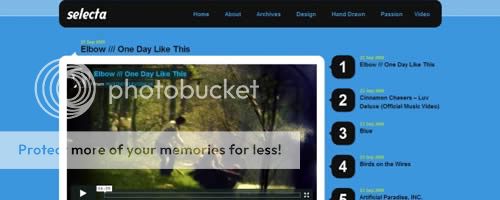
Selecta – With video blogging being the main influencer of this design and coupled with our experience in the vlogging world you will have a theme which allows you to make your videos the main focus of your site.


Smashing Multimedia

Smashing Multimedia was designed especially for podcasters, photographers and users who can now easily embed videos and images, rate them and showcase them in their own WordPress-based blog. It has a parent theme and an easily customizable child theme.


Visiting Card

Here’s Visiting Card theme for WordPress that you would love set up on your personal website.


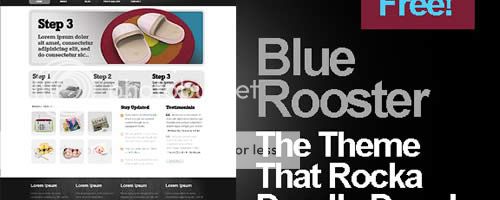
Free WP Theme – Blue Rooster

he theme is a two column layout with a extra templates that can convert your blog into a CMS. The sidebar and footer are both widgetized, author and category templates included, as well as social buttons already intact. The theme style is a mix of rounded corners, flat edges and wooden elements with a schema of muted, dark colors on a plain white surface. Blue Rooster is free under Creative Commons license.


Get Some Aparatus! – Free Theme for WordPress

Aparatus is as a premium WordPress theme that comes with a Mootools slideshow in the home page.


Pork and Beans – Download for Free!

Pork and Beans – It is a regular two column design; it does have the standard navigation; the sidebar is in the right side; The archive, single and other template are intact; but I did throw in a lot of Javascript, bolder color schema and a combination of rounded corners, etches and fades.


GTD – private blog theme for teams to collaborate.

GTD – private blog theme for teams to collaborate. the free, improved version of the theme with theme admin options for you.


Magento online stores using Packt’s new Book

Design, develop, and deploy feature-rich Magento online stores using Packt’s new Book

nullPackt is pleased to announce Magento 1.3: PHP Developer’s Guide, a new book that helps PHP developers build applications that interface with the customer, product, and order data using Magento’s Core API. Written by Jamie Huskisson, this book is packed with examples for effective Magento development.
Magento is an Open Source, e-commerce web application that was created by Varien, and built on components of the Zend Framework. Magento is the hottest and most powerful e-commerce software and has gained popularity in a short period of time. Users can control the look, content and functionality of their e-commerce web site with the help of Magento’s powerful theming engine.

Magento 1.3: PHP Developer’s Guide will help developers extend and customize the Magento e-commerce system using PHP code. They will get familiar with the architecture and internal structure of Magento and learn about the best modules available. Developers can then build a shipping module for their Magento store to give users options for receiving their items once they have paid for them.

Through this book, developers can build a basic brand-management module for Magento, in order to manage brands and display their details. They can also, create, update, delete, and retrieve customer data from within Magento by implementing the customer API. Additionally, developers can also import/export files to retrieve and store information from and to external sources using Excel Spreadsheet or CSV data.

PHP developers who want to understand the architecture of Magento and learn how to extend the system with PHP code, as well as add new features will find this book a beneficial and interesting read. This book is out now and available from Packt. For more information, visit: – www.packtpub.com/magento-1-3-php-developers-guide/book


Best of Web Layout Design Photoshop Tutorials

Collection of high quality tutorials for different type of Web and blog Layout Design in Photoshop

Create a Professional Web 2.0 Layout


In this Photoshop tutorial we’re going to learn how to create a web 2.0 layout, As we go through the tutorial we’ll deal with so many Photoshop techniques.


Simple Business Style Portfolio Layout in Photoshop


In this tutorial you will learn how to make a minimal and simple web layout for a business, or portfolio website.


Create a Grungy, Translucent Web Portfolio Design


Not only have watercolor brush strokes become a popular trend in modern web design, but so have advanced layers of transparency (or what I call, translucence). The new Envato design has received a lot of kudos for using this effect, and this tutorial will show you how to create a similar effect, while combining it with other popular web trends.


Simple iPhone Application Website Layout in Photoshop


In this tutorial you will learn how to make a simple and clean layout for your iPhone application.


Software Website Layout


In this tutorial we’ll be making software layout with a nice wooden texture applied as a background.


Website Layout


In this tutorial il show you to create a web design layout. Lets get started.


Creative Design Layout Tutorial in Photoshop


in this tutorial il learn you how to create a creative design layout.


Create a Hosting Layout In Adobe Photoshop


In this tutorial they will show you how to design a layout for a hosting company.


Create a smooth portfolio layout


In this tutorial we will be creating an easy to make portfolio design, this design uses simple effects combined with a great color scheme to give it a smooth look.


Beautiful Music Streaming Website Design in Photoshop


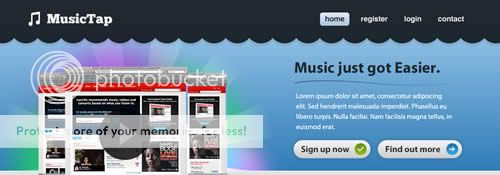
In this tutorial you will learn how to create a beautiful and clean music streaming website in Photoshop. Also, remember with all the tutorials, the psd is available for download.


Light and Colorful Grunge Portfolio Layout in Photoshop


In this tutorial you will learn how to create a light and colorful grungy portfolio layout in Photoshop.


Create a clean psd layout using Complete Designer Set


In this layout design tutorial they try to make it as clean as possible. I think this web layout it will fit pretty well for a product review blog/website, charity website, green – environmental layout etc.


Create a Valentine’s Day Layout with Photoshop


This tutorials will teach you how to create layout for Valentine’s Day (Valentine’s Day Photoshop Template)


Create a Fashion Web Layout (PSD Template) Using Photoshop


This tutorials will teach you how you can create a nice and clean web layout (psd template) using Photoshop.


Create a company/business web layout using Photoshop


This tutorials will teach you how you can create a nice and clean website layout, business photoshop template and why not for a portfolio layout…(psd template) using Photoshop.


Interior Design Layout using Photoshop


In this tutorial we use only few simple tricks you will repeat almost every step (e.g. creating textboxes). We are sure that after finishing this tutorial you’ll be able to create fabulous website layouts.


Design a light wordpress theme in photoshop


In this tutorial I will create a new wordpress theme with a web 2.0 look. Sometimes the simplicity of the theme will bring you more readers. The light wordpress themes seams to keep your readers more on your blog.


Clean and Creative WordPress Style Theme in Photoshop


In this tutorial you will learn how to create a clean and creative WordPress style layout in Photoshop. Also, remember with all the tutorials, the psd is available for download.


Create a gritty website layout


In this tutorial they will show you how to create a clean website layout with a grunge background. You can use this layout for a WordPress blog too.


How to Elevate Your Website Design Process and Results


This tutorial will guide you through the process and ideas behind the designing a professional website with a funky flair in Photoshop.


Handy FREE Icons Set / Pack

Social Network Icon Pack


15 sets | 16×16 – 128×128 | png | 15 MB


Apple Products Icon Collection


300 icons | 128/256/512px | ico & png | 21 MB


On The Road Icons


49 icons | 256×256 | ico & png | 14 MB


NX10 Icons


109 icons | 256×256 | ico & png | 14 MB


Aero Midnight Icons


64 ICO&PNG 256×256 | 13.98 MB RAR


Boxed Icon Pack


67 ICO&PNG 256×256 | 9.89 MB


Vannilla Cream Icons


67 ICO&PNG 256×256 | 9.89 MB


Mac OS X Style Icons


46 icons | 512×512 | ico & png | 15 MB


Pleasant Icons


65 ICO&PNG 128×128 | 13.72 MB


Twitter Icons


Twitter Icons (PSD included) | 6 MB


Old School Icons


Old School | 15.0 MB


Yuuminco Icon Pack


Yuuminco | 6.95 MB


Soft Icons Pack


Soft Icons | 5.72 MB


Breakfast Icons


8 ico, 7 icns | 2.4Mb


Phuzion Icon Pack


Phuzion | 12.5 MB


Bar Icons


70 ICO&PNG 256×256 | 15.05 MB RAR


Best of Photoshop Brushes

Graffiti Photosop Brushes


Download Graffiti Photosop Brushes
abr | 26.9 Mb


Grunge Photoshop Brushes


Download Grunge Photoshop Brushes
abr | 24.8 Mb


Rons Steam and Smoke Photoshop Brushes and Backgrounds


Download Rons Steam and Smoke Photoshop Brushes and Backgrounds
8 Backgrounds | JPEG | 2550×3300 pix | 300 dpi
99 Hi-Res Brushes | abr


Fresh Strawberry Photoshop Brushes


Download Fresh Strawberry Photoshop Brushes
abr | 15 Mb


Abstract Designs Photoshop Brushes


Download Abstract Designs Photoshop Brushes
16 Brushes | abr | 11.3 Mb


Rons Milk – Photoshop Brushes and Templates


Download Part 1, Download Part 2, Download Part 3, Download Part 4
75 PSD | 3000×4200 pix | 300 dpi
96 Brushes | abr | 325 Mb


Broken Ground Photoshop Brushes


Download Broken Ground Photoshop Brushes
abr | 6.8 Mb


Water Photoshop Brushes


Download Water Photoshop Brushes
abr | 18.2 Mb


Artistic Photoshop Brushes Set


Download Artistic Photoshop Brushes Set
abr | 15.6 Mb


Smoke Photoshop Brushes


Download Smoke Photoshop Brushes
50 Brushes | abr | 30 Mb


Bubbles Photoshop Brushes


Download Bubbles Photoshop Brushes
19 abr | 14.8 Mb


4 Tips to Create Effective Call to Action Elements for your landing pages

Every Website has its own objective which could be attained only if visitors of that website complete a specific action. For e.g. – The objective of the blog would be to get more subscribers, objective of an ecommerce website would be to sell products, the objective of an organizational website would be to get more members. Each website has its own purpose which could be achieved only if the users take a specific action like subscribing to blog, buying a product on the website.

But, how can you encourage users to take action?

You need effective Call to action elements on your website which can pursue them to perform the action you want them to take. The elements on the web page like – Buttons, links which request an action from the users are known as Call to action elements.

How can you create effective call to action elements which can attract user attention easily? I will try to cover some tips in this article which will help you in creating Killer Call to action elements for your website.

Size does Matter

You might have heard lot of times that Size does not matter, but when it comes to internet marketing then Size really does matter. Your call to action element should be larger in size as compared to other elements of your website so that it can attract the visitor attention easily and quickly. Remember in web designing larger an element is, the more important it is.


Proper Positioning

The proper positioning of call to action element is very important to attract the user attention. Your call to action link should always be above the fold or at the distinguished place on your website where it is easily visible to the users so that they do not have to spend any time for searching it. Improper positioning of call to action link where it is not visible easily can drastically reduce your conversion rate. Twitter homepage is a great example of how to properly place a call to action link as their “Sign up now button” is in the top section of website and easily available.


Persuasive Surroundings

Before taking the action, users want to understand what their needs or goals could be achieved after taking the action. Questions like – How this action would make their lives easier, what could be the possible advantages and disadvantages of taking this action always keep on running in user mind. Surrounding your call to action button with persuasive surroundings would give a big push to such kind of users. For example – Skype Call to action button is surrounded by text – “Free calls, video calls and instant messaging over the internet. Plus great value calls to phones anywhere in the world” which pursue its visitors to download Skype.


Selection of Words

The text of button should able to tell users what you want them to do. Use words like “Free” “Discount” “Buy” in the text of your button as these words encourage users to take action. Below are some examples of good call to action buttons.


Author:

Gagandeep Singh: He working as marketing executive for Invesp and helps E-commerce websites in creating killer landing pages and in making their conversion rate optimization campaigns successful.


iPad mod recalls old TV

Here’s an iPad mod of questionable usefulness, but it looks nice. Artist Jonas Damon built an enclosure for his iPad that resembles an old cathode-ray television (just like grandma used to have). He only used parts he found lying around his apartment. Even the rear of the case has been built to resemble those old TV’s case design, where it bulged to accommodate those huge tubes.

Topping it all off is the video of “snow” that the iPad is playing. Of course, such a case limits the iPad’s portability to say the least, but now it’s a great video/game station. You’ll see that the dock connector cable is protruding from the back so I can still be connected to a computer for synchronization.

Someone pass the Yoo-Hoo and Little Debbie snack cakes. I want to watch a little TV.

TUAWiPad mod recalls old TV originally appeared on The Unofficial Apple Weblog (TUAW) on Tue, 10 Aug 2010 14:00:00 EST. Please see our terms for use of feeds.

Read | Permalink | Email this | Comments

Box.net adds caching and update notifications to mobile apps

The folks at Box.net have announced new features that will be a part of a soon-to-be-release update to both their iPad and iPhone apps. Specifically, caching will allow for offline access to files and update notifications will keep track of file versions.

The first is exciting for users like me without 3G iPads. Now we can browse our files while offline. Imagine no more rushing around to find a Wi-Fi network just so you can reference a document.

Also, the update will let you know when a colleague has made a change to a document. You’ll see an alert and get the option to update your local version or not. This way you can sync saved files with updated version. Finally, caching will make file previews much faster.

The folks at Box.net expect these updates to drop at any time, so be sure to watch their page in the App Store.

TUAWBox.net adds caching and update notifications to mobile apps originally appeared on The Unofficial Apple Weblog (TUAW) on Tue, 10 Aug 2010 15:00:00 EST. Please see our terms for use of feeds.

Read | Permalink | Email this | Comments

Eight ways to get a killer ‘iBike’

Even though the “iBike” is nothing more than a patent application, the folks at Unplggd have described how they’d outdo Apple’s offering to the world of bike computers. We must admit, the result includes some seriously geeky, tricked-out options.

For example, this DIY USB charger uses a dynamo attached to the rear wheel to keep your devices charged. I say “devices,” because this rig produces enough power to keep two devices running.

Additionally, this DIY waterproof iPhone cover is as brilliant as it is simple. Basically, it’s at 20oz. soda bottle with the pouring end sawed off. It slips over the mounted iPhone with the open end facing the rider.

They also went on to list the gizmos you’ll always want to bring with you while biking, including a GPS device, phone and camera. Fortunately, the iPhone is all three. There’s more to the article, of course, and we suggest you read the whole thing. If you do trick out your bike like this, be sure to send us pictures!

That bike patent is about a year old, and big companies like Apple often patent ideas that will never see production. But hey, Nike+ was a surprise, too — maybe we will be riding around one day on a two-wheeled Apple product.

TUAWEight ways to get a killer ‘iBike’ originally appeared on The Unofficial Apple Weblog (TUAW) on Tue, 10 Aug 2010 16:00:00 EST. Please see our terms for use of feeds.

Read | Permalink | Email this | Comments