3 Open Source iPhone App Store Games – Great For Beginners

As you probably know if you’ve been to this site before, I’ve been on the lookout for open source iPhone and iPad apps that have been in the app store.  Recently I found out about 3 more open source games on Twitter.  Looking at these apps in the store they appear to have done very well and you certainly have to admire the developer for putting original twists on these simple concepts and having success with it.

The games are from Matthijs Hollemans and look like great material for a beginner iPhone developer to learn from.  The games will be added to the open source iphone apps list in short order.

The three games are all available in the app store:
Ultimate Countdown
Simon Sings
Fnurgletoe

You can find the Github with all the projects here:
http://github.com/hollance

Thanks for reading, please share this using the buttons below!

[Source: @mhollemans]

©2010 iPhone, iOS 4, iPad SDK Development Tutorial and Programming Tips. All Rights Reserved.

.

Share and Enjoy:

RSS
Twitter
Facebook
DZone
HackerNews
del.icio.us
FriendFeed

If You’ve Wanted The Corona SDK The Price Is About To Go Up $150

First off, I’d like to say that this is not a paid press release, I’m not getting anything for this, but I thought this information could save some interested individuals some $$$.  I don’t own a copy of the Corona SDK, but with Apple’s recent policy changes regarding third party tools I have been on the lookout for tutorials using Corona.

While going through my Google alerts I found out that the Corona SDK is currently sold at $99/yr, and this includes their upcoming Corona Game SDK.  The price is about to go up to $249/yr for the regular Corona SDK and is going to be even higher for the Corona Game SDK.

For those unfamiliar with the Corona SDK — it is a framework from Ansca Mobile that utilizes the LUA programming language and was created for the rapid development of iOS applications.

You can check out the Corona SDK homepage here where you can find further details.

The blog post on their site regarding the price increase can be found here:
Last Chance To Get Corona For 99

Thanks for reading, please share this using the buttons below!

©2010 iPhone, iOS 4, iPad SDK Development Tutorial and Programming Tips. All Rights Reserved.

.

Share and Enjoy:

RSS
Twitter
Facebook
DZone
HackerNews
del.icio.us
FriendFeed

42 Sensational Texture Packages and Tutorials

Speaking of textures in Adam’s Quick Tip yesterday… here are 42 huge texture packages for you to use in your productions, absolutely free! If you want some uses for these today… check out the tutorials at the end of the article!

Concrete Texture Pack

Tree Bark Texture Pack

Planet Earth Surface Textures

Aqueous Sun Presents Rust v.01

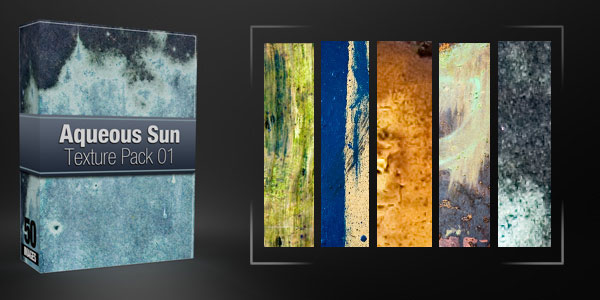
Aqueous Sun Texture Pack Volume 1

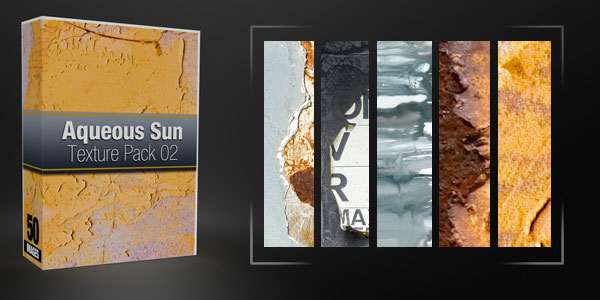
Aqueous Sun Texture Pack Volume 2

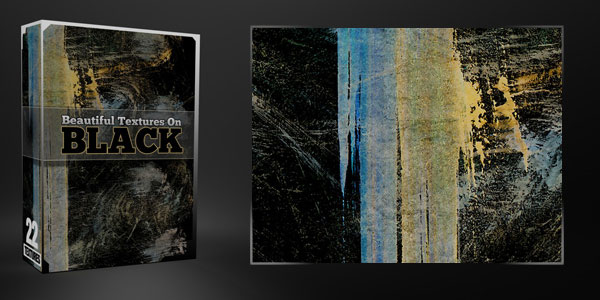
Beautiful Textures On Black Backgrounds

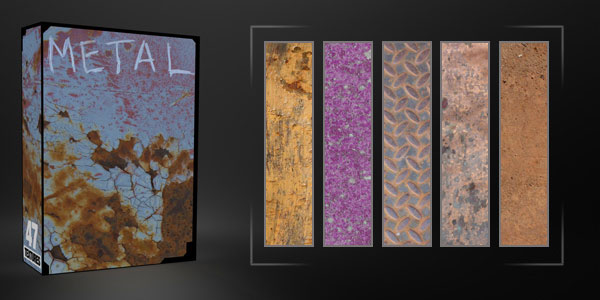
Metal Texture Pack

Vintage Texture Pack I

Vintage Texture Pack II

Vintage Texture Pack III

Abduzeedo – 29 Great Free Textures

Abduzeedo – 36 Cool Free Textures

Abduzeedo – Great Useful Brick Textures

6 High Resolution Sand and Seashell Textures

5 Incredible Moldy Paper Textures

5 Free High Rez Stone Textures

Exclusive 10 Texture Pack

Bokeh Texture Pack 001

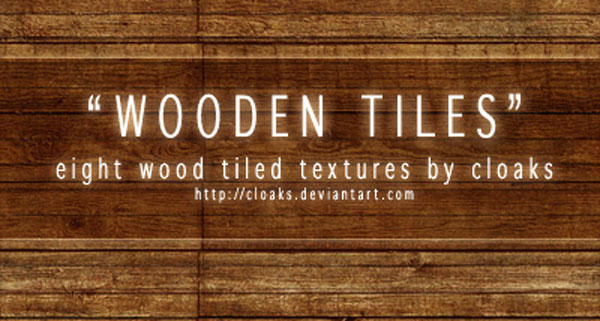
Wooden Tiles Texture Pack

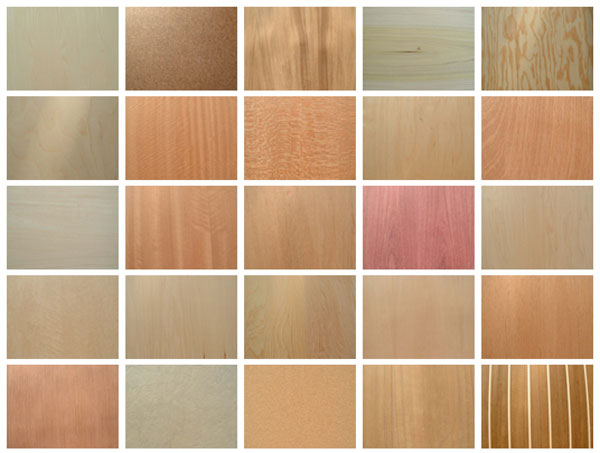
45 Wood Textures

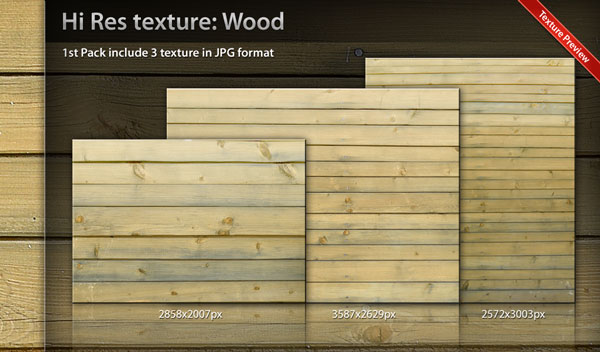
Texture Wood Pack 01

14 High Rez Slate Textures

Grab Bag: 40 Free Random Textures

12 Experimental Dirty Textures

17 Scratched and Scraped Textures

20 Simple & Subtle Grunge Textures

25+ Super Useful Paper Textures

300+ Free Hi-Res grunge textures you’ve never seen before!

15 Stunning Free Hi-Res Nature Textures

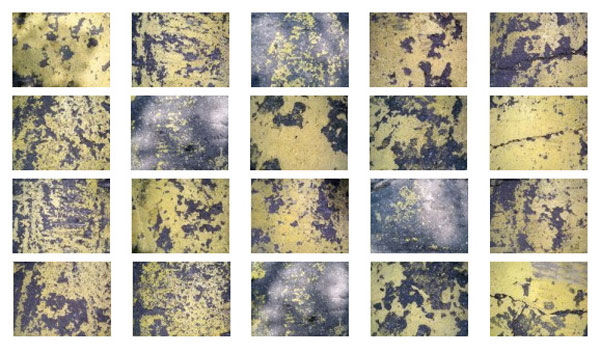
20 Free Hi-Res Yellow Grunge Concrete Textures

20 Free Original Hi-Res Ink Stained Paper Textures

19 Free Hi-Res Burnt Paper Textures

35 Free Hi-Res Fire, Flame and Firework Textures

60+ Totally Free Rusted Metal Textures for Designers

60+ Extremely Useful Free Concrete Texture Backgrounds

Creased Fabric Set: 14 Free Hi-Res Textures

Free Hi-Res Plain Fabric Textures Part 1

9 Free Hi-Res Wood Panels Textures

100 Beautiful Free Textures

12 Grungy Bokeh Textures

8 High Resolution Screen Print Ready Textures

Texture Based Tutorials

Using Texture to Get the Most Out of Design

Give Your Video A Pencil Sketched Look

Use Color To Control Your Textures

Spray Paint and Bullet Holes

Ancient Titles

Fracture Design

Ink Bleeding Effect in After Effects (Like Gnarls)

If you enjoyed this post, please give it a vote on Digg or a stumble to say thanks!


Quick Tip – Loop Your Textures For A More Dynamic Background

In this Quick Tip we’re going to create a super easy, looping, textured background that you can use in your next project. Today we’ll be specifically creating a flip book-feeling, crumpled paper background, but this same principle can be applied to just about any varying texture you wish. Hope this Quick Tip will inspire you to spend a little more time on what’s behind the subject…. cause because behind every hard working text is an even harder working background! :)


Tutorial

Download Tutorial .flv

File size 40.9MB

Additional Aetuts+ Resources


Create a Friendly Dragon with Gradients in Illustrator – Vector Premium Tutorial


We have another great Vector Premium tutorial available for Premium members today. If you want to learn how to create cute mythical creatures, such as a friendly dragon, then we have a detailed tutorial for you, which is stylistically perfect for children’s illustrations.

Continue reading “Create a Friendly Dragon with Gradients in Illustrator – Vector Premium Tutorial”

Open Mic: Tell Us What You’re Listening to Right Now

Are you listening to music right now? What’s playing?

Each weekend we open our mic to readers and lurkers alike to come out of the woodwork and tell us your thoughts and opinion, your experiences and mistakes, what you love and what you hate. We want to hear from you, and here’s your chance.


Let us know the song, album and artist. And if you like, tell us what software you are using to play it.


10 Fruitful FL Studio Tutorials

FL Studio is a DAW with a pattern-based philosophy and a unique workflow. It started life as a MIDI drum editor in 1998, and has gained features over the years until it has become a great alternative DAW.

CNET Staff comment: “FL Studio offers a tremendous value for what you get. Comparable products cost nearly twice as much. FL Studio’s quirky sound generators and interoperability make it a great addition to any studio. Be warned, though: several versions of FL Studio are available, so more features are included as the price goes up.”

Last week’s article covered FL Studio’s history and features. This week we learn how to use it. Here are 17 tutorials coming from Youtube and Audiotuts+. The Image-Line website lists Video Tutorials on its support menu. Unfortunately only registered users have access, and a log in is required.
Continue reading “10 Fruitful FL Studio Tutorials”

Workshop #119: More Than Meets the Eye by Retronix

At Audiotuts+ we regularly put up a reader track for workshopping and critique (find out how to submit a track). This is how it works: you upload your song, and every week or so we’ll publish one here and step away from the podium. The floor is yours to talk about the track and how the artist can fix problems in and improve upon the mix and the song.

This track has been submitted for your friendly, constructive criticism. They have put their track (and their heart and soul) in your hands to learn and get useful feedback.

  • Do you enjoy the song or track itself? Does it have potential?
  • Can the arrangement be improved?
  • How did you find the mix? What would you do differently?
  • What do you enjoy about the rhythm track? What can be done to improve it?
  • Is the choice of instruments relevant and effective for the style/song?
  • Are the lyrics (if any) effective? Does the style, arrangement and genre of the song suit them?
  • Can you suggest any specific techniques that might improve the track?
  • Do you have any other constructive feedback?

More Than Meets the Eye by Retronix

Artist’s website: soundcloud.com/retronix

Description of the track:

A dark electro / techno track…still working on the last few edits…but would already want some feedback…mainly on the mix..:)

More than meets the eye by Retronix

Terms of Use: “Please dont use my stuff for yourzelf.” Users can stream the track for the purposes of giving feedback but cannot download or redistribute it.

Have a listen to the track and offer your constructive criticism for this Workshop in the comments section.


Submit Your Tracks for Workshopping

Need constructive criticism on your own tracks? Submit them using this form.


Additive Synthesis in Reason – Part 2

In the second part of this tutorial we will look at how modulation can make our organ patch more interesting and realistic, and how further modulation of the individual overtones in our additive patch can create different sounds and textures.


Step 1

Load up your patch from the previous tutorial. It would be a good idea to save the patch under a different name so that you can return to the basic organ patch at another time should you wish.

Just to recap our tone should sound like this:

Download audio file (Audio Example 1.mp3)


Step 2

We are going to use the programmer in the Combinator to apply some modulation to the sound we have created, to get a more authentic organ sound.

Click the ‘show programmer’ button in the Combinator. Click ‘Subtractor 1′ on the left hand side of the panel, which will bring up the modulation routing options for this Subtractor device. Choose the target for Rotary 1 to be the LFO1 rate, leaving the minimum and maximum values where they stand, at 0 and 127.

The panel should now look like this:


Step 3

Assign rotary 2 to the LFO1 Amount, again leaving the minimum and maximum values as they are. The panel should now look like this:


Step 4

Repeat steps 2 and 3 for all eight of the Subtractors in your Combinator patch. This means that when you turn Rotary 1 or 2 it will affect the LFO1 rate and amount controls on all of the Subtractors which make up your organ tone. All of the LFOs should already be set to affect the pitch of the oscillators, so turning up Rotary 2 should set the pitch wobbling wildly. It will be helpful at this point to label the two rotary controls as I have done below:


Step 5

Now all we need to do to get that authentic organ wobble would be to adjust the 2 rotary controls to suitable values. For this audio example I have set the rate to 81 and the amount to 15, for a nice subtle wobble in the notes.


Step 6

For some further modulation ideas here are some suggestions:

Try modulating the volume of the notes as well as, or instead of the pitch. You will need to connect LFOs to the rotary inputs on the Combinator manually achieve this.

Instead of using the programmer in the Combinator and the global rotary controls to modulate the pitch and volume, try setting different values on each of the Subtractors, this can create really interesting sounds, though it can get a bit messy!


Step 7

Now we are going to start to play with some different sounds from our additive synth patch. The first sound we can create will be a bell type sound, so save the organ patch and then re save it under a new name for the bell sound.

With a bell type sound the sound rings on with some decay after a note is pressed so firstly if you are triggering your notes from a sequencer track make sure the notes are very short, as demonstrated:

Download audio file (Audio Example 2.mp3)


Step 8

Our bell sound will not need any modulation, so turn off any pitch or volume modulation that you added for the organ sound. The bell sound we are going to make is characterised by the lower harmonics ringing on whilst the higher ones die away very quickly, giving the initial ‘attack’ on the sound. To achieve this we can alter the release times on the amp envelopes of each Subtractor.

To make the main body of the sound ring out I have increased the release time of the first four Subtractors at the top of the pile up to about 55.

Download audio file (Audio Example 3.mp3)


Step 9

We are starting to get there now, but the higher frequencies still die away a little too quickly for my liking so I have increased the release time on the other four Subtractors to about 22. At this stage you can also get away with increasing the volume on these higher frequencies as well, to make the attack on the note more pronounced.

Download audio file (Audio Example 4.mp3)


Step 10

You can now hear our completed bell sound. This should give you a good idea of how manipulating the different sine waves that make up our tone in different ways you can get a huge range of different sounds. If you wish to continue to experiment with other sounds here are some ideas for you to try out:

Try making a long, pad type sound, remember that we don’t have to always try to replicate real world instruments. For this sound you could experiment with modulation on individual overtones, delayed LFOs, and sounds with a big gap in between low and high harmonics.

Remember that white noise is made up from an equal blend of all frequencies, so if you layer up enough sine waves in one patch you could start to filter it out and create percussive and drum type sounds.

Adding effects such as reverb, chorus and delay to your sounds can really bring them to life.

The track below is made entirely from additive synth patches and sine waves. Every element including the drums has been constructed from individual sine waves to create richer, more interesting tones. I have used effects in Reason to add some depth and interest.

Download audio file (Audio Example 5.mp3)


Quick Tip: How to Manage VST and AudioUnits Plugins in Mac OS X

VST and AudioUnits (AU) are the two native plugin formats for Mac OS X. Although there are other DAW specific formats for plugins, VST and AudioUnits are more common and compatible across various DAWs like Cubase, Logic, etc. There is an abundance of VST and AU plugins for expanding your DAW and building your collection of effects. However, it can be difficult to know how to get those plugins running on your computer. Especially if they are free and do not come with installers or instructions. I’ll help you get those files in the right places and make them appear in your plugin stacks.


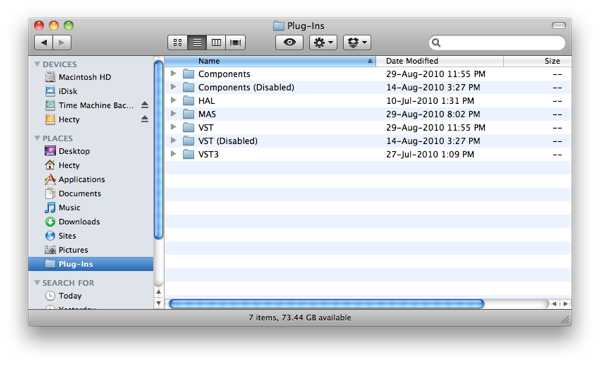
Finding the Audio Plugins folder

The plugin folder is nested in the Macintosh HD Library. There are usually a minimum of two Libraries on your Mac, one in Macintosh HD and another in your user account. You should only place the plugins in the Macintosh HD Library so that it can be accessed by all users on the computer. The usual location of the folder should be:

Macintosh HD/Library/Audio/Plug-Ins/


How to Install VST Plugins

  1. Unzip the downloaded file if it is an archive like .zip or .rar. You should only see a file with a .vst extension. This is the actual file required for the plugin.
  2. Move the .vst file to the VST folder in your audio plugins folder.
  3. If your DAW is running, close it and restart it. When your DAW starts up, it will rescan your plugins folder and detect your recently installed plugin.

How to Install AudioUnits Plugins

  1. Unzip the downloaded file if it is an archive like .zip or .rar. You should only see a file with a .component extension. This is the actual file required for the plugin.
  2. Move the .component file to the Components folder in your audio plugins folder.
  3. If your DAW is running, close it and restart it. When your DAW starts up, it will rescan your plugins folder and detect your recently installed plugin.

Other Plugin Formats

You might come across another folder labelled VST3, this is for VST3 plugins which are not as common as of yet. They can be identified with the .vst3 file extension. MAS is used for MOTU Audio System. HAL is Hardware Abstraction Layer and you should not be needing to change anything there.


Tips and Tricks

There some things that you can do to make managing plugins easier. If you have a huge collection of plugins but you do not use them all at the same time, you can waste a lot of time waiting for your DAW/host to scan all of them.

  1. Create a folder as seen in the picture above labelled Components (Disabled) or VST (Disabled).
  2. Simply drag the associated plugin to the respective ‘Disabled’ folder if you do not wish to load the plugin or have problems loading it.
  3. Restart your DAW if it is running. Your DAW will rescan and load the plugins in your Components or VST folder, and ignore the ones in the “Disabled” folders.

Remember to check for updates for your plugin first if they are giving you problems. Updates could provide compatibility fixes for newer DAWs or operating systems. Keeping your plugins in check and trimming it down can make your music making experience more responsive and trouble-free.


Audiotuts+ Readers’ Top 20 Guitar Solos

Guitar solos are inspiring, and often mark the climax of a song. They are as different as the guitarists who play them, and the best of them convey rich emotion and feeling. In a recent Open Mic we asked Audiotuts+ readers to share their favorite solo, and what they find inspirational about it. Here are their Top 20.


1. Dimebag Darrell on Floods by Pantera

“Might be Dimebag’s [Pantera] solo on ‘Floods’. Absolutely orgasmic. It is from ‘The Great Southern Trendkill’ from ’96. The outro is also mindblowing.” (Thomas)

2. Mark Knopfler on Tunnel of Love by Dire Straits

“Mark Knopfler playing the solo at the end of Tunnel of Love in 1986 (Dire Straits Thank You Australasia concert). The solo starts at 05:58.

“Like many of Mark’s solos, the live version is far superior to the album version. The solo starts slow and spare and builds up to a fantastic climax. I prefer Mark’s solos to those of other guitarists (say Eric Clapton) as Mark tells a story with his guitar, weaving in and out of little riffs while moving inexorably to an awesome conclusion. He’s rarely repetitive, and paraphrasing his own words, ‘I’m not a good singer so I let the guitar do the talking for me.’ This, and the live solos for Telegraph Road and Sultans of Swing, are my all-time guitar faves :) ” (Lucas)

3. Dave Mustaine on Holy Wars by Megadeth

“Guitar: Flying V “Rust in Peace”. Inspires: Imagination, war XD technique.” (AeroDynamite)

4. David Gilmour on Shine On Your Crazy Diamond by Pink Floyd

“Slow and lengthy, so much so, that it may fall out of the range of what some might consider a “guitar solo,” but it has always haunted me, and it always pulls me in.” (Joshua Mormann)

5. Jari Mäenpää on Winter Madness by Wintersun

“The song ‘Winter Madness’ by Wintersun has quite an amazing solo. The guitarist does plenty of sweeps, a good amount of speed picking, and a few sweet tapping tricks while, what sounds to be, playing effortlessly along side the synth dude.” (Ryan)

6. Tore Ostby on Missing You by Ark

“A different kind of music, but the guitar is brilliant: Ark – Missing You.” (Hate)

7. The Edge on Love is Blindness by U2

“Perfect marriage of music and lyric being elevated by a solo. This solo is a great use of restraint. I don’t know if it was intentional or not, but it really captivated the message of the lyric. Sometimes love is a whimper, you cant see a clearly – it can be painful to sacrifice without knowing the results. How often do we commit only when we know the potential outcome.”

8. Richard Thompson on Mother Knows Best

“Just a ridiculously accurate show-off piece. He doesn’t use one single rock and roll cliche, and his tone is pure Fender. Quite country sounding at times, but there are times when it’s so thrilling you have to catch your breath. Afterward, I wonder why he never ends up on those “best guitarist” lists. He’s a virtuoso whose songwriting chops are better than his guitar playing, which is a roundabout way of saying the guy’s a genius.” (BeeDub)

9. Michael Gurley on Feel Me, Don’t You by Dada

“This solo is the climax of the song, and right out of the gate, the repeated bends and trills rip your head off, so that by the time he gets to the wah-wah pedal towards the end of the solo, your head is spinning. The breakdown right after is so G-Funk, I’m surprised no one has sampled it.” (BeeDub)

10. Pat Metheny on Have You Heard

“Pat Metheny ‘Have You Heard’, from the album Letter From Home. The overall vibe to his music is somewhat chilled out, artsy, be-bop, new-agey (I guess), but he absolutely rips your face off with this solo. Here’s the live version.” (John at Hella Sound)

11. Andy Summers on Bring On the Night by The Police

“He’s probably playing a Telecaster or a Strat. This solo isn’t a display technical mastery, but it’s a brilliant display of musicianship in terms of capturing the exact right feeling for the song. The frustration — the argument he’s evoking, is genius in the context of the song—like a bird that’s stuck in a cage, manically picking its feathers out. Perfect.” (John at Hella Sound)

12. John Petrucci on Under a Glass Moon by Dream Theatre

“Yea yea, rivers of notes can be boring, but Petrucci throws the kitchen sink at this one and manages to make it tasteful too.” (Avant)

13. Allan Holdsworth on Devil Take the Hindmost

“Again, not ALL solos have to be blazing fast, but this is beyond technically amazing playing: Allan Holdsworth’s musical language just sounds totally alien at times. Disgusting solo.” (Avant)

14. Larry LaLonde on The Ballad of Bodacious by Primus

“It’s essentially just one note, great rhythm and a panning effect. LaLonde has the technical skill to play something long winded, complex and flashy, but he chooses to play something childishly simple, hugely musical and even slightly humorous, too, instead. If that’s not inspiring, I don’t know what is.” (Glynn) Solo at around 3:00.

15. Steve Vai on Ladies Night in Buffalo by David Lee Roth

Recommended by Vivek.

16. Gary Moore on Blues for Narada

“What inspires me about this? It just oozes ‘feel’ and has some great changes with melodic runs that just bring out those juicy chord tones amazingly. I also love the dynamics of this piece throughout.” (Anthony)

17. Stevie Ray Vaughan on Little Wing

“What inspires me about this? Obviously the original Hendrix version is amazing, but for guitar this is by far my favorite. Much like the Gary Moore song above, it’s just bursting at the seams with ‘feel’, dynamics, a wealth of different playing techniques and well, amazing guitar playing all round!” (Anthony)

18. Hiram Bullock on Little Wing by Sting

“This solo (starts at 1:30) still haunts me, it’s just brilliant!” (Lemmon)

19. The Edge on If You Wear That Velvet Dress by U2

“I like the whole sound, such a feeling.” (Lemmon)

20. David Gilmour on Near the End by Pink Floyd

“I love Gilmour’s style and I love how it comes to orgasm with acoustic-electric change.” (Lemmon)

Well, there are some amazing solos in there. Which was your favorite? And if we missed it, be sure to let us know about it in the comments.


Freebie: 10 Social Media Icons

Most designers are constantly in need of social media icons for their projects. Today, we have a nice set 10 social media icons for you to use in your next project.


10 Social Media Icons

This pack includes 10 high quality icons available in PNG format in two sizes including 64px, and 128px. These icons were created by La Glanz Studio and are royalty-free, so you can use them for any commercial or personal project.

sample

Perttu Murto and the Art of Inspiration

Many of Perttu Murto’s designs are brilliant entanglements of photography and illustration. In this interview the Finnish designer talks about his continuous quest for self-improvement and his passion for all things art…and hockey.

When discussing goals with people, the typical responses have something to do with where they want their lives to be in five or ten years. I have a feeling if I didn’t phrase it as “professional goals” when speaking with Finnish designer and illustrator Perttu Murto, he would’ve gone into a monologue about ice hockey goals. That’s an exaggeration, of course. But the idea behind it is not: Murto loves ice hockey. So much, in fact, that the vast majority of personal questions I asked him came back to the subject. It’s only natural that a man who is so passionate about a sport is just as passionate about his art.



All in a Day’s Work

Murto is 24-years old and lives in northern Finland in a city-by-the-sea called Oulu. He shares his life and apartment with his fiancé and two (“crazy”) cats, one of which is his morning wake-up call. After giving in to the cat and going through his morning routine, Murto heads to his job at a local ad agency Työmaa, where he has been a Graphic Designer for three years. He loves the job and he loves working with “real professionals.” The fact that it’s a fun place to work is just icing on the cake.

Even though he’s got an “everyday” job, Murto still considers himself to be a freelancer…and a very in-demand one at that. Through his work at the agency he’s had the privilege of working with some big-name clients like Nokia, Lappset, Polar and Warner Music, and his freelance design and illustration business has padded his portfolio with works for clients like UU Theory, UNICEF and Dolce & Gabbana.


Lifelong Learning

Murto is finishing his final year at Oulu University of Applied Sciences Business and Information Management where he studies Digital Media. All that stands between him and his degree is his thesis which, along with his day job and nightly freelance work, will likely make his schedule even more hectic. Murto doesn’t mind, though. As he puts it, “The best part is that I can [make] my living by doing what I love!”

His first love, though, is hockey. Before he even started anything artistic, Murto had aspirations to become a professional hockey player. Now he plays on a recreational team but he doesn’t mind because “these days it’s not that serious.” Nevertheless, he loves a good game.

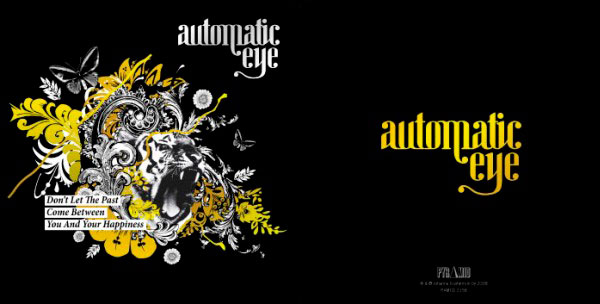
Murto saves all of that seriousness for becoming a better artist, something that he aspires to do for the rest of his life. One of the things he wishes to learn is the art of drawing more photo-realistically. He loves photography and, as one can tell, his art relies heavily on photos. Additionally, much of his work contains animal themes because as he explains, “I think that it will make the works more interesting when there is some kind of organic figure mixed with crazy stuff. I really want to use photos; I think that they are an important part of my work.” This was the case with one of his favorite projects for which he was the art director: a tiger-themed CD cover for a band called Automatic eye.

Always being open to learning something new is one of the most important lessons that Murto has learned so far. He spent 11 years perfecting his ice hockey game and his design and illustrations will no doubt receive the same level of dedication.

The best part is that I can [make] my living by doing what I love!

Patience is a Virtue

Like many newbie freelancers, Murto found that he rushed many of his personal projects and they rarely turned out the way that he had hoped. “In my opinion patience is pretty much the keyword in this industry; you don’t learn stuff from one sitting. It comes to you when you have time and patience to experiment and work, work, work.”

That patience is evident in the fact that Murto’s work process has him starting from scratch each time, something that is common for many designers. “I take a pen and I print the brief. I start underline things and sketching. That’s about it. I get some kind of an idea going on in the paper and then I start doing [the] first mockup with [a] computer.” Saying that simplifies his process, though. In fact, the sketching step can last a while. “I sketch, sketch, sketch, twist, try, reform, duplicate and there is one point when I see that “ah, this is starting to look right!” It’s at that point that the creation moves onto the computer where it is further transformed using mostly Illustrator, PhotoShop and InDesign.

With life lessons comes a professional maturity that Murto has achieved in the few years that he’s been out in the design world. While he always enjoys some good competition on the ice, he recognizes his limitations and won’t hesitate to pass a project request off to an artist who is better suited for that job. He understands that trust and communication between himself and his clients are things that will go a long way to producing work that both client and artist are proud of. He isn’t exempt from frustrations, however. One of his biggest challenges is when there are too many people involved in a project and too many opinions that lead to the entire project being chaotic and generally “bad.” But, as always, Murto chalks that up to part of the game, so to speak. “But that’s life and part of this job,” he says.

Murto finds inspiration from a variety of places. “Everywhere” in fact. “[It] could be a cool movie (“Napoleon Dynamite -so funny”), awesome songs, a great piece of art, annoying people, funny people, nature…. Pretty much everything around me.” Communication is also a source of inspiration for Murto: “When the project goes well and everything works well together and the communication between our team (or me) and the client is working, the outcome usually is something great. That is also really inspiring.”


Support System

Despite his full workload, Murto finds time to relax with his loved ones. His “awesome” family consists of his very supportive parents and a sister with whom he is very close. They all have been extremely supportive in whatever endeavors Murto has taken on, whether it was of the creative sort (his mom is very creative) or of the athletic sort (his dad devoted a lot of time to his love of ice hockey.) They are very proud of everything that their talented son has achieved in such a short time. “They are happy that I got into design and art so [heavily] and found something [that] I am really passionate about.” They are no doubt pleased that he found ice hockey at an early age as well since Murto describes himself as “a bit shy with people I didn’t know really well. But really loud with the people I knew… I had [a lot of] energy going on, that’s for sure!” That energy that was once used to outsmart the other team and score goals on the ice is now put into achieving his goal of artistic success. And this time there is no defensive line stopping him.


More From Perttu Murto


On the Web

Visit Perttu Murto on the web.