Fast Food | HTML5 Google Banner Ad 03 (Ad Templates)

Fast Food | HTML5 Google Banner Ad 03 is a beautiful set of banner templates, made for Christmas sale.

Features:

  • PSD files included free
  • 7 standard sizes: 160×600, 300×250, 728×90, 300×600, 728×210, 250×250, 336×280
  • HTML5/CSS3 effects;
  • Easy to Edit;
  • Google Web Fonts;
  • Made with Google Web Designer;

What you get:

  • 7 HTML Ad template, ready to use
  • 7 PSD file, ready to use
  • Easy to customize with Google Web Designer software

Download Fast Food | HTML5 Google Banner Ad 03 (Ad Templates)

Bouncing Ball iOS + IN APP PURCHASE + Admob // iADs + GAME CENTER (Games)

features2 low

Tested with iPhone 6s iOS 9.2 – CHECK VIDEO – CLICK THE BUTTON ABOVE!

This is iOS version of the template, click here for Android version: http://codecanyon.net/item/bouncing-ball-admob-iap-achievements-more/13670476

If you want to use IN APP PURCHASE you should buy the EXTENDED LICENSE (then users can be charged for digital content).

Tap the screen to bounce, avoid spikes and get the highest score!

Included:

  • IN APP PURCHASE – player can buy coins for real money
  • ADMOB or iAds interstitials
  • GAME CENTER leaderboards – best highscores and achievements
  • ASK FOR RATE popup
  • SHARE button (Facebook or twitter)
  • ready for music and sounds
  • easily change game parameters

Made with Corona SDK (tested with version 2015.2975). Mac Computer is needed in order to submit the app to the store.

Download Bouncing Ball iOS + IN APP PURCHASE + Admob // iADs + GAME CENTER (Games)

Run Run Cat + Admob + Endless (Games)

Run Run Cat Game is on of those games that is easy to play but hard to master!

The main purpose of game is to be easy flip reskin and highly converting App.

Run and Jump style game ‘Endless Game’

Collect coins for high-score to compare with your friends and world.

AD Networks:

AdMob Banner
AdMob Interstitial Ads

Source code with universal support, 64 Bit support, IOS 9 and Xcode 7.1.1 Ready.

How To:

Create new App ID related to your project.
Create new Distribution Provisioning profile for your App ID, download it and install it in Xcode.
Setup new icons, launch screens, localization and meta-data for your app.
Change Atlases file with new images.
Change ID for AD Networks.
Update Review Us URL.
Archive and Publish your game.


Our Other Games:


Download Run Run Cat + Admob + Endless (Games)

WP Interactive voice response (IVR) (Advertising)

   Follow Us    
Like Us
   
let us talk

WP Multi Level IVR Plugin V1.1.0

Introduction

The WordPress Multi Level IVR Plugin comes with complete IVR solution to fulfill all your personal or commercial needs. Multi Level IVR is a fully integrated WordPress Plugin that allows its user to enhance customer support and product marketing to its best. The Plugin is compatible with all leading Internet browsers and allows the user to have complete benefit of the amazing features like IVR Assistance, Call Navigation and Menu Set Up, Call Forwarding, Call Recording and many other useful features.
No matter if you are running a business big or small, the Plugin helps enhance your workability through its vast features and versatile multilingual as well as multi-accent text narration ability, regardless of your regional location. User can set up the IVR greetings in any language they want as Multi Level Plugin is completely customizable and adaptable. Plugin allows the user to handle a large number of calls at the same time without being confused between any of them. Now you can provide every caller the individual attention they need and never miss out at any call through the amazing call forwarding and call recoding setup, and keep a complete record about all the activities through detailed history reports.

Features

  • Evident User Interface
  • Fast and Reliable
  • Compatible with All Browsers
  • Easy Installation Method
  • Easy to Set Up
  • Multilingual Greetings Options
  • Multi-Accent Greeting Options
  • Multimedia Audio Greeting Options
  • Compatible with MP3 Formatted Files
  • Voice Recording
  • Call Recording
  • Number Buying Setup
  • Area Code Specific Number Buying Option
  • Dynamic IVR Listing
  • Drag and Drop Widget Addition
  • Live Greetings Recording Option
  • Sends SMS During the IVR Call
  • Forwards E-Mail During the IVR Call
  • Call Forwarding with Whisper Message
  • Evident Menu Setup
  • Automated Questioning and Poll Setup
  • Call Hang Up Option
  • One Click Audio Listing and Playing
  • One Click Audio Recording and List generation
  • Detailed History and Activities Reports
  • .

Please download/read installation and usage instruction manual from here

Instruction Manual

Download WP Interactive voice response (IVR) (Advertising)

ScriptsRefresher – effective scripts refresh (Miscellaneous)

ScriptsRefresher – php library which will resolve all Your problems with js/css files refreshing in your browser.

No more problems with browser caching, pressing ctrl+f5 and explaining to the customer that he has to refresh his browser after every amendment in the code! No more half-measures like random hash or manual file renaming.

ScriptsRefresher creates unique hash from git commit hash, so after each pull or commit your hash will change. This simplifies team work and ends any problems with browser refreshing. It is also effective because hash will be changed only when the code is modified on git repository.

Important – ScriptsRefresher works only with Git repository applications. If you don’t use git you should not buy it.

ScriptsRefresher is optimized to work in two modes – production and development. Production ScriptsRefresher mode uses temporary saved hash to increase performance, development ScriptsRefresher gets last git commit and create hash for every application refreshing, so for sure hash will be changed for every pull or commit.

ScriptsRefresher can be used on every php application, no mather what it is: WordPress, Magento, Drupal or Dedicated Software. It works with all php frameworks and also it can work without any php framework. ScriptsRefresher is simple to use and it only needs one file including in your project.

ScriptsRefresher comes with web manager. Manager is easy to install in every php project, it can work on own domain but also in subdirectory of your project. Manager helps to manage hash on production, it is secured by login form. After login, it remains only click “Refresh Hash” and new hash will be generated, saved to file and production project will use it at once after that.


What if you use GIT but your production server does not support GIT? This is not a problem, ScriptsRefresher is flexible and hash can be generated in local machine and it will be sent to production.

ScriptsRefresher supports PHP from version 5.3.

Download ScriptsRefresher – effective scripts refresh (Miscellaneous)

WooCommerce Custom Fields with Custom Price (WooCommerce)


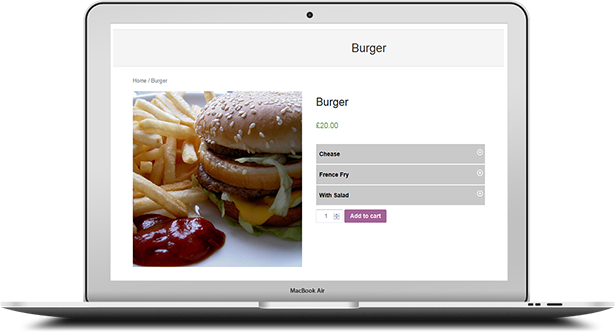
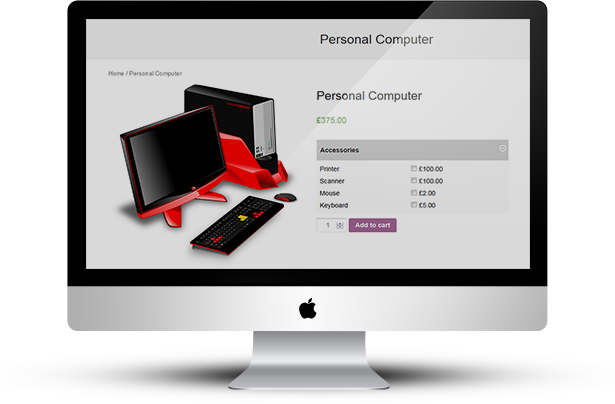
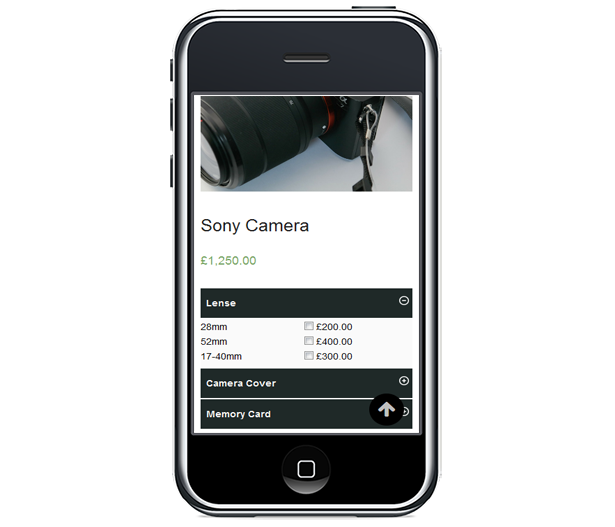
“WooCommerce Custom Fields with Custom Price” is a simple, fast and flexible custom field plugin for woocommerce. This plugin lets you create custom fields for any woocommerce products.

If you sell a product that has lots of options or variants and need extra fields to show in frontend then this plugin will be your best choice.

You easily create and remove custom fields. You can add unlimited number of custom fields with value and price. Easily customize frontend design color according to your store theme. 3 types of field types are available such as radio button, checkbox and dropdown list.

“WooCommerce Custom Fields with Custom Price” plugin is well implemented with all the necessary features that will make your products more importance to your customers.

“WooCommerce Custom Fields with Custom Price” plugin has excellent features and very easy to install or setup.

“WooCommerce Custom Fields with Custom Price” plugin is more flexible and compatible with many existing plugins in the WP repository. Users can easily configure the plugin into the new or existing WordPress sites.

  • Add an unlimited number of custom fields
  • Faster and easier way to create custom fields
  • Enable custom fields and price for individual product
  • Responsive design
  • Add fields with Value and Price
  • 3 types of field type such as Radio button, Checkbox and Dropdown list
  • Shop owner can change Menu Background Color, Menu Hover Color, Menu Text Color, Menu Text Hover Color, Sub Menu Background Color, and Item Name Color from Admin settings option
  • Add field in one click
  • Remove field in one click

For installation process and other information please view our online Documentation

Download WooCommerce Custom Fields with Custom Price (WooCommerce)

GWD | Architects Business Banner – 6 Sizes (Ad Templates)

ARCHITECT BUSINESS BANNER 006 – HTML5 AD BANNER BASED ON GOOGLE WEB DESIGNER

    Attractive HTML 5 based ad banner features-

  • 6 Standard Sizes (160×600, 300×600, 300×250, 336×280, 200×200, 728×90)
  • HTML5/CSS3 based
  • Fully editable using Google Web Designer
  • Google based web fonts
    Download will include-

  • 6 fully editable layered PSD files
  • 6 HTML5 ready banners editable in Google Web Designer
  • Shapes/Graphics and CSS included

Google Fonts used-
Roboto and Oswald

Preview Images are only for preview purposes and can be downloaded from here –

Architect img

http://photodune.net/item/architect/1680368?s_phrase=architect&s_rank=38

Please rate us it will help us a lot :)

Download GWD | Architects Business Banner – 6 Sizes (Ad Templates)

Store Maintenance-Coming soon(Magento Extension) (Magento Extensions)

Demo :admin/admin

CUSTOMERS LOVE TO BUY Store Maintenance-Coming soon(Magento Extension) THEM BUY!

Coming soon and maintenance mode extension allows online merchants to display countdown timer to notify about their official launch date and put their online store in maintenance mode for specified time span respectively.

Coming soon and maintenance mode extension helps store owners to hold their future customers with impressive coming soon page and easily put the frontend of their store in maintenance mode while they are doing some changes on store. It will allow online merchants to display countdown timer to notify about their official launch date and put their online store in maintenance mode for specified time span./>
Admin can choose from 2 website modes: Coming Soon Page or Under Maintenance Mode

Maintenance Mode

When it comes to planned works at your website, store owner Magento maintenance mode provides an easy way to restrict access to the frontend of your store during periods of maintenance. Often you may want to put your website on maintenance mode due to some technical or server related issues, or you may want to update or change some feature or theme of your website. This is when maintenance mode can come to your rescue.

Maintenance Mode Features:

Set launch date & time for your magento maintenance page. Extension can display countdown timer and switch to “live site mode” automatically at launch time.
Once you have configured this extension, no one can have access to your website. Only admin from the backend would be able to access the site.
Provision of filling up Contact Us Form is also offered when the site is under maintenance mode. This will allow your customers to reach you even when your site is under maintenance, thus you will not miss any visit or business opportunity.
You can also customize the maintenance page title, description and image with some personalized message to make it more approachable to your visitors.

Coming Soon Mode

Coming Soon page is a placeholder that announces that your actual website is “coming soon,” whether it be just launching or undergoing maintenance. These pages usually have three goals in mind: to announce the actual website’s impending launch, offer some explanation of the site’s purpose, and to persuade visitors to return once the site is officially launched.

Coming Soon Mode Features:

Set launch date & time for your Magento coming soon page. Extension can display countdown timer and switch to “live site mode” automatically at launch time.

All texts and labels can be conveniently edited from Magento back-end. Add / change any type of content from regular texts to tables and images.

Display social media links on your magento under construction page

Two types of background style available – Single Image or Slideshow

Single image or slideshow background allows you to set dates when the image is active (useful on special occasions or holidays), exclude image or remove it from display.

Video background feature allows to set youtube, vimeo or custom video to loop in background of your magento coming soon page.

Admin can preview coming soon page from magento back-end without enabling it first

Download Store Maintenance-Coming soon(Magento Extension) (Magento Extensions)

Serva me, servabo te – IOS9/SpriteKit/Swift (Games)

“Serva me, servabo te” is fun arcade game with cool visuals and one touch control. It features beautiful minimalistic flat design and addictive gameplay.

Also its current setting is well suitable for Saint Valentine’s Day

Very easy to customize, has well structured code, all settings in one file, native XCode project made with Spritekit and Swift language, Universal app, .

Serva me, servabo te – includes

  • Universal App
  • GameCenter Leaderbords Integrated
  • First time player, tutorial
  • AdMob interstitials support integrated
  • AdMob banner support integrated
  • iAd interstitials support integrated
  • iAd banner support integrated
  • Social Sharing integrated
  • Rate App functionality integrated
  • Flat UI colors
  • 2 in game images
  • 4 in game icons
  • App icon (all sizes)
  • 1 background loop sound
  • 6 in game fx sounds
  • Original sketch file for all images and icons

You can easily change and update everything in the game.

Live version will be available on http://apple.co/1PLvFhW after published.

Download Serva me, servabo te – IOS9/SpriteKit/Swift (Games)

PrestaShop Auto Post to Twitter – Auto Tweet PrestaShop Module (Prestashop)

Why use PrestaShop Auto Tweet Module on your store?

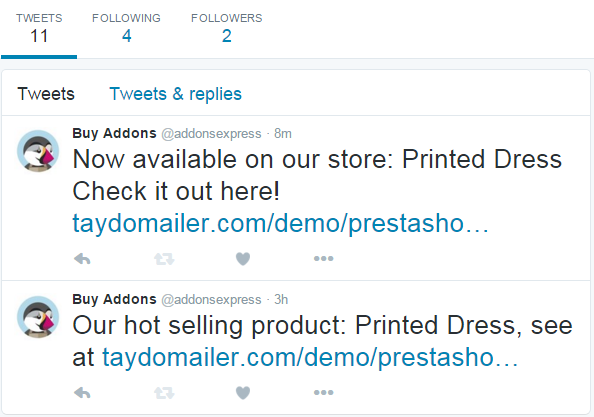
Automatically post customized messages to Twitter when products added or updated.

Demo Backoffice: http://buy-addons.com/demo/auto_tweet/admin528ts6dag/

Username: [email protected]

Password: [email protected]

Document: http://buy-addons.com/doc/auto_tweet/

For Merchant

Auto Tweet Module is the best way to automate social media and save time from managing it on daily basis. With more time saved, you can work on the things that matters more i.e. making great products.

  • Never Forget to Tweet a New Product or Blog Post Again!
  • The Built in Randomizer Tool Makes You NOT Seem Like a Robots

Features

  • Auto Random Posting to Twitter while add or update Product
  • Easy to customize Tweet message, how often to send and when to send.
  • Schedule Your Posts for Future
  • Range of time of the post.
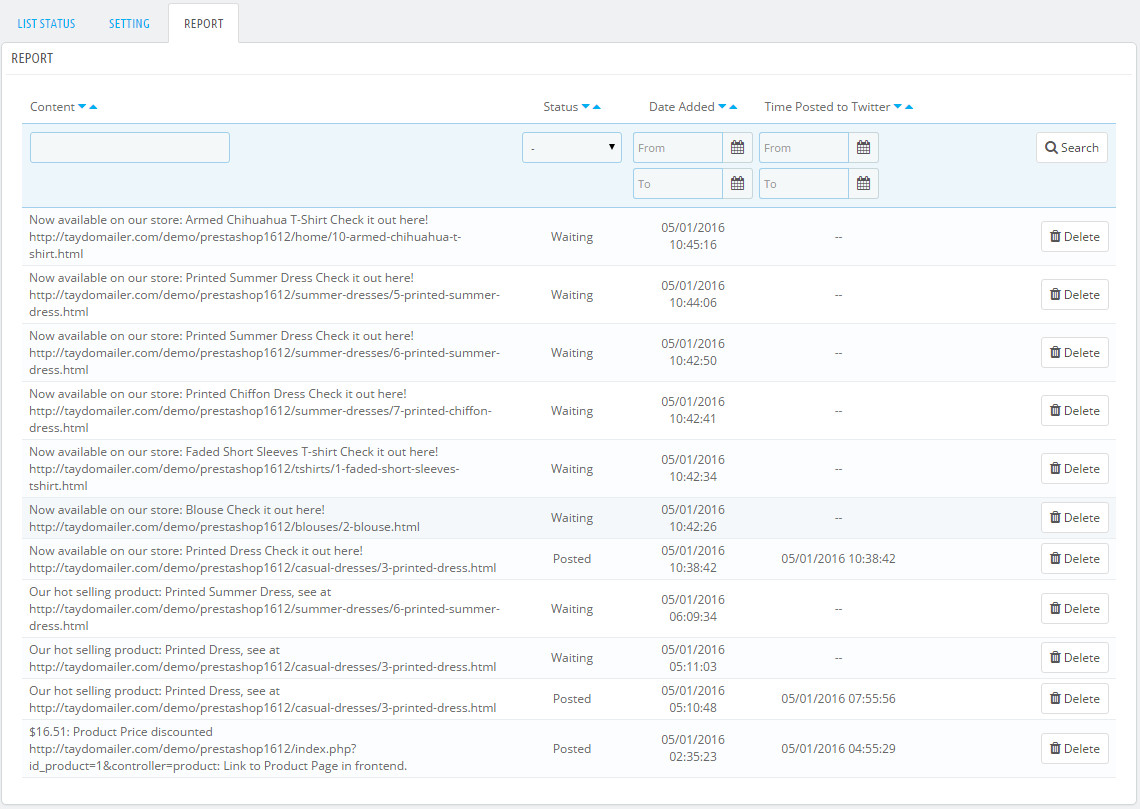
  • Reporting Tweet sent/waiting.
  • You can customize your tweets with short codes.
  • Compatible multiple language.
  • Compatible multiple stores.

Benefit for Customer

It makes your Prestashop store look professional with good, timely customer follow up.

OTHER FEATURES

  • Easy to install, easy to upgrade, just copy to use
  • Friendly and flexible configuration
  • HTML/CSS validation
  • Easy to customize front-end via HTML/CSS
  • Clean code
  • Cache system…

Some Screenshots

– Twitter account after posted

– My demo Twitter account

– Report from Backoffice

Download PrestaShop Auto Post to Twitter – Auto Tweet PrestaShop Module (Prestashop)

VideoLists – A fast creator of video lists (Images and Media)

Youtube is the best place to find videos. But today contains much “noise” and always displays much information that ultimately did not use.

This is where he started working VideoList, the application allows you to have, easy, fast and simple, a video display, list generator, and a tool for social sharing all lists of videos that do.

This application is easily configurable.

In addition, you can insert adsense advertising in areas of more user activity.

I invite you to try “VideoLists” and redefine how to create lists and how you shared online video.

Download VideoLists – A fast creator of video lists (Images and Media)

Swiftype Search Widgets for Adobe Muse (Muse Widgets)

Swiftype Search Widgets for Adobe Muse

An awesome search engine widget for Adobe Muse. Now, making your website searchable is made easy and embeding is much easier. The widget directly embeds the search box to your Adobe Muse Website with few clicks and searches in your website work seamlessly within the website itself.

The pack comes with 4 widgets:

  • Swiftype Inline Search
  • Swiftype Overlay Search
  • Swiftype Redirect Search &
  • Swiftype Search Results

Swiftype Inline Search

This Search displays the Search Results within the search results widget placed in the same page.

Swiftype Overlay Search

This Search displays the Search Results with a closable pop-up with in the same page.

Swiftype Redirect Search

This Search displays the Search Results within the search results widget placed in the different page.

Swiftype Search Results

This is the results widget used in combination with the Inline and Redirect Search.

Installing and Using:

  1. Once you’ve Downloaded the widget, extract it to the desired location (Folder).
  2. Launch Adobe Muse.
  3. Navigated to the place extracted and double click on “Nakshatra – Swiftype Search Widgets”.
  4. Head back to Adobe Muse, pull out Library panel (Window Menu – Library).
  5. In the Library Menu, you should find a folder named “Nakshatra – Swiftype Search Widgets”. Open the Folder.
  6. Once the folder is open, you’ll find 3 search widgets and 1 results widget.
  7. Click, drag and drop the search widget from the library panel onto the page and if needed place the results widget as well.
  8. Now, lets go get the Swiftype Engine Key. Assuming you already have a swiftype account and you have also created the Search engine.
  9. Click on the Search engine which you want to embed in the Adobe Muse Site.
  10. In the right side, you’ll find a sidebar with all the details of the search engine.
  11. You want to copy Scrambled numbers below the “Engine Key”. That’s your Engine Key.
  12. After Copying, Head back to Adobe Muse and open Swiftype fly-out Options.
  13. Paste the Engine key in the widget at the Swiftype Engine Key.
  14. Redirect Search has another extra option to fill, called Redirected Page Name. For which you’ll have to create a new page or an existing page name should be entered in the field. Don’t forget to place the Search Results widget and the Search widget in the Redirected Page.

Download Swiftype Search Widgets for Adobe Muse (Muse Widgets)

Crossword + Generator (Games)

A modern Crossword puzzle along with a generator.

  • Runs on desktop and mobile devices with responsive design
  • Modern Material design
  • Uses HTML5 canvas
  • Includes a seperate application to generate crossword grid. It outputs the grid with some settings and labels in JSON format.
  • You can set number of rows and columns
  • All text is externalised for easy localization
  • Supports UTF-8 letters
  • Options such as Reveal Word and Reveal letter

Download Crossword + Generator (Games)

Ionic WooCommerce API – PhoneGap / Cordova Full Hybrid App (Full Applications)

Ionic WooCommerce API is a PhoneGap / Cordova Full Hybrid App with AngularJS + Ionic framework integrated with the WooCommerce REST API (Latest Release: 1.0.0).

Technical documentation for the WooCommerce REST API can be found here https://docs.woothemes.com/document/woocommerce-rest-api/

With the Ionic WooCommerce API Application, your Shop / Product Catalog is readily available on your mobile devices. Quickly accessible and beautifully presented.

Navigate easily through your entire Product Catalog as the Ionic WooCommerce API Application comes fully integrated with the WooCommerce Categories.

WooCommerce is now the most popular eCommerce platform. With 11,661,591 downloads WooCommerce powers over 30% of all online stores.

Ionic WooCommerce API Application 1.0.0 comes with the latest Ionic framework http://ionicframework.com/ v1.2.1 “amsterdam”. The Ionic WooCommerce API has been developed and tested with the latest WooCommerce Version 2.4.12 (v3 API Version) but supports both v2 and v3 API Versions. Regarding the v2 Version, it supports both HTTP and HTTPS protocols.

Full Product Catalog

Navigate through your entire Product Catalog. Ionic WooCommerce API Application comes already with One, Two & Three Columns Layout Support.

Product Details

Zoom in to the specifics of a particular Product in your Catalog, including your Product Images (ion-slide-box), Description, Prices, Discounts, Stock Quantities, Add to Cart, Product Categories, Product Page Link.

Product Categories / SubCategories

The Ionic WooCommerce API Application lets you retrieve all Product Categories / SubCategories. Access also some Statistic Charts based on your Categories / SubCategories.

Product Reviews

The Ionic WooCommerce API Application lets you retrieve all reviews of a product.

Functional Basket to add Products

The Ionic WooCommerce API Application comes also with a functional Basket and an Order Creation for already registered Customers (after the Order Creation, Final Verification and Payment is made on the WooCommerce installation). Non-existing Customers / Users registration is made also on the WooCommerce installation (with InAppBrowser redirection).
* App Customer creation with Billing / Address information is under active development.

Support

Documentation & Support instructions:
https://docs.google.com/document/d/1blJc7QxQmvblNO5xzYVZS0-P8tb-lxgyo9lo5Y13dW0

Features

  • Ionic framework open source front-end SDK for developing hybrid mobile apps with HTML5
  • Already builded for iOS and Android platforms using the Cordova Command-Line Interface – Builds are included in the deliverable
  • WooCommerce Authentication
  • WooCommerce REST API: View List Of Products
  • WooCommerce REST API: View A Product
  • WooCommerce REST API: View List Of Reviews
  • WooCommerce REST API: View List Of Product Categories
  • WooCommerce REST API: View A Product Category
  • WooCommerce REST API: Create An Order
  • WooCommerce REST API: Verify User – Retrieve and View a specific customer by email
  • Full WooCommerce Product Category or Product Listing Integration
  • WooCommerce Product Categories Reports with Charts
  • Product Listing with Image, Details, more attributes
  • Functional Basket and Order Creation for already registered Customers (after the Order Creation, Final Verification and Payment is made on the WooCommerce installation). Non-existing Customers / Users registration is made also on the WooCommerce installation (with InAppBrowser redirection).
  • Open any external link with InAppBrowser Plugin

PhoneGap / Cordova Plugins

  • InAppBrowser: This plugin provides a web browser view that displays when calling window.open(), or when opening a link formed as <a target="_blank"></a>

CHANGELOG

Ionic WooCommerce API 1.0.0

- Initial release

Download Ionic WooCommerce API – PhoneGap / Cordova Full Hybrid App (Full Applications)