Offer CountDown Timer Pro WordPress Plugin for Events/Products/Offers (Advertising)

Offer Countdown Timer Pro Plugin

Create your own countdown timer for offers with highly advanced Offer Countdown Timer Pro Plugin. Equipped with useful features to smartly suit every woocommerce site, brands or service oriented sites, this plugin will certainly make the most of your offers. The most exciting fact about Offer Countdown Timer Plugin Pro is that its very easy to install and use. You can set timer for offers on every page of your site, create widget, set different time zone, set expiry time for offers. You can create own counter theme from over 4 options. Just don’t look any further. Get Offer Countdown Timer Pro Plugin and see your offers spell magic.

Here’s taking a look at some of the unique features of Offer Countdown Timer Pro Plugin

– Set Offer CountDown Timer for Each Page
Cool off your issues while dealing with multiple offer timings on different pages of your woocommerce site. Just relax and set timer for every page you want. Enliven your every page with this creative feature.

– Offer CountDown Timer Widget
Let your timer catch all the attention of the buyers by transforming it into action packed and appealing widget. The widget holds the desired time display so that you can breathe easy about your offer timings.

– Set Different Time Zones & Offer Expiry Date
No worries which part of the world you are running your offers from, you can always set different time zones to make it available across the planet. You can also set expiry time and expiry date of your offers.

– Set Offer Content For Each Page and Widgets
Set all your offer content as per the nature of the products, services or any other feature of your site. You can get individual content for each page and widget to make it more appealing and saleable.

– Custom CSS Option
Choose the layout of your timer the way it suits better for your offers. You can customize the look and feel of your timer by writing CSS for offer countdown timer layout to attract buyers in a better way.

– Shortcode Generation
Wanna assign specific place on your page to ‘Offer Countdown Timer’! It’s as simple as that! Just get an automatically generated short code automatically and simply paste it on the place where you want your timer to be!


Download Offer CountDown Timer Pro WordPress Plugin for Events/Products/Offers (Advertising)

Ken Burns Slideshow – Responsive Joomla Module (Sliders)

Keep update with our latest news and releases at:


follow us on evanto


follow us on facebook


follow us on twitter


follow us on pinterest


follow us on youtube


forum support

JUX Ken Burn slideshow is a responsive slideshow to display images in velvety slider. Using special Ken Burns effect slideshow. JUX Ken Burns slideshow is a state-of-art slideshow because it makes images become lively with the zoom-in displaying effect.

Fully responsive

Ken Burn slideshow

The responsive design enables Joomla slideshow to actively display on any screen size like desktop PC, smartphone and tablets. Images will fit on screen’s size with perfect width and height.

Image and thumbnail fully resizable

Thumbnail picture

With this joomla image slider no matter what size of image, it will automatically resizable and makes slideshow look perfectly.

Thumbnail is one of the useful features that you can show on your slideshow with your height and width. If you do not want to display your thumbnail on slideshow, just simply hide it.

Various slideshow play option

Various slideshow

The slideshow can be auto played and repeated. If you don’t want to play the sequential pictures, you can Shuffle them. This mode makes your slideshow less boring.

To see clear description and images, you can pause on mouse-over and then the slideshow will stop at the picture you’ve selected.

Flexible and easy to control in backend

Easy backend

Image slider for joomla is simple designed extension. You can control easily with on/off option in backend.

We create simple and easy-to-use extension with various features to help you save time and energy. The most “difficut task” for you is “Create your own style for thumbnail”.

Highlight features

  • Support Joomla 3.x
  • All popular browser supported: IE+, Firefox, Safari, Chrome and Opera.
  • Fully responsive
  • Special Ken Burn effect slideshow
  • Description effects: slider, fade, elastic move
  • Effect duration time
  • Image automatically resizable
  • Thumbnail show/hide available, and able to set size of height and width for it.
  • Auto play, repeat slideshow
  • Random order image
  • Stop on mouse-over
  • Next, back, pause, play control buttons
  • Simple backend control
  • jQuery conflict free

Support

All support is handled in our Community Support Forum. We encourage you to post all your questions concerning our extension there as your questions may have already been answered or may be of help to other people that have also purchased the extension.

Download Ken Burns Slideshow – Responsive Joomla Module (Sliders)

avoid the spikes (Games)

Avoid the Spikes is an Android Arcade game template. It was inspired by ‘Don’t Touch The Spikes’ and ‘Bird Climb’ but its totally different from both! The aim of the player is to help the bird move up, while avoiding the spikes/obstacles. The code is written in java, using Android Studio. A video tutorial is included which, goes through customization.

Download avoid the spikes (Games)

Post Grid – Custom Select & Custom Design (Add-ons)

Version: 1.0.0

Description

This is addon for the visual composer plugin which can help you to add post lists on your page with fully customized filter and markup.

Here all features are listed :

  • Allow you to filter all posts data by its post types(including CPT), taxonomy, tags.
  • Multi-select the posts from filtered posts data and this selected posts can be included/exclude from the posts list.
  • Set maximum number of posts per page to display in listing.
  • Show the filtered list sorted by Title, Author, Date etc. Also this sorted list can be set in ascending order or descending order.
  • Set your own html markup so that you don’t need to worry about the extra css/design part. This template can be set for globally or individually. Well if you don’t want to use custom markup you can go with our default markup.
  • Also one last but not the list feature which is help you to set the fields to be included or excluded from default design, you can drag and drop this fields to include/exclude.

Step by step guide check PDF : Post Grid With Custom Select & Custom Design PDF

Requirement

  • For using this addon you must have Visual Composer installed.
  • Tested with Latest Visual Composer 4.9

Other Libraries used

  • Foundation
  • jQuery-ui

Installation

  • Download Plugin Zip File.
  • Install Post Grid – Custom Select plugin from the ‘Plugins’ section in your dashboard (Upload plugin on “Plugins > Add New > Upload Plugin -> Select Plugin Zip File” From Downloaded Location).
  • Alternatively you can Unzip it and upload it to the plugins folder of your WordPress installation (wp-content/plugins/ directory of your WordPress installation).
  • Activate it through the ‘Plugins’ section.

Now Here we go. Installation is Complete.

How To Use

Follow the steps with the images

1. Post Grid With Custom Select Shortcode in the list.

2. General Settings Tab

  • Select Post Type from dropdown for filtering taxonmies.
  • Select Taxonomy from dropdown for filtering tags.
  • Select Tags(multiselect) from dropdown for filter posts. (if you select All then it is only one selection.)

3. Data Settings Tab

  • Select Criteria if you select All then posts list is not populated, as you display all the posts which you filter in General Tab.
  • Select Criteria as specific which populate the Select Posts with post ‘s titles.
  • Select Posts(multiselect) which you want to display or exclude from the list.
  • Exclude: Checked if you want to exclude the posts which you selected from post list.
  • Exclude: Unchecked if you want to include those only posts which you selected from the post list.

4. Sorting Tab

  • Add number for number of posts per page
  • Select order by from the dropdown
  • Select order from the dropdown

5. Design Tab

  • If you have your own html then checked “Template Design” checkbox.
  • Most important in Custom Design => Go to Text => Add Html code
  • Check in image some custom strings you found, which you needed to add in your html code.
  • Main thing is that replace below to display dynamic data.
  • if HTML design is added to the shortcode in individual page then it is override global settings on Admin screen in backend.

Backend Settings Screen

1. Drag and drop the blocks in exclude panel which you don’t want to display.

2. Custom Template

  • Checked “custom design checkbox” to add your own html code, just add specific keywords(Post Grid – Custom Select & Custom Design (Add-ons), {img}, etc.) to display that on front-side.
  • Global setting for all the pages where you use this shortcode.
  • If custom HTML design is not set in individual shortcode in page then the global settings is applied. Priority of Design : 1.) Page Design
    2.) Global Design
    3.) Default Design

Download Post Grid – Custom Select & Custom Design (Add-ons)

Vicons – Font Icons for WordPress (Utilities)

Vicons is a premium WordPress plugin. You can easily add font icons to your WordPress site with a click of a button.

WordPress 4.4 Ready!

Vicons adds support for over 2000 icons. It can be used for different purposes on your WordPress site by simply inserting shortcodes into posts, pages, menus, widgets, menus & custom post types.

Easy to use

Vicons Plugin Features

  • 2000+ Font Icons to Choose
  • Insert Icons Directly Into Posts/Pages/Widgets/Menus/Custom Post Types
  • Easy to use Shortcodes
  • Animated Icons (Spinning)
  • Easily Customize Color and Size of icons
  • Responsive Ready
  • No need to write a single line of code

Changelog

Version 1.0

-First Release [12.01.2016]

Download Vicons – Font Icons for WordPress (Utilities)

eBlood – Online BloodBank & Donor Management System (Help and Support Tools)


Blood Bank Management System is a browser based system that is designed to store, process, retrieve and analyze information concerned with the administrative and inventory management within a blood bank. This project aims at maintaining all the information pertaining to blood donors, different blood groups available in each blood bank and help them manage in a better way. Aim is to provide transparency in this field, make the process of obtaining blood from a blood bank hassle free and corruption free and make the system of blood bank management effective.

banner

Visitor Feature’s ( Frontend ):

  • Responsive Frontend Interface.
  • Easy To Use contact Option.
  • Blood Donor Registration System.
  • Blood Donor Searching System.
  • Location & Blood Group Base Search.
  • Donor Details & Location Information.

banner

Admin Feature’s ( Administration Section ):

  • Add / Edit / Delete Blood Group.
  • Add / Edit / Delete Donor.
  • Donor Information.
  • Enable / Disable Donor.
  • Add / Edit / Delete Website LOGO.
  • Add / Edit / Delete Random Banner.
  • Website Setting’s Control.
  • Add / Edit / Delete Dynamic Menu.
  • Add / Edit / Delete Menu Content.

banner

Demo Access Information:

Website: http://ebloodbank.rexbd.net

Admin Panel: http://ebloodbank.rexbd.net/admin.php

Admin ID: admin

Admin Pass: admin

banner

Support Fecility:
Please send us your product presale query, after sales developer support request, customization project and any other queries to our dedicated support: [email protected]

banner

Download eBlood – Online BloodBank & Donor Management System (Help and Support Tools)

Quiz engineer (Forms)

  1. Version 1.0

If you need to use quiz system on your site it will be great solution to get this peace of code.
This quiz has next advantages

  • Quiz is written in Angular.js that gives big flexibility and scalability
  • Data of the quiz is uploading from server using Ajax calls in Angular
  • Quiz have advantage to memorize user answers
  • There is chart for percentage displaying what user answers are correct, what are mistakes and what are not answered
  • When the test starts there is the function of typing user name
  • All dist files are minified that allows browser quickly downloading from server
  • Source files are written on preprosessors jade, sass,using framework compass
  • The foreground of the the quiz engeneer is Node.js and taskrunner Gulp.js
  • You can also change the count of question in quiz from 1 to 20

## Docs of this is on link http://portfolioex6.esy.es/docs.html

Download Quiz engineer (Forms)

Paranormal Photo-html5 mobile game (Games)

How To Play

Slide your finger Drag and drop the cell,Make graphics complete

Customize

Easy to change the photo image ,just replace the image file!!Customize your own Paranormal game!!Put it on ios or anroid!!

Features

  • Touch&Mouse
  • Construct2 File included
  • Anroid&Ios support
  • Sound Fx
  • Resulotion 1280*720
  • AdmobAds Supported

Other My Games









Download Paranormal Photo-html5 mobile game (Games)

Layer – Advance Slider Extension (Add-ons)

Layer – Advance Slider Extension

Advance Slider free and most modern mobile touch slider with hardware accelerated transitions and amazing native behavior. It is intended to be used in mobile websites, mobile web apps, and mobile native/hybrid apps. Designed mostly for iOS, but also works great on latest Android, Windows Phone 8 and modern Desktop browsers

Features

  • Library Agnostic
  • Flexbox Layout
  • 3D Effects
  • Two-way Control
  • Full Navigation Control
  • Most Flexible Slides Layout Grid
  • Parallax Transitions
  • Images Lazy Loading
  • Gradient Background
  • Visual Preview
  • And many more …

Download Layer – Advance Slider Extension (Add-ons)

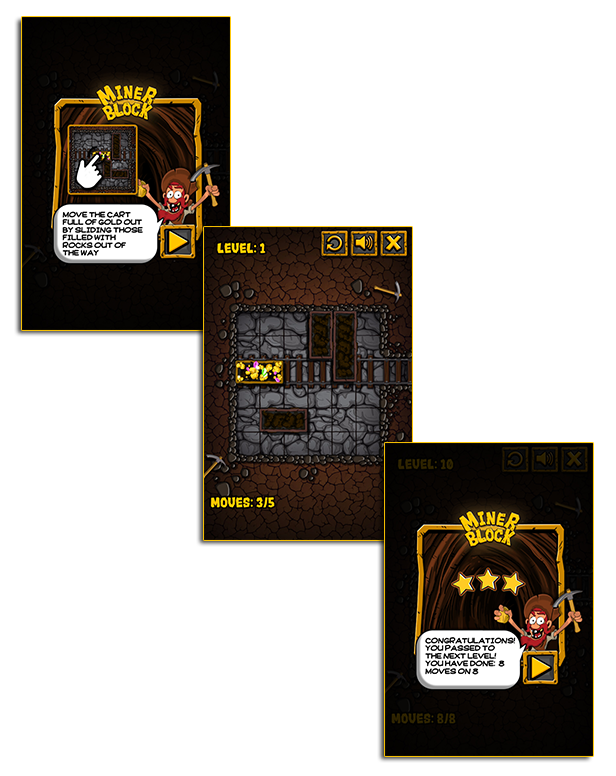
Miner Block – HTML5 Puzzle game (Games)

Play It Now!

Miner Blocks is a HTML5 game. The aim of the game is to get the cart full of gold out of the mine by sliding those filled with rocks out of the way.

This game has been developed in HTML5/js and third-party library CreateJs – http://createjs.com/ (not Construct2 or other framework).

The ZIP package contains the game with 640×960 resolution that scales proportionally to fit current screen device.
The game is fully compatible with all most common mobile devices.
WARNING:
Sounds are enabled for mobile but we can’t grant full audio compatibility on all mobile devices due to some well-know issue between some mobile-browser and HTML5.
So if you want to avoid sound loading, please read the documentation
Sounds can’t be enabled for Windows Phone as this kind of device have unsolvable issues with <audio> and <video> tag.

Game Screenshoot

CTL Arcade

This game is fully compatible with CTL Arcade

A WordPress Plugin that allows you to create a real arcade on your website.

Easy to Install

With CTL Arcade you can:

  • Monetize with your games adding Ads Banners
  • Promote your website with Social Share Buttons
  • Improve our games with Leaderboard, and Rating Feature

=== Even if we do our best to minimize any inconvenience, we can’t ensure the full compatibility of all our games on every device and every operating system update.
Thank you for the understanding. ===


 Follow Us

 Contact Us

YOU MIGHT ALSO BE INTERESTED IN:

Gummy Blocks

Fruit Matching

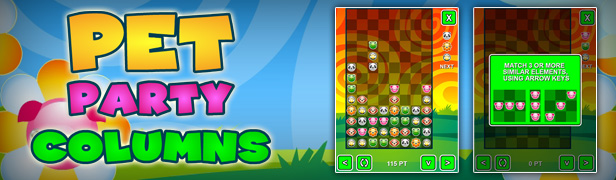
Pet Party Columns

The Sorcerer

Bubble Shooter

Playful Kitty

Lady Celebrity Dress Up

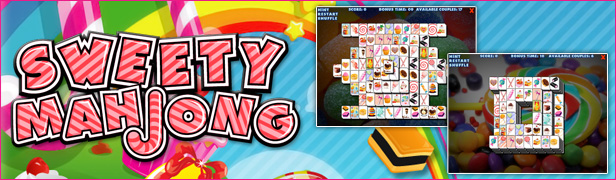
Sweety Mahjong

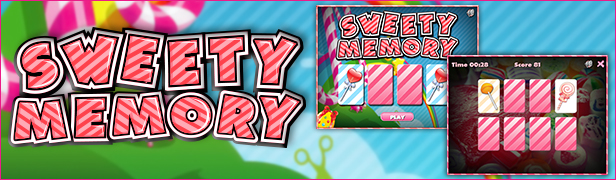
Sweety Memory

Jumper Frog

Flappy Purupuru

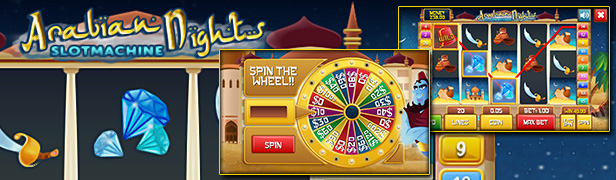
Slot Arabian

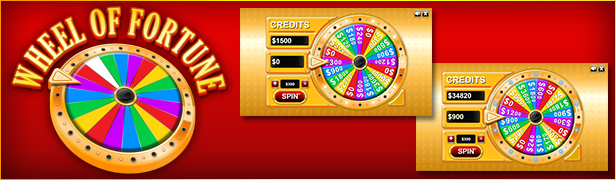
Wheel of Fortune

BlackJack

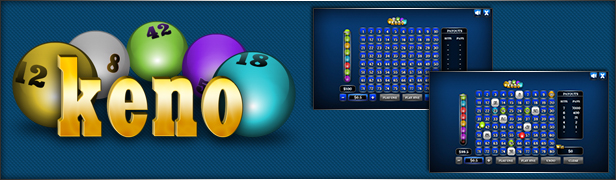
The Keno

All games

All Graphic Assets

All Models

Flag Counter

Download Miner Block – HTML5 Puzzle game (Games)

The Animator Widget by Muse For You (Muse Widgets)

The most extensive collection of animation effects for your Adobe Muse website. Choose from 139 Animation Effects. Trigger animation On Start, On Hover, On Click, and On Scroll. Fade in and Fade Out options for your animation. Set the duration of the animation and add a delay to the animation if you would like it to start later after it is triggered. Add to any element on your Adobe Muse website.

Download The Animator Widget by Muse For You (Muse Widgets)

WP Custom Code – Another Script Customizer For Your Site (Utilities)

WP Custom Code allows you to add the custom CSS|Javascript without modifying any file.

Watch video demo before purchase.

Feature List:

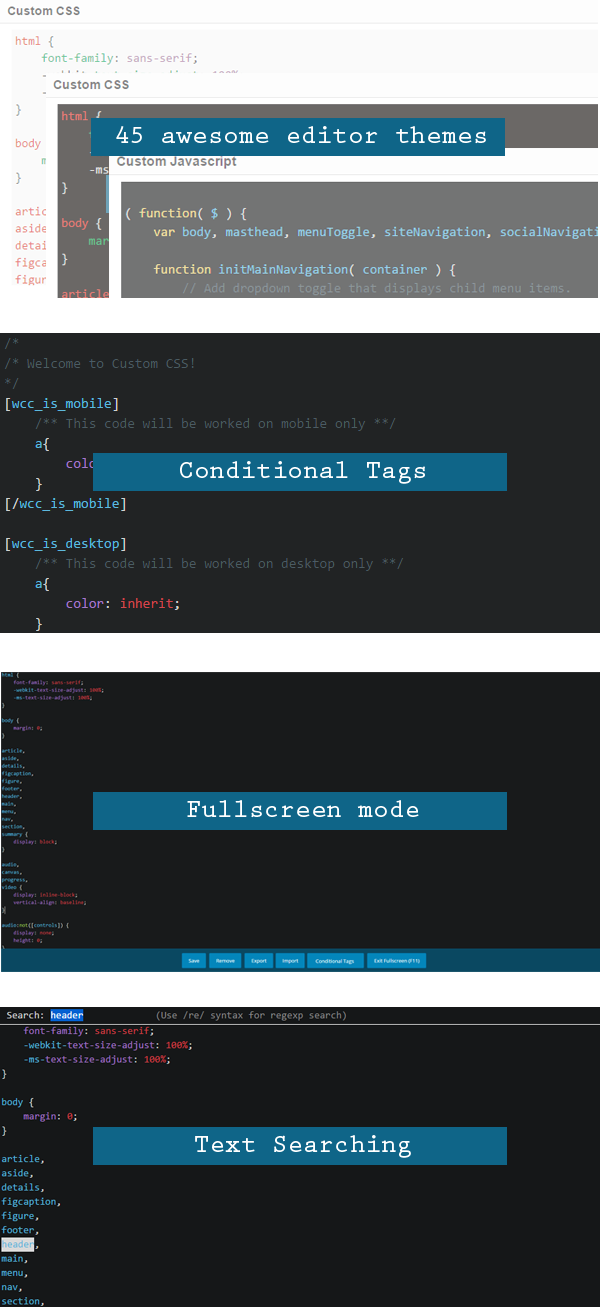
  1. Codemirror Editor

    • Auto Close Brackets
    • Text Searching
    • 45 editor themes.
  2. CSS Customizer.
  3. Javascript Customizer.
  4. 4 types of placement:

    • Header inline.
    • Header External file.
    • Footer inline.
    • Footer External file.
  5. Importing: allows you to import the code from your desktop.
  6. Exporting: allows you to export the code from your site.
  7. Conditional Tags: Allows you to change what code is displayed and how that content is displayed.
  8. Ajax form: allows you to update the code without reloading the page.
  9. Fullscreen mode: allow you to open Fullscreen mode.
  10. Code compression.
  11. WP customizer settings.
  12. Translation Ready.
  13. Lightweight.
  14. Flexible.
  15. Outstanding Support

SOURCES & CREDITS

Codemirror: https://codemirror.net

CHANGELOGS

07 January 2016

Initial Release

Download WP Custom Code – Another Script Customizer For Your Site (Utilities)

Business Solutions – HTML5 ad banners (Ad Templates)

Business Solutions – HTML5 Ad Banners designed with Google Web Designer. And provided 7 popular used sizes in the market.

* Help File Included*

SIZES

1. 300X600
2. 300X250
3. 728X90
4. 160X600
5. 180×150
6. 320×50
7. 336×280

FEATURES

1. Google Web Fonts.
2. Fully Editable.
3. Infinite Loop.
4. Free Updates.

DOWNLOAD WILL INCLUDE

1. 7 HTML5 Banners Ready to use.
2. 7 GWD Source Files editable in Google Web Designer.
3. Shapes and Icons Included.

Image Source

http://photodune.net/

Please Rate Us If You Like Our Item.

Download Business Solutions – HTML5 ad banners (Ad Templates)

Visual Composer Aweber Addon (Newsletters)

Visual Composer AWeber Addon is a feature rich AWeber subscription form creator and designer plugin. It is highly flexible as it lets you Add Visual Composer Elements like videos, images, maps, charts, image gallery and much more within AWeber form along with Name, Email Custom Fields and Submit Button.

You get to choose which fields you want to add in form. You can add Name, Email and Multiple Custom Fields for subscriber data collection in your AWeber list.

All your AWeber lists are fetched automatically. You can select a different list for each form to which subscribers will be added.

Form submission is done using Ajax so, when user clicks on submit button data will be sent to AWeber account without page refresh. As soon as data is received by AWeber account you can show custom Success/Error messages or redirect users to another url on successful submission

Features of VC Aweber Addon

This addon has multitude of options for designing the form. Each form element (name, email, custom fields and submit button) has options like font size, font color, border size, border colour, border type (dotted, dashed, solid, double, groove, ridge, inset, outset)  , border size and many more options.

You can create beautiful forms in no time and increase your subscriber count.

Demo Forms


General Options

  • Option to use different list in each form
  • Set redirect Url on successful submission of form
  • Custom invalid email error message
  • Custom error message
  • Set error message font size
  • Set error message font color
  • Custom Success message
  • Set success message font size
  • Set success message font colour

Form Container Options

  • Set width of form container
  • Set height of form container
  • Set margin for form container
  • Set padding for form container
  • Set background color for form container
  • Set border size, type, radius and color for form container

Name Field Options

  • Set label for name field
  • Set label Colour for name field
  • Set label postion (top/left)
  • Set placeholder for name field
  • Set width of name field
  • Set padding for name field
  • Set font colour for name field
  • Set background colour of name field
  • Set border size, type, radius and colour for name field

Email Field Options

  • Set label for email field
  • Set label Colour for email field
  • Set label postion (top/left)
  • Set placeholder for email field
  • Set width of email field
  • Set padding for email field
  • Set font colour for email field
  • Set background colour of email field
  • Set border size, type, radius and colour for email field

Custom Field Options

  • Create multiple custom fields
  • Create text, dropdown or checkbox custom field
  • Set label for custom field
  • Set label Colour for custom field
  • Set label postion (top/left)
  • Set placeholder for custom field
  • Set width of custom field
  • Set padding for custom field
  • Set font colour for custom field
  • Set background colour of custom field
  • Set border size, type, radius and colour for custom field

Submit Button Options

  • Set button label
  • Set button colour
  • Option to apply outlined style to button
  • Set button text colour
  • Set button size (small, large, medium)
  • Set button width
  • Set button alignment
  • Set border radius
  • Add custom class to button

Note : You need Visual Composer installed before you can use this addon.

Download Visual Composer Aweber Addon (Newsletters)