Word Search Challenge (Games)

Demo here

Click here for my regular Word Search Game.

A multi-language word search game in 17 languages:

  • Ceština
  • Dansk
  • Deutsch
  • English
  • Greek
  • Español
  • Suomi
  • Français
  • Magyar
  • Italiano
  • Nederlands
  • Polski
  • Português
  • Românian
  • P??????
  • Swahili
  • Türkçe

Note: All 17 language user interface labels were translated in Google Translate, so they may not be %100 accurate.

Download Word Search Challenge (Games)

PrestaShop SEO Friendly URL Module (Prestashop)

Pretty URLs for Code canyon
PrestaShop friendly URL module removes IDs, numbers, alphabets and special characters from your shop URLs that are added – by default – to the products, services, and CMS pages in PrestaShop. It helps you remove the ugly signs from the URL links to turn them into PrestaShop SEO URLs, as it ensures search engine ranking and visibility of your store products and services.

Area of Functionality (A Detailed Overview)
PrestaShop by default adds unusual signs in shop URLs. Pretty URLs module simplifies the links by eliminating those irritating IDs to make it human readable and understandable as well as search engine friendly.
For example, an ugly URL looks like this,
http://www.abc.com/en/49-tips-for-health.html
which can be cleaned and human scannable like this, because above URL is confusing the user as well as search engine about the actual number of tips, is it 7, 49 or 497?
http://www.abs.com/en/tips-for-health.html
Furthermore, the module automatically sets 301 redirections to divert traffic from the old links (ugly URLs) to the pretty URLs. This prevents the loss of traffic coming from previous SEO efforts, as they are sent to the new page without showing them a ‘Page Not Found’ error.

What Makes It A Unique Module?
PrestaShop SEO URL module proves to be a helpful tool for merchants to clean the unwanted IDs and integers from the URLs and take away the hurdles in getting maximum online exposure. Here are powerful features that make it a unique plugin for retailers and store owners.
Eliminates auto-generated IDs from the URLs
Enhances SEO by creating friendly links
Instantly applies 301 redirections for improving traffic
Avoids 404 ( Page Not Found ) Errors
Reports conflicting and duplicate URLs between products, categories, and CMS pages

PrestaShop SEO Friendly URLs – Is it Effective?
The most compelling feature of friendly URL PrestaShop addon is working on the backside, which ensures the creation of SEO-friendly URLS while you focus on the rest of business operations. The permanent redirection is also worth mentioning, as it retains the higher rankings of your store regardless of assigning new URLs.
If you are still ambiguous about the plugin, please feel free to contact us and ask what is on your mind.

Download PrestaShop SEO Friendly URL Module (Prestashop)

Qwerty – UI Game Manager / AdMob / Google Play Leaderboard (Games)

This game was made with Unity 3D!

The game is a score based instructive game. The purpose of the game is to destroy spawned word by typing on the keyboard and reach a high score. The words moving faster when you keep playing game. Every time you destroy a word your coins will be increased. then you can use coins to buy new items on shop.

You can download game and try from here

Video is available here

This game is powered with UI Game Manager developed by Bilko Bilisim for easy configuration and customization your game.

\

Features:

  • Game Manager included,
  • AdMob integrated,
  • Google Play Leaderboard integrated,
  • Support different screen resolution,
  • Support Phone & Tablet,
  • Quality game sounds

Requirements:

  • Unity3D,
  • Android SDK

Documentation is available here

Our other products :

Download Qwerty – UI Game Manager / AdMob / Google Play Leaderboard (Games)

myCRED Integration for FSQM Pro (Add-ons)

Documentation & Startup GuideOnline Support

Product Features

Reward points for Form Submission

myCRED is a vastly popular, free and easy to user points management system for WordPress. It helps you keep your users engaged, by rewarding them points for their interactions with your website. The points can later be used to show a leaderboard, award some badges or maybe integrate with your eCommerce shops to provide discounts and coupons.

myCRED Integration for FSQM Pro, allows you to control how you want to award your users when they submit a form.

Reward points not necessarily needs to be static. It can be based on obtained score or even output of any mathematical element. You can also setup limitations for reward points.

myCRED Integration for FSQM Pro

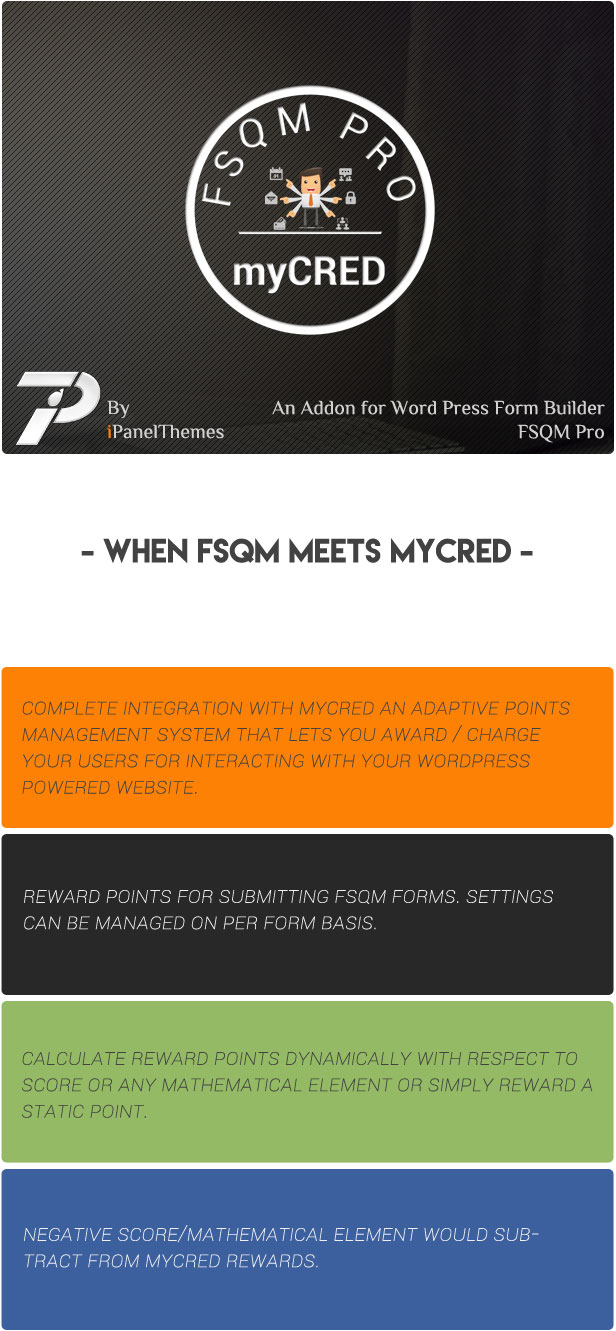
  • Complete integration with myCRED an adaptive points management system that lets you award / charge your users for interacting with your WordPress powered website.
  • Reward points for submitting FSQM forms. Settings can be managed on per form basis.
  • Calculate reward points dynamically with respect to score or any mathematical element or simply reward a static point.
  • Negative score/Mathematical element can also subtract from myCRED rewards.
  • Limit reward points based on a number of days, per form or both.
  • Works with myCRED multitype point management.


Flag Counter

Download myCRED Integration for FSQM Pro (Add-ons)

Through (Games)

-Through made on Construct 2 game engine, Included 32 levels
-Responsive on all device
-Easy to reskin
-Included all the source file ready to export for mobile and web game (html5, cordova, cocoonjs) and .CAPX file

-Flexible event system

Features

-Construct 227+
-Play on desktop and device
-Easy export to HTML5 for website
-Ready to export for Android, iOS with Cordova platform such as intel XDK, phonegap, CocoonJS – Ludei.
-AdmobAds integration
-Touch & Mouse
-Share on Facebook, Twitter, Google plus

Download Through (Games)

GoGallery – Filterable Responsive Gallery for Visual Composer (Galleries)

This plugin has been created to display beautiful and functional filterable masonry grid galleries with minimum configuration effort and without slowing down your page load.

You can change spacings, frames, colors, etc. Unlimited number of galleries with different settings can be used on any page or in posts.

GoGallery enables categories in media images and adds filter menu to each gallery for easy and beautiful sorting. GoGallery is optimized for speed. Configuration is fast and simple.

FEATURES::

  • Media Categories – Unlike most others Go Gallery let you organize standard Media Library images into categories.
  • Masonry Grid – No columns!
  • Gallery Category Sort Menu – Categorized images can be filtered by user
  • Short-Codes Driven – Easy to use inline shortcode params
  • 100% Responsive – Works on any mobile device
  • Caption Effect – MouseOver effects on/off
  • LightBox on/off functionality
  • Unlimited Galleries on Page – Add as much categories and galleries on any page
  • Works with your favorite Lightbox plugin (or use the packaged PrettyPhoto)
  • SEO friendly
  • Easy to use

Download GoGallery – Filterable Responsive Gallery for Visual Composer (Galleries)

ColorSwatch and Zoom for Magento (Magento Extensions)

Are you selling products with different colors or designs on your Magento Store? Magento Color Swatch Extension with Zoom will help your customers understand how products can be looked at variations. You just simply assign any image from a gallery with each attribute and activate image switcher on the product detail page.

Magento Color Swatch shows attributes of products using swatches on configurable products. It’s able to be used for any attribute type such as color, size, and thumbnail images.

Magento Color Swatch works well with simple products as well as configurable ones. Swatch options for products’ images and thumbnails can be customized in the back end. The interface and back end settings are user-friendly and a standard Magento UI

Magento Color Swatch extension with zoom allows administrators to apply multiple attributes into a single product which has different swatch images. It’s possible to set up swatch images for any status like normal, hover, enabled or disabled in Magento Admin Panel.

Download ColorSwatch and Zoom for Magento (Magento Extensions)

Easy Digital Downloads – Download Image Watermark (WordPress)

follow on envato
follow on facebook
support

Easy Digital Download Image Watermark extension allows you to easy add watermarks to your Easy Digital Downloads images. These watermarks can be an image copyright symbol, company logo or piece of branding text as a transparent PNG image.

Features:

  • Automatically add watermarks to any download images that you upload to a download page.
  • Allows you to apply watermarks to already uploaded download images.
  • You can easily choose from 9 positions to place the watermark: middle, middle left, middle right, top left, top center, top right, bottom left, bottom center or bottom right.
  • Ability to set watermark on all custom image sizes.
  • A clean & user friendly admin UI to manage everything.

Documentation:

Please see the Documentation of the plugin to learn how to use the plugin.

Support:

Need help? Please be sure to read the Documentation. If you’re still stuck you can contact through our support platform or email us on [email protected] for any pre-sale inquiry only.

Download Easy Digital Downloads – Download Image Watermark (WordPress)

16 SVG Weather Icons – Animation Loops (Animated SVGs)

Set of 16 weather / climate icons in SVG format and animation loops made with pure JavaScript. No libraries used. No SMIL animations used. Scalable to any size and entirely based on vector.

  • 16 SVG files and 1 CSS file
  • Colors can be edited through style sheet file (or directly through SVG attributes)
  • Each SVG has its own JavaScript written inside, so no external JavaScript files
  • Animation speeds can be controlled through JavaScript settings
  • Separate speed settings for each element. For example speed of sun rotation, sun rays, cloud, rain etc

List of icons:
– Sunny (Clear Day)
– Partly Cloudy
– Partly Sunny
– Cloudy
– Drizzle
– Rain
– Snowy
– Drizzle Sunny
– Rain Sunny
– Snowy Sunny
– Clear Night
– Partly Cloudy Night
– Mostly Cloudy Night
– Drizzle Night
– Rain Night
– Snowy Night

Download 16 SVG Weather Icons – Animation Loops (Animated SVGs)

Biz Pack Testimonials (Miscellaneous)

Biz Pack Testimonials is a light weight WordPress Plugin which allows you to display testimonials from your satisfied customers

Testimonials can be displayed anywhere in your theme using widgets and shortcodes.

After activation, the plugin will add a new custom post type named ‘Testimonials’.

The post title gives the testimonial author’s name, and a featured image is displayed with the testimonial text.

The testimonials may be displayed using a widget or shortcode:
  • testimonial slider [bizpack-testimonials style=”slider”]
  • random testimonial [bizpack-testimonials style=”random”]
  • most recent testimonial [bizpack-testimonials style=”recent”]

Note: when Javascript is disabled, the slider will be replaced by the first testimonial in the list

Download Biz Pack Testimonials (Miscellaneous)

QR Code Discount Application Bundle (Mobile)

This application bundle is intended for any kind of business that want to introduce loyalty program for their customers. Restaurants, bakeries, pizza delivery, coffee shops, pubs, local stores, clothes shops, taxi companies and jewelry stores are just some of the businesses that can benefit from this bundle. The main idea behind this bundle is that the business give discount to the client in percents for every purchase the client has made. The discount for every purchase is saved on the server. After for example 5 purchases (the number of purchases is adjustable) the client can use the sum of the discounts of the made purchases for the next purchase. The QR code function is used on both applications for ease of use of the applications.

The bundle consists of mobile application for clients (Android and iOS), mobile application for the cashier for the business (iOS) and php scripts with mysql database for the server. The design can be easily changed in couple of minutes since themes approach is used through the development process of the both mobile applications. Internationalization files are also used, so in both mobile applications the language can be changed in couple of minutes.

The mobile application for clients is developed for Android and iOS using Alloy framework. Supported Android OS versions are: Ice Cream Sandwich 4.0 and 4.0.3, Jelly Bean 4.1, 4.2 and 4.3, Kit Kat 4.4, Lollipop 5.0 and 5.1 and Marshmallow 6.0. Supported iOS OS versions are: 7.0, 7.1, 8.0, 8.1, 9.0, 9.1, 9.2 and 9.3.

Features:
1. Login and sign up screens
– validation for empty fields
– validation for email format
– validation for password match
2. Loyalty screen
– QR code generated from the user id (on click qr code is open in full screen mode for easy scanning from the business mobile application)
– Text description about how much purchases need to be made before reduction
– Visual color indicator about remaining purchases
– Available sum of purchased discounts
3. Find us screen
– Map view with pins of all location of the business
– List view with all the locations of the business presenting the address, distance from the current location, and current working hours status (open or closed)
– Details for every location of the business presenting address, description, working hours for every day and non working days. Button for calling the selected business location, button for emailing the selected location and button for navigation to selected location via Google maps
4. About us screen
– Phone number (on click calls the number)
– Three paragraphs for description text
5. Online screen
– Preview of the current web site of the business (URL need to be set)
6. Contact screen
– Facebook button that opens the Facebook fan page (URL need to be set)
– Twitter button that opens twitter (URL need to be set)
– Subscription if the user’s email is not in use he will be subscribed for news, otherwise show notification that user is already subscriber

The mobile application for the business is developed for iOS using Alloy framework. Supported iOS OS versions are: 7.0, 7.1, 8.0, 8.1, 9.0, 9.1, 9.2 and 9.3.

Features:
1. QR code scanner screen
– QR code scanner that scans the QR code generated on the client application and gets the user id
2. Amount screen
– Label showing the username or email of the scanned client
– Text field for inputting the amount of the purchase that a client is making
– Text field with percentage of the discount for that purchase
– Text description of the amount that is going to be saved for this purchase
3. Reduction screen
– Text description of the available sum of purchased discounts
– Text field for inputting amount of reduction to be used

Php scripts for the server

Features:
1. Login script
– Authenticate exiting user
– Returns errors if user does not exist or authentication failed
2. Sign up script
– Creates new user if email does not exist in users table
– Returns error if email exist or creating of new user failed
3. Check for purchases
– Check for unprocessed purchases in purchases table for a given user id
4. Make purchase
– Add unprocessed purchase for a given user id in purchases table
5. Make reduction
– Check for all unprocessed purchases in purchases table and set them to be processed
6. Get locations
– Returns array of all locations of the business with all the data for every location
7. Get user info
– Returns the email and username for a given user id
8. Subscription
– If the email is not in use creates new field with username and email in subscription table

MySQL database provided with all the tables and fields created which are self explanatory.

Quick start guide
1. Import both mobile application projects in Titanium Studio
2. Add name, id and guid in tiapp.xml in both projects
3. Add app id in android manifest part of tiapp.xml in client application
4. Add google maps api key in android manifest part of tiapp.xml in client application
5. Edit config.json file in both projects
6. Add host, user, pass and database values in server/connect.php
7. Upload server folder on the server
8. Import database through cPanel
9. You are ready to go!

Download QR Code Discount Application Bundle (Mobile)

100 Metres Race – HTML5 Sport Game (Games)

Play It Now!

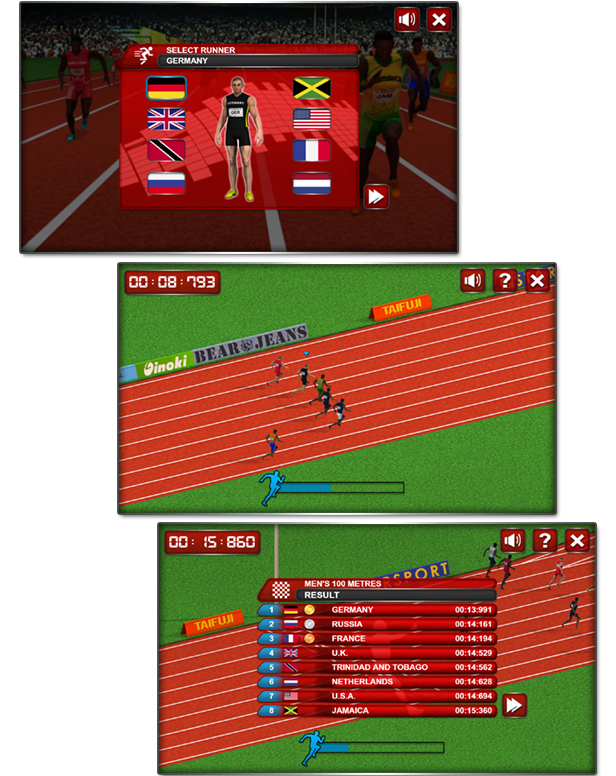
100 Metres Race is a HTML5 sport game.
Challenge the best runnersin the world and beat their time in the 100 metres race!
Collect medals to increase your energy and step to the podium of champions!

This game has been developed in HTML5/js and third-party library CreateJs – http://createjs.com/ (not Construct2 or other framework).

The ZIP package contains the game with 1360×640 resolution that scales to fit current screen device.
The game is fully compatible with all most common mobile devices.
WARNING:
Sounds are enabled for mobile but we can’t grant full audio compatibility on all mobile devices due to some well-know issue between some mobile-browser and HTML5.
So if you want to avoid sound loading, please read the documentation
Sounds can’t be enabled for Windows Phone as this kind of device have unsolvable issues with <audio> and <video> tag.

Game Screenshoot

CTL Arcade

This game is fully compatible with CTL Arcade

A WordPress Plugin that allows you to create a real arcade on your website.

Easy to Install

With CTL Arcade you can:

  • Monetize with your games adding Ads Banners
  • Promote your website with Social Share Buttons
  • Improve our games with Leaderboard, and Rating Feature

=== Even if we do our best to minimize any inconvenience, we can’t ensure the full compatibility of all our games on every device and every operating system update.
Thank you for the understanding. ===


 Follow Us

 Contact Us

CODETHISLAB’S MOST-WANTED GAME OF THIS MONTH:

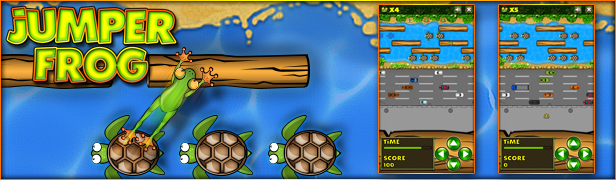
Jumper Frog

YOU MIGHT ALSO BE INTERESTED IN:

Ski Rush

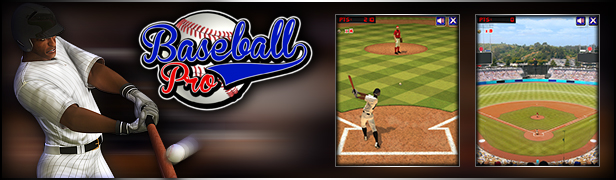
Baseball Pro

Ultimate Boxing

Kickups

Ultimate Swish

The Running Champion

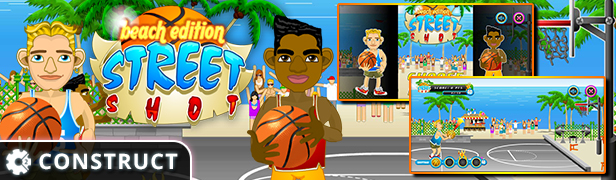
Street Shot

Free Kick

Flappy Ball

Speed Rush

8 Ball Pool

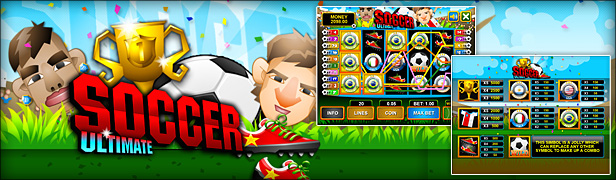
Slot Ultimate Soccer

Baccarat

Roulette 3D

All games

All Graphic Assets

All Models
Flag Counter

Download 100 Metres Race – HTML5 Sport Game (Games)