Revolution Lightbox WordPress Plugin (Galleries)

What is Revolution Lightbox WordPress Plugin

Revolution Lightbox WordPress Plugin is a full blown multimedia responsive lightbox that runs on all major browsers and mobile devices like iPhone, iPad, iOS, Android and Windows8. It has support for image, video (mp4), audio (mp3), Vimeo, YouTube, iFrame, AJAX, HTML content, Google maps and flash.

Revolution Lightbox has high performance using OOP code and the latest CSS3 techniques, ready for mobile with swipe support, very flexible, easy to setup and extremely customizable. The playlists / content can be created using admin pannel or JSON.

Packed with a huge amount of features like, responsive layout, the possibility to be showed from anywhere in your page including from dynamic generated content, optional deeplinking, mp3 and mp4 support on all mobile and desktop browsers, JSON or Shortcode generator playlists, flexible skin, share buttons etc, it makes it one of the best and complete lightbox available on sale.

Revolution Lighbox WordPress Plugin main features:

Mobile and desktop optimized (Android demo or iOS demo).

Very easy to use and setup.

Support for Image, Ajax, HTML content,
Google maps
, flash Youtube, Vimeo, video and audio (only mp3 or mp4 required in all browsers mobile or desktop).

It can be opened from anywhere in your page including from dynamic generated HTML content.

Sortcode generator.

The playlists / content can be created using amin pannel or JSON

Customizable theme, plus two skins with psd files included.

Customizable lightbox item border size, color, dropshadow and other visual settings can be configured with ease.

Optional deeplinking (unique link for each lightbox item).

Modal mode support (can be closed only if the close button is used).

Swipe support for mobile devices and optional keyboard support for desktop.

All buttons are optional and can be positioned near or outside the current lightbox item, plus fine tune control for the buttons position.

Responsive layout.

Optional video and lightbox autoHide buttons, the buttons can be set to autohide after a number of seconds of inactivity.

Optional and customizable thumbnails. The thumbnails size, hover effect, hover custom icons, border and other settings.

Optional description window with two type of animation effects that can be positioned at the top or bottom of the lightbox item.

Close button (optional).

Image zoom button with image pan support (optional).

Slideshow button and slideshow animated preloader plus customizable slideshow time delay (optional).

Multiple share buttons (optional).

Next and previous buttons (optional).

Hide or show thumbnails button (optional).

Video / audio / slideshow loop and autoplay (optional).

API support.

Detailed documentation and sample files.

Many other features.

Special notes:

When viewing the Revolution Lightbox on a mobile browser the video and audio autoplay is set to false, also the volume bar is disabled.

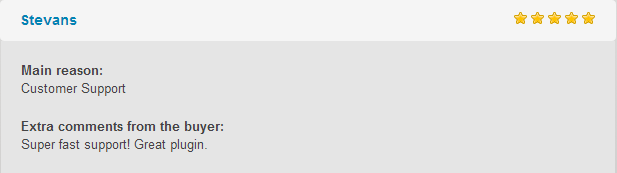
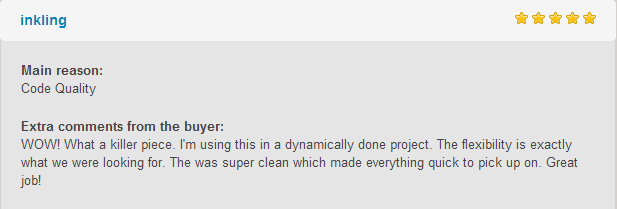
What our clients are saying:
Download Revolution Lightbox WordPress Plugin (Galleries)

KnowledgeBee – HelpDesk Plugin (Miscellaneous)

KnowledgeBee is WordPress plugin that add a separated section of knowledge base Articles and FAQ.

Features

  • Easy to Use Just plug and play. with zero config.
  • Responsive Compatible with all devices and screen sizes.
  • Compatible Compatible with 95% of themes especially with bootstrap based themes.
  • Customize-able with a lot of options to customize the view, design and functionality.
  • Two Layout options to display sections in home page.
  • 3 Grid options to display Sections in home page. (1 or 2 or 3 columns)
  • Hierarchical Sections with unlimited levels for sub-sections.
  • Five included widgets
  • Two Shortcodes with Editor Generator.
  • Separate FAQ Section.
  • Drag & Drop to order articles and sections appearance.
  • Vote (Like) button.
  • Breadcrumbs Navigation

Demo & Documentations

documentations are created using KnowledgeBee :
http://xmush.com/demos/kb/knowledgebase/

Download KnowledgeBee – HelpDesk Plugin (Miscellaneous)

Woocommerce Customers Reactions (WooCommerce)

Woocommerce Customers Reactions is to allow Customers to like/unlike products in the shop page & product single page, The Plugin saves Lists of the products that users liked, and allows any user to check his favorite products list , As it enables the Admin to check (from the back-end ) any user favorite products list as well..

Download Woocommerce Customers Reactions (WooCommerce)

Promo Tabs – PrestaShop Module (Prestashop)

Description

Promo Tabs – Advertise and sell more!
This module is designated for fast and easy way of creating advertising blocks on your website. Each advertising block can include: Product list, textual information, image, video and other elements.

The benefits for Merchants

– Promotion of desired products via advertising Tabs / Blocks on Home and inside pages.
– Easy and fast create any types of advertising Tabs / Blocks on website.
– Add Promo Stickers on product image.
– Convenient setting of Slide show to display necessary products.
– Settings enabling adaptation to mobile version.

Features

– Easy management of advertising Tabs / Blocks.
– Custom title for each Tabs / Blocks.
– Handy product search to add it in each Tab / Block.
– A comfortable slider containing products with multiple options.
– Possibility to set place on the website for Tabs: on homepage, on category page, on product page.
– Add and manage Stickers on product images.
– Set order of display items in each block.
– Manage order of products in each Tab / Block.
– Drag and Drop to change order of advertising Tabs / Blocks by priority.

Benefits for customers

Customer gets in a convenient form information about all the advertising on the website and can make the right choice faster, without wasting a lot of time searching entire website.

Installation

Regular installation. In order to install this module, click first on “Add new module” at modules tab on the back office. You will find it in the right upper corner. After that, click on “Upload file” and select the packaged file you have downloaded from Addons Prestashop. When your module appears in modules list ?lick on “Install” next.

Recommendations

We recommend it to website owners that want to improve their sales using advertising sections.

Demo

FrontEnd Demo
Admin Demo
Username: [email protected]
Password: demodemo

Download Promo Tabs – PrestaShop Module (Prestashop)

Top Product Messages (OpenCart)

Top Product Messages

Top message bar is powerful plugin of opencart. which pushes dynamic top messages to a visitors then they are watching the product. There are following types of messages which are delivered to visitor in right time and increase your sale.

Features:

  • “Last item in stock” – Visitors can see how many item remain in stock.
  • “Latest review” – Latest review about product according to “1star”, “2star” … “5star”. Selectable in admin panel.
  • “Total Sale Count” – Visitors can see how many times current item is sold.
  • “How many watching” – Show how many visitor are watching current item.
  • “Custom message by product” – You can create custom message for any product. Visitors can get this custom message when they visit that product page.
  • Multi language.
  • Fully customize message in admin panel.

Demo

Support:

Full support :

[email protected]”.

Thank you.

Download Top Product Messages (OpenCart)

Remove Account/Wishtlist (Only Guest Checkout) (OpenCart)

Remove Account/Wishtlist (Only Guest Checkout)

This extension will remove account/wishlist from all opencart store. Its also let only guest customer to checkout(remove checkout first step).

Features:

  • Remove Account/Wishlist
  • Remove Checkout First Step (Only Guest Checkout)
  • Remove Add to Wishlist from all OpenCart
  • Remove Footer Account Links

Demo

Support:

Full support :

[email protected]”.

Thank you.

Download Remove Account/Wishtlist (Only Guest Checkout) (OpenCart)

WordPress Youtube Automated Video CMS (WordPress)

This plugin helps users to build Video CMS from YouTube, they can add their YouTube sources, using YouTube API V3.

YouTube sources could be a YouTube Channel, a YouTube Playlist or even a YouTube User ID.

WordPress Cron “wp_cron” is used to automatically grab videos from YouTube source on a specific time set by the user.

The user cab also disable the auto-grab mode and during that only manual update can be achieved.

User can fully control the automated process like:

  • Maximum latest videos for each source
  • Default post author
  • Default post status
  • Ability to add video date after / before the video post
  • Ability to add video description after / before the video post
  • Custom content before / after video post using WYSIWYG editor.
  • Enable / disable auto update feature
  • Video thumbnail automatically from YouTube
  • Unlimited sources
  • Unlimited categories for each source

We also provide complete log for actions in the system fro exmple

  • Logs for cron job process [fails – successes – notices – warnings ] for each source update.
  • Ability to enable / disable logging.
  • Ability to enable auto deletion for logs [7 days – 2 week – month … etc]
  • Ability to view and delete certain log
  • Ability to clear all logs at once

Download WordPress Youtube Automated Video CMS (WordPress)

Western Union – PrestaShop module (Prestashop)

Short Description

This module gives you the option to receive / make payments for goods via WesternUnion. Using this module you can make purchases from any part of the world, if there is no possibility to make electronic payment.

The benefits for Merchants

– Your potential client will be able to buy products via WesternUnion Payment. This increases the range of your store and bring new clients to it.
– There is a special section in Administration panel, that contains all the statistics of purchases via Western Union. In this section can be seen all the orders paid by Western union and an apart list with transaction keys from customers, that finalized the transfers.
– There is a possibility to set several accounts for beneficiaries of transfers via Western Union;
– Possibility to activate / deactivate unnecessary parameters for each beneficiary account;
– To set a special email to receive messages for administrator;
– As soon as customer introduces transaction key for his order, administrator will receive an email with full description of the transfer and order, for which the transfer was made.

Features

– Client will get an email with necessary data for transfer. It will help him to facilitate the process of payment, also it will remind him about the order, which he has made.
– Via a link in the email client can easily access his orders list and introduce Western Union transaction key for a specific order.
– There is a special section in user’s profile with all Western Union Orders, where he can introduce information about his transaction via Western Union.
– Client can choose a specific beneficiary and currency of the payment for Western Union transfer;
– When choosing type of payment and receiving data about beneficiary, in one click client is able to print data about the order and beneficiary, using this information in bank to make the transfer.

The benefits for customers

Nowadays there is a brilliant solution for situation when electronic payment cannot be made, for example, some countries do not support payments via bank cards. The solution is – transfer via Western Union and our module helps to speed up this process.

Installation

Regular installation. In order to install this module, click first on “Add new module” at modules tab on the back office. You will find it in the right upper corner. After that, click on “Upload file” and select the packaged file you have downloaded from Addons Prestashop. When your module appears in modules list ?lick on “Install” next.

Recommendations

We recommend to install this module for those customers, who aren’t able to make electronic payments via your website.

Demo

FrontEnd Demo
Admin Demo
Username: [email protected]
Password: demodemo

Download Western Union – PrestaShop module (Prestashop)

Magento 2 Most Viewed Products Widget (Magento Extensions)

This Most Viewed Products Widget extension simply provides an extra feature to Magento 2 store to show ‘Most Viewed Products’ at any place through out the site by adding widget. Store owner is also provided with separate settings. Having a ‘Most Viewed Products’ section on every page of your website or in the sidebar makes it easy for customers to choice and complete the sale.

Why you should install?

Recent surveys suggest that customers are often attracted by most viewed products and buy them. Having ‘Most Viewed Products’ on your website will help customer to easily make choice in selecting the best products. It also increase the engagement time of a customer and hence revenue and profit of the store.

Key Features

  • Easy install and use
  • Display most popular products by views
  • Use as a widget
  • Show System generated product
  • Option to set block title
  • Increase engagement time of the customer
  • Caching time to speed up your website load
  • Adds valuable credibility
  • Display in side-bar
  • Insert on CMS Pages, CMS Static blocks or Homepage
  • Various template options like grid, list, only image, only name, etc.
  • One click install – get set up in less than 30 seconds

Download Magento 2 Most Viewed Products Widget (Magento Extensions)

SW Weather – WordPress Weather Forecast Plugin (Utilities)

SW Weather is a simple and effective WordPress plugin that allows you to beautifully display weather forecast in a particular area by using OpenWeatherMap API.

Especially, this plugin is compatible with Visual Composer that you can easily and quickly edit it. You can place SW Weather at the top of your website or anywhere you want to make your site be more informative and attractive.

Features:

  • WordPress 4.6.x compatible
  • Current weather conditions and three-day weather forecast
  • Easy to install
  • Easy to edit
  • Allow to set plugin title
  • Allow to use extra class
  • Allow to set plugin description
  • Insert API key from Open Weather Map
  • Support Caching

What widget displays:

  • 3 day forecast
  • City
  • Geolocation
  • Current Weather Icon
  • Current Weather Conditions
  • Current Temperature
  • Wind Speed
  • Humidity

CHANGELOG

VERSION 1.0.0 - Released on Oct 18, 2016
- Initial release 

Download SW Weather – WordPress Weather Forecast Plugin (Utilities)