Halloween Card 1 (Canvas)


Description:

• Get this halloween card and share it with your family, friends, anyone you love!

• How to use?

Computer-Browsers:
Move your mouse/cursor arround, touch the objects and have fun!
Mobile-Browsers:
Touch the screen and move arround, touch the objects and have fun!

• Enjoy this card, enjoy this halloween!!!

• You will have my full support concerning my items. Primary contact method is by e-mail. Please make sure to contact me asap if you have any questions and/or requests..

Features:

• HTML5 Card
• 3 Versions (3 different colors) Included
• Mouse and/or Touch
• Online Fonts
• Replace Messages/Images/Any With Yours
• High Definition
• Responsive Design
• Help (Images) Steps Included
• Email Support

Update:

Version 1.0
• Initial Release

Screenshots:


Support:

• If you have any questions and/or requests, please contact me at [email protected] or using contact form.

Download Halloween Card 1 (Canvas)

WordPress Woo Subscriptions Api Plugin (WordPress)

Follow Us At Envato Follow Us At Facebook Follow Us At Twitter Ranksol Follow Us At Google Plus Follow Us At Linked-In

Guide

http://ror.ranksol.com/woo_subs_guide/

Introduction

WordPress Woo Subscriptions Plugin is an extended plugin version which allows you to easily grab / track complete record of your orders
and that status anywhere online at the world wide web.

Woo subscriptions allow you to fetch details and show order status and other information direct from your woo commerce store. With such advance plug-in possessing such outstanding features now you can fetch order information via api key and complete product details can be showed at your web page. Subscriptions status includes; Activated, Cancelled, expired, on hold, suspended, trial starts, trial ends, removed and much more.

Features

You can easily add triggers which most suitably representing your situation of woo commerce function

1- Payment Scheduled
2- Subscription Activated
3- Subscription Cancelled
4- Subscription Expired
5- Subscription On hold (Suspended)
6- Subscription Trial Ends
7- Subscription Processed
8- Processed Subscription Payments For Order
9- Subscriptions Activated For Order
10- Subscriptions Cancelled For Order
11- Subscriptions Expired For Order
12- Scheduled Subscription Expiration
13- Woo Commerce Subscription Expiration
14- Woo Commerce Subscription Activated
15- Woo Commerce Subscription Deactivated
16- Woo Commerce Subscription Product Options Pricing
17- Subscriptions End Of Prepaid Term
18- Processed Subscription Payment Failure
19- Failed Subscriptions For Sign Ups For Orders
20- Subscriptions created for orders
21- Cleared users subscriptions from order
22- Woo Commerce subscriptions updated users role
23- Woo Commerce Renewal Order Payment Complete

Non Subscriptions Features

1- New order notification
2- Order status pending
3- Order status failed
4- Order status on hold
5- Order status processing
6- Order status completed
7- Order status refunded
8- Order status cancelled

Credits

Rank Sol Twilio
Buzz Applications Mobile Apps Development Company Nimble Messaging A Mobile Applications Company

Our co-relation and advertising partners Are

Ranksol | Buzz Applications | Twilio Services | Nimble Messaging | Shopify Services

All existing users are requested to upload the plugin files of each version manually using FTP and then Deactivate and Re-Activate the plugin to get the latest changes.

Customers Support

Our Customer Support Team Is Stand By To Respond All Of Your Queries Relating Plugins And Custom Development In Case You Need Any Help.

Please Feel Free To Contact Us Any Time at: http://www.ranksol.com/help

Ranksol  We highly appreciate customers feedback and therefore our customer support team Is Live And Active 24/7

Ranksol Help

Check out our other products

 WordPress Content Locker Plugin WP Call Scheduler WP Conference Call Plugin WP SMS Contact Form WP IVR Plugin Wordpress SMS Marketing PluginWP Woo Sms PluginTrending Tags WP Flat Web Font Icons

Ranksol Important Notification

Download WordPress Woo Subscriptions Api Plugin (WordPress)

School Management System (Content Management)

VITA School is a school management system. VITA offers you an understandable UI and some great features for student management.

FEATURES:

  • Multi-Login system, users can login as teacher/admin to edit information or student for viewing marks and payments.
  • Dashboard, users can view total records and access sub-systems by dashboard
  • Student Management, full student management you can add, delete update students print marks or follow payment data
  • Class Management, create classes for adding students in, you can also create continue list to follow students participation by classes
  • Lesson/Course management, add lessons and attend students to lessons
  • Mark Management, seach students and edit marks of your students.
  • Settings, configure your VITA School, add user accounts or view logs created.
    *Help Center, built-in help page for every main feature of VITA School.

Download School Management System (Content Management)

Western Union and MoneyGram (Prestashop)

Description

This module gives you the option to receive / make payments for goods via Western Union and MoneyGram. Using this module you can make purchases from any part of the world, if there is no possibility to make electronic payment.

The benefits for Merchants

– Your potential client will be able to buy products via Western Union and MoneyGram. This increases the range of your store and bring new clients to it.
– There is a special section in Administration panel, that contains all the statistics of purchases via Western Union and MoneyGram. In this section can be seen all the orders paid by Western Union and MoneyGram and an apart list with transaction keys from customers, that finalized the transfers.
– There is a possibility to set several accounts for beneficiaries of transfers via Western Union and MoneyGram;
– Possibility to activate / deactivate unnecessary parameters for each beneficiary account;
– To set a special email to receive messages for administrator;
– As soon as customer introduces transaction key for his order, administrator will receive an email with full description of the transfer and order, for which the transfer was made.

Features

– Client will get an email with necessary data for transfer. It will help him to facilitate the process of payment, also it will remind him about the order, which he has made.
– Via a link in the email client can easily access his orders list and introduce Western Union and MoneyGram transaction key for a specific order.
– There is a special section in user’s profile with all Western Union and MoneyGram Orders, where he can introduce information about his transaction via Western Union and MoneyGram.
– Client can choose a specific beneficiary and currency of the payment for Western Union and MoneyGram transfer;
– When choosing type of payment and receiving data about beneficiary, in one click client is able to print data about the order and beneficiary, using this information in bank to make the transfer.

Benefits for customers

Nowadays there is a brilliant solution for situation when electronic payment cannot be made, for example, some countries do not support payments via bank cards. The solution is – transfer via Western Union and MoneyGram and our module helps to speed up this process.

Installation

Regular installation. In order to install this module, click first on “Add new module” at modules tab on the back office. You will find it in the right upper corner. After that, click on “Upload file” and select the packaged file you have downloaded from Addons Prestashop. When your module appears in modules list ?lick on “Install” next.

Recommendations

We recommend to install this module for those customers, who aren’t able to make electronic payments via your website.

Demo

FrontEnd Demo
Admin Demo
Username: [email protected]
Password: demodemo

Download Western Union and MoneyGram (Prestashop)

MoneyGram – PrestaShop module (Prestashop)

Description

This module gives you the option to receive / make payments for goods via MoneyGram. Using this module you can make purchases from any part of the world, if there is no possibility to make electronic payment.

The benefits for Merchants

– Your potential client will be able to buy products via MoneyGram Payment. This increases the range of your store and bring new clients to it.
– There is a special section in Administration panel, that contains all the statistics of purchases via MoneyGram. In this section can be seen all the orders paid by MoneyGram and an apart list with transaction keys from customers, that finalized the transfers.
– There is a possibility to set several accounts for beneficiaries of transfers via MoneyGram;
– Possibility to activate / deactivate unnecessary parameters for each beneficiary account;
– To set a special email to receive messages for administrator;
– As soon as customer introduces transaction key for his order, administrator will receive an email with full description of the transfer and order, for which the transfer was made.

Features

– Client will get an email with necessary data for transfer. It will help him to facilitate the process of payment, also it will remind him about the order, which he has made.
– Via a link in the email client can easily access his orders list and introduce MoneyGram transaction key for a specific order.
– There is a special section in user’s profile with all MoneyGram Orders, where he can introduce information about his transaction via MoneyGram.
– Client can choose a specific beneficiary and currency of the payment for MoneyGram transfer;
– When choosing type of payment and receiving data about beneficiary, in one click client is able to print data about the order and beneficiary, using this information in bank to make the transfer.

Benefits for customers

Nowadays there is a brilliant solution for situation when electronic payment cannot be made, for example, some countries do not support payments via bank cards. The solution is – transfer via MoneyGram and our module helps to speed up this process.

Installation

Regular installation. In order to install this module, click first on “Add new module” at modules tab on the back office. You will find it in the right upper corner. After that, click on “Upload file” and select the packaged file you have downloaded from Addons Prestashop. When your module appears in modules list ?lick on “Install” next.

Recommendations

We recommend to install this module for those customers, who aren’t able to make electronic payments via your website.

Demo

FrontEnd Demo
Admin Demo
Username: [email protected]
Password: demodemo

Download MoneyGram – PrestaShop module (Prestashop)

Where Did You Find Us? (OpenCart)

From where are Your Customers finding your website?

Want to narrow in on how your customers are finding your website? Google Analytics can’t determine if Word of Mouth was the referral, but this extension can!

Features:

  • You can select that on which page you want to display this extension . eg Checkout page Or Registration page Or Both.
  • You can select that this field should be required for customers or not.
  • Multiple languages supported.
  • You can also add field error message from admin panel.
  • Data can be export from admin panel.
  • This extension seamlessly integrates a new area into your Opencart Checkout and Registration Page, with a customize title .
  • You can create the options, and your customer selects one.
  • Learn how people discover your website Use this information for marketing purposes Learn what marketing tactics are working.
  • Use to collect all sorts of different relevant data other than just how a customer found you.
  • Quickly assess the results with clear graphs that visually display the results in an Admin Panel.

This is s popular feature on many e-Commerce websites, but until now, you couldn’t do this with Opencart.But now you can.

Demo

Admin
Front-end

How to install :-

For OC2

  1. Install the extension from extension installer in admin panel.

For OC 1.5.X

  1. upload Folders “admin” and “vqmod” on your web root directory.
  2. Go to you admin side , then go to ” Extensions -> Modules”.
  3. Find the extension “Where You Find Us” and click to install .

Note: vqmod should be install.

Support:

Full support :

[email protected]”.

Thank you.

Download Where Did You Find Us? (OpenCart)

Jet Clash – HTML5 Game + Admob (Construct 2 – CAPX) (Games)

Jet Clash is a shooting game.Protect your jet from other jets and shoot them to increase your score.There are two options – you can select your jet and you can change your control so that you can play it on smartphones or tablets.Pick coins to increase your score and pick heart to recover your health.Touch,Mouse And Keyboard all are supported.While playing on pc or laptop use “Arrow” keys to move your jet and “Space” to shoot other jets.While playing on smartphone or tablet select the smartphone control from “Options” and play using virtual keys.This game is compatible with Admob. This game is created using Construct 2.

    Features :

  • Made with Construct 2
  • Included Construct 2 .capx file (Source Code)
  • Admob Ads (Banner & Interstitial)
  • Full HD 1920×1080 pixels
  • Touch,mouse and keyboard supported
  • Ready export to Android & IOS
  • Sound effect
  • Highscore

Download Jet Clash – HTML5 Game + Admob (Construct 2 – CAPX) (Games)

Magento 2 Easy Product Enquiry (Magento Extensions)

Allow visitors to contact store owner directly from the product details page via a reCAPTCHA protected form to enquire about a product.

This extension give customers the opportunity to enquire about a product before purchasing. The product enquiry module extends product details page functionality by adding an extra tab to each of your product details pages. The tab displays a reCAPTCHA protected form which visitors can use to enquire about any specific product. The store owner receives the emails and then respond to the user directly.

The product enquiry is a great extension for stores selling complex, unique or expensive products which a customer may wish to know more information about before checkout.

Key Features

  • Enable/Disable Extension
  • Easy to install and manage
  • Admin will be notified by email
  • Admin can send answer from backend and notify customer via email
  • Admin also able to add new enquiry via backend
  • reCAPTCHA in frontend product enquiry form
  • Allows customers to ask question
  • Add one more tab on product detail page
  • Add “Product Enquiry” button on product detail page
  • Store owner can view all the enquiry
  • Guest customers can send the enquiry
  • Enquire status – open, hold, closed
  • Customizable heading text
  • Custom email template
  • Support Multiple Store – Works perfectly with multiple stores
  • Install With One Click – Installing product enquiry is easy. Avoid the hassle of coding and install the extension with just a click

We believe in providing the highest level of service, so we make an effort to respond to every mail within 1-2 days. So you can be sure we’re here for you.

Download Magento 2 Easy Product Enquiry (Magento Extensions)

VG TreeMenu – Tree menu for WordPress and WooCommerce (Add-ons)


VG TreeMenu – Tree menu for WordPress and WooCommerce

VG TreeMenu is a great plugin for WordPress. It’s allows display WordPress Menus, Posts Categories and WooCommerce Categories in a tree view, like a file explorer. This is useful for using WordPress Menus, Posts Categories and WooCommerce Categories as business directory or any listing type. You can display multiple VG TreeMenu on a single page by use shortcode, widget or load in Visual Composer (it working as Visual Composer addon).

Main Features:

  • Support: WordPress Menus, Posts Categories, WooCommerce Categories.
  • 6 module styles: Default, File Tree, Red, Black, Grey and FamFamFam.
  • You can create more styles/override default style in your theme folder
  • Support multi treemenu in a page by use: Widget, Visual Composer, Shortcode.
  • Powered by jQuery, so no more JS is required to be loaded.
  • You can turn on/off displaying items count for each category (source = Posts Categories or WooCommerce Categories)
  • Supports optional animation with variable speed.
  • Controls can be added that collapses, expands, or toggles all nodes within a tree.
  • Allow to change transitions speed, duration, and desired effect.
  • Totally customizable and skinnable using HTML and CSS.
  • Nice looking listing of WooCommerce categories demonstrates the categories hierarchy.
  • Fully compatible IE7+, Firefox 2+, Flock 0.7+, Netscape, Safari, Opera 9.5

Useful Links:

Change log:

Version 1.0 – October 21, 2016

– First release.

Download VG TreeMenu – Tree menu for WordPress and WooCommerce (Add-ons)

3D Soccer Slot Machine – HTML5 Premium Casino Game (Games)

Play It Now!

3D Soccer Slot Machine is a Premium HTML5 Casino game.
Are you ready for a new slot experience?
Enjoy this 3D slot machine with the following features:

  • Bonus game with Penalty Kicks
  • Freespins
  • Auto-Spin
  • Exciting 3D Animations

This game has been developed in HTML5/js and third-party library CreateJs – http://createjs.com/ (not Construct2 or other framework).

The ZIP package contains the game with 1500×768 resolution that scales proportionally to fit current screen device.
The game is fully compatible with all most common mobile devices.

WARNING:

  • Sounds are enabled for mobile but we can’t grant full audio compatibility on all mobile devices due to some well-know issue between some mobile-browser and HTML5.
    So if you want to avoid sound loading, please read the documentation
  • Sounds can’t be enabled for Windows Phone as this kind of device have unsolvable issues with <audio> and <video> tag.

    Game Screenshoot

    CTL Arcade

    This game is fully compatible with CTL Arcade

    A WordPress Plugin that allows you to create a real arcade on your website.

    Easy to Install

    With CTL Arcade you can:

    • Monetize with your games adding Ads Banners
    • Promote your website with Social Share Buttons
    • Improve our games with Leaderboard, and Rating Feature

    === Even if we do our best to minimize any inconvenience, we can’t ensure the full compatibility of all our games on every device and every operating system update.
    Thank you for the understanding. ===


     Follow Us

     Contact Us

    CODETHISLAB’S MOST-WANTED GAME OF THIS MONTH:

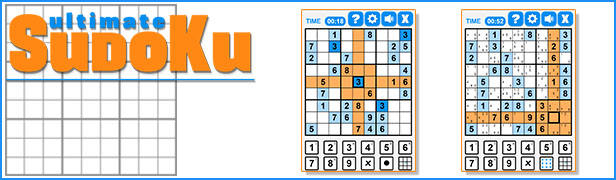
    Ultimate Sudoku

    YOU MIGHT ALSO BE INTERESTED IN:

    Slot Ultimate Soccer

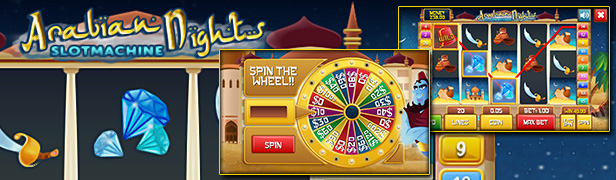
    Slot Arabian

    Slot Machine Lucky Christmas

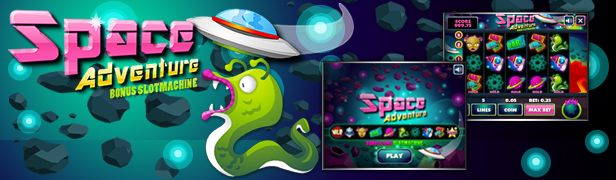
    Space Adventure

    Caribbean Stud Poker

    Craps

    Bingo

    Roulette Royale

    Baccarat

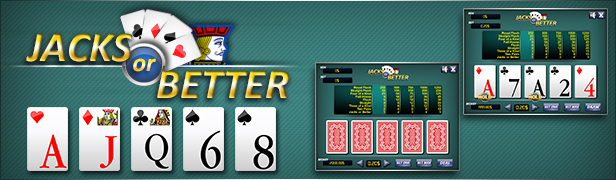
    Jacks or Better

    Deuces Wild

    BlackJack

    Roulette 3D

    3Cards Monte

    Wheel of Fortune

    All games

    All Models

    All Graphic Assets

    Flag Counter

Download 3D Soccer Slot Machine – HTML5 Premium Casino Game (Games)

Full Features Groups PRO (Prestashop)

Description

Using our module you can easily display product features groups on product. This module also displays the list of features, aligned with the selected category, in administration panel on the product page. Assign several values to one product feature.

The benefits for Merchants

This module can make product page looking better and can regularize the features block. The customer will be able to hide or show the selected groups on the comparison page . Filling in the product features will be faster and easier with this module, because you will see only those features that are necessary for the product category.
Also to one feature of a product you can assign multiple values depending on product modification. For example: width of your product in modification A = 100 m, but in modification B = 120 m. And both can be shown on the same page of the product.

Features

– Features groups for categories
– Hide/show of repeating features in different groups, i.e. you can create groups with several different or same features.
– Hide/show by click on the group name on the comparison page.
– Changing the feature display order in the group.
– Groups are visually separated on the comparison page.
– The immediate incorporation in HTML template, using Bootstrap 3.
– Multilingual stores can use this module.
– The features list will become more compact and the features for the exact category only will be shown.
– On product page one feature can have several values.
– Products comparison can be performed by standard features or using one value of the feature using this custom module.

Benefits for customers

Customers can see different values of each feature in different product modifications.

Installation

In order to install this module, click first on “Add new module” at modules tab on the back office. You will find it in the upper right corner. After that, click on “Upload file” and select the packaged file you have downloaded from Addons Prestashop. When your module appears in modules list ?lick on “Install”, and “Configure” next.

You can also upload .zip file and upload it into your modules directory. Then you can install and configure module from modules admin.

– How to Deactivate

Click the button Disable in Modules -> Front Office Features. To remove the extension from the server, press Delete in Modules -> Front Office Features

– How to Configure

To configure the module log into Prestashop admin panel and go to Modules -> Modules -> Full Feature Group PRO -> Configure.

Recommendations

We recommend this module to those who has many features in one store. To easily manage them.

Demo

FrontEnd Demo
Admin Demo
Username: [email protected]
Password: demodemo

Download Full Features Groups PRO (Prestashop)

SolidMenu+ | Responsive Mega Menu (Navigation)

Mega Menu on Steroids!
So good you will rate it 5 stars!

Introductory Sale for a Cheap 5 Dollars! Sale Ends Next Week!

SolidMenu+ | Responsive Mega Menu

Create an Ultra Responsive yet Beautiful MegaMenu navbar for your next site. It uses CSS3 Animations and provides a modern style navigation look and feel in your website.

These sets of Responsive Mega Menu utilizes the Standard “navbar” framework from Bootstrap 3.0. It can work on Fixed and Responsive Layout.

SolidMenu+ is 100% responsive in design and layout. It has the capability to include other Bootstrap components such as the fluid grid classes, column grid system, widgets, google maps, tables, forms, carousel elements, buttons and varieties of more bootstrap elements

Mega Menus are specifically design that are often used on large sites such as E-commerce and educational sites such as Ebay, Amazon, Lynda.com

Do you want a Toned Down CSS3 Version of this Menu Without Form Validation and without the 120+ Hover Effects?
Buy it here!

Features

  • 100% Responsive, Works on All Devices
  • One Code: Works in All Devices
  • Beatiful Look and Feel
  • Bootstrap Navbar Framework
  • Bootstrap Drop Down Menu
  • Bootstrap 12-Column Grid Based, Compatible with BootStrap 3.0+
  • Line Icons Included, Vector Icons
  • Custom Widgets, Carousels, Images, Google Map, Sliders
  • Very light weight, No image needed
  • Easy Integration for your Web Projects
  • Varieties of Pure CSS3 Animations
  • This Responsive Menu comes in Full Width, Static and Sticky
  • It has Collapsible Mobile Menu
  • Super Clean and Fast
  • All Mobile Devices are Supported
  • Easy to Use and Very Customizable
  • Written in LESS (for easy customization)
  • Smart and Adaptive – Hover trigger on Full Width, Click Trigger on Small Width Devices
  • Includes 120+ Custom Image Hover Effects
    * Included in the Package when you Buy (Worth $9)
  • With Form Validation on all Forms
  • Cross-browser Compatibility
  • Well Documented

These are the Predesigned Responsive Mega Menu included in the Product

Full width Mega Menus with Side Tabs

 full=

Multiple Dropdown Levels to the Right

Multiple Drop Down Levels

Custom Product Carousel

Custom Carousel

Maps and Animated Social Buttons

Maps and Animated Social Buttons

Tabs, Accordion and Panels

Custom Tabs, Accordion and Panels

Multitude Layouts

Multiple Layouts

Full Extent Width with Icon Boxes

Full Extent Width
Custom Icon Boxes
 clean=
Beautiful Layout
Multiple Layout

Short to Medium Width Menus

Medium With Mega Menu

Custom BootStrap Slider

Custom Bootstrap Slider

Auto Height Columns

Auto Height Drop Down Menu

Custom Width Dropdown Menus

Custom Width Drop Down Menu

Custom Multi-Level Dropdowns

Multi-Level Drop Down Menu

Intuitive Image Sprites Holder

Image Sprites
Image Sprites
Image Sprites
Image Sprites
Image Sprites

Responsive Images and Videos

Responsive Images and Videos

Justified Tabs

Justified Tabs
Distributed Tabs
Custom Tabs

Multiple Dropdown Menus to Left

Drop Down Left and Drop Down Right

And Lots Lots More! All of these for a Price of Peanuts!!!

Sources and Credits

  1. Google Web Fonts
  2. Line Icons
  3. BootStrap
  4. jQuery
  5. jQuery Easing Plugin
  6. jQuery Validate Plugin
  7. Owl Carousel Plugin
  8. jQuery Newsticker Plugin

NOTE:

This is not a WordPress Plugin

Some of the images appearing on the Product Preview are
NOT availalble on the Main Files *

Download SolidMenu+ | Responsive Mega Menu (Navigation)