?ElSabbat – Woocommerce Titanium App? (Full Applications)

About :

El Sabbat App is a Titanium Mobile application developed for ecommerce sites especially powered by woo commerce plugin., its enable your customer buy your product through your website or your mobile or ipad app.

Navigation

One of the best feature of this app is that it has 2 types of navigation

  1. Slide Menu – Configurable dynamic menu. You can change the number of rows and columns , Download and preview the app on your android device. iOS test app is not available.
  2. Tabs Menu – Common JS tab navigation , Download and preview the app on your android device. iOS test app is not available.

Home Section

Display the products with water flow dynamic grid , star rating module for reviews.

Product Section

Display product details like reviewers count , product description , featured images with scrollableview , social share , add review

Info Section

you can display some text content It is perfect to create “About” page where you can display info about your app or business. This section is also configurable from translate.js common js module , and user can contact with you by built in email massage .

Push notifications

Stay in contact your app users, Android and iOS ones with direct push notifications. Pushwoosh give you 1000 000 devices with unlimited massages for free package ! . you can use pushwoosh admin panel for send push notifications .

Colors

You can customize your theme color from config.json file !.

Rating App

Users can rate your app in appstores for both ios and android

Features

  1. This app using Ti 3.5.1.GA SDK and WooCommerce 2.1 and using REST API V2.0 with customs endpoint like add review and login
  2. Easy to implement – follows Alloy
  3. 2x Navigation types. You can easily migrate from one to another
  4. Cross platform – Works on iPad, iPhone, Android
  5. Send Push Notification to your app users.
  6. Short time to make it work with your settings.

Sources and Credits

I’ve used the following images, icons or other files as listed.

  1. Awesome iPhone 6 and iPhone 6 plus eCommerce OS8 Style App UI Graphicriver Market – eCommerce OS8 Style App UI with my Modifications . PSD Not Included
  2. Slide Menu or Tabs Menu Icons from Graphicriver Market – E-commerce Circle Icons PSD Not Included

Download ?ElSabbat – Woocommerce Titanium App? (Full Applications)

Accessories popup (Prestashop)

Documentation Accessories Popup

Module Features FrontEnd

Accessories popup will display after you added product to cart, it is products you may also like

– Popup will display on Home page

– Popup will display on Category page

– Popup will display on Product detail page

– Popup will display on Search page

Module Features Backend

Product display on Popup will get from Accessories products

Add to cart
Add to cart

Accessories product popup

Download Accessories popup (Prestashop)

EmailParser – PHP Class for parsing emails (Miscellaneous)

EmailParser is a PHP class that provides tools to parsing emails from text or from webpages.
Also includes a build-in error/bad request handle control for easy integration on your project.

Features:

  • Parses string or text
  • Parses string arrays
  • Parses webpages content
  • Simple result methods
  • JSON & XML export formats build-in.

Integration:

  • Example Text Submit

HTML form with textarea content parsing example

The output is in JSON format, and you can change the structure. This HTML/PHP example is provided

  • Example URL Submit

HTML form with input content parsing example.
The URL is tested, downloaded and parsed.

The output is in XML format, and you can change the structure. This HTML/PHP example is provided

Download EmailParser – PHP Class for parsing emails (Miscellaneous)

Mobi Quiz (Full Applications)

Android Mobi Quiz App with Material Design Skin:

– Customize Mobile App for a Quiz or Mock Tests,Practice Questions ,Skill Evaluation App

– Administrate every Questions & Answers with a Simple Excel sheet.

– All Questions & Answers are stored in Password protected Sheet. This sheet can sync with any public cloud.

– Each level can have specific Time period for completing the Quiz which is configurable.

– Multiple choice questions with four options. Supports only Text. Timer will close automatically and End the Exam or Quiz.

– Categorized Subjects/topics and Levels on each subjects/Topics.

– Each Subject/topic can have automatic Alphabetic Flat icons,all parameters are set customize for change.

– Option to Traverse to the next level exam or quiz after completing the level.

– Exam or Quiz can work through offline.

– Leverage the advantage of Android Material Design with beautiful Transitions

– On Demand Sync option for the Questions & Answers

– No need to invest on Cloud Servers for Managing the Questions & Answers. Zero cost

– Share the Score through social networks.

– App can Support for 8699+ Devices in play store

– Downloaded file is compatible to Eclipse Project workspace

Advantage:

– Focus only on filling the excel sheet with questions and answers.

– Every Quiz can be administered with Excel Sheet including the time required for Quiz.

– Launch your App and make a faster move for Market.

– App Questions can be managed by any Non Technical people also.

– Monetize the App and customized Integrated version.

Full Source Code We provide full source code and also written comments on all code for understanding the code.

For any Customization for the App , Please send your requirements to [email protected] for a quotation.

Demo Play Store URL:

https://play.google.com/store/apps/details?id=com.mobiquiz.materialdesgin

For Custom Integration and any specific requirements, Please shoot a email to [email protected]

Download Mobi Quiz (Full Applications)

Coloring Book – With Admin Panel (Full Applications)

Do you looking a coloring book app?

You can easy config, re-skin and submit to app store in a few minutes!

It’s 100% approve by app store, just submit and 100% sure it will release

Features Of Game:

  • Support Universal
  • Xcode with obj-C
  • Support admob, iAD, start app (Banner and interstitial ads)
  • 64 bit already
  • Remind user by schedule
  • Add and edit by Admin panel
  • Add unlimited category and word
  • Rate app
  • In-App Purchase
  • PSD files included / Layer Mode
  • Sharing on Facebook
  • Documentation:

    http://snipurl.me/QSYZi

    http://snipurl.me/6qCAt

    Demo:

    http://snipurl.me/QSYZi

    You may interested


    Download Coloring Book – With Admin Panel (Full Applications)

    Social Feed – Flow Gallery Exension (Images and Media)

    Flow Gallery jQuery plugin available here

    Social Feed is an extension or add-on for the Flow Gallery jQuery plugin. This extension allows you to pull feeds from Facebook, Instagram, and Pinterest in order to build your gallery. All the settings of the Flow Gallery plugin can be used with this extension.

    NOTE: you need to have the Flow Gallery plugin in order for this extension to work.

    The key features are:

    • Pull photos, videos, album and albums from Facebook user.

    .

  • Pull photos from Instagram based on user ID, tag or just the popular photos.
  • Pull shots from Dribbble based on user ID, lists, buckets, or projects.
  • Pull photos from Pinterest based on user ID or board.
  • Upload date, likes, views, avatars (as and when applicable) for items are shown.
  • Sort items based on their upload date, likes, views, as well as title.
  • Item titles and descriptions are pulled from Facebook/Instagram/Dribbble/Pinterest.
  • Cache feed data for faster loading of gallery and prevent crossing API call limit.
  • All settings/options of the Flow Gallery jQuery plugin can be used.
  • Configurable options are:

    • Choose between either – Facebook, Instagram, Dribbble or Pinterest feeds.
    • Items can be sorted, using the Sort menu, by their upload date, likes, views (when applicable), as well as titles.
    • Facebook feeds can consist of an user’s photos, videos, an album or a collection of albums.
    • Option to specify the number of items to pull from Facebook.
    • When pulling all albums of a Facebook user then option to specify the number of albums to pull.
    • Instagram feeds can be pulled based on user ID, tag or just the popular photos.
    • Option to specify the number of items to pull from Instagram.
    • Option to specify the thumbnail image size to pull from Instagram.
    • Dribbble feeds can be pulled based on user ID, list, bucket or project.
    • Option to show the Dribbble user’s avatar for each shot.
    • Option to specify the number of items to pull from Dribbble.
    • Pinterest feeds can be pulled based on user ID or a specific board.
    • Option to specify the number of items to pull from Pinterest.

    Special Notes

    • This is an extension for the Flow Gallery jQuery plugin, so you will need that plugin in order to use this extension.
    • In order to access the API of Facebook, Instagram and Dribbble you will need to get access tokens from these sites. Details in the documentation.
    • If you have any query regarding any feature of this extension before purchasing then please post your query in the comments section and I will get back to you as soon as possible.

    More Items by CosmoCoder

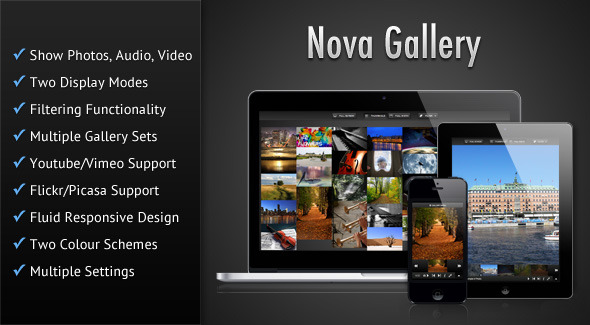
    Nova Gallery - Responsive HTML5 Multimedia Gallery

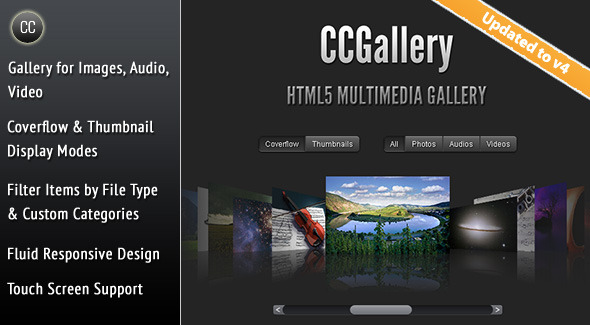
    CCGallery - HTML5 Multimedia Gallery

    Vimuse - HTML5 Media Player

    Download Social Feed – Flow Gallery Exension (Images and Media)

    Social Feed – Flow Gallery Exension (Images and Media)

    Flow Gallery jQuery plugin available here

    Social Feed is an extension or add-on for the Flow Gallery jQuery plugin. This extension allows you to pull feeds from Facebook, Instagram, Dribbble and Pinterest in order to build your gallery. All the settings of the Flow Gallery plugin can be used with this extension.

    NOTE: you need to have the Flow Gallery plugin in order for this extension to work.

    The key features are:

    • Pull photos, videos, album and collection of albums from Facebook user.
    • Pull photos from Instagram based on user ID, tag or just the popular photos.
    • Pull shots from Dribbble based on user ID, lists, buckets, or projects.
    • Pull photos from Pinterest based on user ID or board.
    • Upload date, likes, views, avatars (as and when applicable) for items are shown.
    • Sort items based on their upload date, likes, views, as well as title.
    • Item titles and descriptions are pulled from Facebook/Instagram/Dribbble/Pinterest.
    • Cache feed data for faster loading of gallery and prevent crossing API call limit.
    • All settings/options of the Flow Gallery jQuery plugin can be used.

    Configurable options are:

    • Choose between either – Facebook, Instagram, Dribbble or Pinterest feeds.
    • Items can be sorted, using the Sort menu, by their upload date, likes, views (when applicable), as well as titles.
    • Facebook feeds can consist of an user’s photos, videos, an album or a collection of albums.
    • Option to specify the number of items to pull from Facebook.
    • When pulling all albums of a Facebook user then option to specify the number of albums to pull.
    • Instagram feeds can be pulled based on user ID, tag or just the popular photos.
    • Option to specify the number of items to pull from Instagram.
    • Option to specify the thumbnail image size to pull from Instagram.
    • Dribbble feeds can be pulled based on user ID, list, bucket or project.
    • Option to show the Dribbble user’s avatar for each shot.
    • Option to specify the number of items to pull from Dribbble.
    • Pinterest feeds can be pulled based on user ID or a specific board.
    • Option to specify the number of items to pull from Pinterest.

    Special Notes

    • This is an extension for the Flow Gallery jQuery plugin, so you will need that plugin in order to use this extension.
    • In order to access the API of Facebook, Instagram and Dribbble you will need to get access tokens from these sites. Details in the documentation.
    • If you have any query regarding any feature of this extension before purchasing then please post your query in the comments section and I will get back to you as soon as possible.

    More Items by CosmoCoder

    Nova Gallery - Responsive HTML5 Multimedia Gallery

    CCGallery - HTML5 Multimedia Gallery

    Vimuse - HTML5 Media Player

    Download Social Feed – Flow Gallery Exension (Images and Media)

    Kitchen Mouse (Games)

    Kitchen Mouse

    Kitchen Mouse is a platform game. Fun and simple collect a cheese in a kitchen areas. If you get a three cheese for every level, gate will open and you can go to hole.

    Game play introducing

    • Drag to jump
    • Tap to run

    Features

    • 14 puzzle levels
    • Universal ( iPhone, iPod, iPad )
    • iPhone 4 / iPhone 5 Supported ( It means 3.5 inches and 4 inches iOS Devices , iPod,iPhone )
    • Developed by cocos2d with Objective C
    • Game Center Supported
    • In-App Purchase
    • Chart boost network added
    • Music/sounds Included
    • Full game and ready to upload and sell

    ADS

    Integrated Chart Boost

    In-App Purchase

    You can remove add with In-App Purchase

    Download Kitchen Mouse (Games)

    Short.ly – Premium URL Shortener (Miscellaneous)

    Features

    • No Installation Required – This script does not require any kind of installation, just upload the files to your server and you’re ready to go
    • No Database Required – No need for an external database (such as MySQL).
    • Lightning Fast – Due to the fact that no external database is used, loading times are extremely fast
    • Multi-Language – Translate the system into your language
    • Fully Responsive – The script looks good on all screen sizes
    • Ad Slots (Custom Size) – Earn money by displaying ads to your users. Additionally you can configure the script so you do not see any ads, only the users will. Ads can be disabled globally as well.
    • SEO Optimized – Get higher rankings in search engines
    • Flat-file based – Short.ly uses a flat file database of its own
    • Bot Protection – Users can only shorten an url once every 30 seconds

    Download Short.ly – Premium URL Shortener (Miscellaneous)

    Beer Rush – HTML5 Arcade Game (Games)

    Play It Now!

    Beer Rush is a HTML5 Game. The goal of the game is to serve beers to the customers as they slowly advance towards the barman.
    If any customers reach the end of the bar or a returning beer is not catched by the barman, the player loses a life.

    This game has been developed in HTML5/js and third-party library CreateJs – http://createjs.com/ (not Construct2 or other framework).

    The game is fully compatible with all most common mobile devices.
    WARNING:
    Sounds are enabled for mobile but we can’t grant full audio compatibility on all mobile devices due to some well-know issue between some mobile-browser and HTML5.
    So if you want to avoid sound loading, please read the documentation
    Sounds can’t be enabled for Windows Phone as this kind of device have unsolvable issues with <audio> and <video> tag.

    Game Screenshoot


     Follow Us

     Contact Us

    MORE GAMES

    Katana Fruits

    Duck Shooter

    Kickups

    Ultimate Swish

    Zombie Invasion

    The Running Champion

    Drive Your Car

    Galactic War

    Flappy Purupuru

    Flappy Ball

    Gold Miner

    Roulette 3D

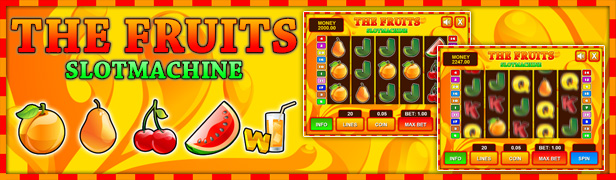
    Slot The Fruits

    Slot Ultimate Soccer

    Slot Mr Chicken

    Jacks or Better

    BlackJack

    All games

    Flag Counter

    Download Beer Rush – HTML5 Arcade Game (Games)

    SoGrid – WordPress Grid for Social Stream (Social Networking)

    \

    \

    \

    \

    \

    SoGrid – WordPress Grid for Social Stream

    SoGrid is a WordPress plugin that displays your social network posts / feed in a functional grid. Each post type has full functionality of its native social network. Social Grid generates a shortcode and it allows you to place SoGrid anywhere on your website. Simply copy and pase the shortcode directly to your webpage. At this point, SoGrid supports 4 top social networks: Facebook, Google+, Pinterest and Twitter. We will constantly add more networks and continue to improve the existing ones with more features and design options.

    SoGrid General Features

    • Display social network posts in a grid
    • Lazy Load posts to avoid long loading
    • Post intro animations
    • 2 types of grid are available
    • Post intro animations
    • Option to choose the random order or default one
    • You can have as many SoGrids as you want

    SoGrid Post Options

    • Set the maximum results for each individual network stream
    • Choose to limit the results by date
    • You can also limit the results by days
    • Enable / disable image in a post
    • Enable / disable thumb in a post
    • Enable / disable text in a post
    • Enable / disable the options to share a post
    • Enable / disable a border around a post
    • Set border color
    • Set post background color
    • Set share box background color
    • Set icon color
    • Set date color
    • Choose title font and color
    • Choose text font and color
    • Set share link color and hover color
    • Set share icon color

    SoGrid Pinterest Options

    • Display pins from a board
    • Display pins from a profile
    • Display multiple boards / profiles in a single SoGrid

    SoGrid Twitter Options

    • Display tweets from a profile
    • Display only tweets that have certain hashtag
    • Display multiple profiles in a single SoGrid

    SoGrid Facebook Options

    • Display posts from a page
    • Display posts from an album / gallery
    • Display multiple pages / albums in a single SoGrid

    SoGrid Google+ Options

    • Display posts from a Google+ profile
    • Display multiple profiles in a single SoGrid

    \

    Credits

    All images used in the preview are only for demo purposes. All the images are copyrighted and licensed to their respective authors and owners.


    \

    \

    \

    \

    \

    \

    Download SoGrid – WordPress Grid for Social Stream (Social Networking)

    TinyMCE4 Formula Editor (JavaScript)

    TinyMCE4 has no math formula  plugin default. This plugin is a formula plugin called “Tinymce4  Formula Editor”, you can use it in your tinymce editor to insert math formula easily.

    Features:

    1. Support for multiple formula: Fraction, Script, Radical, Intergral, Operator, Bracket and Function.
    2. Support for special characters, such as greek letters, arrows, relations and scripts.
    3. Responsile for complicated formula.
    4. Easy to use as the MathType.
    5. Pure front-end, no server support.
    6. Save as image.

    Installation

    1. Upload the files to the tinymce plugins’ folder.
    2. Update your tinymce configuration to add `leaui_formula` plugin, eg:
    tinymce.init({
            selector: "textarea",
            plugins: [
            "leaui_code_editor",
                    "advlist autolink link lists charmap  hr anchor pagebreak",
                    "directionality textcolor paste fullpage textcolor" 
            ],
            paste_data_images: true,
            toolbar1: "leaui_formula | styleselect formatselect fontselect fontsizeselect | bold italic underline strikethrough " 
    }); 

    Please Note that, you must set paste_data_images to true.

    Download TinyMCE4 Formula Editor (JavaScript)