VamShop – Bootstrap + jQuery + Ajax PHP Cart (Shopping Carts)

VamShop is an online shop solution that offers a wide
range of out-of-the-box features that allows online stores
to be setup fairly quickly with ease.

It’s a very simple one click install.

Addons and extensions support.

Features:

  • Responsive design (Bootstrap 3)
  • Ajax Cart (jQuery)
  • Fast loading (css,js,html code minified, merged, compressed and gzipped)
  • Google Analytics Ecommerce Tracking
  • Structured data markup for products, reviews
  • Digital goods enabled
  • Anti spam protection
  • Abandoned carts notifications
  • One click buy
  • Ratings & Reviews
  • Discount coupons
  • Product comparison
  • Integration with social networks
  • Electronic payments
  • Import/export
  • Update in «one click»
  • Multi-currency
  • Multi-language
  • Unlimited themes & templates support
  • And much more…

Homepage: http://vamshop.com

Download (14 days trial version): http:/vamshop.com/vamshop2.zip

Install

How to install: http://support.vamshop.com/modules/smartfaq/faq.php?faqid=1

Addons:

Apps: http://apps.vamshop.com

Online demo:

Catalog

http://demo.vamcart.com/

Admin

http://demo.vamcart.com/admin/

  • Login: admin
  • Password: password

Requirements:

  • PHP
  • MySQL
  • WebServer

Download VamShop – Bootstrap + jQuery + Ajax PHP Cart (Shopping Carts)

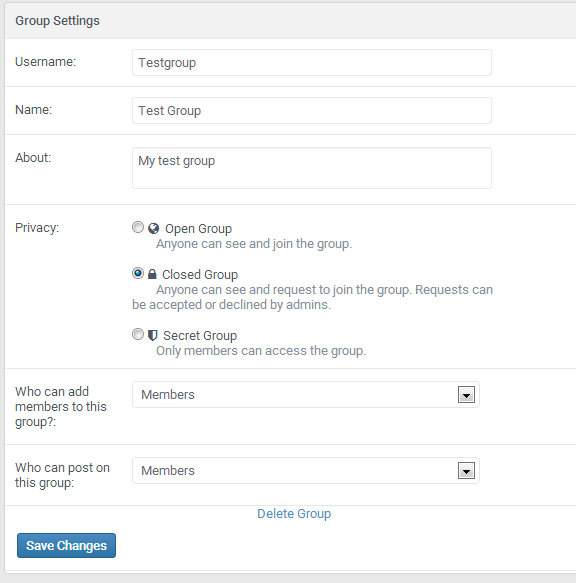
Group Delete For Socialkit (Add-ons)

Group delete lets you erase your group you own and remove all your information together with other factors such as facebook.

Add-on Feature?

  • Group account delete
  • Two step for delete Group
  • Removing comments
  • Removing comment likes
  • Removing notifications
  • Removing group admins
  • Removing posts
  • Removing followers
  • Removing post follows
  • Removing post likes
  • Removing post shares
  • And more….

Note: Remember to rate this product after purchase

Download Group Delete For Socialkit (Add-ons)

Elements Builder for Visual Composer (Interface Elements)

Simple drag and drop elements builder for visual composer.


  • Simple and easy to use
  • Creates responsive elements
  • Export elements to any wordpress
  • Creates fully customizable elements
  • Very useful for developers.

Video – Create elements with elements builder

Download Elements Builder for Visual Composer (Interface Elements)

Animated Doo Banners (Add-ons)

What is this?
Animated Doo Banners is the original addon built exclusively for Visual Composer which helps you add interactive overlay effects on the sections displayed on your Web pages.

We have re-created 40+ different designs, you can view them ALL from our preview site. Each design has a CSS3 hover effect that’s unique to each one.

The usage of ADB elements are very simple, simply select your image/s, add your title and captions, an optional link, a color scheme. The result is a beautifully constructed image box complete with hover effects.
Features

Full Feature Set:

30+ Beautiful designs,
Easy to use Visual Composer elements,
Create single or a gallery of Hero Boxes,
Fast and smooth CSS animations,
Fully responsive, works great in mobile devices,
Tint each hero box with a different color for a filter-like experience,
Works with any theme,
Very easy to use,
Properly coded in WordPress standards,
Unlimited possibilities,
WPML supported,
SEO friendly code,
IE8+ support,
Highly Optimized Code,
Light-weight HTML structures,
Rigorously Tested on Actual Devices for Real,
World Performance Metrics,
Trusted development & Support.

Download Animated Doo Banners (Add-ons)

CQPIM WordPress Project Management Plugin (Utilities)

If you’re working on projects and run a WordPress site, then CQPIM can literally take all of the tools that you use and combine your processes into a single application.

CQPIM is a fully featured WordPress Project Management Plugin, that allows you to manage Clients, Quotes, Projects, Invoices, Support Tickets & Teams quickly, efficiently and professionally.

Keep your clients in the loop with the CQPIM Client Dashboard, where they can view and accept quotes, sign contract, view invoice status’, keep up to date on projects in real time and raise/manage support tickets.

The backend features an easy to use quote builder, which allows you to create awesome quotes in minutes, and send them to your clients in a single click.

Working with teams has never been easier. Simply create team members in the backend and you’re off. You can assign team members to projects, and the CQPIM Role/Permissions system ensures that they can only see/do exactly what you want them to. Or, of course, you can use the plugin as an individual.

This is Project Management made simple, and is ideal for freelancers and small agencies who want to add a bit of simplicity to their client and team collaboration processes. Why use half a dozen different platforms when all you need is right here?

Download CQPIM WordPress Project Management Plugin (Utilities)

WooCommerce Constant Contact Discount (WooCommerce)

Woocommerce Constant Contact Discount is a woocommerce addon which allows you to setup discount for constant contact newsletter signups on your site.

Whenever a new user signups for your newsletter the plugin automatically generates a coupon code based on the admin settings and email it to the registered email id.

The plugin internally uses the default woocommerce coupons so there are lots of filter and criteria options when you setup signup discount.

Features

  • Powerful admin backend to customize the plugin.
  • Easily setup discount for newsletter signups.
  • Automatically generates unique coupons for each signup.
  • Uses native woocommerce coupon system to generate the coupons.
  • Uses woocommerce native template to send email for the coupon code if using woocommerce 2.3.x.
  • Exit intent to display the popup.
  • Customizable shortcode support, which allows you to put add the form on any page/post or widget.
  • Ability to add multiple forms on same page and use shortcode alng with the popup feature.
  • Admin option to change the cookie length for popup display.
  • Admin option to disable popup and have the signups only as widgets.
  • Easily customize the look and feel of the popup to match your site’s design.
  • Allows you to show form fields as per your needs.
  • Creates a different unique coupon each time a user sign up for newsletter.
  • Easily select and setup coupon for specific products or categories.
  • Easy to exclude specific products and categories from the discount.
  • Ability to exclude discount on sales items.
  • Allows you to define a coupon validity in number of days from the date of registration.
  • Ability to change the email from name and address.
  • Ability to define a minimum and maximum purchase limit in order to be able to use the coupon.
  • Allows you to customize the coupon code email and subject from the admin panel.
  • Allows you to use enter predefined variables on the email body and email subject.
  • Allows you to display a popup for the constant contact signup form.

Shortcode Settings

You can use

[wc_constant_contact_discount]

shortcode to use the constant contact discout form on your page/post/widget etc.
Please find the list of variables you can use with shortcode.

Variable Description
width Define a width for the signup form.
Possible values: 100px, 100%, 500px etc.
Usage:

[wc_constant_contact_discount width="400px"]
align Set the alignment for the signup form.
Possible values: left,right and center.
Usage:

[wc_constant_contact_discount align="center"]
layout Define the layout for the form.
Possible values are horizontal and vertical. The default value is vertical.
Usage:

[wc_constant_contact_discount layout="horizontal"]
btn_width Set width for the subscribe button.
Possible values: 100px, 429px, 100%, 69% etc.
Usage:

[wc_constant_contact_discount btn_width="300px"]
btn_align Set the alignment for the subscribe button.
Possible values: left,right and center.
Usage:

[wc_constant_contact_discount btn_align="right"]

top_text Define a text that would appear on top of the form.
Usage:

[wc_constant_contact_discount top_text="Subscribe to our newsletter and win discount"]
top_text_color Set a text color for the top text.
Usage:

[wc_constant_contact_discount top_text_color="#ffcc00"]

You can combine any of the shortcode variables and create different type of forms. Check some examples below:
[wc_constant_contact_discount width="400px" align="center" btn_width="100%" texttop_text_top="Signup for newsletter" top_text_color="#333333"]

Changelog

Version 1.0 (12 JUN 15)
    - Initial public release.

Download WooCommerce Constant Contact Discount (WooCommerce)

Ticksy Slack Notifications (Help and Support Tools)

Extend the customer support service Ticksy with Slack notifications and optimize your response times!

Last update: 12.05.2015 (Changelog)


online documentation & help desk for customers on coder.flowdee.de

– Please don’t forget to rate this script if you enjoy it!  :)

Features

  • Bridge between Ticksy and Slack
  • Receive Slack notifications for new tickets and replies of your customers
  • Decide: Notifications for all tickets or only such assigned to you
  • Lightweight and handy PHP script
  • Place the script on your WebHosting and point a cronjob on the watcher file
  • Free cronjob services: ENDE
  • Easy configuration. No expert knowledge needed!

Planned and upcoming features

  • More notifications as soon as supported by the official API

Resources

  • Download Ticksy Slack Notifications now!
  • Well prepared and detailed documentation
  • Regular updates and improvements: Go though the changelog

Quick Start

Place the script on your WebHosting, update your api credentials and point a cronjob on the watcher file!

Download Ticksy Slack Notifications (Help and Support Tools)

WP-HTML Mail – Customized Emails for WooCommerce (Marketing)

Beautiful responsive notification emails for your WooCommerce store

Create your own professional e-mail template within a few minutes without any coding skills.
Easily change texts, colors, fonts, pictures, tables and alignment and see all your changes immediately in the live preview.
You don’t need any coding skills, you won’t even see any HTML or CSS code. Everything can be edited via simple menus and buttons.

Features

Custom Colors

Customize all colors for header, footer background, fonts and tables with color pickers

Edit Fonts

All fonts can be styled according to your corporate design. Headlines, content, order items, variations, footer, ….

Header

Use your logo, a full width header or just a text header.

Live Preview

Select one of your previous orders and the transaction message to see all your changes LIVE in the browser:

  • Admin New Order
  • Admin Canceled order
  • Customer Processing Order
  • Customer Completed Order
  • Customer Invoice
  • Customer Note
  • Customer Reset Password
  • Customer New Account

Footer Editor

Your email footer can contain any formatted text, links or even images.

Product Thumbnails

Show / hide product thumbnails and change the image size.

Responsive

Emails are optimized for desktop and mobile email clients.


Download WP-HTML Mail – Customized Emails for WooCommerce (Marketing)

Responsive Bootstrap Sidebar Navigation (Navigation)

Multipurpose Responsive Bootstrap Sidebar Navigation Ready to be used in Web Apps

HOE Navigation Menu consist of both Horizantal and Vertical navigation menu based on CSS3 and Jquery. Its lightweight and compatible with almost all major browsers and devices. It supports four levels sub menu with shrink, Overlay and push effect.

Features included:

  • Fully Responsive ready for Desktop, Tablets and Mobile
  • Multiple Color options
  • Bootstrap based
  • Options to choose Sidebar Navigation or horizontal navigation
  • Documentation
  • Lifetime support
  • Lifetime support
  • live demo

Dependencies

  • jQuery: Any higher version of jQuery library
  • Bootstrap CSS Library
  • FontAwesome Font: Free open source font library for icons
  • Google Font: Lato Webfont is used for the typography
  • html5shiv.js and respond.min.js

Use example

Credits

  • jQuery
  • Bootstrap
  • FontAwesome
  • Google Font
  • html5shiv and respond

Download Responsive Bootstrap Sidebar Navigation (Navigation)

Moon 2048: Game Template for Corona SDK (Games)

“Moon 2048” is mobile game similar to 2048. It supports all Corona SDK editions. It is written in Lua for Corona SDK and uses composer library to manage scenes/screens. the code is clear and easy to be extended as you need.

With this source code, You can make builds for IOS, Android and ‘Windows Phone’ devices.

FEATURES:

1. Written in Lua language (Use Box2d as physics engine)

2. Build binaries for IOS, Android, Windows Phones and Tablets.

3. Editor Mode, for Easy Customise Scenes Visually

4. Local Best Score and Google Leaderboards

5. Share Score and Screenshot on facebook/twitter

6. 1 Music + 6 Sound Effects

7. Very Easy to Customise

8. Admob banner and interstitial

9. Code is very clear, Bug Free, Fully Support

10. iOS8 Ready

Download a demo apk on google store here:
https://play.google.com/store/apps/details?id=com.gmail.ouguolin2013.moon_2048

Rate My Template if You Like It, Thank You! ;)

Download Moon 2048: Game Template for Corona SDK (Games)

Swipe It – Admob + IAP + Leaderboards (Games)


DOWNLOAD THE GAME: http://bitly.com/swipeIt (Google Play)
GAMEPLAY VIDEO: https://www.youtube.com/watch?v=JBssb_Ej4KE

Description

Swipe It is a highly addictive game where you have to swipe the dot to avoid getting hit by the black balls that appear all over the place. Get the rotating blue squares and achieve the High Score!
This game is made in Java using ANDROID STUDIO but can also be imported using ECLIPSE. The game has been created using LibGDX framework which is also made in pure java.

Features


Reskin & Customization

Swipe It has been designed so that you can change anything: buttons, fonts, sounds, all images and colors… The game also provides an easy way to use your own assets or images for the different elements of the game.

We have created a Configuration File and a Settings File where you can change all the encoded values. There you can find all the IDs that need to be changed (Admob IDs, Leaderboard IDs…) and see the final result on your game.

Documentation

The online documentation will be updated with the buyer’s questions in order to improve it. Swipe It already comes with Admob Interstitial and Banners. It also has youtube tutorials in order to customize and import the game.

Buy Swipe It and start making money with Android Games!

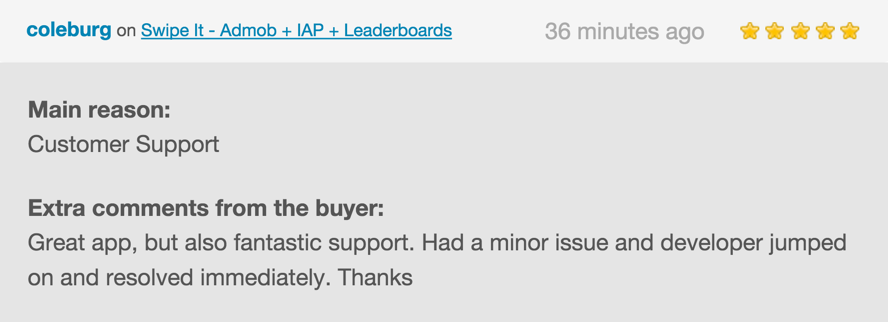
What our clients say about us


Version 1.0- 6/15/2015

- First version released 1.0

More Games


Download Swipe It – Admob + IAP + Leaderboards (Games)

Prestashop Instant Search – BA Ajax Search (Prestashop)

Why use BA Ajax Search – Prestashop Instant Search on your store?

Convert more visitors to customers with fast search and autocomplete widget by BASearch – Prestashop Ajax Search Module.

BASearch delivers relevant search results to your customers instantly as they type. BASearch autocomplete widget is highly customizable and naturally fits any storefront design.

Demo (See Search in Top of Page): http://buy-addons.com/demo/ba_ajax_search

Document: http://buy-addons.com/doc/ba_ajax_search

Features

  • Enable/Disable search function for Categories, Pages, Suppliers, Tags, Manufacturers.
  • Responsive design, support Search function on Mobile, Tablet.
  • Customize back ground color,text color… in Backoffice of Module
  • Support Pagination in Result Search.
  • SEO optimization for all Links in result of search
  • Working on both bootstrap theme and theme without bootstrap
  • Compatible multiple languages, multiple currencies.
  • Cache system

OTHER FEATURES

  • Easy to install, easy to upgrade, just copy to use
  • Friendly and flexible configuration
  • Support multiple languages
  • HTML/CSS validation
  • Easy to customize front-end via HTML/CSS
  • Clean code

Some Screenshot for Frontend

Design & Configure in Backoffice

Download Prestashop Instant Search – BA Ajax Search (Prestashop)

lensFlare – Animated CSS3 Lens Flares (Miscellaneous)

CodeDroid12 Philosophy

You’re most likely looking for something specific – not a generic plugin that will bend to your needs. CodeDroid12 plugins are not all-in-one or multipurpose. They’re built to serve one specific task well – and usually with a quick Copy & Paste approach. The idea is to get your problem fixed as fast and efficiently as possible – without you needing to even waste time reading documentation.

lensFlare – Animated CSS3 Lens Flares

lensFlare is a plugin for adding animated CSS3 lens flares to your website. It is perfect for subtle hover effects, realistic design accents and cool interactive effects. All lens flares are configured using simple jQuery and can be quickly restyled in the CSS file.

  • Multiple instance support
  • Easy to setup
  • Lightweight
  • Customize Lens Flare gradients with simple CSS
  • Option to track mouse movement
  • Option to follow mouse cursor
  • Set Random Speed Ranges
  • Set Sizes and Scaling Ranges
  • Set Factored Ring Distances
  • Define Rotation Angles
  • No Coding Skills Needed
  • Awesome, unique and fun!

Note: This plugin is compatible with IE9 and 10, however uses CSS pointer-events which is not supported. This allows events to be read “through” the lens flares. If you plan on using this item in IE9/10 make sure that lens flare containers are behind interactive page elements.

Download lensFlare – Animated CSS3 Lens Flares (Miscellaneous)

.Net Flat Calendar (Forms)

What is .NET Flat Calendar?

.NET Flat Calendar is one of the best calendar user tools that make you able to process & browse different views for the date, year, month & days in a very flexible way with modern UI. This tool provides the best solution & UI in order to use it inside your .NET Framework software by giving your user the ability to browse/select date values in an easy & fast way.

What is the type of this tool?

.NET Flat Calendar is a User Control working under .NET Windows Forms Application that found inside Microsoft’s Visual Studio .NET made using C# .NET.

How it works?

.NET Flat Calendar is not like any other calendar tools. Because it depends on a strong & logical algorithms that calculating the dates without any limitations. Regardless of the loops & system resources that load on your computer processor on a side and decreasing the performance on the other side. More over this tool instantiate its objects & writing value at the run time that’s will provide a more flexible and full control within the UI drawing process and also gives you the ability to control everything in order to let you design it as you like with a many features you will found it below.

.Net Flat Calendar features:-

-Auto resizing & scale.

-Font Styling.

-Supports two languages English-Arabic.

-Days, Months, Years switching.

-7 Overloading constructors.

-Two view styles Ellipse, Box.

-Left-Right move effects.

-Background Color.

-Previous-Next-Current Forecolor.

-MouseCursor

-Events (Date Change, Moving, Switching…).

Download .Net Flat Calendar (Forms)