Tweet Wheel Pro – Fully Automated Tweeting for WP (Social Networking)

Tweet Wheel Pro is a simple and yet powerful tool that every website owner will fall in love with. The idea behind Tweet Wheel is to automatically tweet posts from users’ website and take the burden off their shoulders and let them focus on the thing they are best at. Turn your website into a traffic-and-business-driving tool in no time!

First, install and activate the plugin. You may notice not many options visible at start, but it’s only until you authorise our Twitter app to access your Twitter account. Once authorised, you can enjoy your website gaining on social media attention even when you are not looking.

Unlike other Twitter plugins, this one works automatically and does not require your constant care. You can get up and running in a few clicks, but if you want to make more out of our solution, you can add multiple, interesting templates for each post. This will reduce your chance of sounding robotic and will let you test headings to see which one comes the most engaging.

Amazing Features:

  • Automated queueing system, which is the core of the plugin. It handles all the automation.
  • Multi-templating for posts helps you to specify limitless amount of tweet variations for each post.
  • Advanced scheduling gives you more control over time of tweetings. Specify days and times at which you want your post published.
  • Handling of custom post types – fully compatible with woocommerce shop products!
  • Customising the queue let’s you to supervise the order in which posts are tweeted.
  • Looping is optional, but very useful. If on, it will automatially append just tweeted post at the end of queue. Keeps going infinitely this way.
  • Queue posts on their publishing. When you create a new post you can ask plugin to automatically queue it for you.
  • Pausing and resuming queue comes useful when you need a bit more control. No need to deactivate the plugin to put it on hold.
  • Convenient bulk actions – queue, dequeue and exclude multiple posts at once.
  • Option to tweet instantly without waiting for post’s turn – perfect for hot news!
  • Simple view which minifies the queue look so you can fit more items on your screen – helpful for shuffling!
  • Health check tab that let’s you know if your website is ready for Tweet Wheel and what to fix.
  • Attach featured images to your tweets with one click
  • Use your favorite domain for shortening URLs (by Bit.ly)
  • Track clicks and tweets history to improve performance
  • Automated updates – no more manual labor!
  • Plenty minor improvements which overally boost user experience and easy of use

CHECK OUT LIVE DEMO HERE

USERNAME: demo
PASSWORD: demo

Want regular updates? Follow us on Twitter.

Download Tweet Wheel Pro – Fully Automated Tweeting for WP (Social Networking)

Cat Bouncing – Endless Cat Bouncing Game (Games)

Game

Cat Bouncing Game is on of those games that is easy to play but hard to master!

The main purpose of game is to be easy flip reskin and highly converting App.

Bounce together with Cat on Sunny Day!!

Avoid moving and flying monsters that appear in the game.

Collect hearts for highscore to compare with your friends and world.

Try It

Try the game:
Google Play Store

Cat Bouncing Game

About

Source code with universal support, Phone and Tablet support.

Game Artwork is included.

Ads network:

  • Admob Banner,
  • Admob, Chartboost, Applovin Interstitial Ads

How to:

  • Import Project into Eclipse.
  • Change Package ID, Version ID, App Name.
  • Setup new icons, launch screens, localization and meta-data for your app.
  • Change ID for Ad Networks.
  • Update Review Us URL.
  • Update More Game URL.
  • Configure Game Center.
  • Export Project and upload to Play Store.

Download Cat Bouncing – Endless Cat Bouncing Game (Games)

Google HTML5 Animated Banners | Royal Casino (Ad Templates)

Google HTML 5 Animated Banners | Royal Casino is well crafted HTML animated banner made with Google Web Designer tool. Easily editable multipurpose theme for all. Available in 7 exclusive sizes, which you can easily edit and publish in web.

The package comes with 7 standard banner sizes with a helpful documentation and instruction files

Download Google HTML5 Animated Banners | Royal Casino (Ad Templates)

Ubiquity – Professional LayersWP Style Kit (Layers WP Style Kits)

Ubiquity is a Responsive Business Styles kit for the LayersWP that’s built using HTML5/CSS3 features and suitable for creative companies, agencies for a professional way to showcase their projects.

The style kit is a fully responsive and retina ready so it works nicely on Smartphone, tablet PCs and desktops.

Key Features

10 page presets included.
Unique Logo Original EPS file included.
2 different Home pages.
2 different About Pages.
portfolio 2, 3 , 4 columns and full width portfolio style.
Cross Browser Compatible (IE9/10/11, Firefox, Chrome, Opera, Safari)
Optimized and Clean Code
Optimized for better User Experience
Fully Customizable

Download Ubiquity – Professional LayersWP Style Kit (Layers WP Style Kits)

Local Business Ionic – Full Application (Full Applications)

Local Business Ionic is the bootstrap you need in order to build your next extremely modular Ionic application for any kind of BUSINESS and LOCAL STORE. It is a well structured, well organised and implemented, full working generic app that comes with all the features that are necessary for every business needs a modern all in one application. Best practices, proven techniques and experienced software architecture are packed with a well crafted design.

News


Display news and announcements about the business by using a remote JSON structure or your already existing WordPress and/or Drupal site. Everything you will need for that is already building and no additional code is required.

Products


Expose the products of your business in your clients and potential clients mobile devices. Products are organised in lists where a title a thumbnail and the price are mentioned. A detailed pages provides additional information for each product including a slideshow of images and an “Buy now” link. The link points to the actual web site where the user could find more information about the particular product and proceed with the purchase.

Services


Give information about the services your business is providing. Services are organised in lists of cards where a title and a thumbnail are mentioned. A detailed page provides additional information for each service including a slideshow of images and an “Read more” link. The link points to the actual web site where the user could find more information about the particular service.

Catalogs


PDF and Online Catalogs is a crucial part of the information every business needs to expose to existing and potential clients. Promote your products and see your sales rising! Online Catalogs and PDF will give the chance to the international buyers to be effectively and inexpensively informed of your products, services or even instruction manuals and other support documents. And all of that, it is ready to be used in one step.

Open hours


Make your clients instantly aware about the “Open Hours” and if the business is open at the particular time the user opens the application.

Set the Open Hours in a configuration file and let the code of “Local Business Ionic” to take care of the rest. The solutions that is already implemented gets the current time from the device, takes into account the time zone of the business and the device and displays a friendly message to the users

A detailed list of the all the open hours is also automatically created and is available in the “Contact Us” screen.

Your are just 300m away, visit us…


Motivate even more your clients to visit you by making it easier for them to find you. They will be able to know any time if they are close to your business and drop by for a visit. Perhaps, they are closer to you than they thought!

Contact us


Provide to your clients an one-click-away action to drop you a call or stay in contact with your business. Let them contact you by four different options, e.g. email, address, phone number and Facebook profile, practically without the need to interfere with any programming.

Set your phone number, your email address, your location and your facebook page in the configuration file and you are all ready! The code that is coming with “Local Business Ionic” will take care of the rest and will make available to the users 4 buttons:

  • Call us: It will make the device to start a call to the phone number you have defined.
  • Send us an Email: Mailer will open with your business’s email already set so as the user won’t need to type it
  • Find us / Get directions: The map application which is already installed on the device will be launched to show your exact location on the map and the User will be able to get directions to reach your business
  • Visit us on Facebook: Help your clients meet you on Facebook and love your business! Why should they search for you when they can see your profile/page with one click?

Map


Give your clients everything they need to find you by defining one or more locations of your business or store(s). Everything is so easy to be set in the blink of an eye! You only need to set the location(s) once and the application does all the work for you and presents it on the map.

Remote data

The News, Products and Services and Catalogs listing windows are fetching data from online sources by using the JSON protocol. The source URLs for these listings are set in the application’s configuration file. Images, Galleries, texts and whole entries can be updated by adjusting the remote sources. Also, Catalogs’ JSON model allows you to display more details of a catalog either by setting a url or by setting a pdf. Nevertheless, rebuilding and re-distributing the application are not required for constant updates.
The same applies for the pins in the live map too. The users are able to add and configure the pin points just by adjusting the remote source.

Articles and products listing

Four different content types are used and demonstrated in Local Business Ionic. The application provides the ability of forming Articles by adding a unique photo in any of them. Products, Services and Catalogs are similar to Articles but are supporting an unlimited number of accompanying images. An Image Slider is created by using them. Also, Catalogs JSON gives the option to the User to view a Catalog’s details either online or in a pdf file.

Push notification

A full working Push notification example is integrated into the application. It comes also with detailed instructions on how to configure everything in your end and have your application ready to send and receive Push Notifications.

Yeoman Ionic Framework Generator powered

Yeoman Ionic Framework Generator combines the best practices and features for scaffolding a hybrid application. It makes building of a mobile app easy and quickly since Yeoman is integrated with Ionic Framework and Cordova plugin. Also, the included Grunt build system optimizes and automates some important tasks of your workflow.

Modularity / Configuration


Local Business Ionic’s extremely modular architecture is going to eliminate any unnecessary complexity. Its code is clean and well-organised into modules to make configuration even easier. A configuration file is responsible for each feature of the application such as:
The News
The Products
The Services
The Catalogs
The URLs for the remote data
Therefore, the configuration of all of the features is done through the services by which they are accompanied.

http://www.screencast.com/t/uZZj1F9Mqp

Ionic design

Local Business Ionic is based on the UI elements that the Ionic Framework provides. Ionic Framework comes with a detailed and impressive CSS framework for layout styling. Furthermore, it handles header elements in a very similar way to existing libraries you may have used. Headers are available in many different default color options. Adding a footer element is as easy as adding a header. Moreover, Ionic comes with its own icon library built in which contains almost everything you should need. Use Ionic’s UI components and they will give you a fully customised and functional UI.

Devices

The code is extremely tested on iOS and Android mobile phones. Up to 7” Android tablets are also supported.

Download Local Business Ionic – Full Application (Full Applications)

MuscleZilla Workout App + Admob (Full Applications)

MuscleZilla Workout App is an android app that is used as a workout & exercise guide. Current workouts can be easily modified or deleted, and new ones can be added also. Same goes for the exercises. The app has Admob integrated (banners and interstitials) and is a potential gold mine.

The source code gives the programmer the ability to add exercises with GIF demonstrations and images with affected muscles. This helps the user of the app better understand how certain exercises are performed.

Workouts are made up of three type of events: rest event, timed exercise event or repetitions exercise event. This means that the programmer has the ability to create very flexible and effective workouts. Workouts also have sound effects that notify the user when a new event has begun (rest, exercise).

To see all the cool features of the app, check the live demo here: https://play.google.com/store/apps/details?id=com.app.musclezilla

NOTE: In the demo there are around 70 exercises and 11 workouts for demonstration purposes, but in this package (source code) there are only 3 exercises and 1 workout. If you want to use the GIF demonstrations seen in the live demo, please contact the seller.

Download MuscleZilla Workout App + Admob (Full Applications)
Print Watchdog (Help and Support Tools)

Print Watchdog allows you to monitor printing and color usage on your printers effectively and at one location. It offers specialized printer monitoring functionality for any printer that supports the Printer MIB.

Wanna test if this will work with your printers before you buy download this https://www.dropbox.com/s/ie9ct8iunpt1cy9/watchdogdemo.zip?dl=0 and follow the instructions contained.

Features

  1. Monitor printers easily using SNMP and OID’s
  2. Monitor catridge usage
  3. Monitor printing and paper usage
  4. Get alerts when printer goes offline.
  5. Detect catridge type for printer for easy ordering

Monitoring

My helpful screenshot

Print Watchdog allows monitoring of printed pages per hour you can even jump to specific dates.

My helpful screenshot

You can also view catridge usage. Graphs type changes depending on the type of printer

Configure

Almost everything on print watchdog is configurable customize it to fit your organizations colors

My helpful screenshot

Where are we getting all this data from

The printer data you are seeing is gotten from our organzation’s printers it is uploaded by our server automatically by a scheduled script.

Download Print Watchdog (Help and Support Tools)

WooCommerce Tailored Trouser & Pant Online (WooCommerce)


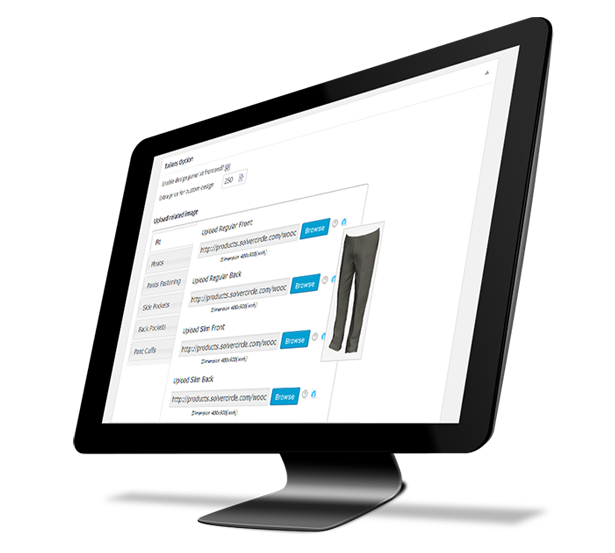
“WooCommerce Tailored Pant Online” plugin is a WordPress Woo Commerce Plugin which is used to make or customize pants through online. You can create your own pant and have it tailored to your accurate measurements for a perfect fitting.

Design the pant yourself – Select your favorite fabrics then choose Fit, Pleats, Pants Fastening, Side Pockets, Back Pockets and Pant Cuff.

“WooCommerce Tailored Pant Online” plugin has a user-friendly interface that helps the user a potential tailoring experience.

“WooCommerce Tailored Pant Online” plugin offers online customized tailoring for all types of user. This plugin is the complete tailoring solution that helps you to engage customers, boost your sales and revenues.

“WooCommerce Tailored Pant Online” plugin has excellent features and very easy to install or setup.

“WooCommerce Tailored Pant Online” plugin is more flexible and compatible with many existing plugins in the WP repository. This Plugin is fully customizable. Users can easily configure the plugin into the new or existing WordPress WooCommerce sites.

  • Shoppers can easily customize pants through online.
  • Just chose a fabrics and start design.
  • Shoppers can set length, hips, waist, rise and thigh’s measurements for his pants.
  • Can choose regular or slim fit pant.
  • Pleats can be set for single, double or none.
  • Different types of Pants Fastening can be select.
  • Different types of side and back pocket can be select.
  • Shoppers can set pant cuff.
  • Shoppers can add to cart with quantity from design panel.
  • Design preview is available in cart page.

  • Enable or disable design panel for specific fabrics.
  • Extra price for custom design can be set from admin metabox area.
  • Multiple image upload option for Fit, Pleats, Fastening, Side Pocket, Back Pocket and Cuffs.
  • Admin can view the customized products with details from WooCommerce > Orders > Order Details page.
  • Admin can print the design from order page.
  • You can change all text of design panel from admin dashboard > WCP-Settings.

For installation process and other information please view our online Documentation

Download WooCommerce Tailored Trouser & Pant Online (WooCommerce)

Wpraas Counter – Layers Extension (Widgets)

\


Features:

  • Unlimited text colors
  • Unlimited background colors
  • 75 individual or same columns Animations
  • Speed of animations can be changed
  • Numbers animation with same or different speed
  • Fontawsome 519 icons support
  • Icon sizes can be changed
  • Simple background
    Parallax background
  • Overlay background
  • Parallax + overlay background support
  • Responsive layersframework 12 grids
  • Fast performance
  • HD Tutorials

Sources & Credits:

Download Wpraas Counter – Layers Extension (Widgets)

Tvile with Admob (Audio/Video)

TVile is the name of TV on Mobile is an android online tv / video streaming app. It is simple yet powerful solution for creating Android app for your online tv channels in no time. Just add your tv channel or video name, add stream url and channel / video image; then build with Eclipse.

admob

In the application source code you can add as many channels as you want. This demo app includes 6 tv channels.  Tvile is provide a place to add your favourite tv channels stream in Android application. its very easy to developed any application.

Key Features:

– Play/Pause online TV/Video Stream

– Supports 720p/1080p HD mp4,mkv,m4v,mov,flv,avi,rmvb,rm,ts,tp and many other video formats

– Almost all popular streaming protocols are supported, including HLS , MMS, RTSP, RTMP, and HTTP

– Check Network Availability.

– Admob Integrated

– No Flash Player Required.

– Share & Rate button added

– Tab view layout with ‘Facebook’, ‘Twitter’ & ‘About’ section

– Full Native Application

– No extra code is required

– Step-By-Step Documentation Included

– 110 stream available in Demo apk, List available on request.

– Integrated Website in Application

– Complete Documentation include in Package.

– Demo apk include in Package.

Just Change your Graphics,  Update a Package Id, integrate a admob Ad Id in String page in the last Add Channels links with Logo your application is ready to Lunch. no Code Dificulty all the things are include in documentation folder of Package with screenshots.

The Support:
We provide full support so when you have questions, we’re here to answer. Don’t hesitate to ask us any questions.

Flag Counter

Download Tvile with Admob (Audio/Video)

Blackjack Casino Game – HTML5 Mobile Optimized (Games)

Blackjack is the most widely played casino banking game in the world. The game is also knows as Twenty one (21).

The idea of the game is to have a better hand then the dealer, which can be done in a number of ways:

  • Get 21 points on the player’s first two cards (called a blackjack), without a dealer blackjack;
  • Reach a final score higher than the dealer without exceeding 21; or
  • Let the dealer draw additional cards until his or her hand exceeds 21.

Features:

  • Mouse or touch control
  • Work on all HTML5 browser and mobile devices
  • Easy way to add/replace images
  • Included Construct 2 file
  • Included assets (images and music)

What you get

  • Construct 2 File with fully commented Code
  • Image assets
  • Game demo
  • Documentation

If you have any question, don’t hesitate in asking.

MORE GAMES

If you are interested in learning more about making games, here is another great and interesting game.

50 States Challenge – HTML5 Educational Game

Kids Coloring Book – HTML5 Educational Game

Memes Face HTM5 Memory Game – Mobile Optimized

Rock Paper Scissors HTML5 Game – Mobile Optimized

Kids Puzzle Game – HTML5 Educational Game

Feed Mypetdog Number – Educational HTML5 Game

Match Mons – Puzzle Match Game


Download Blackjack Casino Game – HTML5 Mobile Optimized (Games)

Flickr Portfolio – WordPress Plugin (Galleries)

Flickr Portfolio was designed to provide a beautiful and highly customized Flickr Gallery. With amazing and inovative effects. It supports images and you can add a header bar if you want include in a sidebar or footer.

Fill all the spaces! This plugin algorithm manages various sizes of images.

FEATURES

  • More than 15 modern and amazing hover effects
  • Amazing Lightbox integration
  • Beautiful header bar for User, Gallery or Group
  • Mobile friendly
  • Shortcode / Widget support
  • User/Gallery/Group Flickr mode
  • Width configurable
  • Load more button
  • Padding around each photo configurable
  • Photo filter effects (grayscale/blue/sepia/saturate … )
  • Background color, opacity and size configurable
  • Photo shape(square/circle)
  • Fonts size configurable
  • Flickr icon, description and number likes color and size configurable
  • Custom CSS field
  • Scroll modern effects
  • Full documentation
  • Shortcode support all admin options
  • You can add as many shortcodes as you want
  • Very Bootstrap friend
<h2>CHANGE LOG</h2>
15/06/2015 - version 1.0
- Initial release

Download Flickr Portfolio – WordPress Plugin (Galleries)

Magento Social Suite Extension (Magento Extensions)

Magento Social Suite Extension by Vivacity Infotech is one of the best fully featured extension that can be easily managed from the backend from Magento. It allows you to auto post products on social media, login from social media and share and send message on social media. This extension is fully package of social media.

Features

  • Easy to install and manage from back-end.
  • Unlimited auto post, share on social media.
  • Show login button on login page for login through social media.
    Auto post your product at the time of create product and edit porduct in admin panel.
  • Share your page on social media.
  • Send message to friends group on social media.
  • Use template tags or XML Layout Updates and be even more flexible on where to add code on the page .

Notes:
This extension uses social media library classes so there is no conflict issue arise with other extensions and we have created separated module for that so there is no changes occur at the time of magento updation or theme updation.

Please logout and login again in the admin backend after installing the extension. Because it avoid the issue 404 error. Magento load all configuration file at the time of login and after installing the extension you need to logout from magento so that changes are reflected in admin panel.

With the Magento Social Suite Extension , it is possible to post ,share and send multiple messages to social media.

Installation

System Requirements

Magento version 1.4.x or higher
PHP version 5.2.0 or higher

Installation through Magento Connect

With these steps you will be able to install the Magento Flexslider extension in your website.

Extract the .tzg file from the zip file you have downloaded from the webshop from Vivacity Infotech.

Disable all caches under “System > Cache Management” and make sure Magento Compilation is disabled under “System > Tools > Compilation”. This is necessary to avoid any caching problems after the installation of an extension.

Log into your Magento Connect Manager with your admin credentials.
Select the .tzg file you have extracted in step one in the browse field under the option “Direct package file upload” as shown below and then click the upload button.

Wait until the upload and installation process is finished and click the refresh button below the command line textarea afterwards.
Go the http://www.yourdomain.com/admin/ where yourdomain.com is the URL where your Magento installation is located. If you are already logged in to the backend please log out and login again as this will prevent you from getting a 404 error on the extension pages due to permissions that have not been set for the logged in user. After logging in you can enable your cache settings under “System > Cache Management” and if used enable Magento Compilation under “System > Tools > Compilation”. The installation is now completed. You can view the extension in menu “Vivacity Extension-> Vivacity social extension”.

Disable the extension under “System > Configuration > Advanced”. On this page you will find the Magento social suite extension and you can disable it.

Log into your Magento Connect Manager with your admin credentials.
Scroll down to the list of existing extensions and select the “Uninstall” option next to the Magento social media extension as shown below. Then click the “Commit Changes” button at the end of the list.
Click the refresh button after the de-installation process has finished. The Magento social media extension is now uninstalled. In case you are upgrading you can continue the steps in the previous steps.

DEMO: http://demo5.vivacityinfotech.net/magento/magento-extensions/web-development

NOTE:

Please logout and login back after installation of Extension, sometime Magento Cache having some issue.

Magento Versions Compatibility

Our Magento Extension is compatible with Magento CE:
1.9.0.1,1.9.0.0, 1.8.1.0, 1.8.0.0, 1.7.0.2, 1.7.0.1, 1.7.0.0, 1.6.2.0, 1.6.1.0, 1.6.0.0, 1.5.1.0, 1.5.0.1

Support

We provide support through our support site. Support staff working days are from Monday to Friday


Version 1.1 - June 12, 2015
- 1. Initial version .

Download Magento Social Suite Extension (Magento Extensions)

Visual Composer – Instagram Gallery with Carousel (Add-ons)

Main Features

  • Responsive Layout.
  • 3 Grid Style Available
  • 1,2,3,4,5 Columns Layout
  • Custom backgrond Color and hover background color
  • Show more
  • Instagram Feed Carousel
  • Instagram Feed Gallery
  • User Feed and Carousel
  • Location Feed and Carousel
  • Tagged Feed and Carousel
  • Popular Feed and Carousel

Note: Before purchasing this plugin, please make sure that this is Visual Composer addons

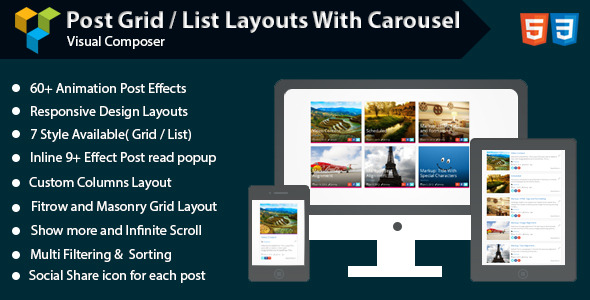
Visual Composer – Post Grid/List Layout With Carousel

Visual Composer – Social Streams


Download Visual Composer – Instagram Gallery with Carousel (Add-ons)