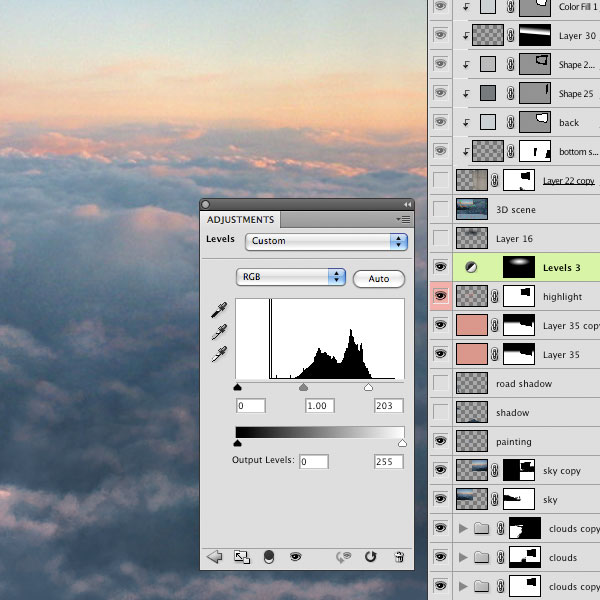
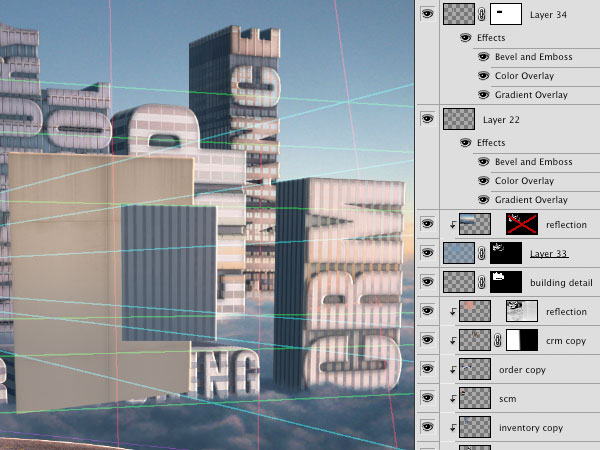
Create a Surreal Matte Painting in Photoshop – Psd Premium Tutorial


Today, we have another Psd Premium tutorial exclusively available to Premium members. If you want to take your matte painting skills to the next level, then we have an awesome tutorial for you. Learn more after the jump!


This Premium Tutorial is Filled with Creative Tips

In these days of digital special effects, Adobe Photoshop is a key ingredient to the creation of matte paintings. This tutorial will take you through the steps to make your own matte painting using photographic and painted elements. This image was originally created as a background for a Flash animation. Photoshop CS3 was used, but any Creative Suite version should work.


Professional and Detailed Instructions Inside

Premium members can Log in and Download! Otherwise, Join Now! Below are some sample images from this tutorial.


Psd Premium Membership

As you know, we run a premium membership system here that costs $9 a month (or $22 for 3 months!) which gives members access to the Source files for tutorials as well as periodic extra tutorials, like this one! You’ll also get access to Net Premium and Vector Premium, too. If you’re a Premium member, you can log in and download the tutorial. If you’re not a member, you can of course join today!

Article Writing & Submission 3

I am looking for a content writer for www.4rentgta.com.

This is a website that allows people to rent their properties online for a fee. People view the properties online then arrange a meeting with the landlord and sign a lease.

Here are the qualifications that we need, with no exceptions:
===============================================================
– Understanding of SEO (anchor text for keywords in resource text)
– Must have proper English writing skills
– Write articles spelling, grammar free where each article is 99% unique and not spun or rewritten from an existing online article
– Must be able to do research on being a renter of an apartment, moving into a new apartment/home/condo, looking for the best neighbourhoods to live in, selecting a moving company, select the best moving supplies, signing a lease with a landlord ………anything literally that relates to moving into a new rental apartment home or condo

You will need to have accounts in the top 10 article websites: ezine, goarticles, articlebase, buzzle, bpubs, selfgrowth, amazines, articlealley, articlecity, articledashboard. Each login ID must be created and called LuxuryTorontoApartmentsRentalsCondos

This will be an ongoing monthly task. Each month will involve the following at the same fee you offer on the project.

What I will provide you
===============================
– I will provide you a article title to write on
– I will provide you a keyword phrase that must be used 3 times within the article
– I will provide you with article tags to be used in each of the top 10 article directory submissions
– I will provide you with 1 mini article description and 1 resource box format.

Your job
====================
– You will write 1 article on the subject title I provide you (eg. Moving Tips for new apartment renters)
– You must then make 9 additional articles on that same topic but each article must be 100% unique and verified unique by copyscape.com (no spinning or rewriting). IN addition you must create 9 unique article titles similar to the original title I provided
– you must create 9 unique descriptions (one for each article), 9 unique mini descriptions (if needed by article directory site, and you create 9 unique resource boxes
– I get to review all 10 articles, with the title, tags, descriptions, resource boxes (all written in txt) before you submit them to each of the article directories via email
– As you will be creating 10 articles in total, each with their own unique title, description, mini description and resource box
– One article will be submitted to each of the top ten article directories

At the end of the project we are provided a copy of each article, and a spreadsheet of where you submitted them to (simple format OK)

Once again, each article content must be unique and pass Copyscape. No article spinning allowed. No exceptions to this.

Starting off, we would like 10 articles done with this process. If it goes smoothly and we like the content you provide, we would like to continue working with you.

Question/message Site

The site would allow users to send messages to advisors, rate their advisors and rate the answer. Advisor can join and be eliminated if users don’t like them. The system will collect email addresses of users and advisors and will create new pages for every one question and its answer. The database will be infinite and secured. All pages in the site will have captchas that will not contain any language that would penetrate our site. The site must be built to work on every browser and electronic device offered today and must be able to customize for search engine optimization.

Ror Project 3

I believe these 3 fixes are for an ROR site. I’m not 100% sure. I’m wiling to pay $125-175 for this work. Since it’s only 3 fixes I’d need it done in 7 days or less. I’ll pick someone fast, so please be around today to accept the project.

Test account has been created on the system (svn.sunta(remove_this)gma.com) so that you can take a look at the existing work:

Loging 2kcompsol

Password Guest$#pwd

The code you will want to look at is under ‘demo’

Please let me know if everything looks OK so that we can finalize the details and get started. Thanks.

Background: the website/company is being built around a patent-pending secure communications technology that works with minimal user setup. So, for example, I could send you a secure email, and neither of us has to create an account (or use a key or remember a password, etc.) to do it. Also, messages can be managed even after they’re sent, so you’ll be able to set expiration times, recall messages, modify content, audit message histories, etc.

There are really three elements to the project at the current stage:
1. Clean up the message composition interface: it’s pretty rudimentary right now (done with basic form-entry boxes and TinyMCE for the message content), and I’d like it to look a bit more polished.
2. Message inbox: Again, the current interface for viewing sent/received messages is pretty basic. I think a tabbed view of the inbox would be great (for example tabs across the top of the screen for All messages, Message type 1, Message type 2) with a simple search function.
3. Basic management interface: just something that we can use to see who is registered/using the site and that allows us to email those users with updates about the service.

More Details

1. Message Composition/Editing interface:
I would like a simple interface that lets the user compose or edit a message of either type (regular message or a document upload). I think the text formatting features of the current site are fine, but the page design makes it look like a form rather than an interface for a webmail client. I generally like the look/layout of Gmail, so perhaps that can be a rough guide. One thing to note is that the user should be able to select whether they are composing a regular message or uploading a file/document. If they are uploading a document, the text input area should change to reflect that they are entering document tagging information not email text (and should probably have an adjacent text label that says “Labels” or “Tags” so that the user knows what to type in that area). The user should be able to attach a file (or several) to a regular text/email message as well.

2. Inbox:
Again, using Gmail as a rough guide should be fine here. The main thing to remember is that there are a few different views possible: entire Inbox, just text/email messages, just documents. So, tabs on either the top of the page or on the side of the page that allow the user to quickly choose the main view they are looking for would be ideal. Also, a search box that allows the user to search the text of messages/document tags should be positioned in an area that is accessible and intuitive. Additional links to the user’s sent messages and deleted messages should be provided at the left side of the screen (or elsewhere if that makes sense once you have put together a layout). Message controls (edit message, reply, delete, etc.) should be provided as well. The inbox should list the sender, subject, provide an icon or short descriptor associated with the type, and timestamp (when sent or when last modified). The inbox should lead to a message view screen that lets the user view the message and view all the message details (sender, recipient, full subject, any text, any attachments, audit information–time sent by the sender, time received/accessed, time modified).

3. Management interface:
I would like to be able to quickly review/manage the registered user accounts in the system. So, for example, I would like to be able to view things like the number of messages a user has sent. Also, I would like to be able to quickly email users about updates to the site, etc. I think it should be pretty standard management info, and a tabbed view based on the type of action would be great. For example, one tab for viewing user information, one for contacting users.