How to Use Vocoders in Remixes

So maybe you’ve just been given a vocal part to remix and no matter how hard you try you just can’t get it to sit with your style of music. Maybe the progression is just too ‘light’ or perhaps you already have a piece you want to use. Whatever the reason, vocoding could really help you out in this situation.

I’ve used the vocoder thats bundled with Logic Pro 9 for this tutorial but as usual these techniques can easily be translated to other DAWs and essentially any other vocoder.


Step 1: The Original Vocal

Often when you a vocal part arrives as part of a remix project, it can be a challenge from the outset. If the timing, intonation or style clashes with your own then things have to be hammered into shape. Often this calls for some extreme processing.

A good few years ago I remixed Tears for fears for a major label and had this exact problem. My solution was to heavily vocode the vocal part. This meant it was still very much a part of my mix but the change in it’s musical progression meant that I was able to fit it around my work instead of me working around it.

Of course sometimes it’s easy to work around the vocal but this treatment can at least give you the option.

To avoid any messy copyright issues I’ve used a vocal phrase from Apple’s ‘Voices’ Jam pack. It’s maybe not the ideal example of a vocal remix part but it should work nicely for the purposes of demonstrating the technique.
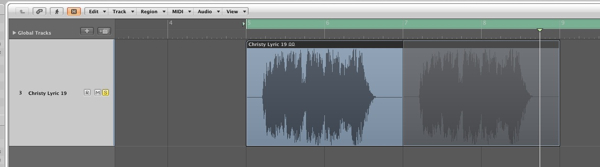
The vocal part we’ll be using.

Download audio file (1.mp3)

The vocal part.


Step 2: The Remix Concept

Let’s assume that at this stage you have already constructed a basic loop to use for your remix, or at least have an idea in mind. I have thrown something basic together, rather than develop an entire song.
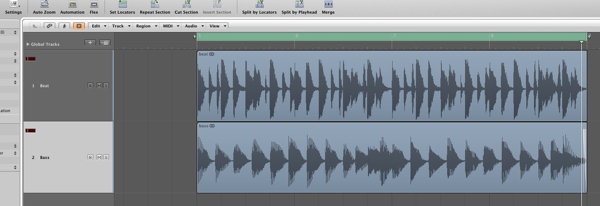
The basic remix concept.

Download audio file (2.mp3)

The drum and bass parts.

My idea currently consists of a drum loop and bass part. Even this simple combination has it’s own mood and musical progression. When the vocal part we have is added you can hear that it just doesn’t fit musically. The timing is correct but that’s where the good news ends.
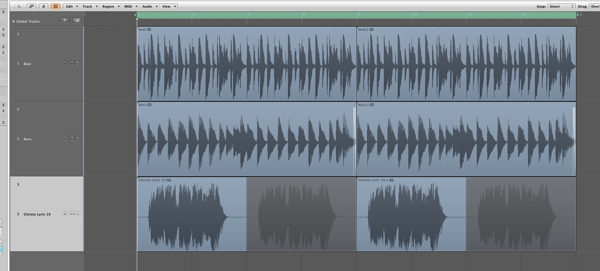
The loop and vocal at this point are not playing nicely together.

Download audio file (2b.mp3)

The raw, out of tune vocal.

An option here would be to write some musical parts to work with the vocal but sometimes you will want to stick to your own style. This is where the vocoder comes in!


Step 3: Enter … the Vocoder

This is the point where you can load up your favourite vocoder plug-in. There are loads of them about and many DAWs bundle them as standard. I was actually planning to complete this tutorial in Cubase but it appears that they have ditched their vocoder in version 5 / 5.5… So Logic’s stock vocoder it is!
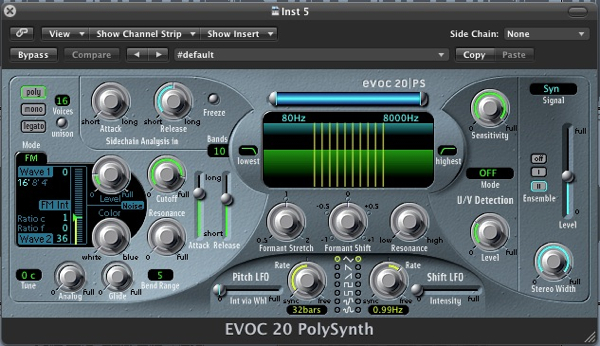
Logic’s vocoder.


Step 4: MIDI Routing

Most vocoders are treated by your DAW as instruments, as opposed to plug-ins. This means that you have to route MIDI and audio to them in order for them to produce sound. (These are traditionally known as the carrier and modulator.)

The audio we are feeding our vocoder with in this case is obviously the vocal. This is routed by using the instruments side chain input, in the top right. Once connected you are ready to start programming MIDI.
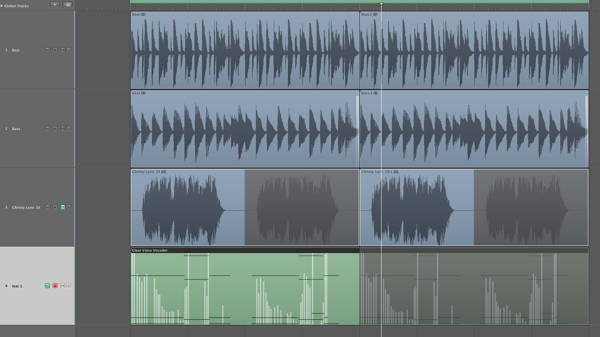
Routing the vocoders MIDI input is automatic.


Step 5: Recording a New Progression

MIDI routing is usually very straight forward and is often created when the instruments MIDI track is created. Ultimately this means you are good to go as soon as your vocoder is loaded and has audio being fed to it.

On a successful test of the connection I started to play a new progression. I picked something that worked well with my current loop but also allowed the vocal to be heard in full. In short match your chords placement to the vocal phrasing.
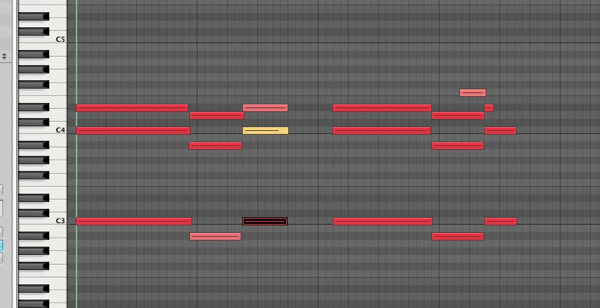
The new progression is recorded.


Step 6: Optimising the Vocoder’s Settings

If you are pretty new to vocoding it might be a good idea to start with a basic pre-set. Try to go for the most intelligible one you can find, this will ensure that as much of your vocal as possible is understood by the listener.
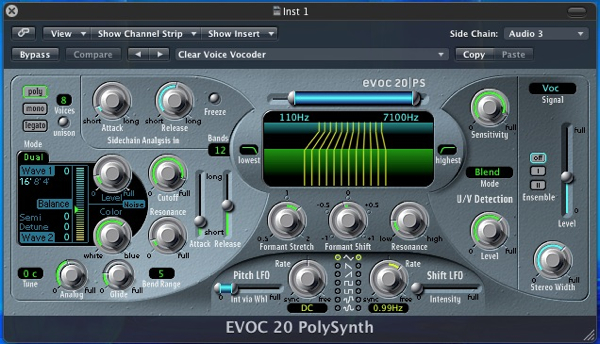
The vocoders settings get tweaked for clarity.

Download audio file (6.mp3)

The new vocal in isolation.

If you find that things need to be cleaned up further (as I did here) you can tweak things a little. I simply increased the amount of bands used, to produce a more refined, less grainy effect and also opened up the filters to ensure a nice bright sound was created. I also tightened up the vocoder envelopes a little.

Download audio file (6b.mp3)

The raw vocoded sequence with other parts.


Step 7: Adding Effects

Finally with my vocoder working satisfactorily and my musical elements in place I added a small amount of delay to the vocoded signal to open things up a touch and add some space. A compressor was also added to ensure that every part of the sequence was as up front as possible.

The final effect is obviously not a natural one but for electronic music it can be a really good way to include the vocal parts supplied but also stick to a specific style of production.
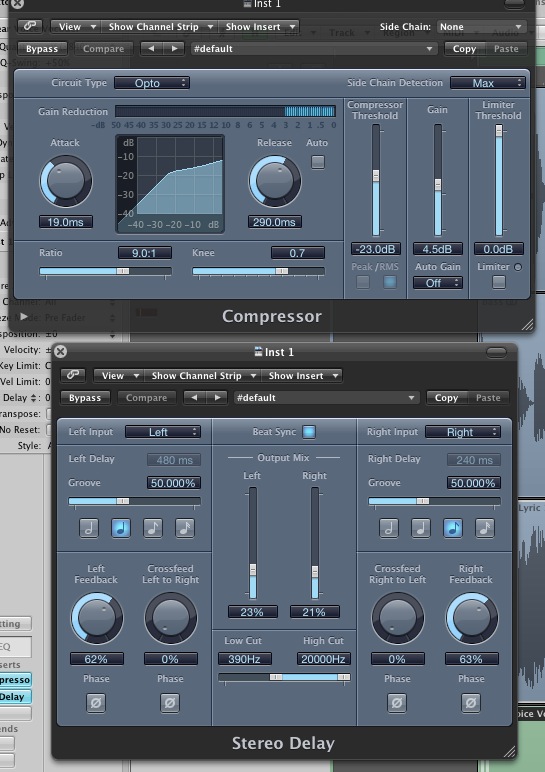
Compression and delay are added.

Download audio file (7.mp3)

The final result with some effects added.
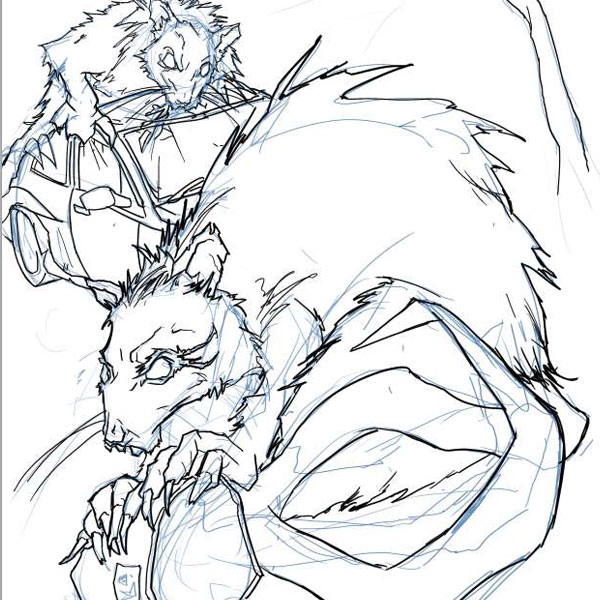

Create a Fantasy Painting With Photoshop CS5?s Mixer Brush – Psdtuts Premium Tutorial


Today, we have another Psd Premium tutorial exclusively available to Premium members. If you want to take your digital painting skills to the next level, then we have an awesome tutorial for you. Learn more after the jump!


This Premium Tutorial is Filled with Creative Tips

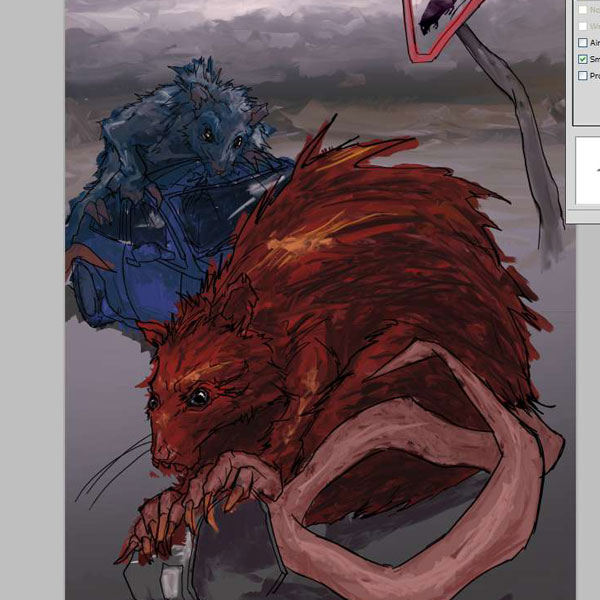
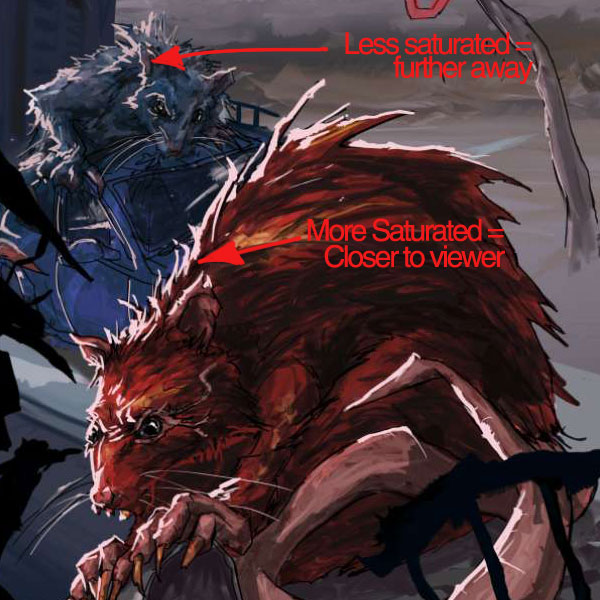
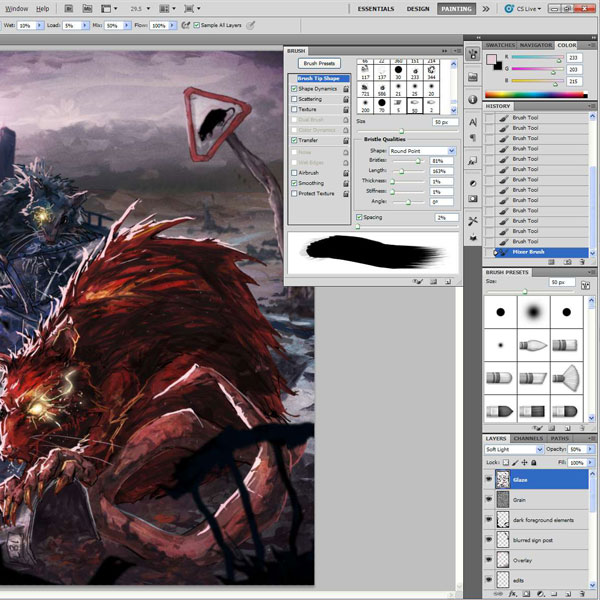
Without a doubt, my favourite new feature in Photoshop CS5 is the Mixer brush. When you see the demos of people using it, it looks great, but when I first got to use it, I was a bit confused. Each brush has 5 different attribute settings and then another 4 canvas settings to get your head around. In this tutorial I will take you through some of the mixer brush settings and demonstrate how to use them to make a fantasy based image with 2 of the biggest rats ever to blight a city.

Today’s tutorial was written by David and Sarah Cousens who run Cool Surface from the South West England. They have provided illustrations for The BBC, Hachette, Adidas, Macmillan Publishing, Letraset, and have been featured in a number of leading design magazines such as Computer Arts, Advanced Photoshop, Digital Arts and Photoshop Creative. Log in or Join Now to get started!


Professional and Detailed Instructions Inside

Premium members can Log in and Download! Otherwise, Join Now! Below are some sample images from this tutorial.


Psd Premium Membership

As you know, we run a premium membership system here that costs $9 a month (or $22 for 3 months!) which gives members access to the Source files for tutorials as well as periodic extra tutorials, like this one! You’ll also get access to Net Premium and Vector Premium, too. If you’re a Premium member, you can log in and download the tutorial. If you’re not a member, you can of course join today!

Apache Web Redirect Assistance by vsreddy66

Looking for someone to setup 301 redirects for about 160 pages on our public facing webserver. We are limited in capacity and need someone who can do this in a couple of days. Ideally, someone who has managed and administered apache web servers for a few years would know the best method (ie… (Budget: $30-250, Jobs: Apache, HTML, Website Design)


Basic Website (logo+color Palette+4 Images+1 Photoshop)

Need to create simple, clean CSS website to sell web hosting. I have a competitor’s sample that I am trying to imitate (but I want to remain distinctive).

You can find the competitor’s website in the internet archives: http://web.archive.org/web/20061225044730/http://notrio.com/
To view the other pages simply click on the tabs.

Logo & color palette should be “eye candy” (see competitor). Need 3 images one of them photoshop’ed. There are 7 pages in total but the pages are all the same (only the images and text contents change).

Link Buliding 10 Pr4+ High Qua

We require 10 one way back links to a site… each link must have a page rank of 4 or over and all link pages must be related to the site (it’s an automotive related site). Specific keywords and corresponding page urls will be provided. Based on results, this could turn into a long term monthly contract.

After you have completed the work you will be required to provide us with an excel spreadsheet with all link addresses.

This project is for expert link builders only and all links will obviously be checked with all the quality requirements below so please only bid if you are able to do the work. The following quality requirements must be adhered to with no exceptions.

Quality Requirements
– Absolutely no black hat or grey hat tactics. We require white hat
techniques only.
– links must be strictly from Google PR4+ pages (home page page rank,
iframes, other page ranks do NOT count)
– backlink pages must relate to our site topic (ie. automotive)
– Free one-way manual links.

– links must be permanent and static html. You agree to replace any links which are removed within 6 months after placement.
– Text links only, no graphics.
– link pages and our text links must be visible, readable, indexable and do-follow.
– Maximum 1 link per page, 2 links per domain.
– Maximum of 30 external links on the link pages.
– Prefer authoritative domains (.com/.net/.biz/.org/.us/.gov/.edu/)or second preference is for .com.au
– Prefer high ranking Alexa sites.
– linked sites must be search engine friendly, established and fully
active.
– Pages must be indexed and cached by Google.com.au, Yahoo and Bing within last 30-60 days
– Domains must be from different IP addresses and different Class-C IP
addresses.
– We reserve the right to cancel any link if not found suitable.
– links that are not approved will have to be replaced by service
provider.

YOU MUST NOT DO THE FOLLOWING:
– As above no black or grey hat methods or other unethical SEO. Spam techniques etc. Only ethical work will be accepted.
– No directory submissions, forum posts, article submissions, links from guest books, within newsgroups, yahoo groups, CL sites.
– No links from rel=”nofollow” or “noindex” tag for pages themselves and for anchor text
– No robots.txt blocking, fake PR, banned by Google, Yahoo, Bing sites
– No use of automated software or bots.
– No java links, jump scripts, framed pages, redirects, cloaking, CSS
redirects, 301 redirects, dynamic links, flash sites/pages, hidden links, no string parameters, session ID’s, etc.
– No link farms and link exchange programs or web rings such as
backlinks.com, Gotlinks.com, linkpartners.com, linksToYou.com etc., no rented links, FFA sites, gambling, adult & porn sites, pharmacy sites, illegal websites, hate-based websites, violent websites, cracking or hacking websites, no blacklisted or spam sites, links from “bad neighborhood” sites (e.g. link farms, porn and so on), ping sites, etc.
– No scraped content, mirror sites, orphaned link pages, link schemes and sites overrun with contextual ads, popups, ads, sponsored links, intrusive advertising, classified sites, labeled links, etc.
– Please quote the term “iagree” in your response so we know you have read the above job requirements. All bids without this will not receive a response.