Seen at CES: More iPhone cases and iPad keyboards than you’ll ever need

If there was one thing in abundance at CES (other than hype), it was a plethora of iPhone cases and iPad keyboards. Perhaps it’s a bit unfair to poke fun at the cases — this is largely a show for retailers to purchase inventory, and having a ton of cases makes sense. You see them everywhere, from kiosks at the mall to the Apple Store, so the wide variety isn’t a surprise.

When Apple debuted the iPad, they also offered their own keyboard and allowed Bluetooth keyboards to connect. Fast-forward nearly a year later, and at CES, there was no shortage of manufacturers from around the world offering up a range of keyboards. One had a trackpad, but no, it doesn’t work on iPad. One used rubbery membrane keys with a soft but kinda not-so-great-for-typing feel.

Unfortunately, TUAW doesn’t have the manpower to review all of these, but hit up the gallery for a walking tour of some of the cases and keyboards we saw at CES.

Seen at CES: More iPhone cases and iPad keyboards than you’ll ever need originally appeared on TUAW on Thu, 13 Jan 2011 16:15:00 EST. Please see our terms for use of feeds.

Permalink | Email this | Comments

Find My Friends MobileMe feature found in iOS 4.3 beta release

FInd My Friends

Yesterday, Apple rolled out iOS 4.3 beta to developers, and the first look at the latest iOS version yielded up some gems, including multi-touch gestures, hotspot functionality, a return of the orientation lock and new camera effects. Earlier today, MacRumors uncovered settings for a feature called “Find My Friends” in this recent beta. This string was associated with MobileMe and may be a social feature similar to Google Latitude or Facebook Places, two services that let you locate and communicate with nearby contacts.

This is not the first time Apple has toyed with the idea of using location to help find others around you. A patent filing for a concept application called iGroups surfaced last year. The patent describes a location-based service that would let members of a group locate one another using GPS coordinates. Group members could also use encrypted tokens to share information. The patent specifically mentioned trade shows and rock concerts, so this idea, if it ever materializes, may have limited usage.

It will be interesting to see what Apple may have in store for iOS in this growing area of location-based services. While many third-party applications use location information in novel ways, the core operating system and built-in iOS applications only scratch the surface of what is possible with direct access to always-on location information.

[Via Engadget]

Find My Friends MobileMe feature found in iOS 4.3 beta release originally appeared on TUAW on Thu, 13 Jan 2011 15:45:00 EST. Please see our terms for use of feeds.

Permalink | Email this | Comments

Hands-on with Magic Cube Bluetooth portable laser keyboard

The tech in laser-based keyboards has been around for a while, and when we first saw them we thought, “the future is here!” because what could be cooler than having a laser keyboard on any flat surface? I’ll suggest something cooler: a keyboard that works. I spotted the Magic Cube from Celluon at CES and gave it a spin.

The Magic Cube connects to your Mac or iOS-powered device using Bluetooth and features a battery inside to power the laser and optical recognition systems. According to Celluon, you’ll get 150 minutes of use from a charge. The device is somewhat large, occupying as much volume as two 1st-generation iPods, only slightly narrower. This gives it stability, but it also means you’ll have to have the keyboard projector offset from your iPad or iPhone (why you would use it with your Mac is beyond me). The laser-projected keyboard is about the size of a MacBook’s keyboard, complete with rounded keys. Unfortunately, it is a PC-centric keyboard complete with Menu and Insert keys, but that’s not a big deal. The big deal is accuracy.

I type pretty fast considering I started typing on a computer when I was six (on an Apple II, thank you very much). If you type fast, you’re going to have to slow down to use the Magic Cube. While their literature states it can detect up to 400 characters per minute, you’d have to be some sort of robotic ninja octopus to achieve such precision using this thing.

I found multiple attempts to track my speedy typing thwarted by two things: a lack of tactile feedback and the need to look at the keys while typing. In other words, your fingers will drift and the keyboard will cease to track all your key “presses” accurately. In some cases, the “press” didn’t register at all. Others at the booth had similar issues. Check the gallery to see what came out when I tried to type “hi there my name is victor.” Perhaps there’s a learning curve?

While the Magic Cube is a nifty novelty, I wouldn’t expect it to replace the dozens of physical keyboards we saw at CES. You can connect it via USB (PC-only it seems) or Bluetooth, and it comes in a variety of colors, but as a keyboard it just doesn’t cut it. In the end, it felt about as useful as those old membrane keyboards (like the ones on the TIMEX Sinclair) with a resulting slowdown in typing and loss of accuracy. Here’s hoping some day our magical tech dreams come true — but until then, save your US$199.99 and spend it on a real keyboard.

Hands-on with Magic Cube Bluetooth portable laser keyboard originally appeared on TUAW on Thu, 13 Jan 2011 15:00:00 EST. Please see our terms for use of feeds.

Permalink | Email this | Comments

Caught on camera: Two thieves grab iPads and run

Everybody loves iPads, … even thieves.

At about 2:46 PM CT yesterday afternoon, security cameras and employees at Chicago-based MacSpecialist watched as two warmly-dressed thieves first “tried out” iPads at a stand-up kiosk, then ran out the door with them.

According to MacSpecialist COO (and occasional TUAW TV Live guest) Tim Robertson, nobody was hurt during the robbery attempt or while chasing the crooks. Tim nearly collides with the door at about 6 seconds into the video (he’s wearing the tan coat), but he avoided injury.

No suspects have been apprehended in the theft. TUAW recommends that MacSpecialist look into iPad lock cases from Maclocks.com to avoid future iPad loss.

Check out the video after the break.

Continue reading Caught on camera: Two thieves grab iPads and run

Caught on camera: Two thieves grab iPads and run originally appeared on TUAW on Thu, 13 Jan 2011 14:30:00 EST. Please see our terms for use of feeds.

Permalink | Email this | Comments

Case-Mate, Scosche announce Verizon iPhone cases will be available for debut

Would you buy a Verizon iPhone in February if not for the crippling fear of running it without a case? Apple moved the mute and volume buttons on the new iPhone just enough to render most existing cases useless, sending scratch-o-phobes into spasms of anxiety.

Fear not, for Case-Mate and Scosche have you “covered.” Each company has announced its intentions to have cases ready for the Verizon iPhone on launch day. Case-Mate will have a full line-up ready, and you can sign up to receive up-to-the-second, patience-be-damned notification of when they become available.

Scosche will offer a black and white version of their kickBack series (shown above), which they promise to have ready “on or before” February 10. We suspect other manufacturers are developing their own solutions right now.

One interesting question is what Apple will do to its own Bumper line. Surely it would be ridiculous to offer two lines, one for AT&T and one for Verizon. Perhaps the hole on the side will just be widened in order to accommodate either. We’ll know soon enough.

Case-Mate, Scosche announce Verizon iPhone cases will be available for debut originally appeared on TUAW on Thu, 13 Jan 2011 14:00:00 EST. Please see our terms for use of feeds.

Permalink | Email this | Comments

Centrafuse offers iPhone control via touchscreen

We know what you’re thinking. “I’ve always wanted to crash my car, but only if I can blame it on a hilarious YouTube video.” Well gas up the Civic and put some fresh Ace Wrap in the glove box, because your chance is nearly upon you.

YouTube user Mister Romin has demonstrated how he used an iPhone, a Lilliput FA1042 touchpanel, a Belkin AV dock adapter cable and Centrafuse to control an iPhone via an external display. Centrafuse is a framework for creating touch-enabled, in-vehicle solutions. Aside from entertainment applications, developers can use Centrafuse to create GPS navigation solutions, voice recognition, Bluetooth connectivity and more.

It sure looks cool, and suggests what can be done with an iPhone as a “carputer.” Just keep an eye out for stray deer while playing Plants vs. Zombies.

Check out the video after the break.

[Via Engadget]

Continue reading Centrafuse offers iPhone control via touchscreen

Centrafuse offers iPhone control via touchscreen originally appeared on TUAW on Thu, 13 Jan 2011 13:30:00 EST. Please see our terms for use of feeds.

Permalink | Email this | Comments

Rumor: iPad 2 coming in early April

Now that we have the Verizon iPhone out of the way, the iPad 2 rumors are starting to pile up quickly.

In what seems to be more of an educated guess than an actual report from a “reliable source,” German-language Apple site MacNotes.de says that the next-generation iPad is scheduled to be released in the US on either April 2 or April 9, 2011. This doesn’t surprise the blogging team at TUAW; we’ve often felt that the iPad 2, or whatever it will be called, would be released on an annual schedule in much the manner of the iPhone and other devices. Since the inaugural iPad dropped on April 3, 2010, it would stand to reason that the second model would appear about one calendar year later.

The MacNotes.de “source” also claims that the new iPad will have a Retina Display (although most Apple pundits agree that there’s no way it can match the 326 pixels per inch resolution of the iPhone 4 and latest iPod touch), front and back cameras and a USB port.

Much of the other information in the post is similar to what we’ve seen happen to the original iPad over the past year. MacNotes.de says their source believes the new iPad will sell only in the US for three months, and will be sold only through Apple Stores for up to half a year. International sales begin in July of 2011, but other US retailers, such as Best Buy, Target and Wal-Mart, may have to wait until October or so to sell the new model. Once again, this seems more logical speculation than words from an actual source.

[via MacRumors]

Rumor: iPad 2 coming in early April originally appeared on TUAW on Thu, 13 Jan 2011 13:00:00 EST. Please see our terms for use of feeds.

Permalink | Email this | Comments

Gartner predicts Apple growth, but spurns iPad

Gartner has added its take on Apple’s Q4 earnings to a growing list of other predictions.

Gartner predicts that Mac sales grew by nearly 24 percent, helping Apple to take a 9.7 percent share in Q4. However, it claims that any reason for a lagging growth for PC makers was simply to be blamed on the iPad, which it did not count as part of PC sales and lumped it in among “media tablets.”

“Overall, holiday PC sales were weak in many key regions due to the intensifying competition in consumer spending. Media tablets, such as the iPad, as well as other consumer electronic (CE) devices, such as game consoles, all competed against PCs,” said Mikako Kitagawa, a principal analyst at Gartner.

Gartner did include netbooks in PC sales for other companies. It did not explain why they excluded the iPad from PC sales, but did count netbooks. Doing so would significantly boost Apple’s revenue for Q4. But, Gartner did say that Apple and Toshiba were the only top-5 vendors to increase shipments, with Apple’s 23.7 percent being far higher than Toshiba’s 14.4 percent growth.

Apple most likely will announce its Q4 earnings next week.

[via AppleInsider]

Gartner predicts Apple growth, but spurns iPad originally appeared on TUAW on Thu, 13 Jan 2011 12:30:00 EST. Please see our terms for use of feeds.

Permalink | Email this | Comments

Apple shareholder meeting scheduled for February 23

The luckiest (or smartest) people on Earth should be receiving their invitations soon — shareholders in Apple, Inc. who have shares registered in their names can attend the annual shareholder meeting on Wednesday, February 23, 2011.

The event is scheduled to begin at 10 AM PT at the company’s offices in Cupertino, CA. As with most events of this type, Apple’s executive team will not only reiterate any glowing financial news that should come out of the financial call (possibly next week), but there will be business to take care of.

Among the items on the agenda are a vote for the company’s board of directors (nominees include current board members Steve Jobs, Al Gore, Millard Drexler, William Campbell, Arthur Levinson, Andrea Jung and Ronald Sugar), a vote on whether accounting giant Ernst & Young should be the company’s independent accounting firm, and shareholder proposals considering majority voting on director elections and succession planning. The company is recommending that shareholders vote against both of the shareholder proposals.

If you have AAPL shares registered in your name, you may attend. If the shares are held by a brokerage firm or other organization, you’re out of luck.

(Photo: Wikimedia CC | Nurmib)

Apple shareholder meeting scheduled for February 23 originally appeared on TUAW on Thu, 13 Jan 2011 12:00:00 EST. Please see our terms for use of feeds.

Permalink | Email this | Comments

Apple, others withdraw filing for Novell patent purchase

CPTN Holdings LLC, a consortium of companies which include Microsoft, Apple, EMC and Oracle, has withdrawn its filing to purchase 882 patents originally held by Novell. In December, the group submitted a plan to the German government’s anti-trust authority notifying them of their plan to purchase these patents for $450 million.

These patents were offered as part of Attachmate’s deal to buy Novell. The purchase of these patents by CPTN was opposed by open source organizations, including the Open Source Initiative and the Free Software Foundation Europe. Both open source groups filed complaints against this transaction with German regulators.

In its complaint, the Open Source Initiative noted, “The founders and leaders of CPTN have a long history of opposing and misrepresenting the value of open source software, which is at the heart of Web infrastructure and of many of the most widely used software products and services. The sole or leading competition for several products from the CPTN principals are open source.”

Despite the withdrawal of this application, a Microsoft spokesperson confirmed that CPTN still plans to purchase these Novell patents. Instead of a change of heart, this decision may have been a procedural step that would let CPTN modify its filing. According to this theory, CPTN could make changes that would ease the concerns of open source groups and allow the purchase to proceed more smoothly.

Apple, others withdraw filing for Novell patent purchase originally appeared on TUAW on Thu, 13 Jan 2011 11:00:00 EST. Please see our terms for use of feeds.

Permalink | Email this | Comments

Will the iPad and iPhone home buttons go away? Probably not

As soon as I heard of the new iPad multi-touch gestures in the iOS 4.3 beta, which allow you to reach the home screen with a four- or five-finger gesture, I thought, “Well, that’s it for the home button.” Boy Genius Report also says it’s heard from a source within Apple that the company is testing next-gen iPads and iPhones that don’t have a home button, which seems to lend credence to the speculation. But does it make sense for Apple to abandon the home button now?

For the iPad, I’ll give a qualified “Maybe, but probably not.” For the iPhone, it’s an unqualified “No.” On the iPad, getting rid of the home button kind of makes sense, but you’re not only making the device more complex to use by doing away with that single-use, very obvious button, you’re also losing a lot of functionality. Although the iPad’s new multi-touch gestures cover going to the home screen and switching between apps, look at the other functionality you’re missing out on if you lose the home button:

  • No way to take screenshots (power/sleep + home)
  • No way to activate Voice Control (press and hold home)
  • No access to VoiceOver features (triple-click home)
  • No way to hard-reset (hold power/sleep + home until Apple logo appears)

Certainly Apple could find ways to program those functions into the iPad and iPhone by using additional multi-touch gestures, but it seems like doing so would add needless complexity to the device’s control scheme (although Apple has made similar missteps before). Plus, those new four- and five-finger multi-touch gestures that make perfect sense on a large-screened, larger form factor device like the iPad make no sense on the iPhone’s smaller screen. With no home button, how will you use the iPhone one-handed?

I agree with John Gruber of Daring Fireball’s assessment: the home button isn’t going anywhere. I could see Apple replacing the current clicker-style button with a touch-sensitive version like on the third-generation iPod, but doing away with the home button entirely comes with too many drawbacks and no discernible benefits. Besides that, the precedent has already been set on the Mac; although almost all MacBooks have had a multi-touch trackpad since early 2008, the specialized keyboard buttons for functions like Exposé and Dashboard haven’t gone anywhere, nor has Apple done away with the Command-Tab gesture for switching between open applications.

Will the iPad and iPhone home buttons go away? Probably not originally appeared on TUAW on Thu, 13 Jan 2011 10:00:00 EST. Please see our terms for use of feeds.

Permalink | Email this | Comments

Ultrasn0w Unlock for iPhone 4, 3GS to be Released After iOS 4.3 or 4.2.5 [Official]

MuscleNerd of iPhone Dev-Team has just confirmed that the no UltraSn0w unlock for iPhone 4, 3GS will be released until after 4.2.5 or official 4.3 (whichever is last) is out.

This is what MuscleNerd just tweeted:


Official iPhone unlock statement: no unlock will be released until after 4.2.5 or official 4.3 (whichever is last) is out.

iOS 4.3 is now in beta testing. Verizon iPhone 4 will come with iOS 4.2.5. We expect that iOS 4.3 will be a unified iOS firmware for both AT&T’s GSM and Verizon’s CDMA iPhone 4. So, if iOS 4.3 comes out after iOS 4.2.5 then UltraSn0w unlock for iPhone 4, 3GS will be released only after iOS 4.3. This delay makes sense. Sorry to all those eagerly waiting for an unlock, it’s for their own good.

We’ll keep you updated as soon as we know more. Stay Tuned!

You can follow us on Twitter, Join us at Facebook, and also Subscribed to RSS Feed to receive latest updates.

Digg
Twitter
StumbleUpon
Facebook
Reddit
del.icio.us

Enable Multi-Touch Gestures on iPad iOS 4.3 Beta

iOS 4.3 Beta features new multi-touch gestures for iPad, but to enable multi-touch gestures on iOS 4.3 iPad, there’s an extra step involved other than restoring iOS 4.3 beta.

These new multi-touch gestures are not enabled by default in iOS 4.3 beta, you need to enable these gestures via Xcode on Mac OS X. Follow the step-by-step instructions below to enable multi-touch gestures on iPad iOS 4.3 beta.

How to enable Muti-touch gestures on iPad 4.3 beta

Step 1

Download iOS 4.3 beta, connect your iPad to your computer and restore it to iOS 4.3 beta.

Step 2

Download Xcode and install it on your Mac.

Step 3

Open Xcode, and click on the iPad icon in the sidebar

Step 4

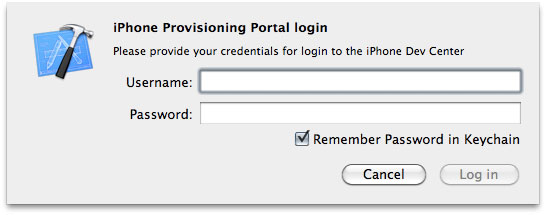
Now click on “Use for Development” and login with your Apple developer credentials and wait for Xcode to verify your iPad with Apple’s servers. Once done, the icon next to iPad will turn green.

enable multi-touch gestures ios 4.3 ipad

enable multi-touch gestures ios 4.3 ipad

Step 5

Now close the Xcode and also close the Settings.app on iPad from the multitasking tray (double click the iPad Home button, tap & hold Settings.app icon and then hit the red badge to close the app).

Step 6

Now go to Settings > General on your iPad, there you’ll find the “Multitasking Gestures” preference which, by default, is set to “ON”.

That’s it! Now you can use the following gestures (4 or 5 fingers) on iPad iOS 4.3:

  • 4-5 fingers Pinch to the Home Screen
  • 4-5 fingers Swipe up to reveal the multitasking bar
  • 4-5 fingers Swipe left or right to switch between apps.

via [Macstories]

You can follow us on Twitter, Join us at Facebook, and also Subscribed to RSS Feed to receive latest updates.

Also checkout:

Digg
Twitter
StumbleUpon
Facebook
Reddit
del.icio.us

Game Roundup: End Of December, Early January

1. Asphalt 6: Adrenaline – “Feel the thrill of racing like never before in the newest adrenaline-pumping edition of the Asphalt series.

BUILD YOUR DREAM COLLECTION
Discover 42 cars and bikes from Ferrari, Lamborghini, Aston Martin, Ducati and other world-class manufacturers. Collect them in your own 3D garage that you can explore using the gyroscope.

RACE YOUR FRIENDS
You can even take on friends in Online and Local Multiplayer mode for up to 6 racers. Climb the online leaderboard to be the best in the world!

LEAVE THE WORLD IN YOUR DUST
These street races will have you tearing up city streets in L.A., Tokyo, the Bahamas and more. Each location is rendered in beautiful HD graphics that take full advantage of the Retina display.

CHALLENGE THE BEST
Don’t take your eyes off the road for a second, because you’ll be driving against tough opponents in 11 different leagues and 55 events.

TUNED TO PERFECTION
Take advantage of numerous tuning options to help your vehicles reach peak performance on any track. You can even customize your vehicles with decals to give them your own style.”

2. Burn The Rope – “From the team that brought you Thumpies –‘game that reinvented the rhythm genre’; here comes one of the most original games this year. Burn the Rope is a unique game for the pyro in all of us. All you have to do is feed the fire!

Burn the Rope is a challenging game where you try to burn as much rope as you can in each level. There’s a catch! The fire only burns upwards, leaving you to tilt and turn your phone to keep your flame alive!

As you progress through the levels, you’ll encounter bugs crawling along the rope. Different bugs have different reactions to the flame. For example, the ant changes the color of the flame so you can burn different colored ropes, and the spider shoots out a web bridge so you can access parts of the level that you could not before.

Burn the Rope is incredibly fun and addictive. You will actually feel like you’re burning a rope, yet there’s no need for a fire extinguisher!”

3. Papa Sangre – “Our multiple award-winning team proudly present PAPA SANGRE — a terrifying, beautiful breakthrough game created using easily the most advanced, immersive 3D sound EVER on a mobile device.

The ultimate first-person game, you’re trapped in Papa Sangre’s palace — a ‘Day of the Dead’ style afterlife. Your task: save the soul of someone you love.

Do you dare enter the dark palace of Papa Sangre?”

4. Ramps – “Ramps is an addictive, pick-up-and-play physics game based on the 2007 original enjoyed by nearly a million players worldwide. Position and rotate the ramps to guide your ball into the goal, all while avoiding treacherous enemies and terrain!

Sounds easy, right? Try it and see. Anyone can play Ramps, but only the truest of champions will defeat all the levels and challenges!”

5. Secret of Mana – “Initially released in Japan in 1993, Secret of Mana took the world by storm with its innovative real-time battle system and gorgeously rendered world. It continues to stand out among other action RPGs for its seamless gameplay that anyone from beginner to veteran can enjoy.
One of the most memorable elements of the Mana series is the Ring Command menu system. With the single press of a button, a ring-shaped menu appears on the screen, where players can use items, change weapons, and do a variety of other actions without needing to switch screens. This Ring Command menu system for which the Mana series is so well known was first introduced in Secret of Mana and has since appeared in most games in the series.
Play as Randi and his two companions, Primm and Popoi, as they adventure all around the world. At the center of our epic story is the mystical power of Mana. Battle the empire in its quest for control of Mana. Befriend the eight elementals who wield the forces of nature itself. Numerous encounters await at every turn.”

Asphalt 6: Adrenaline

Manipulating UIImage Data Directly Within A C type Array

Manipulation of image data is done within many highly successful apps on the iPhone.  What is great about these apps is that the actual algorithms are relatively simple, and by mixing a few things together you can create some interesting effects.

There is one catch, and that is in order to directly manipulate the data from a UIImage you have to jump through a few Core Graphics hoops.   In creating a photo app it took me awhile to find the actual code to let me do that seemingly simple task.

Fortunately, Brandon Trebitowski has posted a nice code snippet on his site which copies that image data directly into an array which you can then modify easily, and he has placed a tutorial along with a project showing the code in action on his website here:
Image Manipulation: Retrieving And Updating Pixel Values For A UIImage

If you’d like to learn more about image processing in general you can head over and take a look at the Image Processing Lab over at CodeProject.  While that particular tutorial uses C# you can see the algorithms for some common image filters and do some interesting things.

©2011 iPhone, iOS 4, iPad SDK Development Tutorial and Programming Tips. All Rights Reserved.

.

DeliciousTwitterTechnoratiFacebookLinkedInEmail