Low Fog And Chandeliers
Panoramic footage. Low fog and chandeliers through which passes the light of blue spotlights.
- 4096*607 resolution with 25 fps in quicktime photo JPEG
- 50 sec duration
- No music
Blancer.com Tutorials and projects
Freelance Projects, Design and Programming Tutorials
Here’s a great collection from featuring some brilliant 3D models that could be used in video projects!
Please Rate my work! Request if you need anything specific.
© All Rights Reserved RaajjPakhare
– Contact the Envato Market Help Team
Support: [email protected] / Communicate: Your ID and Purchase Date !!!

A professional 3D, mosaic slideshow for After Effects. Easy to edit and perfect for personal photo galleries or business promotions.
This is a mosaic gallery made easy. Great for weddings, special occasions, celebrations, travel albums, corporate presentations, creative portfolios and event photography.
Features
• Unique, circular mosaic effect
• 116 media placeholders – use still images, video or even text
• 100% editable After Effects elements
• Central title/logo/tagline holder
• Easy to edit
• No plugins required
• After Effects CS5 and above
Music and photographic images are for preview purposes only and not included with the project.
Universal Store is a highly customizable product slideshow with centralized
control panel and external database file for quick & easy management.
It can be used for many purposes, from groceries to real-estates, to promote
products, services, or anything that has a price tag.


Watch some slideshow examples to give you an idea what is possible to create with this
flexible template.
Kitchen Sale – 45 seconds / fade transition / 5 products

Watch Clearance – 30 seconds / vertical transition / 4 products

Chairs Exhibition – 45 seconds / horizontal transition / 6 products

Outlet Store – 30 seconds / vertical transition / 3 products

Sneakers Store – 60 seconds / swipe transition / 7 products

Grocery Store – 20 seconds / horizontal transition / 3 products

Almost every aspect of this template can be controlled from one centralized location.
With more than 70 options, it’s really easy to customize your slideshow.

One of the unique features is the ability to load data from an external database file.
It’s very simple & convenient to use. You don’t have to dig around trying to find layers
in After Effects to make changes every time you need to update your slideshow.
All you have to do is to change inputs in external file and when you open AE the
changes will be visible immediately. Great thing is that all elements will resize
dynamically based on the content while keeping animations intact. No 3rd party plugins
or scripts needed for this to work. Just a standard AE.
But if you still decide that you don’t need this feature, just un-check one checkbox
in the Control Panel and it will work just regularly. Yes, that simple! Watch Tutorial


This template requires only basic knowledge of After Effects. Take a look on how to fully
customize a “Car Dealer” slideshow without touching any of the layers!

Free fonts used in this template: Ubuntu, Lato, Fira Sans, Fira Sans Condensed.
Images & videos used in the promo videos are not included.
Placeholders are included and you can easily replace them with yours.
You are buying this template to use it with your products, right? 
Audio files are not included and they can be purchased from the following links: Promo Video, Kitchen Sale, Watch Clearance, Chair Exhibition, Outlet Store,
Sneakers Store, Grocery Store.
This template uses one feature that is not available in AE versions older than 2014.
To overcome this issue, there are 3 additional fallback controls included that you have to
take care manually. Nothing major, but needs to be said.
Video tutorial is included in the download.
Free updates & support.
If you like this template, please write something positive or just rate
https://videohive.net/downloads

You don’t have time or any After Effects skills? I can customize this template for you. After purchasing the file, please contact me through the Email box in my Profile Page to get in touch with me.
Rate the file

in the “Downloads” section after the purchase.

Geometric Glitch Logo Reveal After Effects Cs5.5+ template. The project is presented in FullHD (1920×1080). This project can help you to create very cool animation for your logo. It is very easy and fast to modify.


Busy family joiner’s shop. Here work of fine wood is made. The experienced worker make final touches to the table cabrioli legs in the style of Louis XV and Queen Anne. On the background the young worker prepares the vintage chair to be upholstered
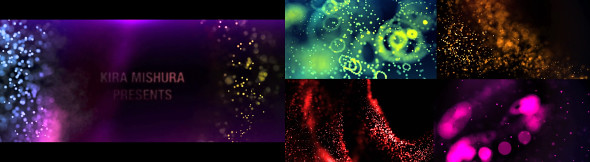
Beautiful Particles Background is a spectacular motion graphics background created in AE.
1920×1080
30 fps
Seamless Loop
soft abstract backdrop background beam blinking bright broadcast colorful club concert dance demonstration disco dj loop event fashion festival flash flickering floodlit glamour glow illuminated led screen lens flare light show motion graphic music night club party projection mapping pub seamless shine sparkle stage show video animations visuals vj beautiful presentation sparkle cosmos particles greeting holidays kid celebration magic particles neon lights new year bokeh positive seasonal greetings space star fall vjloopFull HD
VR headsets are widely used with computer games but they are also used in other applications, including simulators and trainers. They comprise a stereoscopic head-mounted display (providing separate images for each eye), stereo sound, and head motion tracking sensors (which may include gyroscopes, accelerometers, structured light systems, etc.). Some VR headsets also have eye tracking sensors and gaming controllers.

Technical Features:
Can provide After effects project file for Animation n6 to change the tree scene with your own scene.
More Clips:
Server Room Coming to Life

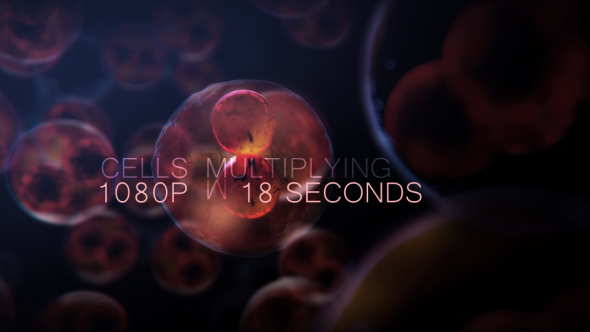
Cell DNA Division
You don’t have time or any After Effects skills? I can customize this template for you. After purchasing the file, please contact me through the Email box in my Profile Page to get in touch with me.
Rate the file
in the “Downloads” section after the purchase.