{excerpt}
Read More
Category: Tutorials
Tutorials,freelance,projects,joomla,php,mysql,wordpress,blancer.com
China says it cloned a police dog to speed up training

WhatsApp test highlights frequently forwarded messages to curb fake news

22+ Best Restaurant WordPress Themes: With Premium Responsive Designs
Nowadays, every business should have a website. As a restaurant or cafe owner, it’s imperative that your food business has a well-branded, beautifully-designed online presence in order to attract more customers.

Thanks to WordPress, you can easily create your restaurant website design without having to worry about hiring a developer to ensure your menu is displayed and updated properly.
With a top WordPress restaurant theme made for 2019, you can:
- Showcase your menu in full and feature beautiful photos of your best dishes.
- Display your new site with a responsive design that looks perfect on mobile.
- Allow your customers to make a reservation online or even order food to be delivered to their doorstep.
But if you turn to Google to find the right theme, you’ll wind up with hundreds of results, which can be totally overwhelming. That’s why we’ve gathered our best-selling restaurant and cafe WordPress themes from ThemeForest here in one awesome spot.
22+ Best Premium Restaurant WordPress Themes (For 2019)

In this top quality collection, we’ve curated the best Premium restaurant WordPress themes with on-trend website designs for 2019. They include responsive designs and quick to customize, helpful features—perfect for making tasteful restaurant, café, pub, or any food-related business website quickly.
1. Nigiri – A Modern Restaurant WordPress Theme

Nigiri is a sushi-inspired WordPress theme! It has six unique design templates to start you off with. It focuses on quality imagery of the food which always works wonders, no matter the type of restaurant you plan on using the theme for. The design of this theme is meant to be used alongside minimal and light branding.
You’ll find it equipped with multiple features including free plugins such as a visual composer, a slider, a responsive timetable plugin, and the whole theme is responsive and mobile friendly. This is particularly relevant for a society where people increasingly use their phones to look up where they can eat on the fly.
2. Attika – Elegant Theme for Fine Dining Restaurants

Attika is an outstanding purchase if you’re looking for a diverse and flexible theme. It comes with eight homepage templates as well as other customizable sections and features. It has a shortcode for just about anything you can think of, from a reservation popup (using OpenTable) and testimonials, to pricing tables and operating hours. It’s a high-quality theme without a doubt. And the best part is that it comes with a drag and drop customization feature meaning you don’t have to know a single thing about coding to use it!
Attika is a perfect theme for high-end restaurants looking, not only to make a wowing first impression, but also making the reservation experience a breeze for their patrons.
3. Frappé – Smoothie, Juice Bar and Organic Food Theme

The Frappé theme is so colorful and full of life. As its name suggests, it’s perfect for a lively and fun smoothie joint, but it can also work for cafes or eccentric and vibrant restaurants too.
It took comes with a gigantic list of features. First of all, it’s responsive and retina ready. It comes with a variety of customizable sections including customizations for the footer, the header/hero, animations, transitions, custom post formats for the blog as well as eight different icon packs.
Frappé seriously has your back in helping you get the most out of a $59 WordPress theme!
4. Savory – Clean Restaurant WordPress Theme Responsive

Savory comes with 12 beautiful templates to choose from and plenty of features to create a website that’s sure to attract visitors to your restaurant. Some of its powerful features include:
- Powerful Admin Panel
- Restaurant Menu shortcode
- Reservation Form shortcode
- OpenTable integration
- Social Share functionality
- Integration With Revolution Slider and Visual Composer
- Integrated search
- Translation Ready
- Several Icon Font Packs
- Custom Widget Areas
- Contact Form 7 plugin Integration
- WooCommerce Integration
It’s packed with the right features to make a great restaurant website fast. Learn how to setup and customize this restaurant WordPress theme design:
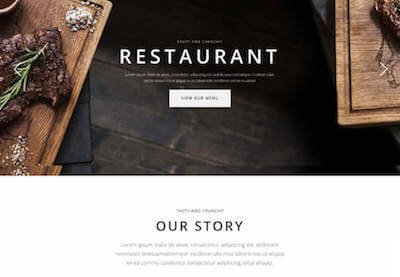
5. Rosa – Exquisite Restaurant WordPress Theme (2019 Update)

Rosa is a good restaurant theme with a flexible and modern design. It’s perfect for piquing your patron’s interest and giving them a glimpse into what your restaurant has to offer. It’s been freshly updated for 2019, improving its compatibility with quick to customize online builders.
This top WP theme features parallax effects and custom menus so you can showcase them on your site, without embedding PDF files. It allows your guests to easily make reservations online. There’s also an option to order online through the integration with WooCommerce.
6. Linguini – Versatile Restaurant WordPress Theme Design

Linguini is the perfect WP theme for any restaurant, bistro, café, and winery that prides themselves on homemade, organic ingredients. The theme includes plenty of customization options and beautiful restaurant menus that display all the necessary information about a particular meal. Your guests can make a reservation online and you can also promote any restaurant or winery event, such as a wine-tasting, with ease.
7. White Rock – Easy Restaurant and Winery WP Theme

If you’re looking for an easy to use theme, look no further than White Rock. The theme includes a detailed help file to get you started on the theme setup and offers features that include:
- Multiple Menus
- Unlimited Color Schemes
- Responsive Layout
- Video Documentation
- Demo Content included in an XML Import file for quick setup
On top of that, this best WordPress restaurant template is translation ready and includes a .po file. It’s been updated for 2019, has a professional set of restaurant site layouts, and you can set it up quickly.
8. LemonChili – Modern Restaurant Theme for WordPress

The LemonChili WP theme was created with your customers in mind and displays all the important restaurant site information you need for 2019, such as your menu, business hours, featured dish, and upcoming events directly on the homepage.
Your guests can also easily get in touch with you through phone and email displayed right at the top. This great site theme is also responsive and fully customizable.
9. Grand Restaurant – Premium WP Restaurant & Cafe Theme

Grand Restaurant is a clean and modern WordPress theme. It’s suitable for any cafe, restaurant, or other food related website. It has predefined styling for many different types of restaurants, including modern cuisine, asian food, and elegant food which can be imported with one click.
With comments like these, you know you can’t go wrong with this great WordPress theme:
“The theme is fully customizable and the support team is just amazing! The response time for support tickets is great and they will help you solve any problem quickly and efficiently.”
Grab it now to fully transform your restaurant website design for 2019.
10. Nuvo – Sophisticated Restaurant Bistro Website Theme

Nuvo offers various demos to suit restaurant, café, and bistro websites. The update 2019 WordPress theme has everything you need to create an engaging website for your food establishment: menu builder, reservation booking, events management, and online shop. The Nuvo theme also offers parallax image and video scrolling to add extra visual appeal to your site.
11. Restaurant Cafe – Premium Theme for Food Businesses

The Restaurant Cafe is a good restaurant WordPress theme allows your customers to make reservations as well as order online. They can also leave their reviews and help you spread the word about the quality of your food and their experience. The theme has also been optimized to load fast and integrates powerful SEO features so your website can rank even better in search engines.
12. Cristiano – Minimal Restaurant WordPress Theme

Try the Cristiano theme if you’re looking for a design with a minimalistic look and an elegant video background. Aside from the standard features, the WP theme also has a nice section for testimonials from your guests as well as a section to display the daily special. It also includes various shortcodes, which is perfect if you want to get your site up and running in 2019 without the need to touch any code.
13. Barista – Creative Design Cafe WordPress Theme

The Barista is a creative restaurant theme offers eight stunning home page demos as well as plenty of inner pages. That way, you can showcase all the important information of your restaurant without having to start from scratch. The theme has an integrated booking system and allows you to embed a Google Map of your location, so customers can easily find you!
14. Spoon – Premium Responsive Restaurant WordPress Theme

The Spoon WP theme has been designed with restaurants, bars, and cafés in mind, offering features like online booking, menu, event promotion, and more. You can display your address, phone number, business hours, social links, and other important info up top, as well as link your address to Google Maps. Use it to design an on-trend restaurant for 2019.
15. Espresso – Simple WordPress Theme for Restaurant

The Espresso WP theme comes with a unique menu builder that makes creating menus a breeze. You can also share your upcoming events and create beautiful food galleries with the Envira Gallery, which is included with the theme. It’s also fully responsive and completely customizable so you can create a fully branded restaurant website designed for 2019 with ease.
16. Elegantia – SEO Optimized Restaurant WordPress Theme

The WordPress Elegantia theme offers a classic, elegant design along with powerful SEO optimization and responsive features. It will help your restaurant site rank better and look great on mobile devices. Several beautiful page templates and menu modules are included to make a great site fast. Also, this restaurant template will allow your customers to easily make reservations online.
17. Marco – Modern Restaurant WordPress Theme Responsive

Consider the Marco WordPress restaurant theme if you want to build a more advanced menu to show your customers everything you have to offer. The powerful menu setup in this theme allows them to filter through the dishes quickly. The also theme has plenty of praise from buyers with comments like:
“In short: awesome template! Everything worked like a charm. Easy to setup, easy to customise.”
This is a brand new Premium WordPress theme for making restaurants in 2019. It’s very popular, with many five star rating, and is lighting up the sales charts this year on ThemeForest.
18. Pizza Restaurant – Perfect Theme for Fast Food Restaurants

Consider the Pizza Restaurant theme if you own a pizzeria, a fast food restaurant, or a bistro. The theme includes the ability to display a menu, and thanks to WooCommerce integration, you can quickly allow customers to order food online.
19. Capella – Parallax Restaurant WordPress Theme

The Capella Premium WordPress Theme has a sleek parallax design and on top of displaying menus and an online restaurant order system. You can also promote events which are completely filterable so your visitors can find the event that interests them with ease. Other notable features include:
- Drag & Drop Content Builder
- Instant AJAX Search
- Sticky Main Menu Navigation
- Off-Canvas Mobile Navigation
- 20 Gallery Templates
- 3 Food Menu Styles Templates
- Translation Ready with mo/po files
This top restaurant WP theme is also responsive and retina-ready.
20. Salmon – Modern WP Theme for Restaurant Websites

Salmon is a modern WordPress theme suitable for any restaurant, pub, winery, pizzeria, café, bar, and any other food-related business. This restaurant template offers all essential restaurant features such as: menu management, event promotions, gallery management, blogging, a contact form, an online reservation form with backend reservations management.
21. Birra33 – Top WordPress Theme for Breweries and Pubs

If you own a brewery or a pub, give the Birra33 theme a try in 2019. This best WordPress theme is perfect for showcasing the different types of beer you offer and scheduling beer tours online. It offers several homepage layouts and is fully SEO optimized as well as responsive. It also includes several shortcodes and a powerful admin panel that give you full control over your website’s appearance.
22. Chicago – Unique WordPress Restaurant Theme Design

The Chicago is a good restaurant theme that allows you to choose between a multi-page and one page layout featuring parallax sections and OpenTable integration for easy reservations.
An event plugin is also included with the ability to create recurring events. This powerful theme is fully responsive so your customers can easily browse your menu and make reservations even on devices with smaller screens.
23. Lecker Restaurant – Premium Responsive WP Cafe Theme

The Lecker is a creative restaurant theme that features a dark design, perfect for restaurants, cafés, and pubs. This restaurant template set comes with 10 different homepage demos, bold typography, and modern animations that will capture the attention of your visitors. It’s very user-friendly as evidenced by reviews:
“This theme makes it easy to create beautiful websites and the support is great! I highly recommend products from this author!”
24. Piquant – Delicious Restaurant WordPress Theme (For 2019)

Piquant comes with six beautiful home page demos that can be easily imported and used as a starting point for your restaurant, café, or bar website. You can create full menu lists and single menu items that provide detailed information about each dish.
The theme also features social media integration so you can grow your following and allow your customers to share your website on their preferred social media network. Grab this theme to make a great restaurant website design quickly!
5 Key Elements the Best Restaurant Websites Should Have
Sharing your restaurant’s business hours and an address is a great place to start, but if you really want to make the most of your restaurant website design, there are a few must-have features your site needs. Here are a few essentials that the best restaurant and cafe websites should have:
1. Display Your Full Menu
Sharing your menu is a must for any-food related business. It’s not enough to state that you’re offering Italian or Mexican food; your customers want to know exactly what they can expect. Share your dishes and add nutritional information and a list of ingredients so they can come to your restaurant fully prepared. Consider a theme like Piquant, which offers several ways to display your menus.
2. Take Online Reservations
Taking phone reservations is a great way to ensure you’re not overbooking but it’s even better if your customers can make a reservation online. This allows them to book any time of day and night and can minimize the time spent on phone reservations—allowing you to focus your attention on other important areas of your business.
3. Process Online Ordering
If you deliver food, consider adding online ordering to your website like in the Capella restaurant theme. Similarly to online reservations, this will reduce your time spent on the phone and your customers won’t have to wait for the line to become available. It also allows them to order food just before they leave for home. That way they cna have it delivered shortly after they arrive, which is more convenient than coming home and placing an order.
4. Feature Customer Reviews
Reviews are a powerful feature that can help you attract even more customers to your restaurant. A WordPress theme like Restaurant Cafe makes it easy to integrate a review system and allow anyone who visits your establishment to leave a review and share their experience.
5. Use High-Quality Images
Lastly, do make sure your images are high-quality. While photos of your dishes are great for making mouths water, consider sharing photos of your restaurant’s interior as well. This will help you paint a detailed image of the atmosphere in your restaurant and make your visitors more inclined to visit.
Now’s the Time to Make Your Restaurant Website (With a Fresh Design)
Designing your own restaurant website has never been easier thanks to WordPress and hundreds of good, premade restaurant themes that have all the functionality needed for making an engaging website. And the best part is you can start designing your restaurant website with one of our premium, high-quality WordPress restaurant themes right now.
Editorial Note: Our staff updates this post regularly—adding creative real estate premium templates with the best, creative and professional designs.

{excerpt}
Read More
Google Maps lets some users create public events

NASA, ESA will study how artificial gravity can keep astronauts healthy

FAA ‘tentatively’ approves software fix for 737 Max jets

How to turn a Raspberry Pi into a game console

This post was done in partnership with Wirecutter. When readers choose to buy Wirecutter's independently chosen editorial picks, Wirecutter and Engadget may earn affiliate commission. Read the full guide on how to turn a raspberr…
‘Cannonball’ pulsar points to the supernova that formed it

Apple video service may charge $10 each for HBO, Showtime and Starz

Uber is expected to buy its Middle Eastern rival Careem

After Math: To all the games we loved before

Tesla’s Autopilot may make room for cars entering your lane

How to Design Killer Webinar Slide Decks (With PowerPoint Templates)
An attractive slide deck plays a large role in your webinar presentation. When your slide deck looks good and is on brand, you’ve got better chances of engaging your participants. It’s also easier for participants to remember details from your webinar considering visuals help us retain information for longer periods of time.
If you’re not a designer, you might think there’s no way for you to create an attractive slide deck. But, with the use of premade PowerPoint templates, anyone can create a good-looking webinar slide deck and ensure your main pitch doesn’t go unnoticed.

In this article, we’ll cover the benefits of using a slide deck template, how to prepare your presentation, and how to customize the template to reflect your brand.
3 Benefits of Using a PowerPoint Template
Aside from increasing the odds of your audience staying until the end of the webinar, using a premade PowerPoint template has several benefits.
1. It Saves Time
A premade template saves you time since all of the structure is already in place. All PowerPoint templates will usually include all the possible slides you’ll need such as text, image, and a combination of text and image slides. You’ll also find elements such as shapes, icons, charts, and other common elements that’ll help you present data in a meaningful way.
2. You Don’t Have to Start From Scratch
Another benefit of a premade slide deck template is that since everything is already included, you don’t have to start from scratch. All you’ve got to do is customize the webinar slide design with your brand colors, add your content, and delete slides that you don’t need.
Here’s a tutorial that shows you how to quickly customize a PowerPoint template:

How to Quickly Customize a PowerPoint Template Design
3. When Customized, It Helps You Build Brand Recognition
Lastly, once you customize the webinar template and reuse it for all your webinars, it helps you build brand recognition. When participants constantly see your brand colors and your logo, they’ll start to recognize your brand elsewhere online.

Now that we’ve covered the benefits of using premade PowerPoint templates, let’s talk about planning the structure of your webinar, which will help you customize the template.
Plan Out Your Structure
Before you dive into creating your slide deck, it pays off to plan out the structure of your webinar and create an outline of what the slide deck will include. The primary goal of your slide deck is to help your attendees understand and remember the information you’re sharing so an outline helps you organize that information in a logical way.
Your basic slide deck should include the following:
- title slide
- intro
- slide for each main topic
- slide for the pitch at the end
Once you’ve got those slides in place, you can add additional slides that’ll help you elaborate on your main topics. You can follow this structure to break down the topic of your webinar. Here are a few tips to keep in mind:
1. Start With the Intro Section
It goes without saying that you shouldn’t skip the Intro section. Use the title and the intro slide to introduce the topic and give your audience the overview of what will be covered. Here, you can tell them how long you expect the webinar to last, whether you’ll have a Q&A session if your webinar includes a special offer at the end or not, who the guest experts are if you’ve got them, etc.
You can also use this as an opportunity to introduce yourself and explain your background as well as why you’re the expert on this topic.
2. Use Bullet Points to Explain the Main Points
Bullet points are easier to read so use them to your advantage. Refrain from using long paragraphs of text to present your ideas and stick to bullet points. However, be careful not to overuse them as this can have a negative impact on your webinar.
If you give your audience all the bullet points at once, there’s a high chance they’ll read all of them and tune out while they wait for you to move on to the next slide. As such, it’s a good idea to use only one bullet point per slide to keep their interest and engagement.
3. Use Graphs and Charts to Present Stats and Facts
If your webinar topic deals with a lot of data, use graphs and charts to present them. Using visual cues will help your audience understand the information better and make your presentation more interesting.

Your graphs and charts can go on additional slides to help illustrate your point. You’ll find most templates include several variations of charts and graphs that you can use throughout your presentation.
If you’re looking for more information about how to use graphs and charts in your PowerPoint template, we have a detailed tutorial:

4. Plan for the Q&A Section
Leave room for the Q&A section once you’re done with the main portion of your presentation. Doing so will allow your audience to ask any additional questions they might have and get to know you even better.
Your Q&A session doesn’t need any special slides as most webinar organizers tend to switch to camera view of all the presenters.
5. Conclude with CTA at the End
The last part of your presentation should include a call-to-action that directs your audience to the next step. In this section, you can give a brief summary of what was covered, explain your offer, illustrate the benefits that are included, and provide them with a link where they can sign up or make a purchase.
Like the main portion of the webinar above, you’ll want to include several slides here, each with a single bullet point to keep the engagement high.
6. Choose Your Webinar Template
Once you’ve outlined the webinar, it’s time to choose your webinar template. You can find plenty of templates on Envato Elements. These templates were designed to look good and include all the necessary elements you’d need for a successful webinar.
When choosing a webinar template, you’ll want to look for a template that’s related to your industry or the topic of your webinar. You’ll also want to make sure that the template has an attractive design and the basic structure we mentioned above. When you’ve found the webinar template you like, purchase it and download the file to your computer.
For the purposes of this tutorial, we’ll be using the Enjoy template. This template can be used for all kinds of webinars thanks to its simple yet unique design. Enjoy also includes more than 100 slides, infographic elements, charts graphs, maps, and icons.

If you’re looking for just the right webinar presentation template, review the templates in this article to get some ideas:

How to Create Webinar Slides Using a PowerPoint Template
Now that you’ve got a template for your webinar, it’s time to dig in and create your presentation. To start, double-click the template to open it up in PowerPoint. As you can see from the screenshot below, the Enjoy template has quite a few slides that you can use. Let’s go through the process of customizing it step by step.

Step 1. Decide Which Slides You’ll Need
The first step is to choose which slides you’ll keep. If you’re using the Enjoy template, you’ll notice there are a few slides that can be used to share information about your company, services, and more. The difference is in how they visually appear, so you’ll have to choose your preferred webinar slide design.
If you need to duplicate a slide, right-click on it in the sidebar on the left and choose Duplicate. This is also how you can delete all the unnecessary slides. Once you know which slides you’ll use, delete the rest.

Step 2. Enter Your Own Content
Now that you’re left with a handful of slides, it’s time to insert your own content. In some cases, you’ll be able to click directly on the text and type. Some template might require editing the master slide in which case, you’ll need to click on View > Slide Master and then type in the placeholder boxes in the master slide.

Step 3. Customize the Styles
After you’ve entered your own content, you can begin customizing the styles of your template. You can choose your own fonts from the font drop-down menu and you can add your own photos on appropriate slides. To add images to your presentation, double-click the Picture icon and insert your own photos.
If you want to change the background color of any slides, click on the background and then select Shape Fill. You can then choose any of the suggested colors or enter your brand colors by selecting More Fill Colors. In a similar fashion, you can change the background color of any shape used in the template.
If you’ve got any charts you need to edit, follow this simple 4-step process:
- Select the chart on the slide that you want to change. You’ll notice a new Chart Tools contextual tab at the top of the PowerPoint window.
- Under Chart Tools, on the Design tab, in the Data group, click Edit Data with Microsoft Excel.
- Excel will open in a new window and displays the worksheet for the selected chart. In that worksheet, click the cell that contains the data that you want to change, and then enter the new information.
- When you’re done, close the Excel file. PowerPoint will then refresh and save the chart automatically.

Step 4. Review the Presentation
Once you’re done with entering your webinar content and styling the template, you can review the presentation. As you’re reviewing it, make sure that the content is free of typos and that you’ve replaced all the information. You’ll also want to make sure that the transitions are set the way you like them.
If you need to edit any transitions, go to the Transitions tab and select Custom Transitions. A dialogue box will appear on the right, showing the current effects on that slide. From there, you can tweak and edit the settings.

5 Tips for Spicing Up the Webinar Slide Design
Now that your template is all set, here are a few extra tips that’ll help you spice up your slide deck design.
1. Make Sure Images Are High Quality
Images can help you deliver your message and showcase your company and your key employees. However, you’ve got to make sure that images are of high quality. If your images are blurry, it can ruin your presentation and hurt your brand reputation.

2. Use Icons to Make Your Webinar Slide Design More Attractive
Another way to spice up your slide deck is to use icons to make your design more attractive. You can use icons to represent your services or your goals and any other part of your presentation.
A good idea is to use an icon font like FontAwesome. You can also use icons like Dashicons that allow you to copy various glyphs and use them where you need them.
3. Use Legible Fonts and Larger Font Sizes
Lastly, make sure to use legible fonts and larger font sizes to ensure your audience can easily read the text. As a rule of thumb, avoid using script fonts as they’re quite hard to read and use at least 24 pt for font size.
4. White Space Is Your Friend
Adding white space to your webinar templates will make it easier for your audience to focus on the information that’s being presented. Keep in mind the white space doesn’t necessarily have to be white, it simply refers to unused space around the design elements.

5. Develop Consistency
Lastly, make sure to use consistent fonts, colors, and image styles throughout your webinar presentation. Using your brand colors and fonts is a good place to start but don’t go overboard with all of the colors in your branding palette, mixing up heading and body fonts or jumping from bright landscape photos to black and white photos as this will make your webinar slide deck templates look unprofessional.
3 Great Webinar PowerPoint Template Designs
If you’re looking for a webinar slide deck template that you can use as a starting point, stop by Envato Elements. Envato Elements has thousands of beautifully designed webinar templates and you can download as many as you need for one low monthly subscription.
For example, consider the Universal PowerPoint template for your next webinar. The template has 20 unique slides and a nice collection of presentation elements such as graphs, charts, tables, maps, and more. Each element is fully editable and you’ll also get three premade color schemes.

Another great webinar PowerPoint template design is the Agio template. This template comes with an impressive 630 slides and nine different color variations. The Agio template features a clean and minimalistic design so it’s perfect for corporate and small business webinars.

Lastly, consider the Teamwork webinar PowerPoint template. It includes 20 master slides in the standard 4:3 size, so you can easily choose the best layout for your webinar presentation. The template features a modern and polished design with plenty of elements that you can use to make your webinar slide deck. You’ll find charts, diagrams, tables, and other data visualization elements as well as image placeholders.

You can find more cool PowerPoint webinar slide deck examples in our roundup:

Make Great Presentations (Free eBook Download)
Take the webinar slide design tips you learned in this tutorial further with our new eBook: The Complete Guide to Making Great Presentations (grab it now for FREE).
This eBook will help walk you through the complete presentation process. Learn how to write your presentation slide desk, design it like a pro, and prepare it to present powerfully.

Design a Killer Webinar Slide Deck With A PowerPoint Template
With the right template, structure, and a little bit of time, anyone can design a killer webinar slide deck. Get started on yours by finding the perfect PowerPoint template for your webinar presentation and then use the tips in this article to help you create an outstanding slide deck.
For even more webinar slide deck ideas and examples, be sure to stop by GraphicRiver and browse through thousands of our PowerPoint webinar templates.
Good luck!
Editorial Note: The tutorial was originally published in July of 2018. It’s been comprehensively revised to include new information—with special assistance from Brenda Barron.

{excerpt}
Read More
24 Creative InDesign Portfolio Templates (Best for 2019)
Make the most out of your potential with a great portfolio design. Check out this list of InDesign templates below.
24 Creative InDesign Portfolio Templates
Portfolio design templates give students, designers and professionals access to high-quality portfolios without the lofty bill.
And whether you’re preparing a presentation or trying to win over a client, you will definitely benefit from an Adobe InDesign portfolio template in hand.
So stay inspired with this incredible list of professional brochure templates from Envato Market and Envato Elements.
Wondering how to create a portfolio booklet of your own? Tap into your inner designer with this InDesign tutorial from Grace Fussell.

Web Designer Portfolio Brochure
Let’s begin with this amazing portfolio design template. Inspired by careers in tech, this brochure template is 100% vector and fully editable. So showcase your latest app designs, websites and more within a well-crafted 30-page brochure.

Creative Agency Portfolio Brochure
Launch your creative agency with an exciting brochure. This InDesign portfolio template packs a punch with a bold cover design and simple font elements. Swap out the surreal photos for your own work and update it to fit your needs. Try it out!

Creative Portfolio Template
This next Adobe InDesign portfolio template is sure to win over interviewers. Present your catalog of design illustrations, photos and more in this lovely, minimalist portfolio with delicate accents. Add, delete, or swap the pages for a customized look!

Simple Portfolio Template
Adobe InDesign templates come in many amazing styles, like this simple portfolio template from designer Incools. This modern brochure features a clean and professional appearance to highlight your photography portfolio. Get a total of 20 pages and more!

Havana Portfolio Layout Template
How would you use this portfolio layout template? InDesign users will love this next classic design inspired by Havana, Cuba. Enjoy a clean and simple approach with 24 pages for all your material. Free fonts are also included for more help.

Wolfsburg Portfolio Template
Help the right clients find you with an inspiring portfolio template. This stunning brochure design features A4 and US Letter sizes along with stylish, multipurpose layouts. Use your portfolio to display photos, products, or other designs.

Multipurpose Portfolio Template
You don’t have to be in the creative field to take advantage of multipurpose templates. This next InDesign portfolio template is well organized and fully layered. It features a high-resolution, 20-page document with bleed guides ready at your convenience. Add it today!

Architecture Portfolio Template InDesign
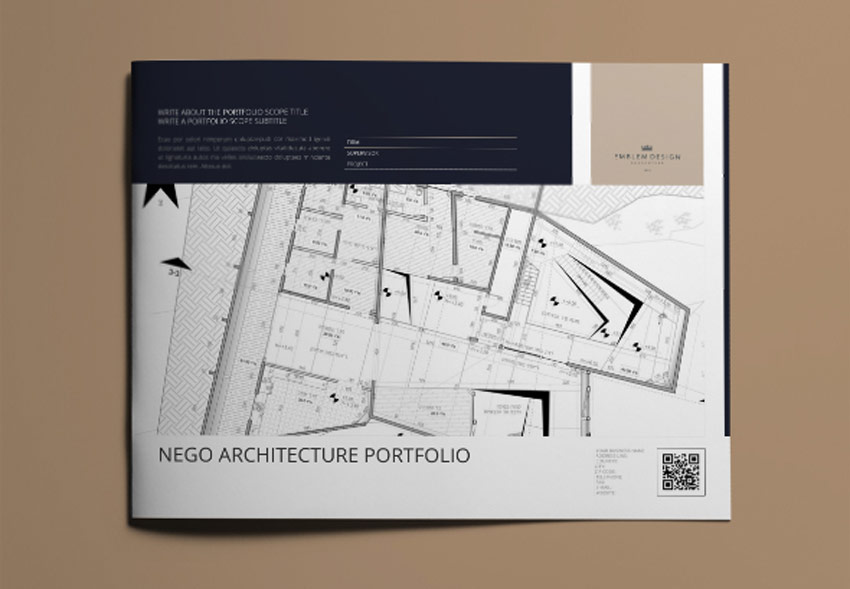
Display your architecture portfolio with a smart Adobe InDesign template. This modern layout features a spacious landscape design with 20 full pages and 10 unique spreads. Additional features are also included, like automatic page numbering and more.
Multipurpose Portfolio Layout Template
Multipurpose portfolio layouts are the best! They’re easy to use and give you endless possibilities for designing an impressive portfolio. This 26-page template includes fully layered documents along with one-click color customization. Add it to your collection!

Simple Portfolio Template
There is power in simplicity. And this portfolio template is striking yet simple. This template includes vector infographics, free fonts, and master pages. A help guide is also included for more information. Check it out!
Photography Portfolio
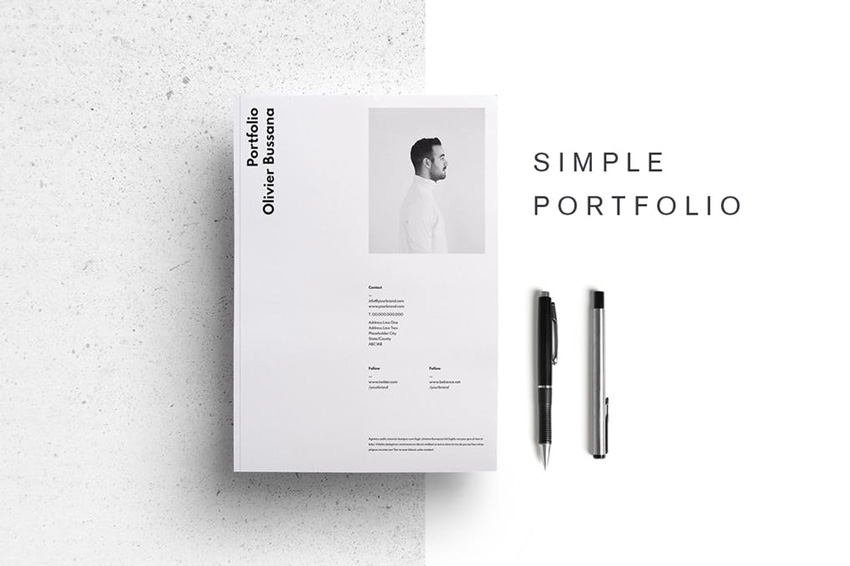
Choosing the best photos for your portfolio will be harder than the design. That is, at least, with an impeccable photography portfolio layout like this one. This InDesign template includes 50 pages that are all easy to customize. Edit them fast with versions CS4 and above.

InDesign Portfolio Template
Next up is a template comprising 18 pages of clean, professional design. Perfect for graphic designers, artists, and creative professionals, this portfolio design template is both fashionable and trendy. All the elements included can be quickly updated to fit your creative needs.

Portfolio Template
Display all your projects with a captivating portfolio template. This basic layout features bright pops of color which you can easily change to fit your style. It’s print ready and fully customizable, so it’s ready to go once it’s downloaded. Check it out!

Graphic Design Portfolio Template InDesign
The best part about graphic design portfolio templates is their uniqueness. This next InDesign template is quirky and humorous. Although the cover illustration isn’t included, you can easily try out another fun photo for a bold effect. Works with Adobe InDesign CS4 and above.

ACCENDO – Portfolio Template
Make your portfolio the talk of the town. This gorgeous portfolio template provides the perfect aesthetic for a professional and captivating look. Replace the cover photo with another beautiful landscape shot, or include a quick company picture for a personal touch.

Simple Portfolio Brochure
Portfolio brochures couldn’t get any simpler. Save valuable time drafting your own designs with this impressive portfolio template. It features minimal, sans serif fonts like Bebas Neue and Aller, and is totally print ready for optimal convenience. Try it out!

A5 Portfolio
Need a strong portfolio template in A5 size? Then check out this extraordinary design best suited for photographers and digital artists. This 22-page document features editable layers you can turn off and on, along with every element you need to make it a masterpiece.

The Portfolio Template
Are you a creative looking for a design portfolio template? InDesign users should definitely add this next brilliant asset to their arsenal. This print portfolio template includes an elegant and modern layout created with plenty of room for your content. Just add new photos and text!

Minimal Photography Portfolio
Drag and drop your best work into this exquisite photography portfolio. Create a striking look with this minimal design that works best with black and white photography. Keep the theme as is or add more color for a totally new perspective.

Design Portfolio Template
Print portfolio templates like this one are perfect for beginners to Adobe InDesign. Since it’s mostly made up of text and icons, all you have to do is update the layout with your own portfolio details and photos. Don’t need the blue? Just change it with one-click color customization.

Portfolio Catalogue
Many fashion portfolio templates read more like catalogs. This next brilliant design features a strong geometric title and a minimalist back cover design. The download includes a 24-page document, along with an icon font that was created using Sosa.

InDesign Photography Portfolio Template
If you’re not ready for a digital brochure, you can always try a portfolio book template. Best suited for those with experience in Adobe InDesign, this template is fun and easy to use. You can adapt it to nearly any industry and customize it within an afternoon. Check it out!

Creative Portfolio Brochure
Brochure templates come with many creative portfolio themes and styles. This vibrant design features a striking yellow background and elegant fonts. It includes 30 high-resolution pages and an additional help file for more information.

Portfolio Template
This next portfolio template uses fonts likes Roboto and Montserrat for a clean, professional aesthetic. Try it out for your business or creative profession using Adobe InDesign CS4 and above. Add it to your collection for less than $20! This one’s a winner!

More Portfolio Templates
We want to help you put your best foot forward in this creative world. And I hope this list has inspired you to step outside of your fears in order to try something new with your portfolio.
Want to learn more about portfolio design? Check out these articles for inspiration:
 PhotographyHow to Make an Attractive PDF Photography PortfolioChamira Young
 PortfoliosHow to Make a Fashion Photography PortfolioMelody Nieves
 PortfoliosHow to Create a PDF Portfolio in Adobe LightroomJeffrey Opp
 Portfolios5 Steps to Building Your Freelance Portfolio From NothingCarol Tice
Tried any of these assets? Let us know! Tell us your favorites in the comments below.
This has been a selection of premium resources perfect for the avid creator. For more portfolio templates, check out Envato Market and Envato Elements, or enlist the help of our talented designers at Envato Studio. Happy creating!

{excerpt}
Read More