Riot Games is no stranger to making music. With K/DA, the studio has one of the world’s most popular virtual bands, but it’s latest musical project is different. On Friday, Riot released Sessions: Vi, a 37-track album of instrumental beats with contributions from artists like Chromonicci and Junior State. What makes the release special is that streamers and content creators can use all the songs from Sessions: Vi for free.
Riot hopes the album and future ones like it will help ease some of the copyright headaches Twitch streamers have had to deal with for much of the past year. At the start of last June, Twitch got a “sudden influx” of DMCA takedown notices. The majority of those targeted archived broadcasts that had been up on the platform for years. The company has tried in a variety of ways to prevent more takedown notifications from coming in, but those efforts don’t seem to have addressed the problem. That's because in May Twitch said it received another batch of approximately 1,000 individual DMCA notifications. For some streamers, those notices represent a potential ban from the service.
When The Legend of Zelda: Skyward Sword HD comes out on July 16th, it will address many of the more annoying design choices found in the original game. As you can see from the trailer Nintendo shared today, the remaster will feature several “quality of life improvements,” including the ability to skip cutscenes, tutorials and dialogue. What’s more, Skyward Sword HD will render at a smoother 60 frames per second, and include optional button controls.
But the biggest change is more of an addition by subtraction. Players can choose to ask Fi for advice, instead of the spirit offering it incessantly on their own. Nintendo explains Fi will only appear in cutscenes and when absolutely necessary. Otherwise, Link’s sword will glow when Fi has something to say, and you can choose to hear them out or not.
In much the same way, Nintendo has also streamlined how players interact with items. The first time you pick a new one up, the game will explain what it does, but won’t subject you to that same explanation every subsequent time you find that same item.
Skyward Sword HD also includes a new fast travel system, but you’ll need to pick up a $25 Loftwing amiibo Nintendo will release on the same day as the remaster to get access to that feature.
Tesla has once again topped its delivery record, and this time it reached a symbolic milestone. As CNBCnotes, the EV maker delivered an all-time high of 201,250 vehicles in the second quarter of 2021 — the first time it has ever shipped more than 200,000 cars to customers in a given quarter. It delivered 184,800 machines in the first quarter of the year.
The Model 3 and Model Y represented nearly all of the deliveries. Tesla delivered just 1,890 Model S and Model X units, although that wasn't helped by the wait for the Model S Plaid. The first deliveries for the upscale electric sedan officially started on June 10th.
The achievement came despite "many challenges," founder Elon Musk said. He didn't elaborate on what those were, but he'd previously mentioned "major" supply chain price issues as a factor. Raw materials were a particular sore point, Musk added. The automotive industry as a whole has also reeled from chip shortages, making it difficult for some companies to manufacture enough cars to meet demand.
The number isn't as large as what some analysts were hoping for. Estimates ranged as high as 231,000. Even so, it's notable that Tesla is besting its own results despite cooling momentum and a less-than-forgiving market. The bigger challenges lie ahead — it has to face stiffer competition as EVs become mainstream, particularly from potential blockbuster hits like Ford's F-150 Lightning.
Congrats Tesla Team on over 200,000 car built & delivered in Q2, despite many challenges!!
GM isn't just leaning on technical prowess to sell you on its EV battery technology — it's hoping eco-friendliness (and frugality) will play a role, too. The automaker has struck a deal with Controlled Thermal Resources to obtain more environmentally responsible lithium. The team-up will source lithium from California made using a process that generates lower CO2 emissions than the usual pit mines or evaporation pods.
CTR's project, Hell's Kitchen, will use a closed-loop system that extracts lithium directly from geothermal brine. GM's arrangement gives it "first rights" to lithium from the first stage of Hell's Kitchen, plus an option for a multi-year partnership.
The approach should not only reduce the overall environmental footprint of GM's EVs, but secure "low-cost" lithium that could lower prices.
The initial Hell's Kitchen stage isn't expected to produce lithium until 2024. However, GM sees this collaboration as important to its goal of dropping combustion engine cars by 2035. If the automaker can both improve the value of its EVs and make a stronger case for their green credentials, it might boost sales and have an easier time transitioning away from gas and diesel.
As the holiday weekend approaches, deals on the latest gadgets have been popping up across the web. Apple's 10.2-inch iPad is $30 off right now and Solo Stove, the maker of compact, stainless steel fire pits, has knocked $120 off most of its devices. We even have a few holdouts from Amazon Prime Day still available, like deals on Anker's Eufy RoboVac 11S and a two-pack Nest WiFi system. Here are the best July 4th tech deals we could find.
10.2-inch iPad
The 10.2-inch iPad remains on sale for $299, or $30 off its normal price. It's arguably the best tablet for new tablet owners and we liked its improved performance, familiar design and support for the first-generation Apple Pencil.
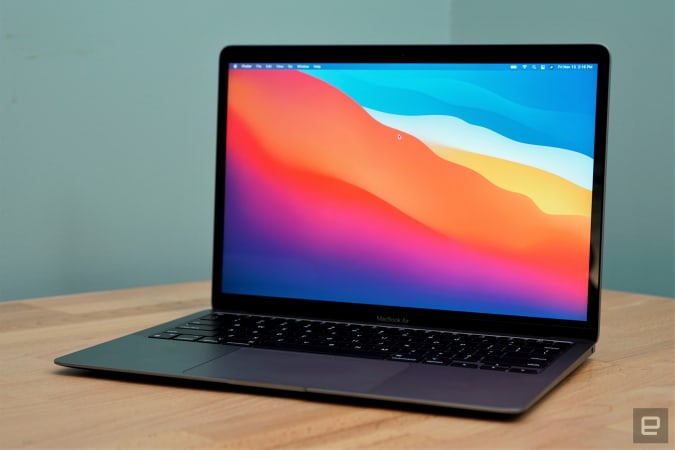
Apple's MacBook Air M1 has dropped to $899, which is the best price we've seen it. If you're looking to upgrade your notebook, this is one of the best options for most people right now. The Air M1 earned a score of 94 from us for its incredibly fast performance, excellent keyboard and trackpad, good battery life and lack of fan noise.
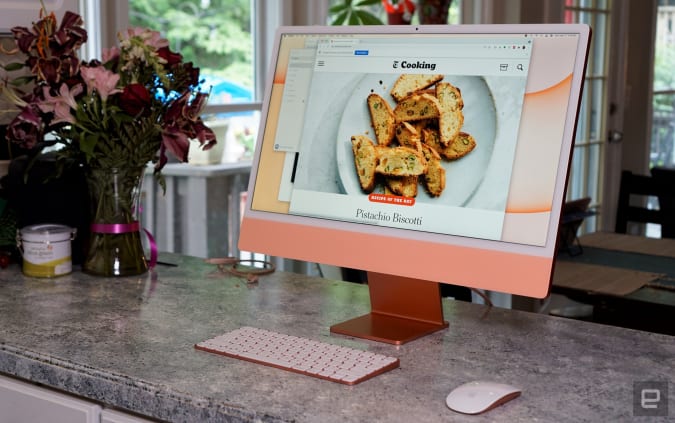
Apple's colorful iMacs with 8-core GPUs are $50 off right now at Amazon, bringing them down to $1,450. We gave this desktop a score of 89 for its remarkable performance thanks to the M1 chip, lovely 24-inch Retina Display and its thin-and-light design.
Solo Stove's Bonfire is $120 off for the company's July 4th sale, bringing it down to $230. That's the best price we've seen, and the other models are also $120 off for a limited time, too. These are smokeless, portable fire pits that we've recommended in the past as an easy way to upgrade your backyard setup.
On the heels of the new Thermapen One announcement, the Thermapen Mk4 has been discounted to $69. It's the best instant-read thermometer we've used so far —the backlit display makes it easy to read in almost any situation and the display rotates depending on how you're holding the pen. Plus, you never have to remember to turn it off because the pen automatically turns on when you pick it up and will shut off after some time of no use.
ThermoWorks is also running an Independence Day sale that knocks up to 20 percent off remote BBQ alarm thermometers.
The GPS + Cellular models of the Apple Watch Series 6 Product Red Edition are $100 off at Amazon. The 40mm is down to $399, or close to a record low, while the 44mm version has hit an all-time low of $429. We gave the Series 6 a score of 89 for its speedier performance, quicker charging and slightly improved battery life.
Through Sunday, July 4, GameStop is running a holiday sale that includes a "buy two, get one free" promo on a number of titles including Marios + Rabbids Kingdom Battle and Spider-Man: Miles Morales. The sale also includes discounts on pre-owned games as well as $30 in extra credit when you trade in a PS4, XB1, Nintendo Switch or another console.
Both Amazon and Microsoft have the Galaxy Buds+ for $100, or $50 off their normal price. We gave them a score of 83 for their improved audio quality, longer battery life, deeper iOS integration and better call quality.
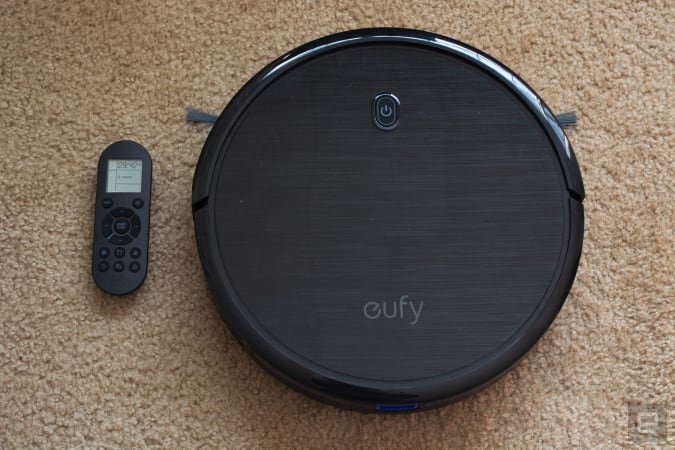
One of our favorite budget robot vacuums, the Anker Eufy RoboVac 11S, has dropped to $140. That's $90 off its normal price and close to its record-low. Not only is this one of the slimmest robo-vacs we've tried, but it cleans hard floors and carpets thoroughly and it comes with a remote that you can use to manually direct the vacuum, set schedules and more.
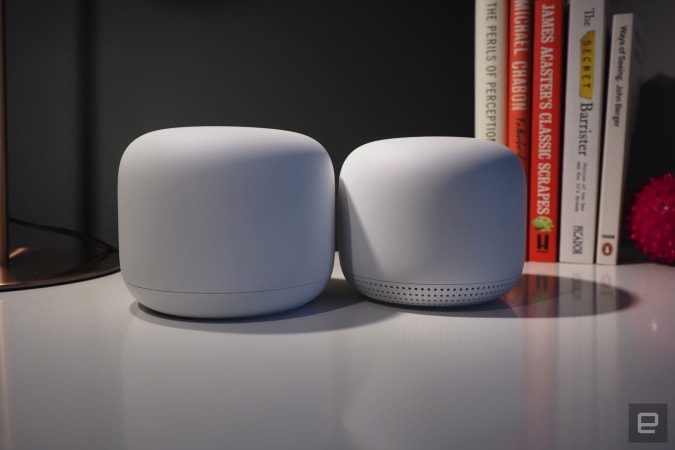
The Nest WiFi pack with one router and one extension point is down to $189, or $80 off. We gave this mesh system a score of 84 for its unobtrusive design, simple installation process and built-in smart speaker capabilities.
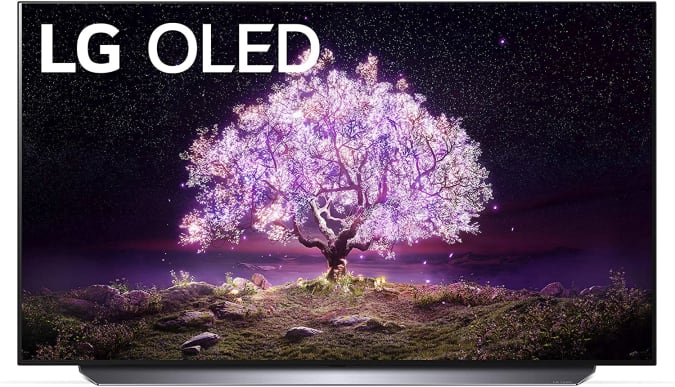
LG's 2021 C1 OLED 4K TVs have dropped in price, so you can grab the 55-inch for $1,497, or about $300 off its normal price. The C1 is the mid-tier lineup that includes the company's latest processor, HDMI 2.1 support and NVIDIA G-SYNC and FreeSync compatibility.
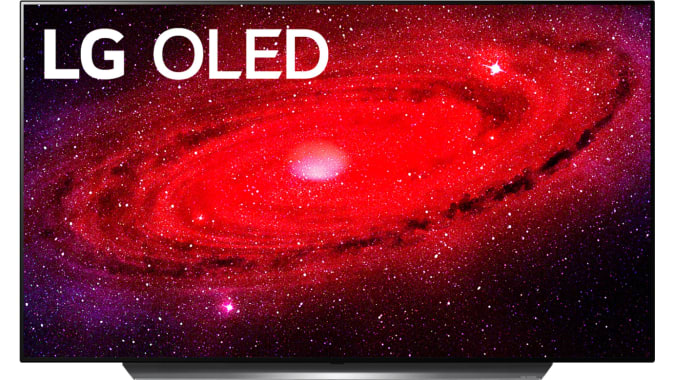
My Best Buy members can get the 48-inch LG CX OLED 4K smart TV for $1,250, or $250 off its normal price. It's free to sign up for My Best Buy and it's worth it to get a bit of extra money off all of the retailer's current sales. This OLED set has LG's a9 Gen 3 processor, support for Dolby Vision, Atmos, HDR10 and HLG plus Google Assistant and Amazon Alexa integration.
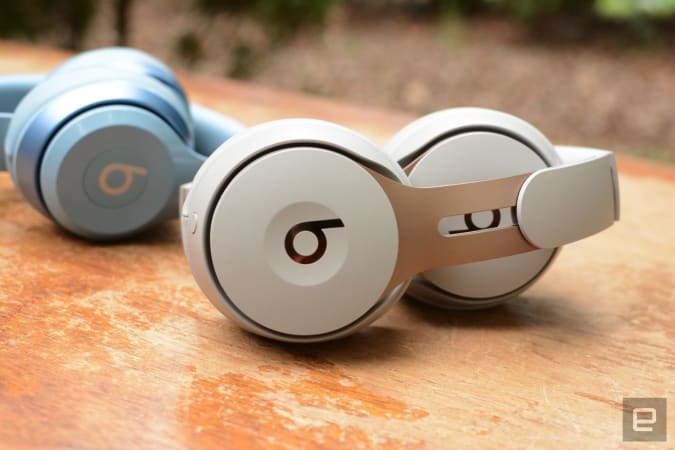
The Beats Solo Pro are still discounted to a record-low of $149. We liked these on-ear cans for their excellent sound quality, good ANC and hands-free Siri capabilities.
Omaze is giving away another $20,000 to build your ultimate gaming PC. This sweepstakes is free to enter, but funds donated with purchased entries will benefit Schools on Wheels, an organization that provides free tutoring and mentoring services to children experiencing homelessness across Southern California. Through July 2, you can use the code RADNESS150 at checkout to get an additional 150 bonus entries.
Pricing and availability is subject to change. No donation or payment necessary to enter or win this sweepstakes.See official rules on Omaze.
New tech deals
55-inch Sony A8H Bravia OLED smart TV
Amazon knocked about $600 off Sony's 55-inch A8H Bravia OLED smart TV. It includes the company's X1 Ultimate processor, Game Mode for a smoother, more responsive experience, the Android TV operating system and support for the Google Assistant, Amazon's Alexa and even Apple's AirPlay 2.
Apple's MagSafe charger is down to $34 at Amazon, or $6 off its normal price. While not a huge discount, it's a good opportunity to get a first-party accessory for less. This thin disk magnetically attaches to the back of the latest iPhones to power them up.
The accessory maker Twelve South is running a 4th of July sale through July 5th that knocks up to 60 percent off of many products. Of note are the AirFly Bluetooth transmitter for as low as $25, the Compass Pro adjustable iPad stand for $50 and the HiRise Lightning Stand for $25.
Casetify's holiday sale gets you 15 percent off most items through July 5th when you use the code 4JULY21 at checkout. The company makes colorful cases and protective gear for numerous mobile devices including iPhones, Galaxy handsets, AirPods and more. They also make great gifts thanks to Casetify's extensive library of customizable accessories.
Through July 4th, you can get 30 percent off sitewide at Speck. In addition to iPhones and Android device cases, Speck has gear for AirPods, MacBooks, Kindles, Chromebooks and others. If you want a case for your smartphone that will both look good and keep your gadget safe, Speck accessories are good options.
Aukey's PowerZeus 500 portable power station is on sale for $367 when you use the code AUKEYPLUS at checkout. This 518Wh station can easily come with you on a camping trip to provide juice to all your devices, or act as a backup battery during power outages.
One of our recommended VPNs is running a good sale on a two-year subscription. You can sign up for NordVPN for only $89 for the first two years, which comes out to $44.50 per year. We like NordVPN for its speed, its no-logs policy, the thousands of servers it has to choose from and that one account supports up to six connected devices.
This week, Cherlynn and Devindra are joined by Gizmodo’s Sam Rutherford to chat about Samsung’s smartwatch updates and the few tidbits of news from Mobile World Congress. Also, they dive into the newly released previews for iOS 15, macOS Monterey and Windows 11. It’s the rare year where both Mac and Windows are getting some major updates.
Listen below, or subscribe on your podcast app of choice. If you've got suggestions or topics you'd like covered on the show, be sure to email us or drop a note in the comments! And be sure to check out our other podcasts, the Morning After and Engadget News!
Credits Hosts: Devindra Hardawar and Cherlynn Low Guest: Sam Rutherford Producer: Ben Ellman Livestream producers: Julio Barrientos Graphics artists: Luke Brooks, Brian Oh Music: Dale North and Terrence O'Brien
Amazon has opened a new front in its streaming battle with Netflix. The company is bringing the anime hit Evangelion: 3.0+1.01 Thrice Upon A Time to Prime Video globally, barring Japan, on August 13th, according to Deadline. Together with a revised version released last month, the fourth and final chapter in the movie saga has raked in more than $86 million at Japanese theaters, making it the biggest earner of the year. For those who missed the previous entries, the good news is they're also coming to Prime Video, including Evangelion: 1.11 You Are (Not) Alone, Evangelion: 2.22 You Can (Not) Advance and Evangelion: 3.33 You Can (Not) Redo.
Blending mech action with intimate teenage drama, the Evangelion franchise became a pop culture behemoth in Japan and a revered cult classic overseas. Netflix ran the original series back in 2019 along with two films — Evangelion: Death True² and The End of Evangelion — as part of its push into Japanese animation. Though it probably helped to expand the show's reach, some legacy fans were upset that Netflix chose to go with a new voice cast for its English dub instead of the original players. More recently, the streamer announced that it's launching around 40 anime shows and movies in a bid to capture subscribers in Asia.
Amazon, on the other hand, has dabbled in anime in the past, most notably through its Blade of the Immortaladaptation in 2019. Evangelion is a big get for the company and success could prompt it to wade further into the genre.
Vinyl has been on a resurgence, and it seems like the pandemic has accelerated that. When Amazon launches a record of the month club to capitalize on it, you know it’s reached a tipping point. All this means many of us are looking to upgrade from a cheap turntable and build our first HiFi system. While there are many parts to that, perhaps most important are the speakers. If your speakers don’t sound good, what’s the point?
Terrence O'Brien / Engadget
In a bid to help, we’ve assessed some of the best passive speakers under $600. These will need an amplifier, yes, but offer greater flexibility to your HiFi setup. And if you’ve been living with built-in speakers or all-in-one setups, we explain exactly what you might need. I promise you — it’s a beginner-friendly guide for recent vinyl addicts.
Instead, it's a platform where people go 'to be entertained.'
Instagram doesn't see itself as a platform where people go to share photos anymore. That's the main takeaway from a series of comments made by the head of the company, Adam Mosseri. "Let's be honest, there's some really serious competition right now," Mosseri said. "TikTok is huge, YouTube is even bigger and there are a lot of other upstarts as well." To stay competitive, Mosseri said Instagram has to embrace that aspect of itself, and that will mean changes. One way the app will change is with Instagram handing out more recommendations. He also said Instagram plans to embrace video more broadly, focusing on full-screen and immersive content. Continue reading.
Its API update will make it easier for organizations to create digital vaccine cards.
Google
Google has updated its Pay app's Passes API to simplify storing and displaying a digital card on Android to show a users' COVID-19 test and vaccination details. The tech giant has given access to the API to healthcare organizations, government agencies and organizations authorized to distribute COVID vaccines. That means their developers can easily create digital COVID vaccine and test cards that users can store on their device. Continue reading.
The issue prompted an investigation by the US regulators.
Engadget
Porsche is planning a worldwide recall of its Taycan EV over a software issue that can cause sudden power loss. The action follows an investigation by the National Highway Traffic Safety Administration (NHTSA), which started in May following reports of cars switching to emergency mode. There have been no reports of accidents or injuries, according to sources familiar with the situation, but the NHTSA has also reached out to Volkswagen (Porshe’s parent company) regarding the Audi e-tron GT and RS e-tron GT, both of which use a similar powertrain to the Taycan. Continue reading.
With all of the changes that came to macOS Big Sur last year, we didn't expect Apple to deliver much with this year's update. It seems like iOS 15 and iPadOS 15 got the bulk of the upgrades this time around. But with major changes to Safari, FaceTime and new SharePlay features, the update is worth your attention. Devindra Hardwar gives it a test drive. Continue reading.
Nixxes is Sony's second studio purchase in a week.
Sony has just bought another studio, and, no, it’s not Bluepoint Games. On Thursday, the company announced the acquisition of Nixxes Software, a Dutch developer best known for supporting Crystal Dynamics, IO Interactive and Eidos Montreal in porting some of their games over to PC. The deal suggests Sony may step up its efforts to bring more of its exclusives to Windows. The company released Horizon Zero Dawn and Days Gone to Steam and the Epic Games Store, and Sony president Jim Ryan has said that more of the company’s first-party games would make their way to the PC. Continue reading.
We had a feeling Sony's tricked-out Xperia 1 III smartphone would be expensive. Turns out, we were right. Sony has revealed that the new handset (pcitured above), which packs a pro-grade camera, is available to pre-order for a cool $1,300 ahead of its August 19th release date. That means the new flagship is $100 more expensive than its predecessor, the Sony Xperia 1 ii, and fellow high-enders like the $1,200 Samsung Galaxy S21 Ultra, the $1,099 Apple iPhone 12 Pro Max and the $969 OnePlus 9 Pro.
As you'd expect at that price, the Xperia 1 III has some killer specs that should appeal to photography buffs. The 12-megapixel, 24mm equivalent Exmor RS sensor is accompanied by a 12-megapixel ultra-wide camera and a time-of-flight sensor that gathers depth data. Sony says the flagship is the first phone in the world with “true” optical zoom, which is achieved by actually moving the telephoto lens elements inside the phone. While the burst mode captures photos as fast as 20 times per second.
Sony also claims that the phone's 6.5-inch OLED display is the world’s first mobile 4K screen with a 120Hz refresh rate. Inside, there's Qualcomm’s powerful Snapdragon 888 chipset combined with 12GB of RAM and 256GB of internal storage, along with a 4,500mAh battery that supports wireless charging.
Sony Xperia 5 III
If you find paying upwards of $1,000 is too steep, Sony is also releasing the cheaper Xperia 5 III (pictured above) a month later in September for £899 in the UK — we've reached out for US pricing. Here, you'll get a 6.1-inch Full HD OLED screen, slightly less RAM at 8GB and either 128GB or 256GB of internal storage. Sony also cut back on some of the camera software tricks available on its big brother like real-time object tracking and the time-of-flight sensor. Plus, you don't get support for wireless charging. Otherwise, it packs the same chipset, pro-grade camera setup, 3D Reality audio support and battery, making it more of a crowdpleaser compared to its pricey sibling.
To sweeten the deal, both phones will ship with Sony wireless headphones: the Xperia 1 III comes with the WF-1000XM3 earbuds and the Xperia 5 III with the WH-H910N over-ear headphones. Purchasing the flagship also gets you 43,200 Call of Duty: Mobile CP Points worth $540.
Looking for cool easy fonts to draw by hand? In this article, we’ll look at some simple fonts to draw and where you can find them. We’ll also look at what you need to know about using cool fonts to draw by hand. There are some easy, cool fonts to draw out there, but you’ll want to make sure you’re doing it in a copyright-friendly way.
Hand lettering is much like how it sounds: it’s about drawing letters by hand. This would not include things like using fonts. Hand lettering is usually illustrative, but it can include a wide variety of techniques. For example, writing out a letter, in your handwriting, could be considered hand lettering. Or you could craft really artful and ornate letters.
Calligraphy is a skillful writing process, typically involving a brush or specialty pen. Hand-lettered work can mimic a calligraphic look, but might not necessarily use traditional calligraphy techniques. Likewise, you can have calligraphy-inspired fonts, but they are certainly not calligraphy in execution.
So hand lettering is largely about process. You can simulate the look and feel in many ways.
Want to learn more about hand lettering? We’ve got plenty of free tutorial content on Envato Tuts+, perfect for beginners and advanced artists alike. Start drawing your own hand-lettered projects today:
But where do you find inspiration when you’re hand-drawing letters? You may want to start by researching easy fonts to draw. There are so many beautiful fonts out there in so many styles. They can serve as a great starting point for your projects. However, there are a few things to note here:
Fonts are creative works, created by artists. While fonts are often used by designers, they are typically meant for derivative works. This means that font licenses typically allow the user to create something new with their font. It is typically not a license to resell the individual letters themselves.
However, letters themselves are usually not copyright-specific. So, for example, in most countries, no one holds a copyright over the letter “A”. We can all draw it and enjoy it without worrying about usage rights. Style is usually a similar case. For example, we can all design our own italic-style font or lettering.
This is why you’ll often see fonts in a similar style. There’s a difference between a similarity in style and tracing a font. Style can often result in an entirely new genre of font, and this can be a great thing. If you like an aesthetic, try your own take on it. For example, no one “owns” calligraphy. However, an artist does own the right to their individual artwork created in that aesthetic.
So what does this mean? As you look for creative fonts to draw, consider this:
If you purchase a font, you usually have full, commercial usage rights. This means you could create a derivative work using the specific font, for profit. This is helpful if you want to closely recreate a specific font by hand in your lettering project. Think of it like using a font in a commercial design project.
Otherwise, make sure to use the font as inspiration—not as a direct source. This means, for example, drawing your own work inspired by an aesthetic, rather than closely tracing it.
Keep in mind that many fonts do not allow the individual letters to be sold or reproduced for profit, as is.
If you’re just using hand-drawn easy fonts to draw for practice, then you’re probably fine experimenting at will. Just remember to think like an artist: respect the work of others as you would want your work respected too.
This is just a general guide to help get you started. Each font may vary. Make sure to check the font’s license so you know its terms.
That’s a lot to take in and consider, right? Well, here’s one solution that takes some of the guesswork out of font usage:
Find Cool Easy Fonts to Draw by Hand on Envato Elements
Looking for a huge collection of cool fonts to draw by hand, all licensed for commercial usage? Envato Elements is a perfect choice. One low fee gets you access to an entire library of fonts to try.
There are plenty of cool fonts to draw, like brush fonts, hand lettering, and more. There are also pretty fonts to draw, like calligraphy styles. All of the fonts are included for one low price, so you can use them for hand-lettering inspiration as well as other projects.
But Envato Elements includes a lot more than just fonts. You can also download brushes, perfect for digital hand lettering. Create your own fun fonts to draw in software like Procreate and Adobe Photoshop using specialty brushes. They’re all included with Envato Elements.
With unlimited downloads, you can download all the fonts, brushes, images, and more that you’d like. You can even pick up design templates and mockups. Check out this chalkboard mockup design. It’s perfect for testing out hand-lettering projects, especially if you like a chalk aesthetic. Simply download, add your art, and check out your photorealistic preview. This is also included with Envato Elements. Cool, right?
Want to see your hand-lettering design on this chalkboard? You can with this chalkboard mockup. Download it on Envato Elements today.
Cool Writing Fonts on Envato Elements
Here’s a look at some of the awesome fonts you can download on Envato Elements, right now. There are so many aesthetics to check out, from cool letters to draw to fancy fonts to draw. Remember, this entire font library is included. Download your favorites today.
Isn’t this a fun, hand-drawn font? Download this font or give this look a try yourself. Try experimenting with different line thicknesses and adding serifs.
This beautiful, calligraphy-style font has a modern look and feel. It would be a great fit on invitations. Try drawing some calligraphy-styled letters of your own.
An all-caps style can work well for hand lettering. Try your own handwriting in this style. Go for large capital letters and experiment with how they look.
Here is a chunkier take on a bold, hand-drawn brush font. Will you draw your letters with a brush? Or will you try digital brushes in Procreate or Photoshop?
Hand-drawn fonts can use other aesthetics too, like this chunky sans serif font. Try working with your handwriting and making it thicker or bolder. That can be a fun way to come up with a lettering idea.
Isn’t this cute font adorable? Try getting in touch with your cutesy side when you’re hand lettering. Add embellishments, curves, and other fun touches.
Here’s a fun, bouncy script font that takes strong influences from calligraphy. You could take a calligraphic approach or draw something like this in a more illustrative way.
A sketchy approach can make for a really fun aesthetic. Try drawing your own letters and partially coloring them in. This can work really well in chalk too.
These letters have a lot of energy in their long, sweeping strokes. It’s a great idea to practice lines like these if you plan to take a calligraphic approach.
Isn’t this chunky font cute? An idea like this one is nice and beginner-friendly too. Download this font or try your own lettering with chunky, filled-in counters.
Isn’t this handwriting font charming? Have you tried taking a look at your own script writing? Try it out with different pens too, to see if you can create different effects.
This font has a stylish aesthetic that’s also simple to draw. Download this font, or try drawing your own long, thin letters. They work well with and without serifs.
Brush fonts and brush letter strokes can be trickier to draw, but well worth the practice. Try this with a brush pen. Don’t want the mess? You can do this with digital painting too.
Here’s a sweet font that looks really welcoming. A curvy, hand-drawn style like this could work so well for decor, invitations, and other fun projects.
This handwritten font has a really popular aesthetic. It’s a fun one to try to draw in your own way too. Try adding serifs or mixing up the line width.
The width of your lines can make a big difference in your hand lettering, as you can see in this font. Think about what thickness you prefer for your project.
When it comes to more decorative letters, decide if you prefer single strokes or if you want to fully illustrate the letters first. Those are the two ways you could approach letters like this font.
You can also mix script elements with standalone letters, as you can see in this fun font. Remember, you can play with texture too. How about watercolor or chalk?
You can also add design elements to your letters, like the playful lines we see in this cute font. Download this font or try experimenting with lines in your own hand lettering.
We’ve looked at several chunky fonts, but how about a really thin aesthetic? This can pair really well with a long, tall script look. Give a look like this one a try.
Notice the variation in line width in this font. This is something you can do with varying pressure when you’re drawing letters by hand. It makes for a stylish effect.
These stylish letters have a musical quality, don’t they? It’s so elegant. The same principles can apply here too: press harder for thicker lines and lighter for thinner ones.
There’s something so welcoming and friendly about handwriting, isn’t there? Try out a font like this one or experiment with your own writing for personal messages.
Even More Cool Writing Fonts on GraphicRiver
If you’re not necessarily looking for an entire library of fonts, check out GraphicRiver. It’s an awesome choice if you prefer a la carte downloads. Only download one or two cool writing fonts. Only pay for what you need.
Check out these inspiring fonts from GraphicRiver that you can download now:
Scripts and calligraphy aesthetics can really make for a romantic look. Isn’t it sweet how the heart here connects with the strokes? Try adding shapes and other design elements to your hand lettering too.
You can also leave parts of your letter cut out, as we see in this fun font design. When you’re hand lettering, you can get really illustrative and creative with your letters.
Check out all the movement in this lettering. It almost feels as if it’s flying forward, doesn’t it? The angle at which you draw your letters really makes a difference.
Handwriting can come in so many different styles too. Try out your handwriting and take a look at the writing of others too. There might be aesthetic qualities in both you’d like to try.
Or you can keep a script more uniform, like this type design. Notice, too, that not every letter necessarily has to connect. You can get creative with that.
We can take that same look and push it towards a regal aesthetic by adding some decorative strokes and curves. Try adding extras to the ends of your letters.
What Hand-Lettering Project Will You Create?
So, if you’re looking for cool fonts to draw, which will you try? Consider starting off with your own easy, cool fonts. Try your handwriting and add a creative twist, for example. Your own handwriting can make the perfect hand-drawn font. It’s a good starting point. Or start from an illustrative place and go with a decorative look. There are so many directions you could try.
Remember, you can download thousands of cool writing fonts on Envato Elements, all for one low price. It’s an awesome deal if you love fonts.
Or, if you’re just looking for one or two cool writing fonts, check out GraphicRiver. It’s a great choice if you’d prefer single downloads.
Looking for even more font inspiration? Check out these collections from Envato Tuts+:
Apple and Intel are reportedly testing chip designs with TSMC's 3-nanometer process and could be first to market with the technology, according to Nikkei. Intel may be planning to use the chips in next-gen notebooks and data centers, while Apple could be first to market with a 3-nanometer processor in future iPad models. Taiwan-based TSMC will reportedly start manufacturing processors for both companies as early as next year.
TSMC is currently manufacturing 5-nanometer chips for Apple's iPhone 12, and in 2022 will build next-gen AMD Zen 4 chips. It has targeted 3-nanometer volume production for the second half of 2022 with products likely coming along in 2023.
TSMC expects the new tech to deliver 10-15 percent greater performance at the same power levels, or reduce power 25 to 30 percent at the same transistor speeds over 5-nanometer tech. The company also has a 4-nanometer N4 process set to arrive in 2022, offering an evolution over 5-nanometer with minimal changes required by chip designers.
Apple's iPad will reportedly be the first devices powered by 3-nanometer chips, according to Nikkei's sources. The next generation of iPhones rolling out next year will supposedly use 4-nanometer tech for scheduling reasons.
Currently the chip volume planned for Intel is more than that for Apple's iPad using the 3-nanometer process.
The situation with Intel is perhaps more interesting. Intel confirmed to Nikkei that it would work with TSMC for its 2023 product lineup and has previously said that it would subcontract some chip manufacturing out to the Taiwan-based company, though it didn't say which technology it would use.
As it stands now, Intel has only just started rolling out its 10-nanometer chips (which are broadly equivalent to chips made with TSMC's 7-nanometer process), and has delayed 7-nanometer production until 2023.
According to Nikkei, TSMC will produce more chips for Intel than Apple. "Currently the chip volume planned for Intel is more than that for Apple's iPad using the 3-nanometer process," a source said. Intel plans to use TSMC to build processors for notebook and data servers "in an attempt to regain market share it has lost to Advanced Micro Devices and NVIDIA over the past few years," the story reads.
If the rumors prove accurate, Intel could possibly beat AMD to 3-nanometer tech, as AMD plans to use 5-nanometer chips for its next-gen Zen 4 processors. AMD now relies on TSMC for its processor and GPU chips, as its previous supplier GlobalFoundries decided not to manufacture 7-nanometer or smaller chips back in 2018.
TSMC is building a $12 billion chip fab plant in Arizona and plans to use its current 5-nanometer manufacturing technology. Intel, meanwhile, plans to invest $20 billion in two Arizona factories.
In the following steps, you will learn how to create a pastel gradient background in Adobe Illustrator and Adobe Photoshop. This timeless trend will give a soothing effect to any design. All you have to do is look for the best gradient combinations.
Looking to download some pastel gradient backgrounds? Head on over to Envato Elements, where you can find a large selection of premium backgrounds, including this trendy pastel gradient background with AI and JPG files.
What You’ll Learn in This Pastel Gradient Tutorial
How to create a pastel gradient background in Illustrator
How to create a pastel gradient background in Photoshop
What You’ll Need
You will need the following image in order to create a pastel blue gradient background:
Hit Control-N to create a new document. Select Pixels from the Units drop-down menu, enter 1920 in the width box and 1080 in the height box, and then click that More Settings button. Select RGB for the Color Mode, set the Raster Effects to Screen (72 ppi), and then click Create Document.
Step 2
Pick the Rectangle Tool (M) and create a shape the size of your artboard (1920 x 1080 px). You can do this manually or you can click on the artboard to open the Rectangle window. Enter the size values and then click OK.
Let’s start with the most basic method that you can use to create a pastel aesthetic background. Make sure that your rectangle is selected, open the Gradient panel (Window > Gradient), and click the gradient thumbnail to apply the default black to white linear gradient.
Double-click the left gradient color and change it to R=131 G=132 B=240, and then double-click the right gradient color and change it to R=251 G=231 B=185. Simply click on the gradient bar to add a third gradient color, set the Location to 50%, and change the color to R=244 G=145 B=220.
You can set the angle of this pastel pink gradient from the Gradient panel, or you can select the Gradient Tool (G) from your toolbar and adjust the angle of the gradient directly on the shape.
Step 3
The second type of gradient that you can use to create a pastel aesthetic wallpaper is a radial gradient. You can easily apply one using the button from the Gradient panel.
Pick the Gradient Tool (G) to adjust the size of this gradient and use that black dot handle to squeeze or stretch the gradient as you wish.
Step 4
The third type of gradient that you can use to create a pastel aesthetic background is a freeform gradient. You can easily apply one using the button from the Gradient panel.
Illustrator will add four color stops to your rectangle. Select the color stops one by one and adjust the colors as shown below.
Step 5
You can always add a new color stop with a simple click, or you can delete a selected color stop.
Using the circular area around the color stop, you can increase or decrease the spread of that color. This value can also be adjusted from the Gradient panel. Select the bottom left color stop, and increase the Spread to 100%.
Simply click and drag a color stop to change its location.
Step 6
Another way of creating a pastel gradient wallpaper is by using a mesh.
Create a rectangle that covers your entire artboard and make sure that it stays selected. Pick the Mesh Tool (U) from your toolbar and click in the center of your selection to turn your shape into a mesh. Now you can easily select these mesh points and change their colors as you wish.
Switch to the Direct Selection Tool (A) to select the leftmost mesh points and change the color to R=107 G=245 B=202. Select the rightmost mesh points and set the color to R=253 G=225 B=186. Then select the middle mesh points and change the color to R=252 G=128 B=180.
Step 7
With your mesh and the Mesh Tool (U) still selected, add a new point as shown in the first image.
Switch to the Direct Selection Tool (A), select the mesh points highlighted in the second image, and change the color to R=235 G=240 B=168.
Step 8
If you want to adjust the position of a mesh point or a mesh point handle, simply click and drag it using the Direct Selection Tool (A).
Pick the Anchor Point Tool (Shift-C) when you want to drag a mesh point handle independently or when you want to click a mesh point and drag new handles.
Step 9
Let’s add a subtle texture to this mesh. Select it and press Control-G to Group it.
Make sure that your group stays selected, open the Appearance panel (Window > Appearance), and add a new fill using the Add New Fill button.
Select it and set the color to black (R=0 G=0 B=0), and then lower its Opacity to 70% and change the Blending Mode to Overlay.
Step 10
With that black fill still selected, go to Effect > Sketch > Reticulation. Enter the settings shown in the following image and then click OK.
Let’s start with the most basic method that you can use to create a pastel gradient in Photoshop.
Create a 1920 x 1080 px document and select the Gradient Tool (G) from your toolbar, and then click the gradient thumbnail from the control panel to open the Gradient Editor.
Double-click the left gradient slider and change the color to R=131 G=132 B=240, and then double-click the right gradient slider and change the color to R=251 G=231 B=185. Click somewhere close to the bottom edge of the gradient bar to add a third gradient slider. Select this new color stop, set the Location to 50%, and change the color to R=244 G=145 B=220.
Once you’re done, you can click the New button to save your pastel gradient in the Presets panel, which will make it a lot easier to use it later.
Click OK to close the Gradient Editor panel. Focus on your canvas, and drag a path from the bottom left corner to the top right corner to easily apply your pastel pink gradient.
Step 2
Alternatively, you can apply a pastel gradient on a layer using the Layer Style dialog box.
Move to the Layers panel (Window > Layers) and add a second layer using the Create New Layer button.
Double-click this new layer to open the Layer Style dialog box, and enable the Gradient Overlay. Click the gradient thumbnail and select your saved gradient from that list, and then feel free to adjust the angle or the other properties as you need.
Step 3
The second type of gradient that you can use to create a pastel gradient background is a radial gradient.
You can easily switch to a Radial gradient using the Style dropdown menu. Keep in mind that you can manually adjust the center point of the gradient directly on the canvas. Simply click and drag to change this location.
Step 4
Besides linear and radial gradients, in Photoshop you can also apply Angle gradients, Reflected gradients, or Diamond gradients.
Step 5
The Gradient Overlay technique can also be used to apply a pastel gradient to a photo.
Download this Heavy clouds from above photo and drag it inside your document. Double-click this new layer in the Layers panel to open the Layer Style dialog box and activate the Gradient Overlay.
Apply your saved gradient and change the Blending Mode to Hard Light to make the gradient blend with the photo.
Step 6
You can always try different gradients or blend modes. Feel free to use this pastel rainbow gradient or look for the best gradient combinations that suit your need.
Congratulations! You’re Done!
Here is how your cool gradient background should look. I hope you’ve enjoyed this tutorial and can apply these techniques in your future projects. Don’t hesitate to share your final result in the comments section.
Feel free to adjust that final pastel rainbow gradient as you wish. You can find some great sources of inspiration on GraphicRiver, with interesting solutions to improve your pastel gradient wallpaper.
Popular Pastel Aesthetic Backgrounds From Envato Elements
Envato Elements is an excellent resource for pastel aesthetic wallpapers. Here’s a short list of some of the most popular pastel aesthetic wallpapers that you can find.
Don’t waste your time looking for the best gradient color. This collection comes with the best gradient combinations and can be easily used to give your presentation a touch of color.
This massive collection of bright and vibrant pastel aesthetic backgrounds can be used for presentation backgrounds, foregrounds, websites, book covers, and more.
Want to Learn More?
We have loads of tutorials on Envato Tuts+, from beginner to intermediate level. Take a look!
You're not losing access to digital games for the PSP just yet. When Sony reversed its decision to close the PS3 and the PS Vita storefronts back in April, it also said that the "PSP commerce functionality will retire on July 2nd, 2021 as planned." While that could be interpreted as Sony pulling the plug on all PSP downloads, new language that has popped up on both the US and the UK PlayStation websites (as spotted by Kotaku) shows that's not the case.
The PSP game store shut down way back in 2016, but you can still get games for the console through the PS3 and the PS Vita stores. Now that those storefronts aren't shutting down, you'll still be able to download PSP games through them, though there will be some limitations going forward. Starting on July 6th, you will no longer be able to search for games on the PSP itself or make any in-game purchases. Kotaku says the information first appeared on the UK website on June 28th, and it makes no mention of the previous July 2nd timeline.
When Sony backtracked on its plans to shutdown the PS3 and Vita stores, Sony Interactive Entertainment's CEO Jim Ryan said that it was clear the company "made the wrong decision." It's unclear if limiting PSP users' capability to search for titles or make in-game purchases is what Sony had in mind when it said that it will retire the console's "commerce functionality," or if it also changed its decision like it did with the PS3 and PS Vita stores' closure. Either way, what matters is that the PSP's digital library will continue being available for now.
Sir Richard Branson might get to visit outer space before Jeff Bezos does. Virgin Galactic has announced that it's opening the flight window for SpaceShipTwo Unity's next rocket-powered test flight on July 11th, over a week before Blue Origin's first tourist flight is scheduled to launch on July 20th with Bezos onboard. The Unity 22 mission will be the company's fourth crewed flight, but it will be the first to carry a full crew with two pilots and four mission specialists in the cabin. One of those passengers is company founder Richard Branson, who'll be assessing the private astronaut experience Virgin Galactic plans to offer paying customers.
The company concluded that it was ready to launch Unity 22 after it finished analyzing data from its May 22nd test flight, according to Chief Executive Officer Michael Colglazier. The company completed the rocket-powered flight in May — the first human spaceflight out of Virgin's New Mexico-based Spaceport America — after months of delay. It was originally scheduled to blast off in December 2020, but the launch didn't take place because SpaceShipTwo's rocket motor failed to ignite.
Now, the company believes it's ready to take another step towards offering commercial flights. The upcoming mission will focus on evaluating the spacecraft's cabin environment, seat comfort, the weightless experience and the views of Earth that it can offer paying passengers. It will also demonstrate the conditions for conducting human-tended research experiments.
In addition to Branson and the two pilots, the other passengers are made up of Virgin Galactic personnel. Virgin's Chief Astronaut Instructor Beth Moses will oversee the execution of the test flight objectives, while Lead Operations Engineer Colin Bennett will be evaluating cabin equipment, procedures and experience. Finally, Sirisha Bandla, VP of Government Affairs and Research Operations, will be in charge of conducting the human-tended experiments onboard.
Virgin will broadcast a livestream of the spaceflight on its website, as well as on its Facebook, Twitter and YouTube pages. The livestream will begin at 9AM on the day of the flight, which could still be delayed, depending on weather and technical conditions. If the mission succeeds, the company intends to restart ticket sales soon and to conduct two additional flights before it starts its paid flights next year.