Category: Tutorials
Tutorials,freelance,projects,joomla,php,mysql,wordpress,blancer.com
‘Fortnite’s’ latest weapon lets you summon air strikes with a grenade

15 Best Royalty-Free Electronica Music Tracks of 2019
Electronica’s popular appeal makes it the perfect type of music to add to an audiovisual project.
An Electronic music track adds much-needed depth, excitement, and sophistication to audio-visual projects.
In this article, I’ve collected 15 of the best royalty-free Electronic music tracks on AudioJungle that you can add to your projects.
1. Smash It Up
I’m starting off this list of royalty-free electronic tracks with a bank. This song contains a mix of heavy hitting drums, funky synths, and a buzzing bassline.
2. Summer Future Bass Upbeat and Inspiring
If you add this royalty-free electronic song to your project, you’ll instantly create a summer-like atmosphere and a feel-good vibe.
3. Missing You
This royalty free track instills a sense of power and motivation. This makes it the perfect track to grab an audience’s attention in an audiovisual project.
4. Aggressive Sport Electro
A heavy electronic bassline starts out ‘Aggressive Sport Electro’ and then quickly transitions into a som
5. Uplifting Summer Sports Pop
Even though this song starts out slow and calm, it builds up into a powerful and inspiring tune little by little, only to return to its original soothing melody by the end of it.
6. Energetic Pumping Electronic Club Track
Bring an attitude to an audiovisual project. This royalty free electronic track features a hard-hitting bassline and a chunky drum beats that is sure to get the audience excited.
7. Sport
To give a next multimedia project that sports stadium atmosphere, give ‘Sport’ a try.
8. Energetic Fun Fashion Upbeat Pop
As the title says, this uplifting pop song is not only great for fashion type multimedia projects, but it is perfect for any project you are looking to add a bit of funky electronic vibe to.
Give ‘Energetic Fun Fashion Upbeat Pop’ a listen.
9. In That Future Bass
If you’re looking for a sophisticated, melodic and upbeat royalty-free electronica music track that draws your audience into your visuals, then definitely consider adding this song to your project.
10. Summer Grooving
For a more laid back electronic vibe listen to ‘Summer Grooving’ and let the funky guitars carry you away into the summer sunset.
11. Futuristic Technology and Lounge Ambient Background
If you’re looking for an epic and inspiring electronica song, try ‘Futuristic Technology & Lounge Ambient Background.’ It has emotional pianos, soothing strings, and electronic drums that will deliver on an audiovisual project.
12. Modern Dance Chart Opening
This royalty-free electronic track is ready to add that hands in the air club atmosphere to your next multimedia project.
The and four on the floor beat and energetic synths are sure to get the audience up and dancing.
13. Tree of Life
This hybrid electronica/cinematic song is an absolute winner. By listening to ‘Tree of Life,’ you will feel that anything is possible to achieve.
14. On the Way
This royalty-free electronica song starts out with cinematic strings and slowly crescendos into a heavy bass drop that will shake your speakers. This hybrid electronica song adds depth, power, and interest to any medium that it is presented on.
15. Run
If your next project needs that smooth and sophisticated background song, look no further.
Have a listen to the royalty-free electronica track, ‘Run’ and take your visuals to a new level.
Conclusion
These 15 royalty-free, Best-Selling Electronica Music Tracks of 2019 represent just a small selection of the thousands of Electronica Music Tracks available at AudioJungle.
If none of these royalty-free tracks seem to fit your needs, then head on over to AudioJungle and browse through their massive library.
If you are looking to improve your own skills in creating or editing your own music, then be sure to check out all the in-depth tutorials on Envato Tuts+ Music & Audio.

{excerpt}
Read More
29 Best Sports Jersey Mockups With an Online Mockup Generator
Want to create an awesome sports jersey mockup quickly and easily? Placeit has a wide selection of jersey design mockups to suit a wide variety of tastes and needs. What’s more, the Placeit software makes these jersey mockup templates super easy to use. Let’s take a look.
How to Use a Sports Jersey Mockup Template
1. Navigate to Placeit’s Sports Jersey Mockup Page

2. Select a Jersey Mockup Template You Like

3. Upload Your Design
Upload your design using the button to the right of the template.

4. Customise Your Jersey Mockup Template
Once your design is uploaded, go to the left side of your jersey mockup template to select the colour you’d like your sports jersey to be. You can also change the background colour with the second control on this side of the template.

5. Download Your Jersey Design Mockup
When you’re happy with your mockup, you can download it for a small fee. And just like that, you’ve got a great jersey design mockup ready to use.

29 Best Sports Jersey Mockups
1. Custom Soccer Jerseys – Man Holding a Ball on his Shoulder

If you’re looking for a stylish soccer jersey mockup, this is the perfect template for you. It features a model shot in a studio environment with a black backdrop, gorgeous side light, and the model posed with a football on his shoulder. You can change both the colour of this soccer jersey mockup and the ball.
2. Track and Field Uniforms – Woman Ready to Run at Daylight

Need a running jersey mockup? Check out this gorgeous jersey mockup template. It features a young woman at the starting blocks of a race in a sleeveless sports jersey. After you’ve uploaded your logo, you can change the colour of both the top and the shorts as needed.
3. Basketball Jersey Maker – Jersey Front and Back Against Solid Background

This is a simple basketball jersey mockup for showing off both the front and back of your logo design. The front logo of the jersey design mockup is also highlighted in the middle of the image, while the jersey back mockup shows the name and number of the player. All elements of the design are customisable.
4. Baseball Uniform Builder Standing Against a Black Background

Hey batter batter! This awesome baseball jersey mockup template was shot in a studio to create the eye-catching effect of the batter emerging from the shadows and cheekily blowing bubble gum. After you add your logo, you can tweak the colours of the jersey and its sleeves separately, as well as the pants.
5. Basketball Jersey Maker – Portrait of a Teen Player in the Court

A terrific basketball jersey mockup for showing off your team logo design. This great image of a young man posed in an arena with his basketball under his arm can be customised so that the colours of both the shorts and shirt match the team brand colours.
6. Sports Jersey Mockup of a Woman Sitting on a Stadium

If you’re looking for a great generic jersey T-shirt mockup that can be used for many purposes, then this is a terrific choice. Shot in a sports arena, the image can serve as a bike jersey mockup, a cycling jersey mockup, a running jersey mockup, or whatever kind of sports jersey mockup you need.
7. Volleyball Jersey Maker – Jersey Front and Back Against Solid Background

Here’s another option of a generic jersey T-shirt mockup that can be used for different sports as well. This one does away with the model altogether and just highlights the T-shirts. As with the template above, this can also serve as a hockey jersey mockup, a cycling jersey mockup, a running jersey mockup, etc.
8. Custom Softball Jerseys – Woman About to Hit the Ball

For those looking for a jersey T-shirt mockup for softball, all eyes will be on your logo when you use this stylish mockup of a young woman posed in readiness to swing her bat.
9. Custom Soccer Jerseys – Kid Dribbling at the Studio

Placeit also has a number of terrific sports jersey mockup templates that feature kids playing a variety of sports. This one is designed for those looking for a kid-themed soccer jersey mockup. One of the best features of this mockup is that you can custom colour all elements: the ball, the socks, the shorts, and the body and sleeves of the top.
10. Basketball Jersey Maker – Portrait of a Kid at the Court

This children’s basketball jersey mockup features a confident little girl standing on a court in an area holding a basketball. Add your logo and change the text numbers as needed.
11. Basketball Jersey Maker – Girl Shooting the Ball

Another take on the children’s basketball jersey mockup above, this one shows the same model as above, but this time she’s in action, caught in mid air as she focuses on shooting the ball into the hoop.
12. Custom Softball Jerseys – Girl About to Catch a Ball at the Field

This fun softball jersey mockup is the perfect mockup for a children’s team. Add your logo and customise the colours of the socks, pants, top and hat to match the team colours.
13. Custom Football Jersey Maker – Man Looking at his Jersey in Locker Room

A beautifully shot American football jersey mockup of a young man sitting in the locker room after or before a game and looking at his jersey. After you’ve uploaded your design, you can customise the colours of the entire uniform.
14. Volleyball Jersey Maker – Woman Receiving the Ball

If you need a stylish jersey design mockup for volleyball, this is a great template to consider. The image in the template is shot against a black background, and you customise everything from the colour of the shorts to each colour in the ball.
15. Custom Soccer Jerseys – Kid About to Hit a Goal

One of the things that makes this soccer jersey mockup so special is that you can add your logo to the shorts as well as the top. After you’ve got your designs in place, customise the colour of the entire uniform and the ball as well.
16. Custom Football Jerseys – Hispanic Man Posing

Another cool American football jersey mockup, this one features a model shot in a studio and allows you not only change the colours of the entire uniform but also the colour of the background.
17. Back View Fitness Mockup of a Sports Jersey Lying Downwards on a Surface

Use this versatile jersey T-shirt mockup for any number of sports. You can easily use it as a hockey jersey mockup, a bike jersey mockup, a cycling jersey mockup, or something else entirely.
18. Track and Field Uniforms – Runner Woman Jumping Against Concrete Wall

If you’re looking for a running jersey mockup to show off your new design, you’ll love this awesome sports jersey mockup. The jersey mockup template shows a woman in powerful mid stride against a plain wall. Upload your design and then customise the colours of the shorts and top as needed.
19. Custom Football Jerseys – Young Girl Throwing the Ball at the Field

An American football jersey mockup for female players, this template, which will present a nice clear view of your logo, shows a young woman on the field positioned to throw the ball.
20. Custom Baseball Uniform Builder – Happy Kid Posing With Youth Baseball Uniform

Another jersey design mockup for kids, this one targets baseball players and offers a great closeup of the area your team logo will be displayed in.
21. Custom Football Jerseys – Jersey Front and Back Against Solid Backdrop

Looking for a simple American football jersey mockup? This is the one for you. It features both the front and back of your logo design. The front logo of the jersey design mockup is also highlighted in the middle of the image, while the jersey back mockup is plain. Upload your logo and colour to customise your design as needed.
22. Basketball Jersey Maker – Woman Sitting on a Bench

This gorgeous mockup offers an image of a seated player with a basketball centred between her feet. Once you’ve added your image, you can customise the colours of the top, shorts, and socks.
23. Custom Football Jerseys – Kid Throwing the Ball

Looking for a great outdoors image of a kid playing football for your new logo design? This American football jersey mockup is just what you need. It offers a great action shot while keeping your design front and centre.
24. Volleyball Jersey Maker – Woman Holding the Ball

This beautiful portrait of a woman holding a volleyball is a terrific jersey design mockup for showing off a volleyball logo. As with the other templates here. customisation is easy. Just upload your design, change the colours of the top, shorts and ball as needed, and you’re done.
25. Custom Softball Jerseys – Girl at a Match

A jersey mockup template for junior softball teams. This template features a girl holding a ball she’s just caught.
26. Custom Football Jersey Maker – Little Teen Girl About to Throw the Ball

An American football jersey mockup for teen teams. Upload your design and then change the colours of the uniform to match the team brand.
27. Basketball Jersey Maker – Teen Boy Shooting at the Court

This is a basketball jersey mockup for designers looking for an action-based mockup. Featuring a player in the middle of a court eyeing the hoop before he attempts his shot, the template allows you to upload your design to both the player’s top and shorts.
28. Baseball Uniform Builder – Batter in the Field

Keep your image front and centre with this great baseball jersey mockup template. Add your logo and adjust the colour of the body, sleeves, and pants in a matter of seconds.
29. Custom Soccer Jerseys – Happy Girl Sitting Down With the Ball

This image of a happy young girl holding a ball is the perfect soccer jersey mockup for youth teams. You can add your logo to the top and shorts, customise the colours of the uniform and the ball, and your template is ready to download.
Take a Sports Jersey Mockup Template for a Spin
Have you found a template you love here? Why not make your own mockup and share it with us in the comments below?
And remember, these 29 best jersey design mockups are only a fraction of the wonderful mockups available at Placeit, so if you haven’t found exactly what you need here, head on over to the site and browse the large collection of jersey mockups to be found there. And if you’re interested in other kinds of mockups, here are some great suggestions for you:
 Product Mockup22 Best Magazine Mockups Using an Online Generator (Cover, Layout, Flat, and More)Nona Blackman
 Product Mockup10 Free Mockups Available on Placeit (T-Shirt, iPhone, and More!)Nona Blackman
 Product Mockup31+ Best iPad Mockup Templates (PSD & PNG) With Realistic ResultsNona Blackman
 Mac21 Best MacBook & Laptop Mockup Templates (Including iMac & MacBook Pro PNG Mockups)Nona Blackman
 Product Mockup25 Must-Have Packaging Mockups for Product DesignersNona Blackman
 Product Mockup22 Best Fast Food Packaging MockupsNona Blackman

{excerpt}
Read More
30 Top Fashion PowerPoint Templates for Trendy Marketing PPT Presentations 2021
Using a fashion PowerPoint template saves you time. It enables you to have a professional-looking presentation about fashion without a lot of hard work.


PowerPoint presentations are the best way to present information to your audience. Add photos, videos, and essential information. This allows people to visually understand what you’re talking about.
Using a fashion PowerPoint presentation lets you present your ideas and show off your sense of style at the same time. Fashion PPT templates come in different styles and formats. Tailor the presentation to fit your style or fit the style of the presentation.
There are two places to get fashion PowerPoint templates from Envato Elements and GraphicRiver. Keep reading to see some fashion presentation templates from both of these places.
Best Fashion Presentation Templates on Envato Elements (With Unlimited Use)
Does your next presentation needs to be professional and unique? Turn to the many beautiful fashion PowerPoint templates available on Envato Elements.
You may be tempted to rely on free fashion PowerPoint templates for your presentation. But premium fashion PPT templates will help you get your presentation ready quickly. Plus, they’re surprisingly affordable. You’ve got unlimited access to presentation templates for PowerPoint for one low monthly fee.
Here’s a sneak peek of some of the awesome fashion presentation templates you’ll find on Elements:


Remember: Envato Elements is an all-you-can-download resource available for a low monthly fee. You’ll gain access to amazing fashion PowerPoint templates, photos, fonts, audio, and more. So, get started today and turn to Elements for PowerPoint fashion design inspiration.
Download Our Free PDF eBook on Making Great Presentations
You need to have the right resources to guide you through the process of making an effective PowerPoint presentation. Grab our free eBook: The Complete Guide to Making Great Presentations. It’ll help you write, design, and deliver the perfect presentation.


5 Top Fashion Presentation Templates From Envato Elements for 2021
Envato Elements is a great place to find the best fashion brand presentation PPTs. Here’s a curated list of some of our top fashion presentation templates:
1. Cruve Fashion PowerPoint Template


Cruve is a modern fashion PPT with a lot of placeholders to add fashion pictures to your slides. Easily add images to the slides by dragging and dropping the picture of your choice into the placeholder.
This fashion PPT template comes with three different color schemes. Choose which color theme will fit your fashion marketing PPT presentations best and help you make the best impression you can. It comes in a widescreen format and a standard screen format. So, tailor your presentation to fit your screen.
2. Amor – Fashion Presentation


Amor is a multipurpose fashion presentation template that can also be used for business use or personal use. Easily add any image that to the presentation template by dragging and dropping the image into the placeholder. Amor comes in five different color schemes.
This fashion presentation template comes in widescreen format. Amore comes with a total of 150 slide templates. So, you’ve got plenty of choices to show off your fashion pictures. Don’t fall for a fashion PPT template free. Try this cool premium fashion brand presentation.
3. Sweatre Style – Fashion Showcase Slideshow Presentation


Sweatre Style is a creative fashion presentation that can be easily customized. This fashion PPT is great if you’re looking for a minimal and fun fashion presentation template. Here are some key features:
- five color schemes—choose which color scheme suits your fashion presentation
- 150 total slides, so add as much information as needed to your fashion PowerPoint template
- handmade infographics
- drag and drop the fashion photo of your choice into the image placeholder
This fashion PowerPoint template is perfect for anyone who wants to present information in a fun and fashionable way.
4. Coat – Creative Fashion Presentation


Coat is a modern fashion PowerPoint template with a creative layout. There are over 50 slides. So, you can add as much information as needed to the slides and have the room to do so. It comes with over 500 icons that are easy to use and a free font.
The Coat template also comes with a world map. Use that in your presentation about fashion if needed and still maintain the theme of the template. Edit anything in this fashion PowerPoint template, including the color, style, and shapes.
5. Servamps – For Your Fashion Images


Servamps is a minimal and modern fashion presentation. The fashion template PowerPoint comes with 50 unique slides. Add all the fashion pictures and fashion images you want to your presentation without running out of slide layouts.
All slides are in high definition format. The fashion slides template also has a lot of image placeholders. It’s great for anyone who has a lot of fashion images to present. Drag and drop any image you’d like into the image placeholder. It’s a professional way to present fashion design presentation ideas.
Best Fashion Presentation Templates on Envato Elements (With Unlimited Use)
Envato Elements has thousands of logos, graphics, fashion presentation templates, and other templates. Pay a low monthly fee and you get unlimited use of the templates of your choice from the vast selection of templates on the site.


On Envato Elements, you’ll find thousands of templates for PowerPoint and other tools.
When you’re preparing to give your fashion PPT presentation, you need all the help you can get to save time and impress your audience. A professional fashion slides template saves you hours of work and increases your performance.


There are many fashion PPT template free files out there. Instead of getting a free fashion PowerPoint template, go for a premium template from Envato Elements or GraphicRiver. This will ensure that you’ve got a professional template for your presentation about fashion. It’s tempting to use fashion PPT templates free downloads. But you don’t want to sacrifice quality for important presentations.
25 More Great Fashion PPT Presentation Templates From GraphicRiver for 2021
GraphicRiver has premium fashion PowerPoint templates for one-time use. Here are some hand-picked PowerPoint templates fashion examples:
1. Fashionable – Fashion PowerPoint Template


Fashionable is one of the newest fashion PPT templates on GraphicRiver. This trendy fashion brand presentation PPT features a clean design.
Do you want to stand out with your presentation about fashion? You need this fashion PPT. Fashionable comes with 30 unique slides and resizable graphics.
2. Ladies – New Fashion PPT Template


Are you presenting a new clothing line? You need a professional and new fashion PPT template. This fashion brand presentation PPT has everything you need. You’ll get 36 slides, editable graphics and mockup images. This fashion PPT has a strong focus on typography and usability.
3. Branded – Fashion Presentation Template


Branded is a new fashion PowerPoint template in GraphicRiver. This fashion brand presentation uses lighter, pastel colors by default, and clear typography. Each image-based slide does a great job of framing the pictures you drag and drop.
Show off your portfolio with Branded’s unique slides. Don’t forget to use the many fashion-themed icons to complete the look! A fashion PPT templates free download can’t top this one.
4. Red Fashion Presentation Template


Red Fashion Presentation Template is a great minimal fashion PPT. The use of red on white makes images and text pop off the screen. The fashion brand presentation PPT includes infographics, icons and images. Feel inspired to play with fashion presentation ideas with Red.
5. Allegiant – Fashion Presentation Template


Lean into modern presentation design with the Allegiant Fashion Presentation Template. Create your perfect presentation about fashion with 58 unique slides and many layout options. Display your fashion portfolio or business plan in light or dark themes, and ten different colors. Let your creative PowerPoint templates fashion ideas run loose with Allegiant.
6. Fashion Shop PowerPoint Presentation Template


Fashion Shop PowerPoint presentation template has a simple design with a pop of color. The fashion template PowerPoint file has over 50 unique slides that you can add your information onto. Easily edit it to customize however you choose. The fashion slides template is fully animated. The professional design is a nice alternative to fashion PPT templates free downloads.
7. Nycde Fashion Lookbook PowerPoint


Nycde Fashion Lookbook PowerPoint template has a trendy and modern design. Here are some highlights of this fashion presentation template:
- 32 creative unique slides
- easily editable
- picture placeholders
- fully animated slides
This fashion PPT template has a fun and trendy design. It’s great for anyone looking to create a presentation about fashion.
8. Moskva for Fashion Marketing PPT Presentations


Moskva is a modern fashion PPT template that’s easy to customize to fit your presentation. It’s excellent for anyone with lots of fashion images in their presentation. Easily add the images by dragging and dropping the image into the place holder. The fashion template PowerPoint file includes 30 slides with room for text and photos.
This fashion presentation template also comes with graphs and unique picture place holders. This allows you to present your data in graphs and show a preview of what an image would look like on a smart device.
9. Nona – Fashion Showcase Slideshow Presentation


Nona is an elegant fashion PowerPoint presentation that can be easily edited. There are many different layouts for the fashion slides template. There are slides with graphs so that if you’ve got any data you need to present, you can do it visually. Add any image you’d like by dragging and dropping the image into the placeholder.
This fashion PPT template comes in widescreen format. All the graphics and images are resizable. So, you can make the slides look the way you want. Nona can be used for anything in the fashion industry or for personal use. It’s a better option than a fashion PPT template free.
10. Casual – Contemporary Fashion Presentation


Casual is a contemporary fashion presentation with over 50 unique slides. This fashion template PowerPoint is outstanding if you’re looking for a modern style presentation. Here are some highlights of this fashion presentation template:
- quickly add the photo of your choice by dragging and dropping an image into the placeholder
- comes with editable charts so that you can visually present any data you may have
- comes with free icons to use for portfolio slides to show off any photographs
Causal is a high-definition fashion slides template that can be used for many different purposes.
11. Passioné – Showcase Your Fashion Images


Passioné is a colorful fashion PPT template with eleven color schemes to choose from. Additionally, you get a light version of the slides and a dark version. This allows you to match the color scheme to what you want to present.
Passioné comes with infographics that you can use. The fashion template PowerPoint also comes with icons to help you present information. Easily add any image you’d like by dragging and dropping a fashion picture into the place holder. This fashion PPT template is superb for anyone who wants colorful fashion presentations. Along with regular slides, you get animated slides too.
12. Fashion PowerPoint Presentation


This fashion PowerPoint template is a creative fashion presentation with a peaceful theme. It comes with a free font and 34 editable slides. Add any image you’d like by dragging and dropping the image into place.
This fashion presentation PowerPoint template comes with icons that can help you emphasize what you want. It’s great for anyone who has a lot of images to present with their written information.
13. Movíc – Fashion Presentation Template


Movíc comes with over 500 fully editable icons. Icons permit you to break up text and help people visualize what you’re saying. Easily add fashion images by dragging and dropping the images in the place. There’s an auto adjustment that’ll resize the photo to fit the placeholder.
Movíc comes with charts so that people can visualize the information you’re presenting. This fashion PPT template comes with editable infographics and maps. Infographics can help you get the information across to your audience in a pictorial way.
14. Pastel Fashion Creative PowerPoint


Pastel Fashion Creative PowerPoint is a fun and creative fashion presentation with lots of bright colors. This fashion PPT template can be easily edited to suit your needs. Here are some key features:
- drag and drop images of your choice into the place holder
- comes with world maps and graphs so that you can visually present your data.
- company profile slides facilitate your presentation of your company information
- multipurpose presentation template
This fashion PowerPoint presentation template makes it easy for you to show off colorfully. Every slide is a different color. This allows you to show off your fun side while remaining professional.
15. Stylie – Stylish Way to Show Off Your Fashion Pictures


Stylie is a purple-themed creative fashion presentation that comes with a total of 30 slides. This enables you to have enough slides to present all that you need to. This fashion design presentation template comes with icons so that you can visually give your information.
Stylie comes in widescreen format. It comes with graph slides and infographics. This helps you keep your audience interested. Add any picture that you want by dragging and dropping the photo of your choice into the image placeholder.
16. Menovid – Fashion Presentation


Menovid has a total of 32 slides, all with a minimal design. This fashion slideshow template can be easily edited to fit what you want to present. Here are some highlights:
- drag and drop your fashion pictures into the place holder
- this fashion marketing PPT template comes with free fonts to further tailor your presentation
- comes in a widescreen format to fit all your widescreen devices.
- comes with graphs and infographics to help you present your information visually
All the charts and infographics can be resized in this easily customizable template.
17. Art Fashion PowerPoint Presentation


This fashion presentation allows you to show off both your artistic side and your fashion side. With 200 unique slides, you’ll have plenty of slides to present all the information that you need to. All slides are in high definition format and are all fully editable. It comes with icons, graphs, and infographics, allowing you to present data in many ways.
18. Street Wear – Fashion Marketing PPT Presentation


Street Wear is a cool fashion PowerPoint presentation. You’ll get 60 slides that fits all your requirements. Here are some highlights of this PowerPoint templates fashion example:
- Ten color schemes to choose from
- includes infographics to visualize your information
- icons to break up your text
- comes in a widescreen format
This fashion PPT template gives you lots of options to fully customize the template to show off your business or your personal style. It’s hard to find these options with fashion PPT templates free downloads.
19. Fashion PowerPoint Presentation


This fashion presentation has a black and gold theme that makes the presentation look extravagant. This fashion presentation package comes with infographics that’ll keep your audience’s focus. Fashion presentation templates like this come with over 500 icons to help you break up your text. Add any image you’d like to by dragging and dropping the image of your choice into the place holder.
20. Rapeller – Fashion PowerPoint Template


Rapeller is a fashion PowerPoint template that can be used for many different purposes. Here are some highlights of this fashion PowerPoint presentation template:
- 36 total slides
- image placeholder
- easily editable
- icons included
This modern fashion template is great for business use or personal use.
21. Yukata Fashion PowerPoint


Yukata is a modern creative fashion presentation PowerPoint template. Easily add images to the template by dragging and dropping the image of your choice into the image placeholder. Everything in this fashion design presentation template is completely editable. This allows you to completely customize your presentation.
22. Angeline – Fashion PowerPoint Template


Angeline is a minimal themed fashion PowerPoint template. Here are some key feature of this fashion marketing PPT template:
- image placeholders
- comes with icons, maps, and charts
- easily customizable
It’s perfect for anyone looking for a simple and clean design for their presentation.
23. Adore – Fashion Presentation Template


Bold colors are popular in the design and fashion worlds this year. So, your fashion presentation should match. Enter the Adore Fashion Presentation Template.
Adore features bright, interesting colors over light and dark themes that help you stand out. The fashion brand presentation comes with 55 slides, animations, and vector icons. Create what you want from your PowerPoint templates fashion ideas.
24. Kinan Fashion Presentation PowerPoint Template


Arriving fashionably last on our list is the Kinan Fashion Presentation PowerPoint Template. You and your audience will fall in love with the minimal design of this presentation.
There are 56 unique slides that you can edit and make your own. Choose from many color options and icons to share the screen with your work. Kinan is perfect for a boutique portfolio presentation.
25. Sephona – Pop Fashion PowerPoint Template


Grab everyone’s attention with this bright fashion PowerPoint. Sephona features a colorful and modern design. If you need unique fashion PPT templates, this is for you.
The new fashion brand presentation comes with 36 unique slides and editable graphics. Sephona also uses free fonts. A fashion PPT template free is tempting. But a premium fashion PPT like this can’t be beat.
5 Top Fashion PowerPoint Presentation Slide Design Tips for 2021
I hope you’ve enjoyed the selection of the best fashion PPT templates we’ve got in Envato Elements and Envato Market. Now, if you’ve selected your template and are about to do your presentation about fashion, I’ve got some useful design tips for you:
1. Begin With a Strong Title Slide
The title slide is the one that sets the tone of the presentation. It’s also the first thing your audience sees. Make sure you start with a strong and creative title to tell your audience they’re about to attend a memorable presentation about fashion.
If you need ideas, check this tutorial on how to make a great PPT title slide:


2. Try Image Masking
Image masking is a reversible image editing technique that covers a part of an image and reveals another. Use it to tell the audience to focus on a part of an image. This isn’t a new method, but it sure can give your fashion presentation a different look.
There are presentation templates that already include masks, like this one below. Or you can do it yourself in PowerPoint using the Image tab.


3. Use Animation – With Caution
When you use animation effects properly, they bring key elements onto your slides in an impactful way. They can add flair and a surprise element to your presentation.
Be cautious. Don’t over use animations because they can give the impression your presentation isn’t serious. Learn about animation effects here:

 Microsoft PowerPointHow to Quickly Add Good Animations to Your PowerPoint PPT PresentationsAndrew Childress

 Microsoft PowerPoint10 Simple PowerPoint PPT Animation Tips and Tricks for 2021 (+Video)Sven Lenaerts
4. Close Strongly
If you start with a powerful slide, you’ve got to close the same way, with a strong conclusion. This is the key to make a memorable presentation. There are slide designs, tricks and speaking techniques that’ll help you achieve this.
Read all about it here:


5. Think Outside the Box
When you do a presentation about fashion, your goal is to attract and keep your audience’s attention. They should be focused on your images, brand and products.
This is why thinking outside the box when you’re choosing your fashion presentation template can be beneficial. Choose a completely unique design. It could be:
- bright colors
- different slide layouts
- image masking
- geometrical design
- any element that immediately pops
These elements will make your presentation a truly memorable one.


5 Fashion PPT Presentation Design Trends for 2021
The fashion world lives on using the latest trends, so your presentation about fashion can’t be any different. Just like the season’s freshest styles, presentation trends change quickly. To make sure your fashion presentation ideas are up-to-date, here are five design trends to follow:
1. Declutter Your Slides
The minimal look is a difference-maker when it comes to presentations. While the premium template you choose may come with a lot of infographic and icon options, that doesn’t mean they all belong on the same slide. Less is more. Not only does it look better, but it makes your point come across easier.


2. Keep the Visuals, Lose the Text
Some text is okay, but too much text means your audience isn’t paying attention to what you’ve got to say. To avoid this, find ways to convert extra text into graphs or charts. Since your presentation is about fashion, this trend works in your favor. These visuals are easy to take in, and they’ll impress more than written words.
3. Have Fun With Typography
You can cut the amount of text you’ve got on your slides, but you can’t avoid it completely. That’s why it’s important to use this 2021 design trend. Bold, eye-catching typography is making a splash in the graphic design space. Pair these fun typefaces with your fashion images for a winning presentation.


4. Colors, Colors, Colors
No presentation about fashion would be complete without using the trendiest colors available. Coral pinks, bright greens, and bold reds are taking the fashion world by storm this year. If you want to follow the latest color trends, remember to visit Pantone.


5. Tell a Visual Story
Fashion is more than articles of clothing. It’s the design story and emotions that it brings out of people. First, put together your fashion design presentation ideas. Then, arrange them into a visually compelling story that can hook your audience.
How to Quickly Make Fashion Presentations With PPT Templates
Let’s learn how to customize a fashion PPT template to create a fashion presentation. I’ll be using the Splash – Fashion presentation template for this tutorial.


Here are some tips to help you2 customize your fashion PowerPoint template:
1. Delete Text
To start, let’s delete some text. I’ll be using slide number 5. Here’s an unedited version of this slide:


Since this slide says 2018, let’s change it to say 2020. This can be easily done. To change the text, highlight the text that you want to change. You’ll know that the correct text is highlighted when handles appear around the text you want to change.


Once the text is highlighted, change the text to anything you’d like by typing over it. In this case, I changed the second half of the year to 20.
2. Change the Color
The second slide that we’ll be using is slide 6 of Splash – Fashion presentation. Here’s an unedited version of slide 6:


On this slide, I’m going to change the color of the triangle from orange to blue. First, select the image to be changed. You’ll know that you’ve selected the object when handles appear around the image.


After you selected the image, click the Shape Fill button. Clicking on this button causes the Theme Colors menu to appear. Then select the color that you want to add to your slide from the Theme Colors menu.
3. Add an Image
For this tip, we’ll be using slide number 37 of the fashion design presentation. Here’s an unedited version of slide 37:


There are image placeholders in the template, so you can easily add an image to the template. One way is to click on the image icon in the middle of the image placeholder. Once you’ve clicked the image icon, select the image of your choice from your computer.


Another way to add an image is to click the Insert tab. Once you’ve clicked the Insert tab, select the Pictures button. This button will take you to a location on your computer where you select an image.
Select your image from its location and click Insert. Then adjust the image as needed.
4. Add a New Text Box
To add a new text box, we’ll start with slide number 66 of the fashion presentation PowerPoint template:


To add more text onto a slide, add another text box to the slide. To add another text box to the slide, click the Insert tab. On the Insert Tab toolbar click on the Text Box button.


After you’ve clicked the Text Box button, use the handles to drag the text box to the desired location and to size it. You’ve just added a new text box.
5. Delete an Object
Sometimes the design can have objects on the slides that you find distracting. You can easily delete these objects. For this action, we’ll use slide 11:


If there’s an object on the slide that you don’t want, you can easily delete that object. To delete an object, click on the object you want to delete.


You’ll know you’ve selected the right object when handles appear surrounding it. After you’ve selected the object to delete, tap the Delete button on your keyboard.
Find Additional PowerPoint Templates for 2021
Didn’t see anything you liked? You can find more PowerPoint templates to use for your fashion marketing PPT presentations. These articles list some good options:

 PresentationsThe Best New Presentation Templates for 2021 (Top PowerPoint PPTs & More)Sean Hodge

 Presentations29 Creative PowerPoint Templates: PPT Slides to Present Innovative Ideas (2021)Sean Hodge

 Presentations30+ Fun PowerPoint Templates With Colorful PPT Slide Designs (For 2021)Laura Spencer
Where to Find the Best Fashion PPT Templates in 2021 (Envato Elements vs GraphicRiver)
Both Envato Elements and GraphicRiver have cool fashion PowerPoint templates. They are professionally designed, ready to use and easy to customize. But which one should you use and what are the key benefits of each? Let me help you make the best decision based on your needs.
1. Key Benefits of Envato Elements
Envato Elements is a premium subscription service that gives you unlimited downloads for a single monthly fee. That’s a powerful offer.
Download as many fashion PPT templates as you need, at any time. But that’s not the only type of file you get. In Envato Elements you can also find graphic templates, fonts, photos, and many other creative digital assets.


2. Key Benefits of GraphicRiver (& Envato Market)
GraphicRiver is the leading digital marketplace for purchasing single-use graphics and visual assets. It’s part of the Envato Market suite of online marketplaces that cater to many creative digital asset needs.
Do you need a single fashion presentation template to use immediately on your project? Then head over to GraphicRiver to buy and download your files.


Your Choice (What’s Right for You?)
Are you a digital marketer with many projects to promote, or a graphic designer with many clients to serve? Then Envato Elements offers a great bang for your money. Sign up for Envato Elements now.


But, do you need a single fashion brand presentation to download right now? Then head over to GraphicRiver (or another Envato Market site) to get what you need.
Common PowerPoint Questions Answered (FAQ)
Making a fashion presentation is a process made easier by understanding how to use PowerPoint. That’s why I’m answering five common questions users have about the software. Let’s put your doubts about PowerPoint to rest:
1. Do I Need To Write My Presentation First?
Writing is an important first step in creating an outstanding presentation. You can edit, keep, and improve sections of your fashion PPT once it’s written. You’ll also be able to practice and deliver your presentation well. Writing your PowerPoint is easier than you think:


2. How Do I Add Narration?
Click on the Slide Show tab in PowerPoint, then select Record Slide Show in the Set Up group. The steps are simple. But there’s a lot more to know about narrating presentations to get it right:


3. Can I Make Videos From My Presentations?
You can export your PowerPoint to a video file easily. From there, use it in a variety of settings, like a display video for your boutique or menu:


4. What Can I Do if Presenting Makes Me Nervous?
Public speaking is a fear that many people have. One way to overcome this phobia is by thinking about your audience. Think about how they’ll benefit from your presentation and not about your nerves. We’ve made a helpful guide on overcoming your fear of speaking in public:


5. Can I See More Than One Slide at a Time?
To see an overview of your fashion presentation, go to the View tab. From there, click on Slide Sorter under the Presentation Views group. There are other useful views in this group, too.
Learn More About PowerPoint
Would you like to keep learning more about the world’s most popular presentation software? Check our complete guide: How to Use PowerPoint (Ultimate Tutorial Guide). Here are three excellent tutorials that you can check right now:

 Microsoft PowerPointHow to Make & Give Great PowerPoint Presentations (In 5 Simple Steps)Andrew Childress

 Microsoft PowerPointHow to Quickly Change PowerPoint Templates (Download & Import) 2021Andrew Childress

 Microsoft PowerPointHow to Work With Images in PowerPoint (Complete PPT Picture Guide)Andrew Childress
Other Fashion Resources from Envato
Here are more fashion related resources on Envato Tuts+ to help you with your fashion presentation or to learn more about fashion:

 Logo Design20+ Cool Fashion & Beauty Logo Designs (For Beauty Salons, Spas + More)Nona Blackman

 WordPress25 Best Fashion WordPress Themes (2021) for Blog & Magazine SitesBrenda Barron

 CareersSo You Want to Be a Fashion Illustrator?Mary Winkler
Download Your Favorite Fashion PowerPoint Template Today
Are you ready to get started on your next fashion presentation? Why not do it with maximum style?
Don’t fall into the trap of using free fashion PowerPoint templates you may find online. These free fashion presentation templates don’t offer the features of a fashion presentation.
Go to Envato Elements and GraphicRiver for premium fashion PowerPoint templates and more. All the templates there can be easily edited. All have image placeholders making it easy to add the fashion images of your choice to the templates. Why not get started today?
Editorial Note: This post has been updated with contributions from Sarah Joy, Nathan Umoh and Maria Villanueva. Sarah is a freelance instructor for Envato Tuts+. Nathan and Maria are staff writers with Envato Tuts+.

{excerpt}
Read More
How to Capture Smoother Handheld Video With a Moving Camera
{excerpt}
Read More
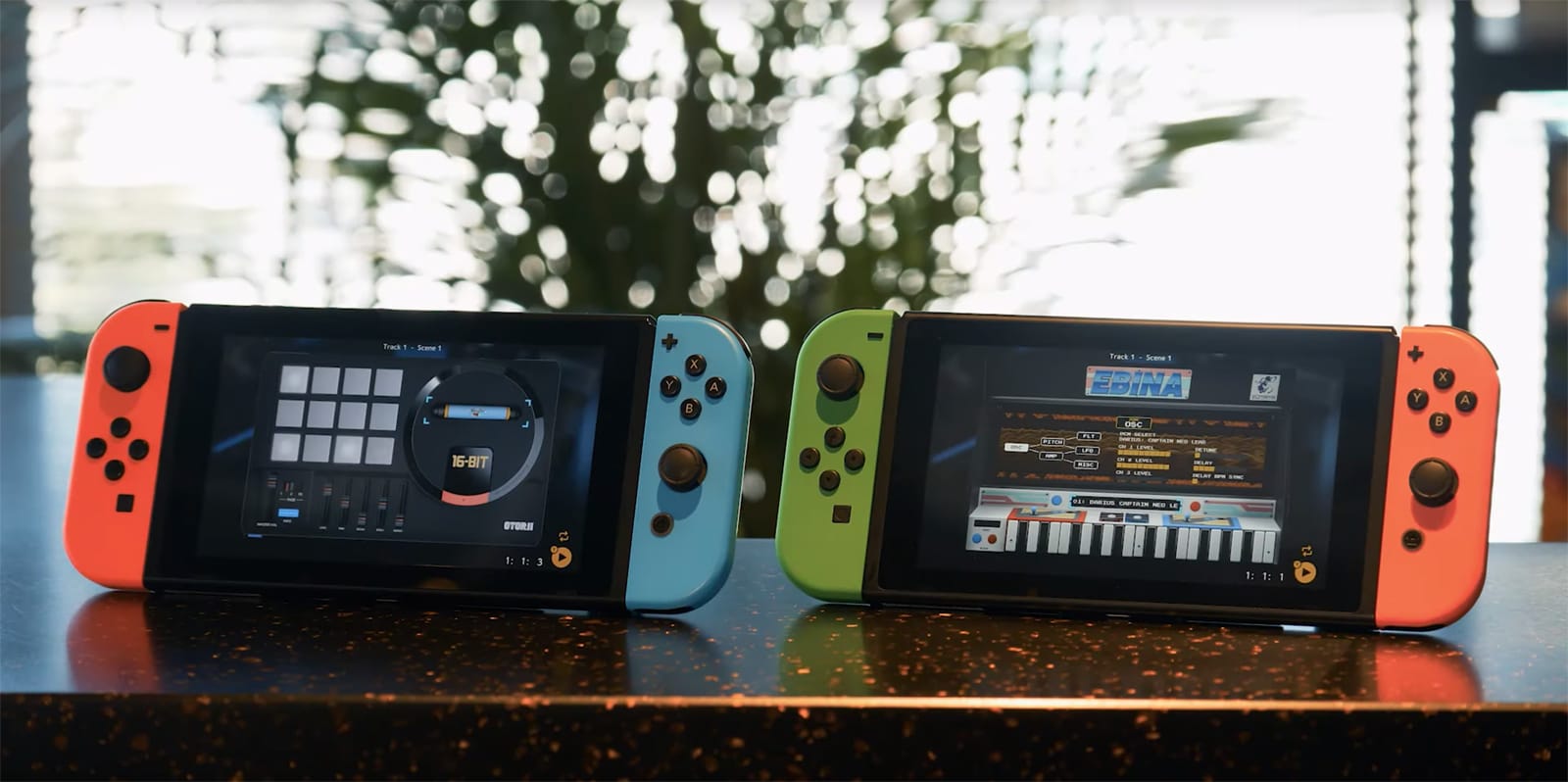
Korg’s music-making Switch app offers Genesis and Taito game sounds
Professor convicted of sending US missile chip technology to China

Mozilla preps its ad-free news subscription service for testing

GM’s self-driving unit is close to receiving a $2.25 billion boost

‘Gears 5’ multiplayer test starts July 19th

7-Eleven Japan’s weak app security led to a $500,000 customer loss

Huawei is helping all the UK’s top carriers build their 5G networks

Watch VW’s electric race car smash a 20-year-old Goodwood record (updated)

The surprising story behind the Apple Watch’s ECG ability