How to Improve Productivity: 6 Lessons from Great Software

Well-written software applications are fast, powerful and flexible: They are remarkably disciplined, following a rigid set of self-imposed rules. Their meticulous organization allows them to keep track of millions of bits of information, and their multitasking ability is unmatched. As air breathing, flesh-and-blood work processors, we could learn quite a bit from our binary-based brethren.

Make yourself accessible

These days, software applications of all shapes and sizes are spawning peripheral programs to enable use on a smartphone, browser or home computer. It seems that every software publisher is scrambling to create iPhone, Blackberry and Droid apps that allow their users to connect from just about anywhere.

You should make yourself similarly accessible. This doesn’t entail staying in the office 24 hours a day, but it does mean leaving an avenue for contact when you’re away. Have faith that your coworkers will respect your working (and nonworking) hours. You might also want to think twice about shutting your office door for hours at a time; that would make you quite inaccessible.

Recover gracefully from a crash

Even the best computer programs (and the best workers) have a meltdown once in a while. Once an irreversible breakdown or a grave mistake happens, the best thing to do is recover gracefully. For a computer program, this would involve resetting, running diagnostics, and checking settings. For you, it might mean taking a step back from the current catastrophe, salvaging what you can, ensuring it doesn’t happen a second time, and proceeding mindful of the cause. If your software is learning from its mistakes, you should certainly be learning from yours.

Don’t hog resources

Poorly-written programs take up unnecessary amounts of memory and processing power. Selfishly, they assume that there are no other operations running and no better use for those resources.

The same can be said for a worker who needs large budgets, multiple meetings, and a lot of coworker’s time to complete some basic, straightforward projects. They ignore the bigger picture, “tunnel-visioning” on the task at hand and sacrificing efficiency in the process. The successful (and inefficient) completion of a project feels very satisfying to the resource hog. You can’t blame them; it always feels good to finish an enormous, multifaceted project. But, not all projects have to be huge, and some can get unnecessarily bloated with milestones, meetings, approval stages and benchmarks.

Swatting a fly with a sledgehammer can certainly feel satisfying, but it’s not good work. Don’t be a resource hog; instead, be a lean, lightweight, high-performance machine.

Update frequently

A good piece of software is continually updated with new fixes and features to keep customers happy. New software is always coming out, and if it’s conceived carefully, it will target the weaknesses of currently available programs and try to trump them.

Just like the steady stream of software coming from Silicon Valley, there are annual floods of fresh graduates coming out of local colleges and training programs, armed with the latest and greatest capabilities. You may have the edge of experience, but you’ll need some “updates” to stay competitive.

If you’re have a weakness at work due to a missing skill set or an unfamiliarity with a nascent part of your industry, don’t just shrug it off. Find a book, website or podcast that covers the missing information, and integrate it into your workflow. Then, next time your group is looking for “updates” (the kind announced at group meetings), make it known that you’ve addressed a weakness or acquired a new feature within your own programming. Your “users” will certainly appreciate the added value in your “bug fixes” and “new features.”

Be “User-Friendly”

Users will always encounter errors with their software; the handling of such errors is what dictates the program’s “user-friendliness.” Even widely-used programs have indecipherable, frustrating unfriendly errors:

“An unexpected error has occurred while processing this request.”

This kind of nondescript, vague message borders on useless, and makes the software look bad. Friendlier programs will be as helpful as possible in getting you on the right track:

“Oops. It looks like you don’t have room on your computer to install this. You may need to remove some files and/or programs to free up disk space.”

Similarly helpful (and similarly unhelpful) messages can come from humans: If you’re unable to do what’s asked, would you send your users a vague, frustrating response? If you’re truly “user-friendly,” you’ll be as clear as possible in explaining what’s stopping you from running your usual routine. People occasionally accept malformed, incomprehensible errors from computers, but they’ll rarely take the same from a human being, as we’ve discussed in these commumication tips.

Work well with others

Compatibility used to be a “nice to have” feature, but now it’s essential for any application. Nearly every software program released today comes with an “Application Programming Interface” (API) that allows it to deliver it’s results to other applications. Programs that lack an effective means to deliver their work to other mediums usually they get phased out by a program that “works well with others.”

To avoid getting phased out yourself, take care to interface well with your fellow carbon-based co-workers. Some have their own organizational systems that involve file names, email subject lines, and carefully-planned schedules. Accommodate their self-made systems; if you deliver the work exactly the way they’d do it themselves, they’ll love the new You 2.0.

Follow through on these 6 lessons, and unlike a computer programn, you may find yourself avoiding obscolesence.

50 Fascinating Examples of Sequence Photography

Sequence photography is the technique of shooting a series of images where the subject is captured in successive motion. When creating a sequence photo, all the action is combined into one layered image in post-processing. Today we have collected 50 impressive examples of sequence photography, along with a couple of tutorials to help you achieve the same effect!

Daan Hegt – 360 Topsoul 540 Out by thijstel

mee.. by KoDaK

meee!! by KoDaK!

Sequence photography by Guillermo Orjuela

Eric – X by Bojd

Dirt Carency 360° Sequence by charly robert

riverrock 51410_0448 compb by sandy’s dad

de feu by steven -l-l-l- monteau

redoooo… by KoDaK!

Porcelain by Sion Bourne

Arabian Flip by Nikita Sabotage

DSC_5354 copy by paul keppel

sopita sequence by Mikelo

Lancelin Dunes – Whip Sequence by Photocaro

Windsurf jump sequence by blindrider

BS 360 Mute Sequence by nofreename

Mike in sequence by tiger_tim_2000

us_open-11 by jpclover

Greggins Jumping green water by I voted for Kodos

séquence backmobe by loic2co

Pitch_1 by Tatersmasher

Jordan by mr.ainsworth

waterjump by Edmunds Brencis

stonegate quarterpipe by ta-graphy

Jump Compilation by CarlJberg

0525 by P. Koskela

Pastrana’s Red Bull No Limits Jump Practice by blockwood.bnqt.com

Cliff diving by deluxe_pictures

Pitching by Johnny Tirita

Frog by Evano Gucciardo

justin pitching series by danbdancin

Swing Motion by Graham_CS

Sequence Summer Jump by ArtDZ

long jump series by danbdancin

Felix FS 180 down Garfunkels 7. by Pete Gamlin

Marmot Basin by amytheblue

Greg Backflip into the pool by Jordan Cantelo

Tobogã – Sequência by HenriqueFaria

Volei platja by FerranMat

Antony falls over on the beach by Karlith

Ski sequence by Carlos MJ

Nan nan is the coolest dude ever by Catherine Ryan

Jude and her six sisters… by Catherine Ryan

Drew(s) by captainhook1183

paso de los ciervos by Mikelo

Sequence by sk8mama

hollywood 11610_0057 comp by sandy’s dad

Phil on ‘Stab in the Dark by Enlightened Fellow

Josh Varial Heel Skateboarding Sequence by dmourati

Backflip Sequence Shot by R.V.J.A.


Tutorials

If you’re wondering how on earth to achieve this effect, never fear. Here are three tutorials that will get you on track for producing a brilliant outcome:

  1. Multiplicity Photography Tutorial
  2. How to Create a Radical Photo Sequence
  3. How to shoot a sequence photo – Red Bull Illume 2010

Have fun, thanks for reading, and be sure to share your results (or any other, similar effects) in the comments below! I’m looking forward to seeing what you come up with.

10 Awesome New Premium WordPress Plugins from CodeCanyon


As part of our massive CodeCanyon push this year, I’m pleased to announce that we’ve launched not one, but two awesome new categories. The new CSS category features everything from incredible pricing charts, to buttons, to entire frameworks; while the WordPress plugins category is quickly on its way to becoming the premier location for purchasing premium plugins on the web. In fact, I’m betting that we’ll be there by the end of the year!

Today, I’d like to show you the first ten new premium WP plugins available on CodeCanyon.

1. Events Calendar Pro

Events calendar pro

The Events Calendar Premium plugin for WordPress enables you to rapidly create and manage events using the post editor. Features include Google Maps integration as well as default templates such as a calendar grid and event list for streamlined one click installation. Check out the full screencast here.

2. DDSlider WP

DDSlider WP

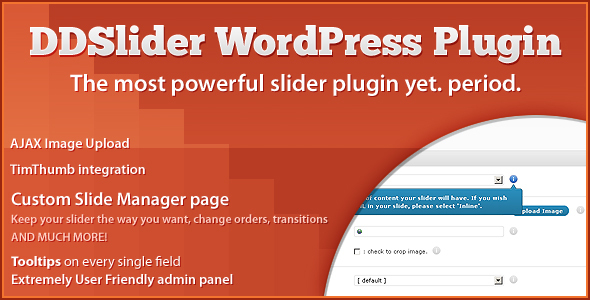
DDSliderWP features EVERYTHING that our jQuery plugin already offered PLUS a custom admin panel, with total management of slides.

3. jGallery

jGallery

This WordPress Gallery Plugin gives you a simple and extremely customizable way to create a gallery on any post or page. You have the option to use widgets or shortcodes to insert your custom gallery into your web site. As well, the look of your gallery is fully customizable through the WordPress admin interface.

4. Twitter Widget Pro

Twitter Widget Pro

If you own just one twitter plugin for WordPress, let it be this one! The only premium twitter plugin out right now – with support for multiple twitter users and includes a ton of premium options. This is the last Twitter plugin you’ll ever need! Check out the full screencast here.

5. WP-Membership

WP-Membership

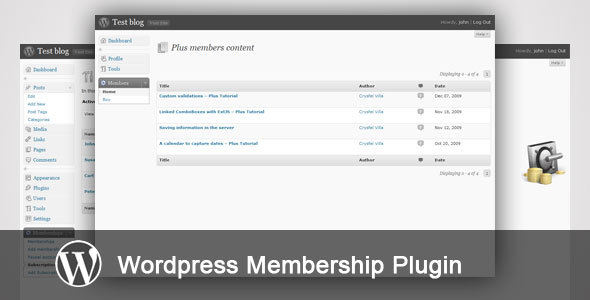
This is a WordPress plugin that helps you sell your content; you only need to install the plugin, create a category for your private content, setup the prices of your memberships and your Paypal account. Don’t hesitate and purchase it today.

You can easily select the posts you want to sell, manage the memberships you acquire and is fully integrated with Paypal. All you have to do is activate the plugin, setup your memberships and your Paypal account.

6. WordPress Owit

WordPress Owit

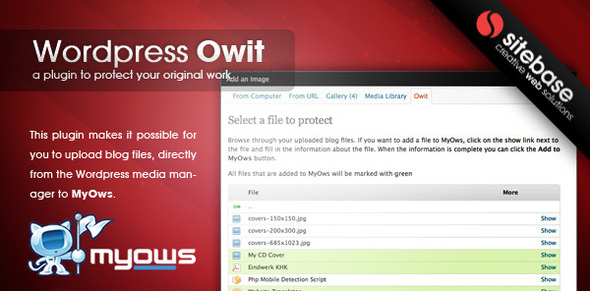
This plugin makes it possible for you to upload blog files, directly from the WordPress media manager to MyOws.

7. WP Auctions

WP Auctions

WP Auctions is a plugin that enables you to host auctions on your self hosted WordPress powered blog or website.

8. All Tagged Up: Automated Post Tagging

All Tagged Up: Automated Post Tagging

Simplify your WordPress posting workflow with our automated WordPress post tagger!

Why stumble around trying to determine what keywords from your post(s) are best for getting some extra Search Engine Optimization; while you can let All Tagged Up do the work for you.

9. Extended Google Analytics for WordPress

Extended Google Analytics for WordPress

It’s never been easier to add Google analytics and event tracking to your websites. This in combination with a campaing url generator tool makes a powerfull WordPress plugin to get the most out of Google Analytics.

10. WordPress Deposit System

WordPress Deposit System

This deposit system enables your users to deposit money in their accounts.


But there’s always room for more — and this is a category that will grow in leaps and bounds over the course of this year. If you’re a ninja WordPress dev, and want to start profiting from your hard work, be sure to become an author on CodeCanyon, and get started!

An Introduction to Cookies


You might have heard about cookies, but what exactly are they and what can we actually do with them? In this tutorial, we will focus on the basics of cookies, and learn about their functionality in various web application and site environments. We will also learn how to use them within our PHP and JavaScript projects, while paying particular attention to security issues that might arise when using them. After reading this, you’ll have acquired the necessary skill set to implement cookies safely into your own web applications.


Step 1. Understanding Cookies

The first step on our journey is to discovered just what these cookies actually are! Even if you have already worked with them, you might still find this part quite useful – so stay with me!

Abstract

You can most easily think of cookies as text files, which are saved to your computer. On the request of a webserver, your browser creates such a file. After this happens, the webserver can read and write content from and to this file. Although this seems like a dangerous feature – after all, no one likes other people writing files to their computer, there are a few restrictions in place to make this process as safe as possible.

  • Web servers can only access cookies which are set to their own domain. This domain is set by the browser when a new cookie is requested by the web server, and can only be the domain or a subdomain of the web server (the web server can choose a subdomain if it wants to). This means that cookies which were set by, for example, google.com can’t be read by mozilla.com, and vice versa.
  • According to the HTTP protocol, cookies can’t be larger than 4096 Bytes (4KB) each.
  • There is a limit to the number of cookies per domain. The number differs per browser, however, the generally used limit is twenty cookies. This is to prevent a single domain from hogging the disk space of the client.
  • There is a limit to the total number of cookies on the client’s harddrive. This number also differs per browser, but is usually limited to around three hundred cookies. When this number is exceeded, an older cookie is deleted before a new one is created.

Cookies have an expiration date. This date is set so the browser can delete old cookies when they are no longer needed by the webserver. If the expiration date is empty, the cookie will be deleted when the connection with the server is closed. This occurs when the site’s window or tab is closed by the user, or when the user closes the entire browser. These cookies, sometimes called session cookies, are mostly used for storing temporary settings.

Technical

Let’s find out what these things look like on a technical level. Cookies are transfered via the HTTP protocol. This is the protocol used by browsers to retrieve and send files to the server. After a cookie has been requested, it is sent to the server every time a new item on the web page is fetched by the browser. Below, we can see a snippet of a server requesting a new cookie (this snippet is a part of a HTTP response).

Set-Cookie: Name=content data; expires=Fri, 31-Dec-2010 23:59:59 GMT; path=/; domain=.example.net

Now don’t get scared, it’s all very understandable!

  • Set-Cookie: is to let the browser know that the server would like to create a new cookie.
  • Name is the name of the cookie. Each cookie in a domain must have a different name, so the browser can keep all the cookies apart. After the name comes the =content data where ‘content data’ is the data which is to be contained in the cookie. This data can be a text string or a number, and, as said, can be up to 4KB in size.
  • expires= is the command for the expiration date. The expiration date is in the “Wdy, DD-Mon-YYYY HH:MM:SS GMT” format (Don’t ask me why it was defined to this rediculous format, because I don’t know either. No user ever sees the expiration date, so why waste memory, hard disc space, and bandwith on long dates?). Don’t worry about it though, because most programming languages have easy to use functions available to you. The browser automatically deletes cookies with an expiration date in the past.
  • The domain and path require some deeper explanation. The domain is the domain in which the cookie will be active. If the domain is ‘ads.google.com,’ the cookie will only be sent to the server of that domain, and if the domain is ‘google.com,’ the cookie will be sent to any server of any of the subdomains of Google, including google.com itself.
  • The path is the path of the domain to which the cookie is sent. This means that, if the path is set to ‘/images/,’ and the domain is set to ‘ads.google.com,’ the cookie will only be sent to the server if the browser requests a file from ‘ads.google.com/images/’. If the path is set to ‘/’, the cookie will be sent to the server regardless of the location of the requested file on the server.

In the next step, we’ll review how these properties can be used in programming languages.


Step 2. How to Create and Read Cookies

Cookies can be created in many ways, but, for the purposes of this tutorial, we will focus on PHP and JavaScript.

PHP

The most important thing to remember, when creating a cookie in PHP, is that you must set all cookies before you send any data to the browser. This means that you should always initialise new cookies before any output. This includes echo() or print() commands, and the <html> or <body> tags. Of course, there are some exceptions, but this is a general rule of thumb.

<?php
/***Creating a cookie***/
$name = 'clientname';
$value = 'Peter Griffin';
//time() gives current time in seconds, and we add 60 seconds * 30 = 30 minutes
//so this cookie expires in 30 minutes.
//You may notice that the expire date is in seconds, PHP translates this to
//the correct format internally!
$expireDate = time() + 60 * 30;
$path = '/example/';
$domain = 'test.envato.com';
$secure = false; //only transmit the cookie if a HTTPS connection is established
$httponly = true; //make cookie available only for the HTTP protocol (and not for JavaScript)
setcookie( $name, $value, $expireDate, $path, $domain, $secure, $httponly);

<html>
.... //all content etc goes here
?>

This should seem familiar by now, except for $secure and $httponly. The ‘secure’ is to force the cookie to only be sent if an HTTPS connection has been established, if set to true, and should normally be set to false. The ‘httponly’ makes the cookie only available through the HTTP protocol, meaning that client-side languages, like JavaScript and VBscript, can’t access the cookie. This helps to prevent nasty stuff, such as Cross Site Scripting, and should be set to true if you have no intentions of editing the cookies client-sided with a language like JavaScript. Also, to prevent misconceptions, “httponly” does not mean that cookies can’t be sent over HTTPS, because they still can, in fact. However, please do note that the above snippet can be made quite smaller (and should be):

<?php
setcookie( 'clientname', 'Peter Griffin', time()+60*30, '/example/', 'test.envato.com', false,true);
?>

Great! Now we can create cookies, but we have to be able to read them as well. Luckily for us, PHP makes this very easy once a cookie has already been created. In PHP, there’s an environment variable called $_COOKIE[], which can be used for extracting the value of the cookie. To use it, just insert the name of the cookie inside the brackets [] like so:

<?php
$cookieValue = $_COOKIE['name of the cookie'];
?>

This environtment variable can be used like any other. Just like $_GET[] and $_POST[], it can be treated directly as a normal variable (once you have checked if the cookie does indeed exist ofcourse) if you want to.

If you want to alter the expiration date, path, or domain, you have to overwrite an existing cookie with setcookie() using the same name as the original cookie. If you alter the expiration date to be in the past (time()-30*60 for instance), the cookie will be deleted.

JavaScript

Cookies can be read and written client-sided as well. Even though JavaScript doesn’t offer a nice solution to read and write cookies, it is possible and widely used. JavaScript uses the document.cookie object for cookie manipulation, as shown in the following snippet:

//get current date
var expiredate = new Date();
//increase date by 5 hours
expiredate.setHours( expiredate.getHours() + 5);
document.cookie = ''cookiename=cookievalue; expires=" + expiredate.toUTCString() + "path=/example/; domain=test.envato.com";

As you might have noticed, this syntax is quite similar to the HTTP protocol notation. This has the advantage of being more in control, but also introduces some potential problems. Below is the <painful> snippet for reading a cookie.

var cookieName = 'testcookiename';
var textArray = document.cookie.split(';'); //put all the parts of the string in an array
for(var i = 0; i < textArray.length; i++){ // loop though all string pieces
var textPiece = textArray[i]; //contains 1 string piece
 //filter beginning spaces
while(textPiece(0)==' ') textPiece = textPiece.substring(1,textPiece.length);
//if the textpiece contains our cookies name
if (textPiece.indexOf(cookieName)== 0){
 //return whats after the cookies name
return textPiece.substring(cookieName.length,c.length);
}
}

I know, I know; this is a pain. Luckily for you guys, I’m posting some pre-written functions below (you might want to make your own functions for learning purposes though, and you should!).

function writeCookie(cookieName, cookieValue, expireHours, path, domain){
var date =  new Date();
date.setHours(date.getHours + expireHours);
document.cookie = cookieName + '=' + cookieValue + '; expires=' + date + '; path=' + path + '; domain=' + domain;
}

function readCookie(cookieName){
var textArray = document.cookie.split(';');
for(var i = 0; i < textArray.length; i++){
var textPiece = textArray[i];
while(textPiece(0)==' ') textPiece = textPiece.substring(1,textPiece.length);
if (textPiece.indexOf(cookieName)== 0) return textPiece.substring(cookieName.length,c.length);
}
}

Please do bear in mind that these snippets don’t contain any error checking.


Step 3. What to do with Cookies

Did you know? –
Cookies were invented by Netscape, which wanted to use them for creating a shopping cart for an online shop. Thanks to cookies people were able to keep items their cart, even after disconnecting from the shop.

Nowadays, we use cookies for almost every purpose you can think of. You can use them for saving user settings like name, language, location or screen size. This can improve the quality of the service you want to provide for a client, because you can optimize the service for a client and remember this optimization in the future. For instance, you could save the client’s preferred language to a cookie, and, afterward, show your site’s content in the preferred language every time the client visits your site.

Of course, there are plenty more fun things to do with cookies than this! In the next step, I’ll show you an example of a cool code snippet.


Step 4. Writing Cool Stuff

Finally! Now we can start writing some awesome code! Below is a bonus snippet, which uses cookies to create a relogin mechanism.

“Remember me” login snippet

Before we begin, this snippet contains some MySQL code. If you’re not familiar with MySQL, don’t panic. Even though this snippet is a bit difficult, it should be understandable with a bit of basic PHP and cookie knowledge.

To create a “remember me” implementation, we must have a few things. Firstly, we need a database table containing a username, password, and identification field. Secondly, we need a unique string or number to identify clients safely through cookies (this is the identification in the database table). In this snippet, we’ll use an SHA-1 digest, which is just a string, as an identifier. When used properly, this provides excellent security.

Most people just insert a username and password in the cookie, and send it to the server to automatically. This should be avoided at all times! Cookies are usually sent through a non-secure connection, so the content could easily be seen by any potential attackers.

<?php

//this assumes that the user has just logged in
/****Creating an identification string****/

$username; //normally the username would be known after login

//create a digest from 2 random values and the username
$digest = sha1(strval(rand(0,microtime(true)) + $username + strval(microtime(true)); 

//save to database (assuming connection is already made)
mysql_query("UPDATE users SET reloginDigest="'.$digest.'" WHERE username="'.$username.'");

//set the cookie
setcookie( "reloginID', $digest, time()+60*60*24*7,'/', "test.example.com', false, true);

//this assumes that the user is logged out and cookie is set
/****Varifying users through the cookie****/

$digest = $_COOKIE["reloginID'];
$digest = mysql_real_escape_string($digest); //filter any malicious content

//check database for digest
$result = mysql_query("SELECT username FROM users WHERE reloginDigest="'.$digest.'"');
//check if a digest was found
if(mysql_num_rows($result) == 1){
	$userdata  = mysql_fetch_object($result);
	$username = $userdata->username;

	//here you should set a new digest for the next relogin using the above code!

	echo "You have successfully logged in, '.$username ;

} else{
//digest didn't exist (or more of the same digests were found, but that's not going to happen)
echo "failed to login!";
}

?>

By using a digest like we did, the chances of getting two of the same digest is miniscule. A digest is a forty character string, which, in theory, should always provide a complete random ouput if the input is changed. In practice, you should add a time limit in the serverside code, so that the digest isn’t valid after X minutes. This prevents attackers from copying someone’s cookies and using them to login.


Step 5. Best Practices

We’ve almost reached the end of this tutorial. As a conclusion I would like to sum up some best practices:

  • Never insert sensitive data into a cookie. A client could be browsing on a public computer, so don’t leave any personal information behind.
  • Never trust data coming from cookies. Always filter strings and numbers! An attacker could write malicious data to the cookie in order to do something you don’t want your service to do.
  • Try to estimate how long the cookie should be valid, and set the expiration date accordingly. You don’t want to hog the client’s computer with old cookies which are set to expire in a hundred years.
  • Always set the secure and httponly to meet your application demands. If your application doesn’t edit the cookies with JavaScript, enable httponly. If you always have an HTTPS connection, enable secure. This improves the data’s integrity and confidentiality.

Conclusion

I hope you’ve learned a bit from today’s Nettuts+ tutorial. If you have any questions, feel free to leave a comment or say hi on Twitter.


Dive Into A HUD Diver Mask Animation – Day 2

This 2 Part Tutorial aims to show various techniques used to create an imaginary hi-tech divers mask, as seen from the divers viewpoint.

In Day 2, the bubbles caused by the diver breathing will be simulated and then the final task will be to bring in the graphical elements and treat them to look like light projections on the inside of the mask.

The same effect was used on three variations of the same teaser advert, in May 2009, when the company I work for, Character Options, launched a brand new range of Military based action figures.

Thanks also go to the team at Mark TV in Italy, who did an amazing job building the sets and shooting the commercials.


Tutorial

Download Tutorial .flv

File size 116MB


Exclusive Freebie Pack – Grunge Textures


We have a new set of vector illustrations available exclusively from Vectortuts+ as freebie for anyone to download. Crafted by Stefan Surmabojov, you will find a great selection of vectors in this set depicting grunge textures. These designs are perfect for adding an edgy look to your designs. Learn more at the jump!

Continue reading “Exclusive Freebie Pack – Grunge Textures”

How to Create a Live Performance Rig in Logic Pro – Part 3 – Audio Premium

In this week’s Audio Premium content, Toby Pitman concludes his very detailed and helpful series on creating a live performance rig in Logic Pro.

To learn more about what you get as part of Audio Premium, read this. To take a peek inside this tutorial, hit the jump!

“In the final part of this tutorial we’ll look at how to simulate a ‘Stutter’ effect on the fly using only Logic Pros native plugins. This technique is a combination of the methods used in parts 1 & 2. We’ll essentially be triggering the effect using chunks of automation embedded into regions and triggered via a key using Touch Tracks.”

The tutorial also includes 45 minutes of screencasts which can be downloaded separately.

Table of Contents

  • Setting Up The Stutter Track
  • Using Control Data To Trigger Sends
  • Assign The Effect To Touch Tracks
  • Muting The Output
  • Applying The Stutter Effect
  • Adding Another Stutter Effect
  • Finishing Up
  • Conclusion

What’s included?

  • Project Files
  • 3 Video Walkthroughs (Quicktime)

Existing Premium members can log-in and download. Not a Plus member? Join now.


Workshop #85: Future and Past by Jarin Bressler

At Audiotuts+ we irregularly put up a reader track for workshopping and critique (find out how to submit a track). This is how it works: you upload your song, and every week or so we’ll publish one here and step away from the podium. The floor is yours to talk about the track and how the artist can fix problems in and improve upon the mix and the song.

This track has been submitted for your friendly, constructive criticism. They have put their track (and their heart and soul) in your hands to learn and get useful feedback.

  • Do you enjoy the song or track itself? Does it have potential?
  • Can the arrangement be improved?
  • How did you find the mix? What would you do differently?
  • What do you enjoy about the rhythm track? What can be done to improve it?
  • Is the choice of instruments relevant and effective for the style/song?
  • Are the lyrics (if any) effective? Does the style, arrangement and genre of the song suit them?
  • Can you suggest any specific techniques that might improve the track?
  • Do you have any other constructive feedback?

Future and Past by Jarin Bressler

Description of the track:

A project that I have been working on for a while now, and I would appreciate some feedback, especially on the drum beat. I feel as though I am lacking in the drums, and I need ideas or thoughts on how to mix them better, and or use Ultrabeat in Logic to my advantage. Any other comments are greatly appreciated.

Download audio file (FutureandPast.mp3)

Terms of Use: You can stream the track as much as you want. :)

Have a listen to the track and offer your constructive criticism for this Workshop in the comments section.


Submit Your Tracks for Workshopping

Need constructive criticism on your own tracks? Submit them using this form.


Open Mic: Tell Us About the Tuts You’d Like to See on Audiotuts+

In our recent survey most of you let us know you’re very happy with the site. Thanks! We’d like to keep it that way. What topics would you like covered in tuts in the future?

Each Tuesday we open our mic to readers and lurkers alike to come out of the woodwork and tell us your thoughts and opinion, your experiences and mistakes, what you love and what you hate. We want to hear from you, and here’s your chance.


What specific topics would you like to see covered in tutorials? Do you prefer written tuts, screencasts, or a mix? And what general areas would you like to see covered: DAW techniques, music theory, how to play an instrument, how to create specific sounds, how to make money with music, something different? Do you have any other suggestions? What can we do to keep you happy and make your day?


Should You Upgrade WordPress? 4 Guides to WordPress 3.0

WordPress 3.0 is out with a batch of new features and improvements that take it closer to being a content management system rather than a blogging platform. If you’re wondering if it’s worth the trouble of upgrading or switching from another platform, here are four resources that can help you make up your mind:

1) WordPress 3.0: The 5 Most Important New Features

Mashable has a strong guide to its new features.

2) 8 New Exciting WordPress 3.0 Features

Alex Bor focuses on eight improvements and how to use them in your site.

3) What Did You Like In WordPress 3.0?

Keith Dsouza isn’t so sure it’s all that and a bag of chips. He doesn’t have a review yet but there’s a pretty spirited discussion of the new version in the comments.

4) WordPress 3.0 “Thelonious”

The official WordPress announcement of what you can do.

What would you like to see work better in WordPress?

Have You Upgraded To Windows 7?

While going through the comments on “Which OS Do You Use?”, I found that many of our readers are still stuck with Vista for some reason.

I noticed many of you using Mac and Linux. Both of them are great, no doubt. But Windows 7 Professional isn’t bad either. It has got rave reviews from the tech community, and both XP and Vista users are recommended that they upgrade to it.  But endorsements may not matter all that much, considering that many who did upgrade to Vista when XP was still holding down the fort have had considerable frustrations.  Unlike with Vista, however,  the recommendations this time around are a bit more widespread – and positive.

Some time ago over at Dumb Little Man, I wrote two articles on why you should switch to Windows 7 and check before upgrading. Check them out and then tell us here if you still have a reason to use Vista or XP.

What’s Your Workout Routine?

Keeping on top of your game both at work and in life is a real challenge; you can’t stay super-productive if you’re super-exhausted.  It just won’t happen.

This is where having a workout routine comes into play.

It’s called a “workout” for a reason – it’s work.  You have to treat it as such.  If you didn’t show up for work when you were scheduled, you’d have to face the consequences.  Same goes with working out.  Both set of consequences could spell long-term trouble for you.

Freelancers may have an easier time consistently working out – they generally have a strong sense of self-discipline to call on and keep them honest.  That said, they may be “too busy” to do a regular workout.  Those who work at the office 9 to 5 will use the same excuse – or bring up plenty of others that fit the bill.

A site I like to check out for fitness tips is NerdFitness – and it’s fitting that the creator of the site, Steve Kamb, took the plunge this week by quitting his “safe” job to focus solely on the site.  He’s got the goods to make it all work, too.

So, what’s your workout routine?  What are your favorite sites to get fitness tips?  Let us know in the comments.

Quick Tip: Multiple Borders with Simple CSS


Did you know that we can achieve multiple borders with simple CSS, by using the :after amd :before psuedo-classes? This is something I recently learned myself! I’ll show you how to add more depth to your designs, without images, in just a few minutes.


Final Code

<!DOCTYPE html>

<html lang="en">
<head>
	<meta charset="utf-8">
	<title>Multi-Borders</title>
	<style>
		body { background: #d2d1d0; }

		#box {
			background: #f4f4f4;
			border: 1px solid #bbbbbb;
			width: 200px;
			height: 200px;
			margin: 60px auto;
			position: relative;
		}

		#box:before {
			border: 1px solid white;
			content: '';
			width: 198px;
			height: 198px;
			position: absolute;
		}

		#box:after {
			content: '';
			position: absolute;
			width: 196px;
			height: 196px;
			border: 1px solid #bbbbbb;
			left: 1px; top: 1px;
		}
	</style>

</head>
<body>
	<div id="box"></div>
</body>
</html>

In short, any browser that supports the :before and :after psuedo-elements (all major browsers) can take advantage of this effect. Of course, there are alternatives, including the use of box-shadow, as well as adding additional mark-up to the page; however, this is clean solution that you should definitely consider. Thanks for watching!

iPhone 4 Could Propel Apple to 100 million users

It is no secret anymore that Apple is shattering pre-sales records with the new iPhone. Apparently, more than 600,000 phones have been ordered in just one day. What is much more interesting, are the forecasts just how far this new phone can go. Morgan Stanley’s Katy Huberty thinks Apple may be able to expand its user base to 100 million iPhone owners and users. She believes that about 42 million fourth-generation iPhones could be sold by the end of the year.

We know that Huberty is usually among the more optimistic analysts – especially since her rather controversial iPad sales predictions, but even if she is slightly off, those numbers are huge. Huberty thinks that the iPhone 4 is attractive enough so that Apple can triple its user base within 18 months. That should have some impact on its market share which is currently just above 5% of the entire cell phone market, according to Gartner.

So what does that mean for application developers? Obviously that’s good news as the market expands and iPhone/iPad users are getting more and more used to how those apps of a smartphone or tablet work. However, there is another statistic out by ABI Research, which now says that, by 2015, some 1.2 billion apps will be downloaded (Overall, not just Apple). We are not quite sure where that number exactly comes from, especially since ABI quotes the most recent number of more than 200,000 available iPhone apps and we also know that Apple said earlier this year that more than 3 billion apps have been downloaded within 18 months of the launch of the AppStore.

ABI believes that competition will play a role in available apps and app sales and therefore says that downloads will peak sometime during 2012 and 2013. The market research firm noted that there are many apps that do not provide much value. Neil Strother, practice director at ABI, explained: “When considering the value of mobile apps as marketing tools, planners need to take a step back from all the hoopla and ask themselves, ‘How will those work for my brand? Is it right for me? What is my audience doing? Do I even have a large mobile audience? If so, how do I craft an effective strategy?’”

So yes, while we have a tough time finding a way to back up ABI’s numbers, we do agree that app strategy absolutely matters if you are trying to come up with a successful app.