
Category: Tutorials
Tutorials,freelance,projects,joomla,php,mysql,wordpress,blancer.com
Amazon’s ‘Lord of the Rings’ team includes ‘Breaking Bad’ and HBO alumni

RED teases mysterious, compact Komodo camera

FCC offers early peek at Samsung’s Galaxy Watch Active 2

Tesla will add Netflix and YouTube streaming to its cars

Amazon renews rescued sci-fi series ‘The Expanse’ for fifth season

Two more unannounced iPads turn up in Apple filings

Hitting the Books: Modern surveillance and ‘the science of happiness’

Ask Engadget: Should I buy a laptop or a 2-in-1 for school?

20+ Attractive (Eye-Catching) Resume (CV) Templates With Stylish Aesthetics
Your resume is the most important document when it comes to your job search. That’s why you need a great resume that not only lists the important information, but also has an attractive design.
An attractive, eye-catching resume will help highlight your skills and land you the job you’re looking for. It’ll make you stand out among hundreds of other applicants, which increases your chances of getting called for an interview.

Designing an attractive resume is easier than ever nowadays, thanks to premium resume templates that already have all the necessary elements in place.
You can find a wide variety of stylish resume templates on Envato Elements. Or, look for eye-catching resume templates on GraphicRiver.
Find Beautiful & Attractive Resume Templates in Envato Elements
Envato Elements is one of the best choices when it comes to finding a marketplace full of beautiful and attractive resume templates. You’ll find plenty of different resume designs with stylish aesthetics that can be used for any type of job.

What’s even better, you can download as many stylish resume templates you need so you can use a different resume for each job you’re applying for. You’ll also find other design elements such as fonts, which you can download and use in your resume to create an attractive and eye-catching resume design.
Modern & Awesome Resume Template Designs From Envato Elements
Take a look at some of our attractive and eye-catching resume templates that are available for download on Envato Elements. You’ll find resume and CV templates suitable for any job industry that requires beautiful and modern designs.
1. Attractive Resume Designer – Modern Resume Template

The first template on the list features a modern and bold design suitable for any type of job application. It comes complete with a cover page which you can use as a portfolio, a one-page resume, and a matching cover letter. The template can be customized in InDesign and you can easily change fonts, colors, and upload your own images thanks to image placeholders.
2. Modern CV and Resume – Eye-Catching Resume Template

The Modern CV and Resume template features an attractive, black and white design. You’ll get a two-page resume template, which is perfect for when you’ve got a lot of experience or need to provide more details about previous work history. The template can be customized in Photoshop and Illustrator.
3. Resume Vol 52 – Creative Visual Resume Template

If you’re looking for a creative resume that’s sure to make you stand out, check out the Resume Vol 52 template. This template includes a colored sidebar so your contact and personal details stand out from the rest of the resume. You’ll be able to easily customize the template with InDesign.
4. Resume – Attractive and Beautiful Resume Template

This attractive and beautiful resume template features a clean and elegant design. You can edit it using InDesign as well as Word and the template includes a one-page resume with well-organized layers and predefined paragraph styles.
5. Resume – Awesome Visual Resume Template

The Resume template is an awesome visual template that comes with a cover page, one-page resume, and a matching cover letter. The template has easily identifiable sections and you can customize colors, fonts, and other elements of the resume using Photoshop.
Envato Elements (Design Without Limits)
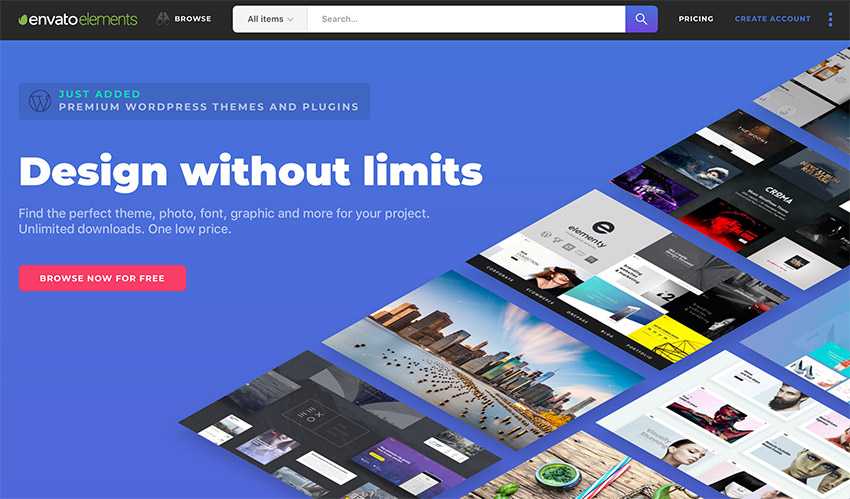
Envato Elements has a very compelling offer: for a low monthly fee, you get access to thousands of design elements, including attractive resume templates that you can download and use as many times as you’d like.
That’s right! Each item can be used in an unlimited number of projects and there are no limits to the number of design elements and assets that you can download.

However, if you prefer buying attractive resume templates on an individual basis, be sure to check out our collection of eye-catching resume templates on GraphicRiver.
Find More Attractive Visual Resume Templates on GraphicRiver
GraphicRiver is another popular marketplace where you can find beautiful and modern resume and CV templates. If you only want to buy a single resume template, GraphicRiver is an excellent choice.

Take a look at our best-selling, visual resume templates from that marketplace.
1. Simple Attractive Resume CV – Modern Resume Template

This simple and attractive resume and CV template can be edited using Photoshop. It includes a one-page resume as well as matching a cover letter. The template includes two layout styles and two color options. You can easily customize them to match your preferred color scheme.
2. Resume – Contemporary Resume Template

Try this resume template if you want a contemporary and elegant look. The template includes four files, which include a one-page resume and a matching cover letter. You’ll be able to customize this template in Photoshop as well as in Illustrator, InDesign, and Word.
3. Creative Resume – Clean and Attractive Resume in Word Format

The Creative Resume is a great choice if you want a clean resume with stylish aesthetics. The template comes in Word format as well as Photoshop, Illustrator, and InDesign format so you can easily edit it using your preferred program. The template is easy to customize and includes a matching cover letter and two premade color schemes.
4. Resume – Minimal Attractive Resume Template

This resume and CV template has a minimal, yet attractive design that’s perfect for any type of job application. The template comes with three different layout templates, a matching cover letter, and a reference page. You can edit the template using Photoshop, InDesign or Word.
5. My Clean Resume – Attractive and Beautiful Resume Template

This attractive and beautiful resume template features a two-column design with elegant typography. You can edit the template in Photoshop and Word and you’ll get a resume page, reference page, and a cover letter.
6. Elegant Resume – Visually Attractive Resume

This visually attractive resume can be edited in Photoshop and Word and comes with predefined paragraph styles as well as a premade color scheme. The standout feature is the header section that includes a placeholder for your profile photo.
7. Modern Resume – Creative Resume Template

This modern resume set includes a two-page resume. Thanks to its minimal and clean look, this stylish resume would be perfect for a more corporate position. The template can be edited in Photoshop and you’ll also get a matching cover letter.
8. Creative RESUME – Modern Resume With Attractive Design

This creative resume template comes in four different color schemes and includes not only a resume, but also a matching cover letter. The template can be edited in Illustrator and Word and you’ll also get a set of matching icons that you can use to spice up the design of your resume.
9. Resume CV – Attractive Resume Template

The Resume CV template is a great choice if you need a visually attractive resume that includes a portfolio page. You’ll also get a cover letter, page for references, and the template comes in four different color variations. It can be edited using Photoshop, InDesign, and Word.
10. Resume – Contemporary Resume Template With Stylish Aesthetics

This resume template has a contemporary and minimal design. It’s a great choice for any type of job application and includes a matching cover letter design. You can customize fonts, colors, and other visual elements of the resume using Photoshop, Word, or Illustrator. This template also comes with a free icon set that you can use to showcase skills or highlight different resume sections.
11. The Designer Resume – Visual and Creative Resume Template

The Designer Resume was designed with designers and creatives in mind and as such it includes an aesthetic resume, portfolio, cover letter, and a matching business card to boot. It’s a great choice if you’re applying for a designer position and you can easily customize the resume using Photoshop.
12. Retro Resume Design – Visual Resume Template

Retro design is a popular design trend so your resume design will be on point with the current trends if you use this template. It’s a template that can be used for any type of a job application and you can edit it using Photoshop.
13. Resume CV – Modern Resume Template With Stylish Aesthetic

The Resume CV has a modern and aesthetically pleasing design with a header section that’s sure to make you stand out. The template features a two-column layout and comes with a portfolio and cover letter page. Use Word or Photoshop to customize this template to your liking.
14. Material Resume – Attractive Resume Template

Consider this stylish resume template if you’re a fan of the material design. This template features a nicely-organized two-column layout and there’s even an image placeholder where you can include your profile photo. The template can be edited in Photoshop as well as Word and you’ll also get a matching cover letter design.
15. Creative Resume – Clean and Modern Resume Template

Lastly, this creative resume template includes a three-page resume, which is perfect for anyone who has a lot of experience under their belt. The template comes in Photoshop and InDesign format where you can easily edit the premade color scheme and paragraph styles to reflect your personal preferences.
5 Quick Design Tips: To Make Your Resume More Attractive
Now that you’ve seen all the different stylish resume templates that are available on Envato Elements and GraphicRiver, it’s time to share a few tips that’ll help make your resume more attractive.
1. Make Your Resume Visual With Infographic Elements
Infographic elements such as icons, skill bars and charts can help recruiters and decision-makers to quickly identify the section that matters for the position. It makes your resume stand out so don’t be afraid of using those elements in your resume design.

2. Use Contemporary Fonts
Your resume will appear more modern and visually attractive if you use modern fonts. Sans-serif fonts that can be downloaded from Google Fonts for free or premium sans-serif fonts found on Envato Elements can go a long way towards making your resume more legible, on top of being modern.
3. Pay Attention to the Layout
Using a two-column layout is a great way to make sure the information is nicely organized and easy to follow. Get creative and experiment with the width of each column. For example, make the main column that lists your education and history wider and makes the other column narrower and includes your contact information.

4. Spice Up Your Design With Creative Use of Color
Using color for accents can really make certain sections of your resume stand out. You can use it in the header section to make your contact and personal details stand out more. Or you can use it in colored lines in between different resume sections.

5. Use Bullet Points and Short Paragraphs
Lastly, make use of bullet points and use short sentences and paragraphs. Statistics show that recruiters spend only six seconds on a resume so it’s imperative your resume is easy to read. Using bullet points and concise copy, your resume is more likely to be considered than a wordy one.
Learn more about making a great resume with one of our tutorials:
 ResumesHow to Make a Pro Resume on Word With Creative Template DesignsAndrew Childress
 ResumesHow to Make a Great Professional Resume (For Top Jobs in 2019)Laura Spencer
 CareersThe Secret to Writing a Simple Resume That Works (+Best Tips for 2019)David Masters
Design a Standout Resume Using an Eye-Catching Resume Template
Designing a standout resume is easy when you’ve got thousands of eye-catching resume templates at your disposal. Find the perfect eye-catching resume template over on Envato Elements and grab a few extra design goodies or head on over to GraphicRiver and check out even more attractive resume templates.

{excerpt}
Read More
The Morning After: DOJ approves Sprint / T-Mobile merger

Welcome to your weekend! T-Mobile and Sprint have cleared a major hurdle on the way to completing their merger, but first, we'll examine just what is so special about Google's Pixel 3a and go over some other hig…
Jammy’s digital guitar is a futuristic idea let down by today’s tech

Exploring Photo Manipulation: Analysis and Interviews

Photo manipulation and photo effects—they could cover anything from touching up a face to adding an entire universe right into your favorite photo. The manipulation of imagery is often associated with Adobe Photoshop, but photo manipulation itself predates Photoshop by many, many years. Perhaps we, as artists, designers, and people, have always had a fascination with altering the visual space around us.
In this article, we’ll discuss what makes photo manipulation tick—what makes it good? What makes it work? How do we approach it, as content creators? And we’ll ask some other artists for their insights too.
Take a look around the Internet, social media, advertisements, and in other spaces where you interact with media. Photo effects are everywhere, from photo filters to portrait effects, and it’s not uncommon to refer to an altered image as “Photoshopped”.
Here’s an example of photo manipulation for a music festival advert, by Melody Nieves—a fun composition with some retro throwbacks!

Photo manipulation can be imaginative, communicative, and artistic—it can be controversial or even unethical. We can do amazing things with imagery today, with the limitations largely being our imagination and our available skill set. Even then, effects for pictures are accessible to the masses via a multitude of user-friendly applications.

So, how do we take a photograph and successfully change it into something different, interesting, and visually engaging in a new way?
I would argue that photo manipulation’s success—or lack thereof—can be attributed to message and purpose. Even a “simple” manipulation, like editing out (or in) a mark on a face, has a communicative property and purpose: to make the skin look different, for whatever ends that is meant to potentially serve.
A food advertisement might deliberately use manipulated menu items to make them look more appetizing. An artist might superimpose the sky onto a ballgown to make it look and feel magical. Or, if we want to remove ourselves from the commercial, we could view it as simply art for art’s sake: to create something visually enticing or interesting. Maybe we’re hopping on the latest visual trend to try to capture the cool factor in a unique way, or maybe it’s a method of expressing ourselves.
Let’s Take a Look at a Few Examples

Above is a fun take on some of the iconic imagery from “Lady and the Tramp”, by Melody Nieves. It gives us a stylized, more realistic look than what would likely come to mind, initially, for most.
This is a case where we have a visual starting point; the objective is to play into preconceived ideas and associations. This is going to require a reference point, when it comes to the chosen photography, as Melody has shared with us above.

But it’s not enough just to find the right reference imagery; it’s about the artistic and skillful manipulation of the visual content. Here’s another sneak peek into Melody’s process. Take note of the edits here on the dog’s face.

You’ll notice that those edits were just the beginning; there have been color adjustments, enlargement of the eyes, and other edits here to achieve those visual goals. When a viewer familiar with the association sees this, it’ll spark that ah-ha moment—but with its own twist.
Want to see more? You can check out the entire process for this piece, step by step, right here:

Same Premise, Different Associations
But what about when we’re not necessarily drawing upon preconceived associations with specific imagery? In the previous case, this was in reference to an iconic scene. What if we want to create something without that association?
Personally, I would say “pause” that thought. Preconceived ideas are an important part of photo manipulation. For example, we know where we expect to see eyes on a face. We know where we expect to see clouds in the sky. These points of reference are what we can use to create associations or subvert expectations.

As an example, let’s take a look at “Seasonal Growth”, by Shaylin Wallace, above.
We expect to see the neck above the shoulders; the tree trunk visually relates to this preconceived association, both in terms of proximity and proportion. The movement, visually implied by the tree, could communicate growth, inner thought, blooming, or even a change of heart, as the leaves are in a mid-season change.

However, associations don’t always have to be as direct. In “Teleportation Transportation”, by Shaylin Wallace, above, this time we see movement created via the use of implied line. It’s a whole new association, inspired by the shape of the tallest building and the way it “points”.
Be aware of your composition and the elements within it. Even though photo manipulations and effects have their own unique challenges and advantages, they’re still compositions that generally employ the principles of design—so keep the principles of design in mind. They are some of your greatest tools, as an artist and/or designer!
But how do you capture a visual trend or a style you’re really feeling—and even make it your own? How do you find or how do you photograph just the right imagery? Where do you find your inspiration?
Research, research, research! View imagery, gather imagery, capture imagery, inspect it, and dissect it. Mood board! Experiment.
In my opinion, there’s no better way to understand an aesthetic or even a medium than to experiment with it.
I had the pleasure of sitting down with some remarkable creatives to ask them for their thoughts on photo manipulation and on their process. Have a look and a listen; I hope their work and insights inspire you as much as they inspired me.
Shaylin Wallace

As an artist, I specialize in photo-manipulation and I create surrealistic, yet minimal compositions using Adobe Photoshop. I’ve been manipulating photos for almost five years now.

I consider my artwork to be very surrealistically minimal since some edits are very complex, while others are very simple.
Using Photoshop, I combine multiple images and photos together to create my own unique compositions. Also, I tend to use different textured brushes and tools in Photoshop to create different manipulation styles that do not involve merging photos together. This is such a passion of mine and I love creating the impossible.

Photo Manipulation has no barriers, no restraints, but rather gives artists a fun way to create their own realities. There are so many different, unique ways to manipulate a photo and that type of freedom is what I love the most about it.

My creative process is not necessarily a process for me. I rarely plan out any of the ideas I come up with. What I usually do is spend a few hours looking at free stock photos and while I’m browsing, if I see a photo and a cool idea pops into my head based off that first look, I download the stock photo onto my laptop and go from there. The idea that pops into my head based off of a photo I find is more of a vision/visualization of what I want to create from that very photo. So no, I do not really plan out what photos I’m going to use to create a manipulation nor what concepts I want to create.

The reason why I work like this because I tend to overthink the process if I do try and plan out an edit. I rather have the ideas come to me at random because I love seeing how my visions turn out once I finish an edit. I’m not really into sketching out ideas, but I will write words or short descriptions in my notes sometimes. This type of creative process may not work for many, but it does for me.
Check out more of Shaylin’s inspiring work at:
Tayane da Costa

I’ve always been very attached to all kinds of art as an expressive form since I was a child, I drew well for my age and I also used to perform at dance festivals. That feeling got me into the world of design, which expanded my vision and also made me see how important and transformative it is in people’s lives.

I think it’s amazing how much [photo manipulation] can bring diverse sensibilities to people, if it makes the public feel something, it’s considered art to me.

From this premise of instigating the public, it is [why I feel] that manipulations have become so popular in the media, either for advertisements or simply as a way of propagating an idea, a concept, shocking people. It’s interesting to think that digital manipulation today is an evolution of collages from magazine clippings, newspapers and photos from years ago.

My process is fluid. I usually try to realize a feeling that I’m feeling at the moment, and I try to get that into the software.

I try to create based on something, bring meaning behind it, something I’ve been through, something I feel, pain, happiness, and so on, so I bring elements that translate that feeling.
You can check out more of Tayane’s work at:
Gianluca Giacoppo (Giallo)

I’m a graphic designer with experience in web and print design; I specialize in Photo Manipulation. My job, for several years, was to bring life to our team’s ideas, creating advertising images and photo-manipulations, trying to represent the perfect visual campaign that would satisfy our customer’s brand.

It’s hard to imagine a world where advertising images or videos are not manipulated in any form. Brands and Companies need to sell a “dream” to their customers, engaging their expectations and creating new ones.

This is more likely to be achieved with “photos” and images that surprise the viewer and represent the advertised product in the most ideal way. This sometimes goes beyond what things would look like in reality, even under the best conditions: models retouched to the point where they’re another person, cars that are not even real but perfect 3D renders, hamburgers made of plastic and soaps to make it look more delicious. The “manipulation” is not only a matter of images, it’s part of the advertising process at this point.

This happens for everything: print advertising, web advertising, videos and even the most personal instagram photos are nowadays manipulated to the point where we don’t see the reality anymore, but an actual better version of it that is created between the reality and the digital device (but actually doesn’t exist?).
The impact of these trends is massive across all the digital medias and in our lives as human beings, and the way we perceive reality.

My creative process involves phases depending on what I’ve to do, but generally these are the steps I go through every time, intentionally or not:
Brainstorming: thinking about and researching around the matter without excluding anything.
Mood board: a collection of images that would represent the mood of the final product – sketching: simple drawings or simple lines that would help define the final art and the direction to take
Then, Realization.
You can check out more of Gianluca’s lovely work at:
Gianluca also has a series of wonderful Photoshop add-ons; check out these beautiful abstractions and effects that you can add to your own library of content for easy and simple use:
Escher Ribbon FX – Photoshop Add-On
Transform your photos with this dramatic and beautiful Photoshop add-on, for Photoshop CS and CC. Simply open your image, define the area, and experiment with the script!

Artistic Smoke Photo Effect
These beautiful smoke effects are appropriate for both print and web use; the included PSD files work with Smart Objects for added ease of use!

Animated Pencil Sketch FX Photoshop Add-On
I can’t get enough of this fun add-on! Check it out; there’s a video demo and video tutorial too! This one is both CS and CC friendly, too!

Melody Nieves

I create lots of things, but mostly I find fulfillment when I’m able to express myself in any form, literally. Recently, I fell in love with photo art for its versatility and I use this art form now to create mixed media pieces dedicated to symbolism, ancestry, nature, and life.

It’s funny, I wasn’t the biggest fan of photo manipulations until I realized how much faster I could create the visuals. The art form itself is generally pretty cool; it allows lots of room for expression and better time management, as opposed to the more laborious aspects of digital painting (which I still prefer). Nowadays, I find myself creating mixed media pieces so that I can compensate for the lack of information some photo stocks provide. It might be easier for me alone in this regard, since my digital painting background allows me to say, when in doubt—just paint it!

Photo manipulations have been around for a good while, but it’s nice to see the subject matters changing. Overall, I think it’s important to honor the fact that this kind of art can exist from a “community effort.” We can only make photo art because of the photographers and creators who are able and willing to give their work as resources for our designs. So gratitude for their generosity is a must in my eyes.

Creativity can often come down to 3 scenarios: expression, service, or practice. Depending on which mode I’m in, I try to give myself leeway on what I can do. Because I’m an instructor, I also don’t want to limit myself to style because then I can’t relay the message of the lesson as well.

I’ve always liked art that captures moments, so I start with a moment. Any idea that comes to mind is then quickly added to my notes and thoroughly researched. Now if a stock stops me in my tracks though, I’m willing to make it work with painting. I can spend hours alone just finding the right images. The results don’t do the process justice, honestly. Photo art is a juggling act essentially, but a very satisfying game to play.
You can check out more of Melody’s work at:
In addition, Melody is a talented educator; check out some of her tutorials, both on photo manipulation and other useful topics in the realm of illustration and design:
-

A Beginners Guide to Photo Manipulations in Adobe Photoshop
Create beautiful photo manipulations for your portfolio or Instagram! Learn how to get started as a beginner with these tricks and tips for Adobe Photoshop. -

How to Create a Cool Glitch Photo Effect in Adobe Photoshop
In this tutorial, Melody Nieves will show you how to create a fun photo glitch effect using Marquee Tools, the Wave Filter, and more! -

25 Best New Photoshop Actions & Photo Effects for 2018 (Updated for 2019)
Short on time? Use Photoshop actions and Photoshop templates for impressive photo effects! Check out the latest Photoshop actions from Envato Market and…
Thanks for Joining Me in This Exploration of Photo Manipulation!
I hope you enjoyed these insights and imagery as much as I did; thank you so much again to the wonderful artists featured for the time and for sharing their work with us. Here’s to creating many wonderful things in the future—good luck with your own photo manipulations and creative projects!
If you enjoyed this article, here are some others you might enjoy:
 Photo ManipulationHow to Create a Dramatic Angel Photo Manipulation in PhotoshopAbbey Esparza
 Photo ManipulationHow to Create a Fun Fox and Coffee Photo Manipulation in PhotoshopMonika Zagrobelna
 Photo ManipulationHow to Use Photoshop Adjustment Layers to Create a Fantasy Photo ManipulationJenny Le
 Photo ManipulationHow to Create a Glowing Winter Night Photo Manipulation in Adobe PhotoshopJenny Le
 Photo EffectsHow to Create a Melting Portrait Photo Effect Manipulation in PhotoshopJenny Le

{excerpt}
Read More
Honda E video shows off the EV’s dual-touchscreen dash

Watch this ‘Heartman’ cutscene to learn more about ‘Death Stranding’
