{excerpt}
Read More
Category: Tutorials
Tutorials,freelance,projects,joomla,php,mysql,wordpress,blancer.com
Top 15 Royalty-Free Meditation Music Tracks
Meditating and being alone with your thoughts is incredibly beneficial. It helps you gain mental clarity, reduces stress levels, increases attention span and helps you become more self-aware.
While you can meditate in silence, having tunes in the background can guide the journey. Moreover, if an audiovisual projects include a meditation segment, including music tracks that aid meditation is a given.
In this post, I’ve put together the top quality royalty-free meditation music tracks on AudioJungle.
.jpg)
1. Ambient Piano
Let’s start the list with an easy listen. ‘Ambient Piano’ is calm and low-key, but positive and up-lifting.
2. Meditation
Press play on this royalty-free meditation music track and instantly feel your breath slowing and muscles relaxing.
3. East Meditation
This next atmospheric song can help create the perfect environment for you to focus on your inner self.
4. Healing Light Relaxing Meditation
Listen to this song and be inspired to heal your relationship with yourself and with the world around you.
5. Emotive Loop
Meditation music doesn’t all have to be ambient-style. ‘Emotive Loop’ gives an audience energy to meditate.
.jpg)
6. Emotional Ambient
If your audiovisual projects feature guided meditation, a track such as ‘Emotional Ambient’ provides the right background for it.
7. Relaxing Piano Loop
Meditation teaches you to be aware of your breathing and mental processes. A relaxing piano helps you achieve that.
8. Powerful Move Beyond Meditation
The ‘Powerful Move Beyond Meditation’ music track engulfs you completely and transports your mind to a calmer state.
9. Ambient Delight
This meditation song has a more upbeat vibe than the others in this list, which helps keep energy up.
10. In Space
Similarly, ‘In Space’ features heavier percussion. This allows you to cultivate different types of relaxation techniques.
.jpg)
11. Emotional Inspiring Piano
This royalty-free meditation music track can guide you to go down a more positive and uplifting meditative path.
12. Indie Folk
Not every meditation song needs to sound exactly the same. ‘Indie Folk’ presents a calm pop alternative to other meditation tracks here.
13. Sad Film Background
Bringing up nostalgic feelings in your audience can also help them enter a more zen and reflective state of mind.
14. Ambient Piano
‘Ambient Piano’ works well in multimedia projects providing a soft and inspiring tune for meditation.
15. Foreign
Lastly, there’s ‘Foreign’. Electronic elements make it the most different track of the bunch, but it may also aid one’s contemplation.
Conclusion
Meditation music becomes a must to create the right ambiance for meditation videos, podcasts, or other related audiovisual projects.
Go through this post and listen to the best royalty-free meditation music tracks that AudioJungle has on its library. However, if you don’t find your perfect match here, continue to search its archives until you do.

{excerpt}
Read More
50+ Insane Comic-Book Style Photoshop Effects and Cartoon Filters
Comic books and graphic novels combine two things every designer aspires to meld: real meaning and pure, unadulterated eye candy. Here we introduce 30 of the best ever tuts on using Photoshop to create stunning comic-book style art, along with 20 insane comic-book style effects.
However, if you’re looking for premium quality Photoshop Photo Effects, then choose from the assortment of creative options on Envato Elements, such as Painting & Comics Photoshop Actions.

20 Photoshop Tutorials From Envato Tuts+
Let’s begin with tutorials from none other than our amazing instructors here at Envato Tuts+. From photo manipulations to fun comic text effects, dive into these incredible tutorials to learn more about comic and cartoon art.
 Text EffectsHow to Create a Cartoon Text Effect in Adobe PhotoshopJan Stverak
 Text EffectsQuick Tip: Create a Gold Cartoon Text Effect in Photoshop Using Layer StylesJan Stverak
 Pixel ArtHow to Create a Pixel Art Portrait in Adobe PhotoshopRené Alejandro Hernández
 Text EffectsHow to Create a Quick Sketch Text Effect in Adobe PhotoshopRose
 Photoshop ActionsHow to Create a Sketch Effect Action in Adobe PhotoshopMarko Kožokar
 Photo EffectsPhotoshop in 60 Seconds: How to Create an Easy Sketch Effect With ActionsMelody Nieves
 CartoonHow to Draw, Ink and Colour a Cartoon Car in Adobe PhotoshopJames Butler
 Digital PaintingHow to Create a Pastel Painted Landscape in Adobe PhotoshopYulia Sokolova
 Fan ArtHow to Create a Dark Batman Photo Manipulation in Adobe PhotoshopJenny Le
 Fan ArtHow to Create an Apocalypse-Inspired Photo Manipulation in Adobe PhotoshopMelody Nieves
 Photo EffectsHow to Turn a Photo Into Comic Book Art in Adobe PhotoshopJohn Negoita
 Text EffectsHow to Create a Comic-Book Ink Text Effect in Adobe PhotoshopJan Stverak
 ComicsCreate a Comic Character: Making a Character Sheet in Adobe IllustratorSara Berntsson
 CartoonHow to Create Speech Bubbles and Comic Effects in Adobe IllustratorSara Berntsson
 ComicsCreate a Comic: How to Plan and Lay Out Your ComicSara Berntsson
 Digital PaintingHow to Draw & Paint a Beautiful Mermaid in Adobe PhotoshopDaisy Ein
 Text EffectsHow to Create a Cartoon Rainbow Text Effect in PhotoshopDaisy Ein
 DrawingHow to Draw Disney AnimalsMonika Zagrobelna
 DrawingHow to Draw Anime Heads and FacesMonika Zagrobelna
 CartoonHow to Draw Cartoon EyesDaisy Ein
20 Top Tutorials From the Web
The next tutorials hail from all over the web. Learn how to create interesting comic effects and more, using only Adobe Photoshop.
Give Your Photos a Retro Comic Book Effect

How to Draw Comics in Adobe Photoshop

Create a Graphic Novel Effect
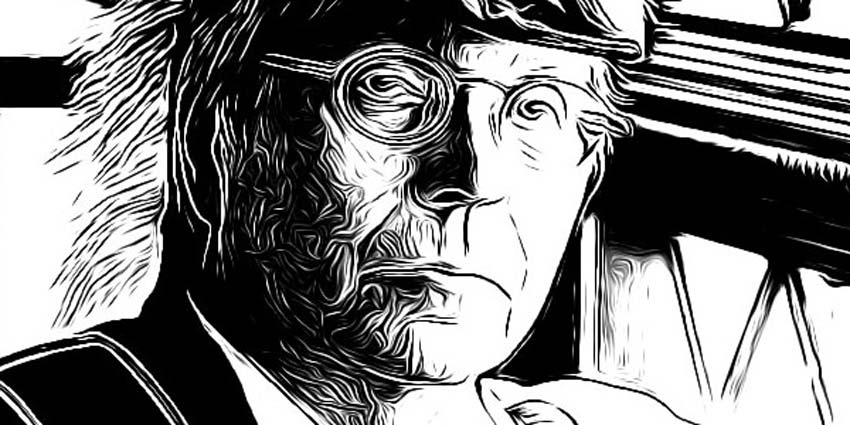
Turn Photos of People into Line Art

Create Pop Art Inspired by Lichtenstein
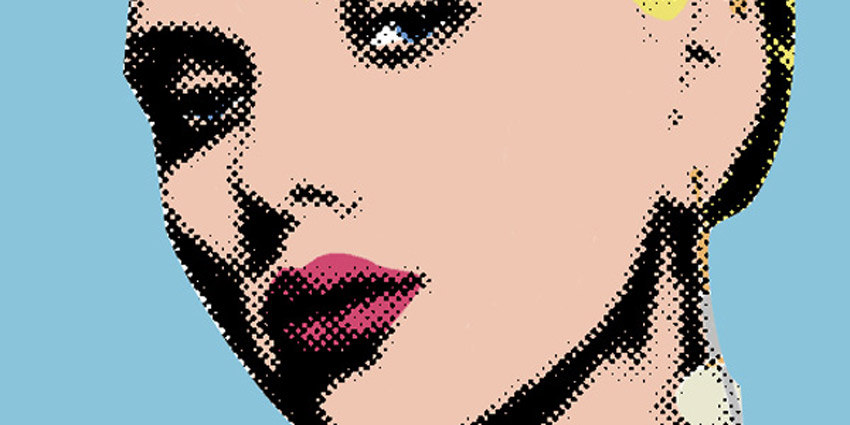
Learn How to Color Line Art

Advanced Cell Shading in Adobe Photoshop

Popular Comic Art Tutorial

From Sketch to Vector Illustration

Comic Book Style Graphic Design

Creating a Graphic Novel Look in Photoshop

Creating a Comic Book Effect
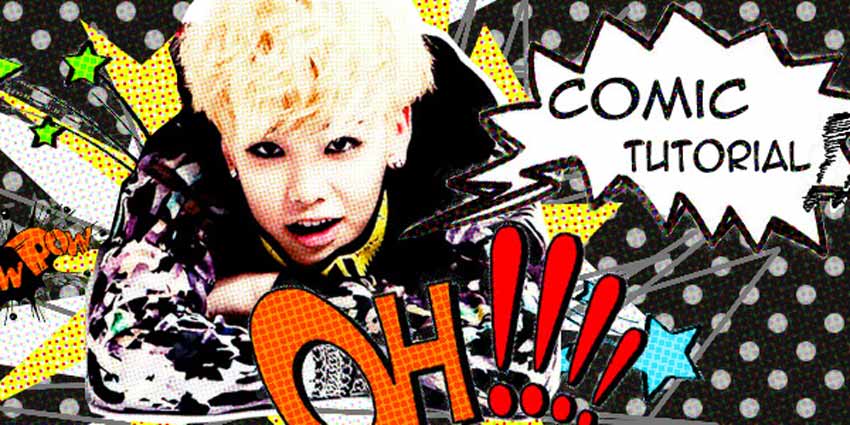
Comic Effect Tutorial

Vector Comic Tutorial for Photoshop

Create a Comic Style Digital Painting

Kids Make Comics#1: Simple Shapes make Super Characters!

Cartoon Character Design for Beginners

How to Draw Batman

Photoshop Tutorial: Cartoon Effect
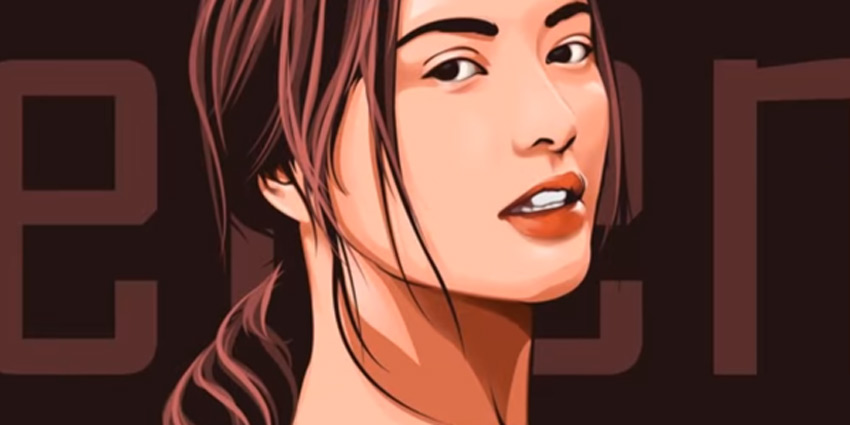
How To Cartoon Yourself

12 Comic Style Text Effects
Now for the goodies! Included in this selection are 10 amazing comic-book style Text Effects and Layer Styles taken from GraphicRiver and Envato Elements. Download these awesome assets to get access to these incredible effects.
Comic Book Text Styles
This awesome package comes complete with 8 different comic book style text effects. Apply them easily to your headlines and titles and customize them easily using the fully editable layers.

Medieval Photoshop Text Effects
Create amazing Photoshop text effects inspired by medieval times. This epic text effect pack includes 12 individual Photoshop files with everything you need to get started. Just use the text tool in Photoshop to edit this effect.

Cartoon and Comic Book Text Styles
If you can’t get enough of some of your favorite cartoon classics, then you’re sure to love these amazing Photoshop styles. Included in this package are 10 amazingly different styles perfect for your next comic book and so much more!

Cartoon and Comic Book Photoshop Styles
Pow, wham, and bam your way to the top with these fun Photoshop styles! Designed after that classic comic book look, download this file to get access to six uniquely different comic book text effects.

Cartoon Text Effects
Create impressive designs with these gorgeous 3D Photoshop text effects. Inspired by the wonderful charm of old-school cartoons, these text effects are perfect for logos, titles, and so much more!

Blockbuster Heroes Style Text Effects
Who doesn’t love a great bundle? Spend your money the smart way with these high-impact Photoshop text effects. They’re designed after blockbuster movies and amazing video game effects, and you’ll definitely want to check out what you can create with these wonderful assets.

Photoshop Text Effect: Cinematic 3D Actions
Or grab up this next pack of incredible cinematic 3D Photoshop actions. Included in this download are 48 different combinations of hyper realistic effects. Enjoy phenomenal 3D results inspired by natural earth textures.

80 Photoshop Text Effects Bundle
Need a great text effects bundle? This premium level Photoshop pack includes 80 magnificent layer styles that are super easy to use. The layers styles are 100% scalable and just take one click to use. Add it to your collection!

Comic Book Text Styles
If you’re looking for that classic comic book look, then you’ll love these vintage text styles. This package features 11 unique text effects, and even includes vector splashes, speech bubbles, and explosions!

Vintage Comic Creator
If the allure of retro design is more your style, check out this awesome vintage comic creator. Not only does this package include all the elements you need to create a classic design, but it also includes additional layer styles you can apply to text and more!

The Retro Comic Book Tool Kit
Roll up your sleeves and dive into everything comic-related with this amazing comic book tool kit. Among some of the incredible goodies in this package, you’ll also find a bonus set of layer styles to amp up your text effects and bring your designs to a whole new level!

Retro Vintage Text Effect
Vintage text effects are jam-packed with charming design. And you can get access to this incredible package by downloading this wonderful set of 10 different Photoshop text effects. All backgrounds are included as well as links to free font downloads.

11 Comic Style Photoshop Actions & Cartoon Filters
Last but not least, let’s throw some incredible Photoshop actions into the mix as well. You’ll find everything from Sin City-inspired effects to amazing cel shading. Try out these actions curated from Envato Elements and Envato Market.
Cartoon and Comic-Book Effect Action
Instantly turn your photos into a cool comic book with this awesome Photoshop action. This action can work with any size image and includes a help file along with the download for more helpful information.

ComicBook iT – Comic Book Image Converting Action
Convert your original photos into a creative cartoon style with this fun Photoshop action. Included in this package are four unique Photoshop actions with a full user guide and easy-to-follow instructions.

Comic Book Action
Download and load this amazing Photoshop action to give your photos or artwork that fun comic book look! This action includes many different styles to choose from and is best if completed in RGB Mode before converting to CMYK.

Pop Art Photoshop Action
Get a beautiful pop art painting effect with this next Photoshop action. 100% editable, these files include 32 color presets with 12 halftone patterns. Auto align your work for the perfect result and use it for posters or other graphics.

Pro Paint Action Set
This next professional paint set includes Photoshop actions that will help turn your portraits into art. Create wonderful paintings, drawings and cartoons in just a few moments. Get four non-destructive Photoshop actions that are 100% customizable.

All Charles Brown’s Colored Pencil Drawing Bundle
Transform your photos into a work of art with this fun pencil drawing Photoshop action. This bundle features ten Photoshop actions at a new, remarkably low price. Get access to effects like the image below and so much more!

Cell Shader Photoshop Action
If you don’t have the time to learn the technique of cel shading, consider giving this Photoshop action a try! With this Photoshop action, you simply drag a photo onto your document and play the action for a cool cel shading effect.

Comics Book Photoshop Creator
Have you ever wanted your own comic book? Well, now you can have it with this amazingly awesome Photoshop action. Perfect for Photoshop beginners, this package includes one incredible Photoshop action, along with 20 vector speech bubbles and 7 vector comic sound effects.
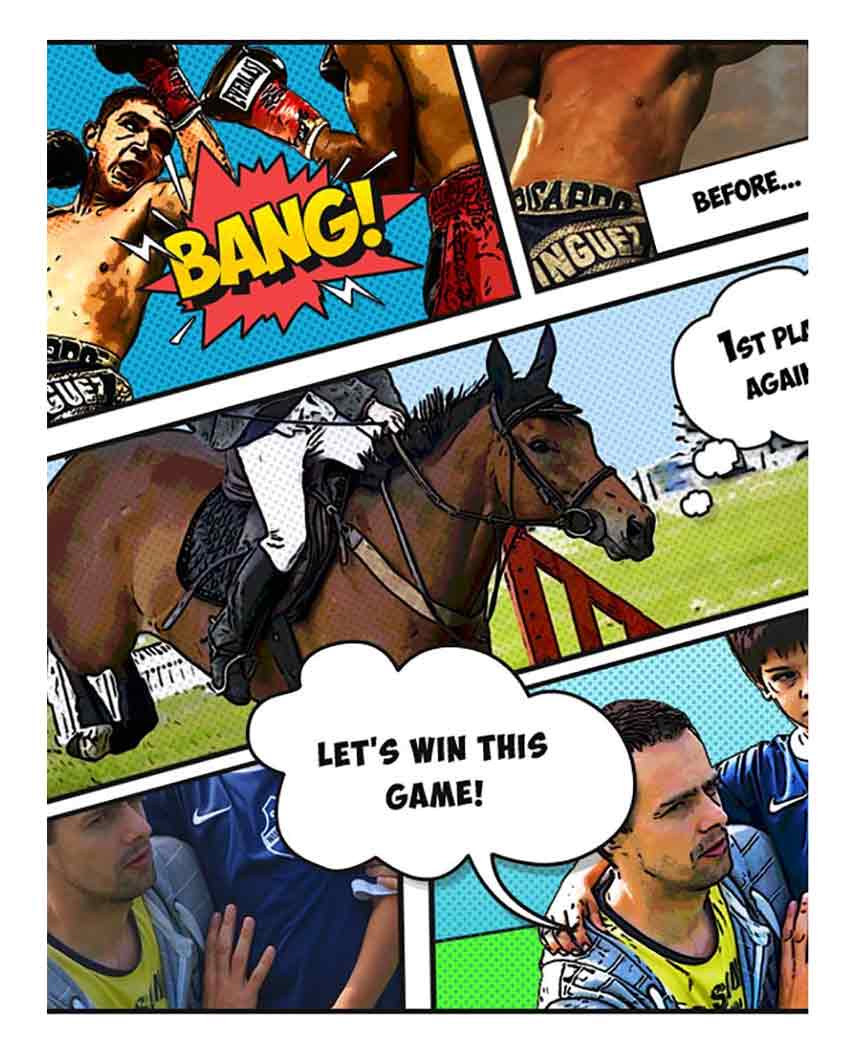
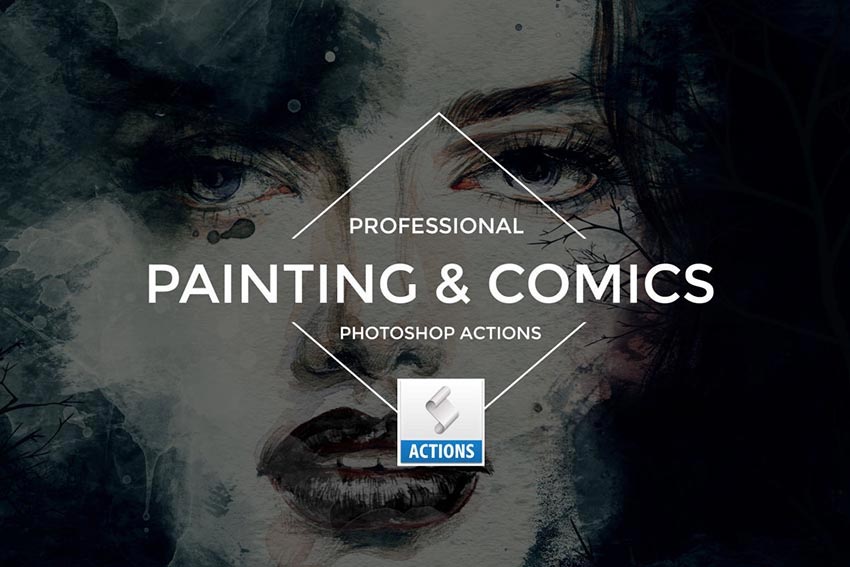
Painting & Comics Photoshop Actions
Looking for that professional retouched look? Download this awesome set of painting and comic-inspired Photoshop actions to transform your photos into a work of art. This set includes 12 professional Photoshop actions as well as fully detailed instructions.
Cell Shader Photoshop Action
Cell shading is not limited to the drawing elite! You can achieve the same awesome cell shaded look just by downloading this Photoshop action. Simply open up your photo, play the action, and enjoy your new impressive design!

Strokes Photoshop Action
Turn your photos into insane works of art with this stroke-based Photoshop action. It’s creatively designed to fit the look of traditional art, so you can upgrade your photography with a new creative look that is sure to impress any viewer.

Conclusion
If you’re looking for premium quality Photoshop Photo Effects, then choose from our assortment of creative assets on GraphicRiver. There are a number of comic book effects to choose from, such as The Comic Effect, Comic Book Action, Retro Comic Book, and so much more!
And if you need a more hands-on approach to your designs, enlist the help of the amazing design professionals at Envato Studio, to help you with all your creative needs.

{excerpt}
Read More
Use a Tattoo Font to Add a Realistic Tattoo to a Photo in Photoshop

A tattoo font is the easiest way to create a stylish tattoo in no time. In this tutorial, I’ll show you how to add a realistic tattoo in Photoshop using a tattoo font. We’re going to add some text effects to the font, warp it, and apply photo effects of texture and shine. The process is fast and can be used for all skin colors.
Follow along with us over on our Envato Tuts+ YouTube Channel:
Use a Tattoo Font to Add a Realistic Tattoo to a Photo in Photoshop
Step 1
Open your photo (I used this one). Use the Type Tool (T) to add the text of the tattoo. Change the font to a tattoo font (for example RockSands), center the text, and resize it. The text should be wider than the area you’re putting it on.
You can find more tattoo fonts at the end of this tutorial.

Step 2
With text selected, click Create Warped Text. Pick the style that fits the shape and perspective of the body part you’re working on.


Step 3
Let’s accentuate the perspective some more. When the letters turn away from us, they get tighter. Select the text and open the Character panel. Select the first three letters and reduce their width to 75%. Lower the distance between them by 10.

Select the first two letters and make the effect even stronger.

Finally, select the first letter and add an even more dramatic change to it.

Adjust the other side the same way, keeping in mind that here the angle isn’t that sharp.

Step 4
Reposition and rescale the text if necessary with the Free Transform Tool (Control-T). Right-click and select Rasterize Type.

Step 5
Duplicate (Control-J) the background layer and drag it to the top. Go to Filter > Sharpen > Smart Sharpen and strengthen the texture with it. Go to Image > Adjustments > Desaturate, then Image > Adjustments > Levels. Deepen the contrast by dragging the left and white markers towards the center. Don’t go too far—we need the texture of the skin.


Step 6
Copy this image and save it as a separate file. Name it Map.

Step 7
Hide this layer and go back to the text layer. Go to Filter > Distort > Displace. Click OK and select the Map file. After the distortion is applied, decide if it’s too strong or too weak. If needed, undo and repeat, this time adjusting the values accordingly.


Step 8
Group the text (Control-G). Add a Layer Mask to the group. Paint with black to remove the parts that go outside of the body.


Step 9
Duplicate the background layer and drag it over the group. Sharpen it with the Smart Sharpen filter. Hold Alt and click the line between the layers to clip it to the group below.


Step 10
Add a Hue/Saturation adjustment to make the tattoo dark blue. Change its Blend Mode to Darken.


Step 11
Show the upper layer and clip it as well. Change its Blend Mode to Screen. Double-click this layer. In the Blend If section, hold Alt and drag the upper black marker to the right. This way, you’ll remove the effect from the shadowed part of the skin. Hold Alt to split the marker for a more gradual effect. Lower the Opacity for a more realistic shine.


Step 12
Double-click the text (not the group!) to access its Layer Style panel. Add a Drop Shadow to simulate some gentle blowout.


Step 13
If you want to make this effect more visible, you can also add an Outer Glow. Adjust its intensity with Opacity, Size, and Noise.


Step 14
If you want to add this photo effect to darker skin, apply the same process. In most cases it will look all right, but sometimes you’ll have to adjust the color of the tattoo or the opacity of the blowout.

Tattoo Fonts
Do you need a tattoo font for your project? Check out these propositions:
inuTattoo Script

Incognito Tattoo Font

Milestone Script

American Traditional Tattoo Font

Flathead Typeface

Good Job!
Now you know how to use a tattoo font to add a realistic tattoo to a photo in Photoshop. If you want to check out more tattoo fonts or learn more about tattoo design, try these tutorials:
 Tattoo Design49 Epic Tattoo FontsMelody Nieves
 Fonts30 Best Blackletter and Gothic Fonts for DesignersGrace Fussell
 Fonts12 Inspiring Old English FontsMelody Nieves
 TypographyArr Matey! Create a Nautical Themed Tattoo Alphabet in SketchChris Carey
 IllustrationVector Ink Anyone? Create an Abstract Tattoo Design in Adobe IllustratorSergey Kandakov


{excerpt}
Read More
Less is More: How to Alter Photos Creatively in Lightroom With Negative Adjustments
{excerpt}
Read More
iPhone 11: All You Need to Know Right Now
Here is everything you need to know about iPhone 11 coming this fall. Check what you should expect and final render. Finally, Apple is going to release another flagship this year. Not only a single…
[[ This is a content summary only. Visit my website for full links, other content, and more! ]]
Create an Interactive World Map With a WordPress Plugin
{excerpt}
Read More
Best Free WordPress Gallery Plugins
{excerpt}
Read More
How to Set Up After Effects for Speed, Efficiency, and Stability
{excerpt}
Read More
Second failure of ExoMars parachute test throws schedule in jeopardy

How to Create a Simple Event Calendar For Your PHP Website
{excerpt}
Read More
Daimler’s first large electric semi trucks are ready to roll

Google Pixel owners can claim up to $500 in class action settlement

Senators want to know why Amazon Choice recommends junk

‘Minecraft’ wont get that huge graphics overhaul after all
