
To celebrate the next big version of Android, Google did the unthinkable: It killed its fanciful dessert-themed release names and gave its smartphone OS more conventional branding. Say hello to Android 10.
Not everyone loves the change —…
Blancer.com Tutorials and projects
Freelance Projects, Design and Programming Tutorials
Tutorials,freelance,projects,joomla,php,mysql,wordpress,blancer.com
To celebrate the next big version of Android, Google did the unthinkable: It killed its fanciful dessert-themed release names and gave its smartphone OS more conventional branding. Say hello to Android 10.
Not everyone loves the change —…


Here is all you need to know about best Cydia Tweaks for iOS 12. No matter you are using unc0ver or Chimera Jailbreak, it’s still for you even if you are using Zebra Installer. Another day, another…
[[ This is a content summary only. Visit my website for full links, other content, and more! ]]





A brochure is an effective and low-cost way to promote your business. A great brochure design will use subtle imagery and great typography on top of your brand colors to convey the information about your business.

You can easily design a beautiful brochure using tools like Microsoft Word or Google Docs and a premade template. There’s no shortage of free brochure templates available online and in today’s post, we’ll show you the best free brochure templates for Google Docs and MS Word.
If you really need the best brochure, though, consider using a premium template. Brochure templates for Google Docs and Microsoft Word like those found on Envato Elements and GraphicRiver will save you time.
Before we dive into the free templates, let’s explore premium options. Marketplaces like Envato Elements and GraphicRiver offer thousands of premium, professionally designed brochure templates.

Envato Elements is a great choice if you need design assets such as brochure templates for Word as well as web templates, stock photos, fonts, and more. You can download as many templates as you need and use them in an unlimited number of projects. The best part about Envato Elements is that you get access to all the design assets for a low monthly subscription.

GraphicRiver is another great marketplace to check out if you need attractive brochure templates for Microsoft Word or Google Docs. This is a great option if you prefer to buy templates individually.
Take a look at some of the best-selling brochure templates for Microsoft Word from Envato Elements and GraphicRiver.

The Pub brochure template is a great choice for business and corporate brochure design. The template uses the trifold layout and includes smart objects for images. This makes it easy to simply drag and drop your images in place. The template also comes with both front and back design and a premade color scheme that’s easy to customize.

If you prefer a minimal design, try this Brochure template. It features a calming and professional blue and white color scheme with modern typography. It’s a great choice for corporate brochures and includes both front and back design on a trifold layout. You can easily add your own logo and include a call to action at the end.

This simple brochure template is versatile enough to be used for any type of business. It comes with smart objects so you can easily add your own images and a front and back design. The template is also print-ready and includes both the front and the back design.

Try this Annual Brochure template if you’re planning a yearly marketing campaign or if you need to make a quick brochure to show how well your business did. The template comes with 24 unique pages and uses the bifold layout. This template also includes three color options, which you can use as a starting point or customize them to your liking.

This brochure template is a great choice for funeral homes, but it can also be used for nursing home or any other type of group home brochure. The template uses the trifold layout and image placeholders so you can easily customize it.
If you want to see even more examples of awesome brochure templates from both Envato Elements and GraphicRiver, be sure to check out the following post:
Below, you’ll find the best free brochure templates for MS Word and Google Docs so you can quickly design an effective brochure for your business.

This free brochure template for MS Word is a good choice for any travel brochure. It can also be used for a hotel or even a camp brochure. The template uses a trifold layout and you can customize fonts and colors to match your brand.
The Blue Sphere brochure template is a nice starting point for any type of business brochure. The template has a predefined color scheme that you can edit to match your brand colors.
If you’re looking for a colorful design and brochure template, be sure to check out the Vivid Shapes template. It uses a modern and vibrant color scheme. However, you can easily customize the colors using the tools in MS Word.
Try this free brochure template for Word if you prefer a more minimal design. Thanks to the simplicity of the design, you can use this brochure to promote any type of business and customize it using Word and Photoshop.

Consider this free brochure template for MS Word if you’re looking for a brochure designed with a fashion brand in mind. The template has a predefined color theme that can be customized to your liking and you can also replace the fonts and images with your own.
This trifold brochure is a great starting point for promoting your gym, sports club or activity. The template has a colorful design and you can tweak colors, fonts, and add your own images. There’s also enough space to add your logo and include a call to action.
Promote your restaurant with this free brochure template for Microsoft Word. The template uses a black and red color scheme that can be customized to your liking and includes a front and back design on a trifold layout.

Google Docs offers a number of Google brochure templates from within Google Drive. To access them, open Google Docs. Under File > New select From template. You’ll find several free Google Docs brochure templates, including the one pictured above.
If you’re a non-profit organization, check out this free brochure template. It uses a trifold layout and a simple design that makes it easy to share your message. You can customize the colors, include a call to action for donations, and add your own images.
This is a versatile brochure template that can be used for any industry. You can edit the template with Microsoft Word and customize fonts, colors, images, and add other elements that are needed for your brochure.
If you need to make a brochure for your school, this template is a good starting point. The template has a colorful design. You can customize it to fit your needs by using your school colors and adding images of your school and students.
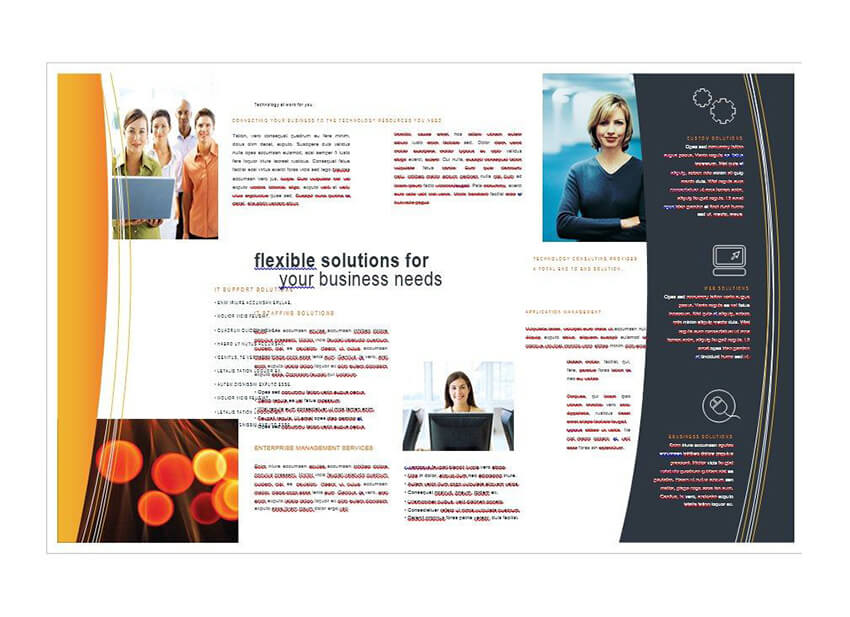
This free brochure template can be edited in MS Word and has a corporate design that’s suitable for promoting an accounting, law, or any other type of professional service. You can customize colors and fonts using the built-in tools in MS Word.
This brochure template has a watercolor background, which makes it a good choice for event planners, beauty salons or bridal service businesses. The template uses a trifold layout and has enough space to include your company information and a call to action.
This free brochure template for MS Word has a full-color background and a calming color scheme. However, you can tweak the colors to match your brand and use your brand’s fonts and imagery to present and promote your business.
This brochure template has a subtle, pastel color scheme making it a good starting point if you’re looking for an elegant design. The template uses a trifold layout and comes with both the front and back design. You can customize colors, fonts, and images.
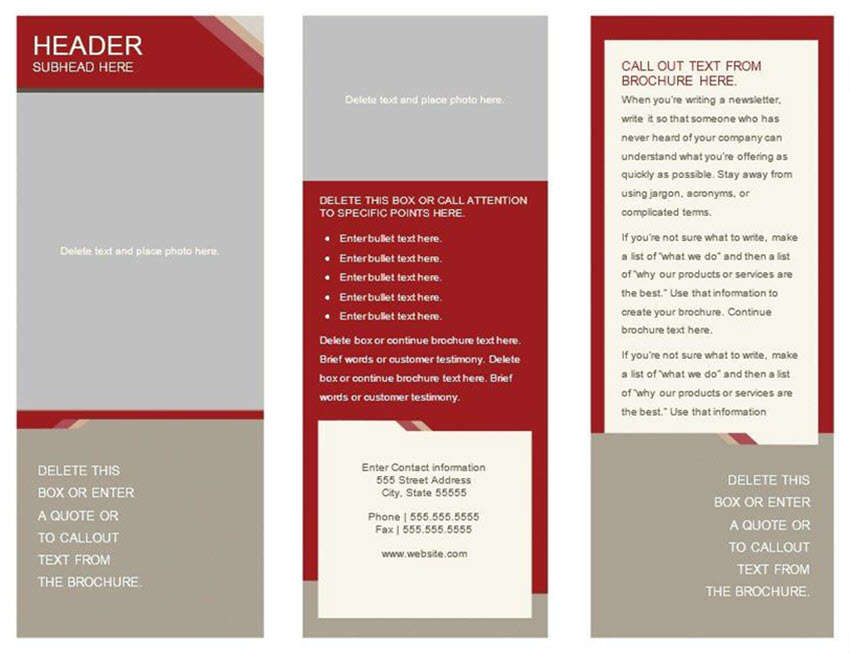
This free template for Microsoft Word has placeholders for every bit of information you need. It also features earth tones that would make it perfect for a Fall brochure.
Try this brochure template if you’ve got an architecture or construction business. The template uses a trifold layout and can be customized with your colors and fonts. It includes both the front and the back design.

If you want a brochure for a software company, try this brochure template. It’s got a minimal design and includes both the front and the back design on a trifold layout.
Now that we’ve covered the free brochure templates for Word and Google Docs that are available for free download, here are a few tips that’ll help you design a great brochure.
The first tip is to prepare your text and images in advance. This will save you even more time during the brochure design as all you’ll have to do is paste your text and drag and drop your images onto your Microsoft Word brochure template.
Brochures can be designed to use a bifold or trifold layout. Knowing how each layout works and which one you want to use will help you find the right template and narrow down your choice.

Keeping your fonts to one or two in your brochure design will add the necessary hierarchy without making your brochure appear too cluttered. Make sure the fonts you choose are legible such as a serif or sans-serif font.
No matter how good your brochure design is, it’ll all be for naught if you don’t include a call to action or a CTA at the end. Let potential clients and partners know what to do next and ensure your call to action can easily be distinguished from the rest of the contents.

Lastly, use high quality images in your brochure. This will ensure your brochure looks crisp and presents your company in the best possible light.
Designing an attractive brochure for your business is easy when you’ve got a template to use as a starting point and to give you creative direction.
If you’re on a tight budget and need brochure templates for a free download we’ve shown you plenty of those. But remember, free brochure templates for Word and Google Docs won’t necessarily lead to the best results. You need a premium brochure template for that.
If you’re looking for premium, high quality brochure templates for MS Word, stop by Envato Elements and take advantage of the all-inclusive offer to get access to thousands of templates and assets for all your marketing needs.
However, if you prefer buying items individually, check out professional brochure designs over on GraphicRiver and start marketing your business.

{excerpt}
Read More
For consulting proposals, professional design and layout means the difference between failure and success. This is where a consulting proposal template comes in.
A polished proposal design stands out from the competition. It makes a lasting good impression. It establishes and reinforces your positioning as a true professional. You also need a great proposal layout to make your content easier to understand.

And if you choose a suitable consulting proposal template, the design will even support the content.
Make an impressive and successful consulting proposal by using one of the templates from Envato Elements or GraphicRiver in this article.
If you create and submit a number of work proposals, then Envato Elements is a good place to find consulting proposal templates.

Not only do you get thousands of templates to choose from. You also get unlimited downloads of templates and other creative assets—for one low subscription price. Your limitless downloads include templates as well as fonts, photos, icons, and more.
You can use these assets for your consulting proposals, presentations, marketing collaterals, website, publications, podcast, and videos. You get all that for an unbelievable monthly price.
Below are five of the best consulting proposal templates with unlimited use from Envato Elements:

Impress your prospective clients with the Business Marketing Proposal Template. With 24 pages, you’ll have every layout you need for the various parts of your work proposal. This consulting proposal template comes in A4 size and files in both AI (for Illustrator CS5) and EPS formats (for Illustrator CS 5). The vector files are fully resizable and editable.

With 25 page layouts, Client Proposal Template uses master pages and paragraph styles. This means you can make changes on a master page or paragraph style and they’re applied globally. Customizing this template goes fast! The A4-sized template is compatible with Adobe InDesign CS4, CS5, CS5.5, CS6, and CC.

This bifold work proposal template comes in both A4 and US letter sizes. Edit font, text, and color in the PSD file using Adobe Photoshop. Change and customize photos using the smart object feature. It was created with highly organized layers for easy customization. You get 44 pages of layouts in this template.

Need a consulting proposal template that’s compatible with Microsoft Word? Then the Proposal Template may fill the bill. This template comes in both A4 and US letter sizes and files in Indd, Idml, doc, and docx formats. It also uses Master Pages for easier editing. As a bonus, it includes an invoice template.

To make a work proposal that exudes elegance, check out the Sirius Proposal template. Created for InDesign CS4 and later, Sirius can also be used as a template for a brochure or lookbook. It offers 52 pages in A4 and US letter sizes and automatic page numbering. A basic tutorial is also included to help you customize it to suit your needs.
Only looking to make a single proposal? Then a consulting proposal template on a pay-per-use basis may be a more economical option for you.
Consider finding your template at GraphicRiver, our marketplace for templates and other creative assets where you pay a small, one-time fee per single use.

At GraphicRiver, you also have thousands of proposal templates to choose from. And, you only pay for what you use. It’s a practical and budget-friendly choice.
Here are 15 of the best consulting proposal templates from GraphicRiver:

Create an impressive proposal with the Corporate Proposal Template. You’ve got the option to make your proposal in either international A4 or US letter size. It’s 32 pages of layouts are CMYK color print-ready and use paragraph and text styles for fast editing. Colors are customizable with one click. You can edit this template in Adobe InDesign for CS4 or later.

For more conservative and traditional industries, use this work proposal design to make a document that’s impressive yet subdued. This template also gives you plenty of options for editing: it’s compatible with Adobe InDesign, Microsoft Word, and Apple Pages. And, no matter your location, you get the right size because it provides both A4 and US letter sizes.

Here’s another consulting proposal template to get your next big project. The design and layout show off your professionalism in 20 unique pages. The template uses master pages, organized and separated layers, paragraph styles, and color swatches for easy customization. You get files in InDesign CS6, InDesign CS4, and MS Word formats.

This attractive work proposal template is another great option. It’s professionally designed with paragraph styles and master pages for easy editing in Adobe InDesign. However, if you don’t own that software, you can still use this template; it also comes with files in Microsoft Word. Aside from 18 custom layout pages, you also get six color variations. You can switch from one to the other with just one click.

Providing both a layered InDesign file and an editable Microsoft Word file, the Business Proposal Template is adaptably versatile. Simply add your text and images to the template. Select the layouts you need from among the 16 unique pages it offers. Your proposal will be ready in no time at all, and everyone will think you hired a designer!

Need a proposal in A4 size? That’s exactly what you get with this template. It comes with 20 unique pages that are print-ready in CMYK color mode at 300 dpi. This work proposal template is fully compatible with InDesign CS4, CS5, CS6, and CC. There’s also a Help Guide to help you tailor the file to your specific purpose.

Let your creativity shine through with this modern yet professional, 20-page proposal template. You can edit it with Adobe InDesign CS4, CS5, CS5.5, and CS6. The well-organized files make it easy. However, a Help File is included if you need it. And, whether you need A4 or US letter sizes, you’ll find it in this template.

Make a proposal that gets approved and then use the accompanying template to create an invoice when the time comes to bill your client. This pack gives you consulting templates for both a proposal and invoice. The proposal template can also be used to make a brochure. Make the most of its clean layout and professional typography to wow your potential clients. Get that proposal approved!

The Project Proposal Template features a clean and modern design for a trendy proposal. The 24-page template is compatible with Adobe InDesign CS4+. The use of paragraph styles, master pages, and organized layers, makes editing this template painless. The template provides files in both US letter and A4 sizes, and they’re print-ready at 300 dpi.

Create a proposal or brochure with the Corporate Business Proposal Template. Built to be easy to edit with InDesign, you can drag-and-drop your own pictures into the template. Print-ready and easy to customize, you’ll enjoy using this template to create a professional and modern proposal.

Pitch your next consulting project with the 20-page Business Proposal Template. This A4-sized template is easy to edit with InDesign CS4 and newer. It uses the free points, Raleway and Roboto, so you don’t have to worry about paying for premium fonts. A Help Guide is also included to help you use the template to create a winning proposal.

Modern and edgy, this proposal template is sure to impress. It comes with 26 pages of layouts—more than enough for all the sections of your proposal. Keep the styles as-is, or change them quickly. The template uses paragraph and text styles for easy editing. You can also customize the colors with just one click. This template also comes in both A4 and US letter size.

Here’s another striking proposal template built for Adobe InDesign. Files come in both INDD and IDML formats. This A4-sized template includes 20 pages of layouts. Paragraph styles make it easy to make global changes in the document. Making an extraordinary consulting proposal has never been easier.

If you need a US letter-sized contract proposal, then this template is another great option for you. Its clean, modern design style is sure to impart your proposal with credibility and authority. This contract proposal template is also a steal: aside from the proposal template, you also get consulting templates for accompanying proposal acceptance, proposal agreement, contract, completion, and invoice.

Stand out from the competition with this bold and eye-catching proposal template. You get a total of 30 pages of layouts in both A4 and US letter sizes. This template was built to be easy to edit in Adobe InDesign CS4 or later. You can customize the colors with one click. However, if you need it, the Help File is included as well.
Start with a consulting proposal template like the ones featured above and you’ll have a winning proposal in almost no time.
Most design decisions are already made for you by the professional template designers. All you’ve got to do is replace the placeholder text and images with your own. Then, replace the colors and fonts to align with your branding.
Let me show you what’s possible by customizing a sample proposal template. In this section, I’m using the Client Proposal Template from Envato Elements. It’s compatible with both Adobe InDesign and Microsoft Word. See how I’ve personalized three key pages of the sample consulting proposal template.
The cover of your proposal is extremely important. Manage your prospective client’s expectations. Show the main benefit of your proposal. And, make sure your identity is clear. A well-designed proposal cover page will have the most important elements.

Add the title of your proposal and other pertinent information. It’s extremely important to establish your identity on the cover. And so, place your company logo and name, and use your branding colors.
In the image placeholder, use a relevant picture that portrays the main benefit of your proposed project. In this sample consulting proposal, the main benefit is a workplace with happier, more productive, and more effective employees.

Page 5 of the Client Proposal Template is a layout for the Team Page. This is another essential page of your proposal. Clients need to know that your team has the expertise and track record to deliver as you promised.

Use the template’s image placeholders to show photos of your team members looking straight into the camera with approachable smiles on their faces. For the internal pages of your proposal, use the header or footer to show the project title as well as your company name. Never let the prospect forget who you are! And, remember to use your branding colors and fonts consistently throughout your proposal.
Here’s what the Team Page of our sample consulting proposal template looks like now:

The Project Description page is probably one of the most frequently read parts of a proposal. Your potential clients will rely on this page to give them a quick overview of your proposal and what they’ll accomplish through the program.
Here’s page 12 of the sample consulting proposal template we’re using, the Client Proposal Template:

As with the other internal pages in your proposal, keep colors, fonts, and other elements consistent. Use bullets, such as the numbered bullets below, to make the page scannable.

To get more advice and tips on how to create a winning proposal, read this guide:
The easy-to-use consulting proposal templates we featured above are only the tip of the iceberg. You’ll find thousands more proposal templates at Envato. Below are additional roundups of proposal templates with specific features you might be looking for:


You’ve just seen some great consulting proposal examples. We’ve also used a proposal sample to walk you through some of the key customizations.
Choose a professionally-designed consulting proposal template for your next pitch. When you use a premium template, you’ll get impressive designs coupled with ease of customization. Some premium templates include bonuses (like invoice templates, help guides, and after-sales support from the designer).
For unlimited downloads of proposal templates and other design assets, subscribe to Envato Elements. You can’t beat its offer of unlimited access to thousands of creative assets for all your marketing and client servicing needs.
However, if you don’t create work proposals very often, then the proposal templates from GraphicRiver may be a better option for you. You get the same professional quality premium designs but pay only for each single use. And, each feature-rich template has an affordable price tag.
Select a proposal template today and have your winning proposal ready sooner than you thought possible.

{excerpt}
Read More
Variable fonts were developed as the joint effort of the four biggest tech companies involved in type design—Apple, Google, Microsoft, and Adobe. As the name suggests, variable fonts allow designers to derive an unlimited number of font variants from the same font file. This way it becomes possible to adjust the typeface to different devices, viewports, orientations, and other design constraints.
Subscribe to Envato Elements from just $16.50 per month and you’ll have access to these variable fonts, as well as thousands of other graphic and web assets:
How’s this for a characterful, squishy typeface? Check out the demo on v-fonts.com and grab it with your Elements subscription.

Industrious, gritty, powerful. Manufactur stands up for itself.

Figuera is a detailed decorative typeface, with many variants which you can control to your liking.

Variable fonts significantly reduce the limitations of current font formats. Today’s web fonts are inflexible and don’t scale very well; they only provide us with some fixed styles with names like “Light”, “Bold”, or “Extra Bold”. There are even typefaces that only have one weight or slant variant. With a variable approach however, we have access to an infinite flexibility of weight, slant, x-height, slabs, rounding, and other typographical attributes.
Better still, they improve performance. Web fonts as we know them need each font variant to be stored in a separate file. For instance, this is how the folder of the Roboto web font looks:

Variable fonts use a single font file that the browser only has to load once. Upon being loaded it can serve all the variants from just that one binary.
So, here is a brief comparison:
As you can already imagine, our typographical options grow incredibly with this newer approach. From practical options, through subtle, all the way to the more.. experimental!
I hope you don’t mind me tootin’ my own horn, but there’s also the glorious pioneering work of a variable color font called… Mr. Poo: https://t.co/aE2qWE69Cm pic.twitter.com/X3ylXzqtnT
— Roel Nieskens (@PixelAmbacht) May 8, 2018
So what file format do variable fonts use? According to the official docs:
“OpenType fonts may have the extension .OTF or .TTF, depending on the kind of outlines in the font and the creator’s desire for compatibility on systems without native OpenType support.”
To be completely accurate, they were introduced in version 1.8 of the OpenType font file specification. OpenType is an extension of the TrueType font format, therefore variable fonts are available as either .otf or .ttf files.
The new OpenType font file specification comes with a new technology called OpenType Font Variations that allows us to interpolate the font along numerous design axes—up to 64,000 according to the Adobe Typekit Blog.
The OpenType 1.8 specification defines five registered axis tags:
<wght>
<wdth>
<opsz>
<slnt>
<ital>
Moreover, type designers can also define custom axes along with their own four-character tags in the “name” table of the font file.
Below, you can see a great illustration of how design axes work (from John Hudson’s article on Medium.com, referred to by Typekit as the non-official announcement of variable fonts). It demonstrates a three-axis variable font with weight, width, and optical size axes:

The red glyph in the middle represents the set of outlines stored in the font, the green glyphs represent the extremes of the three axes, and the orange glyphs represent the corner positions.
The whole cube represents the design space we have access to if we use this three-axis variable font. It’s a cube only because the font has three dimensions (weight, width, optical size). With fewer axes, we would move downwards towards a rectangle (2-axis) or a line (1-axis) and with more axes, we would move upwards into a multi-dimensional hyperspace.
And of course, a real-life 3-axis variable font wouldn’t necessarily be a cube but more likely a rectangular cuboid, as the different axes in most cases don’t have the same length.
Variable fonts still allow type designers to define named instances—specific font variants among the unlimited number of options. For instance, Adobe’s Variable Font Prototype contains two axes (weight and contrast) and eight named instances (Extra Light, Light, Regular, Semibold, Bold, Black, Black Medium Contrast, Black High Contrast).
Named instances are more important if we want to use a variable font with design programs such as Adobe Illustrator. On the web, we can easily generate any instance (named or unnamed) with CSS (e.g. in the Adobe Variable Font, the Extra Light named instance takes the minimum value of both the weight and contrast axis).
We can add these fonts to a website using the @font-face rule at the top of the CSS file.
For instance, we can add the Avenir Next variable font with the following CSS rule:
@font-face {
    font-family: "Avenir Next Variable";
    src: url("AvenirNext_Variable.ttf") format("truetype");
}
You can find more examples on the Axis Praxis website (it also has a playground), on the GitHub pages of different type design companies (e.g. MonoType, Type Network), and Typekit has also started to publish the variable font versions of their most popular Adobe Originals families.
Note: not every OpenType font you’ll find on the web is a variable font (they were introduced only with version 1.8).
To define font variations, we can use the font-variation-settings CSS property introduced with the CSS Font Module Level 4. This is a low-level property that allows us to control the output by specifying a value for each axis.
The Avenir Next variable font contains two design axes: weight and width—both are registered axes. Avenir Next also has eight named instances (Regular, Medium, Bold, Heavy, Condensed, Medium Condensed, Bold Condensed, Heavy Condensed).

The full CSS (belonging to a random unnamed font variation) looks like this:
body {
    font-family: "Avenir Next Variable";
    color: rgb(0, 0, 0);
    font-size: 148px;
    font-variation-settings: 'wght' 631.164, 'wdth' 88.6799;
}
We can use any value (even float numbers) for the axes between the min and max values. In case of Avenir Next, we can use the [400, 900] range for weight and the [75, 100] range for the width axis.
Where to find the ranges? The font files contain the font variation (fvar) tables that hold the necessary data. However, to access that information, we need to view the contents of the font file with a tool such as FontView. Sometimes the documentation of the font contains the ranges, but unfortunately this is not always the case. The good news is that the Axis Praxis website contains the min-max values for all the variable fonts it features.
Decovar is one of the most versatile examples that currently exists. You can find it on Axis Praxis, on GitHub, and it also has a demo page on TypeNetwork’s website. Decovar contains one registered (weight) and fourteen custom axes, and also has seventeen named instances.
From Decovar’s GitHub docs, here are some variants we can achieve with this 15-axis variable font:

The CSS we need to use is similar to the previous example. Here, we have to define all the fifteen axes (inline, sheared, rounded slab, stripes, worm terminal, inline skeleton, open inline terminal, inline terminal, worm, weight, flared, rounded, worm skeleton, slab, bifurcated).
div {
    font-family: Decovar;
    color: white;
    background-color: rgb(0, 162, 215);
    font-size: 157.12px;
    text-align: left;
    padding-top: 20px;
    font-variation-settings: 'INLN' 285.094, 'TSHR' 346.594,
        'TRSB' 786.377, 'SSTR' 84.268, 'TWRM' 200, 'SINL' 84.268,
        'TOIL' 0, 'TINL' 91.983, 'WORM' 0, 'wght' 400, 'TFLR' 0,
        'TRND' 0, 'SWRM' 0, 'TSLB' 277.155, 'TBIF' 0;
}
Note: we have to specify a value for all the axes in the font-variation-settings property—even those we don’t want to use.
In case of Decovar, we can use 0 as value for the axes we are not interested in; these will be rendered with the default value. This isn’t always the case though, as it depends on the ranges the font uses for the different axes. Decovar is easy, as it uses a 0-1000 range for all axes, and 0 is the default value for all.
You can generate similar font-variation-settings declarations with Axis Praxis, you don’t have to calculate the values on your own. The CSS above generates the following font variant:

The font-variation-settings property is a low-level property and according to the W3C recommendations it should only be used if other methods are not available. What does this exactly mean?
According to the CSS 4 specifications, we will be able to control registered axes with higher-level CSS properties in the future, namely:
font-weight (will control the wght axis)font-stretch (will control the wdth axis)
font-style (will control the slnt and ital axes)
font-optical-sizing (will control the opsz axis)
The first three properties exist since CSS2, however the CSS4 specifications expand their usage. We will be able to use them not only with predefined keywords (e.g. normal or bold for font-weight) or round numbers (e.g. 400, 600, 800, etc.), but also with all numbers on a predefined scale (for instance, font-weight will range between 1 and 1000 & font-stretch will range between 50% and 200%).
These features are still in the experimental phase, though. So for now, the reasonable thing is to keep using font-variation-settings, as currently this is the most stable property for accessing the axes of variable fonts.
As variable fonts are still very new, browser support is not yet perfect. The latest versions of Chrome and Safari already support them, but Edge and Firefox still lag behind (however they are already available in Firefox Nightly and Firefox Developer Edition). Since the Oct 2017 release, Photoshop and Illustrator also support them.

We can expect this new approach to bring incredible changes into the world of web typography. As it’s getting more and more support, it’s time to take a plunge into learning and experimenting. Check out the following resources:


{excerpt}
Read More
{excerpt}
Read More
{excerpt}
Read More

