When Google introduced the Pixel 3a and 3a XL last spring, the phones were meant to be budget-friendly options. One year later, we’re starting to see sales that make the devices even more appealing and affordable. Right now, B&H Photo Video is se…
Category: Tutorials
Tutorials,freelance,projects,joomla,php,mysql,wordpress,blancer.com
Fitbit will launch a 4G smartwatch for kids this year
Even though Fitbit has been in the wearable space for over a decade, the company is still relatively fresh to the kids market. That's about to change soon. A source close to the matter told Engadget that Fitbit will launch a kids smartwatch with 4G c…
Oculus sales are booming despite stock shortages
When Facebook announced its latest financial results on Wednesday, it came as no surprise that the company said demand for advertising was down. But unexpectedly there was also a silver lining thanks to its virtual reality business.The company's non-…
‘Assassin’s Creed Valhalla’ arrives this holiday on Xbox Series X and PS5
Following yesterday’s Photoshop teaser, Ubisoft has shared the first cinematic trailer for Assassin’s Creed Valhalla. When the game comes out this holiday season, you’ll be able to play it on both current-generation — PlayStation 4 and Xbox One — and…
How to Make Boring Presentations More Interesting & Fun (10 Expert Tips)
When you take the stage for a presentation, the last thing you want to be is forgotten. If your presentation is boring, your content simply won’t reach the audience.
If you want to make a presentation more interesting, our network of experts is here to help.

We’ve surveyed leading presentation pros to get their perspectives. Here are ten tips that any presenter can use while learning how to make a boring presentation interesting.
We’ll also share some professional presentation templates that’ll make it easier to create your next presentation. So, stay tuned to learn how to make a presentation fun and interesting.
1. Less Slide Content, More Speaking Points
If there’s one trap that I see rookie presenters fall into, it’s this: they load their presentation slides with far too much content. To learn how to make a presentation interesting, it might be about removing slide content.
Presentation expert Miriam Plotinsky (@MirPloMCPS on Twitter) has a great perspective on how presenters balance slides with their speaking points:
When the presenter has practiced and is confident, an overwhelming amount of information does not need to go on the slides; instead, the best content is elevated for the presentation itself.

Not sure if you’ve got too much content on your slides? Here’s a good test that Plotinsky offers to reduce slide content:
All slides should really be speaking points… My overall thought is that people pack slides with too much text (and then proceed to read directly from the slide, which disengages their audience) because they are not prepared to present.
You’re the presentation. The slides exist to support you. Don’t open your presentation tool of choice as the first step!
Instead, focus your front-end work on writing the presentation, focusing on the content. Then, build slides that reiterate those points.
2. Use Animation for Effect
One of the most controversial topics when it comes to presentations is animation. Some presenters suggest that animations are too distracting, while others think it’s a powerful effect.
Animation creates motion on your presentation slide. Maybe you use it to reveal a box of text as a punchline to your joke. Or, you might use animation to show a chart in motion with a critical piece of data revealed.
So, should you use animation? Suzannah Baum is a presentation expert with more than 12 years of coaching presenters and presenting herself. Here’s what she’s got to say about using animation effectively:
“As a presenter, you want to add a brief moment of visual interest, but then get the audience’s attention back to YOU and your message.”
It’s clear that Baum urges presenters to use animations as a complement to the speaker, not the focal point itself. But, it’s also important to balance that usage without overwhelming the presenter, as Baum goes on to advise:
“Too many moving, spinning, pulsating or bouncing objects flying in and out of your presentation is overkill. If you overuse them, you run the very real risk of distracting your audience from your message, and simply turning them off as well.
If you’re wondering how to make a presentation interesting, a bit of animation might do the trick. But be careful not to overdo it.
On Envato Tuts+, we’ve got tips that help you strike the right balance of using animations without distracting in PowerPoint. Check out our tutorial below:
3. Make the Most of Your Screen Real Estate
You’re sitting in an auditorium with a stunning presentation screen. The presenter takes the stage and turns on their presentation. And there’s an embarrassing glitch: the presentation shows on screen but doesn’t fill the entire display.
Display screens are made in a variety of sizes and aspect ratios, the proportion of width to height. When a presentation doesn’t fill the screen, it’s due to a mismatch between the presentation file and screen. It’s sure to annoy the detail-oriented in your audience.
If you’ve worked at how to make a presentation interesting, don’t miss out on making the most of your screen! When you set your presentation settings correctly, your finished PPTX will fill the screen. Learn how to set the proper screen dimensions with the help of our tutorial below.
4. Invest The Majority Of Your Time in Writing Great Content

Preparing a presentation is a process. It consists of many steps. How you divide your time among those steps is critical. Here are the basic steps that I divide the presentation process into:
- Research & ideation. This is where you start formulating the plan for your presentation. What are the basic ideas you want to share with an audience? What are the key points to remember?
- Writing. After you plan the ideas, write the more detailed specifics. They’re the individual speaking points that support your presentation perspective.
- Presentation design. Make sure to wait until you’ve got your presentation’s content prepared before you open your app of choice. It’s easier if you already have your crucial speaking points designed before you begin to put them into slide format.
- Rehearsal and practice. After you finish your slide deck, you’ll need time to rehearse and practice your delivery.
Time is limited. According to expert speechwriter Anthony Trendl, you should devote a disproportionate amount of time to the writing part of the process:
Often, speakers get lazy with the writing. “I know this stuff. I’ll just speak from the heart.” This can lead to shapeless rambling. Do this and you’ll miss an opportunity to control your presentation strategically… You are the distinction. Your presentation should work without the slide deck.
Learn how to become an expert presentation writer with the help of these two tutorials. While some tips are specific to PowerPoint, they also contain general guidelines that can help you become an expert writer:
 PresentationsHow to Write a Professional PowerPoint Presentation (Discover the Writing Process)Brad Smith
 Microsoft PowerPointHow to Write Powerful PowerPoint Presentations Fast With OutlinesAndrew Childress
The advice is clear: nailing the writing stage is how to make a presentation interesting. It all starts with the content.
5. Energize the Audience
Energy is hard to measure, but easy to recognize. It’s an essential part of holding an audience’s attention. Learning how to make a presentation more interesting is easier when you’re energetic.
Upbeat speakers build confidence in their content. If you’ve seen a high energy speaker like Robert Kennedy III, you know that energy is contagious. He recommends bringing energy to your presentation by arriving at your speaking engagement early.
Greet some of the participants and give them a subtle preview of who you are. This way, when you come on stage, you already have some “allies” in the audience. They will “know” you because this isn’t the first time they are seeing you. Demand the audience come up to the level of energy you bring instead of you feeding off their energy.
I love this idea that Robert shares. It means that those allies that you meet early will already be in your corner and match your energy when your presentation begins.
6. Leave Presentation Design to the Professionals
Time is always in short supply. When you’re asked to speak, is it the best use of your time to focus on learning slide design?
An alternative is to use designs built for you. Instead of opening PowerPoint to a blank slate staring at you, you can use ready-to-use slide designs.
But you might be wondering if this design option will break the bank. Hiring a professional must cost an arm and leg, right? Well, here’s a “best of both worlds” option: use professional presentation templates from Envato Elements. Use professionally designed templates without commissioning a design of your won.

On Envato Elements, your options are practically limitless. For a single flat rate, you unlock tens of thousands of presentation templates. That includes Keynote templates, Google Slides templates and PowerPoint templates.
See some of our favorite templates in action for a variety of leading presentation app. Each of them helps you see how to make a presentation more interesting:
.jpg) Keynote40 Modern Keynote Templates to Create Beautiful Presentation Designs 2020Laura Spencer
Keynote40 Modern Keynote Templates to Create Beautiful Presentation Designs 2020Laura Spencer Microsoft PowerPointThe Best PowerPoint Templates of 2020 (Amazing PPT Presentation Slide Designs)Sean Hodge
 Google Slides20 Top Professional Google Slides Templates for Corporate Presentations 2020Brenda Barron
The fastest way to make a PowerPoint presentation interesting is to hand off the design to others. Envato Elements is an impressive value that’s sure to improve your presentation’s outcome.
7. Collaborate With Others
Too often, we think of our projects as solo efforts. We feel we’ve got to go it alone and create all the content on our own. That doesn’t have to be the case.
I’m reminded of this quote from Steve Jobs:
“Great things in business are never done by one person. They’re done by a team of people.”
Even if you’re going to be the only presenter, you can still lean on others to help improve it. Ask for opinions, ideas, and feedback from your network before you take the stage. Here are tutorials that help you work with others via collaboration:
 KeynoteHow to Share and Collaborate as a Team on Keynote PresentationsAndrew Childress
 Microsoft PowerPointHow to Track Changes in Your PowerPoint PPT Presentations (Effectively)Andrew Childress
.jpg) Google SlidesHow to Use Google Slides Presentation Collaboration Tools OnlineLaura Spencer
Google SlidesHow to Use Google Slides Presentation Collaboration Tools OnlineLaura Spencer
Specifically, you can ask a collaborator about how to make a presentation more interesting. Ask if there were any sections that felt like it lulled or lost the audience’s attention.
8. Match Your Design to the Topic
We covered the power of professional PowerPoint templates but remember one point: not every design is a fit for every occasion. A marketing template simply has a different design than a template for education, for example.
Luckily, there are templates for practically every purpose. We’ve featured many “special purpose” templates on Envato Tuts+ that include the best ways to make your presentation stand out:
 Microsoft PowerPoint30 Best Pitch Deck Templates: For Business Plan PowerPoint PresentationsSean Hodge
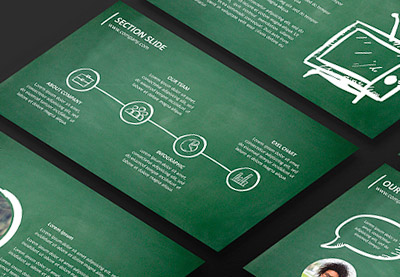 Presentations25 Education PowerPoint PPT Templates: For Great School Presentations – 2020Sean Hodge
 Microsoft PowerPoint20 Free Social Media Marketing PowerPoint Templates (Top Business Marketing PPTs)Andrew Childress
To learn how to make your presentation stand out, don’t forget about the incredible variety of designs that exist. Sample the best templates from Envato Elements or GraphicRiver to bring a professional design to your presentation.
9. Share Follow-up Information After the Presentation
Your presentation can be the start of a conversation with your audience. You can use it to launch a sales opportunity, get to know your attendees, or grow your network.
To do that, it helps to share your contact information and give your audience follow-up information. But, don’t leave your audience scrambling to take notes as you wrap up your presentation in a hurry.
Here’s another great tip from Miriam Plotinsky to help you share follow-up information without shifting the burden to them to remember or write all the info:
A best practice with reducing slide content is to not just practice the presentation and only include brief bullets on the slides, but also to take all of the information being shared and make sure the audience has access to it in a packet, an e-mail, or similar.
One tip to help you learn how to make a presentation more interesting: finish it with an ask and include your audience. Here’s a tutorial with even more ideas for ending your presentation with a bang:

10. Be Authentic, Be You

Rounding out our expert tips, there’s one tip that takes time to master. It’s the art of authenticity, bringing a personal touch to your presentation.
Learning how to make a boring presentation interesting is all about interjecting what makes you unique. It doesn’t mean that you’ve got to make every presentation about you. The truth is that authenticity is presenting your content in a way that feels true to yourself.
So, how do you start to incorporate authenticity? Here’s a great tip from Sandra Zimmer, whose presentation coaching focuses on authenticity and encourages speakers to include personal touches:
Tell stories from your personal life or professional career that help listeners understand what you are talking about. Use your stories to help make your points so they get a gut level experience.
Great presenters find ways to inject just enough of themselves so that the presentation feels like a unique experience. Blend in elements that are specific to you to add authenticity.
You Just Learned How to Make a Boring Presentation Interesting
Presentations aren’t everyone’s cup of tea. But you need to build skills as a presenter to excel in business or your career. It’s okay if you’re never passionate about public speaking; the goal is to level up your skills.
Thanks to the experts in this tutorial, you’ve learned techniques that show you how to make a boring presentation interesting. Once you’ve learned how to make a presentation exciting, put these into action, and present confidently.
If you’re ready to create a presentation, why not save time by downloading a template today.

{excerpt}
Read More
How to Run a PHP File
{excerpt}
Read More
23 Best Free Flyer PSD Templates (Photoshop Designs to Download)
Flyers are a cost-effective way to publicise an upcoming event like a sale, a workshop, or the opening of a restaurant. And the easiest way to create a great flyer is to use Photoshop flyer templates.

Today, we’ll show you 23 of the best free Photoshop flyer templates you can find online. And since we know that free flyers don’t always come up to scratch when you have an important project and are looking for premium templates, we’ll also introduce you to three sources you can turn to when you need high-quality flyer templates: Envato Elements, GraphicRiver, and Placeit.
Best Photoshop Flyer Templates on Envato Elements (Unlimited Downloads)

Envato Elements is a terrific source when you need the very best Photoshop flyer templates for important projects. What makes Elements so outstanding is that it offers you thousands of gorgeous templates by the most talented designers in the field, and you can download as many as you want, as often as you want, for one flat monthly fee.
One low monthly fee = unlimited access to the best fonts available on the internet today. What’s more, that monthly fee also allows you to access thousands of premium digital assets like logos, mockups, photos, business card templates, and much more.
Let’s take a look at a few of the outstanding Photoshop flyer templates available at Elements.
Acoustic Concert Flyer Poster

When you need a quality concert flyer template in PSD format, look no further than Envato Elements. Acoustic Concert Flyer Poster is just one of the stunning Photoshop flyer templates on offer. The template is simple to customise, but there’s a help file included in case you get stuck.
Cinco De Mayo Flyer

Let people know about your Cinco de Mayo celebration with this Cinco de Mayo flyer template PSD file. The A4 template is as colourful and cool as you’d expect it to be, and it’s available as an AI file if you prefer working in Illustrator.
Summer Pool Party Flyer

Looking for a pool party flyer template for Photoshop? Here it is! The Summer Pool Party Flyer template is available as an A4 PSD file that is organised in layers to make it easy to customise the colour, image, text, and other elements.
Winter Birthday Flyer

Elements has an awesome collection of party flyer templates in PSD format, like this Winter Birthday Flyer which can be customised for birthday, Christmas, or other types of parties. The A4 file is also presented as a layered AI file for those who prefer to work in Illustrator.
Valentine Day Flyer

Looking for a Valentine’s Day flyer template for Photoshop? Check out this one. The A4 template features a lovely geometric background, complete with hearts of various sizes. Change the colours, text, and font as needed, and in no time your template will be ready to print.
BBQ Party Flyer

This BBQ flyer template for Photoshop is exactly what you need if you want to advertise your party far and wide. The A4 template contains one PSD file, which is well organised in layers to make editing super easy.
Party Flyer

Party flyer templates in PSD file format are versatile and easy to edit for those with a working knowledge of Photoshop. Just download the template and open in Photoshop where you can customise each element—text, colours, and objects—to suit your needs.
Fashion Flyer
The Fashion Flyer template in PSD file format uses a clean and modern design that is great for those in fashion or other creative industries. Add your own photos to the layered file using smart objects, and then enter your text and adjust the fonts and colour scheme as necessary.
Sale Flyer Template

This terrific sales flyer template in PSD file format is so versatile that you can use it when you need to sell just about anything at all. The template comes in both A4 and US letter size and offers two different versions of the same designs for your convenience.
Summer Flyer 16

There’s no shortage of gorgeous Photoshop flyer templates at Envato Elements. Whether you’re planning a party, opening a restaurant, or need to create a fundraiser flyer template in Photoshop, Elements has you covered. Summer Flyer 16, with its cool, dissected circles and intersecting shapes, is yet another example of the on-trend designs you can expect when you sign up for Elements.
More Premium Photoshop Flyer Templates From GraphicRiver

GraphicRiver is another service that offers thousands of first-class Photoshop flyer templates, but it works differently from Elements.
While Elements is the best source when you want to buy many templates and other resources, GraphicRiver is better for those who are on a budget and only want to buy one resource at a time.
So if you’re interested in purchasing just one Photoshop flyer template instead of experimenting with several, then Graphic River may be a better choice for you. You can download a single template for one-time use for a low fee. Let’s take a look at some of the top-quality offerings GraphicRiver.
Business Flyer

Photoshop flyer templates for business need to be professional without being boring. This business flyer definitely meets those requirements. The dynamic A4 Photoshop flyer template is also offered as an AI file for those who’d rather work in Illustrator. Once you download the template, you will find a well-organised, layered file that makes it easy to customise the template to suit your needs.
Charity Fundraisers Flyer

This fundraiser flyer template for Photoshop is well laid out and organised in layers so that it’s easy to customise by adding your own text, modifying the fonts, and adding images. This clean and professional template can be adapted to fit various fundraising needs.
Cinco De Mayo Flyer

Check out this Cinco de Mayo flyer template in PSD file format. Isn’t this a terrific template to let everyone know about your upcoming party? The A4 template is offered in two colour variations and includes both PSD and AI files.
Piano Concert Flyer

This piano concert flyer template in PSD file format also comes as an AI file. The A4 template is well organised in layers so that editing the graphics, text, font, and colours is quick and easy.
Restaurant Flyers

Restaurants often need flyers to get the word out about special offers and promotions. If you’re a restaurant owner looking for terrific restaurant flyer templates for Photoshop, you’re in the right place. This A4 template includes a fully layered Photoshop file that is fully editable and, for variety, includes two versions of the same design.
Charity Fundraisers Flyer Templates

Are you a charity in search of a well-designed and effective fundraiser flyer template for Photoshop? We’ve got just the thing for you. This Charity Fundraisers Flyer Template offers a terrific design that leaves lots of room for your images without sacrificing text. A modern and easy-to-use template that gets the job done in style.
Business Flyer

Photoshop flyer templates for business need to be versatile to fulfil a variety of functions. This business flyer is one example of a template that can be used for many purposes: to raise a business’s profile, announce a new product or service, advertise a recruitment drive, etc. The A4 template contains four PSD files in four different colour variations for added flexibility.
Social Media Campaign Flyer Template

This social media campaign flyer template in PSD file format is everything you need in a campaign flyer: bold design, an eye-catching header, ample space for your message, and room for contact details. The layered A4 file comes in three colours.
Restaurant Flyer

Looking for a restaurant flyer template for Photoshop? This gorgeous modern menu is perfect for restaurants, bars, and cafes looking to promote themselves using flyers. The A5 flyer template includes a layered PSD file and a PDF help file in case you get stuck while customising the template.
Corporate Business Flyer V39

This modern and professional Photoshop flyer template for businesses is an excellent choice when you need a template that you can use for different purposes. The A4 template includes a well-organised, layered PSD file that’s easy to customise so that it reflects your needs and brand identity.
Easy Customisation and Unlimited Downloads at Placeit

Let’s face it, not everyone has great Photoshop skills or wants to take the time to learn Photoshop. That’s where a service like Placeit comes in. Placeit is an affordable online design generator that makes premium professional branding, promotion, and marketing tools accessible to everyone, regardless of skill level. Placeit is:
- Easy to Use: Placeit provides design novices, as well as those with more experience, with high-quality designs, logos, videos, and mockups that they can customise online and download in a matter of seconds.
- Unlimited Downloads: One of the great things about Placeit is that it’s designed to suit a range of budgets. If you regularly need mockups, logos, and various designs, you can sign up for a low monthly or yearly plan. This gives you access to unlimited downloads of any and all the digital assets available at Placeit.
- Affordability: If you’re on a budget and can only afford to buy one digital resource at a time, then rather than taking advantage of the low monthly/yearly fee, you can create the resource you want and pay a small fee to download just that resource.
Now let’s take a look at the kinds of online flyer templates you can find at Placeit.
Flyer Design Template for a Recruitment Company

Human resources firms or departments will love this template dedicated to recruitment drives. Though the template communicates trustworthiness and professionalism, it is by no means staid. That’s because it offers cool images combined with modern design, fresh colours, and fonts that’ll make your business stand out.
Modern Fashion Show Online Flyer Maker

Fashion is a billion-dollar industry. Use this fashion show flyer template to create an awesome flyer to show off your new designs and draw the crowd to your next event.
Online Flyer Maker for Rock Climbing

What makes this template so great is that everything about it communicates action. The photo of the climber in motion, the bold text with bright colour, and the awesome textured frame effects all work together to make this a great flyer template.
Weekend Breakfast Flyer Design Template for Restaurants

You want people to salivate when they see your restaurant flyer, and that’s exactly what people are going to do when they see what you create with this restaurant flyer template from Placeit. Not only does the template come with a great layout, mouth-watering photos of food, and a wide selection of fonts, but the Placeit flyer maker guarantees that you can create your custom flyer easily and in no time at all.
Modern Flyer Design Template for Dancing Lessons

Stunning images of dancers in motion, choice placement of text, and a large selection of colourful gradient overlays are the stand-out features of this dance flyer template. If you’re looking for flyer design ideas to announce a dance competition or performance in a visually compelling way, look no further.
Online Flyer Maker With Silver Balloon Numbers

For party flyer design inspiration, check out this awesome party flyer template at Placeit. Use the background design to set the mood and add the text so people know all the important details. With the Placeit Flyer Maker, you’ll have a terrific flyer ready for download in minutes.
Japanese Garden Flyer Template

If you’re trying to come up with great flyer design ideas for landscaping businesses, the garden and landscape flyer templates at Placeit can help. The templates, like the one shown here, are beautifully laid out and offer eye-catching photos of landscapes and flora and fauna, combined with a simple banner and great fonts that highlight key pieces of information about the business. Definitely a winner.
Online Flyer Maker for a Technology Center

Promote your tech shop with this flyer maker template. The template offers a terrific collection of images for easy customisation. Just choose your image, add your text, and your flyer is ready to use to spread the word on your latest promotions, services, products, and deals.
Flyer Template With Blue Theme for Cupcake Shops

Create an enticing bake shop flyer for your new bakery with this terrific template. You can use the stock photos provided or upload your own photos of your terrific cakes and cookies. The template offers loads of customisation options to create a flyer that reflects your brand.
Lipstick Flyer Design Maker

If you’re in the makeup business and looking for the best flyers to advertise new products or a sale, check out this flyer template. It provides you with a number of gorgeous photos, but you can also upload your own photos, showing your own stock and special offers.
23 Best Free PSD Flyer Templates
Now let’s take a look at those 23 best free flyer templates in PSD file format that we promised.
1. Free Fashion Flyer Template

If you’re in the fashion business and are looking for free Photoshop flyer templates, check out this collection. If you like what you see, download them for free and customise them using Photoshop.
2. BBQ Flyer
Need free Photoshop flyer templates for your next BBQ? Well, check out these fully layered and well-organised templates. You can add your own images, change the colours, and add text to create your own unique flyer.
3. Free Pool Party Template
Having a pool party? Need a free Photoshop flyer template you can customise as much as you like? Check out this free pool party flyer template for Photoshop. The template is well organised in layers so that you can edit it quickly and easily. Crop marks and guidelines are included for your convenience.
4. Valentine Party FREE Flyer PSD Template
Let friends and strangers alike know about your upcoming Valentine’s Day party when you use this Valentine’s Day flyer template for Photoshop to create an eye-catching flyer. The free flyer template in PSD file format is 4.25 x 6.25 in with a 0.25″ bleed.
5. Free Vibes Party Flyer Template

Party flyer templates in PSD file format need to be well organised and layered to make it easy to customise them, and that’s just what you get when you download this free Photoshop flyer template. Add your own image, text, and colour scheme to make the template uniquely yours.
6. Real Estate FREE Flyer PSD
Impress potential clients with these free flyer templates in PSD file format that feature a 4.25 x 6.25″ flyer with 0.25″ bleed. The real estate flyer is fully print ready so that all you need to do is add your customisations and hit print.
7. Love Party FREE PSD Flyer Template
We love Valentine’s Day so much that we’ve got another flyer for you. This free flyer template in PSD file format features two hands intertwined and stamped with a heart. Use this image and simply add your own text, or upload your own image as well. Either way, you’ll have a great card on your hands.
8. Crazy Summer Night Party FREE PSD Flyer Template
What if you’re looking for party flyer templates in PSD file format but not specifically for Valentine’s Day? No worries, we’ve got you covered. Check out this free Photoshop flyer template. As the name suggests, it’s quite crazy, but we think you’ll like it.
9. Free Fitness Flyer Template

Need free Photoshop flyer templates for a sports-related flyer? How about this terrific template, which offers flyers in three different colours. The template is organised in layers so that you can customise each and every element easily.
9. Halloween Flyer FREE PSD Flyer Template
No, we’re not done with the party theme yet, because we haven’t covered Halloween. This free flyer template in PSD file format is just what you need to let your friends know about your Halloween get-together. Upload your own creepy photo, add your text, and your job is done.
10. Free Baby Shower Flyer Template
Does a baby shower qualify as a party? Maybe so, but either way you’re going to need an awesome flyer to spread the news far and wide, and that’s why we’ve included this free Photoshop flyer template that you can use to create a cute flyer that reflects your own unique style.
11. Free Piano Concert Flyer
Need a concert flyer template in PSD file format? We’ve got just the template for you, and it’s free. With this free flyer template, you can upload your own wonderful image, and then all you need to do is add your own text, and your flyer is ready to print and distribute.
12. Free Spring Party Flyer Template (Photo)

And the fun continues with this party flyer template in PSD file format. The free Photoshop flyer template is not only gorgeous but is easy to edit. Add your own photo and text and let the magic of the template work for you.
13. LGBT Meeting – Flyer PSD Template
Say it proud with this free Photoshop flyer template for LGBTQIA events. Customise your template in Photoshop by adding your own photo, text, and graphics.
14. Summer Concert – Free Flyer PSD Template
Planning a summer concert? Need a free flyer template in PSD file format? No worries. This US letter size template is just what you need. The well-organised, layered file makes it easy for you to change text, images, objects, and colour palettes.
15. Beauty Shop FREE Flyer PSD
Beauty is more than skin deep, but sometimes you need to focus on the surface kind, and here’s a free Photoshop flyer template to help you get the word out about your beauty services. If you have a good grasp of Photoshop, customisation is a cinch.
16. Free PSD Business Flyer Template

Looking for free Photoshop flyer templates for businesses? How about this one. It’s modern, professional, and well organised—and best of all, it’s FREE.
17. Fashion Week FREE PSD Flyer Template
It’s hard to believe that this stylish Photoshop flyer template is absolutely free. Download it and customise it by adding your own gorgeous images, text, and colour scheme.
18. Salad Bar Flyer FREE PSD Flyer Template
Opening a new salad bar and looking for a awesome restaurant flyer templates for Photoshop? How about this free flyer template in PSD file format. The file is 4.25 x 6.25″ with a 0.25″ bleed and is well organised for easy editing. What more could you ask for?
19. Barbecue Party FREE PSD Flyer Template
Creating a terrific flyer should not be hard, and it isn’t when you use a Photoshop flyer template like this one. All you need to do is add your own images, text, and colour scheme to the layout, and send your file to the printer.
20. Free Asia Party Flyer Template

This terrific flyer layout could be yours. It’s free and easy to use. Simply download the template, open it up in Photoshop, add your background image, and then change the text placeholders and font colours to reflect your own content and style. Just like that, you have a wonderful flyer ready to use.
21. Disco – Free PSD Flyer Template
Advertise your disco party around town when you customise this free flyer template in PSD file format. The US letter size template is organised in layers so that you can easily change the text, images, objects, and colour palette.
22. Summer Party – Free PSD Flyer Template
Check out this lovely summer party flyer template in PSD file format. It is not only beautiful and easy to use but free. Download it and get to work creating your stunning flyer.
23. Travel Flyer Template
Travel businesses will love this template, which is all about travel and beautifully laid out to convey the seduction of this favoured pastime. This free Photoshop flyer template is easy to customise. Just download and… well, you know the drill by now. Have fun!
Choose Your Favourite Photoshop Flyer Templates Today
We hope you’ve enjoyed our list of the best free PSD flyer templates. As you can see, there are many wonderful free flyers available on the internet, but if you’re looking for the very best Photoshop flyer templates, we highly recommend Envato Elements, GraphicRiver, or Placeit.
Envato Elements is an excellent resource for premium Photoshop flyer templates that are versatile and easy to use, and if you regularly need mockups, icons, and other design resources, Elements offers unlimited downloads for one low monthly fee.
If you’re on a budget and just want to buy a single Photoshop flyer template, then GraphicRiver is an excellent source for high-quality templates.
Alternatively, if you don’t use Photoshop and are looking for an easy and inexpensive way to create excellent flyers online, Placeit is your best bet. Choose the site that best suits your particular needs, and you can’t go wrong.
And finally, check out this list below for more tutorials and articles on flyers:
 Flyer Mockup25+ Best Free Flyer Templates (InDesign, Photoshop, Illustrator, etc.)Nona Blackman
 Flyer Mockup31 Best Flyer Mockups (Using a Mockup Generator)Nona Blackman
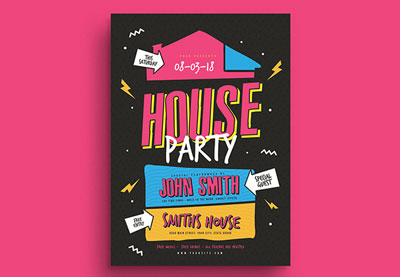 Flyers31 Best New Event Flyers for 2020Melody Nieves
 Flyers27 Best Flyer Design Ideas Using a Flyer Maker (With Photo)Nona Blackman
 FlyersHow to Make a Business Flyer (Using a Flyer Generator)Nona Blackman
 Flyers42 Best InDesign Flyer Templates (For Business, Events, Parties, and More!)Melody Nieves
 FlyersHow to Create a 60s Retro Flyer DesignLaura Keung
 Adobe Photoshop25 Best New Event Flyer Templates for Photoshop & InDesign for 2020Melody Nieves

{excerpt}
Read More
What is WordPress Multisite? With Setup Guide
{excerpt}
Read More
The Best Note-Taking Apps for Android and How to Make Your Own
{excerpt}
Read More
12 Top Tips to Help You Start Live Streaming Video and Have Fun Doing It
{excerpt}
Read More
Supercharge Your Facebook Ads: How to Add Facebook Pixel to WordPress
{excerpt}
Read More
18 Best WordPress Membership Plugins and 5 Free Plugins
{excerpt}
Read More
How to Record Tutorial Videos: The Big Introduction
{excerpt}
Read More
What’s on TV this week: ‘Westworld’ season finale and ‘Upload’
This weekend Westworld will wrap up another mind-bending season of full of AI and robot mayhem, but the sci-fi show I’m looking forward to is on Amazon Prime. Upload comes from The Office (US) and Parks & Recreation creator Greg Daniels, telling…
DJI’s Mavic Air 2 offers 34 minutes of flight time and 48-megapixel photos
If you happened across DJI’s website this week, you can’t have missed the prominent teaser for a new product — or maybe you saw the leak that basically gave the game away. Well, it’s finally official: say hello to the Mavic Air 2.As the name suggests…