Learn how to make a monogram with Placeit. These templates are simple to use, and you can create amazing monogram designs for your brand.
For this tutorial, we’re going to use Placeit—an awesome monogram creator platform where you can design many mockups, logos, and more, right from your browser. Placeit has an entire collection where you can create your own monogram design in any style.
The Placeit monogram maker offers many templates in a wide variety of styles. You don’t need any previous design experience to create a monogram online with this user-friendly interface. This monogram with letters is sleek and simple.
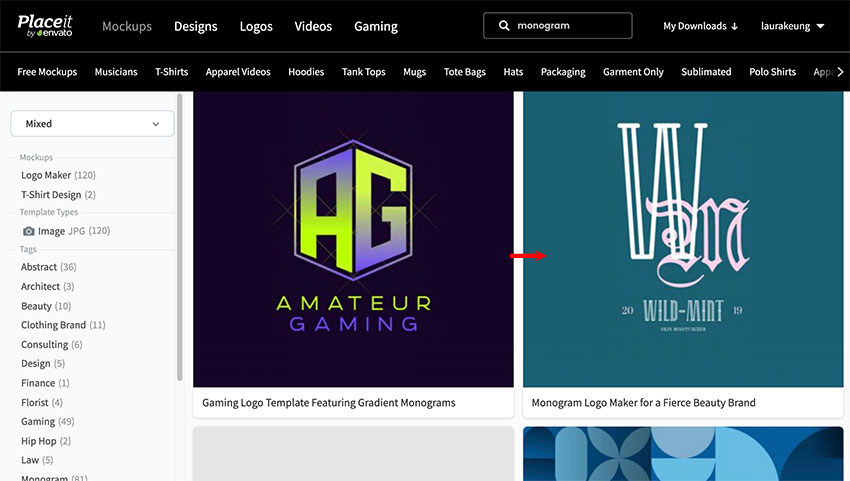
Head over to Placeit.net, and type “monogram” in the search bar.
Step 2
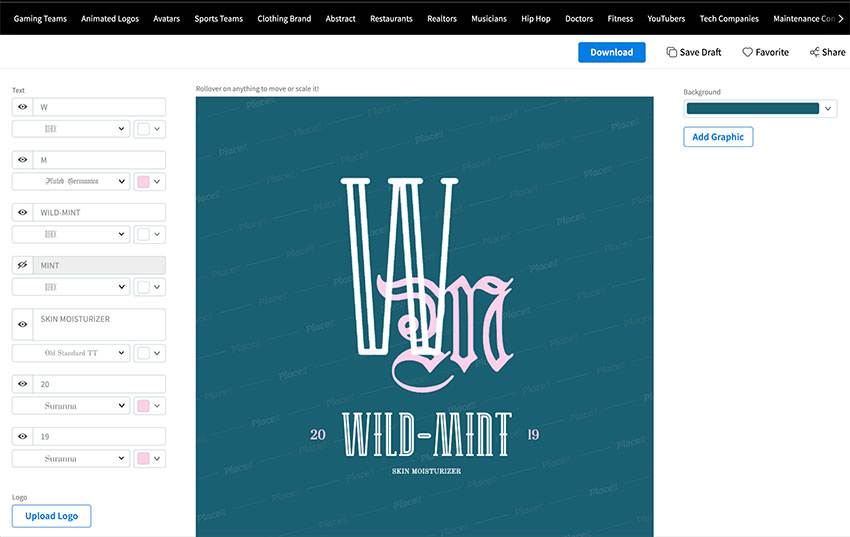
Placeit’s monogram creator includes a large variety of design options. I’ll be using the template 2211c.
Step 3
Once you select the monogram design, you’ll be taken to the editing stage of the logo. On the new page, you’ll find typography options on the left side.
2. How to Customize a Monogram Logo Template
Step 1
The first two Text options are for the monogram letters. The next is the name of the company, followed by the description and extra options to play with. Within each option, you can change the font and the color of the text. You can also hide and reveal parts of the logo by clicking on the eye icon.
Step 2
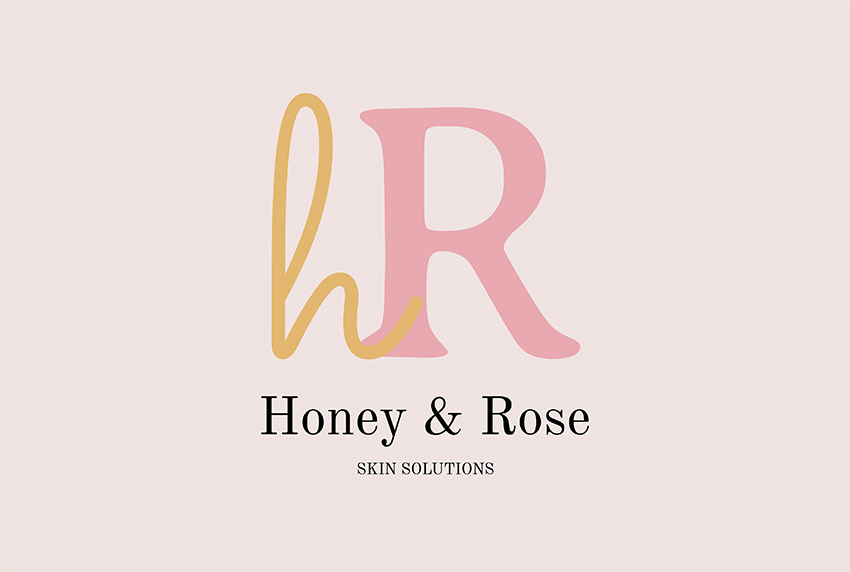
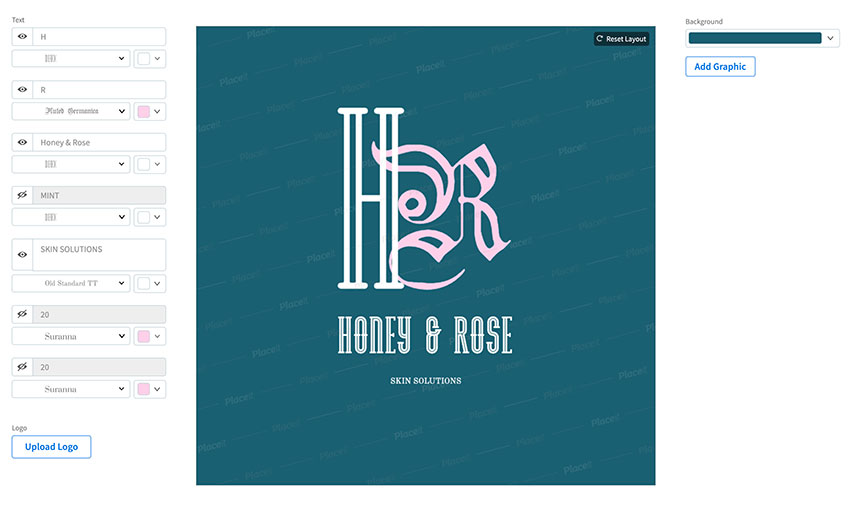
I’ll change the initials to H and R. The name of the company I chose is Honey & Rose. Hide the year numbers and add “Skin Solutions” to the bottom.
Step 3
One of the options for each element is to change the font. Go ahead and change the fonts to your liking. I’ll be using the following options:
Sacramento for the initial h.
Averia Serif for the initial R.
Old Standard TT for the name of the company and the description.
Step 4
Placeit’s interface allows you to move elements as if you were using normal design software. If your logo needs adjustments, feel free to move the elements around. I moved the company name and description closer to the monogram logo.
Step 5
Placeit also allows you to change the color of your logo and the background. Use the swatches under each option to change the color of each type element. Use the right side menu to change the color of the background.
3. How to Save and Download a Monogram Logo
Step 1
Make sure to save your design by clicking on the Save Draft button. To download your design, click on Download. The image will take a few seconds to process and will be ready to download.
Step 2
Once you have the logos downloaded, head over to the Download folder on your computer. You’ll notice you have two monogram logos. Placeit renders two PNG logos: one is to use on any color background you wish, and the other file contains a background.
Placeit’s monogram creator offers a large variety of music logos. This awesome music monogram logo option mimics a periodic table. You can customize the number, the band’s initials, and the name.
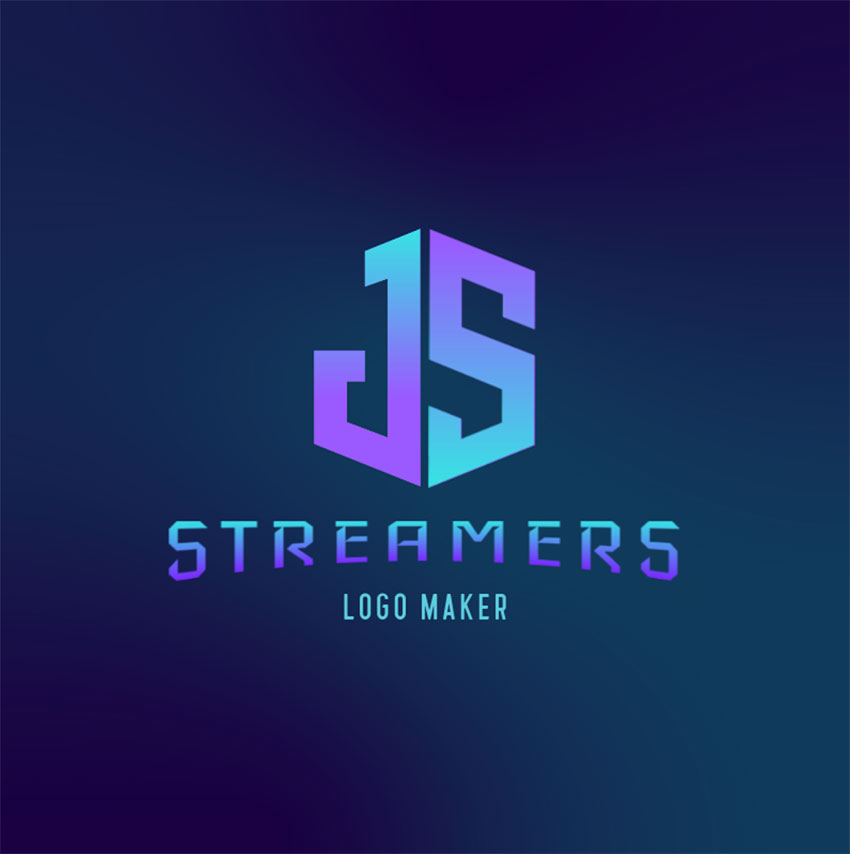
For those of you who have a popular streaming channel, this monogram logo will take it to the next level. This cool geometric logo features two initials that are boxed in. The initials’ font is perfect for a gaming channel. Simply change the initials and the name of your channel, and you’re good to go!
Placeit’s monogram creator doesn’t require any previous design knowledge. This professional logo is easily customizable, and it includes multiple monogram letter options. Add your business name and slogan, and tweak the colors—or not! It’s that easy.
Looking for a futuristic logo? Monogram logos don’t need to be flat. This neon logo monogram is perfect for a gaming channel or tech company. The monogram letters can be chosen from the library—the whole alphabet is set in neon! So it doesn’t matter what your business name is; you’ll find the initials you need.
If you’re looking for something more classic, Placeit has it! This beautiful and intricate monogram is perfect for a spa or products related to self-care. With a single letter monogram, you can create a unique and minimalist look for your brand. Are you ready to thrive?
Inspired by pixel art, this cool geometric monogram logo is the one to have! The initials feature square corners and sharp lines to create the illusion of a box. The vibrant neon colors make the logo bright and call for attention, perfect for a gaming streaming channel!
Classic and sleek: that’s what we want to see when we think of cosmetic products. Placeit includes simple yet powerful logos for product-based brands. This logo is elegant and will easily reach your customers with the right personality.
Natural products brands will appreciate this template. It features a lovely leaf illustration overlapping the monogram initial. This is paired with a classic text, so just add your company information and adjust the color scheme to reflect your own brand. Your brand is ready!
If you’re a cosmetic brand startup, check out this elegant monogram logo. It features a script font for the monogram letters and a chic serif for the brand name. Customize it as little or as much as you want to make the monogram logo your own.
Sports logos are always so beautiful to look at but difficult to create. With Placeit, not anymore. This template is so easy to customize with your sports team initials, name, and colors. The two initials look so intricate and professional that everyone will be asking you for the template!
Design Your Own Monogram Logo Today!
In this tutorial, you learned how to customize a logo template with a monogram creator. Placeit offers many more templates, shirt mockups, gaming templates, and much more. The interface is very easy to use, so you can do it even if you’re not a designer. I’d love to see what you come up with.
If you liked this tutorial, you might like these roundups too:
As a musician or a band, your primary goal is to fill the gig venue with raving fans and get noticed by agents. The best way to make sure that happens is to create an attractive website. And in order to do so, we’ve compiled for you, a list of the best music WordPress Themes to choose from.
Using your website, you can share information about your albums, upcoming single releases, events, and general band or biography information. Having a site also makes it possible for music agencies to get in touch with you about the possibility of signing a contract, that’s why every item here is the best theme for musicians, in its own way.
The Best Music WordPress Themes on Themeforest
There are plenty of premium WordPress themes geared for the music industry that include features like an audio player, event information, the ability to sell your merchandise, and so forth. To show you what I mean, we’ll see a selection of the best WordPress templates for musicians from ThemeForest below.
3 Tips for Choosing the Best Music WordPress Theme
Before we get started with our list, here are a few tips that might help you choose the best theme.
1. Quality is Important!
Whether you’re an urban artist, a classical musician, or something in between, quality is paramount. A well-developed WordPress theme will work more reliably in the short term and require less maintenance moving forward.
2. Load Speed
The ideal website load time is 2 to 5 seconds, but each second beyond 2 seconds will hurt your website. As a matter of fact, studies by Google have shown that when a page’s load time slows from 1 second to 5 seconds, the chance of the visitor bouncing (leaving before looking elsewhere on the website) increases by 90%.
3. Make it Personal
As a musician, you have a brand, and your brand establishes the fans you’ll attract. If we keep all of that in mind, making your website personal and an extension of yourself is a must.
The Best Music WordPress Themes for 2021
In this post, we’re showcasing some of the best music WordPress themes available on the ThemeForest marketplace that not only have the features mentioned above but also offer an attractive design that’s sure to impress your fans as well as music agents. Browse through them to find the best music theme for you.
The authors of the Decibel theme describe it as the perfect music WordPress theme, and I can’t say that they’re overreaching. This is one of the best WordPress templates for musicians we’ve got. It has a very elegant design and includes everything you might need in a WordPress band theme: Discography, Tour Dates, Playlist Manager, Store, Video & Photo Gallery, etc.
Noizzy is one of those music themes that has an urban vibe, and it really does it well; the second you go on the website you feel you’re in an underground club, and you can almost hear the music.
If you’re a DJ, rap artist, or an urban musician, this is the theme for you.
Whether you’re a professional, or an amateur musician, Mozo is a great theme for you; it offers a modern elegant design, an amazingly fluid user experience, and great use of fonts.
This theme will make your life easier, and allow you to focus on what really matters. The music!
If you want a modern music website template design, then look no further than Slide. This simple music WordPress theme offers a seriously eye-catching range of designs that are perfect for grabbing the attention of your visitors. Slide includes features such as different event layouts, two discography layouts, MailChimp integration to help you grow your fanbase, and over 20 additional WPBakery Page Builder elements.
Kentha is another brilliantly striking music WordPress theme, and if you love the neon 80’ aesthetic there is a collection of homepage demos which you’ll absolutely love. It includes an audio visualizer, artists, events, podcasts and plenty more.
With the non-stop music player users can navigate while listening, fast forward, reverse, skip or download tracks, and find new artists to follow–as the theme author says, it’s all about the music.
Music Club is a WordPress theme built especially for bands, record labels, studios, festivals, DJs or singers. It is fully responsive, retina-friendly, and easy to customize. Music Club also comes with a whole bunch of custom icon sets to really add originality to your websites.
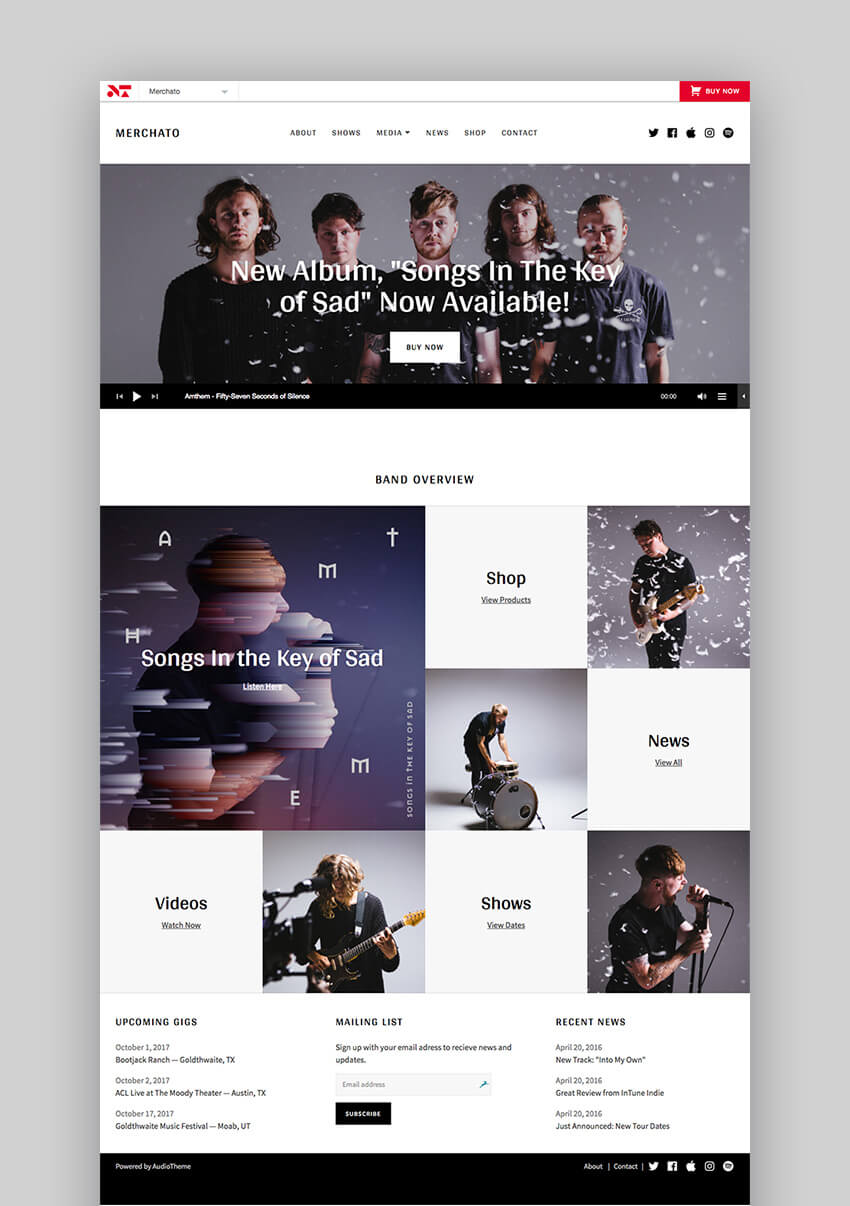
The next WordPress music website template on our list is Merchato. It features a unique mosaic design for 2021, which allows you to create a media-rich music website. It integrates perfectly with the most popular musician plugin, AudioTheme and you can easily sell your merchandise using WooCommerce integration.
This top WP music blog theme is perfect for showcasing your gigs, discography, and insert audio and video posts. You can also customize every aspect of your site and make it reflect your music brand.
The Lucille music website template is made for musicians, artists, music bands, producers or anyone working in the music industry. The WordPress theme band features a beautiful design and comes with plenty of features to customize your site.
Use the drag-and-drop editor to create any type of layout, showcase your albums, display information about your gigs, and more. The theme options are accessible through a user-friendly interface which makes editing this theme a breeze.
The OnAir2 theme is marketed as the perfect website design for radio stations but it can also be used if you’re a DJ and want to feature your services and custom mixes. Some of this music WordPress theme’s main features include:
Playbit is a modern music WordPress theme design for 2021. It’s suitable for artists, music bands, and musicians who want a flexible and customizable theme.
On top of a drag-and-drop page builder, audio players, and event information, this great WP theme also includes the ability to create wishlists, and use background videos. The Playbit core plugin can be used for even more styling options. It also has the ability to translate your website into any language.
The Zona theme is freshly designed. It comes with a powerful and fast audio player that looks good no matter which device your visitors are using to view your site and listen to your music.
You can also make use of dynamic playlist features that load additional content to player list and import your tracks from SoundCloud. Pages are easily customizable with the help of the Visual Composer plugin and you can create repetitive and multi-day events with the Event Manager.
Anthem is a modern WP theme suitable for musicians and bands with a strong focus on promoting your events. It’s fully customizable, easy to use, and fully responsive. This premium design outshines unsupported, free WordPress themes for musicians.
This music WordPress theme comes with premium features, such as a custom music player, the ability to list your albums, event management features, and everything else you need to create a powerful and impressive band website.
If you want a simple band website to share your tracks and upcoming gigs with your fans, consider the freshly Tune theme. It’s a one-page music template for WordPress that allows you to display an event list, your discography, and a well-organized video and photo gallery.
Several demos are available which can be imported with one-click and customized through Visual Composer. On top of that, this new theme integrates with Bandsintown, Soundcloud, and Spotify player. Use it to get your professional music website launched fast.
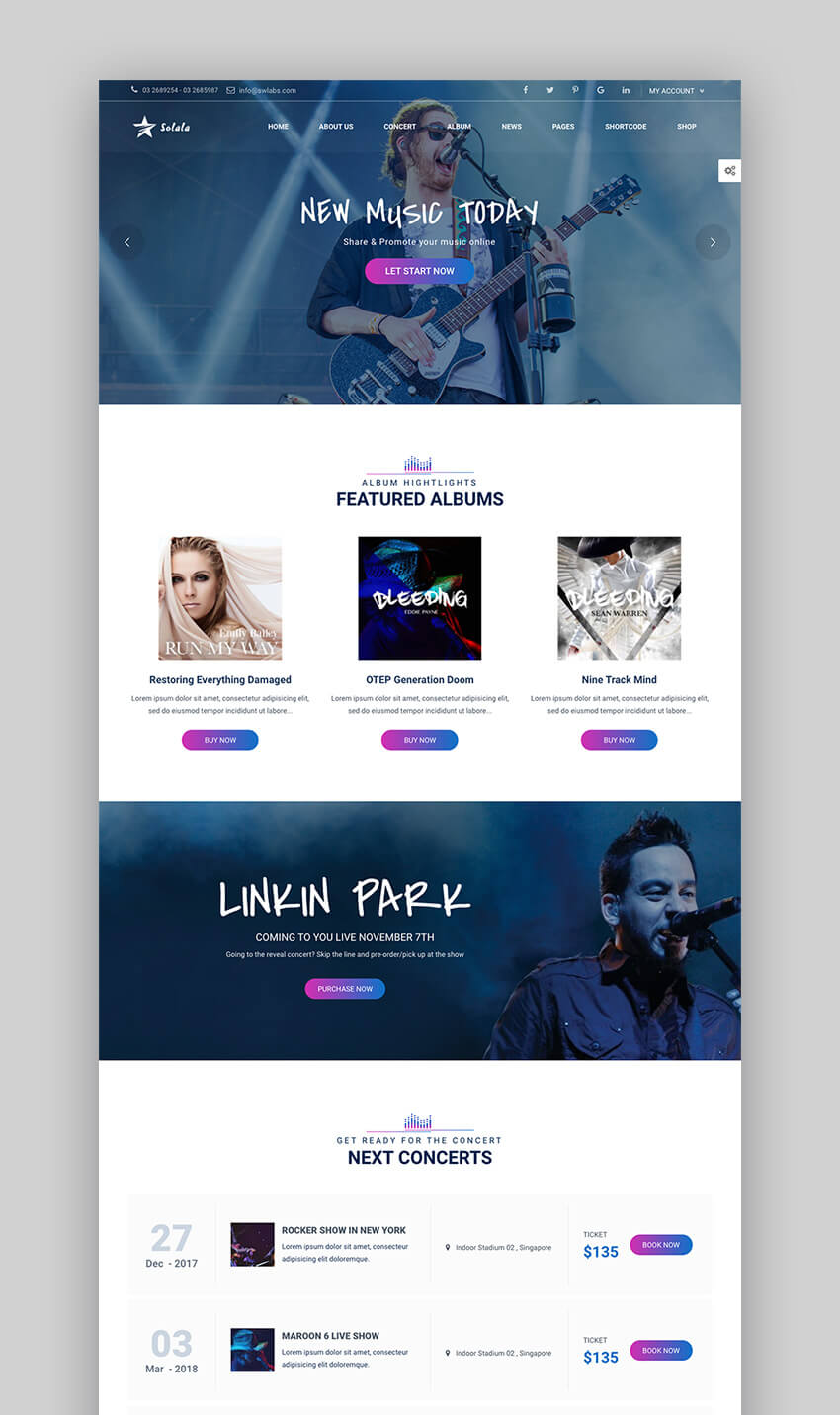
The Solala Music theme is responsive, fast, and features interesting interactive features. You can create any kind of element with a wide range of shortcodes for albums, events, band members, and more.
Visitors can manage playlists and songs using repeat, shuffle, or straight playing. Other notable features include:
Parallax scrolling effect
Carousel slider
Premium plugins such as Visual Composer and Slider Revolution
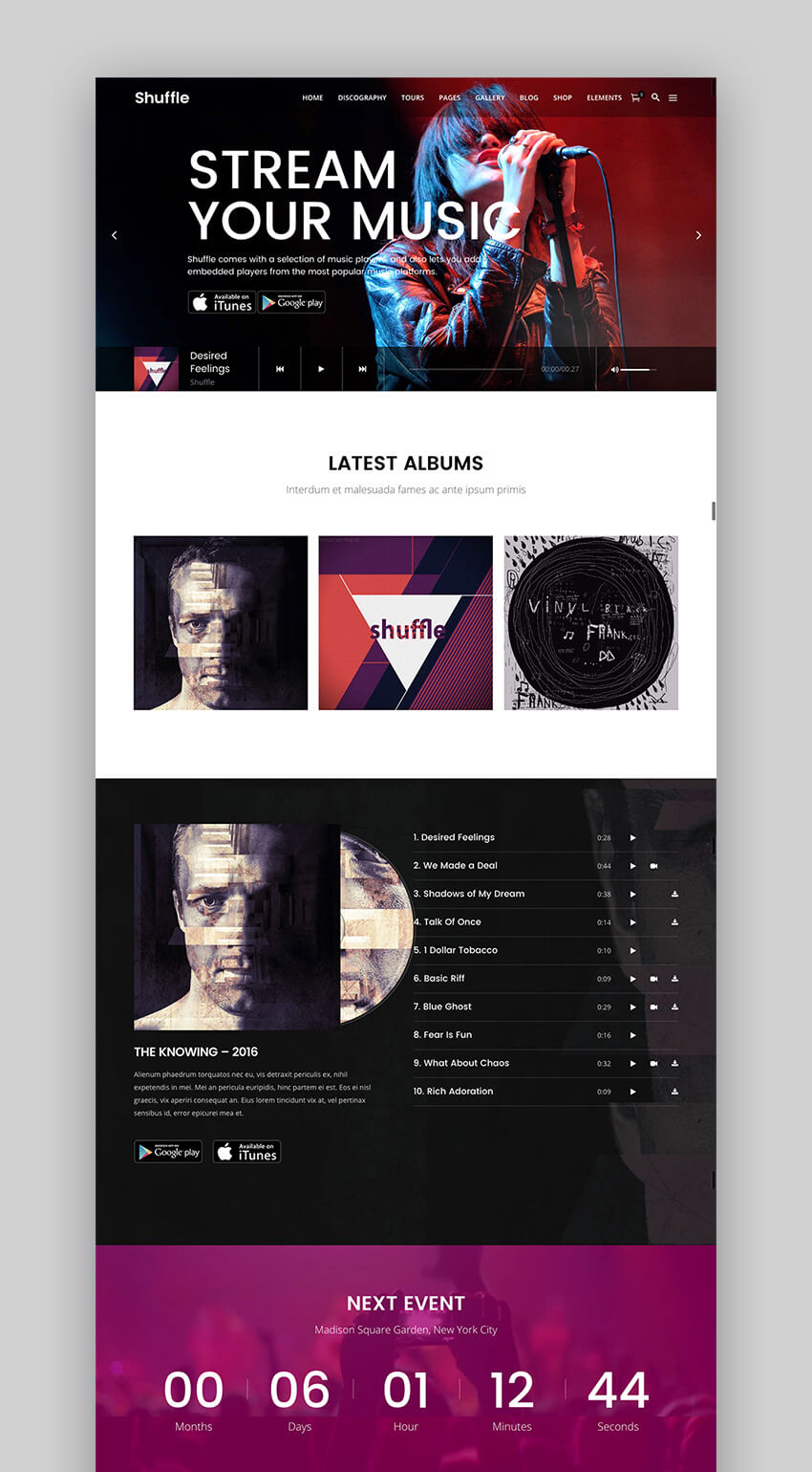
The Shuffle theme for WordPress music websites is versatile and can be used by artists, bands, and solo musicians. The WordPress theme band comes with an impressive 18 homepage demos and a number of page templates. You can choose between different skins depending on your genre to get just the look you want.
Several custom post types are available such as events, albums, ticket status, and more. You can also add lyrics to your albums and connect your site with a variety of music shop platforms, including App Store, Google Play, Bandcamp, Spotify, Amazon MP3, and Deezer.
If you own a music label or if you are a music producer, consider the SoundRise theme. It’s a perfect music website template designed to promote electronic press kits, online merch stores, and music tracks from the bands you manage.
The WordPress theme band comes with a variety of unique demos, continuous audio playback, and you can create unlimited playlists. The included Custom Events Manager plugin makes it easy to create and list upcoming gigs.
Mixtape comes with a powerful admin interface and all the necessary features to show your tracks, albums, sell tickets for your gigs in 2021, and more. You can easily import the demo content and an elegant audio player that allows you to set your music to play automatically as soon as someone lands on your site. You can also display the location of the venue where you’ll be playing thanks to Google Maps integration.
The Pulse is a responsive music WordPress theme, that allows users to create their own tracks and playlists for playing, and add a track to favorites. However, it also includes more Premium features that outperform free WordPress themes for musicians, such as:
Lush touts itself as a complete solution for everybody in the music industry. It features a beautiful design as well as tons of features geared for the music professionals. You can also have our team quickly set up your new music site with this Premium theme.
Promote your gigs and display a countdown timer to build buzz and excitement, allow users to listen to your tracks with a built-in audio player, share your discography, and much more. Check out what our customers have to say about this theme:
“This flexible theme has the features a professional musician needs and it is well-documented.”
5 Must-Have Features for Great WordPress Music Websites
Choosing the right WordPress theme for your music site is just the beginning. You want to make sure that your music website template has all the right features in place so you can impress potential agents as well as satisfy your fans. Here are the five most important features that every music website should have:
1. Audio Player and Sample Tracks
While your fans may already be familiar with your music, sharing your tracks and having an audio player on your site will allow other visitors to get a taste of your music and become interested in your albums and gigs.
You can also use the sample tracks to offer them as a free download in exchange for their email list so you can send them a targeted email campaign and promote your upcoming concert. All the themes on our list include beautiful and responsive audio players.
2. Contact Form
A contact form is a must on every website so visitors can get in touch with you. A professional music WordPress theme like Lush integrates perfectly with Contact Form 7. It’s a perfect way for agents to get in touch with you or venue owners that would like you to play at their next event.
3. Agent Information
If you are represented by an agent then including their information is essential. This allows press members to contact your agent about an interview and it also allows others to book your band for their events and special occasions.
4. Music Event List
Your fans will want to know when your next concert or gig is coming up so be sure to include that information on your site. This allows them to make plans to attend the concert and if you pair that with a WP theme like Shuffle, they can easily buy the tickets and see the status of their ticket purchase.
5. Recent News About Your Band
Your fans also crave information about what’s going on with your band while you’re not playing or recording a new album. Sharing recent news allows them to see a more personal side of your band members as well as get updates on new track releases, and more. Consider a music WP theme like Solala Music to easily create your blog and share news with your fans.
5 Free WordPress Themes For Musicians
I’ve shared with you our best WordPress templates for musicians from ThemeForest. You won’t regret buying premium WordPress band themes that are stunning, functional and easy to customize.
But don’t worry if you don’t have money to spend on a professional template. You can still create a good music website. I’ll show you some cool free WordPress themes for musicians.
And don’t forget to check our free WordPress themes on ThemeForest, which change every month.
Music Journal is a simple music WordPress theme, built with visual elements as the focus. This free WordPress theme band is perfect if you need a heavy visual theme with good customization options.
Looking for free WordPress band themes? This simple music WordPress theme is a good option for you. It’s a minimalist theme designed for those who work in the music industry.
This simple music WordPress theme is another good option for you if you’re looking for free WordPress band themes. Musicsong features a clean and attractive design, perfect to share your music online.
We close the selection of free WordPress band themes with this popular music WordPress theme. Music Lite is a simple and sleek WordPress theme band that offers you plenty of customization options and works with the WordPress audio player.
Learn More About WordPress
We know WordPress can seem intimidating if you’re just starting to use this awesome platform. But don’t worry, here I’ve got some resources that might help you with your WordPress website.
I hope you’ve liked the selection of the best WordPress templates for musicians from ThemeForest, along with the free WordPress themes for musicians I showed you.
Next up, I’ve got more awesome related WordPress themes and plugins for you.
Creating your own music website has never been easier thanks to WordPress and stunning themes for the music industry. Get started on your site by browsing through our new WordPress music themes and build a powerful website quickly—to showcase your albums, band members, and gig information.
Editorial Note: Our staff updates this post regularly—adding (new) Music Themes with the best, trending new designs.
A brochure is one of the most effective marketing materials for your business. It can help you raise brand awareness as well as promoting a specific product or service.
Nowadays, you can easily create a modern corporate brochure using a brochure template. A premade brochure template will save you time and guide your design in the right direction.
In this post, we’ll share the best brochure templates from our marketplaces, Envato Elements and GraphicRiver. Use them to get a head start on your next modern product brochure. Or, if you’re not quite sure what you want yet, use the templates for brochure design inspiration.
The Best Source for Modern Brochure Templates (With Unlimited Use)
Envato Elements is the perfect place to find modern brochure templates. For a low monthly fee, unlock unlimited downloads of corporate brochure designs, photos, videos, fonts, and other resources to use in your next project. Download as many of the templates as you want. Envato Elements offers a monthly subscription plan that gives you access to all the items on that marketplace.
Elements is one of the best values out there for creatives today. With unlimited downloads, you’ve got the freedom to try a variety of options as you build your new corporate brochure.
While you may be tempted by simple modern brochure templates you find online for free, free brochure templates are typically less robust than premium, professionally designed templates.
With the simple, modern brochure templates on Envato Elements, you’ll find key items such as:
bold text and title on company brochure covers to capture the reader’s attention
rich image placeholders to show off photos and videos
simple charts to illustrate data
customizable layouts to make every theme your own
Elements templates like the ones shown below deliver a modern and simple style that’s ready to present your content.
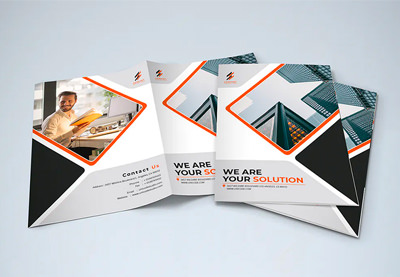
This Modern Brochure Template has a minimalist and clean design, which makes it perfect for any business or marketing purpose.
But the best feature about this corporate brochure template is that you can easily edit it with different programs! If you don’t have specialized design software, you can also customize it in PowerPoint, Keynote, and Google Slides.
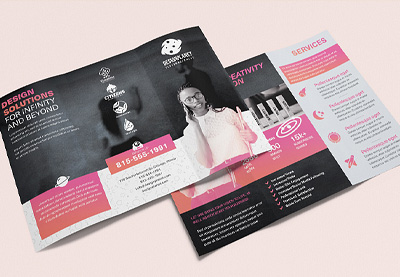
The Trifold Modern Brochure has an elegant and modern design. It’s perfect for raising awareness about your brand. Use it for any type of business or corporate brochure, or use it to promote a product or a new line of products.
The template uses a tri-fold layout. Edit it in Adobe InDesign to add your brand’s colors and fonts.
The Trifold Brochure uses a corporate green color scheme. It comes with smart objects for easy editing, so you can easily add your own photos and edit the template in Photoshop.
It was designed in US Letter paper size. Customize it with your colors, and check out the help file for the free fonts.
The Bifold Brochure has a simple and modern design. The file is completely editable and has well-organized layers, so you can easily customize it and make it match the rest of your brand.
The template was designed in Adobe Illustrator. You’ll get a total of six vector files along with a help file that lists the free fonts used in the brochure.
Use this trendy brochure template to promote a small business or a large corporation. Easily edit the colors to match your brand. Add your own photos using drag-and-drop image placeholders.
The template was designed in US Letter format and includes a bleed area. Customize it in Photoshop with your brand colors and fonts.
This creative brochure has a versatile design. Use it to promote your business or individual products and services.
The template was designed for InDesign. Customize it with your brand colors and fonts. This template comes in ten color variations and fits the US Letter paper size.
This Company Brochure template features a high-quality professional design that will save you hours of work. It’s suitable for any business project and fully customizable. The best features include:
A4 size (21cm x 29.7cm)
12 custom pages
CMYK colors
300 dpi: print ready
3 mm bleed
neatly organized layers
easy to edit
Envato Elements (Design Without Limits)
Envato Elements has a very attractive offer. For a single monthly fee, you get access to thousands of design elements, templates, and assets such as these modern brochure templates.
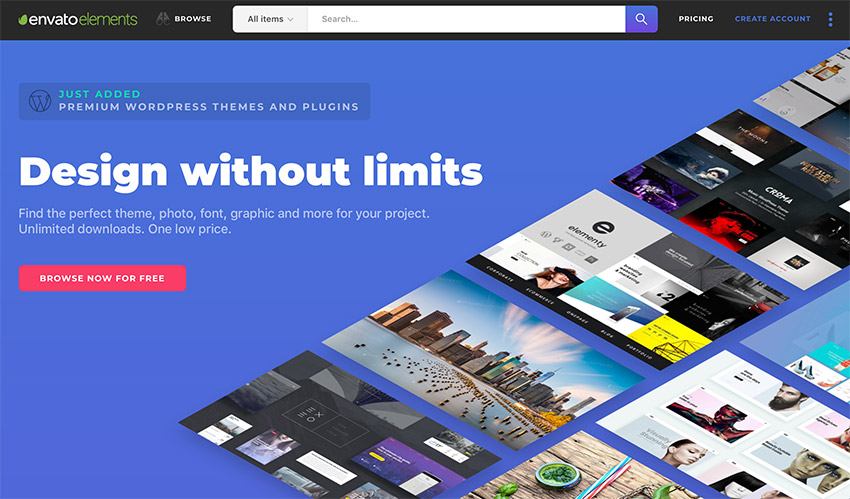
Envato Elements: unlimited awesome template downloads for one low price.
All you’ve got to do is choose a modern brochure design template you like, download it, and customize it to match your brand.
Sign up for Envato Elements today to take advantage of everything this marketplace has to offer.
Envato Elements is a powerful option. But if you prefer to buy the best unique modern brochure templates one at a time (instead of getting unlimited access to hundreds of creative designs), check out the selection from our GraphicRiver marketplace below.
If you’re looking for modern and trendy brochure design inspiration, check out this template. It comes with 16 editable pages and was designed with Adobe InDesign. The template is easy to customize and includes a detailed help guide.
The Brochure template is a great choice if you’re launching a mobile app and want to generate excitement before the official launch. The template comes in four color variations. It was designed in both US Letter and A4 size. Edit it using Photoshop.
Stand out with your brochure by using a landscape orientation and bold colors. This template is fully layered for easy editing and includes 24 premade pages. It’s a great choice when you want to share plenty of details about your product line or a new type of service you’re launching.
If you’re looking for modern brochure design inspiration, consider this template. It was designed in A4 format and includes a total of 16 pages. Edit the template in Illustrator. This template also includes customizable vector illustrations that you can use to spice up your brochure design.
This print-ready brochure design is a great choice if you want to raise awareness about your brand. It’s completely customizable. Use the image placeholders to easily insert your photos.
The template was designed in A4 format and uses process colors. You’ll get 16 pages in total, as well as a help file with links to the free fonts used in the template.
This brochure template is another great choice if you want to stand out. It was designed in a square layout. Use it for either product information or company information.
The template comes with 20 fully editable pages. You’ll also get a detailed help file with links to free fonts and instructions for customizing the template.
This bold brochure template uses the US Letter format and can be edited in Photoshop. You’ll find four color variations that you can use as a starting point, as well as eight PSD files. The template comes with well-organized layers and is fully editable.
Use this brochure template if your focus is to provide a quick overview of your company. The template comes in four color variations and includes customizable color swatches as well as well-organized layers that make it easy to edit this template. You can customize it with Illustrator.
If you’ve got a business in the medical industry, this brochure design will be a perfect choice. You can quickly provide potential clients and partners with a quick overview of your services or products. You can customize the colors and fonts and easily add your own images. It comes in three color variations and was designed in A4 format.
This brochure template is perfect for corporate brochures for businesses of all sizes. It was designed in A4 format and comes with 16 pages that are fully editable. You’ll also find a detailed help file.
As the name suggests, this brochure template is a great choice for a corporate brochure. Use it to provide potential clients and partners with an overview of your company or to raise brand awareness. The template includes 16 pages and several premade color variations that are easy to customize. This template was designed in InDesign.
Consider this brochure template if you’re looking for a minimal design. Use the template to promote your products or individual services. It was designed in A4 format, with full bleed marks included. Customize it with Illustrator.
This brochure template is a great choice for any type of business. It was designed in A4 and US Letter format. It comes with a total of 20 pages, plus four different company brochure cover designs. The template can also be edited in InDesign, Photoshop, and Word.
5 Quick Tips for Making Great Corporate Brochures With Templates
Now that you’ve seen all the different templates we’ve got available, it’s time to choose a template and customize it. Here are five quick tips that’ll help you make a great corporate brochure with your template.
1. Understand the Purpose of Your Brochure
The most important thing to understand is the purpose of your brochure. Are you trying to raise brand awareness or promote a specific product or service? Knowing this before you jump into brochure design will help you determine what message and content need to be in your brochure.
Keep in mind that you’re not writing a book, but instead providing potential clients and customers with an overview of your business or a product or service. Your copy needs to be concise since your space is limited. Too much information will overwhelm and confuse your audience.
3. Stick to One or Two Fonts
On a similar note, using too many fonts can make your brochure look unappealing. As such, it’s best to stick to one or two fonts and add more hierarchy by using different font sizes and weights.
Your brochure should include a call to action at the end to provide potential clients and customers with the next logical step. This can include listing a phone number to call for more information or to set up an appointment. It can also mean sending them to a specific page on your site.
5. Choose the Right Colors
Finally, make sure your brochure reflects your brand by using your brand colors. Be careful not to go overboard, though, as too many colors will distract the readers from the rest of the content. Instead, use color as an accent.
I hope you’ve enjoyed the selection of the best modern corporate brochures from Envato Elements and GraphicRiver. Now, if you’re looking for more inspiration and brochure templates, check out these awesome collections:
Brochure design has its own guidelines and standards. If you want to design a successful and attractive brochure, check our complete guide where you’ll find everything about this topic: Brochure Design & Templates
Design a Corporate Brochure With Modern Brochure Templates
Creating a stunning brochure is easy with the right template. To speed up your brochure design process, stop by Envato Elements and take advantage of its compelling offer to download unlimited brochure templates and other design assets for one low monthly fee.
If you know what brochure style and fold you want, check out GraphicRiver and our collection of premium modern brochure templates. Download your next modern product brochure design today!
1. How to Add a Gradient to Text in Illustrator (Non-Destructive Fill)
Step 1
There are two methods that you can use to apply a gradient to text in Illustrator. For the first method, select your text and go to the Appearance panel (Window > Appearance). Click the Add New Fill button and make sure that the newly added fill stays selected.
Move to the Gradient panel (Window > Gradient) and click the gradient thumbnail or the gradient slider to apply a gradient across all text in Illustrator. Once you’ve applied it, you can edit the gradient or the text as you wish.
Step 2
Take a closer look at the text, and you’ll notice a subtle pixelated outline. This happens because of that original text color which still lies underneath your gradient.
To fix this issue, all you have to do is remove that color. Go to the Appearance panel and double-click the Character button to access the text settings. Click the Fill color wheel and remove the color using that [None] swatch. To return to the Appearance settings, click the Type button.
2. How to Add a Gradient to Text in Illustrator (Destructive Fill)
Step 1
For the second method, select your text and go to Type > Create Outlines to turn the text into editable vector shapes. Now, you can apply a gradient to the resulting shapes, but the gradient will be applied separately, on each letter shape.
To apply a uniform gradient on the entire text, you need to turn your group into one vector shape. Open the Pathfinder panel and click the Unite button, and then turn the resulting shapes into a compound path (Object > Compound Path > Make or Control-8).
Step 2
With your compound path selected, move to the Gradient panel (Window > Gradient) and apply a gradient across all the text in Illustrator. Once you’ve applied it, you can edit the gradient as you wish, but not the text.
3. How to Apply a Gradient Outline to Text in Illustrator
Step 1
You can also apply a gradient outline to your text in Illustrator.
If you used the first technique to apply a gradient to text in Illustrator, select that text and simply hit the Shift-X keyboard shortcut to switch the Fill and Stroke attributes in the Appearance panel. Increase the stroke weight to make the outline thicker.
You might have noticed that the outline is overlapping at some points. This simply happens because Illustrator applies a stroke to each character. To fix this issue and apply the outline to the entire text, select the Stroke from the Appearance panel and go to Effect > Pathfinder > Add.
Step 2
If you used the second technique to apply a gradient to text in Illustrator, select that compound path and use that same Shift-X keyboard shortcut to switch the Fill and Stroke attributes in the Appearance panel.
Congratulations! You’re Done!
Here’s how it should look. Now that you know how to add a gradient to a font in Illustrator, you can use these techniques in your future projects. Don’t hesitate to share your final result in the comments section.
You can find some great sources of inspiration at GraphicRiver, with interesting solutions to improve any Illustrator gradient text.
Want to Learn More?
We have loads of tutorials on Envato Tuts+, from beginner to intermediate level. Take a look!
Looking to create a flyer for your real estate business or property? A professionally designed real estate flyer template could be just the boost your project needs.
Whether you’re looking for a little extra help, something to help speed up the process, or a complete, polished design, this list of real estate flyer templates has a little something for everyone!
Using a template can be a strong choice in many scenarios. It saves you time, and having an arsenal of tools to help streamline your workflow can be a great idea.
We’re going to look at a list of great free finds in this article, but we’ll also look at some premium design inspiration.
Why Use a Premium Flyer Template?
Working on a design project usually means managing project guidelines, schedules, and your budget. There’s a lot to consider, and a free real estate flyer template that helps you get the job done is an awesome find. However, that’s not always an easy task. This can mean a lot of searching, testing, and extra time making customizations.
A premium solution can often save you a lot of time that you might need to spend searching for the right free printable real estate flyer templates. Premium templates also tend to come with documentation, quality control, and even updates. Free solutions may lack these options, and often require more technical know-how on your part to get things completed.
If I’m in a hurry, nothing beats a collection of high-quality assets at my fingertips.
Sounds appealing? Check out Envato Elements. Not only are there plenty of real estate marketing flyers here to choose from, but there are thousands of other assets here too—and they’re all available for one low monthly cost. Yup, one subscription fee, thousands of assets. Download to your heart’s content.
This means unlimited downloads for one fee. Try out more than one design. Mix and match content. The sky’s the limit.
It’s easy too. Simply search, download, and open the content in the applicable software. Adobe InDesign, Photoshop, Illustrator, even Microsoft—filter your search and take a look. There’s new content uploaded regularly. There’s always something to see.
Check out this classy premium real estate flyer template. It’s available for download right now on Envato Elements.
8 Best Real Estate Flyer Templates From Envato Elements
Before we get to our list of real estate flyer templates for free, let’s look at some premium real estate flyer ideas from Envato Elements. Consider picking one up, or look at them as design inspiration for your project:
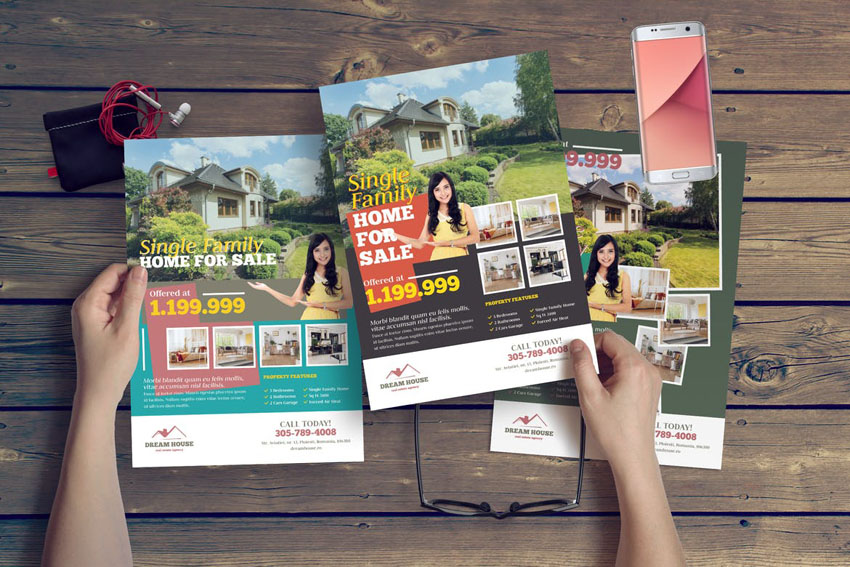
This modern real estate flyer design balances its elements well. Show off images of your property with stunning image masks that will get potential buyers interested. You can edit the colors to match your brand, as well as adding your brand’s logo. If your listing is available online, take advantage of the space for a QR code in this design.
Are you looking for a fresh real estate flyer template that’s easy to use? Then you should try this abstract choice. It’s double-sided and works as well in Illustrator as it does in Photoshop. The minimal layout is customizable, so it can be used as a promo for realtors or individual listings.
This double-sided flyer is so welcoming and earthy. Selling a property in a region with a lot of greenery? Check out this template. There’s a lot of room here for content too. So, if you’ve got a lot of text and imagery to work with, an approach like this could work well.
Check out this set of templates, specially designed with real estate in mind. Not only do you get a flyer template design, but you get matching social media designs too.
This design is open, clean, and modern. This stylish approach could be a great fit for showing off beautiful photos. Have you thought about what aesthetic best suits your real estate business ventures? This one might be it.
This grid-based design has a clean, modern look. But it’s rather earthy at the same time. It’s a versatile design too; imagine this one with different images and a different focus.
Looking for a real estate agent flyer template? This one’s got a big placeholder for your agent photo and information. How many photos would you want to include in your real estate agent flyer? What key parts of the property would you want to show off?
Featuring clean lines and plenty of space for pictures, this minimal real estate flyer design is perfect for many properties. There’s a surprising amount of space to talk about listings here, as well as benefits for potential occupants. The included Illustrator and Photoshop files let you customize the fonts, colors, and more without much fuss, so you can get your flyer out into the world.
5 Best Real Estate Templates From GraphicRiver
But maybe a monthly subscription doesn’t suit your project or your needs. Do you prefer something with a one-time fee, a la carte?
If you’re looking for a no-fuss, premium solution, check out GraphicRiver. Buy only the real estate flyer you want, without any reoccurring fees or extras.
This can be a big benefit if you’re not looking for a collection of assets and you don’t necessarily need or want unlimited downloads. This way, you’re in, you’re out, and you’ve got the premium content you were looking for. Easy!
Before we dig into our list of free templates, let’s close off with some real estate flyer design inspiration from GraphicRiver too. There are so many awesome real estate flyer design ideas to see:
This design is elegant and print-ready. Jump right in and add your text and visuals to make this design your own. Prefer a different color scheme? You can edit that aspect of the design too.
This template puts a lot of emphasis on a specific property. Notice how it makes some of the most important details clearly visible and a focal point in the composition. What content will you emphasize in your real estate agent flyer?
Looking for a template that’s got a lot of space for imagery? Check out this template. It also comes with alternate color schemes, ready to go, for your convenience.
This A4 real estate agent flyer is so stylish and versatile. It’s easy to picture this one with many different properties in the image spaces, isn’t it? Are you looking for versatility when it comes to your own real estate flyer design?
How about working with vibrant, saturated colors to bring some added energy and excitement to your composition? Will you go with color that complements your branding, the property itself, or a different direction?
20 Best Real Estate Flyer Templates for Free
Now, let’s look at some awesome free printable real estate flyer templates from around the Internet. If you need to, pick these up and add them to your collection:
How cool are the image areas in this design? Showcase your property in this stylish and visually engaging design. It even comes with two color options included.
Have you considered a folded flyer or a brochure for your real estate flyer project? How about this design? It’s free, so there’s no harm in downloading this design and giving it a test run.
Selling your own property on your own? There are real estate marketing flyers out there for you too. This real estate agent flyer template for free has space to showcase your images and your content. It helps make your listing look professional to prospective buyers.
How about a flyer that lets viewers tear off a tab and take your information with them? Check out this free printable real estate flyer template. It’s got a fun, geometric design, and plenty of tabs for interested parties to take along with them.
A dark real estate template theme can help you stand out. With colorful gradients and plenty of space for your content and photos, this free template is worth a look.
Looking for something better suited to a digital format, like email? Check this template out. This PSD is free, ready for your content, and has placeholders for so many listings.
This template is clean and sophisticated. It might be the right fit for showing off your property. If you’re looking for a free real estate design flyer, this one could be a great choice.
Check out this lovely real estate flyer. It’s got plenty of room to show off your property, as well as ample space for more info on the property and your business. Oh yeah, and it’s free.
This real estate agent flyer has a wave design. This could be a nice approach if blockier design elements aren’t really your style. Check it out and start editing it today in Microsoft Word.
Bold type and contrasting color make this template really stand out. Not only that, but it comes with three color options included, all free to download and use today.
This simple real estate flyer has plenty of space for sharing your agent information. Show off a selection of your properties. Best of all, this Microsoft Word template is free.
Looking for a solid freebie in Photoshop? Download this free PSD template today. The navy blue and white layout could have so many design possibilities.
This template has bold type that’s sure to grab your viewer’s attention. It also comes with four color options included for your convenience.
5 Quick Design Ideas to Make Great Real Estate Flyers
What makes a great real estate flyer design? How do we customize a real estate flyer template and keep the aesthetic looking strong and professional?
We’ve looked at a lot of real estate flyer examples in this article. Now, let’s take a moment to discuss what makes them tick. What makes a great flyer? And how do we use some of those strategies in our own work?
Here are some design tips to get you started:
1. Make Sure Your Info Is Easy to Find
A beautiful design is great to look at—but a great design both looks good and works well too. When it comes to the very best real estate flyer design, it’s going to draw in potential viewers with nice visuals. Plus, the relevant information is going to be easy for the eyes to zone in on.
When working with your own design, keep a list of what information is most important. How will you include it? What’s more important and what should your audience potentially see first? Answering these questions can help you make stronger design decisions.
In the Greenland real estate flyer template, the real estate agent’s info is available right at the top.
2. Command Attention With a Pop of Color
Contrast can really make something stand out. Where do your eyes first go when you look at the composition, below? Mine go right to the 20% off.
Why? Well, it’s big, and the red color stands out. It’s got a lot of contrast against the white background.
Think about what content you want to stand out the most in your design and how you might achieve that. Contrast might just be what the doctor ordered.
Prefer a different key color? Easily swap out the color for your favorite in this premium real estate flyer template.
3. Visual Associations Can Unify Your Design
Check out this beautiful real estate flyer design. Doesn’t it look earthy, homey, and welcoming? Notice that the design itself is very much inspired by the photography. We see similar whites and browns, which makes the composition itself feel more interconnected, or unified.
Consider making visual associations or connections like this in your design work to try to push for a more unified look and feel.
Think about it for a moment—what does the color blue make you think of? How about the color red? You see, we’ve all got preconceived ideas and associations with color. The colors we choose in our designs are more than just picking a favorite. We’ve got the potential to be strategic and to communicate and reinforce ideas about our brand.
When working with color, think about what your color choices might communicate to your audience. Are you going for an energetic feel? Something comforting and welcoming?
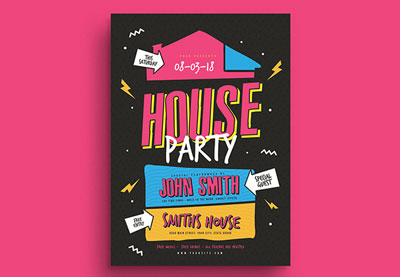
Looking for something fun and different? Check out this quirky premium real estate template—it’s such a fun approach.
5. Keep Things Organized
It can be tempting to include as much information as you can—photos, texts, links, and more. Yet, as with many things in life, less is often more. Organization can make a world of a difference.
Don’t hesitate to leave some “breathing room” in your designs too. This is often referred to as negative space in design. Just like you wouldn’t want to cram furniture into every space in your home, design often benefits from open space too.
When I’m working on a design project, I can never get enough inspiration. Want to check out even more flyer design templates? Take a look at some of these awesome roundups to get your design inspiration fix:
Want to know more about flyer design? There are so many awesome tutorials on Envato Tuts+ that focus on that. Check these out—they’re free walk-throughs, if you’re the sort who’d rather design your real estate marketing flyer from scratch:
Design & Illustration Video Tutorials From Envato Tuts+ on YouTube
If you’re a visual learner, you’ll love the Envato Tuts+ YouTube channel. It’s full of video tutorials and guides for Photoshop, Illustrator, Affinity Designer, and much more! Dive into our Design & Illustration tutorial playlist to learn all about the topic through videos. Here’s a taste of what you can find.
Help Attract Interest to Your Real Estate Business With a Professional Flyer Design in 2021
Thanks so much for joining me through this survey of awesome designs and design tips. I hope you found some helpful content that’ll come in handy.
Looking to get started on your design project right now? There are even more real estate flyer designs on Envato Elements to check out. Remember, if single designs are a better fit for your budget and your project, there are many real estate flyer templates on GraphicRiver too.
If you’ve caught the flyer bug, you can learn more about the topic from Envato Tuts+! You can find tons of great resources below, including tutorials and links to awesome flyer templates.
Download your favorite templates and get started today!
After all the rumors, teases, reveals and reviews, the launch of a new generation of consoles is upon us. Microsoft is going first with the Xbox Series X and Xbox Series S officially going on sale and shipping starting on November 10th. If you’re div…
Facebook is still trying to get a handle on people and groups spreading election misinformation via “Stop the Steal” messaging. The company took down a handful of prominent Facebook pages and at least one group promoting “Stop the Steal,” for inauthe…
Before streaming video from the cloud was a normal thing, a Slingbox was the best way to access TV from anywhere. Just plug one of their transcoders into your antenna or cable box, plug in the internet, and it provided a stream you could watch at wor…
In a reversal of an earlier decision, Insomniac Games announced on Monday that PlayStation 4 players will have the ability to transfer their save files from Marvel’s Spider-Man to the upcoming PlayStation 5 remaster of the game. What’s more, they won…
We’ve seen both companies and research teams attempt to make modular robots an everyday reality, but, more often than not, they all run into the same problem: the mechanism that allows those devices to connect to each other is complicated and fragile…
A Philadelphia landscaping business carved out its place in history over the weekend after a Trump campaign press conference was held there. President Donald Trump's lawyer Rudy Giuliani and other campaign supporters spoke to the press outside Four S…
 Placeit20 Cool Gaming Logos: Team + Video Games (Online Design Creator)Andrew Childress
 Album CoverHow to Make a Rap Album Cover Art (Using an Album Cover Maker)Nona Blackman





 PlaceitHow to Create an Animated LogoAbbey Esparza
 Logo Design20+ Cool Sports Team Logo Designs (+Make Your Own Online Now)Andrew Childress
 FreebiesHow to Get Free T-Shirt Mockups & More on PlaceitNona Blackman
 PlaceitFantasy Football Logo Maker: How to Make Your Own Team Logos FastAndrew Childress
 InstagramHow to Make Instagram Stories in Seconds Without PhotoshopAndrei Stefan
 Book Cover27 Best Book Mockups Using a Book Mockup GeneratorNona Blackman








.jpg)