Daily Update for January 4, 2012

It’s the TUAW Daily Update, your source for Apple news in a convenient audio format. You’ll get all the top Apple stories of the day in three to five minutes for a quick review of what’s happening in the Apple world.

You can listen to today’s Apple stories by clicking the inline player (requires Flash) or the non-Flash link below. To subscribe to the podcast for daily listening through iTunes, click here.

No Flash? Click here to listen.

Daily Update for January 4, 2012 originally appeared on TUAW – The Unofficial Apple Weblog on Wed, 04 Jan 2012 14:30:00 EST. Please see our terms for use of feeds.

Source | Permalink | Email this | Comments

Apple reportedly cracking down on App Store pirates

According to a post this morning on Ars Technica, Apple is taking legal measures to make it more difficult for pirated copies of App Store apps to make their way to the hands of iOS device owners. The company is sending takedown notices to Apptrackr, a site that commonly directs users to cracked versions of popular apps.

The takedown notices are being sent under the auspices of the Digital Millennium Copyright Act (DMCA), which is the US implementation of two treaties of the World Intellectual Property Organization. Apptrackr developer “Dissident” says that Apple has scraped links from Apptrackr, and then sent takedown notices in an attempt to cut off access to the cracked apps. To combat Apple’s anti-piracy efforts, Apptrackr has moved to servers outside of the US, and — according to Ars — is “using a form of redirection to avoid ‘direct’ links to infringing content.”

Some developers have reported that piracy rates for their apps are as high as 80 percent, which would result in losses in the millions of dollars for individual developers and possibly billions of dollars to Apple. Apptrackr defends their activities by saying that their “service” is “for application trials, and nothing else.” On the Apptracker site “About Us” page, Dissident claims that “pirates who do not choose to purchase the applications they install are not lost sales. They were very, very likely never potential customers in the first place. Piracy’s conversion rate is absurdly low, and developers know that.”

Regardless of how you personally feel about software piracy, it’s fascinating to see that Apple is coming to the defense of App Store developers by attacking Apptrackr with takedown notices.

Apple reportedly cracking down on App Store pirates originally appeared on TUAW – The Unofficial Apple Weblog on Wed, 04 Jan 2012 14:00:00 EST. Please see our terms for use of feeds.

Source | Permalink | Email this | Comments

TUAW TV Live at 5 PM ET: What’s ahead for 2012?

With this episode of TUAW TV Live, the show goes into its third full year of production. As with every new year, there’s a lot of speculation on what new trends and products we’ll see from our friends in Cupertino. Today on TUAW TV Live, I may or may not have a co-host (he hasn’t responded yet), but I’ll certainly have opinions about what to expect in 2012.

As usual, I’ll be starting the show at 5 PM EDT (2 PM PDT / 10 PM BST) sharp, and we’ll take a few minutes to chat before the demos start. To join in on the chat and watch the live streaming video, drop by TUAW about five minutes before the start time to get your instructions on how to participate. If you’re unable to join us for the show, remember that you can always subscribe to the video podcast and watch the show at your leisure in iTunes or any other favorite podcatching app. The past shows are also available on the TUAW YouTube channel.

The chat is now available as well on IRC: join us on server chat1.ustream.tv, chat room #tuaw-tv.

TUAW TV Live at 5 PM ET: What’s ahead for 2012? originally appeared on TUAW – The Unofficial Apple Weblog on Wed, 04 Jan 2012 13:30:00 EST. Please see our terms for use of feeds.

Source | Permalink | Email this | Comments

Communilator Pro tops TUAW Best of 2011 voting for best productivity app

After a few issues with making sure that the voting poll was actually published (my fault), we finally have a winner in the productivity app category for the TUAW Best of 2011. That winner was Communilator Pro (US$2.99), a global translator app from RantNetwork.

The app has been very successful since release and does language translation in a number of different ways. First, it can take source text from typed input, email, instant messages and other sources and translate between 54 different languages. Next, it can provide high-quality spoken output for translations in 20 foreign languages, and it also has the ability of recognizing and translating foreign text captured by the iPad camera. The latter capability can be useful for translating newspapers, menus, books, or even street signs.

Coming in close behind Communilator Pro were OmniFocus for iPad ($39.99) — just a scant 3 percent of votes behind — and GoodReader for iPad ($4.99). OmniFocus is perhaps the most powerful task management application known to the TUAW staff, while GoodReader is a PDF reader on steroids.

Thanks to the many TUAW readers who voted in this important category, and congratulations to the team at RantNetwork for their popular translation app.

Communilator Pro tops TUAW Best of 2011 voting for best productivity app originally appeared on TUAW – The Unofficial Apple Weblog on Wed, 04 Jan 2012 13:00:00 EST. Please see our terms for use of feeds.

Source | Permalink | Email this | Comments

Hitachi introduces several new Mac hard drives

Just ahead of the first days of CES 2012, Hitachi has introduced a line of new hard drive solutions for the Mac. The drives range in capacity from 750 GB up to a whopping 8 TB, and cover the gamut from internal drives to desktop and mobile solutions.

The internal drives that Hitachi is bringing to the table include the 2.5-inch 5,400 rpm 1 TB Travelstar 5K1000 and 3.5-inch, 7,200 rpm 4 TB Deskstar 7K4000. Both of these drives have full support for the 6 Gbps SATA 3 standard.

The mobile drives are bus-powered, with the G-Drive mobile using a FireWire connection and coming with 1 TB of storage. The G-Drive mobile USB uses the USB port, and comes in both 750 GB (US$150) and 1 TB capacities.

On the desktop front, Hitachi has announced the G-RAID which uses the Deskstar 7K4000 drive described earlier. The G-RAID comes in an 8 TB capacity (4 TB RAID 1) for $900. The G-Drive comes in four different capacities from 1 TB to 4 TB, with prices ranging from $200 to $450. The G-RAID and G-Drive come with FireWire, eSATA and USB 2.0 connectivity. Noticeably missing, however, is any mention of Thunderbolt connectivity.

Hitachi introduces several new Mac hard drives originally appeared on TUAW – The Unofficial Apple Weblog on Wed, 04 Jan 2012 12:00:00 EST. Please see our terms for use of feeds.

Source | Permalink | Email this | Comments

Professional iOS App Design Templates Bundle – $47 Instead of $280!

The iOS App Store Top 10 list… the one list many developers would consider selling their firstborn child to be on. It’s a magical place, one that offers fame, fortune, and potentially hundreds of thousands of downloads. But the apps that have made the list don’t have super powers. They’re just regular apps, with one little exception: DESIGN! You can’t make the top ten list without awesome design.

And that’s where this phenomenal bundle from App Design Vault comes in! Included here are four iPhone App designs that are completely customizable. All for only $47, an 83% savings over the normal price of $280!

Each theme is professionally designed and it includes over 20 design elements, all sliced up .PNG files ready to go into your app design. There’s a sample Xcode project that shows you how to use your theme so you can be up and running in seconds. PSD files are also included for more flexibility.

Here are some details on what you get with each theme:

Social Boo
Created specifically for Facebook, Twitter, and Foursquare apps. It comes with four screens: a list of social updates, a user profile, a splash screen, and an icon. It also includes design elements like buttons, progress bars, etc. View template


PodRadio
A multimedia app theme specifically for apps that play audio or video. There’s an album title screen and a detail screen with red glowing player controls (rewind, fast forward, play, pause, etc.). There’s a nice leather navigation bar that adds a classy feel to your app (the nav bar can be used in any other apps you have). View template
Podradio
Foody
A recipe app theme. Recipe apps sell well on the App Store, which is why top chefs like Jamie Oliver are all coming out with their own apps. Foody has a brown leather style, taking inspiration from the Find My Friends app from Apple (proof that you can adapt these designs to work with any kind of app). It includes a list of dishes, a detail screen with a list of ingredients, and a framed image for each dish. View template
Foody
PhotoPad
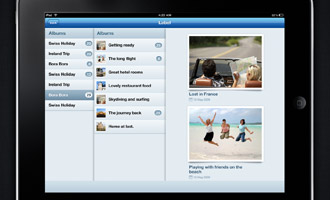
An iPad PhotoBooks theme with an interface that resembles the Twitter app’s. PhotoPad can be used to design a photo book app for weddings, baby photos, holidays, and more. Both the Photoshop files and the Xcode project are included in the bundle. View template
Photopad

Pricing:

Get ALL 4 of these app templates today for just $47 instead of $280!  Save over 83% off the retail price!

Professionally Designed iOS App Theme Giveaway – Check It Out!

It’s no secret that design is critical for success in the iOS app store.

With hundreds of thousands of apps to chose from your app needs to make a great first impression.

With a poor looking design the user may not feel that impulse to buy, and review site scouts could immediately passover your app.

Unfortunately quality app design can be quite costly.

That’s where the App Design Vault comes in.

On the App Design Vault you will find a listing of several complete app themes including artwork in both .PNG and Photoshop editable .PSD formats along with an example Xcode project using each theme.

The Giveaway:

The guys at App Design Vault have agreed to let me hold a contest and give away two of their themes to one lucky winner along with a special discount to anyone that enters the contest.

Here’s are the rules to follow to qualify for the giveaway:

1) Tweet this article – you can use the tweet button at the top or at the bottom of the article.
2) Visit the App Design Vault gallery and choose any two themes currently for sale that you’d like.
3) Enter a comment below (or below this article on ManiacDev.com if you are reading this elsewhere…) with your twitter name and  the names of the two themes you’d like along with why you would like them:

Example Comment:

Twitter Name: @maniacdev. I would like the Newstab and Paperbox themes because I’m working on a news app and can’t afford to pay thousands to hire a designer!!

4) Be sure that you are following @maniacdev on Twitter when the contest ends at 12 Noon Pacific Standard Time January 11th so you can receive your prize by direct message – or it will go to the next person.

Only one entry per person.  Random.org will be used to pick the winner.

Good luck on being the winner!

©2012 iPhone, iOS 5, iPad SDK Development Tutorial and Programming Tips. All Rights Reserved.

.

DeliciousTwitterTechnoratiFacebookLinkedInEmail


Example Source Code: Frogger Recreated With Cocos2D, Sparrow, Starling And LibGDX

I’ve mentioned many different game frameworks on this site, including both Sparrow and Cocos2D for iOS.

You may not be familiar with the Starling, and LibGDX game frameworks.  Starling is the Actionscript version of Sparrow (utilizing Adobe’s Molehill API) , and LibGDX is a framework for Android utilizing Java.

One of the most common questions I receive is about where to get started, and which framework to use.

Roger Engelbert has put together an interesting set of example projects each providing the source code for a Frogger style game using the Cocos2D, Sparrow, Starling and LibGDX frameworks in order to help you decide which framework you might like to use, or to help you port your code from one framework to the other.

You can find the examples through the links below:
An Overview
Example Source Code Using Sparrow
Example Source Code Using Starling
Example Source Code Using Cocos2D-iPhone
Example Source Code Using LibGDX

You can check out the individual frameworks at these locations: Sparrow (iOS) , Starling (Flash – Molehill), Cocos2D-iPhone (iOS), LibGDX (Android)

If you’re trying to decide on a framework or want to port a game over to Android you may want to check these out.

©2012 iPhone, iOS 5, iPad SDK Development Tutorial and Programming Tips. All Rights Reserved.

.

DeliciousTwitterTechnoratiFacebookLinkedInEmail


Lost hiker saved by iPhone flashlight app

One time when I was day hiking Mount Washington, I took a wrong turn at the top and went down the wrong way. I raced down the mountain, but still had to navigate some rough terrain for a few hours in the dark. This was the late nineties. I had a phone, but it didn’t get coverage and phones back then didn’t have a flash for light.

That was then, and this is now. Today, hiking in the woods is much safer thanks to improved cellular coverage and smartphones with apps. Based on this story from Jonathan Anker of HLNtv, I’m sure Christopher Tkacik of Maryland would agree.

Mr Tkacik was out walking his dog on New Years Eve when he got lost in the woods surrounding Catoctin Mountain. After several hours of wandering around, he used his iPhone to call for help. He was instructed to stay where he was and wait for rescue. To help the rescue team find him, he didn’t start an old-fashioned fire; he used a flashlight app as a beacon to attract them to his location. Tkacik and his dog made it out of the woods without injury, and he was home in time to keep his New Year’s Eve plans.

Lost hiker saved by iPhone flashlight app originally appeared on TUAW – The Unofficial Apple Weblog on Wed, 04 Jan 2012 11:00:00 EST. Please see our terms for use of feeds.

Source | Permalink | Email this | Comments

iPhone 4S to launch in China, 21 other countries on January 13

Friday, January 13th is going to be a lucky day for iPhone fans in China and 21 other countries. On that day, the iPhone 4S becomes available in those countries around the world.

In a press release this morning, Apple CEO Tim Cook reported that “Customer response to our products in China has been off the charts.” Cook went on to note that with the launch next week, iPhone 4S will be available in over 90 countries, making this the fastest iPhone rollout ever.

The list of countries where the iPhone 4S will begin to be sold includes Anguilla, Antigua and Barbuda, Bolivia, Botswana, British Virgin Islands, Cameroon, Cayman Islands, Central African Republic, China, Dominica, Dominican Republic, Ecuador, Grenada, Guam, Guinea Conakry, Ivory Coast, Jamaica, Kenya, Madagascar, Mali, Mauritius, Niger, Senegal, St. Vincent and The Grenadines, Trinidad and Tobago, Turks and Caicos, and Uganda.

[via BGR]

iPhone 4S to launch in China, 21 other countries on January 13 originally appeared on TUAW – The Unofficial Apple Weblog on Wed, 04 Jan 2012 10:30:00 EST. Please see our terms for use of feeds.

Source | Permalink | Email this | Comments

Daily Mac App: Typingstats

Typing- whether it’s writing a blog post or responding to an email, almost everyone with a computer has to type. So why not make it fun? One way to liven up your typing experience is to use the small utility Typingstats.

Typingstats is an OS X app that sits in your menu bar and keeps track of your keystrokes. It counts them for you and calculates your words per minute while you type. If you don’t like words per minute, you can choose words per second, keystrokes per second, or keystrokes per minute.

It’s system-wide, so it tracks your typing in your web browser, email client and text editor. The app keeps a history of your keystrokes and produces a nice graph that shows your typing count each day. As expected, my graph is steady during the week and drops off during the weekend.

Besides keystroke count and words per minute, the app also tracks which key you press most often. For me, it’s the spacebar and sometimes the letter “a”. You can keep your keystroke count to yourself or upload it to an online leaderboard where you can compete to become the typing king (or queen). Uploading does require you to sign up for an online Typingstats account.

The app isn’t 100% accurate. It only counts keystrokes and not words. The app assumes each word is five characters, so your word per minute count is an approximation. Typingstats also counts every keystroke, including command, option and control, so a simple copy and paste can be calculated as a word. For me, a close approximation is good enough. I enjoy watching the keystroke count go up each day and the wpm count fluctuate as I type.

Typingstats is a fun utility for people who make their living typing or are just interested in knowing how much they type. If you’re concerned about privacy (the app does track your keystrokes), you can open the app only when you’re typing information that’s not sensitive. The app is available in the Mac App Store for 99-cents.

Daily Mac App: Typingstats originally appeared on TUAW – The Unofficial Apple Weblog on Wed, 04 Jan 2012 10:00:00 EST. Please see our terms for use of feeds.

Source | Permalink | Email this | Comments

Former Marine marches from battlefield to Apple accessory market

Devon Read spent five years in the Marines, serving in both Iraq and Africa. Now, the Golden, Colorado resident is a successful Apple accessory maker. He’s a self-admitted Apple fan who wanted a protective case for his Apple devices, but couldn’t find products that were fashionable, functional and affordable. Instead of waiting for that perfect product to hit the market, he and two of his friends decided to make their own.

Read and his friends came up with the idea for Happy Owl Studios, after the iPad announcement and quickly designed their signature Wallet and Clutch bag. The Wallet is a slim bag that has room for your pocket change, credit cards, and mobile phone. The Clutch is a slightly bigger bag, designed primarily for the ladies. It’ll replace your purse and has a larger pocket that’ll hold lip gloss, sunglasses, keys and more.

Read was recently interviewed by the Denver Post and shared his company’s biggest advantage over their larger rivals like Griffin which makes a variety of cases for the iPhone and iPad. Read says, “To compete in that same world as the huge accessory makers, we need to take advantage of what we have but they don’t have: the ability to turn on a dime.”

Former Marine marches from battlefield to Apple accessory market originally appeared on TUAW – The Unofficial Apple Weblog on Wed, 04 Jan 2012 09:00:00 EST. Please see our terms for use of feeds.

Source | Permalink | Email this | Comments

Apple to announce Q1 2012 earnings on January 24

It’s that time of the year again, folks. People are busy making resolutions and companies are busy preparing earnings statements. Apple updated its investor relations website and confirmed it will hold its Q1 2012 earnings conference call on Tuesday, January 24, 2012 at 2:00 pm PT. The press release with all the details will hit the wire shortly before the call starts.

Expect Apple to announce a record quarter. Apple was one of the most visited online retailers during the holiday shopping season, which should help boost Mac and iPad sales. iPhone sales are also expected to increase now that the iPhone 4S is rolling out worldwide. Last quarter, iPhone sales slipped, an unusual hiccup which CEO Tim Cook blamed on rumor-mongering.

You can listen to the conference call online and visit TUAW for all the analysis of Apple’s holiday quarter.

Apple to announce Q1 2012 earnings on January 24 originally appeared on TUAW – The Unofficial Apple Weblog on Wed, 04 Jan 2012 08:20:00 EST. Please see our terms for use of feeds.

Source | Permalink | Email this | Comments

Daily iPhone App: Beats+

Beats+ is a niche app, but it’s probably very useful for the kind of person who could use it. It’s a simple but powerful drum machine app, featuring over 50 different drum loops (frequent updates keep the library fresh) to be used as accompaniment with whatever kind of music you want. In addition to playing with the drum loops (which run the gamut from pop and country to R&B and rock), you can adjust the beats per minute tempo of each, or just hit a button to randomize everything.

The app’s interface is clear and easy to use. It could have a few more options, like maybe the ability to time out different beats or somehow set up different changes in the rhythm, but what’s there is very easy to navigate through and control. Unfortunately, I’m not much of a musician. I tried to strum along on my guitar to a few of the beats, and it sounded all right, but you’ll need to really know how to play in a group to make the best use of this one.

The app itself is only US$0.99, though, so if you have any inkling to use it, it’s probably worth the buy. Extra track packs are 99 cents via in-app purchase. You get about 15 just with the basic buy, and that’s enough to play around, unless you’re really interested in playing a certain type of music. And of course the audio can go out via the iPhone’s standard jack, or via AirPlay, so there’s a few ways to get it where you need it to go. Beats+ is a solid tool for any practicing musicians, available on the App Store now.

Daily iPhone App: Beats+ originally appeared on TUAW – The Unofficial Apple Weblog on Wed, 04 Jan 2012 08:00:00 EST. Please see our terms for use of feeds.

Source | Permalink | Email this | Comments

Apple event this month to focus on iTunes U and textbook initiative

Yesterday, TUAW reported on a rumored Apple media event to be held in New York City later this month. Shortly after that post blessed the Interwebs, TUAW followed up with further detail from sister site TechCrunch. The word from the TechCrunchers was that the January event will focus on iBooks and publishing. Now Fox & Friends anchor Clayton Morris is quoting “sources involved” and saying that the event will focus on iTunes University, education, and an electronic textbook initiative.

Morris provided the following bullet points on his blog:

  • This event will focus on iTunes University and Apple in education
  • I learned of the event back in September when it was originally scheduled for late Fall in New York but it was eventually postponed.
  • The event will be in New York rather than in the Silicon Valley because New York is more centrally located for textbook and publishing.
  • This initiative has been in the making for years.
  • The announcement will be small in size but large in scope: a big announcement in a demure space.
  • I expect at least two large project announcements as they relate to Apple in education.
  • Steve Jobs was intinimately involved with this project before his passing. He gave a hat tip to the textbook side of this project in the Isaacson biography.
  • This will not be a hardware-related announcement.

TUAW will be keeping an eye on the news about this event and we’ll make sure you hear about as soon as we do.

Apple event this month to focus on iTunes U and textbook initiative originally appeared on TUAW – The Unofficial Apple Weblog on Tue, 03 Jan 2012 23:00:00 EST. Please see our terms for use of feeds.

Source | Permalink | Email this | Comments