Scroll Top Advanced (Miscellaneous)

Animated scroll top with custom icons and settings
Scroll Top Advance plugin allows the visitor to easily scroll back to the top of the page. It is based on pure CSS3 with multi effects, icons and custom setting
Scroll Top – Is compatible with all modern web browsers

Features

  • Multi Icons
  • Unlimited Color Variations
  • 35+ CSS3 Animations
  • Color, Background Color, Opacity
  • Custom Width/Height
  • Page Scroll Speed
  • Button Styles
  • Square, Round, Diamond
  • Custom Positions
  • Scroll Visibility
  • Show/Hide on Mobile
  • Replace text with icon (Optional)
  • 100% Responsive

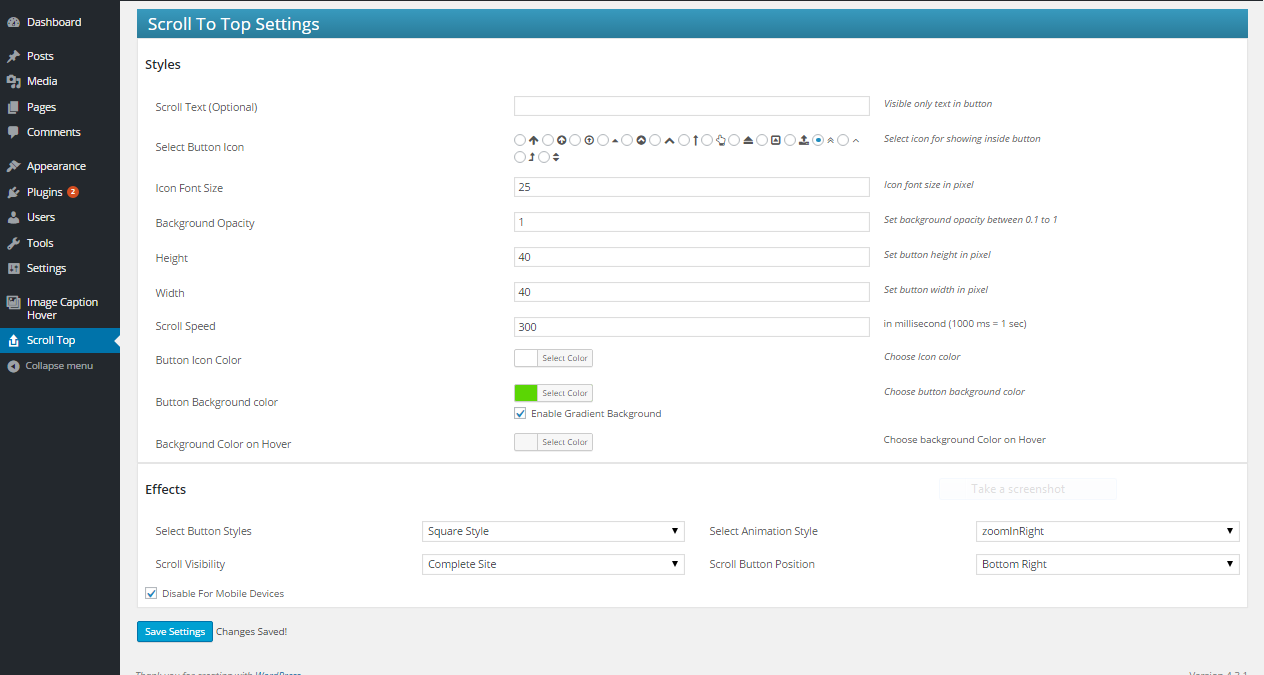
Easy Settings


Download Scroll Top Advanced (Miscellaneous)

PayTabs Payment Gateway for WHMCS (Miscellaneous)

FEATURES

  • Installer: Easy to use step by step installer, very easy to install this script
  • GUI Installation:Input all the API keys at WHMCS Admin Panel, easy to change & mange in future directly using Admin Panel
  • Test Mode: Test the payment Gateway with test card provided by WHMCS / PayTabs.

DESCRIPTION

This extends WHMCS to accepts money/payments through PayTabs . PayTabs is a Saudi Arabia based Payment Gateway, serves more than 5000 merchants including leading e-commerce companies worldwide, integrate it with your Billing Software WHMCS.

Plugin is a set of files, with step by step documentation.

Open the documentation, and integrate Gateway and Start accepting payment on your store front within 3 to 5 minutes.

Step by step video guide to be uploaded soon.

UPDATE HISTORY

Version 1.0 • Oct 19, 2015

+ First Release

Version 1.1 • Oct 20, 2015

+ Issue with invoice page redirection fixed

SUPPORT

Please feel free to get in touch with us through the form here for any questions.

TRADEMARKS

All registered trademarks belong to their respective owners.

PayTabs, are trademarks of Saudi Aramco Entrepreneurship Center (Wa’ed) which is a subsidiary of Saudi Aramco, Headquartered in Saudi Arabia with an existing office in Bahrain and other countries.
WHMCS, are trademarks of WHMCS Limited, registered in U.K., U.S. and other countries.
SparkHost ™, are trademarks of SparkHost ™ Web Solution., registered in the India.

This Plugin is third party plugin made by SparkHost ™ and is not owned or made by WHMCS or PayTabs. This plugin will not work without proper subscription/agreement with PayTabs & WHMCS.

Download PayTabs Payment Gateway for WHMCS (Miscellaneous)

Doc Scanner (iOS)

First thanks for the visiting my product page, this app is really user full with innovative and really some cool features. Doc Scanner app can be use for any document which you want to make digital copy and share anyone else. It’ll retrieve easily from your app when every you need. Some of the cool features which is listed below.

-Scanner work with any doc and make fit with screen size
-Crop doc and remove unnecessary part
-Adjust brightness if taken in low light.
-Save copy two way color or grey scale
-Easy to use with cam and existing Photo gallery
-Share via email also print via air print
-Take up to 10 pages in single doc
-Create Unlimited number of doc
-Admob
-iAd

Support notes

Support from Envato authors is optional but we will do our best to help.

Support doesn’t mean customization.

Read the full documentation file.Check if your question is not already in the Item Discussion section.

We do not give support for third party code in this case you need contact the authors.

We do not support errors caused by strong modification to the original files.

We do customizations but this is not included in the package price. To get a quote for a modification you can send an email using the form in the right sidebar.

We can’t teach how to code in Objective-C, C++, Java or any other language.

We can’t give refunds, if you want a refund please contact Envato directly.

If you have a general question you can use and asking your question in the Item Discussion section.

Our time zone is (currently) GMT+5:30, so please keep in mind our timezone might be different from yours.

Download Doc Scanner (iOS)

The Grid – Responsive Grid Builder for WordPress (Galleries)


The Grid – WordPress Plugin

The Grid is a premium wordpress plugin which allows you to show off any post types in a fully customizable and responsive grid system. It is perfectly suited for displaying your blog, portfolio, e-commerce or any kind of WordPress post types. This plugin support the following post format: standard, video, audio, gallery, link, quote. Possibilities are unlimited and can be easily controlled thank to a powerful admin panel.

Highly Optimized

We especially took care about the loading speed performance by optimizing the queries and have created a custom and lightweight jQuery script. We have also built a custom cache system in order to boost performances.
The Grid plugin is the most advanced grid plugin for WordPress and also the only one with a 100% responsive touch slider. You can filter any kind of grid in this touch slider which is just unique.
We have also added several filters for developer in order to add new skins, animations, navigation skins, preloaders animations. The Grid can be easily integrated in any WordPress theme and with a custom style…

Main Features

  • Quick & Easy Setup
  • Works with any post types
  • Post format support
  • Woocommerce Integration
  • WPML Ready
  • Built-in lightbox
  • Built-in post like system
  • Vertical/Horizontal (slider) layout
  • Multi row slider
  • Full width & full height (slider) layout
  • Mix Contents & Styles
  • Combination filters
  • Instant search
  • Up to 12 columns
  • 20+ Item Skins
  • 13+ preloader animations
  • 40+ Animation Styles
  • Hosted/Vimeo/Youtube video
  • Hosted/SoundCloud Audio
  • Multiple Instances
  • Adjustable Rows/Columns/Spacings
  • One Click Import/Export
  • Built-in cache system
  • 100% Responsive
  • Mobile Friendly
  • HTML5/CSS3
  • SEO Optimized
  • 100% W3C Valid
  • Updates & Support
  • Developer Friendly
  • And so much more…

Update History

Version 1.0.0

- Initial release

Download The Grid – Responsive Grid Builder for WordPress (Galleries)

Quran e Pak – Android Application (Full Applications)

We have used Android Studio to build this Islamic Application. This application has the most accurate prayer time. Quran e Pak App also features the full Quran with urdu tanslations and audio recitations as well as a Qibla locator, a map of nearby mosques, etc…

Features:

  • Read Quran With Translation
  • Listen Quran
  • Find Qibla Direction
  • Tasbeh for counting.
  • Best Islamic Dua’s.
  • More accurate Qibla direction with all details.
  • Finding mosque around you and also get direction.
  • Prayer timings
  • Ramadan timings
  • Kalma’s of Islam with English Urdu Translation.

App Demo link: https://www.dropbox.com/s/dqu7tzc78akuljh/Quran_e_Pak.apk?dl=0

Download Quran e Pak – Android Application (Full Applications)

Sneeit Framework – Back-End for WordPress Themes (Utilities)

Sneeit Framework will help you save the time for developing your WordPress theme back-end. You only need to define some simple PHP arrays in your theme functions.php, and this WordPress plugin will generate the back-end user interface automatically.

sneeit framework plugin - back-end for wordpress themes - best for developers


sneeit framework plugin - back-end for wordpress themes - online documentation


sneeit framework plugin - back-end for wordpress themes - submit support ticket

sneeit framework plugin - back-end for wordpress themes - visual page builder

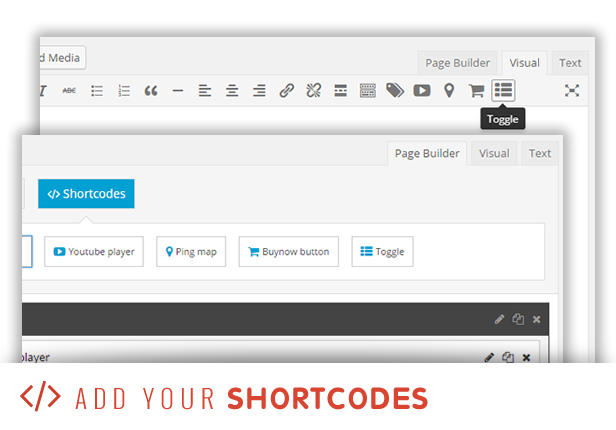
sneeit framework plugin - back-end for wordpress themes - shortcodes

sneeit framework plugin - back-end for wordpress themes - customizer panels, sections, settings

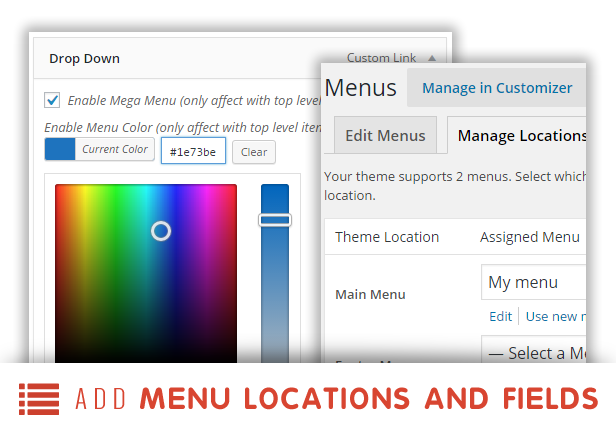
sneeit framework plugin - back-end for wordpress themes - menu locations and custom fields

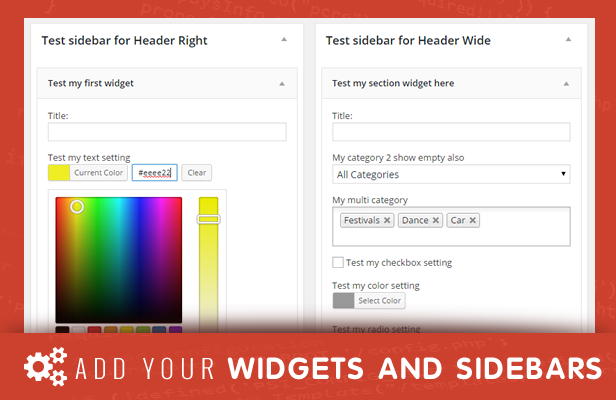
sneeit framework plugin - back-end for wordpress themes - sidebars and widgets

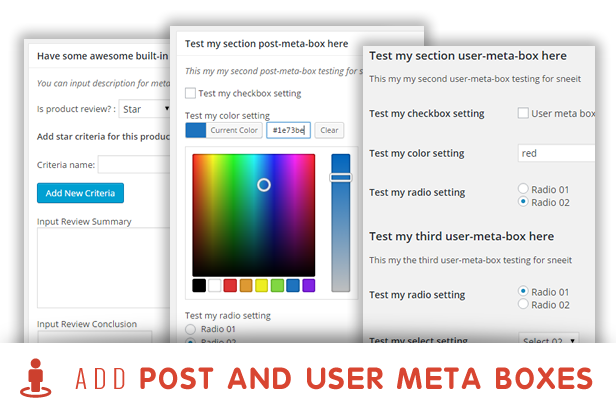
sneeit framework plugin - back-end for wordpress themes - post and use meta boxes

Features

Define simple setup arrays in your theme and Sneeit Framework will generate the following back-end features:

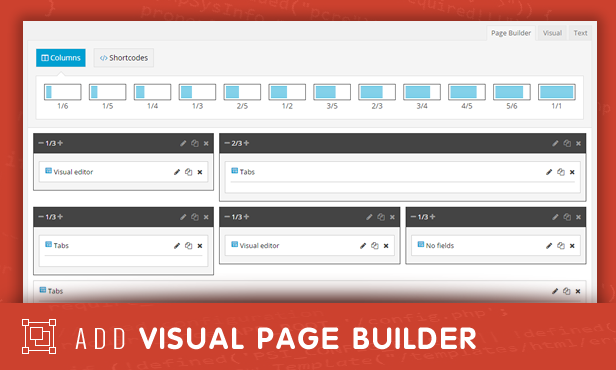
  • Page Builder
  • Shortcodes
  • Customizer
  • Sidebars
  • Widgets
  • Menu Locations
  • Menu Custom Fields
  • Post Meta Boxes
  • User Meta Boxes

Why Use Sneeit Framework?

Saving time in developing your WordPress themes

Do we need to spend a week to build back-end features for a theme? No, NEVER. You can build the whole back-end of a theme in only 10 minutes. And everything you need to do is really and very simple: placing some simple arrays in your theme code and Sneeit Framework will generate everything.

Saving time in maintaining your WordPress themes

You have hundred themes, and then getting errors on your themes’s back-end. What will you do? Waste a month to fix your back-end code for 100 themes?

NEVER. Be SMARTER. Just integrate Sneeit Framework for your themes and everything you need to do when you getting errors is NOTHING. Your users will just need to update the plugin and your business will continue going smoothly.

Changelog

V1.1

- Improved: allow specific depth level for custom menu fields
- Improved: make better look for customizer controls

V1.0

- Initial release

Download Sneeit Framework – Back-End for WordPress Themes (Utilities)

Space Invaders 1978 – iOS + Admob + Chartboost (Games)

DESCRIPTION

How to play?

Using the accelerometer to move your tank. Tap the screen to shoot enemy.

FEATURES

  • Unity3D,easy to reskin.
  • No require programming skills.
  • Pixel graphics and 8 bit sounds effects
  • Banner and Interstitial Advertising with Admob and Chartboost.
  • Webplayer Demo Here
    Download from Appstore

    Download Space Invaders 1978 – iOS + Admob + Chartboost (Games)

    Dashy for wordpress – Advanced dashboard (Utilities)

    Dashy for wordpress – a powerful dashboard

    Create your own personalized dashboard with your favorite widgets !!!

    Inspired by services like Geckoboard, Ducksboard and Cyfe, this script allows you to create customized dashboards with unlimited widgets. Each widget can be moved, resized, updated or deleted with a simple click.

    Try yourself!!!

    Register an account here: dashy for wordpress. Please insert a valid email, you will get a convalidation mail to activate your accout.

    After activation you could login in wordpress and start building your dashboard. You can also create public dashboard to share with your team: look here or here.

    With Dashy you could visualize and combine all your data from a lot of sources and build a dashboard that helps you to display a combination of site metrics and by using an API you can integrate google analytics and other systems into your dashboard display.

    Features

    • Responsive
    • REST architecture
    • Full screen/TV mode
    • Easily customizable
    • Use with wordpress multisite
    • Each user can have is own dashboard and his own API account
    • Add unlimited account

    Widgets

    At the moment we have following widgets:

    • Google Analytics (you could add all your favorite metrics!!!)
    • Google Adsense (you could add all your favorite metrics!!!)
    • Google PageSpeed
    • Google Webmaster Tools (Search console)
    • Alexa
    • Klout
    • UptimeRobot
    • Moz
    • Klout
    • Social widgets
      • Facebook
      • Twitter
      • Google+
      • Linkedin
      • Pinterest
      • Delicious
      • StumbleUpon

    Download Dashy for wordpress – Advanced dashboard (Utilities)

    DSlideshow – Responsive animated layered slideshow (OpenCart)

    Beautiful Responsive Slideshow
    The slideshow can be created with an unlimited number of slides. Each slide can have unlimited number of elements. The elements are represented with images. They are positioned on the slider panel with top and left value and can be shown with a different type of animation. It is easy to configure, just use your imagination to create a beautiful slideshow. Compatible with all devices including tablets and mobiles.

    Demo:

    Frontend:
    http://demo.dulesan.com

    Backend:
    http://demo.dulesan.com/admin

    User: demo
    Password: demo

    Download DSlideshow – Responsive animated layered slideshow (OpenCart)

    King poster | Facebook group poster script (Social Networking)

    kingposter is a lightweight tool designed to help users scheduled their post to groups. Kingposter alows you to advertising and driving traffic to your website. You can get from hundreds to thousands Facebook visitors daily. The script have a good scheduler manager for you.

    Username : kingposter
    Password : kingpass

    Download King poster | Facebook group poster script (Social Networking)

    VC Canvas Backgrounds Bundle 1 (Add-ons)

    Add a stunning animated background to your Visual Composer row with a bundle of 5 premium, worth $51, CodeCanyon items !

    It includes:

    • VC Particles Background v1.1.4 (5 star plugin)
    • VC Polygon Surface v1.1.1 (5 star plugin)
    • VC Energy Background v1.1
    • VC Smokey Background v1.1
    • VC Trianglez Background v1.1

    Requires Visual Composer.


    Download VC Canvas Backgrounds Bundle 1 (Add-ons)

    Buzzy – News, Viral Lists, Polls and Videos (Social Networking)

    \

    \

    \

    \

    Admin Panel Demo

    Email: [email protected]
    Password: demoadmin

    Documentation (admin login required)

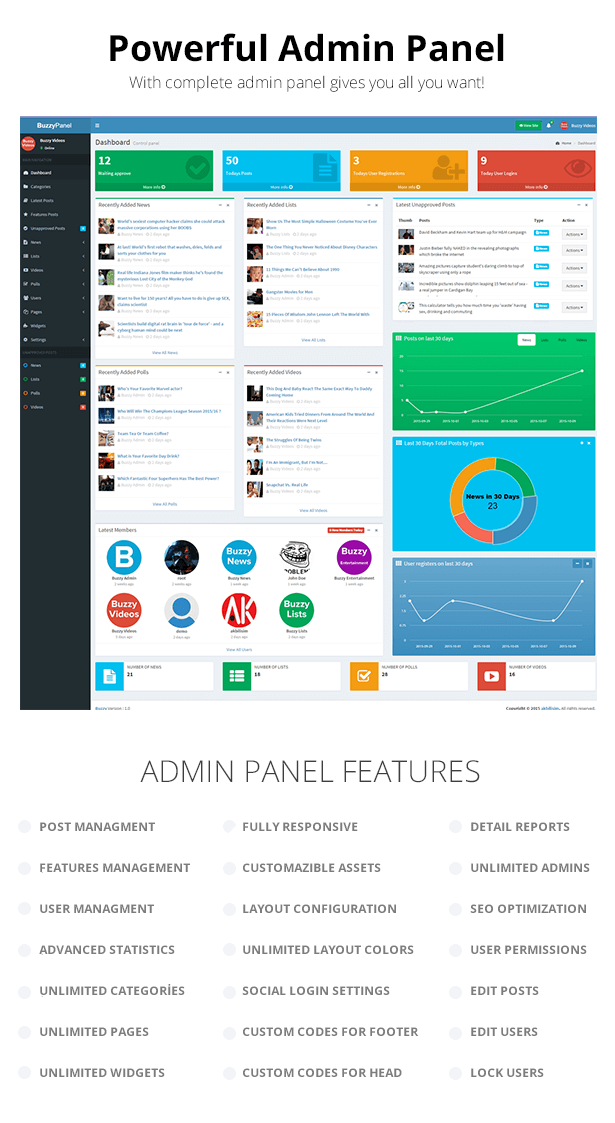
    Breaking News, Viral Lists, Awesome Polls and Popular Videos.
    Buzzy brings all of these contents into one system.
    Create beautiful viral websites like BuzzFeed with Buzzy!
    You have advanced tools to do that.
    With Great Post Editor, Powerful Admin Panel and Impressive Design. You will think big!

    Get start to make great community with Buzzy.TODAY!

    Requirements

    Laravel 5.1 Server Requirements

    1. PHP >= 5.5.9
    2. PDO PHP Extension
    3. OpenSSL PHP Extension
    4. Mbstring PHP Extension
    5. Tokenizer PHP Extension

    Buzzy Script Requirements

    1. GD Extension (For Image Upload)

    Updates

    v1.1

    Added: Tweet Entry, Instagram Entry, SoundCloud Entry for BuzzyEditor
    Added: Facebook video support for BuzzyEditor Video Entry
    Added: Password reset system
    Added: Infinite lists or Load more button option for panel settings
    Added: New widget area to between 2./3. entries.
    Fixed: Failed login issue
    Fixed: Some missing language strings
    Fixed: Other small issues

    v1.0.5

    – Added: Get image from the url support for BuzzyEditor image entry widget.
    – Added: “Make preview image” button for BuzzyEditor image entry widget.
    – Added: RTL support and also added option to the panel for that.
    – Added: Scroll top button
    – Added: Infinite lists on the homepage lists and post page “You may also like” area
    – Removed id from the url for SEO. Now It just like example.com/{type}/{postslug}
    – Fixed some small issues: alert on the poll options , search bug when you hit enter, panel banned user list, create button disappear on mobile devices.

    v1.0.0

    – Initial public release

    Download Buzzy – News, Viral Lists, Polls and Videos (Social Networking)

    Sellfy eCommerce Widget for Adobe Muse (Muse Widgets)

    A wonderful and a simple widget to sell digital downloads directly on to your Adobe Muse site using our new Sellfy widget. Setup takes less than a minute and the widget integrates with the web’s best payment processing systems such as PayPal. And a secure 256-bit connection.

    Installing and Using:
    1. Once you’ve Downloaded the widget, extract it to the desired location (Folder).
    2. Launch Adobe Muse.
    3. Navigate to the place extracted and double click on “Nakshatra – Sellfy eCommerce.mulib” file.
    4. Head back to Adobe Muse, pull out Library panel (Window Menu – Library).
    5. In the Library Menu, you should find a folder named Nakshatra. Open the Folder.
    6. Once the folder is open, you’ll see the widget named “Nakshatra – Sellfy eCommerce”. Click and Drag it on to the page.
    7. As soon as the widget is place on the page the widget options fly-out is open by default.
    8. Basically there’s just 1 options for setting up the widget. Product ID

    Product ID of your product in sellfy is found in “My Products”. Its an URL, like https://sellfy.com/p/lKQG
    All you have to do is copy the last 4 alphabets from the URL, in this case its lKQG. Now paste it in the Product ID of the widget.

    If you want the product to open in the New Window, check ON the “Open in New Window”. Else, leave it OFF

    If there’s anything you want to know or need any help setting up the widget, let us know. We shall do the needful.

    Download Sellfy eCommerce Widget for Adobe Muse (Muse Widgets)

    Light Shooter Swift 2 (Games)
    Objective-C?: http://codecanyon.net/item/light-shooter/13253012

    How to play?:

    Simple!!! Tap and shooter.
    You have to eliminate all the enemies before they reach your lifeline.

    Features

    • Devices: iPhone and iPad
    • iOS: 9.0
    • Developed on Xcode 7
    • Language: Swift
    • Game Framework: SpriteKit
    • Ads: iAd, adMob, Chartboost
    • Game Center
    • in-App Purchases

    Easy Configurations

    If you wish to modify some aspects of the game, you can change the variables and constants in Configurations.swift

    //Game Configurations
        let scrollingSpeed:CGFloat = 10
        let increaseScrollSpeed:CGFloat = 0.1
        let maxScrollSpeed:CGFloat = 40
        let scaleGraphics:CGFloat = (UIScreen.mainScreen().bounds.size.width/3)/130 //Cannon-Bullet-Enemy-Ammo
        let buttonsMenuPosition_bottom:Bool = true
        let configSound:Bool = true
    
        //Font
        let fontName:String = "DIN Alternate" 
        let fontColor:UIColor = UIColor.whiteColor()
    
    • scrollingSpeed: speed of enemies.
    • increaseScrollSpeed: increase speed per point
    • maxScrollSpeed: max. speed
    • scaleGraphics: same scale for Cannon-Bullet-Enemy-Ammo(principal graphics).
    • buttonsMenuPosition_bottom: where position the menu buttons(true = bootom, false = top).
    • configSound: to use button of sound.

    Change Sounds: If you sounds have others names change it here

     //Sounds
        let soundShoot = "LaserShoot.mp3" 
        let soundGameOverExplosion = "GameOver.wav" 
        let soundBounce = "Bounce.wav" 
        let soundEnemyExplosion = "EnemyExplosion.wav" 
        let soundClick = "tap.mp3" 
    

    Configure if you want use banner ads -> iAd / adMob and the position Top or Bottom. If you want use “Chartboost” and when show on screen game over.

    //Ads
        // -  Banners
        let useBannerAds:Bool = true
        let use_iAds:Bool = true
        let use_adMob:Bool = true
        let bannerPosition_bottom:Bool = false
        let adMobID:String = "ca-app-pub-5463627996411476/4634092947" 
        let showBanner_Pause:Bool = true
        // - Chartboost
        let showChartboost_GameOver:Int = 2//if 0 no show chartboost ads
        let showChartboost_Pause:Int = 3//if 0 no show chartboost ads
        let chartboostID:String = "5617f10c04b0163e64b7315e" 
        let chartboostSignature:String = "2ac49d0ebd5f5bcc7d7c572779f58ee4a1f32784" 
    

    For use in-app Purchases -> usePurchaseNoAds=true and change you productID

    //In-App Purchase
        let usePurchaseNoAds:Bool = true
        let purchaseID:String = "com.pixelbulls.lightshooter.inapp.noads" 
    

    For use GameCenter -> useGameCenter=true and change ID of your leaderboard

    //GameCenter
        let useGameCenter:Bool = true
        let leaderboardID:String = "com.pixelbulls.lightshooter.score" 
    

    For use Rate -> useRateApp=true and change the number of you Apple ID

    //Rate App
        let useRateApp:Bool = true
        let appleID:String = "1048048099" 
    

    Custom Sprites

    You can replace existing images by drag and dropping your new sprite onto the ‘Set Viewer’ in Assets.xcassets. Make sure to provide all versions of your sprite.
    It is also a good idea to keep the size of your new sprites the same size as the old, original sprites.

    Download Light Shooter Swift 2 (Games)