Forum Module for Kayebo (Miscellaneous)

This is an official forum module for Kayebo Marketplace script. Using same database and same interface, can be easy customized and integrated into your own template.

– Simple to install and configure
– One click install/uninstall
– SEO friendly urls
– Secure page to check the posts
– nice smiley
– moderators
– Vote system
– code highlighter
– Quote
– Read/Unread Icons
– Notifications
– Subscriptions
– And much more, please check our demo to see all features.

To test the demo, please go to: http://preview.zonecoders.com/kayebo/forum create a free accout to test.

Thank you and rate please if you like it!

Download Forum Module for Kayebo (Miscellaneous)

Fortin Restaurant Digital Menu with Admin (Full Applications)

Fortin Restaurant Digital Menu is far more then just a Menu, It Easily Manages Table wise orders, checks the active / inactive tables, Manages Orders Placed from Active table to Kitchen Counters to Bill Calculation & Customer Feedback, All in All makes your Guests Visit an Amazing Experience.

Have a look at its detailed features..

http://swiftomatics.in/fortinrestaurant

Video Presentation..

https://vimeo.com/143372162

Admin Panel Demo:

http://swiftomatics.in/FortinRestaurant

Admin Panel – Web Based (PHP, Bootstrap & MySQL)

  • Fortin Restaurant is Enriched with power packed Web based Admin Panel which gives full control to easily customize the app as per your requirements with just few clicks.
  • Role wise Logins – Super Admin, Admin, Kitchen Manager, Account Manager & End User (Waiter)
  • Upload Menu Data All at once using CSV File
  • Date wise search Orders and can export to CSV File
  • Manage Individual Discounts per Order (Optional)
  • Manage Tax, Discounts, Currency & Restaurant Details from Settings in Admin Panel

Restaurant Menu :

  • Easily Browse through the Food Items, Cuisine / Category Wise.
  • Single Point Admin Panel to Manage all your Food Menu / Items for your restaurants at multiple locations
  • Add / Update new / existing Food Items, Category wise
  • Supports Adding Images for Category & Food Items
  • Change Food Items Price as per the Currency

Manage Tables:

  • Add New Tables as per the New Guests Arriving
  • Can browse through Active / Inactive Tables
  • Easy & Convenient way to Manage Orders for Active Tables

Feedback :

  • At the end, Guests can optionally provide feedback related to there over all experience in Restaurant
  • Star Ratings / Review Features
  • Feedback also includes asking Customers Phone No & email which can also be skipped

Download Fortin Restaurant Digital Menu with Admin (Full Applications)

PayPal Balance Module for Kayebo (Miscellaneous)

PayPal Balance Module (Kayebo) – View your PayPal Balance in realtime, easy to configure, one click installation!

This module allow you to check your PayPal balance in realtime via your Dashboard and in right sidebar of any page in administration area. You can also search for tranzaction id, that will return yoru tranzaction details so you don’t have to login on your paypal account to check the status of your tranzactions.

Please check our demo here: http://preview.zonecoders.com/kayebo/admin/

Login using admin as username and demo as password.

Download PayPal Balance Module for Kayebo (Miscellaneous)

Strange Space- html5 mobile game (Games)

How To Play

TAP SCREEN TO JUMP,GET THE HIGH SCORE, AND BE CAREFUL!!!

Mobile platform optimization!

Customize

Easy to change the image ,just replace the image file!!Customize your own game!!Put it on ios or anroid!!

Features

  • Touch&Mouse
  • Construct2 File included
  • Anroid&Ios support
  • Sound Fx
  • Resulotion 480*854
  • AdmobAds Supported

Download Strange Space- html5 mobile game (Games)

100 Percent Height Image (With Schema) (Muse Widgets)

This widget will make it possible for you to display a 100% height and width image that is responsive to the browser. No matter what browser size or width, the image will always fit perfectly on the screen. As a bonus the widget comes with some extra schema markup.

Ecwid eCommerce integration into Adobe Muse

How to install

Adding widgets to Adobe Muse

  1. Unzip the Widgets.zip file
  2. Double click on any of the .mulib files. The widgets will automatically import into Adobe Muse
    • If the widget does not automatically import, open the Library tab on the right and select Import Muse Library
  3. In Muse, open the Library tab on the right
    • If you do not see this tab, you can open it by going to Windows > Library
  4. Locate the widget you’re wanting to use and drag and drop it onto your page

Download 100 Percent Height Image (With Schema) (Muse Widgets)

Custom Thank You Page for WooCommerce (WooCommerce)

“Thank You” page is a page which shown after user completes the whole purchase procedure, right after the checkout / payment screen. This page usually shows a thank you note from the shop owner along with a brief summary of the order made and the user’s billing and shipping address.

This plugin allows you to :

  1. Change the default “Thank You” page.
  2. Create a special “Thank You” page for a particular product. This page will be shown if the customer have only that item on cart.
  3. Shortcode to get the Order and Customer Detail making it easier to build the custom page.

You can change the “Thank You” page to:

  1. Another WordPress page.
  2. Custom URL.

No need to change WooCommerce template from behind just to change the “Thank You” page. Create lead page! Get more subscriber! Up sell another product after purchase! The possibilities are endless ;).

Download Custom Thank You Page for WooCommerce (WooCommerce)

Car Sales and Service HTML5 Banners- GWD – 7 Sizes (Ad Templates)

RED-CC-031-Car Sales and Service HTML5 Banners.

Very easy to edit and detailed help file is included. Google fonts used. Files can be edited with free Google Web Designer software.

All the files are included with the download file. ( Icons, Shapes)

This set includes the following 7 sizes

– 160×600
– 180×150
– 300×250
– 300×600
– 320×50
– 336×280
– 728×90

Download Car Sales and Service HTML5 Banners- GWD – 7 Sizes (Ad Templates)

Master Page Premium for Adobe Muse (Muse Widgets)

Master Page Premium is the ultimate widget for your master pages. Here is what you can do with it:

  • Add schema markup to link your website to your social profiles, business name, and logo.
  • Add Google Analytics
  • Add Facebook Pixel Remarketing
  • Add sleek transition animations to your hyperlinks
  • Change the color of the highlighter and highlighted text
  • Get over 30+ more features in the beta widget
  • Free updates!

Download Master Page Premium for Adobe Muse (Muse Widgets)

Extend – Memebership Management Application (PHP Scripts)

Extend – Membership Management Fully featured frontend & backend membership management application with PayPal subscription integration.

Featured

  • Complete member information
  • Extend membership records
  • On screen browser photo shoot
  • PayPal Integrate
  • Auto member barcode generator
  • On screen member check-in
  • Track user activties
  • Payment records
  • Easy membership package setup
  • Frontend onepage cms ready

Demo

Update


2015/10/24 - Update javascript

Download Extend – Memebership Management Application (PHP Scripts)

Pixel Draw iOS App (Full Applications)

This complete app written in Swift 2.0 allows the user to create a grid of several sizes where he/she can paint each cell with different colors by tapping them.

Featuring a nice color picker, the user can also grab colors he/she already has used by long pressing a cell and share its final composition to any app installed in his device as Facebook, Twitter or WhatsApp.

Moreover you can almost directly built and make revenue out of this app as it also includes Google AdMob support.

Download Pixel Draw iOS App (Full Applications)

WP Social Analytics (Social Networking)

Overview

WP Social Analytics plugin allows you to track how many times your posts and pages have been shared on social networks. It supports Facebook, Twitter, LinkedIn, Pinterest and Google+.

Statistics are presented in admin area, but you can also display them in your theme by using php function or shortcode. The plugin sends also email weekly report with social shares statistics.

Main Features

Social shares dashboard

Social shares posts statistics

Weekly email report

Responsive design

PHP function for theme authors

List of all Features

  • Track shares of your posts & pages
  • Analyze 5 most popular social networks
  • Clean & elegant dashboard with custom date ranges
  • Separate “shares” column for Posts/Pages list
  • Automated weekly email reports
  • PHP function for use in theme
  • Custom post types compatible
  • Export data to CSV format
  • Responsive design
  • Easy installation and configuration
  • Display statistics using [social_shares] shortcode
  • Works properly with all popular cache plugins
  • Optimized code and cache usage
  • Stats for recent posts are refreshed more often that for old ones
  • Well documented code
  • Helpful documentation

Live Demo

http://wp-social-analytics.com/demo/wp-admin/

login: demo
password: demo

Requirements

  • PHP 5.3+
  • WordPress 4.1+

Support / Questions?

Feel free to contact me in case of any questions.

Download WP Social Analytics (Social Networking)

Super Logos Showcase for WordPress (Interface Elements)

Super Logos Showcase for WordPress

Super Logos Showcase is a plugin to showcase logos and brands on your website that is tailor made for full-width website template and mobile responsive view.

Setup is really easy and quick (Refer installation guide documentation here or a video guide here) and support is always reliable and fantastic.

Follow our latest updates and videos on

Super Store Finder Facebook
Super Store Finder Google+
Super Store Finder Twitter

Super Store Finder YouTube

Main Features

A lot of new features have been added in this WordPress plugin:

  • Easy to install and use Logos / Brands Showcase Plugin
  • Responsive Design and tailor-made for mobile devices
  • Flat theme design for high performance on mobile
  • Supports Full Width display on your website template
  • Supports multi-language customizable and labels via admin
  • Manage unlimited logos
  • Well-designed Categories with Collapsible Panel
  • Intuitive user-interface and notifications
  • Customizable styles and colors via administrator
  • Shareable SEO friendly link to logos and categories
  • Use internal and external links for logos

Features Highlight

Fully responsive and tailor made for mobile devices
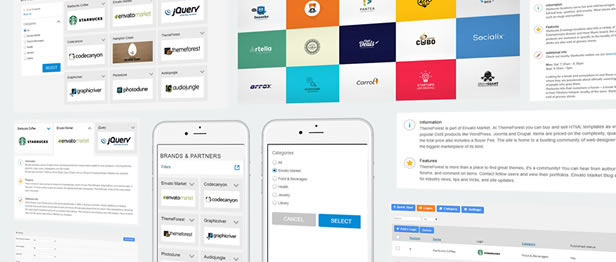
Super Logos Showcase for WordPress has intuitive responsive design with the highest aesthetic and is tailor-made for mobile and touch-screen devices.

Powerful Administrator
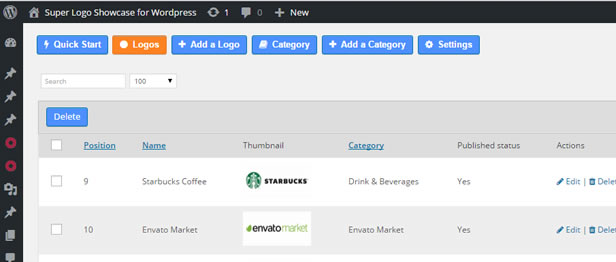
Manage your logos, categories, settings, labels, captions, regions, etc via powerful administrator.

Slick Responsive Collapse-able Panel
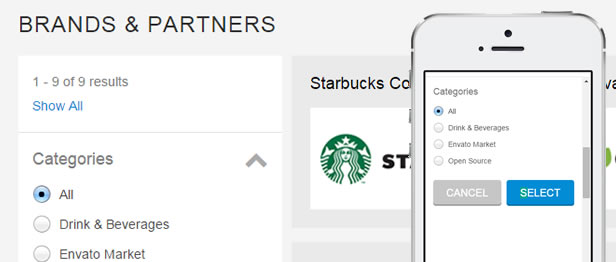
Slick Collapse-able panel which is mobile friendly to showcase available categories.

Showcase Engaging Logos
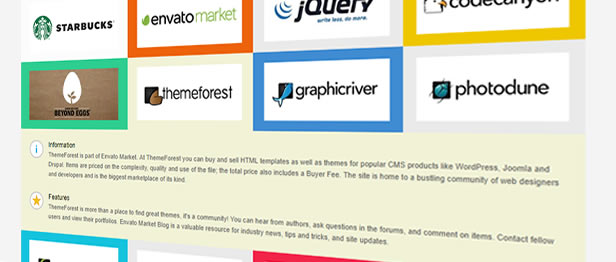
Showcase beautiful logos to create a more engaging website.

Set your own labels for your showcase
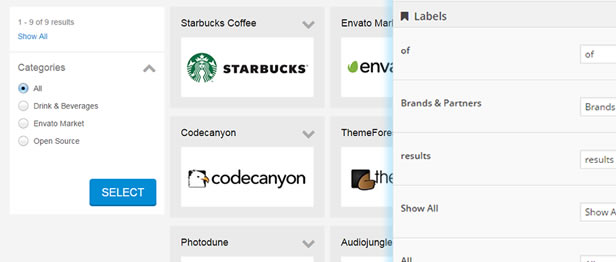
For instance, if you would like to showcase products instead of logos, you can customize the labels and captions to suit your needs via admin settings.

Customizable Colors and Styles
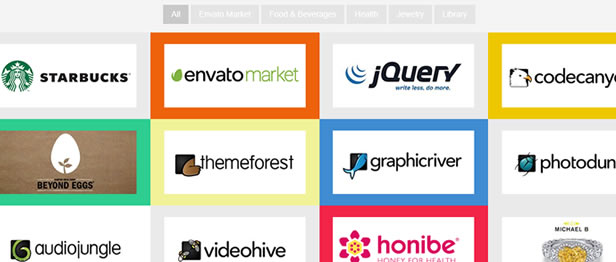
Customize Colors and Styles for your logos showcase to suit your company and website branding / corporate branding. You can change the map color, panel colors, text colors and many more from the administrator’s panel.

Shareable SEO Friendly Links
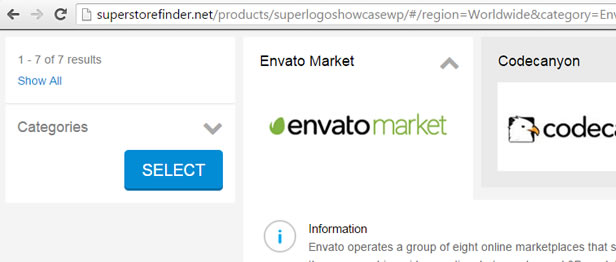
Share SEO friendly links to logos or categories for your logos showcase.

Use Internal and External Links for Logos

You have the options to set your logos to go to external / internal links or using the default animated slide down.

Fast and Reliable Support

We provide fast and reliable support to our customers, whether its an inquiry, troubleshooting, customization and special requests. If you need help with installation, just send us a message via our profile page here.

For knowledge base and forums you can visit the following links:

You can visit http://superstorefinder.net/support and also follow us on envato for new releases and products here

What are buyers saying about our products

“First, I would like to say…Great Job! One of the better store locator systems I have come across.”
—gruberdesigns

“I just bought this and started using it on my site within minutes. I am not a programmer and this was still very easy!”
—amymariejones33

“Just purchased the Super Store Finder and it’s fantastic, exactly what my client needed and just the right level of customisation, so thank you for your efforts! Great value script.”
—Anna Trundle

“Fantastic product & best support. thank you…”
—tansuokurer

“This is the best store finder script on codecanyon! Keep up with a great job!”
—Pinki

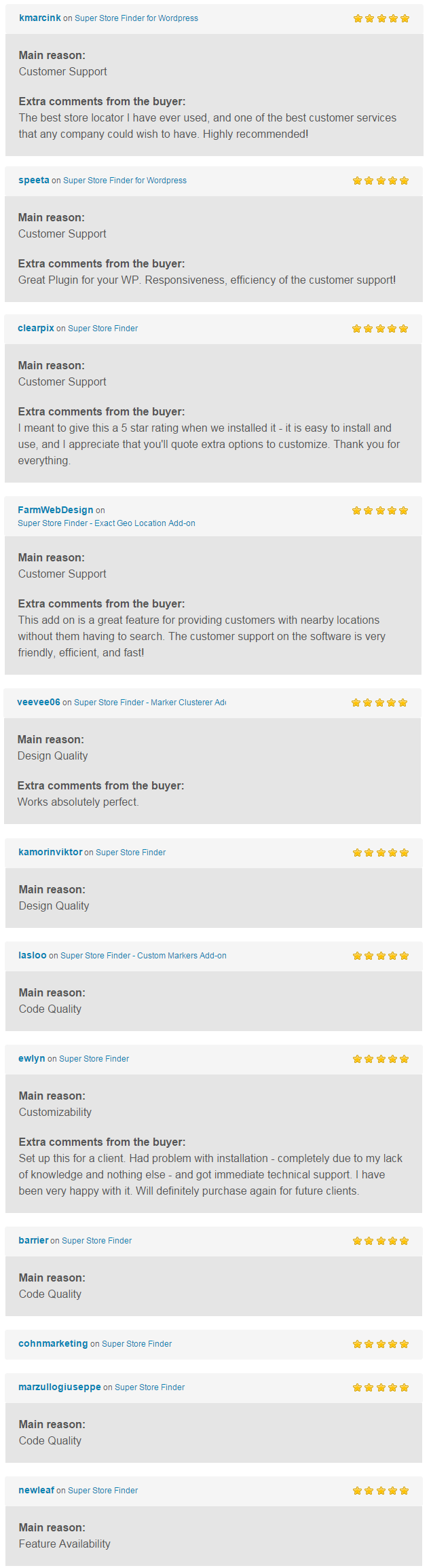
You can find more reviews from real buyers in comments page.
Changelog / Updates

1.2 (Last updated: 24 Oct 2015)

  • Added External Link feature to logos

1.1 (Last updated: 23 Oct 2015)

  • Fixed misc CSS code at frontend that might conflict with other WordPress Themes

Download Super Logos Showcase for WordPress (Interface Elements)

Country and Mobile Redirect for WordPress (WordPress)

Country and Mobile Redirect for WordPress is a wordpress plugin for URL redirection and uses SEO standard 301, 302 redirects.
You can now define redirects like never before. Zero Coding and solves unlimited number of redirect usecases.

Country and Mobile Redirect for WordPress contains two plugins:

  1. Country and Mobile Redirect for WordPress: This plugin is used to
    define rules for URL redirection based on the selected logical rule like Country, Mobile Date and Time etc.
    Click here to know more about Logical Rule.


  2. RulesEngine Platform Plugin:This is a parent plugin for all RulesEngine addOns. Click here to know more about RulesEngine Platform..

    RulesEngine Platform includes parent rule called a Logical Rule. A logical rule is defined by 12 different categories like User Role, User Profile, Pages, Posts Geo location etc, 28 subcategories like Email, Registered Date, Country, Date and Time etc and with 9 conditions like equals, not equal, greater than etc.

    RulesEngine Platform Plugin is reused in all my plug-ins. So in future, customer need to buy only addons, if customers buys a plugin with RulesEngine Platform. i.e customers can purchase WooCommerce and WP Category Controller – AddOn plugin which is $12 instead of full plugin with NextGen-WooCommerce and WP Category Controller which is $25, customers can save approx $13 with per plugin using Addons.


    Click here to know more about Logical Rule.


    In future releases many more rules are planned.

    Click here to view the complete list of
    categories and subcategories.

Important Features:

  • Redirect using Geo location like Continent, Country, State, Region and City.
  • Redirect for Tablet device.
  • Redirect for Mobile phone.
  • Redirect for a specific Mobile Operating System like Andriod, IOS, Windows etc.
  • Redirect for a specfic Mobile Phone type like iPhone, Andriod Phone, Window Phone etc.
  • Redirect for a specfic Tablet type like iPad, Andrio Tablet, HP Touch Pad and Blackberry tablet.
  • Redirect using User Profile like User Id, User Role and Email Id.
  • Redirect using a specific or range of Date, Time, Month and Day of the week.
  • Redirect by Request URL.
  • Redirect by WordPress and WooCommerce Categories.
  • Redirect by Pages and Posts.
  • Redirect by Language.
  • Redirect by Browser.
  • SEO Compatible, define 301 and 302 while redirecting.
  • 404 Error handling, redirect to a custom page for 404 errors.
  • Back to full site from mobile devices after redirecting using a simple parameter.
  • Block users from a perticular Country, State, Region and City.
  • Block users from a perticular IP Address
  • Activate or deactivate redirect rule.
  • Analytics : Understand your site traffic and user base. No need to share your site data to third-party providers like Google Analystics.
    Below are the live data charts captured from my demo website. We will further enhance this in future.

    • Request by Country: This chart provides the requests made to the site from each country. Useful to understand site traffice from different countries.


      RequestsByCountry

    • Requests by Device Chart: This chart provides the requests made to the site from each device. Helps you the know the site traffic from different devices.


      RequestsByDevice

    • Redirect by Device Chart: This chart provides the redirects made from the site to each device.


      RedirectsByDevice

    • Redirect by Device Type Chart: This chart provides the redirects made from the site to each device type.


      Redirect_by_device_type

    • Complex rule support:
    • RulesEngine is very flexible for defining very complex logical rules using “AND” “OR” and “Brackets” operators.
      (e.g: Role is Administrator and Country is USA and Month is January, Page is Home etc, see below sreenshots.)
      See Logical rule section for more info.

      See Logical rule section for more info.


      \

    How it works:

    Below is an example of providing access to site from only canada country and all other nations will be redirected to a no access page.
    In order to achieve this use case, first we need to define a Logical Rule with country as Canada and condition as “is not equals” as shown below screenshot.

    Canada

    Redirect Rule: Using the above defined logical rule for defining the redirect rule.

    Redirect_canada

    Similarly we can define more rules using the City, Region, Mobile, Date and Time etc

    Click here for more demos using this plugin

    Important Use Cases:

    • Redirect for Mobile Device: This is a very common use case where user from a mobile or tablet device should be redirected to a mobile sites, this can be achieved by defining a logical rule for Mobile and Tablet devices and use them in Redirect Rules.
    • Redirect by Geo Location: If you want to redirect all the user who are coming from a specific geographic location country or continent then define a logical rule using “Geo Location” Criteria.This is very useful when you want to redirect users to a local server.
    • Redirect by Role: You might be having a use case of redirecting specific role users to a different page, in such case define a logical rule using “User Role” criteria and use it in redirect rule.
    • Redirect by Request URL: Define a logical rule using Request URL Criteria and use this in defining Redirect Rule. Useful for static paths, like whenever user request from a http://test.com we can redirect them to http://test2.com
    • Redirect in Site Down Time: Define a Redirect for home, which can be simply achieved by defining a logical rule on Home Page and leveraging it in Redirect rule.
      You can use Date, Time, Day of Week and Month sub criteria to further refine the rule.
    • SEO Redirect:
      SEO redirects is an important for enhancing SEO, by using 301 redirects search engine will be informed that this page is moved to another one, which prevent indexing the two pages of the same content and will mark them as a duplicate content,
    • Activate or deactivate redirect rule: Redirect can be activated or deactivated. If the rule is deactivated the action pertaining to the rule will not be performed.

Download Country and Mobile Redirect for WordPress (WordPress)

GWD Play School | Ad banner – 001 (Ad Templates)

GWD PLAY SCHOOL AD BANNER 001 – HTML5 AD BANNER BASED ON GOOGLE WEB DESIGNER

    Attractive HTML 5 based ad banner features-

  • 7 Standard Sizes (160×600, 728×90, 468×60, 300×250, 300×600, 200×200, 336×280)
  • HTML5/CSS3 based
  • Fully editable using Google Web Designer
  • Google based web fonts
    Download will include-

  • 7 fully editable layered PSD files
  • 7 HTML5 ready banners
  • Shapes/Graphics and CSS files included

Google Fonts used-
Lato, Oswald and Noricon

Images used can be downloaded from here –

Child on slide

http://photodune.net/item/happy-child-on-slide-at-playground/7888889?s_phrase=happy%20child%20on%20slide&s_rank=1

Girl studying

http://photodune.net/item/happy-child-builds-house/796122?s_phrase=happy%20child&s_rank=173

Please rate us it will help us a lot :)

Download GWD Play School | Ad banner – 001 (Ad Templates)

Scary Poo World + AdMob + Leaderboard (Android)

Update

Fixed small issue with IAP for PowerUps

Small Cute Poo is lost in Scary World and trying to find the way out from it.
Help him to go threw this Scary World, jumping and shooting on scary Ghost, Bat, Skeleton, using also PowerUps like Powerful Magnets and Invincibility.

Features:

  • Simple Touch Gameplay
  • Endless Fun
  • Elegant Scary Art
  • Scary Smoothing Soundtrack
  • Compete with Friends, Family with Game Center Leaderboards!

Source code with universal support, Phone and Tablet support.

AD Networks:

  • AdMob Banner
  • AdMob Interstitial Ads
  • Chartboost

Artwork Included with .PSD file

TRY IT

Scary Poo On Google Play Store

Scary Poo .apk

Important Notice

If you planing to use graphic that we have used in this game, you will need to purchase same art at http://bit.ly/1Kmf91Z. Thank you.

How To:

  • Import Project into Eclipse.
  • Change Package ID, Version ID, App Name.
  • Setup new icons, launch screens, localization and meta-data for your app
  • Change ID for Ad Networks.
  • Update Review Us URL.
  • Configure Game Center.
  • Change Atlases file with new images
  • Export Project and upload to Play Store.

More Games


Download Scary Poo World + AdMob + Leaderboard (Android)