Google Map Block for WebMountain (Add-ons)

Google Map Content Block#16 for WebMountain

NOTE: This is an add-on that requires the WebMountain Site-Builder. WebMountain is FREE for both personal and
commercial use.


WebMountain Website Builder

Add a stunnig GOOGLE MAP to your WebMountain website. No coding required. Select your location and just click on the SAVE button. That’s it!

Download Google Map Block for WebMountain (Add-ons)

WP OpenPanel – Responsive Panel for WordPress (Interface Elements)


WP OpenPanel is a WordPress plugin that is used to open full screen panels on your sites. You can add and manage unlimited panels with rich contents like text, images and also HTML code like creating posts in WordPress. You can use shortcodes and HTML code to add panel buttons into your posts, widgets and themes.

Features:

  • Support Responsive Design.
  • Unlimited Panels.
  • AJAX load.
  • Open Panels in Panels.
  • Support CSS customization.

Documentation

WP OpenPanel Documentation

Before Purchase:

My items are always provided with demos. So please check my demos and Support Information before purchasing.

If you have any questions related to my items you can go to my Support Zone and open tickets.

My Portfolio

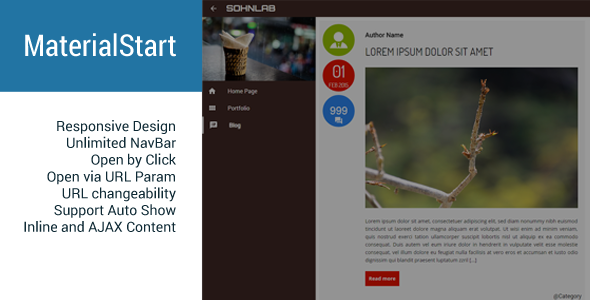
MaterialStart – Responsive Fullscreen Panel

MaterialStart jQuery

OpenMes – Open Messages With Animation Effects

OpenMes - Open Messages With Animation Effects

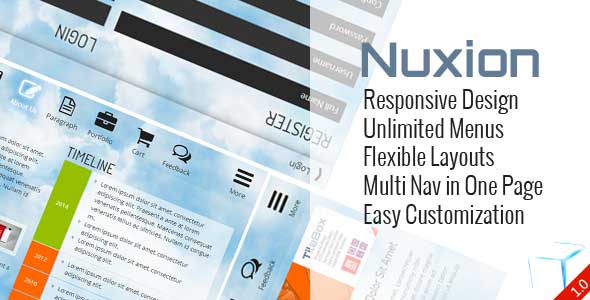
Nuxion jQuery – Responsive UX Navigation Menu Bar

Nuxion jQuery - Responsive UX Navigation Menu Bar

TileBox jQuery – Modern Responsive LightBox

TileBox jQuery Responsive LightBox

Tabion jQuery – Modern Responsive Tab Accordion Switcher

Tabion jQuery - Modern Responsive Tab Accordion Switcher

Tabion – Metro Tab Accordion Switcher CSS

Tabion - Metro Tab Accordion Switcher CSS

OneSlider – Responsive Slider With Interactive Content

OneSlider - Responsive Slider With Interactive Content

ScreenSlider – Responsive Touch Presentation

ScreenSlider-Responsive-Touch-Presentation

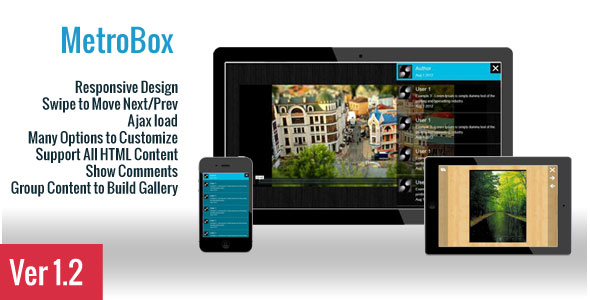
MetroBox – Responsive LightBox

Metro Tab jQuery

Metro Tabs jQuery

Download WP OpenPanel – Responsive Panel for WordPress (Interface Elements)

Slot Ramses – HTML5 Casino Game (Games)

Play It Now!

Slot Machine Ramses is a HTML5 Casino game. Enjoy this coloured slot machine with bonus game and hold reel feature!

This game has been developed in HTML5/js and third-party library CreateJs – http://createjs.com/ (not Construct2 or other framework).

The ZIP package contains the game with 1500×640 resolution that scales proportionally to fit current screen device.
The game is fully compatible with all most common mobile devices.
Sounds are DISABLED ON MOBILE DEVICES to avoid compatibility issues but can be easily enabled (read Enable Sound section in readme file). Anyway we can’t grant full compatibility on all mobile devices if this feature is enabled.
WARNING: Sounds can’t be enabled for Windows Phone as this kind of device have unsolvable issues with <audio> and <video> tag.

More info into help file (see documentation).

Game Screenshoot


 Follow Us

 Contact Us

YOU MIGHT ALSO BE INTERESTED IN:

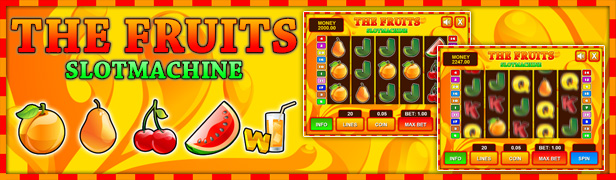
Slot The Fruits

Slot Ultimate Soccer

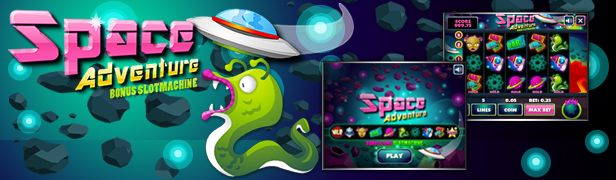
Space Adventure

Jacks or Better

BlackJack

Roulette 3D

High or Low

3Cards Monte

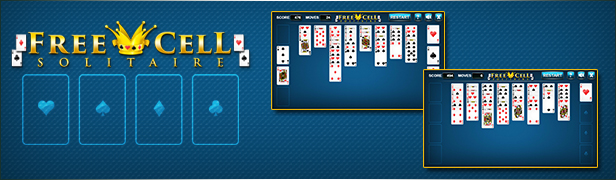
Freecell

Klondike

Scratch Fruit

Wheel of Fortune

Stone of Pharaoh

Mahjong Deluxe

Drive Your Car

All games

Flag Counter

Download Slot Ramses – HTML5 Casino Game (Games)

Quotes App (Full Applications)

Quotes App

Quotes – One Stop Collection of popular and famous quotes.
there are brilliant words and thoughts inspired many human beings.
We are providing quotes with images application.
I hope this application will give you an extra push to reach for your goal and achieve success and all the achievements life has to offer.
You can Easily Configure and make your own Application.

Features:

  • Add Unlimited Category and Quotes
  • Add/update Quotes From Code
  • Xml Base Parsing
  • Quotes Change with Swiping
  • Copy to clipboard
  • Favorite Mode
  • Push Notification(Parse)
  • Material Design
  • Beautifully and attractive Quotes designed
  • Instant Quotes search option
  • Share Quotes on Social Media
  • Easy to use with very beautiful user interface
  • Easy To Customize
  • Eclipse Base Project
  • About Us
  • Well Documentation
  • AdMob Integrate(Banner & Interstitial)

Download Apk

Download Quotes App (Full Applications)

Rainbow Fireflies Particle (Utilities)

The Rainbow Fireflies Particle allows you to set a particle background per page (or post) as well as set up a default background for all other pages/posts.

Also, you can set particle background to Visual Composer Row elements

Requires: HTML5 canvas.

Features list:

  • Set a default Particle Background for all pages/posts.
  • Active and use Shortcode to set Particle Background per page (or post).
  • Custom Particle via Settings page.
  • Inline Preview
  • Visual Composer addon.

Customize options:

  • Background Color
  • Particle Settings
  • Connection Settings

Compatible:

  • Checked VC 4.8.1 – 26.10.2015
  • WordPress 3.5+

May you like these items:

Plasma Particle

Rainbow Grid Particle

Rainbow Curves Particle

Rainbow Pulsing Particle

Organic Lines Particle

WP – ParticleGround

Visual Composer Toolkit

Credit:

  • Based on Rainbow Fireflies by Matei Copot

Change Log

Version 1.0 – 26.10.2015

- First release version.

Download Rainbow Fireflies Particle (Utilities)

WooCommerce First Purchase Discount (WooCommerce)

WooCommerce First Purchase Discount is a WooCommerce addon which allows you to offer discount to the customers who are making their first purchase on your store.

The plugin checks for combination of multiple fields such as address, zip code, name, phone number and email id to know if the user has already made a purchase in past.

The discount is automatically added as the user fills in the billing form on the checkout page.

Features

  • Powerful admin backend to customize the plugin.
  • Categories: Just add those categories for which you want the customer atleast in their cart for getting discount at the time of checkout
  • Discount Value: This will be the discount amount
  • Discount Type: There are two types of discount. i. Flat Discount ii. Percent Discount
  • Minimum Purchase: This will be the minimum amount of purchase needs to get this offer. If you want any value then enter 0
  • Include Shipping: This will be the shipping price to be included
  • Apply Before Tax: This will be the discount amount to be add before adding tax
  • Discount Name: This will be the discount name that will be shown to the customer at the time of checkout.
  • Enable popup: Just make it checked if you want to show the popup
  • Popup cookie length(days): This will be the cookie length. Once user closes the popup, popup will not be shown to him for those set days
  • Exit intent: Display popup based on exit intent
  • Close popup on overlay click: Close the popup when people click outside the popup?
  • Popup Background Image: This will be the background image for the popup
  • Popup Background Color: This will be the Popup Background Color
  • Popup close button Color: This will be the Popup close button Color
  • Popup Overlay Color: This will be the Popup Overlay Color
  • Popup header text color: This will be the Popup header text color
  • Popup overlay opacity: This will be the Popup overlay opacity
  • Popup Height (px): This will be the Popup Height
  • Popup Width (px): This will be the Popup Width
  • Popup Content Top Position (px): Enter the amount of pixel from which the content will be shown from the top
  • Popup Content Left Position (px): Enter the amount of pixel from which the content will be shown from left
  • Popup Animation effect: Thses are the animation effects for the popup
  • Close hinge effect: This is an unique effect. Which will be shown at the time of close popup. To make it enable just check the checkbox
  • Display popup after(seconds): This will be the seconds after which the Popup will be shown
  • Popup header text: This will be the popup header text
  • Popup Text: Just enter the text in wysiwg editor, which you want to show in the popup

Download WooCommerce First Purchase Discount (WooCommerce)

RadiooTV – AppleTV Online Radio App (Swift) (Full Applications)


RadiooTV – Full tvOS 9 Online Radio Tuner App template for Apple TV (Swift)


RadiooTVis an app template that allows you to create your own online radio stations app tuner and get data from simple .json files and so it’s very easy to customize it and setup the radios you wish.
Check out the Video Preview to also see how to edit .json files online quickly and easily!
You will need a active web server where to store .json files for radio stations links and names via FTP (If you don’t have your own server, you may get a free one from http://www.000webhost.com, at least for test purposes).

This app comes with a nice UI, native XCode project, Swift language.


IMPORTANT: As per Envato rules, you must purchase RadiooTV under an Extended License if:
1. You plan to sell your own version of this app as a PAID app on the AppStore
2. You plan to add In-App Purchase to your own version of this template (which means that your users get charged of money).
3. You plan to sell your own version of this app on Flippa and similar markets.
Thanks!

FEATURES:

  • tvOS 9 – XCode 7.1 project – Swift
  • Create Genres with an array within the XCode project
  • Get radio stations links and names by simple .json files (you will need a web server where to store such files via FTP)
  • Easy to reskin
  • Well commented code
  • User Guide included


Have fun with RadiooTV, and don’t forget to rate it on your Downloads page!


Important Disclaimer: We’e recently found out that some developers have bought our app templates, reskinned them just a bit and put them on sale on other source code markets smilar to CodeCanyon, saying that they developed and own such source codes.
That is a serious copyright infringement, developers who buy our templates are allowed to reskin and sell them as apps on the AppStore (accordingly to the License type they’ve purchased a template for), but are not allowed to put our original source codes for sale on source code markets, including CodeCanyon.
We will report developers who made copyright infringements to the competent authorities.
Thanks.

Download RadiooTV – AppleTV Online Radio App (Swift) (Full Applications)

WordPress Mobile Pack PRO (WordPress)

WordPress Mobile Pack PRO is a self-hosted mobile solution that helps bloggers and small publishers to package their existing content into cross-platform mobile web applications (HTML5). It comes with:

  • 3 App Themes (fully customizable)
  • Social Features (Facebook, Twitter & Google+)
  • Monetization Options (Google AdSense & Double Click for Publishers)
  • 1 Year of Professional Support
  • Ongoing Features & Security Updates
  • Single WordPress Site License


WordPress Mobile Pack PRO eliminates the hassle of dealing with high development costs, approval processes with various App Stores, poor discoverability due to the closed environment of native apps and finally, one of the biggest injustices aimed towards the publishing industry in general – the shared revenue constraint.

What WordPress Mobile Pack PRO enables you to do:

  • Cross-platform mobile web applications. All it takes for a mobile web application to run is a modern mobile browser (HTML5 compatible), thus allowing readers to instantly have access to your content, without needing to go through an app store, download & install the app.

  • Responsive UI. The mobile web application is sensitive to various screen sizes and orientation changes: landscape, portrait. In other words, the look and feel of the mobile web app seamlessly morphs into the screen size of users’ devices.

  • Theming. You can offer your users an exceptional reading experience by giving them a mobile web application with a native app-like look & feel. WP Mobile Pack PRO comes with 3 fully customizable app themes.

  • Customize appearance. Once a favourite theme has been selected, you can customize the colors & fonts, add your logo and graphic elements that can relate to your blog’s identity.

  • Posts Sync. The posts inside the mobile web application are organized into their corresponding categories, thus readers can simply swipe through articles and jump from category to category in a seamless way.

  • Pages Sync. Choose what pages you want to display on your mobile web application. You can edit, show/hide different pages and order them according to your needs.

  • Comments Sync. All the comments that are displayed in the blog are also synchronized into the mobile web application. On top of that, comments that are posted from within the app are also displayed on the blog.

  • Analytics. WordPress Mobile Pack PRO easily integrates with Google Analytics.

  • Add to Homescreen. Readers can add the mobile web application to their homescreen and run it in full-screen mode.

Here are some walk-through videos that can get you started with WordPress Mobile Pack PRO:


Getting started with WP Mobile Pack PRO App Customization in WP Mobile Pack PRO Monetize App with WP Mobile Pack PRO


Frequently Asked Questions

When I visit my website from a smartphone, I don’t see any posts or pages

Please make sure that the endpoint exporting the content can be accessed and doesn’t show errors or notices. From a browser, go to the following address: http://yoursite.com/wp-content/plugins/wordpress-mobile-pack/export/content.php?content=exportcategories&limit=5&callback=Ext.data.JsonP.callback. You should see a text starting with “Ext.data.JsonP.callback”. If the page displays a “403 forbidden” message or has any errors / notices, it means that the content will not be available to the mobile web app.

I have enabled WordPress Mobile Pack, but I still see the desktop theme on my smartphone

If you are using a cache plugin, please check the docs. Some additional settings on the cache plugin might be required to correctly enable the mobile detection from WordPress Mobile Pack.

What can I use to replace contact forms?

Most of the sites we come across use contact forms to allow users to get in touch or/and send messages. However, when targeting mobile users, forcing them to fill out a dull form (usually pretty long) is the worst UX you can offer to your mobile audience. Instead, here are a couple of approaches you could try out in your mobile web application:

What devices and operating systems are supported by my mobile web application?

WordPress Mobile Pack PRO is supported on: iPhones, Android smartphones, Windows Phone 8 and Firefox OS. Compatible browsers: Safari, Google Chrome, Android – Native Browser, Internet Explorer 10 and Firefox.

How can my readers switch back to the desktop theme from my mobile web application?

The side menu of the mobile web application contains a ‘Switch to website’ button that will take readers back to the desktop theme. Their option will be remembered the next time they visit your blog.

How can my readers switch back to the mobile web application from the desktop theme?

A link called ‘Switch to mobile version’ will be displayed in the footer of your desktop theme, only for readers that are viewing the site from a supported device and browser. Their option will be remembered the next time they visit your blog.

I want to temporarily deactivate my mobile web application. What steps must I follow?

The mobile web application can be deactivated from the “Settings” page of the admin panel. This option will not delete any settings that you have done so far, like customizing the look & feel of your application, but mobile readers will no longer be able to see it on their devices.

What is the difference between my new mobile web application and a mobile friendly site?

The short answer is that a mobile web application is an enriched version of a mobile-friendly site; it’s not only about screen size, it’s also about functionality (offline mode, for example). The long answer comes in a form of an article, you can check it out here: http://www.appticles.com/blog/2014/05/mobile-web-dying-shifting/.

What is the difference between my mobile web application and a responsive theme?

A responsive theme is all about design – it loads the same styling as the desktop view, adjusting it to fit a smaller screen. A mobile web application combines the versatility of the web with the functionality of touch-enabled devices and can contain features that your desktop website doesn’t have (like offline mode for example). A mobile web app is similar to a native app in terms of look & feel, with the only difference being that it runs in the browser.

Am I able to use my own theme or customize the existing one?

V2.0+ is based on a Javascript framework called Sencha Touch, that mimics a native app interface. Because of that, the themes used are not regular PHP based themes that can be easily customized by editing the source. It is still possible to make small CSS changes, but changing the theme structure will not work.

Am I able to add Javascript code inside the theme?

Adding tracking scripts in the source is possible if you place them in the section of the theme files. However, code that is placed inside the posts will not be executed. The theme is implemented enterily in Javascript and that would mean Javascript code inside another Javascript code.

Am I able to integrate my own advertisement?

Google Ad Sense / Google Double Click for Publishers is supported on the Premium version as of v2.1. Support for other ad networks will be added in future releases.

Premium Support

Buying WP Mobile Pack PRO gives you access to a dedicated support person. You can email us about usage of the plugin or your problems in setting it up and we’ll assist you! You can get started with the following guides:

Download WordPress Mobile Pack PRO (WordPress)

Texturizer Widget for Adobe Muse (Muse Widgets)

Add some extra style to headlines and other areas of important text on your web pages with the Texturizer Widget for Adobe Muse.

The widget is easy to use and comes with 5 preset textures and effects to get you up and running. You can also create your own textures in Photoshop; click the link below to view a short tutorial on how to do this.

http://www.creativemuse.co/how-to-create-an-alpha-texture-for-css-image-masking.html

Please note that the effects are currently only supported by Safari and Chrome, the text will still appear on unsupported browsers without the effects applied.

Key features:

  • Effects are applied to live text so your SEO is not affected
  • Choose from one of the five presets or create your own
  • Use paragraph styles to quickly add the effect across the site

Quick start guide:

Widget installation:
Download and unarchive the widget zip file.
Double-click the texturizer.mulib file to import it into Muse. Alternatively, you can use the Import button in the Library panel within Muse and browse to the file on your hard drive.

Using the widget:
Go to the Library Panel in Muse.
Open the Creative Muse – Texturizer widget folder
Click and drag the Texturizer widget onto the design canvas
Enter the name of the style
Choose the texture image
Create a new paragraph style using the name you set in the widget
Apply the style to your text item(s)
Preview the page

Full Installation and setup information can be found here: http://www.creativemuse.co/texturizer-widget-for-adobe-muse.html#installation-instructions

Download Texturizer Widget for Adobe Muse (Muse Widgets)

Music recognition (PHP Scripts)

Browser script like Shazam , Doreso or Soundcloud .

—–—–— READ BEFORE YOU BUY THIS SCRIPT —–—–—
MINIMUM REQUIREMENTS
I . PHP 5 and mysql

II .FFMPEG INSTALLED ON SERVER (A complete, cross-platform solution to record, convert and stream audio and video.)

Without it this script will not work

Features :

- 40 millions tracks in catalog
- Android, Chrome, refox, Opera are supported
- Information eg. song, album, artist information, artist website
- Bootstrap theme
-  Mailchimp newsletter
- Users can add and review
-  Slider with last searched songs 
-  User can  choose how he want to recognize song ( upload sample, record with microphone, download android app)
-  Contact form 
-  Admin can login and manage reviews ( Admin can delete review, publish / unpublish review)
-  Fully responsive template

Source & Credits
jQuery
Bootstrap
Fontawesome
Google Map API
Magnific POPUP
Smooth Scroll
OWL Carousel
AjaxChimp
UItoTOP
Easing
WOW.JS
Modernizr

It uses API from ACRCloud.

ACRCloud is an innovative automatic content recognition (ACR) company specialized in music discovery and social TV recognition service. (https://www.acrcloud.com)

Download Music recognition (PHP Scripts)

Content Block with Parallax Effect for WebMountain (Add-ons)

Content Block #5 for WebMountain

NOTE: This is an add-on that requires the WebMountain Site-Builder. WebMountain is FREE for both personal and
commercial use.


WebMountain Free Website Builder

Add a stunnig content block to your WebMountain website with parallax effect background.

Download Content Block with Parallax Effect for WebMountain (Add-ons)

Adobe Muse Selz Widget Package (Muse Widgets)

Adobe Muse Selz Commerce Pack

This collection of three widgets places the awesome power of the Selz ecommerce system at your Muse fingertips.

Pack Includes

This pack includes the following three widgets:

  • Selz Item Button Widget – This widget lets you add a simple, single item button to the page with various useful options.
  • Selz Item Widget – This widget lets you add a single item widget displaying the product image and details to the page with various useful options.
  • Selz Store Widget – This widget lets you embed your entire Selz store into your Muse site in seconds.

NOTES: You will need a Selz.com account to use these widget effectively, however you can use the demo content to test them out.

Usage ideas…

  • Make a simple ecommerce store for your client.
  • Add a single or multiple digital download product to a page.
  • Sell a service, physical or digital product.

What you get in this package

  • The .MULIB widget install file.
  • Full install and training PDF with embedded training videos.

Links for this package

Download Adobe Muse Selz Widget Package (Muse Widgets)

Web Design Business Banner 005 – 2 Variations (Ad Templates)

WEB DESIGN BUSINESS BANNER 005 – HTML5 AD BANNER BASED ON GOOGLE WEB DESIGNER

Web Design Business Banner is a multipurpose Google web designer banner for businesses and web designing agencies. You can use this banner to promote your business. These banners are fully customizable and supported with Adwords, Double Click Studio and other ad programs.

    Attractive HTML 5 based ad banner features-

  • 7 Standard Sizes (160×600, 728×90, 300×250, 200×200, 300×600, 200×200, 336×280) in both color variations
  • HTML5/CSS3 based files
  • Fully editable using Google Web Designer
  • Google based web fonts
    Download will include-

  • 14 fully editable layered PSD files in both colors
  • 14 HTML5 ready banners in both colors
  • Graphics and CSS included

Google Fonts used-
Roboto Slab & Oswald

Please rate us it will help us a lot :)

Download Web Design Business Banner 005 – 2 Variations (Ad Templates)

WOOATM- WooCommerce Accordions & Tab Manager (WooCommerce)

Now a days we all want a mobile first website as we get most of the traffic to our site from mobiles/tablets. And now its very important that we help those users to easily read about the product descriptions and any other relevant product informations that you might have added using some more custom tabs on your WooCommerce shop. But most of the time users have hard time to go through the product details on their mobile devices because of the tabs stacked one after another. Which might prevent you from getting a conversion and would increase bounce rate.

WOOATM – WooCommerce Accordions & Tab Manger would help you to easily get rid of default WooCommerce tabs with some cool and funky looking responsive Tabs and Accordions. WOOATM also allows you add extra tabs for your products so you can easily put more details about your product and help the customer to know the product even better.

Struggling to get the tabs looking correctly on mobiles/tablets or even looking to completely replace the tabs with accordions? WOOATM would help you to achieve what you want with lots of options for customization using which you can easily match your tab/accordion design to fit to the look and feel of your store.

WOOATM would also help you to add any number of extra WooCommerce tabs to your products. Using extra tabs you can easily have more details about your product such as Technical Specification for your product if you are selling electronics items or size chart or a video of the products if you sell clothes or even a product enquiry form to help customers enquire about any product.

WOOATM is a must have plugin for your WooCommerce powered store as it not only ease your pain of adding extra information for your product but also allows you easily redesign your tabs to match your website look and feel and also makes your tabs to mobile friendly which helps you get less bounce rates on mobile devices.

Features

  • Replaces default WooCommerce tabs with responsive horizontal/vertical tabs and accordions.
  • Automatically transforms the tabs to accordions for mobile devices.
  • Allows you to customize the look and feel of the tabs/accordions without and coding.
  • Allows you to choose from 3 Different tab designs to make your website look even better with your matching tab design for your site.
  • Choose from 3 different types of Accordions to fit the look and feel of your store.
  • Allows you to add your custom tabs for each product.
  • Easily drag drop the custom tabs to reorder to fit your needs.
  • You can easily add shortcodes for tab title and also for tab description.
  • You can easily use the custom tabs to add an inquiry form, video embed, maps, gallery, product manual etc.

Download WOOATM- WooCommerce Accordions & Tab Manager (WooCommerce)

Viavi Stripe Donation for WordPress (WordPress)



The Stripe Donations for WordPress plugin creates a super easy way for your users to donate on your site without having to refresh the page. It uses Stripe Checkout to overlay the page and then posts the donation through AJAX to keep your users engaged on your site.

Features

  • Easiest and Fastest Stripe Setup
  • Multiple Currency Supported
  • Dynamic Pricing
  • Creating Custom Layouts and Buttons
  • Well Documented

Download Viavi Stripe Donation for WordPress (WordPress)