How to play:
Watch the colored tiles and then touch the tiles in the correct order.
If you touch the tiles in the correct order you get a point proceed to the next level that is always harder than the previous.
Blancer.com Tutorials and projects
Freelance Projects, Design and Programming Tutorials
download PHP, ASP.NET, Java and Javascript from CodeCanyon – the marketplace for code scripts and snippets.Javascript, Java, Program, Code, Snippet, Script, Dev, Development, Codebase, MySQL, Class, Widget, System, CMS
Watch the colored tiles and then touch the tiles in the correct order.
If you touch the tiles in the correct order you get a point proceed to the next level that is always harder than the previous.
The Stern ticketing event for WooCommerce is a great and indispensable tool to help merchants sell ticket online for event, contests, conferences, seminars & training courses, or any other event.
Buy or sell online event ticket with the power of Woocommerce Plugin

Major features in stern ticketing event include:
Ticket stock management with WooCommerce stock management system
Upcoming events display widget
Add google map location in the event
Use widget or shortcode.
Install woocommerce plugin first! Copy the plugin in plugin folder and then activate it from the admin side. After installation please add short code [stern_ticketing_event] on your website page for displaying the fare calculator.
Use woocommerce to configure financials data like, VAT, currency, type of payment.


Front page :


Page event

Jquery Html5 Geolocation Weather Plugin, with Google map api and Forecast Weather api.Get weather current location or input city name location.Responsive design with Bootstrap 3. Animated icons Skycons.js,background color can change clickable left side color bar.This plugin using Bootstrap 3, Font Awesome, Forecast Api Docs, Google Maps Api,Creative Tim Rotating Card,Checkout Concepts Codrops.
This app developed in Objective-C brings to the user a full RSS reader featuring a nice designed main screen with a unique layout that allows the user to have a fast first look to its favorite news.
Then if the user wants to know more about any news, he/she can tap on it and a new screen pops up featuring more information. Finally, the user can also navigate to the link of the news a have a look to the complete website without leaving the app.
As usual, the app allows the user to share the link using any app installed in his/her device as Facebook or Twitter. Moreover you can almost directly built and make revenue out of this app as it also includes Google AdMob support.
FEATURES
– iPhone & iPad support: Works on any model of this family of devices.
– iOS8 & iOS9: Specially coded to work on the last OS major updates.
– Flat design: It has a flat design matching current web and app design trends.?
– Use of Storyboard: In order to provide a visual reference and speed up development.
– Clean & commented code: The code tries to be as basic as possible and there are comments on the most important parts.
– Auto resize with all devices: The UI adapts itself using NSLayoutConstraints and shows or hides certain elements to fit all screens. It is specially designed to look great on any screen.
– Share to any app: Thanks to in-built share protocol, you can share any link using any app installed on your device.
– Add as many feeds as you want: The user can add, edit and delete all the feeds he/she want so he/she can have it’s own custom experience.
– Extended & web preview: The user can read his feeds also using the extended and the web preview.
– Google AdMob support: We added a bottom banner to display Google AdMob ads so you can make some revenue out of this app.
Easy to change the game image ,just replace the image file!! Customize your own!! Put it on ios or anroid!!
One of the most important SEO strategy is to build a
smart and effective internal links structure, with an optimized number of
internal links for each post, that are at the same time relevant for the
search engines and natural for the readers.
The Interlinks Manager plugin provides you a series of tools that helps
you develop this structure, so you can increase your website visits, sell
more products or convert more users.

Inside the Dashboard menu, with
regular expressions applied to your posts, and by tracking the users
clicks, this plugin is able to retrieve information such as the number
of manual internal links, the number of auto internal links, the number
of visits generated with your internal links, the optimization status
and more.
With these information at your disposal will be easy for you to add or
remove internal links when needed, and always keep an optimized number
of internal links in every post.
The Juice menu gives you
information about the flow of link juice on the URLs of your website,
and provides, for each URL, a detailed list of all the single links that
contribute to generate the overall link juice.
The Interlinks Suggestions
meta box is a tool that helps you find articles related with the post
being edited. By taking advantage of this algorithm you can save the
time normally spent manually looking for new appropriate internal links.
The algorithm considers several factors, and is able to give priority
to specific posts when their titles include a word that are also present
in the post being edited, or to give priority, include or exclude posts
that belongs to specific categories, tags or custom post types.
The exact behavior of the algorithm used to retrieve suggestions can be
modified through the plugin options, so you can enhance its precision
and make it perfect for your specific situation.
With the AIL ( auto internal
links ) menu you are able convert specific keywords or phrases to
internal links. This feature can be especially useful in the following
situations.
Let’s say that you have a blog that talks about search engines
optimization and you want to convert each term that is part of your
glossary of SEO terms in a link to the post with the definition of the
term. To achieve this simply start by adding a new keyword or phrase (
that in this case corresponds to a SEO term of your glossary ) and the
URL path that should be used as a destination, repeat the process for
all your SEO terms and you are ready to go.
In a situation where you have a large amount of posts at your disposal
and you need more visitors on the pages where you are selling products (
or converting users ), you could, for example, decide to convert to a
link each keyword or phrase related to the pages where your selling
products. A good selection of keywords and phrases would be for example
composed by “our products”, “premium area”, “my book”, “get the book”,
“our custom t-shirt”, “our supplements”, “the newsletter”, etc.
If you are for example a server administrator, and you want to increase
the importance of your best articles, you can use automatic links to
convert phrases like “configure
a server”, “CentOS guide”, “learn server administration”, “Windows
Server”, etc. and point the keyword to the actual articles.
Common concerns with links automatically generated are that you don’t
want to:
So I have included options that allow you to have under control the
application of your
auto internal links:
If, after applying your internal links strategy, you are wondering if your
changes are really helping the website performance, you can track every
click made by your visitors on your internal links and have specific
answers. The following information are provided:
Note that if you don’t want to track the internal links you are free to
disable this feature with the plugin options.
Interlinks Manager also includes a meta box able to tell you if the
number of internal links of the post is optimized. This suggestion is
not based based on fixed criteria you may disagree with, instead, your
custom defined values and the length of the considered post will be
used.
The purpose is that, if you are going to apply an internal links
strategy, having a suggested number of internal links helps you identify
which posts needs to be edited and which posts already have a proper
number of internal links.
The data about your internal links, the link juice and the tracked
links can be exported through the Export
CSV section available in the plugin menus. The generated CSV
files can then be imported in your favorite spreadsheet software to
perform your custom analyses, modify, share or print the data.
In the Options menu you can
select the capabilities required to get access on specific plugin
features, so you can for example enable the Interlinks
Suggestion meta box for your contributors and editors and leave
the other features disabled for them, give to a special user role the
ability to perform analysis on your posts and so on.
Before releasing this plugin I created bots and downloaded entire
websites, tested the plugin on large amount of data and optimized the
regular expressions and each single database query to make it able to
work on every possible situation.
Just to give you an idea, with this plugin you can get information
about the internal links or the link juice of 100.000 posts in about 120
seconds ( please note that factors other than the number of posts might
increase or decrease the actual time required to perform an analysis,
more info are available in the plugin documentation ), this means that
when normally used for example with your latest 1.000 you can generate
the results almost instantly.
You can even use the plugin with websites that have millions of posts,
although I limited the maximum number of posts that can be analyzed in a
single iteration to 100.000 to avoid long waiting time and a possible
complete consumption of the PHP memory.
This plugin make use of regular expressions to analyze your posts and
doesn’t use any external service, this means that once you get this
plugin you can perform your analyses an unlimited number of time. There
is only you, regular expressions, and your server CPU that does the
work.
This plugin can also be used on a WordPress
Network, and supports both a Network Activation ( the plugin will
be activated on all the sites of your WordPress Network in a single step
) and a Single Site Activation ( your plugin will be manually activated
on single sites of the network ).
Interlinks Manager comes by default in English and Italian, if you want
to translate the plugin in another language simply create a translation
file or manually translate it with a multilanguage plugin.
This add-on is an extension for and requires Super Store Finder for WordPress
This is an add-on for Super Store Finder for WordPress which is a plugin that allows too many markers to be combined and shown in as clusters.
Super Store Finder for WordPress is a fully-featured WordPress Plugin integrated with Google Maps API v3 that allows customers to locate your stores easily. Tailor-made with intuitive responsive design for smartphones, tablets and touch screen devices. It has powerful store locator admin that allows you to manage stores, tags/categories and customize styles, colors, labels, notifications, regions and map settings.
a. You need to purchase Super Store Finder for WordPress at http://codecanyon.net/item/super-store-finder-for-wordpress/11334595 prior to using this Add-on
1. At WordPress Admin, go to Add-ons Page
2. Browse and choose the add-on zip file ssf-marker-cluster-wp and click on the Upload button
3. If the Status of the add-on shows ‘ON’, you’re add-on is enabled
4. Clear browser cache and you’re done!
Documentation Guide | Video Guide
Fast and Reliable Support
We provide fast and reliable support to our customers, whether its an inquiry, troubleshooting, customization and special requests. If you need help with installation, just send us a message via our profile page here.
For knowledge base and forums you can visit the following links:


You can visit http://superstorefinder.net/support and also follow us on envato for new releases and products here
“First, I would like to say…Great Job! One of the better store locator systems I have come across.”
—gruberdesigns
“I just bought this and started using it on my site within minutes. I am not a programmer and this was still very easy!”
—amymariejones33
“Just purchased the Super Store Finder and it’s fantastic, exactly what my client needed and just the right level of customisation, so thank you for your efforts! Great value script.”
—Anna Trundle
“Fantastic product & best support. thank you…”
—tansuokurer
“This is the best store finder script on codecanyon! Keep up with a great job!”
—Pinki
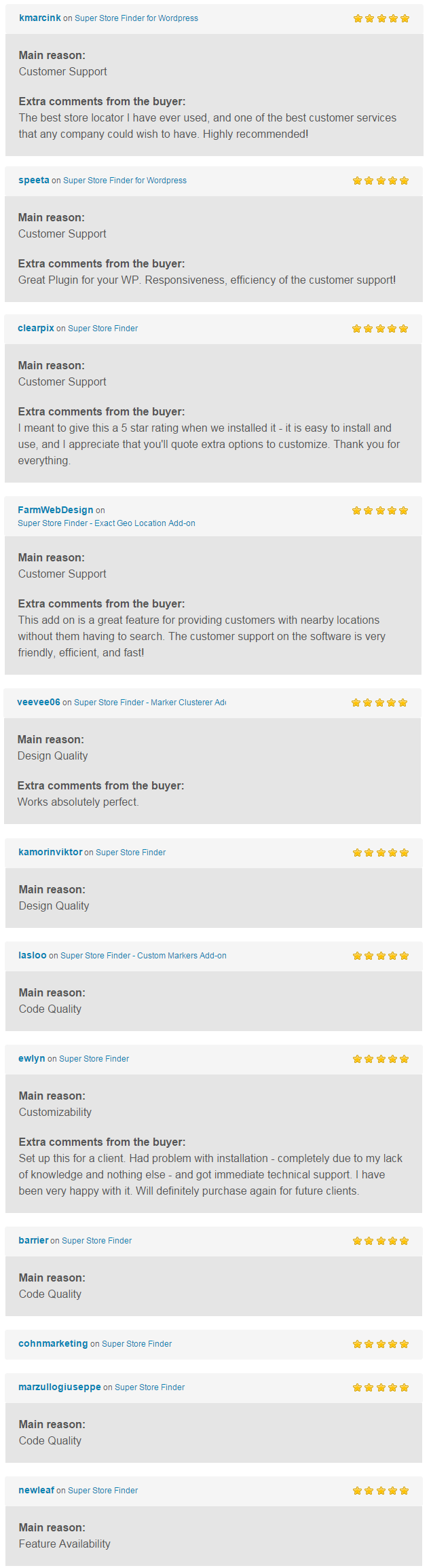
You can find more reviews from real buyers in comments page.
Please note that all store finder designs are copyrighted by their authors.
If you wish (or don’t wish) your site to be listed here, please send me a message.
This add-on is an extension for and requires Super Store Finder for WordPress
This is an add-on for Super Store Finder for WordPress which allows your visitor to choose multiple categories filter on your store locator.
Super Store Finder for WordPress is a fully-featured WordPress Plugin integrated with Google Maps API v3 that allows customers to locate your stores easily. Tailor-made with intuitive responsive design for smartphones, tablets and touch screen devices. It has powerful store locator admin that allows you to manage stores, tags/categories and customize styles, colors, labels, notifications, regions and map settings.
a. You need to purchase Super Store Finder for WordPress at http://codecanyon.net/item/super-store-finder-for-wordpress/11334595 prior to using this Add-on
1. At WordPress Admin, go to Add-ons Page
2. Browse and choose the add-on zip file ssf-multi-category-wp and click on the Upload button
3. If the Status of the add-on shows ‘ON’, you’re add-on is enabled
4. Clear browser cache and you’re done!
Documentation Guide | Video Guide
Fast and Reliable Support
We provide fast and reliable support to our customers, whether its an inquiry, troubleshooting, customization and special requests. If you need help with installation, just send us a message via our profile page here.
For knowledge base and forums you can visit the following links:
You can visit http://superstorefinder.net/support and also follow us on envato for new releases and products here
“First, I would like to say…Great Job! One of the better store locator systems I have come across.”
—gruberdesigns
“I just bought this and started using it on my site within minutes. I am not a programmer and this was still very easy!”
—amymariejones33
“Just purchased the Super Store Finder and it’s fantastic, exactly what my client needed and just the right level of customisation, so thank you for your efforts! Great value script.”
—Anna Trundle
“Fantastic product & best support. thank you…”
—tansuokurer
“This is the best store finder script on codecanyon! Keep up with a great job!”
—Pinki
You can find more reviews from real buyers in comments page.
Please note that all store finder designs are copyrighted by their authors.
If you wish (or don’t wish) your site to be listed here, please send me a message.

The Interface Elements plugin adds more than 20 premium elements in your Visual Composer so they extend and add more power to it.
Every element has several options so that allows you to integrate it in your page with unlimited styles and we’ve put a lot of time and effort to ensure that all elements are simple and easy to use.
We built the elements to be compatible with the latest web technology so it built based on HTML5 and CSS3 roles.
|
Button Integrate button in the page. |
Buttons Group Create a group of buttons. |
|
Empty Space Blank space with custom height. |
Icon Integrate font icon in the page. |
|
Icons Group Create a group of icons. |
Icon Box (font icon) Informative boxes with font icons. |
|
Icon Box (image icon) Informative boxes with image icons. |
Horizontal Rule Horizontal separator line. |
|
Message Box Notification box. |
List Highlights list. |
|
Blockquote Extended quotation. |
Accordion and Toggle (1) Collapsible content panels. |
|
Accordion and Toggle (2) Collapsible content panels. |
Progress Bars Animated progress bar. |
|
Counter Stats counter. |
Contact Form Build contact form. |
|
Link Integrate a link in the page. |
Links Group Create a group of links. |
|
Pricing Table products or services pricing table. |
Pie Chart Animated pie chart. |
it’s a simple game or you can play with concentration.
Your objective is to let the Ninja live In your trip avoid touching the obstacle
the game is it allows you the love every time, when you started playing you not feel boredom
in this game you’ll find a lot of different scene
so all that’ll give you a good concentration And it’s Very Classes Game
How to play:
Tap the screen to make the Ninja jumping over obstacles.
You Have a Button to shoot .
Features:
Eclipse Code.
Admob : interstitial And Banners
Development Engine and Language:
Cocos2d-x Engine with C++ and Java
Demo URL : https://play.google.com/store/apps/details?id=com.yusufapp.superninja
Twitch widget that allows you to embed video from Twitch.tv and shows all inforamtion about the stream to viewers. Super-fast and lightweight with three layout options.
Have a support or pre-sale question? Feel free to ask it in comments.
Have an idea for the next update? We’re always happy to hear your thoughts on new features.
You can also rate our plugin and follow us on Twitter.
1.0.0:
- Initial release
it’s a simple game or you can play with concentration.
Your objective is to let the cat live In your trip avoid touching the obstacle
the game is it allows you the love every time, when you started playing you not feel boredom
in this game you’ll find a lot of diferent scene
so al that’ll give you a good concentration
How to play:
Tap the screen to make the cat jumping over obstacles.
Features
Eclipse Code.
Admob : interstitial And Banners
Development Engine and Language:
Cocos2d-x Engine with C++ and Java
Demo URL : https://play.google.com/store/apps/details?id=com.yusufapp.catcity

What it includes?
Banning, Malicious File Scanner, Flood protection, XSS protection, Fake clients protection, Proxy protection and the list goes on. Even Hide your WordPress if you want to.


…

http://shieldplugin.oraksoft.com/
Just for an example (otherwise of course the plugin hides your theme, changes and renames your plugins name, path, etc and a lot more):
The old admin URL: http://shieldplugin.oraksoft.com/wp-admin/
New admin URL: http://shieldplugin.oraksoft.com/administrator/
What the “WordPress Detectors” think about the websites hidden with OrakShield?

You can edit the pages that the users are redirected to by using the WordPress’ editor.

Of course, everything is getting logged.

Please pay attention that this isn’t a bulletproof proxy protection (and probably there isn’t out there), so it’s just a thing you need to know about. However, we will keep updating our proxy detection algorithm, so nothing to worry about.
We provide top-notch support for all of our customers! Feel free to contact us. We will be really happy to answer all of your questions and to solve the problem together.
Data Tables for Drupal allows you to manage and display data in table layouts. The tables can be enhanced with themes and styles in order to provide better user experience.
What do you get with this module?
– Create multiple data tables
– Reorder columns in a data table
– Sorting, pagination and filtering
– Instant search
– Enhance data tables with themes and styles
– Wide variety of extensions inc. TableTools and more
– A plenty of data tables options
– Fully internationalisable
– Smart handling of column widths
– Fully accessible for screenreaders
– Display data tables in content, blocks and theme files
– Shortcode ready
– Block ready