A1 Support Desk – All In One Support (Help and Support Tools)

A1 Support Desk in All In One Support System which has features like Live Chat, Ticket Support with Priority, Departments, Bug Reporting, Feature Request, Product Showcase, Service Selling, File Upload from both sides, Transfer Chat and Ticket and more.

Demo URL</>
http://demo.wowtech.co/a1support/

Admin Login</>

Username : [email protected]
Password : admin123

Agent Login</>

Username : [email protected]
Password : agent123

Customer Login

Username : [email protected]
Password : customer123


Download A1 Support Desk – All In One Support (Help and Support Tools)

Ticket System (Project Management Tools)

Titcket System

Our ticket system is simple & best for small & medium level companies. And its also the best base structure to start making something some big. It has all the option that make a ticket system a good & effective tool.

Our Ticket system includes :

1. Dashbord 

                   With all the Graphic & Grid Elements to best represent the data.

2. Ticket Panel

                   To create & manage the ticket data.

3. Calender View

                   A unique calendar view for ticket, you can manage your tickets over here.

4. Graphical View

                  View for user to manage his/her tickets.


Technical Details :

1. MVC5

2. CodeFirst Technology

3. EntityFramewoork

4. Responsive Layout

5. Jquery Datatables

6. Calendar Dashboard.


Login Details :

Username : admin

Password : admin

Download Ticket System (Project Management Tools)

VG PostCarousel – Post Carousel for WordPress (Add-ons)


VG PostCarousel – Responsive Post Carousel for WordPress

This plugin will help you to show more Post of WordPress in beautiful responsive carousel slider. It has options for setting the pagination/sliding speed, enabling/disabling autoplay, showing bullet navigation and more.

Also, it is possible to define the number of items to be shown on desktop, tablet, mobile separately and VG PostCarousel will handle that automatically. It supports responsive design and works well on touch devices.

You can use this plugin to show specify post from a category, you also can choose to show Latest Posts, Order Posts or Featured Posts.

Need support?! We have a dedicated support center for all of your support needs. It includes our Documentation, Community Forum and an advanced Ticket System for any questions you have. We usually get back to you within 14-16 hours. (except holiday seasons which might take longer).

Plugin Demos:


Plugin Features:

  1. Fully responsive and mobile ready.
  2. Enable/Disable Touch Swipe by Finger/Mouse.
  3. Unlimited carousel anywhere by use Shortcode, PHP Code.
  4. Query post from Latest Posts, Order Posts or Featured Posts.
  5. Control Number of Post display in a Row and a Column.
  6. Control Data will display in carousel like: Post Title, Post Image, Post Description, Read more link …
  7. You can set background color, item background color, text color, link color, button color.
  8. You can create new theme, override theme on your wordpress theme.
  9. And much more features. Please check live demo to see more!

Plugin Requires:

  1. WordPress 4.0 or higher

Change logs:

#####VERSION 1.0 - November 07, 2015#####
- First release.

Useful Links:

Download VG PostCarousel – Post Carousel for WordPress (Add-ons)

Breadcrumbs (W/ Schema) for Adobe Muse (Muse Widgets)

This widget comes with a total of 9 widgets making it possible to provide breadcrumbs to pages that are up to 10 links deep. These breadcrumbs are a part of the SEO category because they use structured Schema.org markup in the form of microdata.

How to install Adobe Muse widgets

How to install

Adding widgets to Adobe Muse

  1. Unzip the file
  2. Double click on any of the .mulib files. The widgets will automatically import into Adobe Muse
    • If the widget does not automatically import, open the Library tab on the right and select Import Muse Library
  3. In Muse, open the Library tab on the right
    • If you do not see this tab, you can open it by going to Windows > Library
  4. Locate the widget you’re wanting to use and drag and drop it onto your page

Download Breadcrumbs (W/ Schema) for Adobe Muse (Muse Widgets)

Surfow V1.0 – Traffic Exchange System (Social Networking)

Surfow V1.0

Surfow
is a smart system for traffic exchange, using autosurf function and anonymous traffic function and referral program,
fully customizable administration panel and user interface, fast and secure, integrated with Paypal and Payza ,
fully translatable comes with 14 languages included ,
responsive and clean template,
honestly i can’t stop telling more about surfow, but you should see the demo version.

Demo:

Features:

  • Login: Secured ajax login form
  • Resend confirmation: Ajax Resend confirmation form Secured by Recaptcha
  • Password Reset: Ajax resting password form Secured by Recaptcha
  • Signup: Secured ajax signup form
    • Email activation (you can disable it from admin panel)
  • How it work: a page explain how the traffic exchange work
  • Contact page: a ready contact page included (All messages sent to email site)
  • Languages: 14 language included, & guest/user can switch to any language
    • Fully translatable
  • Dashboard: A Real time Statistics
  • Browsing: Automatic Browsing function for traffic exchange

    • Send anonymous traffic (no referer – no iframe)
    • Users can start a multiple sessions
    • Users can add a limited sessions (you can add an upgrade plan for more sessions)
    • Users will get a ratio from earned points for each traffic exchange (and the system will get the rest)
  • Websites: User can (Add/Edit/Delete/Start/Stop) website

    • Users can set a visit duration for each website
    • Users can set a max visitors per hour for each website
    • Users can set a limited visitors for each website
    • Users can add a limited websites (you can add an upgrade plan for more websites)
  • Referrals: An automatic referrals program (it can be automatic confirm or manual you can control it from admin panel)
  • Payments: User can see all payments

    • Support multiple currencies
    • Integrated with Paypal and Payza
    • You can sell Traffic to users ( automatic ) (using Paypal & Payza )
    • You can sell Extra website/session slots to users ( automatic ) (using Paypal & Payza )
    • Users can Upgrade their accounts ( automatic ) (using Paypal & Payza )
  • Fully Responsive: (user interface / administration panel )
  • Pages: (contact, privacy, TOS, about us)
  • Security: The possibility of changing the http protocol to https (to use https as default in all system work)
  • And so much More…

Admin Features:

  • Dashboard: Statistics of everything in Real time
  • settings: Allows you to edit Generale,Mail,Payment,default values & Social settings
  • Users: Allows you to manage registered users, edit information and delete users.
  • Payments: Allows you to manage Payment, edit information and confirm pending payments.
  • Plans: Allows you to manage Plans, Add new plan or edit plan information
  • Pages: Allows you to edit (privacy, TOS, about us)
  • Support: it will help you to setup your website and getting ready
  • Security: The possibility of changing the admin panel path
  • And so much More…

Requirements:

To install Surfow V1.0 on your web server or hosting, make sure it meets these minimum requirements:

  • PHP 5.4 or higher
  • Mod_Rewrite Module Enabled
  • PDO or MYSQLI installed

Download Surfow V1.0 – Traffic Exchange System (Social Networking)

Booked Front-End Agents (Add-On) (Add-ons)

Note: This plugin is an add-on that requires the Booked plugin. Click here to learn more about Booked.

  1. After installing and activating the “Front-End Agents” add-on for Booked, the Booked Profile page on your site will instantly become an Appointment Manager for logged-in Booking Agents (and Administrators).
  2. Normal users will still see the default Profile page.

Download Booked Front-End Agents (Add-On) (Add-ons)

Droppy – Premium Subscription (Add-ons)


Droppy Premium Subscriptions:

Droppy Premium Subscription will allow your Droppy users to get more out of your service, for a little fee.This will give them some more features like larger file uploads, longer file storage, no advertisements and the password function. The plugin will charge the user every billing cycle (You can set your own price, billing cycle etc.), it will check if the payments are successfully made. Users can easily cancel/re-subscribe using their own control panel.

Features

  • Set premium file upload size
  • Set premium password function
  • Set premium file storage time
  • Set premium advertisement disabled/enabled
  • Custom email notifications
  • Checks for subscription cancelation / reverse payment
  • Fully translatable
  • Sandbox option (For testing)
  • Installed within minutes
  • Fast support
  • Free updates

Requirements

  • Droppy – Online file sharing (V 1.2.1+)
  • Paypal business account
  • Web server

Changelog

V 1.0.0
- Intial release

Download Droppy – Premium Subscription (Add-ons)

Jugnoon Gamify for Laravel (Miscellaneous)

Gamification is the concept of applying game mechanics and game design techniques to engage and motivate people to achieve their goals. Gamification taps into the basic desires and needs of the users impulses which revolve around the idea of Status and Achievement.

JUGNOON Gamify for laravel is similar script with functionality we wrote for core php but here it will target Laravel framework.

For more detail about features available please visit:

Jugnoon Gamify for PHP

Download Jugnoon Gamify for Laravel (Miscellaneous)

Woocommerce Pdf Product Vouchers (WooCommerce)

WooCommerce PDF Product Vouchers allows you to create and configure customizable vouchers which can be attached to simple/variable downloadable products and purchased by your customers. You can give your customers the ability to set a recipient name, email, SKU, Price, Date and message to purchase these vouchers as a gift

Installing the Plugin

  • The installation of the plugin is just like any other plugin installation for WordPress. Login to your WordPress site and go to Plugins > Add New.
  • At the Install Plugins Page click on Upload from the top navigation and then click on browse.
  • Go to the location on your computer where you saved the downloaded plugin zip file and upload this zipped file. You need to unzip the file first to get the plugin zip file.
  • Now click on Install Now.
  • Wait until WordPress has uploaded the file. If it’s done click on Activate Plugin.
  • Now you should see a message ‘Plugin activated’ at the top of the window.

Main features

  • Easy to setup and use.
  • Easy Customization
  • Connect Your Business and Online Store with Customizable PDF Vouchers.
  • Can be customized for each product.
  • Voucher Order Management
  • Add a custom Logo to the PDF.
  • Add custom redeem instructions to the PDF.
  • Add unlimited locations to the PDF where the voucher can be redeemed.
  • Ability to add Buyer’s name, Buyer’s Email, Product Name, Product Price, Quanity, Sku, OrderId, Order Date etc to the PDF.
  • Allows you to generate unlimited unique codes without the need to provide them.
  • Allows to enter voucher codes manually, as comma separated list.
  • Ability to restrict codes to be used only one time.
  • Detailed report about all purchased voucher codes.
  • Ability to create unlimited voucher templates with Drag & Drop interface.
  • Supports Product Variations

Documentation

Please see the Documentation of the plugin to learn how to use the plugin.

Video Tutorial

Voucher Templates

Please Download Voucher Templates Psd File.

Support

If you have any suggestions or you find a problem, call me ASAP!… i’m eager to get suggestions and ready to solve bugs!

Download Woocommerce Pdf Product Vouchers (WooCommerce)

Country and Mobile Redirect for WordPress – AddOn (Add-ons)

Country and Mobile Redirect for WordPress – AddOn is a wordpress plugin for URL redirection and uses SEO standard 301, 302 redirects. Redirect using Geo location like Continent, Country, State, Region and City, redirect to mobile site, using this plugin we can make any page to be used as the 404 page, geolocation analytics and lot more…

You can now define redirects like never before. Zero Coding and solves unlimited number of redirect usecases. This plugin requires Rules Engine Platform.

A RulesEngine Platform Plugin: Is an unique platform which separates the Business conditions from Business use cases and RulesEngine platform will be used for future addons. Customer need to buy the RulesEngine Platform only once and in future releases they need to buy only AddOns such as Page Rule, Post Rule, Widget Rule, Theme Rule and Redirect Rules.
Customers can save a lot and can do more using RulesEngine Platform. Click here to know more


If you do not have RulesEngine platform plugin, please download full version of this plugin from here.

If you are looking for more rules, please check WordPress Access and Content Controller Plugin.


Customer_feeback_heading
Customer_Feeback

Important Features:

  • Redirect using Geo location like Continent, Country, State, Region and City.
  • Redirect for Tablet device.
  • Redirect for Mobile phone.
  • Redirect by Request URL.
  • Follows SEO standard, by redirecting using 301 and 302 status codes.
  • 404 Error handling, redirect to a custom page for 404 errors.
  • Back to full site from mobile devices after redirecting using a simple parameter.
  • Block users from a particular Country, State, Region and City.
  • Block users from a particular IP Address
  • Redirect for a specific Mobile Operating System like Andriod, IOS, Windows etc.
  • Redirect for a specific Mobile Phone type like iPhone, Andriod Phone, Window Phone etc.
  • Redirect for a specific Tablet type like iPad, Andrio Tablet, HP Touch Pad and Blackberry tablet.
  • Redirect using User Profile like User Id, User Role and Email Id.
  • Redirect using a specific or range of Date, Time, Month and Day of the week.
  • Redirect by WordPress and WooCommerce Categories.
  • Redirect by Pages and Posts.
  • Redirect by Language.
  • Redirect by Browser.
  • Activate or deactivate redirect rule.
  • Analytics : Understand your site traffic and user base. No need to share your site data to third-party providers like Google Analystics.
    Below are the live data charts captured from my demo website. We will further enhance this in future.

    • Request by Country: This chart provides the requests made to the site from each country. Useful to understand site traffice from different countries.


      RequestsByCountry

    • Requests by Device Chart: This chart provides the requests made to the site from each device. Helps you the know the site traffic from different devices.


      RequestsByDevice

    • Redirect by Device Chart: This chart provides the redirects made from the site to each device.


      RedirectsByDevice

    • Redirect by Device Type Chart: This chart provides the redirects made from the site to each device type.


      Redirect_by_device_type


  • Complex rule support:

  • Complex rule is one of the key features of RulesEngine Platform. RulesEngine is very flexible for defining very complex logical rules using “AND” “OR” and “Brackets” operators.

    An example of defining the complex rule with City and Request URL

    alabama

    Below is much more complex rule

    (e.g: Role is Administrator and Country is USA and Month is January, Page is Home etc, see below sreenshots.)
    See Logical rule section for more info.

    See Logical rule section for more info.


    \

How it works:

Below is an example of providing access to site from only canada country and all other nations will be redirected to a no access page.
In order to achieve this use case, first we need to define a Logical Rule with country as Canada and condition as “is not equals” as shown below screenshot.

Canada

Redirect Rule: Using the above defined logical rule for defining the redirect rule.

Redirect_canada

Similarly we can define more rules using the City, Region, Mobile, Date and Time etc

Click here for more demos using this plugin

Important Use Cases:

  • Redirect for Mobile Device: This is a very common use case where user from a mobile or tablet device should be redirected to a mobile sites, this can be achieved by defining a logical rule for Mobile and Tablet devices and use them in Redirect Rules.
  • Redirect by Geo Location: If you want to redirect all the user who are coming from a specific geographic location country or continent then define a logical rule using “Geo Location” Criteria.This is very useful when you want to redirect users to a local server.
  • Redirect by Role: You might be having a use case of redirecting specific role users to a different page, in such case define a logical rule using “User Role” criteria and use it in redirect rule.
  • Redirect by Request URL: Define a logical rule using Request URL Criteria and use this in defining Redirect Rule. Useful for static paths, like whenever user request from a http://test.com we can redirect them to http://test2.com
  • Redirect in Site Down Time: Define a Redirect for home, which can be simply achieved by defining a logical rule on Home Page and leveraging it in Redirect rule.
    You can use Date, Time, Day of Week and Month sub criteria to further refine the rule.
  • SEO Redirect:
    SEO redirects is an important for enhancing SEO, by using 301 redirects search engine will be informed that this page is moved to another one, which prevent indexing the two pages of the same content and will mark them as a duplicate content,
  • Activate or deactivate redirect rule: Redirect can be activated or deactivated. If the rule is deactivated the action pertaining to the rule will not be performed.

Download Country and Mobile Redirect for WordPress – AddOn (Add-ons)

Hosting Banner with Hover Effect. (Banner Ads)

Promote your hosting with a bright and lively banner. There are 6 different sizes.

Features:
• 6 standard sizes: 160×600, 300×250, 728×90, 300×600, 600×400, 336×280
• HTML5/CSS3 effects;
• Easy to Edit;
• Hover effect;
• Made with Adobe Edge Animate;

Includes:
• 6 Edge Animate Banners
• *.oam files for adding to adobe Muse
• Server and cursor png-files.
• Instructions

Download Hosting Banner with Hover Effect. (Banner Ads)

Kids Place – Tableview & mapkit parallel (Templates)

Change Log

Version 1.0 (November 07, 2015)
     Initial Release

App Introduction

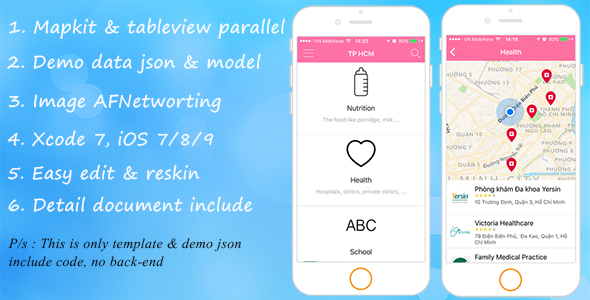
  • This is app template create a parallax effect between an UITableView and a MapView, like the view in FourSquare.

App Features:

  • Tutorial covers the first using the app
  • Parallax tableView & mapkit
  • Transparent view
  • Multi map icon annotation
  • Image cache and loading with AFNetworking
  • Privacy check, show guide enable “Location Services”
  • Map direction
  • Json data reader
  • Detail view with call phone, direction with apple map
  • Detail about text


Video

Kids place tableview & mapkit parallel

App store

Download free on app store (full application)
https://itunes.apple.com/app/con-yeu/id973326297

Support

We will support you until the end of the world so nothing to worry about

More items

Follow me on Envato

Ios app - SOS Help
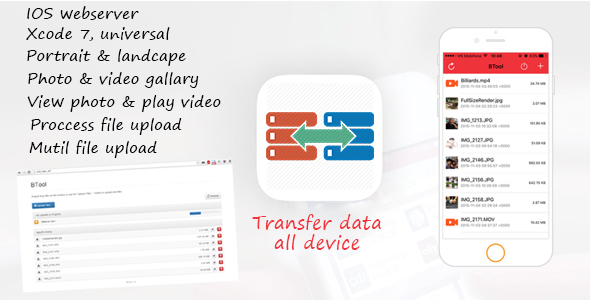
Ios app - BTool
Kids placel

Download Kids Place – Tableview & mapkit parallel (Templates)

HTML5 Business Banners – GWD – 7 Sizes (Ad Templates)

NF-CC-036_Business_HTML5 Banners

Very easy to edit and detailed help file is included. Google fonts used. Files can be edited with free Google Web Designer software.

All the files are included with the download file. ( Icons, Shapes)

This set includes the following 7 sizes

– 160×600
– 180×150
– 300×250
– 300×600
– 320×50
– 336×280
– 728×90

Download HTML5 Business Banners – GWD – 7 Sizes (Ad Templates)