SVG Draw Animation for WPBakery Page Builder (formerly Visual Composer) (Media)

SVG Draw Animation for WPBakery Page Builder (formerly Visual Composer) lets you upload your own SVGs and animate them to look like they’re being drawn onto your website.

Important Note: This plugin doesn’t contain SVGs.

Important Note: Animating fills & text in SVGs aren’t supported. The plugin will try its best to convert the SVG into outlines – Text will be hidden, and fills will be outlined instead.

You can also access some editing options, like changing the SVG size, stroke width and color, as well as choosing the animation style and speed.

Awesome Features

  • Animates SVGs using a “live drawing” effect
  • Converts SVGs into outlines
  • Change SVG stroke / outline color and thickness
  • Choose from 3 different drawing animation styles: Delayed, Simultaneous, and One by One
  • Adjust animation speed
  • Compatible with other Super Bundle plugins – use with our SVG Icons feature to get an SVG icon picker!
  • WordPress coding standards
  • WPBakery Page Builder Addon (formerly Visual Composer)

Enjoying the Plugin?

Be sure to leave a rating and review and show us some love.

Updates

Version 1.0

* Initial release

Download SVG Draw Animation for WPBakery Page Builder (formerly Visual Composer) (Media)

Better Net – ISP Billing with Mikrotik & Ticketing (Miscellaneous)

Better Net is an ISP billing application.

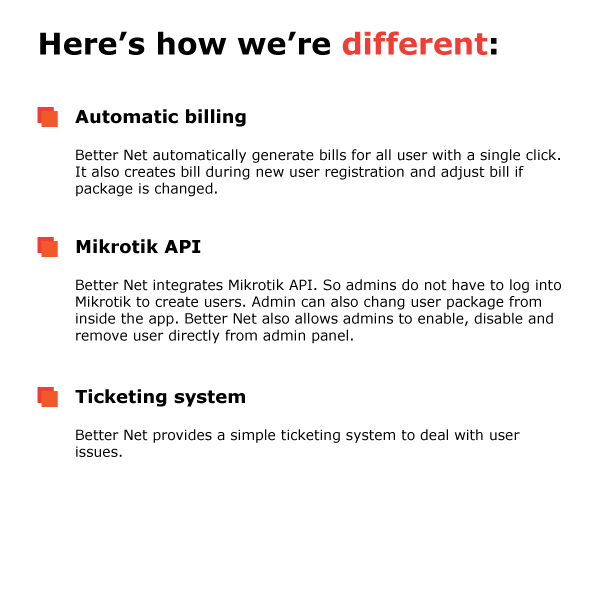
This application is build for Internet Service Providers to manage their clients more efficiently. Better Net provides a smart account management system that makes user billing and payments very easy for you.

Better Net integrates Mikrotik API. So you do not have to log into your Mikrotik router every time to perform simple tasks like creating user, changing user package, enable, disable and removing user from Mikrotik. You can do all these from Better Net admin panel.

However if you are not using Mikrotik, you can still use Better Net. All other features will be available.

The best thing is Better Net will also take care of user account based on your activity. Like automatically adjust bill when you create user or change his package.

Ticketing is one of the most important features of Better Net. A very simple, easy to use interface will help you to take care of user issues through tickets.

Better Net is a well coded application. It is written in PHP and is powered by Laravel 5.6 framework which makes the application very secure and stable.

Main Features

Better Net is a simple, straightforward application to manage ISP billing. The main features include:

  • Smart admin dashboard
  • Automatically generate bill for all users with a single click
  • Automatic bill generation during single user registration
  • Automatic bill adjustment for changing package
  • Mikrotik API to create, disable and remove users in Mikrotik router
  • Mikrotik API to change user package in Mikrotik router from admin panel
  • Create new package for PPOE and HotSpot
  • View and edit packages
  • View all tickets at a glance
  • Sort tickets by title, user, date, status, last update and priority
  • View individual ticket with all comments
  • Comment on ticket
  • Close and reopen ticket
  • Create and edit user payments
  • View all users and their account balance
  • View and edit individual user
  • View individual user payment history
  • Add new user easily
  • New users will be added in Mikrotik automatically and his bill will be generated
  • View all and active PPOE and Hotspot from Mikrotik router
  • User panel
  • View personal details in user panel
  • View personal payment history in user panel
  • View all personal tickets
  • User can add, comment, close and reopen ticket from user panel
  • User can view all available packages from user panel
  • Responsive Design (mobile, table, desktop)
  • Token base forms to protect XSS attacks
  • Simple, easy to use user interface
  • Optimized for best performance
  • Very easy installation
  • Well documented
  • Free update
  • Bootstrap 4
  • Laravel 5.6
Demo login
Admin

E-mail address: [email protected]
Password: 123456

User

E-mail address: [email protected]
Password: 123456
Feel free to create your own user and try login as the user.

Please note that Mikrotik features are disabled in demo due to security reason. However, if you want to test the application for your own Mikrotik, send us a message and we will give you a link to test it real time.
Please read the documentation before using the application.

Download Better Net – ISP Billing with Mikrotik & Ticketing (Miscellaneous)

WooCommerce Role based Payments and Shipping Methods (Products)


WooCommerce Role Based Payment Gateways/ Shipping Methods gives site administrators the ability to individually limit available Shipping Methods and Payment Gateways for each user role including guests configured in WordPress.

It also contain Multiple User Roles Support based on Role Priority – Check out our Demo for additional information about working behaviour of this plugin.

Features

  • Show/Hide Payment Gateways by User Roles
  • Show/Hide Shipping Methods by User Roles
  • Multiple User Role Support
  • Zone based Shipping Methods
  • Accordion UI Admin Settings
  • Active Status Display in Admin Settings
  • Translate Ready
  • and more


Need of assistance?

If you want to read out our documentation then it can be find it inside zip folder as you download from Envato/CodeCanyon, Inside Documentation Folder open index.html in your prefered web browser to see how it works and how to configure.

If need of assistance for you to configure/customize/compatible? we here to help feel free to contact us

Updates

Version 1.0
- Initial Release


Download WooCommerce Role based Payments and Shipping Methods (Products)

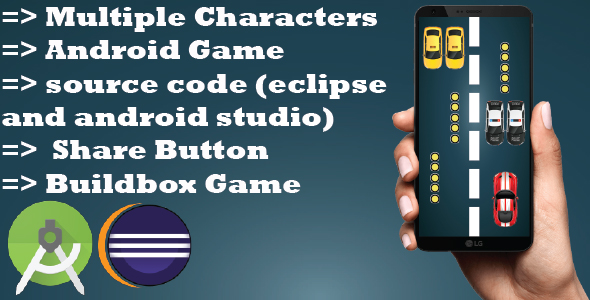
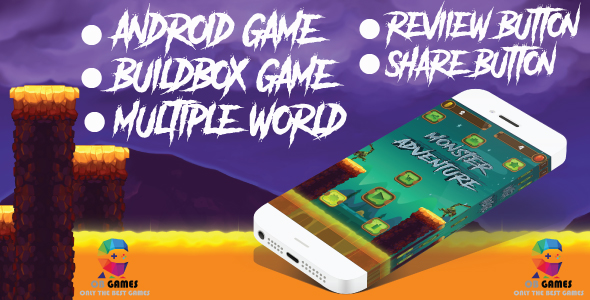
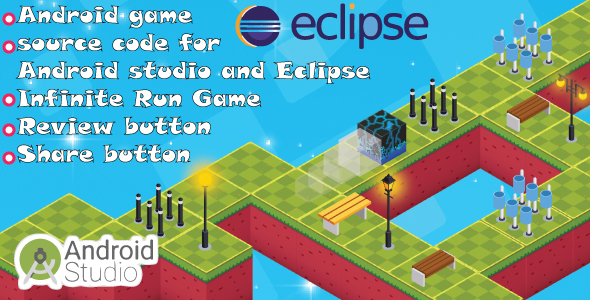
Bundle 6 Games Android with different Gameplay (Games)

Smart boy video : https://www.youtube.com/watch?v=OYeEU2ZiKfc

Moto bike race game video : https://youtu.be/-MTab22XS14

3D cube game video : https://www.youtube.com/watch?v=MIhQ0Y7MqTQ

Speed car video : https://www.youtube.com/watch?v=mzWKcqg7l20

Monster Adventure video : https://www.youtube.com/watch?v=Ur-HU_NipaM

cube video : https://www.youtube.com/watch?v=G7fO6hC3szY

Take advantage of this offer and buy the 6 games and Take advantage of this discount of 50%
all these games are for android it is easy for the reskin the total price of all these games is 136$ but with this offer you get the 6 games just with a price of 68$

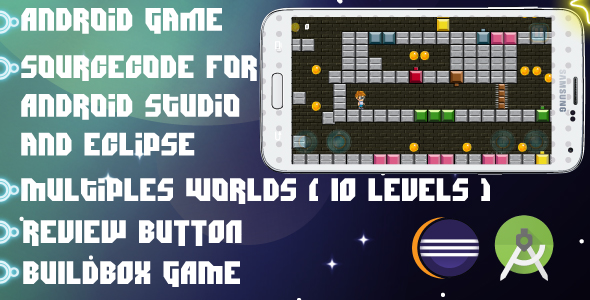
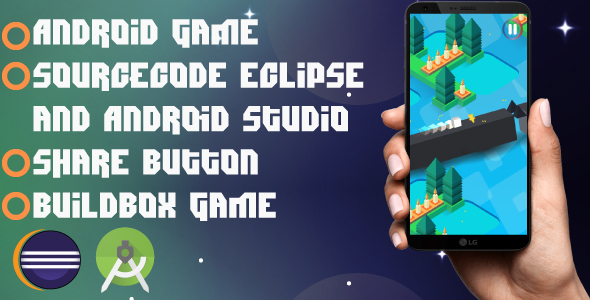
NOTE: All These games is made by Buildbox, very easy to reskin and very addicting .

FEATURES :

ANDROID Game. Eclipse Project and android studio project. AD NETWORKS ADMOB and Review and share button


 Follow Us


 Contact Us

This collection contains all these games :


 Contact Us


 Contact Us


 Contact Us


 Contact Us


 Follow Us


 Contact Us

Download Bundle 6 Games Android with different Gameplay (Games)

Bitcoin Digital Downloads and Terminal WordPress Plugin (eCommerce)

Bitcoin Digital Downloads WordPress Plugin is a complete solution that allows you to automate the delivery of digital products after your customers complete the purchase using bitcoin. Bitcoin Digital Downloads WordPress Plugin can also be used as a bitcoin payment terminal allowing you to receive bitcoin payments for things like freelance or contract work, donations and more. Download links are encrypted to prevent unauthorized downloads and can also have an expiry time.

Features

  • Use any Bitcoin HD wallet of your choicen
  • All payments are sent directly to your own addresses in your own wallet, no middle man, no access to your private keys
  • An easy way to enable your WordPress install to accept Bitcoin
  • Automatic delivery of digital products
  • Allow download only after payment is confirmed
  • Secure encrypted download links
  • Link expiry time
  • Multiple currencies support
  • Custom or global email templates
  • Custom or global pricing
  • Mass upload using your FTP program
  • Buyers only need an email address to receive the download link and any bitcoin wallet of their choosing, no need for any kind of registration

How does it work

1) Upload your digital products to the products folder using FTP.

2) For each product you can define a custom email template, a download link expiration time and a price in bitcoin or currencies such as USD, GBP, EUR, JPY, CAD, AUD among others. Bitcoin conversion is automatic.

3) In the admin dashboard you can then generate the download link code for the products you uploaded.

4) Since the download link code is just a regular URL link, you can paste it anywhere such as in emails, in your WordPress posts, on your site, site footer, forum signatures, facebook, twitter and other social media. Let everyone know that you accept bitcoin.

5) Customer clicks the link and gets redirected to the terminal page, customer enters the email where the download link will be sent and then a QR code is presented for the customer to pay in bitcoin.

6) As soon as the customer pays and the transaction is seen in the bitcoin network, he will receive an encrypted download link via email.

Email Templates

Each product can have a custom email template or use a global default template. Templates can be in html or plain text format.

Price conversion

You can define price in bitcoin or normal currencies which get converted to bitcoin in real time using Blockchain.info’s feed. Currencies supported are: USD, JPY, CNY, SGD, HKD, CAD, NZD, AUD, CLP, GBP, DKK, SEK, ISK, CHF, BRL, EUR, RUB, PLN, THB, KRW, TWD.

A Bitcoin Terminal for your WordPress site

Bitcoin Digital Downloads WordPress Plugin can also be used as a payment terminal in bitcoin to charge your clients for things like contract work or freelance gigs. It can also be us ed to generate donation button in bitcoin.

Demo

A demo of how the user can make a payment can be seen here:
https://amzlayer.com/wp/bitcoin-digital-downloads-terminal/?prod=3

Please note, this demo is fully functional on the live bitcoin network. So all addresses and payments are real.

Requirements

  • WordPress
  • Blockchain.info Receive API key (free)
  • HD bitcoin wallet, most wallets nowadays are HD (Hierarchical Deterministic). Blockchain.info offers a free online HD wallet but you can use any other HD wallet software.

Tags

bitcoin easy digital downloads, wordpress bitcoin plugin, cryptocurrency, wordpress blockchain plugin, blockchain application, bitcoin buy now button, how can I accept bitcoin payments on my website, instagram button, facebook button.

FAQ

Can I trust this WordPress plugin with my Blockchain.info’s Receive API?
Yes, as the name implies, the Blockchain.info’s Receive API can only be used to be notified about bitcoins received by your wallet. It cannot be used to spend bitcoins. So even if your site is hacked, your bitcoins will be safe.

See more here: https://blockchain.info/api/api_receive

Download Bitcoin Digital Downloads and Terminal WordPress Plugin (eCommerce)
Facebook Events Calendar For Joomla (Social Networking)

Description

Now, there are more and more people who use Facebook for their business. One of information they want to display is Facebook Event.

Facebook Events Calendar For Joomla will display all events from your Facebook page on calendar. It can also display events via list view and detail of each event.

Facebook Events Calendar - Full Layout

Facebook Events Calendar - Compact Layout

With nice popup, user can quick-view event for each day. Facebook events will be displayed on your website lively and logically. There are 2 layouts for your choice: full and compact. You can also set initial view as event list.

Event list

Facebook Events Calendar - Events List

Why choose Facebook Events Calendar For Joomla ?

  • Display your Facebook events friendly.
  • View events via calendar or list style.
  • Quick view event’s info with tooltip.
  • User friendly interface.
  • Full layout or Compact layout.

Required:

  • Your website must have SSL certificate (https).
  • You must have admin permission with Facebook page from which you want to display events.
  • Your Facebook page and events must be public.

See demo of Facebook Events Calendar For Joomla here.

Now let try Facebook Events Calendar For Joomla !

If you like our product, please don’t forget to review and rate it . We will support you as soon as possible.

Changelog

Version 1.0 (04 Jul 2018)
    - Initial release.

Follow us on :

Facebook  
Google+  
Twitter

Download Facebook Events Calendar For Joomla (Social Networking)

Projectopia WP Project Management – ULTIMATE VERSION (Utilities)

Projectopia Ultimate – WordPress Project Management Plugin

Projectopia Ultimate is our fully featured Project Management Solution, incorporating our Projectopia Core Plugin and all add-on plugins for a single price point.

Projectopia Ultimate features the latest versions of the following plugins –

Projectopia Ultimate will also be updated to include all future add-ons in the same package, so when we release a new add-on, it will be included in free future updates to the Projectopia Ultimate plugin!

Please ensure that your environment meets the requirements for each of our plugins, you can see a list of requirements for each item by clicking the links above.

Installation

The Ultimate plugin contains Projectopia Core and all available add-ons. Unzip your download and install Projectopia Core, and then install each add-on from the Add-Ons folder in the download.


Download Projectopia WP Project Management – ULTIMATE VERSION (Utilities)

Google Forms integration to PrestaShop (Prestashop)

Description

This easy but powerful module allows you to display custom forms powered by Google on your PrestaShop store pages. The simple way to get more newsletter subscribers, grow your wholesale network, and build return forms for your store. Blends into your overall store design. Easy to install and uninstall. It supports text fields, checkboxes, dropdowns, colors and many other options. Choose the types of questions – from simple text fields to complex scales and grids. Sends you an email when the form is submitted by a customer. You can use Google Forms to create online surveys and quizzes and send them to other people. Or you can use it for support and feedback, or like contact form on any page of your PrestaShop store. You can create comprehensible forms and get tables with results for free. Also you can collect email addresses for newsletter and even hold a quiz. Easy custom design. You can use themes from Google collection there arefor all occasions. Or you can create a theme yourself – just upload a photo or logo, and the Forms will automatically select the appropriate color scheme. Upload videos from YouTube or photo. Forms can easily be created, edited and populated both on the computer and on mobile devices. Create custom surveys to gather customer feedback and improve your shoppers’ experience.

Features:
  • Quickly and easily insert Google Forms.
  • Supports text fields, checkboxes, dropdowns, colors and files (file upload).
  • Incredibly simple settings for fast setup without modifying code.
  • Unlimited number of fields and submissions.
  • Sends you an email when the form is submitted by a customer.
  • Variable positions with most popular Hooks.
  • Enabling / Disabling your forms.
  • Allow to add title.
  • Enabling / Disabling your title.
  • Friendly user interface.
  • Compatible with all themes.
  • Compatible with latest PrestaShop version.
  • No HTML/CSS knowledge required.
  • Very fast loading.
  • Support all major browsers.
  • Support Multi-Store.
  • Full documentation.
  • Technical Support.

                Module’s Live Demo

Support:

This plugin is supported. All you need to do is contact the developer through the Webtet e-mail or Webtet profile page.

Follow Me

Responsive Brand Logo Carousel for Prestashop - CodeCanyon Item for Sale

Download Google Forms integration to PrestaShop (Prestashop)

WooCommerce Attribute Images (Products)

Turn Attributes into Images

Attributes in your WooCommerce shop can be boring! Our WooCommerce Attribute Images plugin helps you to drive attention to your attributes. It also removes the boring select fields for variable products and transform them into beautiful image swatches.

Features

WooCommerce Attribute Images Features

  • Transform Attribute Names & Values into Images
  • Show Attribute Images in Variable Products (swatches)
  • Customize the Styling
  • Easy to Setup
  • Well Documented

Requirements

  • WooCommerce 3.0+
  • WordPress 3.8.1+
  • Redux Framework

Changelog

======
1.0.0
======
- Inital release

Download WooCommerce Attribute Images (Products)

Advance FCM Manager / Advance Firebase Panel (Mobile)

  • Web server requirements

    PHP +7.0 (enable curl extension)

    MySql 5.x

    Composer package

    Laravel
  • Feturse

    + Firebase notification implementation

    + 11 Types of notification :O

    + Multi App

    + Delivered Report

    + Clicked Report

    + Archives

    + Mobile statistics

    + Rich analytical dashboard

    + Individual and mass notification

    + Easy installation wizard

    + Much more

    Panel Demo :

    http://fcmpanel.com

    Username & password : admin

Android App :

http://fcmpanel.com/sample.apk

Download Advance FCM Manager / Advance Firebase Panel (Mobile)

PHP Login and User Management (PHP Scripts)

PHP Login and User Management includes many in-build authentication techniques , Such as two-factor authentication , Authentication throttle , User management .

Administrator Details

Email : [email protected]
Pass : admin

Features

  • Secure user registration and login
  • User Controls – User Banning and Automatic user expiry
  • IP-Blocking
  • Social Authentication using Facebook, Twitter and Google+
  • Password reset
  • Two-Factor Authentication
  • Remember Me feature on login
  • Login with email or username
  • Google reCAPTCHA on registration
  • Authentication Throttling (lock user account after few incorrect login attempts)
  • Interactive Dashboard
  • Unlimited number of user roles
  • Powerful admin panel
  • Unlimited number of permissions
    • Manage permissions from admin interface
    • Assign permission to roles
    • Easily check if user has permission to perform some action
  • User Activity Log
  • Built using Bootstrap 4
  • Client side and server side form validation
  • Fully customisable from settings section
  • Complete and detailed documentation
  • Runs on PHP 7.1.3+

Security

  • CSRF Protection – all forms include CSRF token
  • Session Protection – highly secure Laravel session mechanism
  • Highly secure one-way password hashing

Server Requirements

  • PHP >= 7.1.3
  • OpenSSL PHP Extension
  • PDO PHP Extension
  • Mbstring PHP Extension
  • Tokenizer PHP Extension
  • Ctype PHP Extension
  • XML PHP Extension
  • JSON PHP Extension
  • GD PHP Extension
  • Fileinfo PHP Extension

Download PHP Login and User Management (PHP Scripts)

Hoverio – CSS3 Image Hover Effects (Animations and Effects)

Hoverio – CSS3 Image Hover Effects, there are many types of hover effects with animation.
You can use it in your website or anywhere in your project to showcase your images in a unique way.
These responsive bootstrap thumbnails are easy to customize as you wish.

Features

  • 12 Different hover effects
  • 100% Responsive Design
  • Modern,clean and unique design
  • Cross Browser Compatability
  • Easy to Customize
  • Well Commented and Clean Codes

Resources Credits:

  • Bootstrap
  • Themify Icons
  • Google Font (Montserrat)
  • Google Font (Lato)

Support

Feel free to contact us any time. We have a dedicated team to provide you the best support.

Download Hoverio – CSS3 Image Hover Effects (Animations and Effects)

Elyasa – Responsive Coming Soon WordPress Plugin (Utilities)

Elyasa is a creative and professional coming soon WordPress Plugin built with Bootstrap framework. It includes Ajax MailChimp subscription, Contact Form and Google Maps.

With this WordPress Plugin you will be able to work on your site/theme while your visitors see the under construction page. When you’re done just disable it in the Axis admin and your new site will be live. You can then keep using it whenever you need to take your site into maintenance mode.

The HTML version of this plugin is now available.

Features Included:

  • Powerful Admin Panel
  • Fully Responsive Design
  • Retina ready
  • Built with Bootstrap
  • 3 Style Variations
    • Fullscreen Single Image Background
    • Fullscreen Image Slideshow Background
    • Fullscreen Youtube Video Background
  • Typography based on Google Web Fonts
  • Working Contact Form
  • Font Awesome & Linea icons
  • FlipTimer jQuery Countdown (Save $8)
  • CSS3 Animations
  • Mailchimp integrated
  • 6 predefined Color Skins
  • Allow Access by IP address or exclude url
  • W3C Valid HTML code
  • Easy to Customize
  • Help file is included

File Types:

  • PHP Files
  • HTML Files
  • CSS Files
  • JS Files

Google Web Fonts:

Plugins:

Images:

Images are only for demo purpose and not included with the download package.

Download Elyasa – Responsive Coming Soon WordPress Plugin (Utilities)

SafeShare – The right way to share private information (PHP Scripts)

SafeShare – The right way to share private information (v1.0.10)


With SafeShare, you can send secure notes and get notified when they are read or shred, request information and get notified when it is made available to you and share code snippets in any programming language, syntax highlighting included.
At anytime the private content is stored encrypted and only the people having the password can decrypt it.

SafeShare is the first, and currently the only web application of it’s kind available to the public for purchase.

SafeShare can be used for personal purposes, or you can use it to start your own SAAS bussiness with it where people can register and use it as a service and pay you a yearly/monthly charge.
Please note you need an extended license for this.

Backend main features (administrative area)

  • Web based installer which will guide you through all install steps
  • Login / Forgot password pages
  • Awesome looking control panel
  • Dashboard containing real time info
  • Checklist to make sure you did everything to start using the app
  • Users management (system administrators)
  • Customers management
  • Customer groups management
  • Ability to mass email customers
  • Create and manage price plans
  • Subscription based system (for now we support 2checkout recurring subscriptions)
  • Orders management
  • Invoices management
  • Credit notes management
  • Taxes management
  • Currencies management
  • Subscriptions management
  • System pages management(terms and conditions / privacy policy / etc)
  • Countries management
  • Geo zones management
  • Maxmind integration for translating IPs to locations
  • Ability to manage F.A.Q’s
  • Ability to create and manage menu items for frontend
  • Extension based architecture – more than 10 extensions by default
  • Settings to control almost every aspect of the app
  • Automatic updater
  • In app documentation

Customer main features

  • Register / Login / Forgot password pages
  • Awesome looking control panel
  • Dashboard containing real time info
  • Ability to view and buy price plans
  • Orders management
  • Invoices management
  • Credit notes management
  • Subscriptions management
  • Notes management
  • Requests management
  • Snippets management
  • Api keys management
  • Access to API and API docs
  • In app documentation

Frontend main features

  • Awesome looking landing page
  • Contact page
  • F.A.Q’s page
  • Pages for terms and conditions / privacy policy / etc
  • Pages to view notes
  • Pages to view and fill in requests
  • Pages to view code snippets
  • Access to API docs

Awesome looking email notifications

Demo login

Please go to https://www.safeshareapp.com/#demo to view the demo options.

Support / Documentation

Support is available on our website at https://www.safeshareapp.com/customer/.
You need a valid license key and valid support pack.
Documentation is available in the KB at https://kb.safeshareapp.com/.
Please note the app itself comes with start pages which explain what each section does, but also with a checklist area which helps you get started.
A list of help articles can be found at https://kb.safeshareapp.com/article-categories/general-info/

Install / Upgrade

Install steps: https://kb.safeshareapp.com/articles/install-steps/
Upgrade steps: https://kb.safeshareapp.com/articles/upgrade-steps/

Server requirements

  • Linux operating system
  • Apache or Nginx webserver
  • PHP >= 7.1
  • MySQL(>= 5.5) or MariaDB, with InnoDB storage engine.
  • Cron Jobs access (linux cron jobs not web crons)

PHP requirements

PHP version PHP 7.1 or higher is required.
Reflection extension
PCRE extension  
SPL extension  
Ctype extension  
MBString extension Required for multibyte encoding string processing.
OpenSSL extension Required by encrypt and decrypt methods.
Intl extension PHP Intl extension 1.0.2 or higher is required.
ICU version ICU 49.0 or higher is required.
ICU Data version ICU Data 49.1 or higher is required.
Fileinfo extension Optional. Used for files upload to detect correct file mime-types.
DOM extension Required for REST API to send XML responses
IPv6 support Optional
BCMath or GMP BCMath or GMP is required.

Important notes

  • We cannot provide general webhosting and/or general PHP support.
  • We cannot provide general programming or web scalling support.
  • We cannot help with issues from your own customization.
  • We cannot provide customizations that extended default app features.
  • We do not offer install or setup services.
  • This app requires adding a few cron jobs to your hosting environment. Please make sure you know how to do that.
  • We cannot provide fixes that are unique to your web hosting or server environment. If your hosting or server environment is different than what is listed in REQUIREMENTS section, you’ll need to determine if it will work before purchasing.
  • We try for fast response times but as described on our support tab, response time may be longer, depending on our current support queue. Too many issue/feature questions that do not fall under support will slow down all response times. Please investigate for yourself thoroughly before contacting us.
  • We don’t offer free support, if your support is expired, before asking questions consider renewing it.
  • Before asking questions make sure you did your part and reserched current answers.
  • You can’t get a refund once the item has been downloaded in any circumstances.
  • Read all the product information before you decide to buy it.
  • We speak english only to our customers, so we expect you speak it decently enough so we can understand each other.

F.A.Qs

Why should you use it?
Have you ever sent any private information via emails, text, instant messages or support tickets?
What do you think it happens with that information after it has been used?
The answer is simple, it remains there visible by anyone having access to it, at any time.
Do you really want your private information laying around like this?
Of course you don’t.
Here’s where SafeShare comes into play. It will help you avoid this issue.

It will help you make the information available for the right amount of time, only to the right people, and it will shred the information right after it has been used.

What is a note?
A note is a secure way to send information.
When you create a note, you enter the content which is encrypted based on the password you enter and only people having the password will be able to read it.
Each recipient of the note will be notified via email and will receive a unique URL to read it and once read, it will be shred and you will be notified.

What is a request?
A request is a secure way for you to require information from somebody else.
Instead of writing an email asking for private data from your peers, you will create a request which at any time has the contents encrypted and only people having the password can read it.
The request recipient will receive an email and will fill in the request with the information you have asked for and you will be notified and can then read the request content.
After you read it, the request will be shredded.

What is a snippet?
A snippet, is as it’s name says, a piece of code which you can share with your peers.
When you create a snippet, you can decide when it will expire and whether it is password protected.

If the snippet is password protected, we will encrypt the snippet content and only people with the password can read it.
Snippets have a unique url and ability to be downloaded at any time.
We support almost all programing languages for syntax highlight.

Credits

We can’t thank enough to following projects for making our work possible:

  • Yii Framework – for an awesome PHP Framework
  • ProUI – for giving us the special permission to use their awesome admin theme

Download SafeShare – The right way to share private information (PHP Scripts)

YouFetch – YouTube Video Downloader Class (Miscellaneous)


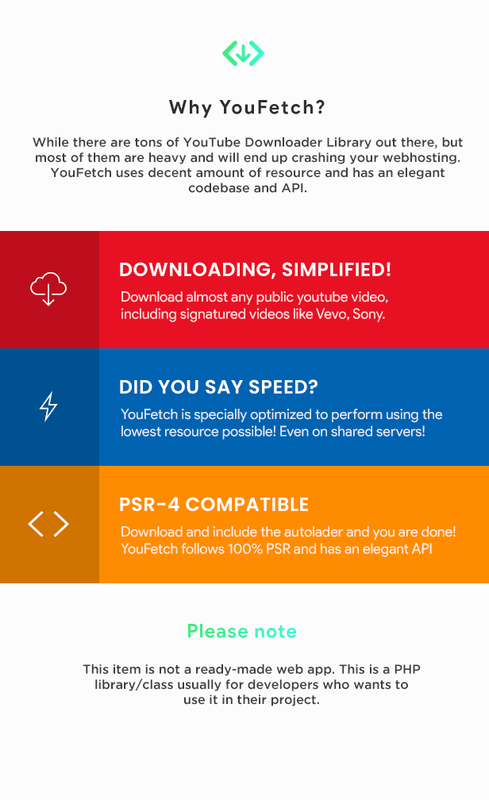
YouFetch is a library/class which allows you to fetch download links and information about any public YouTube video. YouFetch can even fetch download links for videos encrypted with YouTube cipher algorithm. It can fetch both audio and video streams, also the brief information about the video. No API keys are required.
It follows 100% PSR standards so this can be used and integrated into any existing project with ease.

Please note, this item is for Developers only.

YouFetch, YouTube Downloader Class

Online Documentation

You can check code documentation to understand the class APIs. View Documentation

Download YouFetch – YouTube Video Downloader Class (Miscellaneous)