Business – HTML5 Ad Banners (Ad Templates)

Business – HTML5 Ad Banners designed with Google Web Designer. And provided 7 popular used sizes in the market.

* Help File Included*

SIZES

1. 300X600
2. 300X250
3. 728X90
4. 160X600
5. 180×150
6. 320×50
7. 336×280

FEATURES

1. Google Web Fonts.
2. Fully Editable.
3. Infinite Loop.
4. Free Updates.

DOWNLOAD WILL INCLUDE

1. 7 HTML5 Banners Ready to use.
2. 7 GWD Source Files editable in Google Web Designer.
3. Shapes and Icons Included.

Image Source

http://photodune.net/

Please Rate Us If You Like Our Item.

Download Business – HTML5 Ad Banners (Ad Templates)

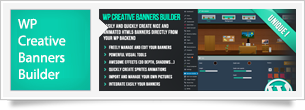
WP Creative Banners Builder (Interface Elements)

PRESENTATION

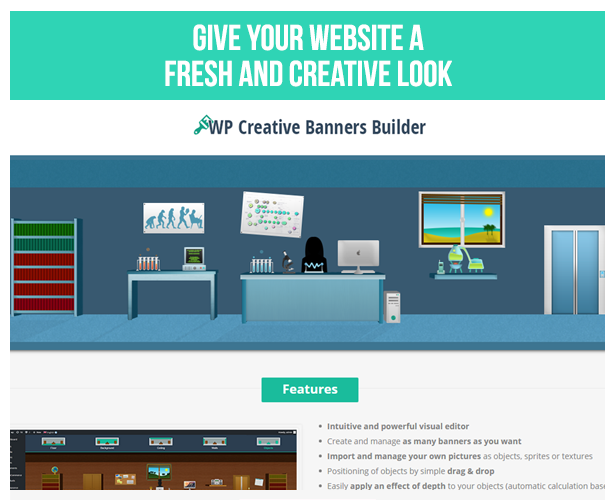
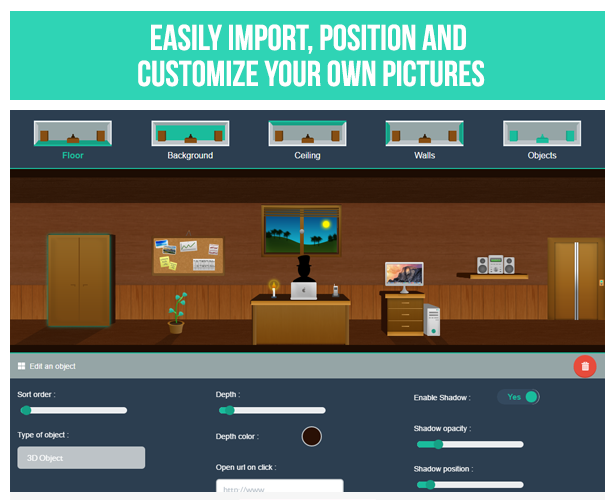
WP Creative Banners Builder is a unique plugin for WordPress allowing you to easily create nice and animated banners directly from the backend of your website.

It comes with powerful tools to generate 3D depth, shadows and sprite animations in a few clicks.
You can easily upload and manage your own pictures as objects or textures, edit existing banners, change colors and options of each element.

Generated banners are 100% HTML5 & CSS3 powered and super fast to load.

\
\
\

FEATURES

  • Intuitive and powerful visual editor
  • Create and manage as many banners as you want
  • Import and manage your own pictures as objects, sprites or textures
  • Positioning of objects by simple drag & drop
  • Easily apply an effect of depth to your objects (automatic calculation based on the central vanishing point)
  • Easily apply shadows to your objects (smart positioning projection)
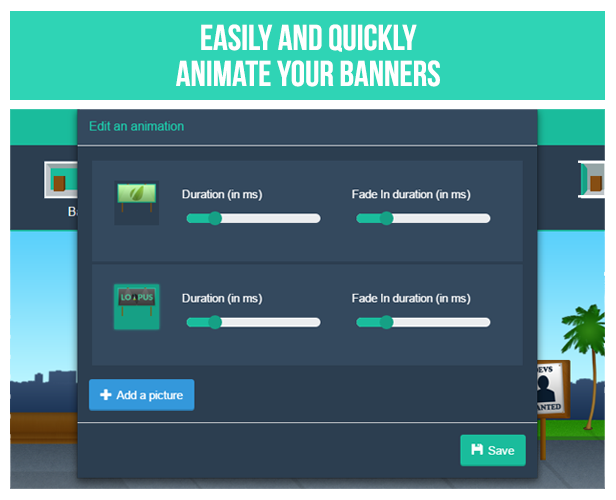
  • Quickly create nice animations importing sprites and freely edit the timing
  • Animations can be played automatically or only when the mouse hovers the element
  • Each object can open a link or execute javascript on click
  • Freely edit textures and colors of each element
  • Smart display of objects and side walls depending on the resolution of the visitor
  • 4 ways to easily integrate your banners on your website :
    • Using shortcode
    • Using the dedicated Visual Composer module
    • Pasting a single div directly in the code of your theme
    • Or simply replace an existing element using its id or css class
  • Easily import & export your banners
  • 3 demonstration banners and all their graphics included
  • Compatible with WP AI Assistant: make your banners intelligent
  • Reactive support

NEED MORE GRAPHICS ?

If you like this plugin, remember to vote !

SUPPORT

If you need help, contact me from my envato profile

Plugins


\


\


\

\


PHP Plugins


PHP Flat Visual Chat


PHP Flat Estimation and Payment Forms

Plugins


Download WP Creative Banners Builder (Interface Elements)

Don’t Stop the Fruits (Games)

Don’t stop the fruits is a simple but interesting game. The premise of the game is simple: the game randomly spawns fruits from top of the screen, and blocks (moveable) are placed on the bottom of the screen. The player has to ensure that the fruits should not collide with the blocks, if it does then the game is over. Score is updated when fruits touch the ground

Features

All resolutions supported
Game Center
IAP
Easy re-skin
Optimized for iOS 9
Chart Boost
Ad-Colony
Applovin
Vungle
Appirator
FaceBook Sharing
Twitter Sharing
Admob
Google Analytics
Flurry

Download Don’t Stop the Fruits (Games)

Virtuemart Orders Export (VirtueMart)

You have a Joomla Virtuemart website, your sales is quite good.
However you have difficulty in statistical orders, invoicing or any work relating to orders.
You must export orders list but do not know yet how to do it.
Don’t worry, come with “Virtuemart Orders Export”, a powerful plugin will do all that work completely automatically, supports many file types to export. You just choose orders and click.
if you have any difficulties or want to customize some features do not hesitate to contact me.

Extension Features

No core hacks.
Just installed and use it.
JSON export.
XML export.
PNG export.
CSV export.
TXT export.
SQL export.
Excel export.
Word export.
PP export.
PDF export.

Version: 1.0 – Last updated: 2015, DEC 23
Compatible with Joomla 2.x, Joomla 3.x, Virtuemart 2x, Virtuemart 3x
Browsers: IE8, IE9, IE10, IE11, Firefox, Safari, Opera, Chrome

Download Virtuemart Orders Export (VirtueMart)

Space Rush (Games)

Space Rush is a fascinating action game, the aim is to avoid obstacles and to collect as many coins as you can. The interface is simple and sharp. The gameplay consists of obstacles which keeps on falling from sky and user has to dodge them in order to stay alive.

This template is not only easy to play but to reskin also, Anyone who has a little know how about programming can easily reskin it.

Looking forward for a positive response from you people. If you face any problem, feel free to ask through the comment section below. We’ll be happy to help you.

Download Space Rush (Games)

Multipurpose GWD Ad Banners – 7 Sizes (Ad Templates)

MULTIPURPOSE AD BANNER 003 – HTML5 AD BANNER BASED ON GOOGLE WEB DESIGNER

    Attractive HTML 5 based ad banner features-

  • 7 Standard Sizes (160×600, 300×600, 300×250, 336×280, 200×200, 728×90, 468×60)
  • HTML5/CSS3 based
  • Fully editable using Google Web Designer
  • Google based web fonts
    Download will include-

  • 7 fully editable layered PSD files
  • 7 HTML5 ready banners editable in Google Web Designer
  • Shapes/Graphics and CSS included

Google Fonts used-
Raleway

Preview Image are only for preview purposes and can be downloaded from here –
Man img

http://photodune.net/item/business-man/11534284?s_phrase=business%20man&s_rank=507

Please rate us it will help us a lot :)

Download Multipurpose GWD Ad Banners – 7 Sizes (Ad Templates)

ZooZoo CMS – Drag And Drop To Build Site (Project Management Tools)

Short description

ZooZoo CMS is a professional and complete Content Managment System.
It is clean, super flexible, responsive, include layout builder, page builder and post builder.

You can drag and drop elements into place to create layouts, page, post.

Power user management with the group permission and access level.

ZooZoo CMS is fully responsive. It work well on smartphone, tablet and computer.

Video guide

Installation: https://www.youtube.com/watch?v=A2yruf_jqy0
Create Layout: https://www.youtube.com/watch?v=-woXTVas5Hs
Create Page: https://www.youtube.com/watch?v=GJ-wmkwILFo
Create Post: https://www.youtube.com/watch?v=pXLpAuPMDWg
Create Portfolio: https://www.youtube.com/watch?v=d4dIa3tv_eI
Create Contactform: https://www.youtube.com/watch?v=o2Ged9VsGnw
Use Permission, Access Level: https://www.youtube.com/watch?v=gHRHaZe-1aM

Demo

Frontend: ZooZoo CMS (http://demo.zoozoo-cms.com/)

Admin panel: http://demo.zoozoo-cms.com/admin
Admin: admin
Password: 123456

Features

  • Easy installation in 5 minutes only! (no skill required)
  • Easy to customize
  • Shortcode system
  • Fully responsive design (include frontend and backend)
  • Layout management with drag and drop builder
  • Page management with drag and drop builder
  • Post management with drag and drop builder
  • Permission access for each page
  • Plugin management
  • Power user management
  • Power theme management (include frontend and backend)
  • Language management
  • Menu management with drag and drop builder
  • Email template
  • Setting configurations
  • Comment plugin
  • Portfolio plugin
  • Contactform plugin
  • Powerfull security (CSRF, XSS, SQL Injection)

Requirements

  • Apache web server with mod_rewrite enabled
  • PHP 5.3+
  • MySQL 5+
  • PHP Mysqli extension
  • PHP GD extension

Changelog

ZooZoo CMS - Drag And Drop To Build Site v1.0 2015-12-31
------------------------------
- first release.

Tags

cms, content management system, responsive, drag and drop, Light CMS, page builder, site builder, website builder,blog, business, multipurpose, one page, portfolio, responsive

Download ZooZoo CMS – Drag And Drop To Build Site (Project Management Tools)

Karenderia Loyalty Points Program (Add-ons)

Karenderia Loyalty Points Program is addon modules for Karenderia Multiple Restaurant System

Earn points by purchasing food item and convert it to discount.

Features

Earn & Redeem Points

  • Earn points by purchasing food item
  • Earn points can redeem or convert to discount
  • Earn points by account signup
  • Earn points by adding a review on restaurant
  • Earn points at your first order
  • Set the earning point value and its corresponding value in amount
  • Enabled and disabled loyalty points
  • Set expiration on earning points by end of the year or points never expired
  • Set customer can apply points over orders
  • Set Minimum points can be used
  • Set Maximum points can be used
  • Complete list of earn points per customer
  • Complete logs of earn points
  • Customizable labels

See the Karenderia Loyalty Points Program Addon in action?

http://multiple-restaurant.codemywebapps.com/pointsprogram

Username: admin
Password: admin

Requirements

Karenderia Multiple Restaurant System version 2.4 and up

Download Karenderia Loyalty Points Program (Add-ons)

The Line Zen + Admob + IAP + Leaderboard (Games)

Welcome to The Line Zen

This game template is compiled ONLY in Eclipse. Before you make APK file from Eclipse, go to Properties: http://prntscr.com/8vmqlf then choose Ignore All: http://prntscr.com/8vmr8k Testing mode is available only in https://www.genymotion.com/ Do not use Eclipse simulator. Test either on Genymotion or Real Device. This is a product of BuildBox Project, thus, you will be able to reskin only .PNG images, there won’t be an opportunity to modify levels. If you want to get BuildBox Project then purchase extended license and contact us and send a proof of your purchase, we will send you BuildBox Project. Thank you.
App Preview video: https://youtu.be/48c9md44q1E
Original version: https://play.google.com/store/apps/details?id=com.ketchapp.theline2

About the Game Template

The Line Zen is the sequel to 2014’s hit game, The Line, but now with a new twist. You still dart and weave through a procedurally generated world while avoiding the red shapes, but now you use friendly green shapes to your advantage – but be careful – because sometimes they can get in the way!
TEST APK (TEST ONLY ON GENYMOTION OR ON REAL DEVICE): https://www.dropbox.com
Includes:
  • New ZEN like gameplay: Get zoned out with the most addicting game of 2015.
  • Solve puzzle style rooms: Bringing a new angle to the classic game, now you can solve extremely fast mini-puzzles to progress to the next section.
  • Endless twists and turns: Play forever and try to beat your friend’s top score with Game Center!
  • In App Purchase for removing ads.
Easy to learn and difficult to put down.
How to play:
Playing The Line Zen is simple. Touch anywhere on the screen and drag left or right to move the ball. Avoid the red tiles or your character will explode and the game will be over!
Main Features:
  • Eclipse Project
  • Universal (phone & tablet)
  • Admob Interstitials & banner
  • Game Center
  • In App Purchase
  • Endless Game
  • Share and Rate buttons
  • Easy to Reskin
App Reskinning is very easy for this mobile game template. You just need to change colors.
Make Money with the Game Template
The game template includes Admob network Ads.
Detailed User Guide
The game template includes detailed 16 pages user guide.
How to Setup and Reskin:
  • Create new App ID related to your project.
  • Setup new icons, launch screens, localization and meta-data for your app.
  • Change Atlases file with new images.
  • Change ID for AD Networks.
  • Update Review Us URL.
  • Configure Game Center.
  • Submit and Publish your game.
More details can be found with the documentation file.
The files you will have (java source code,TheLineZen.apk, documentation, screen shots ,background, icons, opjects.png)


Download The Line Zen + Admob + IAP + Leaderboard (Games)

WooCommerce Ultimate Payment Plugin for Bluepay, NMI, and Braintree Payments (Gateways)

This plugin for WooCommerce allows you to integrate one or more of three different payment gateways – Bluepay, NMI (Network Merchants), and Braintree Payments. Step-by-Step instructions are provided to get your WooCommerce store up and running with your preferred payments method within minutes. These platforms allow you to accept Bitcoin, Apple Pay, Venmo, as well as traditional payments like Visa, Mastercard, and American Express

Download WooCommerce Ultimate Payment Plugin for Bluepay, NMI, and Braintree Payments (Gateways)

Cat Adventures – AdMob and Leaderboards (Games)

Introduction

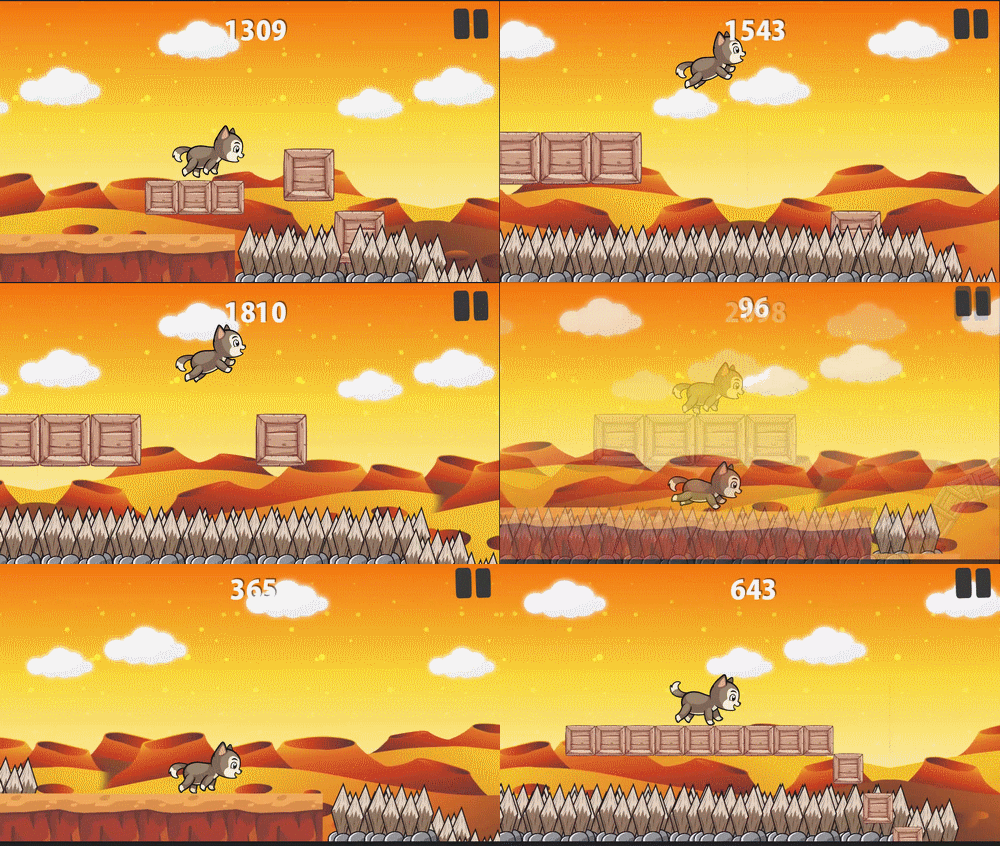
Cat is trying to survive and you’ll salvageable from the obstacles and collect points and compete with your friends

GIF preview:

Features:

  • Simple Touch Gameplay.
  • Endless Fun.
  • Funny character.
  • Compete with Friends, Family with Game Center Leaderboards!
  • Source code with universal support, Phone and Tablet support.
  • Eclipse Project & Based on cocos2d-x. .

Ad Network:

  • AdMob banner.
  • AdMob interstitial.

Demo Apk:

APK

( LeaderBoard and admob works fine ).

How to:

  • Import Project into Eclipse.
  • Setup new icons, launch screens, localization and meta-data for your app
  • Change IDs for Ad Network.
  • Change Atlases file with new images.
  • Export Project and upload to Play Store.

Download Cat Adventures – AdMob and Leaderboards (Games)

Screenshot Capture and Upload (Windows)

Screenshot Capture and Upload is a two-part software kit, consisting of a WPF C# Client (provided as a Visual Studio solution) and a PHP API to run Server Side. This software package allows for two pathways to exist, both of which follow the same steps for installation; you can either choose to have your API public, or private. Making it public allows other people to use your Client as a service, whereas keeping it private allows only you (or people you allow) to use it. The difference between these pathways is simply whether you distribute the Client or not.

Once the Client is ran, it sits in the System Tray waiting to be used – the Client comes with a global hotkey (PrintScreen) to activate the capture function at any time, as well as the option to manually select the function in the Tray. Additionally, this is where User Creation and Login is situated, as well as Upload Management.

Download Screenshot Capture and Upload (Windows)

Catalogue Ionic – Full application (Full Applications)

Catalogue Ionic is an Ionic application that suits any business’s needs to display and promote its products organizing them into categories. It is structured so as to provide a variety of alternatives all aiming to present products, news and business’s useful information to the potential customers in an interesting manner.

Catalogue Ionic is well-organized and well-documented, full working generic app that will enable you customize it rapidly according to the specifications of every business/store. Best practices have been applied to reassure a bug-free and smooth application.

1. Product Presentation

Products can be organised into categories with a title, a thumbnail and a price. Categories are displayed in card form with a title and a thumbnail.

The product screen provides additional information for each product including its price, its description, a slideshow of images, a “Buy online” link, a “PDF” link and a “favorite button” The “Buy online” link points to the product web page where the user can proceed with the purchase. The “PDF’’ points to an online pdf while the “favorite button” enables the user to add a product to his favorites list.

1.1 Home Screen

The application allows you to display several products on the home screen as a slideshow. Create your virtual window display by presenting there your attraction products!

1.2 Favorite Products

The favorites screen gathers all favorite products in a list and present them in one place so users can have quick access. Users can, also, send an email with the list of their favorites, for example, to ask for more information.

1.3 PDF and Buy Online

Promote your products and see your sales rising! Online PDFs will give the chance to the buyers to be effectively and inexpensively informed of your products or even instruction manuals and other support documents.

Apart from the PDF, each product can be accompanied by a “Buy Online” link so the User will be transferred to the page where they can purchase the product.

2. Company (or Business) Information

Provide information about your business, easily without any code, using Catalogue Ionic unique features:

2.1 Open Hours

Let your clients know when your business is open. Set the Open Hours in a configuration file in a matter of seconds and they will be automatically displayed on the “Contact Us” screen.

2.2 Contact options

Provide your clients with three different contact options: Phone number, email and business location map. Just set your phone number, your email address and your location in the configuration file and you are all ready! The Catalogue Ionic will take care of the rest and will make available to the users 3 buttons:

  • Call us: It will make the device to start a call to the phone number you have defined
  • Send us an Email: Mailer will open with your business’s email already set so as the user won’t need to type it
  • Map / Get directions: The map application which is already installed on the device will be launched to show your exact location on the map and the User will be able to get directions to reach your business.(Note: You can set more than one locations in the configuration file)

3. Social networks

Catalogue Ionic app provides four buttons for the most popular social networks; Facebook, Instagram, Twitter and Pinterest. Clients would be able to see your social profile with just one click.

4. Remote data

The Product Categories and News listing windows are fetching data from online sources by using the JSON protocol. The source URLs for these listings are set in the application’s configuration file. Images, Galleries, texts and whole entries can be updated by adjusting the remote sources. Nevertheless, rebuilding and re-distributing the application are not required for constant updates.
The same applies for the pins in the live map too. The users are able to add and configure the pin points just by adjusting the remote source.

4.1 WordPress / Drupal or JSON News

Display news and announcements about your business/store by using a remote JSON structure or your already existing WordPress and/or Drupal site. Everything you need for that is already built and no additional code is required.

5. Push notification

A full working Push notification example is integrated into the application. It comes also with detailed instructions on how to configure everything in your end and have your application ready to send and receive Push Notifications.

6. Yeoman Ionic Framework Generator powered

Yeoman Ionic Framework Generator combines the best practices and features for scaffolding a hybrid application. It makes building of a mobile app easy and quick since Yeoman is integrated with Ionic Framework and Cordova plugin. Also, the included Grunt build system optimizes and automates some important tasks of your workflow.

7. Easy Configuration / Modular Architecture

Categories and products can be adjusted by just updating their JSON files. They only need to be placed in the related folder and everything else is set up and ready to be used.

Besides, Catalogue Ionic’s modular architecture is going to eliminate any unnecessary complexity for the configuration of the rest features too. Its code is clean and well-organised into modules to make configuration even easier.

You could review this super-modular architecture by checking our SuperModular Ionic starter, which is provided for free.

8. Ionic design

Catalogue Ionic is based on the UI elements that the Ionic Framework provides. Ionic Framework comes with a detailed and impressive CSS framework for layout styling. Furthermore, it handles header elements in a very similar way to existing libraries you may have used. Headers are available in many different default color options. Adding a footer element is as easy as adding a header. Moreover, Ionic comes with its own built in icon library which contains almost everything you should need. Use Ionic’s UI components and they will give you a fully customised and functional UI.

Download Catalogue Ionic – Full application (Full Applications)
Natural Fitness – HTML5 Ad Banners (Ad Templates)

Natural Fitness – HTML5 Ad Banners designed with Google Web Designer. And provided 7 popular used sizes in the market.

* Help File Included*

SIZES

1. 300X600
2. 300X250
3. 728X90
4. 160X600
5. 180×150
6. 320×50
7. 336×280

FEATURES

1. Google Web Fonts.
2. Fully Editable.
3. Infinite Loop.
4. Free Updates.

DOWNLOAD WILL INCLUDE

1. 7 HTML5 Banners Ready to use.
2. 7 GWD Source Files editable in Google Web Designer.
3. Shapes and Icons Included.

Image Source

http://photodune.net/

Please Rate Us If You Like Our Item.

Download Natural Fitness – HTML5 Ad Banners (Ad Templates)