Edge Animate Image Hovers (Animations)

Description

Edge Animate Image Hovers lets you create stunning rollover effects with ease! Change the image & text to your own in a matter of minutes, they can also be easily integrated into Adobe Muse. With 17 variations to choose from your sure to find the perfect one.

Features

  • 17 Edge Animate files
  • CSS3 Animations
  • SVG pre-loader
  • Easy to edit
  • Easy to follow documentation

Download Edge Animate Image Hovers (Animations)

Multipurpose GWD Ad Banners – 7 Sizes (Ad Templates)

MULTIPURPOSE AD BANNER 004 – HTML5 AD BANNER BASED ON GOOGLE WEB DESIGNER

    Attractive HTML 5 based ad banner features-

  • 7 Standard Sizes (160×600, 300×600, 300×250, 336×280, 200×200, 728×90, 468×60)
  • HTML5/CSS3 based
  • Fully editable using Google Web Designer
  • Google based web fonts
    Download will include-

  • 7 fully editable layered PSD files
  • 7 HTML5 ready banners editable in Google Web Designer
  • Shapes/Graphics and CSS included

Google Fonts used-
Roboto & Oswald

Preview Image used in the banner is only for preview purposes and can be downloaded from photodune.net

Please rate us it will help us a lot :)

Download Multipurpose GWD Ad Banners – 7 Sizes (Ad Templates)

Thin Skin for JW6 (Miscellaneous)

Features

  • Premium Skins for JW Player 6: Free, Pro, Premium, Enterprise, Ads
  • Skin for JW Player 6 that is the most popular video player on the web, live on over 2 million sites
  • Skin with Thin style based on PNG and Base64
  • Flat Skin for JW6 HTML5/Flash Mobile Player
  • Flat Skin for JW6 HTML5/Flash YouTube Player
  • PSD files included and Well Documented

Configuration Options

  • skin (URL) Location of the XML skin. This can be:

Reference in Documentation

  • JW Player 6 support
  • Learn more about Using JW Player Skins
  • Learn more about Building JW Player Skins
  • Learn more about Skin XML Reference
  • The free base64 image online service
  • The free base64 image offline encoder
  • JW Player Developer Site
  • JW Player Source Code
  • How to build JW Player from source
  • How to change the colour of images in Photoshop

Changelog

  • Version 2.0: Update for new version of JW Player 6.12 – 10 January 2016.
  • New color: tGreen Thin Skin project -31 January 2015
  • New color: tBlue Thin Skin project – 28 January 2015
  • New color: tYellow Thin Skin project – 26 January 2015
  • Launch: The launch of the tRed Thin Skin project – 22 January 2015.

Other Skins

Download Thin Skin for JW6 (Miscellaneous)

Massive Addons – Uber Visual Composer Extension (Add-ons)


Massive Addons – Uber Visual Composer Extension

Hello, in May 2015 we have set out to create The Best Visual Composer addon with all the bells and whistles that you expect from such package. After 8 months we have ended up with Massive Addons and we think it is awesome! Learn All about it below, and thank you for your interest!

We are working as designers and developers for over a decade, you can say we know our way around the web Visual Composer is our go to page builder for years and that’s why we know it’s advantages and drawbacks. At the beginning we have investigated what is wrong with current addon packages and VC itself. Most of the packages are slow, heavy weight and does not look good. Each time you want to change something you need to go through tons of settings to achieve the same look. There is no easy way to easily create stuff with few clicks and that got us thinking.

We came up with Presets. Basically presets are “templates” of styles & layouts for your shortcodes. With presets you can recreate any layout anywhere on the website with just one click. Of course you can create your own presets, edit the build in package (there are over 800 presets) or delete those you do not need anymore.

But this wasn’t our only assumption. It had to be easy to use, fast, reliable eye-catching. To give our users full control we have created lots of settings, but we also wanted it to look welcoming and simple. That’s why we have created Easy Mode. It displays only the necessary settings and hides the rest. We created the easiest workflow possible: load preset, change (for example) content, save and you are done.

Optimization was also a key assumption. We have spent a lot of time on it and scored an “A” grade on gTmetrix with almost 100% score.

To put Massive Addons into perspective we have: 45+ shortcodes & additions, 800+ presets, 18 page templates, 3200+ settings, 15 tutorial videos. It took us almost 7000 hours of coding, 541 GIT Commits and we have written over 110 000 lines of code!

Try Massive Addons, before you buy it, watch promotional video or compare it to it’s competitors.

Main Features

Presets

Presets are a unique Massive Addons feature, it allows you to style and change the behavior of your shortcodes with a single click. Preset is a set of shortcode settings it defines each aspect of its look & behavior. MA comes with over 800 presets, of course you can edit or delete them, on top of that you can easily create your own presets. Learn More.

Easy Mode

Each shortcode from the package has lots of options, some of our users wont need the full control thats why we have created an Easy Mode (you can easily turn it on & off for each shortcode). What it does is leaves only the key settings for each shortcode and hides the advanced stuff. Of course it works with presets. Learn More.

Shortcodes

Massive Addons comes with 37 shortcodes, each of them have been build from scratch. You can control almost any aspect of the shortcode: border, backgrounds, colors, behavior, layout, effects and much much more. Because they are very flexible the possibilities are endless. Browse shortcodes.

Additions

A part from shortcodes MA has also a set of additions (9). They are providing additional features to the shortcodes and Visual Composer itself. For example we have extended the Row settings to add the parallax effect with up to three layers. Browse Additions.

Page Templates

To show you what MA is truly about we have created 18 beautiful page templates, for you to work with and easily see what is possible with our package. All of the pages are build in 100% with Massive Addons, there are no additions. Browse Templates.

WordPress Theme – “Bober”

Massive Addons also contains a free WordPress theme called “Bober”. The theme is simple but very flexible. It comes with Mega Menu, sticky header, header layout control, it is responsive, retina ready, widget ready, has a simple administration panel were you can change fonts and other basic settings and much much more. The demo site is build using only Massive Addons and Bober. Learn More

Custom Fields

We have created multiple custom fields for advance settings to easily manage them. There are special fields for boarders, margins, paddings, icons, gradients etc. Such fields make the shortcodes easier to use also the settings are much more readable. Learn More.

Icons & Fonts

MA comes with over 2000+ icons and 700+ fonts, of course only the used fonts (and font weights) are loaded. The icons are retina ready. You can easily manage used fonts with font presets. Learn More.

Optimized for SEO & Performance

We have put a lot of though into performance and SEO optimization. This is a very big plugin but to make sure everything is as smooth as possible on each page we load only the necessary files, we make sure that the number of requests is as low as possible. Each of the shortcodes & presets can be easily disabled. We have tested the site against our competition and MA is up to 2 times faster. We only load the necessary font families and font weights. We provide a version of MA with minified CSS and JS files to improve the performance further. Learn More.

Improved Visual Composer

We have redesigned VC (don’t be scared it works the same) and took it a step further. With lots of options the Visual Composers shortcode popup was not very readable. Thats why we have created something called Stacks. Basically Stack groups fields together. For example border field doesn’t take up 8 lines of space (one for each setting) but just 2. First is responsible for border settings like border type, color, radius etc. The second one covers the border with from each side. On top of that it looks great! Learn More.

Training Videos

We want you to succeed, thats why we have created bunch of training videos on how to use our shortcodes it’s presets and other awesome features. Currently there are 15 videos with more to come. They are in HD quality and some of them are narrated. Read more.

Responsive & Retina Ready

Both the shortcodes & the redesigned Visual Composer is responsive & retina ready. We have tested it on real devices.Learn More

Translation ready

Massive Addons comes with WPML support and PO files so you can easily adjust it to any language you like.

PSDs Included

Inside the download package you will find a set of over 50 PSD files with all the shortcodes and templates.

Extensive Documentation

We wanted to make the documentation as easy to use as possible thats why we created a site dedicated to Massive Addons with knowledge base, instant search and many more cool features. Visit MPC Hub

All In One Package

With Massive Addons you get the most advanced VC extension and a WordPress theme. We truly think that with Visual Composer & Massive Addons you can create any website you can imagine.

Shortcodes

Additions

Thank you for your interest, Kuba G.

Changelog

Version 1.0.1 ( 14 January 2016 )
Added:
- default presets after plugin activation

Fixed:
- PHP 5.3 issues
- content loading from presets
- small display issues

- - - - - - - - - -

Version 1.0 ( 14 January 2016 )
- release

Download Massive Addons – Uber Visual Composer Extension (Add-ons)

Disable Pages And Groups Feature-Addon For sngine v2 (Add-ons)

Disable Pages And Groups Feature is Addon For sngine v2.From now only admins & moderators can create & manage pages and groups.

Create & manage pages and groups feature is not available for normal users.Please watch screenshots and demo for more details.

What is Sngine v2+?

Sngine v2+ is a Social Network Platform is the best way to create your own social website or online community.

Features:

  • Now only admins & moderators can create & manage pages and groups on website.
  • Create & manage pages and groups feature is not available for normal users.
  • Useful for small website or website which use shared hosting.
  • provide total control on pages & groups feature(less headaches for admins/moderators)

To test “Disable pages and groups feature”,please use normal user & moderator account details:

Normal Use’s account:Username:sntest password:123456

Moderator’s Account: Username:snmod password:123456

(Registration has been deactivated on Demo)

Note: Remember to rate this product after purchase.

Download Disable Pages And Groups Feature-Addon For sngine v2 (Add-ons)

Tours & Travels – HTML5 ad banners (Ad Templates)

Tours & Travels – HTML5 Ad Banners designed with Google Web Designer. And provided 7 popular used sizes in the market.

* Help File Included*

SIZES

1. 300X600
2. 300X250
3. 728X90
4. 160X600
5. 180×150
6. 320×50
7. 336×280

FEATURES

1. Google Web Fonts.
2. Fully Editable.
3. Infinite Loop.
4. Free Updates.

DOWNLOAD WILL INCLUDE

1. 7 HTML5 Banners Ready to use.
2. 7 GWD Source Files editable in Google Web Designer.
3. Shapes and Icons Included.

Image Source

http://photodune.net/

Please Rate Us If You Like Our Item.

Download Tours & Travels – HTML5 ad banners (Ad Templates)

Radioactive Ball – HTML5 Arcade Game (Games)

Play It Now!

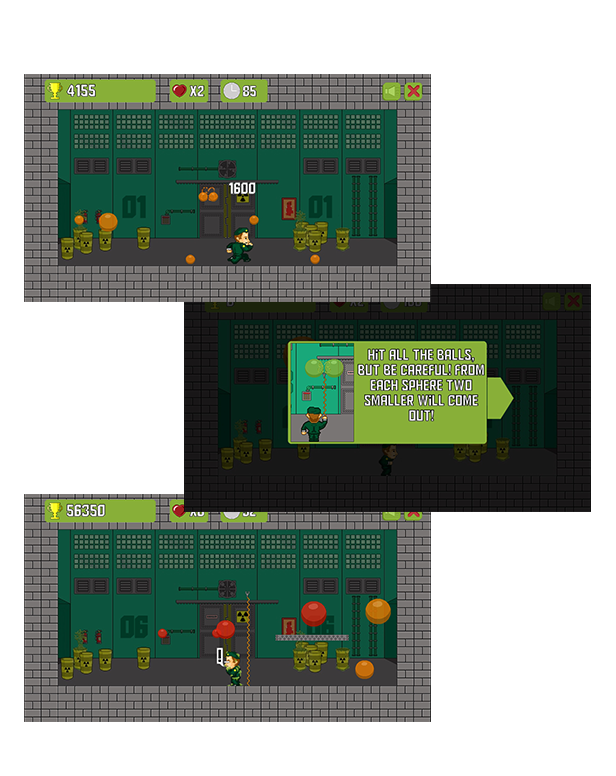
Radioactive Ball is a HTML5 arcade game. Hit all the balls, but be careful! From each sphere two smaller will come out!

This game has been developed in HTML5/js and third-party library CreateJs – http://createjs.com/ (not Construct2 or other framework).

The ZIP package contains the game with 960×540 resolution that scales proportionally to fit current screen device.
The game is fully compatible with all most common mobile devices.
WARNING:
Sounds are enabled for mobile but we can’t grant full audio compatibility on all mobile devices due to some well-know issue between some mobile-browser and HTML5.
So if you want to avoid sound loading, please read the documentation
Sounds can’t be enabled for Windows Phone as this kind of device have unsolvable issues with <audio> and <video> tag.

Game Screenshoot

CTL Arcade

This game is fully compatible with CTL Arcade

A WordPress Plugin that allows you to create a real arcade on your website.

Easy to Install

With CTL Arcade you can:

  • Monetize with your games adding Ads Banners
  • Promote your website with Social Share Buttons
  • Improve our games with Leaderboard, and Rating Feature

=== Even if we do our best to minimize any inconvenience, we can’t ensure the full compatibility of all our games on every device and every operating system update.
Thank you for the understanding. ===


 Follow Us

 Contact Us

YOU MIGHT ALSO BE INTERESTED IN:

City Blocks

Beer Rush

Zap Aliens

Snake

Jumper Frog

Duck Shooter

Free Kick

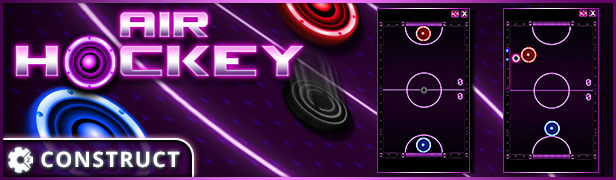
Air Hockey

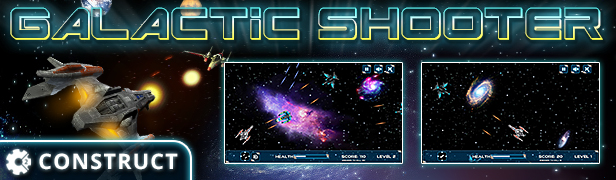
Galactic Shooter

Swing Jetpack

Funny Faces

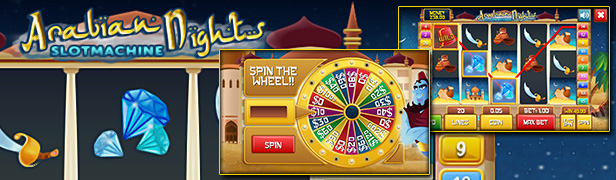
Slot Arabian

Scratch Fruit

The Keno

Jacks or Better

All games

All Graphic Assets

All Models

Flag Counter

Download Radioactive Ball – HTML5 Arcade Game (Games)

WooCommerce Product Star Rating and Review (Products)

WooCommerce Product Star Rating and Review

WooCommerce Product Star Rating and Review

WooCommerce Product Star Rating and Review plugin is built to encourage customers to add lovely star ratings & reviews to your products, and make it extremely easy to do so. It gives your shoppers the review capabilities as they expect from shopping at large e-store. The plugin is equipped with other nice features to drive qualified traffic and more sales to your WooCommerce store.

Features:

– Allows you customer to review products

– Attractive review system using Stars

– Ability to control who can review, purchased user or normal users or both

– Show Review option only for user who purchased product

– View Review only for logged in users

– Review Option for all logged in users

Other Important Features

– Fully responsive and 100% customization

– Awesome after sales support

– We aim to response to every query within 6 hours except weekends

Download WooCommerce Product Star Rating and Review (Products)

Simfoni – Responsive HTML5 Audio Streaming Player (Media)

Responsive HTML5 Audio Streaming Player

A native HTML5-based audio player that allows you to manage your music playlist or even listen your favourite radio streaming from your webpage. It works on most recent version of browsers and supports various types of music formats: MP3, WAV, and OGG. No flash player required.

Dark Theme

Light Theme

Features

  • Supports MP3, WAV, and OGG file formats (depends on user’s browser)
  • Compatible with all major Internet browsers: Firefox, Chrome, Opera, Safari, IE
  • Full HTML5 (No flash player required)
  • Color themes: Dark and Light
  • Elegant user interface
  • Responsive layout
  • Volume slider
  • Playlist control
  • Playlist cover image
  • Auto create playlist from JSON file (example file included)

Check out for the demo!

Support

Any request for support please feel free to contact us.

Download Simfoni – Responsive HTML5 Audio Streaming Player (Media)

Verify Account for Prestashop (Prestashop)

Verify Account is an essential Prestashop module, that allows you to verify your customer’s email address during registration!

During registration, a verification email is sent to your new customer containing an activation link! At the end of registration your customer is prompted to check his email account in order to activate his account! Otherwise, the account remains inactive and your customer is informed respectively when he/she attempts to login!

But what about clients that miss their activation email? We have already thought of them! Verify account allows you, the administrator, to resend as many verification emails as you want, in order to easily allow even the least experienced customers to activate their account! Moreover, you can activate/deactivate your customers manually through the default Prestashop admin, in case you want to bypass the email verification procedure.

Get started with Verify Account, and keep a clean list of your clients email addresses!

Features

  • Verification email sent with activation link on user registration
  • Admin can re-send as many verification emails as he/she wants
  • Customers can be manually activated through default Prestashop functionality
  • The verification email is customizable through the default Prestashop functionality
  • Multi-shop
  • Multi-language

Download Verify Account for Prestashop (Prestashop)

SWOT SCHOOL- School Management Software (Project Management Tools)

SWOT SCHOOL is a revamped online management software for total school, college or any educational institutions management. You can keep student’s records from admission to transfer, exams, marks, events, complains and scholarships, teachers management, payroll, staffs and also libary management.

Software Features

  • Total School or any type of Educational Institute Management System
  • Class Room & Time Table Management
  • Teachers & Staffs Managment
  • Library Management
  • Events Management
  • Fees & Schoolship Management
  • Attendance Management
  • Built with Latest Laravel MVC Framework & Bootstrap
  • Clear Documentation

Live Demo

Click Here for Live Demo Access

Change Log

  • Version 1.0 (01.13.2016)
    • First Release

Download SWOT SCHOOL- School Management Software (Project Management Tools)

WordPress Posts & WooCommerce Products Scheduler (Products)

The WordPress Posts & WooCommerce Products Scheduler (WPPS) plugin is a powerful tool by which the Site admin can schedule a post/product visibility by “date rules”.

LIVE DEMO

http://www.codecanyon.eu/wpps/wp-admin
user: demo
pass: demo

HOW IT WORKS

It’s very easy, once installed and activated, the site admin will find a new “Scheduler” menu voice on the main menu by which he can access to the Scheduling rules configurator.

SCHEDULING RULES

The site admin can assign to a set of posts/products (directly selecting them or a set of categories) multiple scheduling rule. Each scheduling rule has the following option:

  1. Rule name/id
  2. Item type (WordPress post or WooCommerce product)
  3. Item(s) selection
  4. Category(is) selection
  5. Assignment strategy (the rule can be assigned to the selected items/categories or to all items except the ones selected)
  6. “Children” categories (if a category was selected, that rul can be assigne also to its children)
  7. Scheduling dates

Scheduling dates

For each scheduling rule, the site admin can create different scheduling dates (configuring day(s), month(s), hour, …) for each of which different statuses (published or unpublished) can be assigned.
Here two examples of what can be done:

Example 1 (WooCommerce)

The shop admin would like to make a product(s) to be published every day of the year only between 09:00 to 18:00 and unpublished in the remaining hours and on 25th December.
The Scheduling rules will be configured as follows:

  1. Create a new rule and assign a name/id
  2. Select “WooCommerce product” item type
  3. Select an item(s) and/or category(ies)
  4. Create a new date rule where:
    1. Status: Published
    2. Day date type: Day of the week
    3. Days of the week: Select all
    4. Months: Select all
    5. Hour: 9
    6. Minute: 0
    7. End period time: yes
    8. End hour: 17
    9. End minute: 59
  5. Create a new date rule where:
    1. Status: Unpublished
    2. Day date type: Day of the month
    3. Days of the month: Select 25
    4. Months: Select “December”
    5. Hour: 9
    6. Minute: 0

Example 2 (WordPress)

Site admin would like to make a post available only on the even days of the week and unavailable on the remaining days.
The Scheduling rules will be configured as follows:

  1. Create a new rule and assign a name/id
  2. Select “WordPress post” item type, item(s) and or category
  3. Select an item(s) and/or category(ies)
  4. Create a new date rule where:
    1. Status: Published
    2. Day date type: Day of the week
    3. Days of the week: Tuesday, Thursday, Saturday
    4. Months: Select all
    5. Hour: 0
    6. Minute: 0
  5. Create a new date rule where:
    1. Status: Unpublished
    2. Day date type: Day of the week
    3. Days of the week: Monday, Wednesday, Friday, Sunday
    4. Months: Select all
    5. Hour: 0
    6. Minute: 1

POSTS/PRODUCTS LIST PAGE

Another useful feature added by the WPPS plugin is a new column named “Sceduling rule(s)” On the Posts/Products list page. In this way the site admin can always know
if a scheduling rule has been assigned to one (or more) post(s)/product(s)

SCREENSHOTS

WPPS

WPPS

Scheduling date: day selection (days of the week option selected)
WPPS

Scheduling date: day selection (days of the month option selected)
WPPS

Scheduling rule(s) on posts/products list page
WPPS

WPPS

CHANGE LOG

= 1.1 - 13/01/16 =
* Bugfix

= 1.0 - 12/01/16 =
* Release


Download WordPress Posts & WooCommerce Products Scheduler (Products)