MegaPoll: WordPress Poll and Survey Builder Plugin (Forms)

MegaPoll is a premium WordPress plugin by which you can easily create and manage polls or surveys. It allows you to create fully responsive polls or surveys with Bootstrap 3. Fully customizable and translation ready.

List of Features

  • Easy to install
  • Fully responsive.
  • Build in seconds.
  • 10+ Question Types
  • 650+ google fonts.
  • Interactive Questions
  • Easy to use and manage.
  • All screen devices.
  • Well documented.
  • Set start date.
  • Set end date.
  • Live previewer with different devices
  • 3+ layers of security (anti-cheating) for more credibility. Prevent duplicate votes by session, cookie, IP and user roles. Also you can use reCAPTCHA.
  • Restricting Survey and Poll Access by Password
  • You can add text, links, images, videos, other and html to your polls.
  • Free Updates & Support.
  • Unlimited polls and surveys.
  • You can add custom background.
  • We want it to be perfect!
  • Insert on a page, post, or widget using a shortcode [megapoll id=x]
  • Place anywhere in your site by using a shortcode or widget.
  • Countdown timer.
  • Unlimited Colors.
  • Built on Bootstrap v3.5.
  • Export / Import.
  • Social share
  • Adding a Custom Thank You page
  • Text Response Analysis
  • Bootstrap animated bars.
  • Easy to use admin panel.
  • You can change number of votes.
  • Translation ready.
  • Ajax powered polls.
  • 7 animated chart types.
  • Uses Charts.js.
  • Uses iCheck.
  • Add, edit, remove, search
  • Notification system.
  • Validation system.
  • Compatible with W3 Total Cache and Zen Cache.

Download MegaPoll: WordPress Poll and Survey Builder Plugin (Forms)

Apple Tv Image Effect Extension (Add-ons)

Now Compatible With Visual composer

Apple Tv Image Effect Extension

Apple Tv Image Effect Extension for layer is a jQuery plugin are highly customizable, very easy to implement and use and have 70+ animation effect support to make your site good and This lightweight plug-in will automatically turn your layered Apple TV PNGs into 3D parallax icons, the same way the new Apple TV treats app icons. You can have any number of AppleTV Images on your web page.

Feature

  • responsive
  • support unlimited color combination
  • easy to use
  • highly customizable
  • Our Other Layer Extension

    Layer - Animated Counter Extension - CodeCanyon Item for Sale

    Download Apple Tv Image Effect Extension (Add-ons)

    Restaurant Ionic – Full Application (Native Web)

    Restaurant Ionic is an application that suits any restaurant’s needs to display its menu and receive orders from customers. The app provides an easy user interface helping customers to navigate through menu categories, place orders and proceed with the checkout. The restaurant ionic app comes with a pack of useful features such as favorites, special offers and customized orders.

    Feature request

    Help us improve this app in a way that absolutely makes sense. Suggest the next feature you would like to see implemented. We are taking suggestions very seriously.

    Demo

    Android .APK

    Preview on iOS and Android – Ionic View

    Note: Some features are not fully functional for preview on Ionic View. Especially, those that need to launch another application of the device such as “Find us” which launches device’s Google Maps application.

    Features

    1. Home Screen


    Restaurant Ionic home screen displays menu categories, location map and restaurant’s open hours, all available within a single tap. Home screen slideshow can promote numerous products and special offers according to restaurant’s needs.

    2. Menu Presentation and product customization


    Menu categories are displayed in card form with a title and a thumbnail. Menu items can be organised into categories with a title, a thumbnail and a price.

    Product screen provides additional information including:

    • Price
    • Description
    • A slideshow of images
    • A “favorite button”
    • An “Add to Cart” button.

    Products can be displayed with basic and extra options to enable users choosing according to their preference.

    3. Shopping Cart


    Restaurant Ionic comes with a fully functional shopping cart. User can fully customize his order and:

    • Add or remove ingredients
    • Select extra options
    • Select product size / price option
    • Choose quantity before they add an item in their cart.

    An aggregated list of orderded items is detailed presented accompanied with sub-total and total prices. Quantity change and item removal from the cart is an option too.

    4. Delivery Methods


    Two delivery methods are available:

    • Home delivery: User is able to place their personal detailsand submit his order to the restaurant’s email address.
    • Take away: A pin on the map shows the exact location of the restaurant along with the restaurant address. Also, a confirmation button sends the order details to the user’s email address.

    5. Favorite Products


    Users can create a favorite product list. From the Favorites Screen users can have quick access to their product list or share it by sending an email.

    6. Restaurant Information


    The contact screen displays restaurant information. It also enables users to interact with app making one tap phone call, get direction or connect with social networks.

    One tap actions:

    • Call us: It will make the device to start a call to the phone number you have defined
    • Send us an Email: Mailer will open with your business’s email already set so as the user won’t need to type it
    • Map / Get directions: The map application which is already installed on the device will be launched to show your exact location on the map and the User will be able to get directions to reach your business.(Note: You can set more than one locations in the configuration file)
    • Visit us on Facebook: Users will be able to see business’s social profile with just one click

    6.1 Open hours

    Let users know if the restaurant is open at the particular time they open the application. The app gets the current time from the device, takes into account the time zone of the business and the device and displays a friendly message to the users. A list of the open hours is also displayed in the “Contact Us” screen.

    6.2 Social networks

    Restaurant Ionic app provides four buttons for the most popular social networks; Facebook, Instagram, Twitter and Pinterest so clients will be able to see your social profile with just one click.

    7. Remote data

    The Menu Categories and News listing windows are fetching data from online sources by using the JSON protocol. The source URLs for these listings are set in the application’s configuration file. Images, Galleries, texts and whole entries can be updated by adjusting the remote sources. Nevertheless, rebuilding and re-distributing the application are not required for constant updates.

    The same applies for the pins in the live map too. In order to add and configure the pin points you just need to adjust the remote source.

    7.1 WordPress / Drupal or JSON News

    Display news and announcements about your restaurant by using a remote JSON structure or your already existing WordPress and/or Drupal site. Everything you need for that is already built and no additional code is required.

    8. Push notification

    A full working Push notification example is integrated into the application. It comes also with detailed instructions on how to configure everything in your end and have your application ready to send and receive Push Notifications.

    9. Easy Configuration / Modular Architecture

    Menu categories and items can be adjusted by just updating their JSON files. They only need to be placed in the related folder and everything else is set up and ready to be used.

    Besides, Restaurant Ionic’s modular architecture is going to eliminate any unnecessary complexity for the configuration of the rest features too. Its code is clean and well-organised into modules to make configuration even easier.

    You could review this super-modular architecture by checking our SuperModular Ionic starter, which is provided for free. https://github.com/skounis/supermodular

    10. Yeoman Ionic Framework Generator powered

    Yeoman Ionic Framework Generator combines the best practices and features for scaffolding a hybrid application. It makes building of a mobile app easy and quick since Yeoman is integrated with Ionic Framework and Cordova plugin. Also, the included Grunt build system optimizes and automates some important tasks of your workflow.

    11. Ionic design

    Restaurant Ionic is based on the UI elements that the Ionic Framework provides. Ionic Framework comes with a detailed and impressive CSS framework for layout styling. Furthermore, it handles header elements in a very similar way to existing libraries you may have used. Headers are available in many different default color options. Adding a footer element is as easy as adding a header. Moreover, Ionic comes with its own built in icon library which contains almost everything you should need. Use Ionic’s UI components and they will give you a fully customised and functional UI.

    Download Restaurant Ionic – Full Application (Native Web)

    WooCommerce Time & Quantity Based Pricing (Products)

    The WooCommerce Time & Quantity Based Pricing (WCTBP) plugin is a powerful tool that allows the shop admin to create “pricing rules” that dinamically set products price according to time periods and quantity (currently in cart).

    LIVE DEMO

    http://www.codecanyon.eu/wctbp/wp-admin
    user: demo
    pass: demo

    HOW IT WORKS

    It’s very straight-forward. Once installed and activated, a new “Time & quantity pricing” voice will appear in the main menu, from where the shop admin can access to the pricing rules configurator and create the “pricing rules”.

    PRICING RULES

    The shop admin can assign to a set of products (directly selecting them or a set of categories) multiple pricing rule. Each pricing rule has the following option:

    1. Rule name/id
    2. Product(s) selection
    3. Category(es) selection
    4. Assignment strategy (the rule can be assigned to the selected product/categories or to all products except the ones selected)
    5. “Children” categories (if a category was selected, that rule can be assigned also to its children)
    6. Time periods

    TIME PERIODS

    For each pricing rule, the shop admin can create different dates & time periods (asasda) and assign them different prices.
    Every price strategy can depend on the product quantity present in the customer shopping cart. If the quantity is null or 0, the displayed product price will be automatically adjusted according to the strategy.

    Example 1

    The shop admin would like to make a special discount of the 20% for all “Category 1” products between 09:00 to 18:00 in evey day and for the whole 25th December day.
    To configure this he only has to:

    1. Create a new rule and assign a name/id
    2. Select “Category 1” under categories
    3. Create a new price rule where:
      1. Day date type: Day of the week
      2. Days of the week: Select all
      3. Months: Select all
      4. Hour: 9
      5. Minute: 0
      6. End hour: 17
      7. End minute: 59
    4. Create a new date price rule where
      1. Price strategy: percentage
      2. Price value: 80% (in this case the final price will be 20% less than the original)
      3. Min and Max quantity can be left empty (but if the offer has to depend on the purchased quantity, this value can be filled as desidered)
    5. Create a time rule where:
      1. Day date type: Day of the month
      2. Days of the month: Select 25
      3. Months: Select “December”
      4. Hour: 0
      5. Minute: 0
      6. End hour: 23
      7. End minute: 59
      8. Create a new date price rule where
        1. Price strategy: percentage
        2. Price value: 80% (in this case the final price will be 20% less than the original)
        3. Min and Max quantity can be left empty (but if the offer has to depend on the purchased quantity, this value can be filled as desidered)

    Example 2

    Special price for all the “Category 1” products based on quantity. From 2 to 5 purchases, 20% discount and for more than 6 items 30% discount. This offer has to be active only during December.

    1. Create a new rule and assign a name/id
    2. Select “Category 1” under categories
    3. Create a new time period rule where:
      1. Day date type: Day of the week
      2. Days of the week: Select all
      3. Months: Select December
      4. Hour: 9
      5. Minute: 0
      6. End hour: 23
      7. End minute: 59
    4. Create a new pricing rule where
      1. Price strategy: percentage
      2. Price value: 80% (in this case the final price will be 20% less than the original)
      3. Min quantity: 2
      4. Max quantity: 5
    5. Create a new pricing rule where
      1. Price strategy: percentage
      2. Price value: 70% (in this case the final price will be 30% less than the original)
      3. Min quantity: 3
      4. Max quantity: can be left empty

    PRODUCTS LIST PAGE

    Another useful feature added by the WCTBP plugin is a new column named “Pricing rule(s)” On the Products list page. In this way the shop admin can always know
    if a pricing rule has been assigned to one (or more) post(s)/product(s)

    SCREENSHOTS

    Frontend price change will be applied to shop page, product page, cart page,…
    WCTBP

    WCTBP

    WCTBP

    Configurator
    WCTBP

    Scheduling date: day selection (days of the month option selected)
    WCTBP

    Scheduling rule(s) on products list page
    WCTBP

    Server time sincronization
    WCTBP

    WCTBP

    CHANGE LOG

    = 1.0 - 05/02/16 =
    * Release


    Download WooCommerce Time & Quantity Based Pricing (Products)

    SO Categories Accordion – Responsive OpenCart Module (OpenCart)

    SO Categories Accordion module helps your categories show-up in Accordion style with 3 layouts and various options to be chosen. By using this, you can see more increasing in conversion rate and attract visitors to become customers quickly.

    SO Categories Accordion illustrates your shopping cart’s categories with many products included. For each category, they can be presented with cool effects accompanied. With products inside, you are able to choose images, titles, brief descriptions along with the links to products to be displayed… With the friendly user interface and a detailed documentation, you’re freely to tweak any parameters to fit your needs.

    Let’s check out the Demo to feel more!

    MAIN FEATURES

  • Support Opencart 2.x
  • Fully compatible with IE9+, Firefox 2+, Flock 0.7+, Netscape, Safari, Opera 9.5 and Chrome
  • Support Responsive layout
  • Support to open link in Same Window and New Window
  • Support Multi-Module in the same page
  • Allow you to choose another CSS class that suits your module
  • Allow you to choose the layout of the module
  • Allow you to Show/Hide Module Borber
  • Allow you to set the number of column/row per page
  • Allow to choose categories which you want to show
  • Allow to include or exclude products from child categories
  • Allow to set the number of child category levels to return
  • Allow to order product by: Name/Model/Price/Quantity/Rating/Sort Order/Date Add/Bestseller
  • Allow to select ordering direction: Ascending/Descending
  • Allow to set the number of products to display
  • Allow to show/hide title of category
  • Allow to display category image not
  • Allow to set the Tab Active
  • Allow to select Tab event: Click/Hover
  • Allow to display title of product or not
  • Alliw ti set the max length of title/description
  • Allow to display Product Image or Not
  • Allow to set width/height of image
  • Allow to show: price, add to cart, wishlist, compare, read more link, read more text
  • Allow to on/off auto play for slider
  • Allow to set the speed of timer
  • Allow you to set pause being hovered or not
  • Allow to choose the effect for the module
  • Allow to show/hide Mouse Wheel
  • CHANGELOG

    VERSION 1.0.0 - Released on Jan 29, 2016
    - Initial release 

    Download SO Categories Accordion – Responsive OpenCart Module (OpenCart)

    Popscroll: Social Popup Footer Box – jQuery Plugin (Social Networks)

    Social Popscrolll Scroll down to Bottom

    About this jQuery plugin

    Popscroll is a good way to get user friendly attention for your Fanpage.
    It doesn’t distract the user while browsing.
    When the user reached the end, the Popscroll Box is shown.

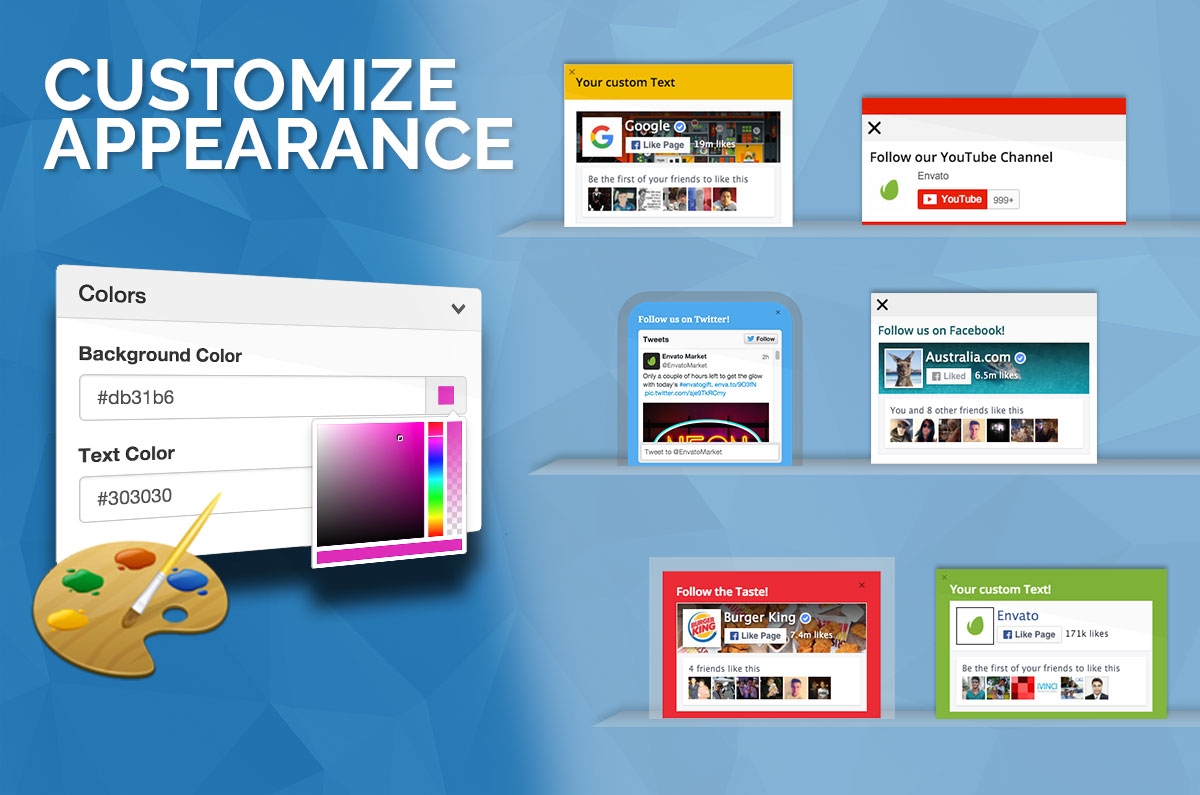
    Personalize the Appearance

    Social Popscrolll Scroll down to Bottom

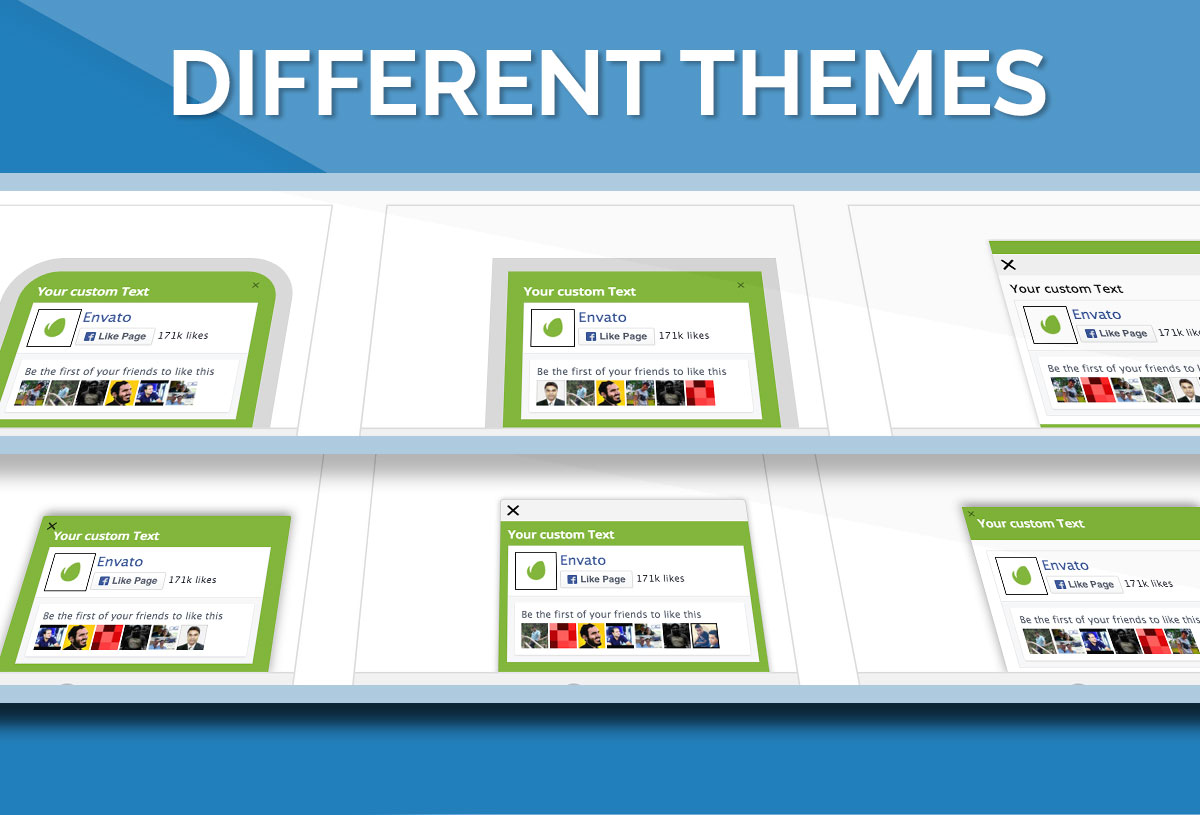
    Choose a Theme

    Social Popscrolll Scroll down to Bottom

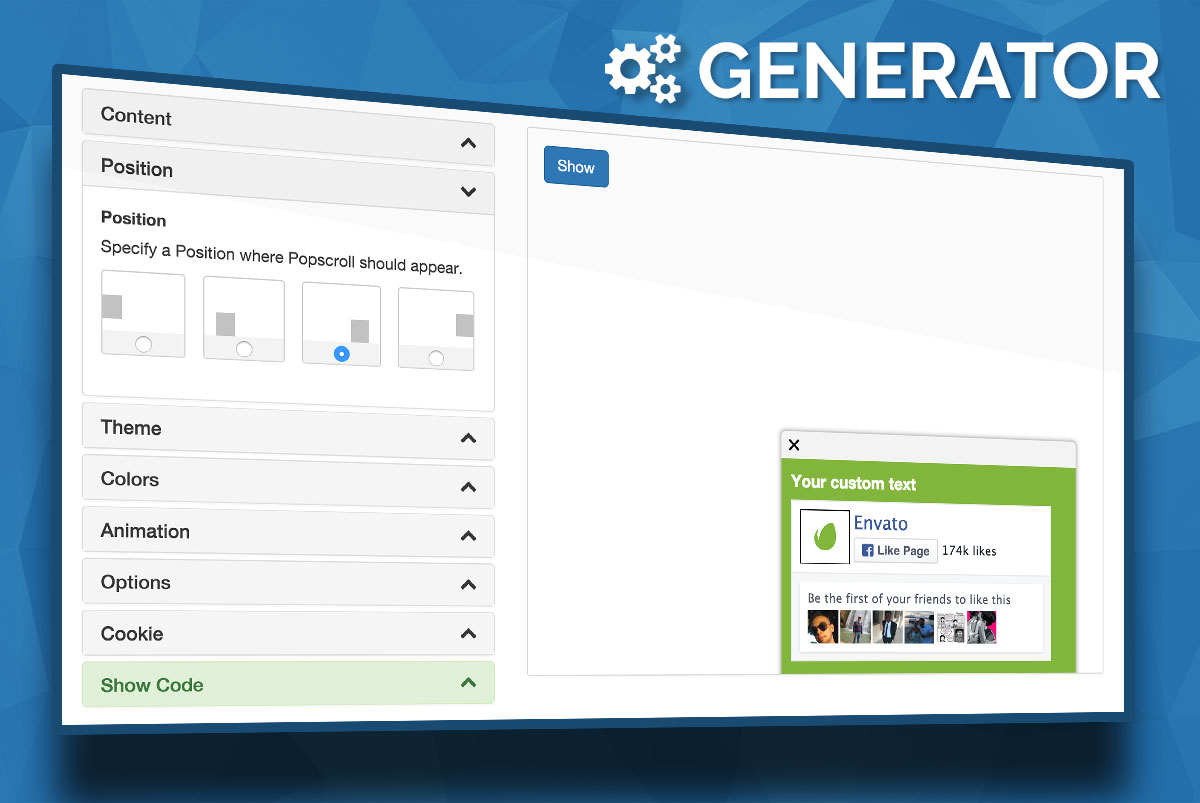
    Easy Code Generator

    Configurate all the seetings and features with the Popscroll Code Generator
    See all changes in the Live Preview.

    Try it

    Social Popscrolll Scroll down to Bottom

    Key Features:

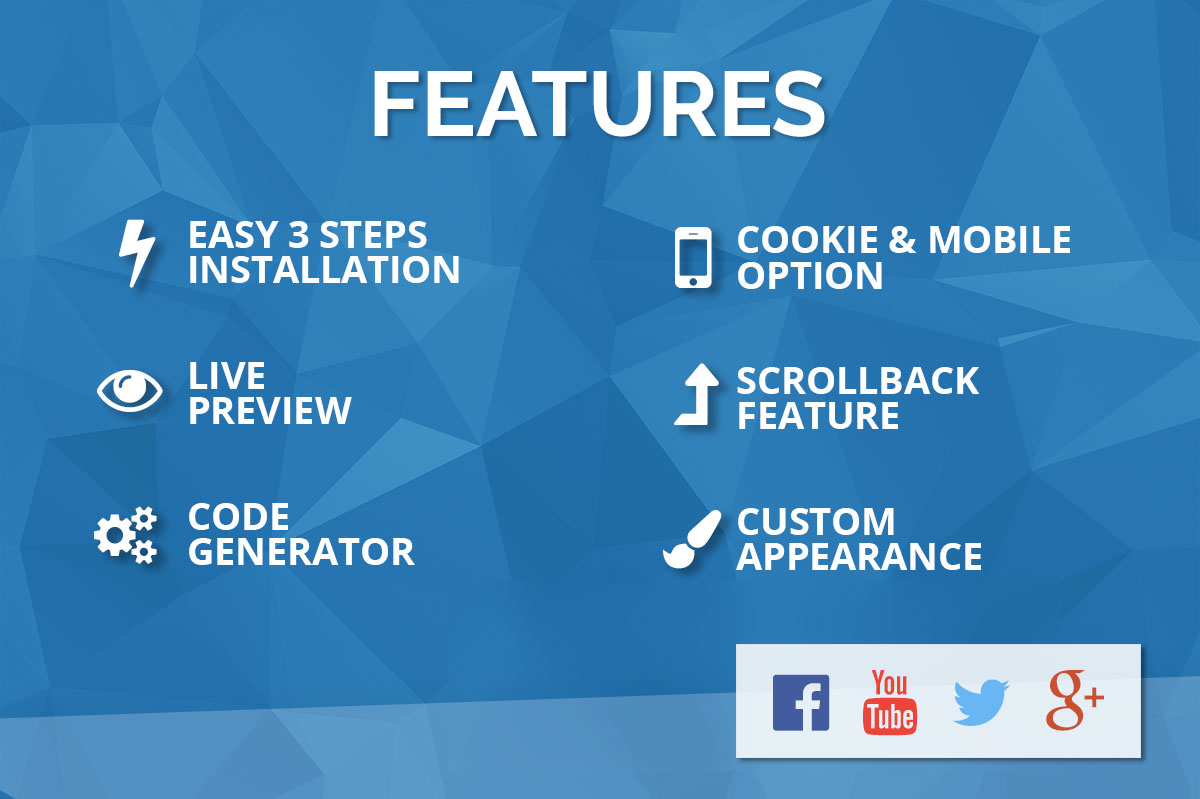
    • Social Network Integration
      • Facebook
      • Twitter
      • Google+
      • YouTube
    • Different Themes
    • Customize the Appearance
    • Code Generator
    • Live Preview
    • Different Ainmation Styles (Slide or 3D Flip)
    • Custom Triggerpoin (You can specify a Position where Popscroll should appear)
    • Scrollback Feature (Hide popscroll when scrolling up again.)
    • Swtich Off for Mobile Devices Feature
    • Cookie Feature (It will not shown again)
    • User friendly
    • IE8/IE9 Fallback
    • Free Updates

    Download Popscroll: Social Popup Footer Box – jQuery Plugin (Social Networks)

    Swift Filter – Cornerstone Extension (Add-ons)

    Swift Filter Cornerstone extension helps you to insert Swift Filter shortcodes into your WordPress page, so you will be able to use Swift Filter jQuery plugin in your WordPress projects.

    Swift Filter is a jQuery plugin, what helps you to make custom search fields which can filter/search in your site content.

    It is a great solution to filter any content on your page, search in your FAQ, your portfolio, your products without any back-end programming

    You can build complex search with connected search fields, numeric search (>, <, >=, <=, BETWEEN), or simple IN/NOT_IN or REGEXP search fields

    Usage is super easy, you can customize your search fields with Cornerstone editor easilly

    Check the documentation, or live preview for more examples.

    Download Swift Filter – Cornerstone Extension (Add-ons)

    Stay In The White – Arcade IOS 9 SpriteKit Swift Game with iAd/adMob (Games)

    Stay In The White – is a fun and addictive iOS game to play with one touch controls.
    Complete against yourself and friends in this beautiful crafted fast paced game.
    How long can you stay in the white?

    See video preview here – http://take.ms/wmS4q

    It is easy to customize and reskin, has well structured code, all settings in one file,

    Native XCode project made with Spritekit and Swift language, Universal app.

    Stay In The White – includes

    • Universal App
    • GameCenter Leaderbords Integrated
    • AdMob interstitials support integrated
    • AdMob banner support integrated
    • iAd interstitials support integrated
    • iAd banner support integrated
    • Social Sharing & Sceenshot integrated
    • Rate App functionality integrated
    • Particle Emitters
    • 3 vector game objects
    • 7 in game icons
    • App icon (all sizes)
    • 1 background loop sound
    • 2 in game fx sounds
    • Original sketch file for icons images and app icon exportable to any resolution

    You can easily change and update everything in the game.

    Download Stay In The White – Arcade IOS 9 SpriteKit Swift Game with iAd/adMob (Games)

    Attic Gallery – Cornerstone element (Add-ons)

    A premium Cornerstone element, which
    brings new possibilities of thumbnail gallery building to your Cornerstone front-end page editor.

    Attic Gallery is built for those who is in search of original ways to display thumbnail
    galleries and is no more contented with just traditional grid or masonry layouts.

    Key features

    • Versatile layout types

      • Tile grid layout – based on the responsive grid. Thumbnails are arranged to
        this grid (being cropped when necessary) and also can span several rows/columns
      • Vertical masonry layout – based on responsive columns. Thumbnails are
        stacked into columns and retain their original aspect ratio. Opposed to the traditional masonry
        layout, thumbnails can occupy multiple columns.
    • Control over responsiveness – every gallery layout type is responsive (adapting to the
      viewport width). Moreover, you can set the exact column count individually for each
      viewport size.
    • Thumbnail styling and hover effects –
      10 style templates are included and each can be easily customized to match your theme.
    • Loads fast, saves bandwidth, improves your SE page rankings –
      The Attic Gallery features built-in thumbnail lazy-loading. The size of image that gets transferred to
      visitor’s browser depends on the actual demand (thumbnail’s size on a visitor’s page). This feature utilises
      native WordPress intermediate
      image sizes, so you can easily set up the image size range optimized for your case.

    Key features

    Download Attic Gallery – Cornerstone element (Add-ons)

    Under Construction – Coming Soon For Prestashop (Prestashop)

    Coming soon / Under construction is the best way to show your clients that your site is under construction, it’s replace a default maintenance page with a stylish countdown to show how many time is left to put your site online.

    Features :

    • Easy to install and setup
    • Multi-lang ready
    • Responsive layout (desktops, tablets, mobile devices)
    • Working newsletter subscribe form with Prestashop default system
    • Fully manageable in the Backoffice

    Download Under Construction – Coming Soon For Prestashop (Prestashop)

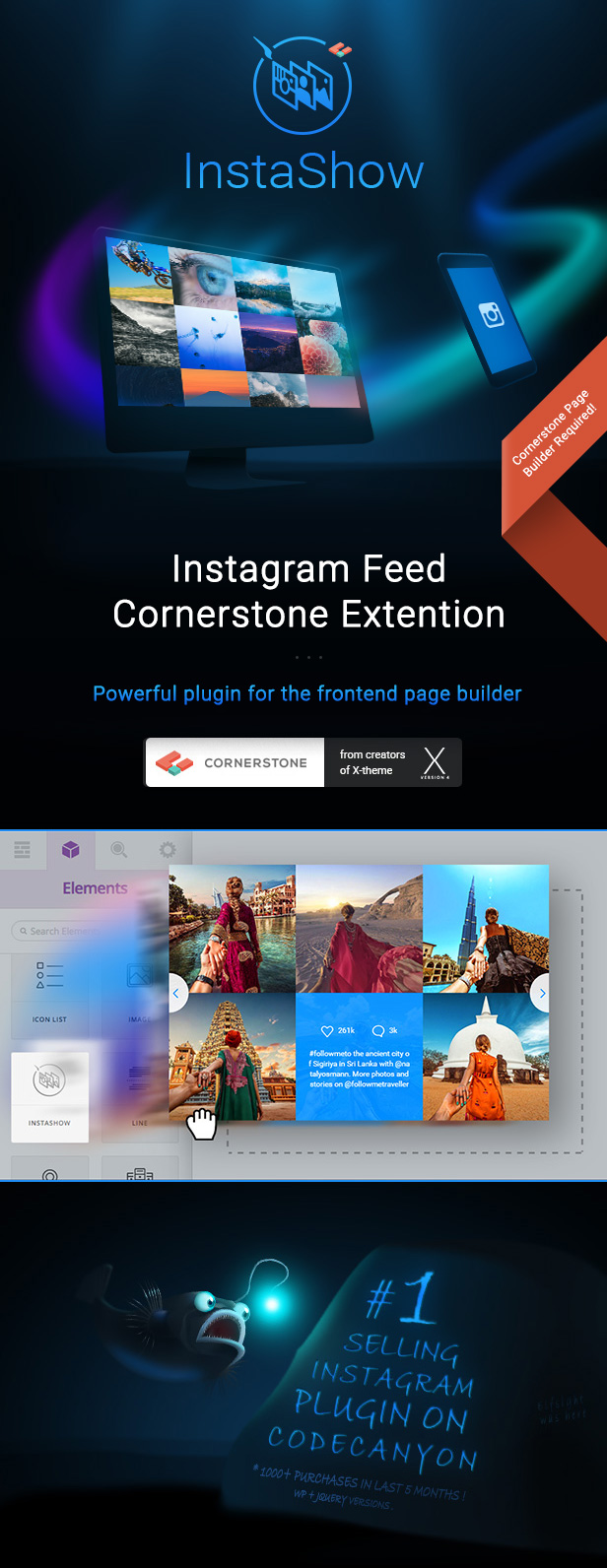
    Instagram Feed Cornerstone Extension – InstaShow (Add-ons)

    InstaShow is a Premium Instagram Feed Cornerstone Extension for sharing photos from one of the most popular social networks in the world. We strived for user-friendly UI and fascinating customization to introduce the most flexible Instagram Feed for Cornerstone.

    Millions of profiles, infinite number of photos and the aspiration for getting new followers are reasons why Instagram becomes a place for brand and self-promotion. InstaShow will be the perfect plugin for such purpose!

    This version of Instagram feed is developed specially for the new WordPress Page Builder Cornerstone. Just drag & drop InstaShow element in the builder and see the result at one stroke. With Cornerstone installation of the Instagram feed is the work of a moment!

    Customization of any plugin is a corner stone for the best experience on your website. That’s why you will be able to change whatever you’d like in InstaShow.
    60+ adjustable parameters for estimating true power of our feed. Don’t hesitate to play with all of them!

    InstaShow Cornerstone Extension – Amazing Look for Your Images!

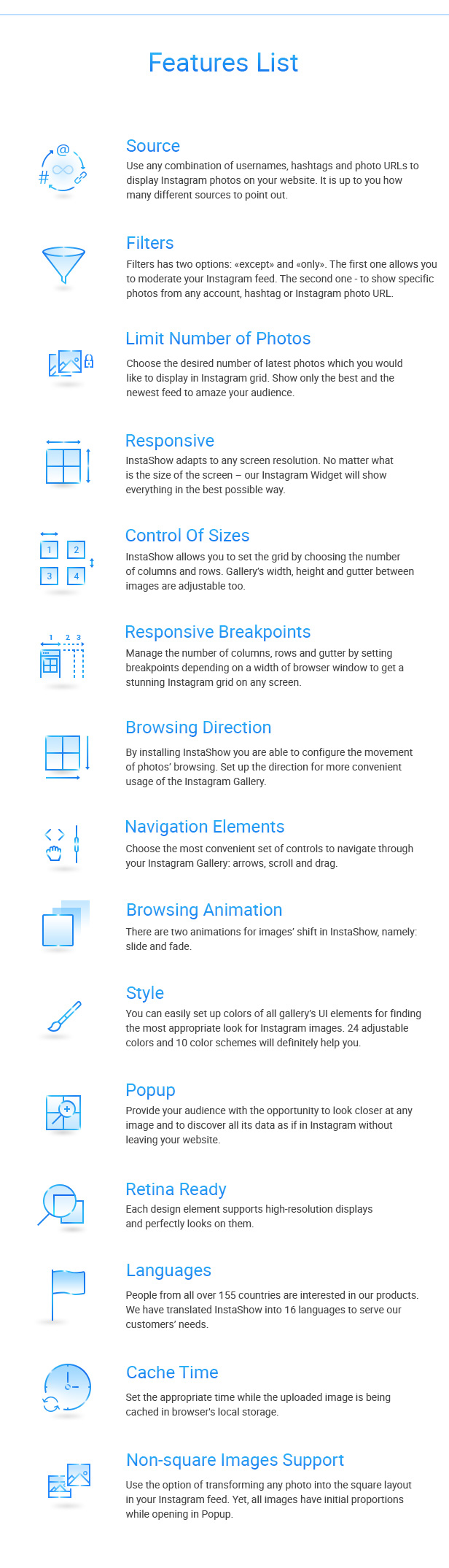
    InstaShow - Instagram Feed Cornerstone ExtensionInstaShow Key Features

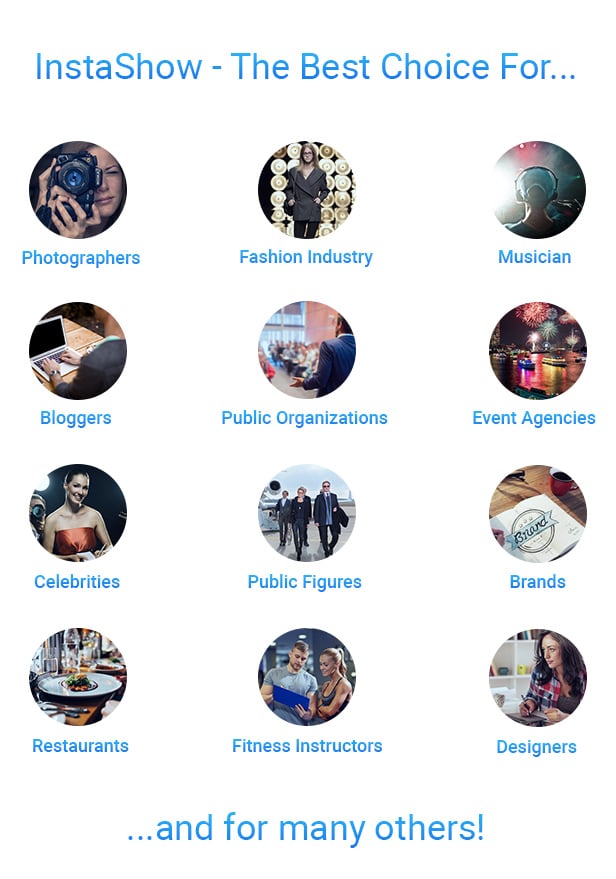
    InstaShow - the best choice for


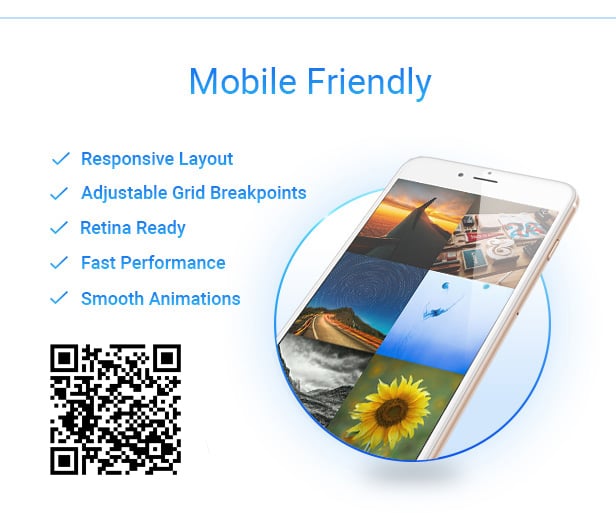
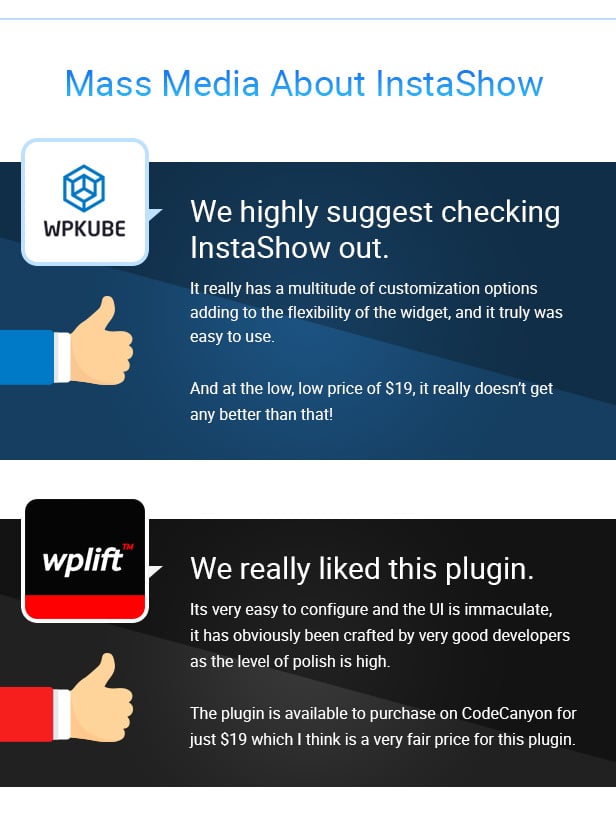
    Features listMobile FriendlyMass Media about InstaShow

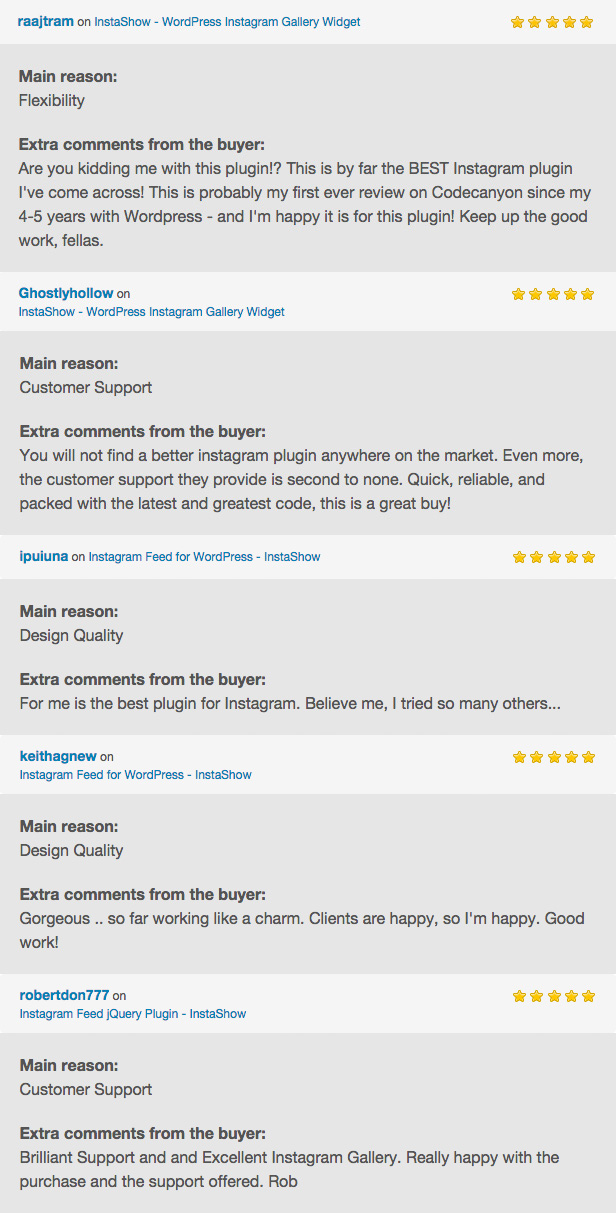
    What our customers say about InstaShow

    Customer Reviews on InstaShow

      Support, Questions and Offers

    Our support team is ready to answer on any kind of questions.
    Do not hesitate to ask – we will figure out how to help you!

    Flag Counter

    Download Instagram Feed Cornerstone Extension – InstaShow (Add-ons)

    Soon Countdown Pack Responsive Cornerstone Plugin (Add-ons)

    \

    Beautifully animated countdowns for everyone.

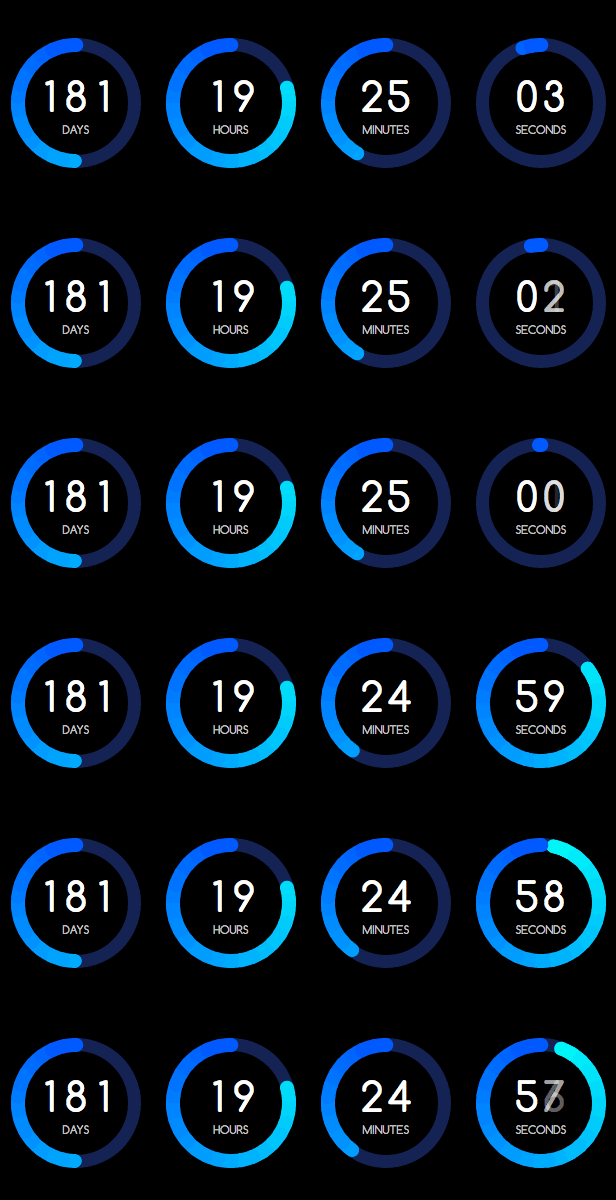
    Soon allows you to create the most stunning countdowns your visitors have ever seen. Using the the embedded Visual Builder Soon has you configuring any countdown you want. Pick one of the 15 Preset Templates as a starting point or start from scratch and design your unique counter.

    Soon will always look great, it is mobile friendly, fast and responsive and will automatically scale to the available space around it.


    \

    Premium Quality

    Soon is build using the latest HTML 5 and CSS 3 techniques. With regular updates and new feature releases Soon keeps getting better and better.

    Professional Support

    Just contact me through my CodeCanyon profile, I’m happy to help you out with any questions or problems.

    Visual Builder

    Soon ships with lots of options. The Visual Builder creates a clear overview of which options are available and directly updates and shows you a preview of your counter when you change their values.
    \

    KEY FEATURES

    Visual Builder

    Just drag the sliders, pick a color, choose a due date, and presto, you’ve created your first Soon Counter. It’s really as easy as that, save your counter and use it on any page.

    15+ Preset Templates

    Soon ships with 15 unique and responsive counter templates. You can use them as is, or tweak them to fit your style. All templates can be viewed on the Soon Live Preview landing page.

    Responsive

    Soon is responsive and works on a wide range of modern mobile, tablet and desktop browsers. Soon will automatically measure the available space of the parent container and resize the different counters accordingly.

    3 Clock Faces

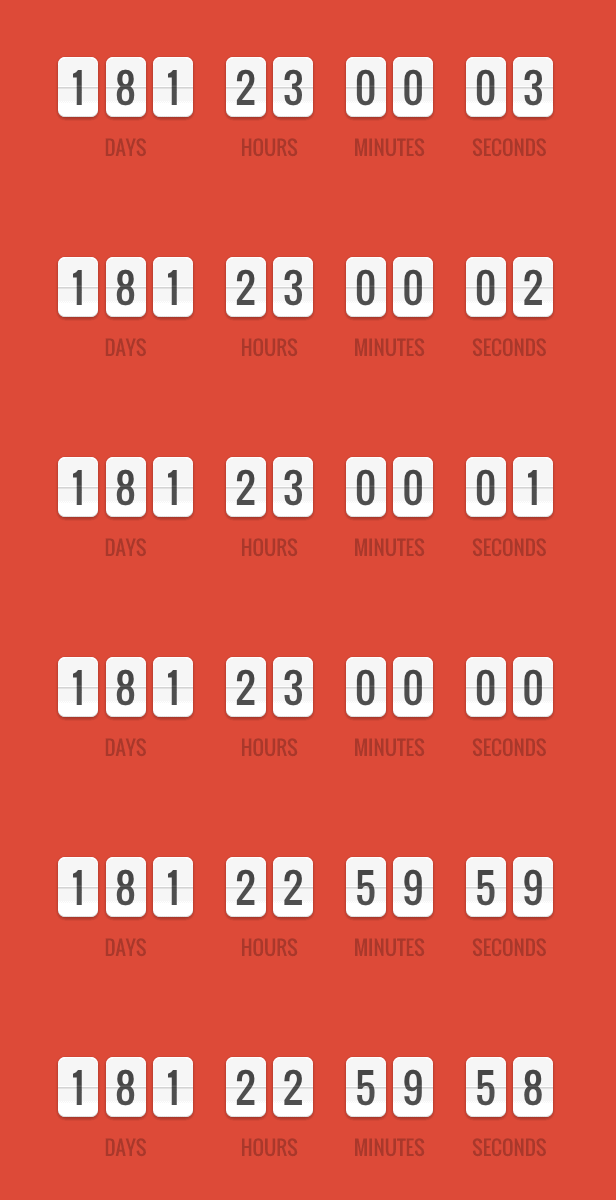
    Soon contains 3 different clock faces. Flip, Matrix and Text. Each face has it’s own animations and customization options. Combined with the two visual styles there’s bound to be a configuration that suits your specific needs.

    2 Progress Indicators

    You can combine the 3 clock faces with 2 different progress visualisations. There’s a circular and a fill visualiser which each have rich customization and animation options.

    Accuracy

    JavaScript’s default timer will lag behind when it’s active for longer time periods. Soon contains a correction algorithm to make sure each second actually is a second.

    Duration Modes

    Set duration mode to have Soon count down a fixed amount of minutes or seconds since page load. In day mode it will count to a certain time on a certain day of the week.

    Server Time

    Set server time to make Soon synchronize with the server.

    COUNT UP AND DOWN
    You can configure Soon to count down towards a date or count up since a date. Useful for counting time since an event.

    CLOCK MODE
    If no due date is set, Soon will render a Clock instead of a countdown. Perfect for testing if Soon has been setup correctly.

    SHORTCODES
    All content wrapped by the Soon shortcode will be automatically hidden till the clock runs out.

    EVENTS
    You can choose between hiding, redirecting, showing content, or running scripts once the timer hits zero.

    ANIMATIONS
    Each face and visual has it’s own animation options to make your counters look extra professional.

    REFLECTIONS
    Still cool right?
    Available for every counter type.

    Summary

    Visual Builder
    Use the Visual Builder to build your own counters. Pick a preset or a blank canvas, select colours, counter types, fonts, sizes. Just copy and paste the resulting snippet and you’re ready to roll.

    Multi-language
    All labels Soon uses below the counters are customisable to your language or liking.

    Animations & Special Effects
    All Soons counters are animated. For instance the text counter can be tweaked with different animation types like slide, roll, twirl and fade. On top of these animations Soon brings reflections to the table.

    Responsive
    Soon scales to the available space around it. It’s as simple as that. It does not matter where you place it, Soon will make sure it looks great.

    Accurate
    JavaScript’s default timer will lag behind when it’s active for longer time periods. Soon contains a correction algorithm to make sure each second actually is a second.

    Faces
    There’s three different clock faces to choose from. Of course you’ve got your basic Text style, but there’s also the classic Flipper and as a bonus there’s the Dot Matrix counter. All three faces can be animated in various ways and have all kinds of ways to make them match your sites look and feel.

    Visualizers
    Easily create an awesome circular counter. Use solid colours, gradients, define counter direction and set the offset, length and width of the ring. There’s visual effects like glow and shadow plus the ring progress is animated.

    Next to the ring you’ve got the option to select a background fill. This is sort of like a vertical, horizontal or diagonal progress bar. Animated and colours can be changed.

    Due Modes
    Soon comes with a wide range of countdown modes. Also, well tested support of timezones.

    • 2016—02-25 count down towards a date;
    • 2010—02-25 count up since a date;
    • in 2 hours count down a fixed amount of hours, minutes or seconds ;
    • at 12:30:15 count down repeatedly towards a time;
    • sunday at 10 count down repeatedly towards a time of day;

    Formatting
    Pick between Year, Month, Week, Day, Hour, Minute, Seconds and Milliseconds. The cascade feature allows you to move values between groups, so you can for instance count the total number of seconds till next year.

    Server Time
    You can set Soon to use the server time to do it’s calculations.

    Reviews

    “Very nice plugin with nice designs. Easy to implement and great support!”
    -svanbaaijen123 5 stars

    “This is a great plugin for countdown timers. So much flexibility and the customer support is one of the best I have come across.”
    -Greg1980 5 stars

    “Awesome support responds fast and is very willing to help and fixes issues right away. There are not enough stars to do justice to his devotion to making this program the best it can be. The product works as promised. A lot of choices to get the job done. Works great. Thanks for great work!”
    -haroldko 5 stars

    “Works perfectly! thank you very much!”
    -patriciozuletap 5 stars

    “Few issues my end, not the author, i have a million plug ins and short codes over short codes, his response was great and the plug in works great thank you!”
    -lewisromane 5 stars

    “Awesome product!”
    -DopePixelMG 5 stars

    Compatibility

    Browser Support

    • Chrome
    • Safari
    • Firefox
    • Opera
    • iOS
    • Android
    • IE10
    • IE9 (no animations)
    • IE8 (no animations, automatic fallback to text counter)

    Note that the Visual Builder requires a modern browser to function, Chrome is advised.

    Safari on Windows is no longer being maintained by Apple and therefor is currently not supported.

    Plugins

    Will currently not work inside Revolution Slider.

    Files

    • Cornerstone plugin zip
    • Installation instructions

    Version History

    1.0.0 20-01-2015

    • initial release of Cornerstone version.

    Download Soon Countdown Pack Responsive Cornerstone Plugin (Add-ons)

    DAP to Autoresponders Email Syncing (WordPress)

    This plugin is used to sync the email address of Digital Access Pass (DAP) orders to Autoresponders. Whenever the plugin’s cron hit, it fetches all the complete DAP orders email ids and sync them to the connected Autoresponders account.

    Free Version Sync WooCommerce Orders Email of Customers to connected account of :

    Mailchimp
    Infusionsoft
    Imnicamail

    Premium Version Sync WooCommerce Orders Email of Customers to connected account of :

    Mailchimp
    Infusionsoft
    GetResponse
    Imnicamail
    iContact
    Sendreach
    Aweber
    Klick-Tipp

    Download DAP to Autoresponders Email Syncing (WordPress)

    WooCommerce Ultimate Tabs (Products)

    Description

    Are you looking for an easy way to manage your WooCommerce Tabs?
    Do you want to reorder, rename or disable Tabs? Or do you even want to create
    Custom Tabs? Then this plugin is your ultimate solution!

    Features

    • Disable WooCommerce Tabs
    • Reorder WooCommerce Tabs
    • Rename WooCommerce Tabs
    • Create Custom Tabs
    • Set a custom Title
    • Set a custom Priority
    • Set a custom Callback:
      • Editor
      • Contact 7 Form
      • Show single Products
      • Show Products by category
      • Show Product Categories
      • Show Cart
      • Show Checkout
      • Show Order Tracking
      • Show My Account
      • Show Recent Products
      • Show Featured Products
      • Show Sale Products
      • Show Best Selling Products
      • Show Top Rated Products
      • Show Related Products
    • Limit the number of products to be shown on e.g. related products
      callback.
    • Configure how many columns will be shown on e.g. related products
      callback.
    • Apply the custom tab for specific Product Categories
    • Apply the custom tab for specific Products

    Tested

    • Tested with WordPress 3.8+
    • Tested with WooCommerce 2.0+

    Download WooCommerce Ultimate Tabs (Products)