HTML5 Medical Banners – GWD – 7 Sizes(NF-CC-116) (Ad Templates)

NF-CC-116-Medical_HTML5_Banners.

Very easy to edit and detailed help file is included. Google fonts used. This banner set can be customized with Free Google web designer software.

All the files are included with the download file. ( Icons, Shapes)

This set includes the following 7 sizes

-160×600
-180×150
-300×250
-300×600
-320×50
-336×280
-728×90

Download HTML5 Medical Banners – GWD – 7 Sizes(NF-CC-116) (Ad Templates)

HTML5 Summer Sale Banners – GWD – 7 Sizes(NF-CC-097) (Ad Templates)

Travel & Tourism HTML 5 Banners.

Very easy to edit and detailed help file is included. Google fonts used. Files can be edited with free Google Web Designer software.

All the files are included with the download file. ( Icons, Shapes)

This set includes the following 7 sizes

– 160×600
– 180×150
– 300×250
– 300×600
– 320×50
– 336×280
– 728×90

Download HTML5 Summer Sale Banners – GWD – 7 Sizes(NF-CC-097) (Ad Templates)

WooCommerce Group Pricing (WooCommerce)

Add individual product prices on a group-by-group basis. If no group price is set, the default product price is taken. Compatibility for both simple and variable products means that you have maximum control over your pricing. Are you a developer? We’ve included plenty of hooks and filters to help you customise the plugin to your needs.

Download WooCommerce Group Pricing (WooCommerce)

Magento 2 Category Product Edit Link (Magento Extensions)

Overview

This extension is simple but effective, from the category page you can see all products currently assigned however there is no way in
Magento 2 to quickly jump to the product. This extension adds a product edit link directly to the manage category page.

Now you can save time by not having to navigate through to the catalog page and search for the product to edit.

Demo Version

Backend: Category Product Edit Link Demo

Username: cpluser

Password: xmage2demouser

Installation

  • Downloads the extension
  • Unzip the file
  • Go to folder “Product Link”, and copies all content to {Magento 2 Root Folder}
  • Run cmd on Root Folder and type: php bin/magento setup:upgrade—keep-generated

Request Support

Feel free to get support via email: [email protected]

Download Magento 2 Category Product Edit Link (Magento Extensions)

Magento 2 Auto Order Reports (Magento Extensions)

Overview

Every day our system receives a lot of orders.
The manager may not be enough time to directly examine the daily order report.
Manager manually actions to view the report. This can be very inconvenient if it happens every day.

AutoOrderReport. Right with its name, this utility will help you to view daily reports automatically through sending mail.
This helps you control the orders every day without fear of forgetting or actions errors.
And you can watch anytime, anywhere. Just check the mail that you have reported the store’s business.

Demo Version

Backend: Auto Order Report Demo

Username: aoruser

Password: xmage2demouser

Features

  • Total Order Report:

    Report data will be grouped into order status.
    The administrator can know the type of the order of the day.

  • Revenue Report:

    Revenue during the day will be calculated based on orders.
    The system will load the data of all the orders of the day and then aggregate the data.

  • Sending Email Logger:

    After each system sends reports to email lists. The system will record the log,
    and the administrator can check the status of sending reports success or failure.

  • Sending Email:

    The administrator will configure email list to receive reports and sending time of the day.
    The system will automatically send an email to the email list. You can send report manually in backend.

  • Cron Job:

    This is a very important feature of this extension. The system will scan the configuration over time.
    After a certain period of time, the system will check and send email from time to time in the system is configured.

Installation

  • Downloads the extension
  • Unzip the file
  • Copies “AutoOrderReport” folder to {Magento 2 Root Folder}
  • Run cmd on Root Folder and type: php bin/magento setup:upgrade—keep-generated

Change Setting:

Log into your Magento Admin, then goto Report -> Auto Order Report -> Configuration

Request Support

Feel free to get support via email: [email protected]

Download Magento 2 Auto Order Reports (Magento Extensions)

Blue Ball Jump – Admob – Buildbox Game – Template Included + Android Eclipse Project (Games)

Blue Ball Jump is a fun, addictive and simple arcade game that challenges your reflexes. The goal of this game is to help the jumper Blue ball escape and jump as much as possible avoiding obstacles best you can to make the high score you can …it is an endless running game..

Features:

Admob Banner/Interstitial Share To ALL SOCIAL MEDIA Splash screen Arcade gameplay Phone and Tablet support Easy to reskin Endless Fun

What you get :

+Eclipse Project
+Buildbox template
+Documentation File HTML

Download Blue Ball Jump – Admob – Buildbox Game – Template Included + Android Eclipse Project (Games)

Crazy Jumping Ball – Admob – Buildbox Game – Template Included + Android Eclipse Project (Games)

Crazy Jumping Ball is a fun, addictive and simple arcade game that challenges your reflexes. The goal of this game is to help the jumper green ball run and pass Through colored obstacles by jumping ….it is an endless running game.. Just Tap the screen and the ball will jump ..

Features:

Admob Banner/Interstitial
Share To ALL SOCIAL MEDIA
Splash screen
Arcade gameplay
Phone and Tablet support
Easy to reskin
Endless Fun
more …

what you get :

+Eclipse Project
+Buildbox template
+Documentation File HTML

Download Crazy Jumping Ball – Admob – Buildbox Game – Template Included + Android Eclipse Project (Games)

Equilibrium : Crazy Car – Admob – Buildbox Game – Template Included + Android Eclipse Project (Games)

Equilibrium : Crazy Car is a fun, addictive and simple arcade game that challenges your reflexes. The goal of this game is to help The crazy car to overcame all obstacles by take equilibrium and run ….it is an endless game.. You can move right and left to avoid crashing into obstacles , it is a simple game but hard to play

Features:

Admob Banner/Interstitial
Share To ALL SOCIAL MEDIA
Splash screen
Arcade gameplay
Phone and Tablet support
Easy to reskin
Endless Fun

what you get ;

+Eclipse Project
+Buildbox template
+Documentation File HTML

Download Equilibrium : Crazy Car – Admob – Buildbox Game – Template Included + Android Eclipse Project (Games)

Lara Blog (Miscellaneous)

Simple Blogging System who finds wordpress alternative.

Security

Protected from SQL injection & common security vulnerabilities
CSRF Protection – Protected from cross-site request forgery (CSRF) attacks
Session Protection – highly secure Laravel session mechanism
Highly secure one-way password hashing

Key Features:

  • Secure Blogging System
  • Manage Author, Editor, Subscriber easily
  • Dynamically changeable every Information
  • Search System
  • Two Logo types (Image & Text)
  • 404, Search and Archive pages
  • 2 Sidebars (Right Sidebar + Footer )
  • Awesome Slider
  • Beautiful Dashboard.
  • Awesome Feature Post Option
  • Blog posts with 4 layouts (Slider, Feature, Classic, others) Ajax module pagination
  • World most popular Disqus comment (with Disqus API) support
  • SEO friendly HTML5 Mark-up
  • Responsive Design
  • Four Types users who will be able to manage and Create Blog.
  • Login with Facebook.
  • Login With Google Plus.
  • Login With Twitter.
  • Login With Linkin.
  • Login With Github.
  • Mobile compatible.
  • Multi language support.
  • Beautiful track log system.
  • Php / SMTP Mail support.

Admin Credential

http://xcoder.io/demo/lara-blog/dashboard

ID:[email protected]

Pass:admin123

Download Lara Blog (Miscellaneous)

xPanel – Smart Sliding Panel and Sidebar Widget Area for WordPress Themes (Miscellaneous)

xPanel is a smart sliding panel and sidebar widget area for WordPress themes. With xPanel, you can present sidebar widgets and menu items in more user friendly way on mobile and tablets. Just one click and users will be able to toggle sidebar content in form of a sliding panel.

With xPanel, you can convert an existing sidebar into sliding panel or register a new sidebar. The plugin allows you to control viewport width on which panel shall be displayed. i.e. you can use it for any width from large displays to small mobiles. Give your site a new appeal and enhanced touch with this modern sliding sidebar. It works with almost all themes out there and you will find it a very useful tool in your plugin collection.

Check out the demos

Important: Please check the demo on Mobile or by resizing the browser window to mobile width.

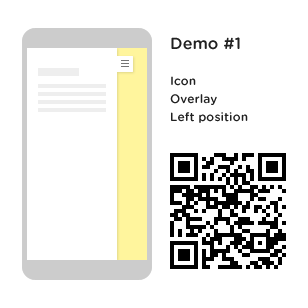
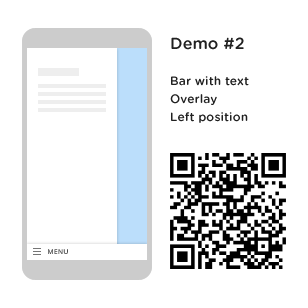
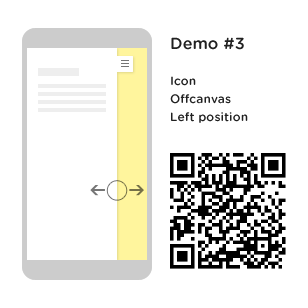
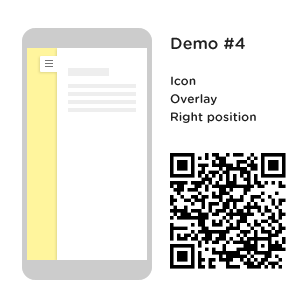
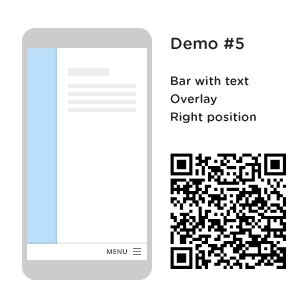
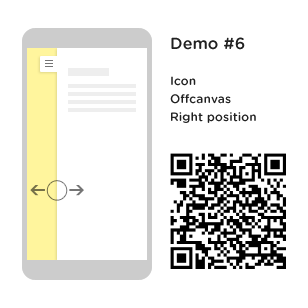
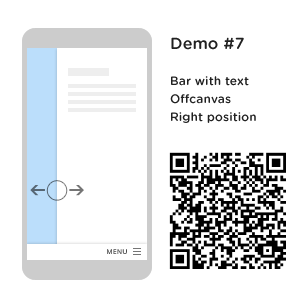
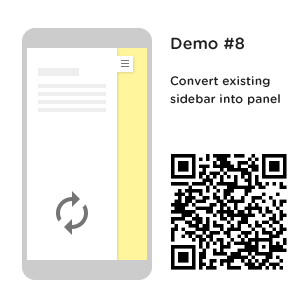
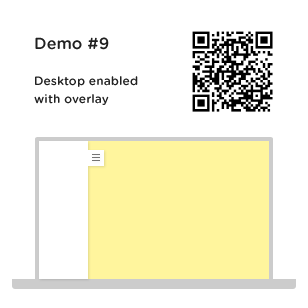
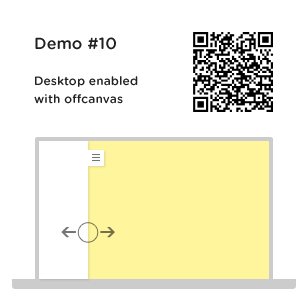
default panelpanel with bar style togglepanel with offcanvas transitionpanel with right positionpanel with right position and bar style togglepanel with right position and offcanvas transitionpanel with right position with bar toggle and offcanvas transitionconvert existing sidebar into side paneldefault panel enabled on desktoppanel on desktop with offcanvas transition

Features in detail

  • Touch and slide sidebar panel using CSS3 animation
  • Convert existing sidebar container into slide panel
  • Choose from existing widget areas or register a new widget area for slide panel
  • Supports left or right panel position
  • Supports two panel transition options (off canvas or overlay)
  • 2 Panel toggle button styles (icon only at top, or icon with bar at bottom)
  • Custom text for toggle button
  • User defined custom viewport width for panel display
  • Accordion like collapsible menu items (You can enable or disable this feature from plugin settings)
  • Smooth CSS3 animations
  • Material Design icon library included
  • Works with almost any free or premium themes
  • Compatible on all major browsers (IE 9 or above)
  • Translation ready
  • Supports languages with RTL layout
  • Step by step documentation guide for plugin setup and configuration
  • Dedicated support in reasonable time span

How it works

After installing and activating xPanel, you can show a slide panel by either choosing a widget area, or by converting a widget container of front end into slide panel. Below are some use cases to help you understand how xPanel can be of great use:

Use case #1: Say you have a sidebar on your theme’s front end. This sidebar contains important widgets and contact forms which goes too down on mobile devices. You may need to show these in slide panel for mobile users. In this case, xPanel will help you converting this existing sidebar container into a sliding sidebar. You only need to provide the sidebar container selector in plugin settings. For example, #sidebar.

Use case #2: Say you are running an ecommerce site using WordPress. You might be having many filters for products, including price range, cart, attribute filters, etc. On mobile devices you would want to show these filters in more accessible manner for users. In such scenario, you can use xPanel for converting the shop sidebar into a cool “Filters” like bar on mobile.

Use case #3: Though most themes today support responsive menus, in some cases you would want to show a collapsible menu for users on mobile. xPanel has built in option for converting list items into collapsible accordion like menu. Using this feature, you can show a well structured collapsible menu using “custom menu” widget and xPanel for your mobile users.

These are just some examples in which xPanel can be used efficiently. You can show custom content, advertisements, forms, and almost anything using widgets into this side panel.

Purchase xPanel today and see how users love browsing your site on mobile.

Plugin Support

All support is provided via comments section and email. For any questions related to the plugin or general query, feel free to email me from my profile page message box, or comment on the item comments section. I would be glad to respond. Thank you for browsing the plugin.

Update log

= initial release =

Credits

jQuery library (as shipped with WordPress)
Material Design Icons
Settings API Wrapper

Download xPanel – Smart Sliding Panel and Sidebar Widget Area for WordPress Themes (Miscellaneous)

Magento Mega Menu (Magento Extensions)

Mega Menu

Mega Menu Extension for Magento® is a user-friendly, responsive and highly customizable solution, adding attractive vertical menus to your store to enable customers easily navigate and explore the website easily. This extension works out of the box, making it simple to get started and powerful enough to engage customers with attractive menu in the frontend.

Customers never wait for the website to launch, but always need a solution to easily go through store products and content in one go and Mega Menu serves as the right solution to engage customs while the website products load.

This extension is a result of a combination of expertize and creativity, brought together to enhance online shopping experience. This allows store owners to easily show featured products, categories and can customize it in their own way.

\

What Makes It Different to Others?

1. Fully Responsive, touch enabled

2. Contact Us Form available

3. Customizable Header and Footer

4. Located on Top

5. Vertical Menu Layout

6. Seven Different categories

7. Compatible with all mobile platforms

8. Fully Configurable

Some Great Features

With the flexibility Magento offers, Mega Menu Extension allows you to create attractive menus on website that are easily customizable to make it look great with the existing theme, and color.

Easy to Use

1. Works great with every version of Magento1.

2. Compatible with every Magento theme.

3. Works with the theme system that you know and love.

Easy to Customize

1. Add Custom HTML.

2. Customize header, footer, main content and featured layout.

3. Change menu color, active menu color, text label, and font size

4. Customization offered for both Desktop and Mobile versions

\

\

Responsive & Mobile-friendly

1. Fully responsive layout adapts perfectly every device resolutions.

2. Touch Enabled for enhanced User Interface.

3. Supports all platforms iPhone, Android, etc.

Fully Configurable

1. Admin is capable of sorting orders of menu items.

2. System configuration settings available

3. Change menu appearance according to the theme

Seven Different Categories Can Be Displayed

1. Anchor.

2. Static Categories

3. Default Categories

4. Dynamic Categories

5. Product List

6. Product Grid

7. Custom HTML Menu

Advanced Content

1. Custom HTML

2. Product Images

3. Product Descriptions

4. Contact Forms

Compatible With

1. Firefox 2+

2. Internet Explorer 8+

3. Opera

4. Safari 3+

5. Safari 3+

Download Magento Mega Menu (Magento Extensions)
Buy & Sell Mobile App – Full Application with Meteor and Ionic. (Full Applications)

TapShop is a full buy and sell application for Android that is made with Angular JS, Ionic, and Meteor.
It includes mobile commerce features for shopping and selling products online with your smartphone, including chat messaging for buyers
and sellers.

DEMO:

Android App

Mobile Web (Visit on your mobile device.)

FEATURES:

For Buyers

  • Shop listings by category.
  • Search listings.
  • Product details with image sliders.
  • Send offers to sellers.
  • Track listings with your offers.
  • Chat with seller.

For Sellers

  • Post products with listing form.
  • Upload photos with camera.
  • Crop photos before upload.
  • Manage posted listings.
  • Select offers from multiple buyers.
  • Chat with selected buyer.

General Features

  • User accounts.
  • Automated emails for user accounts.
  • Account verification.
  • User feedback and rating.
  • Facebook and Google login.
  • Get user location using GPS.
  • User account settings.
  • Infinite scroll and pagination.

BEFORE YOU BUY:

This app is built with Meteor, so its recommended that you are familiar with building and deploying apps with Meteor platform before purchasing.

Hosting

This app can be hosted on servers that can host Node apps. The documentation files include guides on deploying this app to a VPS (like AWS and Digital Ocean), or on Heroku.

Other options for hosting include Modulus.io and Meteor Galaxy.

Download Buy & Sell Mobile App – Full Application with Meteor and Ionic. (Full Applications)

BitPay Payment Gateway Plugin For DuckSell (Miscellaneous)

DuckSell helps you sell your digital products on your own website by delivering them securely to your customers. You can sell various types of downloads, for example: pdf, ebook, program, template, photo, music, video, audio, mp3 etc.

With this BitPay integration plugin you will be able to sell your digital downloads using DuckSell application and BitPay as your bitcoin payment gateway. See screenshots or demo for more details.

About Bitcoins

Bitcoin is a powerful new peer-to-peer platform for the next generation of financial technology. The decentralized nature of the Bitcoin network allows for a highly resilient value transfer infrastructure, and this allows merchants to gain greater profits.
This is because there are little to no fees for transferring Bitcoins from one person to another. Unlike other payment methods, Bitcoin payments cannot be reversed, so once you are paid you can ship! No waiting days for a payment to clear.

About BitPay

BitPay is a global bitcoin payment service provider headquartered in Atlanta, Georgia. It was founded in May 2011 by Tony Gallippi and Stephen Pair. BitPay provides payment processing services for merchants, and is one of the largest bitcoin payment processors. In 2014, BitPay started processing $1 million USD daily.

BitPay has partnered with many large merchants over the past year including Microsoft, NewEgg, TigerDirect, and Warner Bros. Records. BitPay has also partnered with PayPal as well as Merchant Acquirers such as Global Payments and Alternet Systems. BitPay has the most powerful bitcoin infrastructure on the planet and is trusted by over 40,000 merchants.

System Requirements

  • DuckSell 1.5 or greater
  • HTTPS enabled on your DuckSell website

Installation Instructions

  • Sign in to your DuckSell application as admin.
  • Navigate to ‘Manage’ under plugins on left side menu.
  • Click on ‘Add New’ button.
  • Using ‘Browse’ button find your plugin zip archive and click on ‘Submit’ to upload it.
  • After upload has been completed you will be able to see new ‘BitPay’ item on plugins section where you must go to configure plugin.

Note: If you are unable to upload plugin you can manually unpack plugin archive and upload the content to this directory: your_public_path/shop/inc/app/Plugins/

Setup Instructions

Important: BitPay IPN may not work properly unless your server supports HTTPS

  • Open your account at https://bitpay.com (or https://test.bitpay.com for ‘Test’ mode) and complete three steps to become eligible for accepting bitcoins.
  • On BitPay go to ‘Payment Tools’ and click on ‘Point of Sale App’
  • Click on ‘Add New Pairing Code’ button to generate your new pairing code.
  • Copy & Paste this code to ‘Token Pairing Code’ field in plugin setup.
  • Click ‘Submit’ to save the settings.
  • Go to product page where you should now see your ‘Buy Button Code’.

Note: If invoice is underpaid it will be marked as ‘Pending’ so make sure you double check your DuckSell settings for ‘Allow downloads for pending transactions’.

Other Product

Download BitPay Payment Gateway Plugin For DuckSell (Miscellaneous)