Twitter Auto Post Multi Accounts (Social Networking)

INTRODUCTION

You are tired and difficult for brand advertising campaign on twitter for the post to twitter every day. Scripts will help you get closer to your goal. With just a few clicks you can create up for a promotion campaign on twitter with many features available on the script will certainly give you a great experience.

FEATURES

Support three post types: Text & Link, Image And Video.
Support multi twitter accounts: helping you advertise more comprehensive
Report posts: statistical success rate of the posts.
Repost post: lets you automatically post back every day without having to post back.
Random post: automatically selects a random group/page/profile to post in a specified time.
Suport multi language: makes it easy to access and use the product thoroughly.
Easy customization and multi themes: helping you have more choices for the management interface to suit you.
Support multi user: not only can you manage that you can share it with everyone you want.
Easy install & using: help you set up and use easily via video.
– And many other exciting features.

DEMO

Website: http://tw.cozola.com
Admin
Username: admin
Password: 123456

User
Username: user
Password: 123456

Changelog

Version 1.0 Fist version

Download Twitter Auto Post Multi Accounts (Social Networking)

PriceX | Material Design WordPress Pricing Table Set Plugin (Tables)

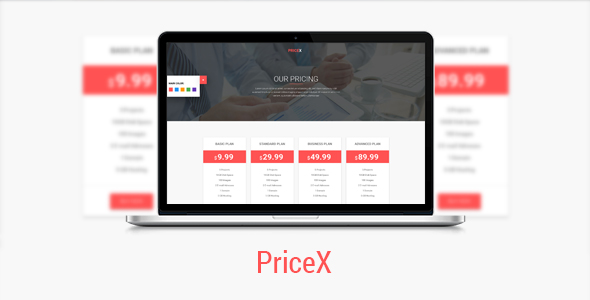
PriceX is a Material Design WordPress Pricing Table Set Plugin including Seven Exclusive material design pricing tables. Anyone can easily integrate any of our pricing table in their wordpress theme to follow our Well Sorted Documentation (including video overview).

Main Features of PriceX:

  • Latest WordPress v4.5.2 Compatible
  • Latest Bootstrap v3.3.6 Compatible
  • Based on Material Design Lite
  • 7 pricing table set
  • Shortcode
  • Easy customization
  • Setting Page
  • Unlimitade used
  • Unlimitade Color
  • Shortcode generator
  • colum change option
  • All theme supported

Other Features of PriceX:

  • Google Fonts
  • FontAwesome Icons
  • Well Documented

CSS Version:

PriceX | Material Design Pricing Table Set

\

Source and Credits:

Photos:

  • All ‘images’ used on the demo site is for demonstration purposes only and are not included in the main download file.

Fonts Used:

Frameworks / Libraries:

BizLinks | Multipurpose Business and Agency HTML Template

BizLinks | Multipurpose Business and Agency HTML Template

\

EnvAffiliateCase | Envato Market Affiliate and Item Showcase Plugin

EnvAffiliateCase | Envato Market Affiliate and Item Showcase Plugin

\

Download PriceX | Material Design WordPress Pricing Table Set Plugin (Tables)

Ionic Theme, Ionic Template for Mobile News, Blog, Magazine Application – DailyNews (Templates)

DailyNews is the Ionic template, Ionic Theme for mobile news, blog, fees, magazine application suitable to News Mobile App, Blog Mobile App, Magazine Mobile App… You can use this Ionic Template for make a mobile news, blog, magazine application and upload it to any stores as Google play, Apple Store…

Full Features for Mobile News, Blog, Magazine Application:

  • Homepage with nice menu
  • Category
  • Detail News, Blog
  • Comment News
  • Bookmarks
  • Share News, Blog, Article to Social, Community
  • Search News, Articles
  • Photos Gallery & Effect for view Photo
  • Video page & play Video
  • etc…

Technical Features for Ionic Theme

  • Every screen has page
  • HTML5 Hybrid App built with the Ionic framework and Angular JS.
  • Angular JS Filters, Controllers and Services.
  • Included Laucher & Logo design for Android, iOS.
  • Clean and user-friendly interface
  • Easy installation, detailed quick start guide
  • Included all of Javascript functions in document.
  • Lifetime to upgrade: New features added constantly
  • Quick and efficient Support

Test before you buy

1.Download the Ionic View app (http://view.ionic.io )

2.Use the App ID: f8c505a8

Laucher & Logo

<tbody>

</tbody>

Laucher Logo
Laucher Logo

Example for a Prototype:

Home.gif

Download Ionic Theme, Ionic Template for Mobile News, Blog, Magazine Application – DailyNews (Templates)

Chicken Run (Games)

Full source code of android game

Chicken Run is an endless running game, there are banana peels, stones, and air planes as the obstacle. Speed and obstacles will be increased by the play time

Install the game now
Download APK

Instruction

  • tap screen to collect energy to jump, then release it to jump.
  • longer you touch, higher you jump
  • you can fly once the energy is full

Programming

  • Framework : Libgdx
  • language : Java

Supported IDE

  • Android Studio
  • Intellij IDEA
  • Eclipse

Assets

  • graphics : png files
  • sounds & musics : mp3 or ogg files
  • ttf font

Monetization

Interstitial/fullscreen ads with included wrapper :

  • Admob
  • Chartboost
  • Adbuddiz
  • Startapp
  • Revmob

Download Chicken Run (Games)

Pixel Abyss platformer+Admob (Games)

Pixel Abyss Dungeon is on of those games that is easy to play but hard to master!
The main purpose of game is to be easy flip reskin and highly converting App.
 Fly and collect coins, but there’s to many obstacles that will challenge you to collect those coins.

3 Power-Ups:

Invincible
Flappy

Demo APK:

https://drive.google.com/open?id=0BwNeSHe80SRkWkwzSThQbDNldzA
https://play.google.com/store/apps/details?id=com.diamongm.abyss&hl=en

AD Networks:

AdMob Interstitial Ads.

AdMob Banner Ads.

How To:

Import Project into Eclipse.
Change Package ID, App Name.
Setup new icons, launch screens.
Change ID for Ad Networks.
Update Review Us URL.
Change Atlases file with new images
Export Project and upload to Play Store.

this game template is compiled ONLY in Eclipse. Do not use Eclipse simulator. Test either on Genymotion or Real Device. This is a product of BuildBox Project, thus, you will be able to reskin only .PNG images, there won’t be an opportunity to modify levels. If you want to get BuildBox Project then purchase extended license and contact us w/ a proof of your purchase, we will send you BuildBox Project. Thank you.

Download Pixel Abyss platformer+Admob (Games)

Spaceship Survival Shooter (Games)

Spaceship Survival Shooter is Shoot ‘em up game, bullet hell type.
Your mission is to survive 15 waves and defeat the boss in the final wave.

Features

  • Multi-platform, include Android and iOS.
  • Touch or Mouse + Keyboard (spacebar for special attack) for PC.
  • Power up
  • 7 Type Bullets hell.
  • 15 Waves + Boss stage, you can add unlimited wave.
  • 8 Enemies type + 1 Boss.
  • Dynamic Background.
  • Easy to customize
  • Native mobile social sharing (Facebook, Twitter, Google+, etc).
  • Monetization with Admob.
  • Intel XDK & Cocoon Ludei ready, select your favorite compiler.
  • Capx fully commented and complete documentation with tutorial how to customize this game.
  • Video tutorial how to export to Android with Intel XDK and Cocoon Ludei.

Note:
This game has been developed with Construct 2 R227.
You need Construct 2 personal license to modified game.
Please read the documentation first if you buy this game before open the capx file.

Download Spaceship Survival Shooter (Games)

Math Genius – Educational HTML5 Game (Games)

Math Genius is an excellent educational game for children all age. It includes multiplication, addition and subtraction, and division.
The code of this math game is well commented and organized. It is very easy to take it and turn into a profitable game.

How to play:

  • Select the right operation symbol
  • Try to answer as many questions as possible during the game


Features:

  • Mobile and mouse controls
  • Work on all HTML5 browser and mobile devices
  • Easy way to add/replace images
  • Share score on Twitter and Facebook
  • Included Construct 2 file

What you get

  • Construct 2 File with fully commented Code
  • HTML5 Game demo
  • Documentation – How to add it to your site


If you have any question, don’t hesitate in asking. IF YOU LIKED THE GAME, PLEASE LEAVE A REVIEW :)

AVAILABLE FOR FREELANCE WORK

If you need to make changes to this or any other game or you need a brand new game, please send me a message.

MORE GAMES

If you are interested in learning more about making games, here is another great and interesting game.

Protect the World – HTML5 Casual Game

Shadow Boy Adventures – HTML5 Game

2 Cars – HTML5 Mobile Game

Candy Game – HTML5 Casual Game

The Flash Adventures – HTML5 Game

Memory Game – HTML5 Educational Game

Guess How Many? – HTML5 Education Game

Coloring Book 48 Pages – HTML5 Educational Game

Block It – HTML5 Casual Game

Office Escape – HTML5 Puzzle Platformer Game

Circle Pong – HTML5 Casual Game

Find the Differences – HTML5 Puzzle Game

Locometry – HTML5 Educational Game

Blackjack Casino Game – HTML5 Mobile Optimized

50 States Challenge – HTML5 Educational Game

Kids Coloring Book – HTML5 Educational Game

Memes Face HTM5 Memory Game – Mobile Optimized

Rock Paper Scissors HTML5 Game – Mobile Optimized

Kids Puzzle Game – HTML5 Educational Game

Feed Mypetdog Number – Educational HTML5 Game

Match Mons – Puzzle Match Game

Carnival Shooter – Casual HTML5 Game

Download Math Genius – Educational HTML5 Game (Games)

Social Subscribe – Get instant, targeted, verified subscribers! (Windows)

Customers already have social accounts so collect their details with one click without the need for pesky forms and avoid wrong, fake or “throw away” email addresses but collect 100% verified emails – ones that users actually check daily! Now you can reach customers with 99% inbox rates every time, reducing bounce rates and increasing your conversions!

How it works?

Visitors connect with Facebook, Google+ or Linkedin to subscribe to your mailchimp newsletter with one click. Users do not have to confirm the email because the email is already confirmed!

Why use it?

Collect subscribers on your site with only one click! Now you can avoid wrong, fake or “throw away” email addresses but collect only verified ones that users actually check everyday. Visitors simple connect with a preferred social account to join your MailChimp mailing list so you can send them news, updates or promotions anytime.

You can use your own social apps to create UNLIMITED optin boxes to embed on UNLIMITED websites, perfect if you want to charge clients or manage multiple websites!

FEATURES & BENEFITS

  • Enter your own Social Apps
  • Subscribe via Facebook, Google+ and Linkedin
  • Mailchimp support
  • Custom text
  • Code generator to create optin box
  • Embed on your website or blog
  • Responsive – Works on desktops, tablets and mobiles
  • Supports all browsers
  • Create unlimited optins for clients and make money!
  • Popup login (stays on same site)
  • Collect 100% verified emails
  • Reduce bounce rates
  • Increase conversions

PLEASE NOTE!

This is a ADD-ON tool for SocialSuite: Marketing Dashboard, which means it’s NOT a standalone php script and CAN NOT be installed on your site! You can use this add-on independently in the software OR online platform

Download Social Subscribe – Get instant, targeted, verified subscribers! (Windows)

Gingerman Rescue – HTML5 Construct Platform Game (Games)

Play It Now!

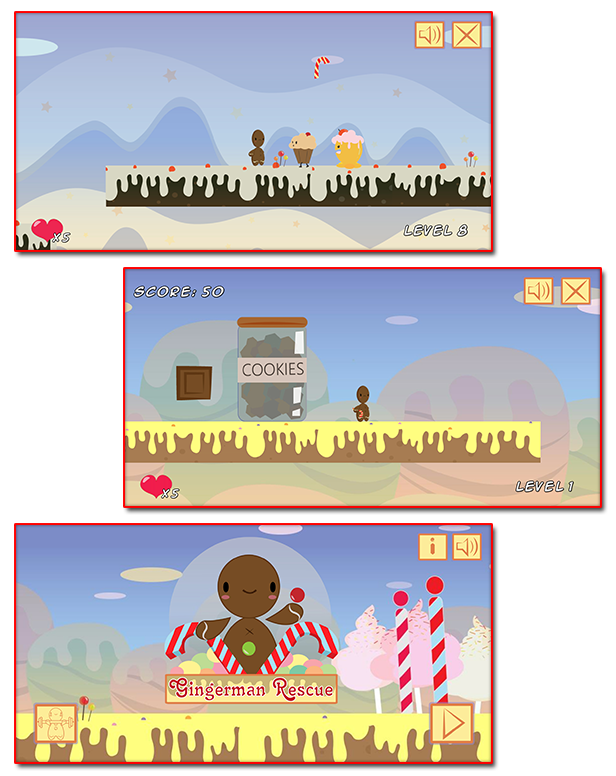
Gingerman Rescue is a HTML5 Platform Game.
Are you ready to help the sweet Gingerman in his journey?
Help the Gingerman to find his treasures! Avoid the enemies, use your candy weapon and bonuses to reach the end of each levels!

Admob ads banner

This Game is already Compatible with AdmobAds
Use the AdmobAds to add your ads’ ID and start monetizing with this game!

Please read the documentation to get more info!

This game has been developed with Construct 2 R207 release: https://www.scirra.com/construct2

The ZIP package contains the game at 1024×768 resolution that scales to fit current screen device.
The game is fully compatible with all most common mobile devices. We just can’t ensure full compatibility with the audio on all devices.

WARNING:
The game can not be modified with a free license of Construct 2. The game was created with Construct 2 R207 release.
We can’t ensure the full screen resolution on all device.
The game contains some non-native plugins / behaviors you need to install in Construct2 if you want to modify the game.
Please refer to the documentation for a detailed list of these plugins/behaviors and their link.

Game Screenshoot

CTL Arcade

This game is fully compatible with CTL Arcade
A WordPress Plugin that allows you to create a real arcade on your website.

Easy to Install

With CTL Arcade you can:

  • Monetize with your games adding Ads Banners
  • Promote your website with Social Share Buttons
  • Improve our games with Leaderboard, and Rating Feature

=== Even if we do our best to minimize any inconvenience, we can’t ensure the full compatibility of all our games on every device and every operating system update.
Thank you for the understanding. ===


 Follow Us

 Contact Us

CODETHISLAB’S MOST-WANTED GAME OF THIS MONTH:

Waffle

YOU MIGHT ALSO BE INTERESTED IN:

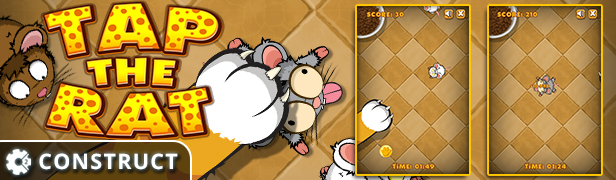
Tap The Rat

Playful Kitty

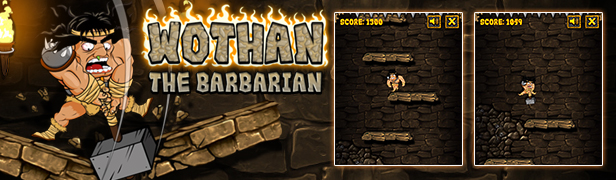
Wothan the Barbarian

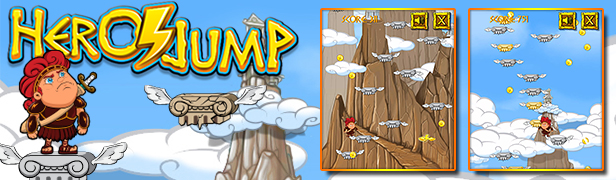
Hero Jump

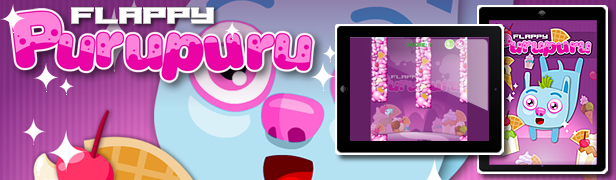
Flappy Purupuru

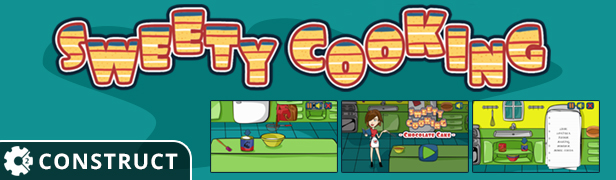
Sweety Cooking Chocolate Cake

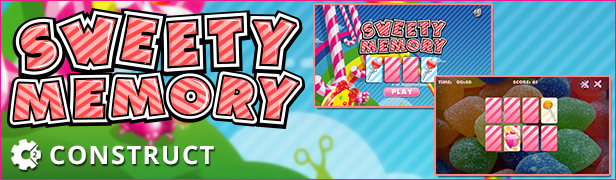
Sweety Memory

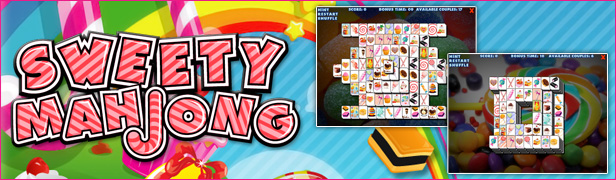
Sweety Mahjong

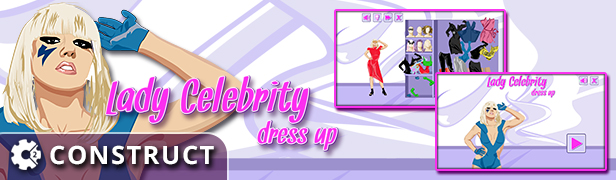
Lady Celebrity Dress Up

Pop Star Dress Up

Street Shot

Slot Space Adventure

Scratch Fruit

Wheel of Fortune

All games

All Graphic Assets

All Models

Flag Counter

Download Gingerman Rescue – HTML5 Construct Platform Game (Games)

E21 &bull; The WordPress Page Builder and Styler (Utilities)


      a review of the most impotant e 21 features

  • edit directly on the page

    while you edit a post/page in the WordPress’ s editor simply press and hold the Shift key and all direct editable areas are highlighted, then click the desired area and that is, you’re in quick-edit mode, now you’re able to edit directly on the page


  • fully connected to the WordPress’ revisions system

    e 21 is seamlessly integrated with WordPress and every change you made using the page-builder automatically reverberates in the WordPress editor’s text-area (everything is there!), hence the e 21 ’s page-builder is fully connected to the WordPress’ revisions mechanism all the time. Simply said, you’ll be able to retrieve the previous version(s) of the content anytime you need, everything is there, among all the post/page’s revisions preserved in the database, just pick the appropriate backup and restore the content


  • 85+ content elements

    85+ Content Elements<!85+ Content Elements->
    NOTE • the content elements are automatically enabled or disabled, depending on the context

    <tbody>

    </tbody>

                                                                                                  
    Column Inner Column Whitespace Icon
     
    Section Inner Section Divider
    Go-to-Top
    Divider
     
    Text-Box Code Button
    (block)
    Button
     
    CallOut CallOut +
    Anaglyph Fx
    Highlight Dropcap
     
    CallOut-Box CallOut-Box +
    Anaglyph Fx
    List  
     
    Table      
     
    Notify-Box Quote Heading
    (block)
    Heading
     
    Adobe PDF PayPal
    Donation
    Google
    Charts: Bar
    Google
    Charts: Pie
     
    Pinterest Facebook
    Like
    Google +1 Google
    Charts: Line
     
    Pricing-table Twitter
    Follow
    Twitter
    Share
    Google Maps
     
    Pricing-list      
     
    Gallery
    of Posts
    Image
    (block)
    Accordion  
     
    Gallery
    of Images
    Image Tab-set  
     
    Audio
    (multisource)
    Video
    (multisource)
    Progress Bar Progress Pie
     
    Revolution
    Slider
    Layer
    Slider
    Contact
    Form 7
    Ninja
    Forms
     
    Widget
    Sidebar
    Widget
    Archive
    Widget
    Calendar
    Widget
    Categories
     
    Widget
    Menu
    Widget
    Meta
    Widget
    Pages
    Widget
    Recent
    Comments
     
    Widget
    Recent
    Posts
    Widget
    RSS
    Widget
    Search
    Widget
    Tag Cloud
     
    Widget
    Text
    WooCommerce
    Add-to-Cart
    WooCommerce
    Add-to-Cart
    (block)
    WooCommerce
    Add-to-Cart URL
     
    WooCommerce
    Best Selling
    Products
    WooCommerce
    Top Rated
    Products
    WooCommerce
    Featured
    Products
    WooCommerce
    Recent
    Products
     
    WooCommerce
    Sale
    Products
    WooCommerce
    Products
    WooCommerce
    Related
    Products
    WooCommerce
    Product
     
    WooCommerce
    Product
    Attribute
    WooCommerce
    Product
    Categories
    WooCommerce
    Product
    Category
    Product
    Page
     
    WooCommerce
    Cart
    WooCommerce
    Checkout
    WooCommerce
    My Account
    WooCommerce
    Order Tracking
     
    Raw HTML Raw JavaScript    

    e 21 sports 49 built-in independent content elements, WordPress’s widgetised sidebars, 12 WordPress default widgets, universal socket for any other 3d party widget to chose from a list of those found, up to 23 canonical elements


  • 3d party canonical elements

    e 21 automatically recognizes several 3d party WordPress plugins and it will provide a complete interface for their elements:
    WooCommerce – the thoroughbred eCommerce store with its entire collection of 19 specific elements
    Contact Form 7 – the free multiple contact forms manager that can customize the form and the mail contents flexibly with simple markup
    Ninja Forms – the ultimate free form creation solution that allows you to easily and quickly design complex forms through a drag and drop interface and absolutely no code
    Slider Revolution – the all-purpose slide displaying solution
    Layer Slider – the premium multi-purpose slider for creating mixed content galleries


  • complex layouts capabilities

    the creation of complex layouts based on rows with multiple-column rows and nested rows is just a matter of some drag-and-drops and mouse clicks when using e 21 , allowing you to reach up to 36 columns per row


  • self-nesting capable elements

    WordPress is perfectly capable of dealing with nested shortcodes of different names/tags, but will fail if a shortcode macro is used to enclose another macro of the same name – see the WordPress API – nested shortcodes limitations. Naturally, nesting, for example, a video within a video is a nonsense, but this is not the case of a table nested within a table or the case of a tabset nested within a tabset. e 21 provides a simple and effective solution whenever complex content with a strong taxonomy component should be delivered: you can easily create sophisticated but user friendly content elements


  • minimal shortcode’s footprint

    e 21 leverages the unparalleled flexibility and extensibility that shortcodes gives to WordPress, but it goes further and reduces to minimum – up to 50% – the footprint of incidental code in the content


  • advanced responsive features

    e 21 implements an advanced responsive behaviour of its content elements, probably the most advanced on the market. Like many other content/page builders do, e 21 allows you to hide a content element depending on the device’s screen size, though this is not a great achievement because it resolves just a visual issue, the main big critical problem is still there: time and bandwidth are still partially wasted on the transfer of the hidden (and useless now) content element on the user’s device. And here come the good news: e 21 provides a full control over the bandwidth usage depending on the user’s device, that means you are in condition to decide on what kind of devices (desktop/non-mobile, iPhone, tablets, rich CSS devices, etc.) a content element will be available/transferred or not


  • drag-and-drop editing, anything

    e 21 is a drag-and-drop editor that provides an accurate visual feedback and precise dragging on any display screen


  • live-editing mode

    e 21 is able to perform live editing of any post/page content straight under the WordPress’s native post/page editor, under the safe hood of the admin. panels. Why? For several reasons. This ensures the maximum compatibility with any WordPress theme, avoiding potential conflicts that may arise between the content builder’s script, on one hand, and the theme’s and/or other third party’s scripts, on the other hand


  • speedy iconic-editing mode

    e 21 provides an alternate iconic-editing mode which is a speedy way of building the content without all the bells and whistles of the live-editing mode


  • on the fly editor switch

    e 21 allows you to instantly jump from one of the three editors to another


  • inner inline elements editing

    e 21 lets you edit the inner inline elements of a larger content element through the normal interface, in a comfortable way. There is just an inherent limitation: an inline element cannot be moved/dragged around like a common block element


  • page/post’s discrete css

    e 21 provides a fully-featured CSS editor for specifically adding styles to the currently edited post/page


  • editing undo/redo

    apart from the WordPress revisions system, e 21 provides an instant undo/redo system within the editing process


  • seamless integration

    seamless integration of the e 21 ’s content-builder with the WordPress’ native post editors: the content builder’s editor (both live-editing and iconic-editing modes) acts as a third WordPress’s editor, alongside the inborn text-editor and the TinyMCE editor. All three editors work synchronously and you can activate any editor any time you want, jumping instantly from one editor to another in a continuous and natural workflow


  • exhaustive templating system

    e 21 provides a comprehensive templating system fitted with an intuitive interface and templates preview. You can save now as a template: the entire page, a single row (including its content) or just a content element. Moreover, you can insert a template picked up from the available templates’s list anywhere in the currently edited page or you can replace the entire content with the one provided by the chosen template. Adding predefined templates is an effortless mission thanks to the boiler-plate plugin (included in the main package) or the e 21 ’s API


  • option presets for elements

    e 21 provides an easy way to save option presets for the content elements; moreover, adding predefined presets becames a very easy task thanks to the boiler-plate plugin (included in the main package) or the e 21 ’s API


  • extensive role management

    e 21 provides an advanced extensive role management as follows:
    • per group management,
    • per user management.
    Yes, e 21 is able to distinctively manage each user too. This includes both the user’s access to the three editors – the WordPress’s text editor, the WordPress’s visual editor and the content-builder – and the user’s access to the e 21 ’s content elements – enabling/disabling capability for each content element


  • unlimitedly create skins

    the number of skins you can create is unlimited. Just create beautiful skins, suited to the WordPress themes you use, as this is the fundamental purpose of the e 21 ’s style-customizer


  • easily delete skins

    you can delete any skin you created before, except the default skin – the root skin – and the standalone skins – those skins delivered within the plugin


  • effortlessly export skins

    you can export any skin you created before to a standalone portable skin. The result will be a ZIP file containing the skin options and all the required resource files – style-sheets, images, fonts. This ZIP package will be automatically downloaded if the hosting server configuration allows it, otherwise the package will remain available on the server, under the WordPress’ upload folder. What can you do with this ZIP package? Well, you can store it as backup or you can transfer (upload) it on any other e 21 install and the skin will be automatically recognized as a standalone skin


  • smoothly import skins

    you can transfer (upload) an exported skin – see above – on any e 21 install and it will be automatically recognized as a standalone skin


  • comprehensive customization

    do not expect the e 21 ’s style-factory to be barely capable of customizing just a few colors and, maybe, a margin or two! e 21 ’s style-factory allows you to perform an in-detail customization – including colors, backgrounds, borders, round corners radius, typography, margin, padding, width, etc. – and every task will be conveniently carried out and fully assisted, with accurate visual feedback, live preview and focus on the subject. Additionally, the e 21 ’s style-factory provides a fully-featured CSS editor, a powerful tool that will let you add even more style to the element that is currently edited. Last but not least, specific admin-panels, which become automatically available for the canonical third party plugins when they are activated, will allow an exhaustive customization of all the content elements that come with WooCommerce, Contact Form 7 and Ninja Forms


  • fully assisted customization

    the e 21 ’s style-factory will assist you every step you’ll make during the customization process:
    • it will bring in the viewport the element that is currently edited if necessary (the live preview will scroll up or down accordingly);
    • it provides per option undo operations;
    • it provides a bulk undo operation, in one go, restoring to the initial values all the options that have been altered


  • live preview

    e 21 provides a live elements preview for all customizable elements, a preview that will instantly reflect every change you make to an option of the element that is currently edited. It will show you how exactly the element will look like. You can scroll up and down the preview in order to compare the look of the current element with the style of the other elements so you’ll be finally able to create a coherent and a unitary style for all. More, you can switch the preview off or you can relocate it in order to accommodate the workspace with your device screen and/or your preferences


  • editable selectors

    the translation of an option value – e.g.: text color, left margin, etc. – to the final style definitions is done based on the CSS selectors that are attached to the element’s options. Sometimes is possible that the HTML output of an element changes – as the result of an update or an upgrade – and therefore the appropriate CSS selectors need to change accordingly. This can be easily done while running the e 21 ’s style-factory: a click on the proper button of the interface will reveal all the CSS selectors – grouped around options – then simply edit/modify those selectors that need to be updated


  • advanced fonts manager

    e 21 is equipped with an advanced font manager, a powerful tool able to add or remove Cufon fonts or Google-Fonts and to modify their options – variants, subsets. Adding a Cufon font is just a matter of a file upload. Additionally, a fully-featured Google-Fonts interface will always display the up-to-date collection of fonts with preview samples, variants and subsets, radically simplifying the font management. A special panel allows you to create font families that will then be available to the typography section of the customizer


  • 3d party canonical elements

    all the 3d party canonical elements that come with the WooCommerce plugin with its entire collection of 19 specific elements, the Contact Form 7 plugin and the Ninja Forms plugin – a total of 21 elements – have appropriate customization sections that allow you to fully adapt their look to the general style; e 21 provides an exhaustive customization for all these content elements


  • extensions’s customization

    the e 21 ’s style-factory automatically creates a customization section for the extensions – those elements added from 3d party sources. This section sports a fully-featured CSS editor that allows you to create styles for each extension, allowing the customization of all elements in order to gain a coherent and a unitary style for all


  • 100% RTL compatible

    e 21 provides exactly the same functionality for both LTR (left-to-right) and RTL (right-to-left) languages


  • extend it… the easy way

    the e 21 ’s package includes a boiler-plate plugin that actually undertakes the entire burden, whether the goal is to disable elements, or to integrate new elements, or to add predefined templates and presets


  • free to opt for any paradigm

    it does not matter whether the developer’s approach was procedural or object-oriented from the point of view of the new element’s integration with e 21


  • managed run of javascript

    if that new content element, which is supposed to be integrated with this plugin, requires the execution of JavaScript code (a common situation for almost any element excepting a very simple one), then what a developer has to do is to organize the appropriate code in two functions:
    • a function for the initialization event,
    • another function for the resize event
    and e 21 will take care of calling the right function at the right moment, when the initialization event or/and the resize event occur. Just a mention: sometimes the same code must run for both initialization and resize events and a single function would be enough in such case. More details and instructional videos are provided in the documentation included in the e 21 ’s package


  • the integrator, a powerful tool

    for your convenience, e 21 is equipped with a powerful tool expressly created with a single purpose: transforming the integration of a new content element into a walk in the park. Cream of the crop, the quick-edit (editing directly on the page) feature is fully available to the newly added element(s) and it’s more than easy to set it up


  • optimized style-sheets

    in order to cut down the volume of data transferred and the number of HTTP requests, e 21 will minify/compress and will concatenate all the external style-sheets that a new element, which was integrated through the mechanisms provided by this plugin, may need to load – two ON/OFF switches are provided in order to control the minification and the concatenation in the development/debugging circumstances


  • plugin activation depending on page

    e 21 is fast, is very fast… but your website can be even faster, even more flexible. Now it’s just a matter of a mouse click to disable this plugin on those pages where it is not necessary, commonly a static page or a post/page that does not use its elements



Download E21 &bull; The WordPress Page Builder and Styler (Utilities)

WooCommerce Role Upgrade (WooCommerce)

WooCommerce Role Upgrade

An extension for WooCommerce, which enables you to create rules, which if met by the user, will upgrade there WordPress role to whichever role is set in the rule.

Features

  • Quick and easy installation
  • Easily upgrade user Roles based on amount spent or total orders

Documentation

http://www.codeden.co.uk/documentation/woocommerce-role-upgrade/

Support

http://support.codeden.co.uk

Changelog


v1.0 - 27/6/2016- First stable release

Download WooCommerce Role Upgrade (WooCommerce)

Lizard Rocket HTML5 Game (CAPX) (Games)

Lizard Rocket Lizard Rocket is a fun and easy game. Just tap on screen to make the lizard fly with rocket.

Collect Coins and super powers like speed, shield and tiny feature.

Use Leaderboard to compare user score with others.

In Live Preview – Use Mouse touch and move to play the game

For Desktop Users

Use Mouse touch and move to play the game.

For Mobile Users

Tap on Screen and move finger to play.

Features

– HTML 5
– Cocoon + Ads Supported
– Browser Leaderboard (HTML5 Version)
– Google Play Leaderboard (Mobile Version)
– Playable in all platforms (Mobile, PC, etc.)
– Including Constuct 2 file (.capx – all source)
– Easy export to Android & iOS
– Single Touch To Play

Download Android Example APK

Our Other Games

Download Lizard Rocket HTML5 Game (CAPX) (Games)

Education – HTML5 ad banners (Ad Templates)

Education – HTML5 Ad Banners designed with Google Web Designer. And provided 7 popular used sizes in the market.

* Help File Included*

SIZES

1. 300×600
2. 300×250
3. 728×90
4. 160×600
5. 180×150
6. 320×50
7. 336×280

FEATURES

1. Google Web Fonts.
2. Fully Editable.
3. Infinite Loop.
4. Free Updates.

DOWNLOAD WILL INCLUDE

1. 7 HTML5 Banners Ready to use.
2. 7 GWD Source Files editable in Google Web Designer.
3. Shapes and Icons Included.

Images are not included in final purchase

Image Source

http://photodune.net/

Please Rate Us If You Like Our Item.

Download Education – HTML5 ad banners (Ad Templates)

Business – HTML5 ad banners (Ad Templates)

Business – HTML5 Ad Banners designed with Google Web Designer. And provided 7 popular used sizes in the market.

* Help File Included*

SIZES

1. 300×600
2. 300×250
3. 728×90
4. 160×600
5. 180×150
6. 320×50
7. 336×280

FEATURES

1. Google Web Fonts.
2. Fully Editable.
3. Infinite Loop.
4. Free Updates.

DOWNLOAD WILL INCLUDE

1. 7 HTML5 Banners Ready to use.
2. 7 GWD Source Files editable in Google Web Designer.
3. Shapes and Icons Included.

Images are not included in final purchase

Image Source

http://photodune.net/

Please Rate Us If You Like Our Item.

Download Business – HTML5 ad banners (Ad Templates)