Online Product Customizer – WordPress Plugin (WooCommerce)

T-shirt Designer WordPress

Wish to add a t-shirt designer software to your WordPress e-commerce website. Our
T-shirt Designer WordPress is a plugin that lets you do exactly that. This t-shirt design tool gets integrated to the website as a WordPress plugin and add custom design feature to it. Using this t-shirt designer software, you can let your end users create their own designs on their favorite t-shirts and other such apparels.

The tool has been awaited for a long time as WordPress is one of the most popular CMS for building websites. Our developers have made sure that they incorporate all the features that are essential for a t-shirt designer WordPress plugin. Among the long list of features and qualities that the tool boasts of, the most striking one is its ability to be accessed on all kinds of mobile devices as well.

Built with the most advancement technologies, the t-shirt designer WordPress is a feature-packed plugin that is blessed with easy to use UI as well as several customization option. The end users can choose a t-shirt from the front-end and apply design components like text, images and cliparts on them. Apart from the images and cliparts provided along with the tool, the users are free to upload custom images also. Other options like flip, rotate, resize are also provided so that the users can easily create personalized designs. The integration of the plugin to the WordPress website is seamless and there is no reported incompatibility with any existing plugin. In order to make the process of design hassle-free for the novice users, the options to undo and redo the design changes have been provided. The backend of the tool is also quite robust and let the admin manage the products, set price for the customization and also take printouts with ease.

Striking Features of T-shirt Designer WordPress Plugin

  • jQuery enabled
  • Fully Responsive
  • Product, image, clipart upload using JSON
  • Rotate, flip, resize option
  • Seamless WordPress integration
  • Touch enabled for smartphones
  • Ready to print output formats
  • Set price, manage products from back-end
  • Built-in images and cliparts
  • Preview, save and share designs
  • Shortcut keys for undo and redo
  • Text outline feature
  • Warning for inappropriate content
  • Autosave feature
  • Clipart search option
  • Color extraction for removing unwanted details from image
  • Black Canvas feature

Download Online Product Customizer – WordPress Plugin (WooCommerce)

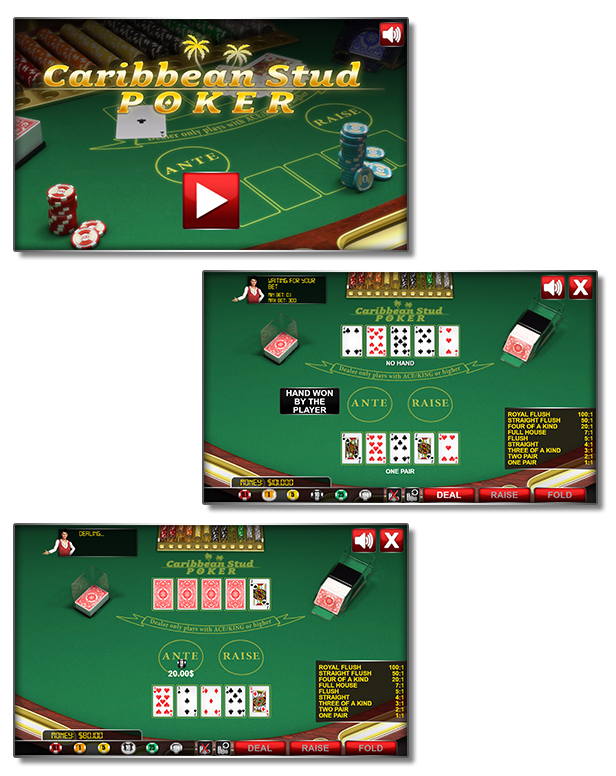
Caribbean Stud Poker – HTML5 Casino Game (Games)

Play It Now!

Caribbean Stud Poker is a HTML5 Casino Game.
Enjoy this stylish Caribbean Stud Poker game!

This game has been developed in HTML5/js and third-party library CreateJs – http://createjs.com/ (not Construct2 or other framework).

The ZIP package contains the game with 1700×768 resolution that scales to fit the whole screen device
Just warning that for very wide screens, the game may not be perfectly full screen.
The game is fully compatible with all most common mobile devices.

WARNING:

  • Sounds are enabled for mobile but we can’t ensure full audio compatibility on all mobile devices due to some well-know issue between some mobile-browser and HTML5.
    So if you want to avoid sound loading, please read the documentation
  • Sounds can’t be enabled for Windows Phone as this kind of device have unsolvable issues with <audio> and <video> tag.
  • Due to some security policies, the game doesn’t run on Chrome locally.
    This issue doesn’t occur with other browsers, like Firefox i.e.
    Anyway, once you’ve uploaded the game on your server, it will work properly on any browsers.

Game Screenshoot

CTL Arcade

This game is fully compatible with CTL Arcade

A WordPress Plugin that allows you to create a real arcade on your website.

Easy to Install

With CTL Arcade you can:

  • Monetize with your games adding Ads Banners
  • Promote your website with Social Share Buttons
  • Improve our games with Leaderboard, and Rating Feature

=== Even if we do our best to minimize any inconvenience, we can’t ensure the full compatibility of all our games on every device and every operating system update.
Thank you for the understanding. ===


 Follow Us

 Contact Us

YOU MIGHT ALSO BE INTERESTED IN:

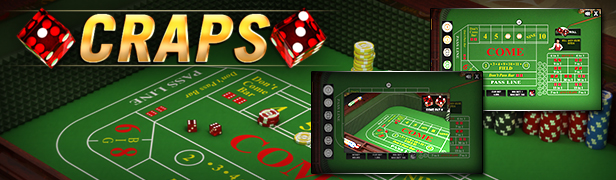
Craps

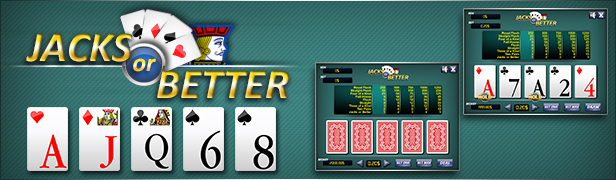
Jacks or Better

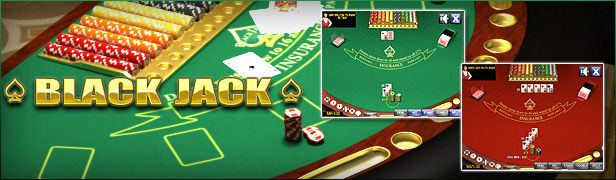
BlackJack

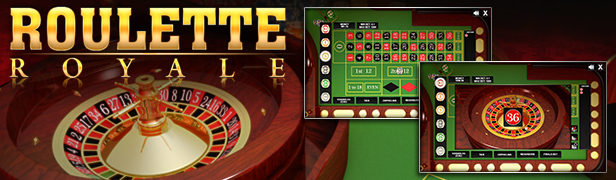
Roulette Royale

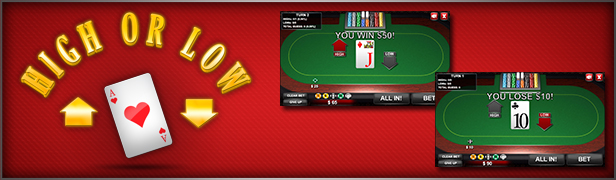
High or Low

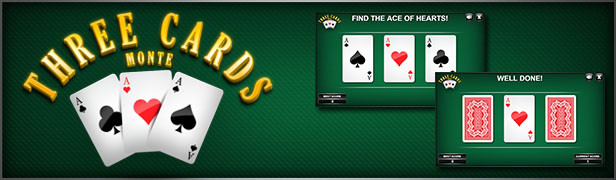
3Cards Monte

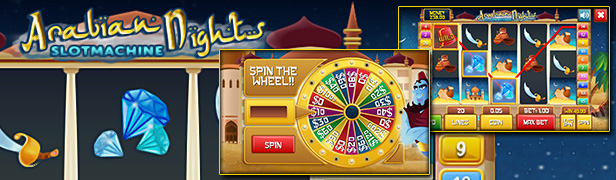
Slot Arabian

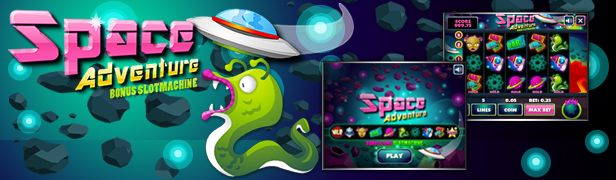
Slot Space Adventure

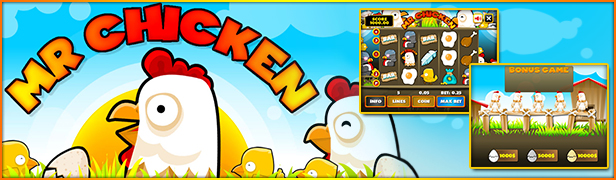
Slot Mr Chicken

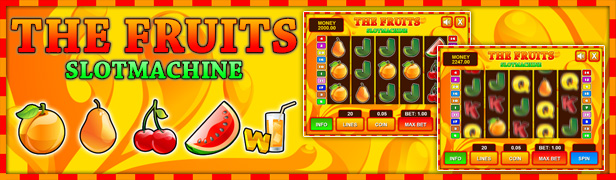
Slot The Fruits

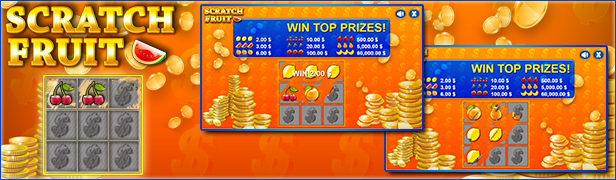
Scratch Fruit

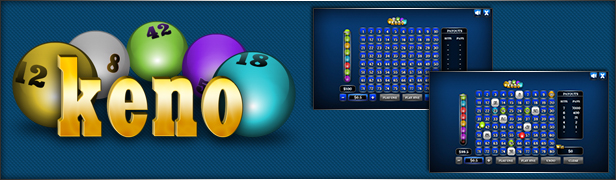
The Keno

Klondike

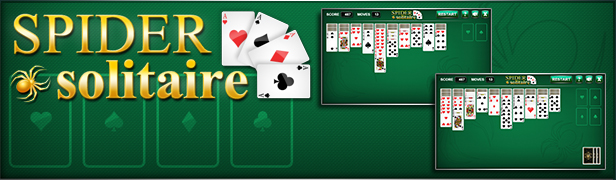
Spider

All games

All Graphic Assets

All Models

Flag Counter

Download Caribbean Stud Poker – HTML5 Casino Game (Games)

Peekaboo Randomizer (Add-ons)

Peekaboo Randomizer is a plugin that allows you to randomly display pieces of content at your WordPress driven website. It’s suitable for banner rotation, lucky visitor rewards, special offers… or just for making a webpage more exciting and fun.
Upon installing the plugin, you will be in the possesion of 3 shortcodes with which you can
choose which block of content you want to be randomly displayed to visitors, and with what
incidence.

Installation
…is simple. As with pretty much any other WP plugin, you should:

  • 1. unzip the package
  • 2. upload the entire peekaboo_randomizer folder to your plugins directory
  • 3. activate the plugin in WordPress dashboard (Plugins page)

A new icon in the WordPress’ TinyMCE text editor toolbar is created:

SHORTCODES

[pbr_single]

attribute: chance

The most basic usage. This shortcode is used when you have a block of content that should appear on the page randomly, unrelated to what happens with the rest of the content.

Examples:

[pbr_single chance=”25%”]This sentence will appear on the page in 25% of the cases, or once in 4 loadings, in average.[/pbr_single]
[pbr_single chance=”3/8”]This sentence will appear on the page three times in eight calls.[/pbr_single]
[pbr_single chance=”0.01%”]The incidence of 0.01% means the content will appear on the page once in 10000 times.[/pbr_single]
[pbr_single chance=”1/10000”]Same as the above.[/pbr_single]

As shown in the previous examples, the attribute chance can be expressed both as percentage or as fraction. Percentage value can have up to 6 decimals; which also means the lowest frequency of appearance is 0.000001%, or 1/1000000.

A WORD ABOUT NESTING
Wordpress doesn’t support nesting of a shortcode inside itself.

[shortcode]Whatever [shortcode] this shortcode is supposed to do [/shortcode]- it will not do properly.[/shortcode]

But, understanding that you may have a need to randomly display some content inside a larger randomly displayed block, Peekaboo Randomizer allows you to do so. Just add a number suffix to the shortcode name:

[pbr_single chance=”1/3”]The larger block appears once in three loadings [pbr_single2 chance=”50%”], while this inner block appears in 50% of those cases.[/pbr_single2] Which means the inner block will be present on the page in 1/6 cases in total.[/pbr_single]

You can nest these shortcodes up to 10 levels deep; from [pbr_single2] to [pbr_single10]. Just be careful to properly close each shortcode.

[pbr_wrapper]

no attributes

[pbr]

attributes: set and chance

You can have several alternative blocks of content, while only one of them gets to be displayed on the page. For these cases you can create Peekaboo Randomizer sets.
In order for a [pbr] shortcode block to “know” if another block from the same set is randomly chosen this time, not him, we need to feed all blocks to PB Randomizer, which will then do the wiring between them.
For that purpose use [pbr_wrapper] shortcode, to nest all [pbr] shortcodes inside.
The easiest, but also the most reliable way to do so is to start writing the content of a page by placing [pbr_wrapper] first, before everything else in the WP text editor, and [/pbr_wrapper] last. The entire page content can be safely nested inside the wrapper.

Example:

[pbr_wrapper]
Lorem ipsum dolor sit amet, consectetur adipiscing elit, sed do eiusmod tempor incididunt ut labore et dolore magna aliqua. Ut enim ad minim veniam, quis nostrud exercitation ullamco laboris nisi ut aliquip ex ea commodo consequat.
[pbr set=”owls” chance=”25%”]<img src="snowy.jpg" />[/pbr]
[pbr set=”owls” chance=”50%”]<img src="”scops.jpg"" />[/pbr]
[pbr set=”owls” chance=”1/10”]<img src="barn_owl.jpg" />[/pbr]
[pbr set=”owls” chance=”15%”]<img src="strix.jpg" />[/pbr]
Duis aute irure dolor in reprehenderit in voluptate velit esse cillum dolore eu fugiat nulla pariatur. Excepteur sint occaecat cupidatat non proident, sunt in culpa qui officia deserunt mollit anim id est laborum.
[/pbr_wrapper]

There are four alternating blocks that belong to a set named “owls” in this example. Each block contains an image of an owl. Snowy owl will appear 25% of the time, scops owl 50%, strix owl – 15%, while the image of barn owl will load once in ten cases. Only one image loads each time.

IMPORTANT: The sum of all chances in one set has to be exactly 100% (i.e. 1/1) in order for the randomizer set to work properly.

You can have as many sets inside one pbr_wrapper as you wish.
Mind you, instances of a set do not have to reside next to each other.

Another example:

[pbr_wrapper]
Bulldog
[pbr set=”cats” chance=”50%”]Maine Coon[/pbr]
[pbr set=”dogs” chance=”40%”]German Shepherd[/pbr]
Ragdoll
Siberian Husky
Poodle
[pbr set=”dogs” chance=”25%”]Labrador Retriever[/pbr]
Border Collie
[pbr set=”cats” chance=”50%”]Russian Blue[/pbr]
Scottish Fold
[pbr set=”dogs” chance=”35%”]Dalmatian[/pbr]
[/pbr_wrapper]

A WORD ABOUT NESTING
Nesting of [pbr] shortcodes is also possible, but in a bit different way than [pbr_single] is, and only one level down.

If an item/instance/block of a set is nested inside an item/instance/block of another set, it is necessary to use [pbr2] shortcode for defining the inner block and all other blocks which belong to the set (regardless whether those blocks are also nested or not).

Also, there have to be two wrappers. A standard [pbr_wrapper], and [pbr_wrapper2]. As is the case with a single wrapper – the best and cleanest way is to open them both at the beginning, and close them at the very end of the content.

Take a careful look at this example:

[pbr_wrapper][pbr_wrapper2]
[pbr set=”living creatures” chance=”5/13”]
  [pbr2 set=”animals” chance=”20%”]Koala[/pbr2]
  [pbr2 set=”animals” chance=”20%”]Wolf[/pbr2]
  [pbr2 set=”animals” chance=”20%”]Fox[/pbr2]
  [pbr2 set=”insects” chance=”50%”]Wasp[/pbr2]
  [pbr2 set=”insects” chance=”50%”]Mosquito[/pbr2]
[/pbr]
[pbr2 set=”animals” chance=”40%”]Penguin[/pbr2]
[pbr set=”people” chance=”28%”]Harry[/pbr]
[pbr set=”living creatures” chance=”8/13”]
  [pbr2 set=”trees” chance=”61%”]Cypress[/pbr2]
  [pbr2 set=”trees” chance=”39%”]Chestnut[/pbr2]
[/pbr]
[pbr set=”people” chance=”36%”]Jane[/pbr]
[pbr set=”people” chance=”36%”]John[/pbr]
[/pbr_wrapper2][/pbr_wrapper]

Note that the “penguin” block of “animals” set is also wrapped in [pbr2], even it is not inside “living creatures” set. Since there’s at least one block of “animals” set nested inside “living creatures” then all other items from the “animals” have to have the sub-shortcode [pbr2].
No item of the set “people” is nested, so it’s just a regular [pbr] set.

SOME FINAL WORDS

As mentioned at the beginning, there’s a convenient click-through dialog available in the WordPress’ text editor, which should make inserting shortcodes a breeze.

Bear in mind that the laws of probability sometimes may seem counter-intuitive and illogic. If you have set some content to appear on a page with a frequence of, say, 50%, don’t be alarmed if sometimes the content appears 5 times in a row… or if 7 times in a row it doesn’t… It may happen more often than you’d maybe expect.
So, if you suspect that something is wrong with the mechanism of randomizing inside the plugin, please test it thoroughly by reloading the page multiple (really multiple) times and taking notes of the (dis)appearance pattern. Probability is all about the Law of Large Numbers

Finally, let me inform you about the existance of Peekaboo Timer plugin, that you may find useful for combining with Randomizer.
Peekaboo Timer hides or shows any content in accordance with various time-related criteria. For example, you can make some blocks of content appear randomly on a page during working hours, while other blocks shall appear (randomly or not) on weekends and off-hours, etc…
Take a closer look: https://codecanyon.net/item/peekaboo-timer/7197988

Download Peekaboo Randomizer (Add-ons)

Q Menu – Responsive Navbar Design (Navigation)

The Q Menu – Responsive Navbar Design is a professional CSS2 & CSS3 jQuery Q Menu – Responsive Navbar Design item compatible with any framework, website and template. This Navbar comes with horizontal and Vertical version and 9 different design with each 4 types of layout.

Responsive Navbar Design is a flexible and high customization to build your custom Responsive Navbar Code. It is very easy to build a vertical & horizontal menu.

Q Menu – Responsive Navbar Design component based in CSS and JavaScript code. You can use Navbar Navigation it as a horizontal & vertical Navigation. It is a Responsive Navigation, suitable for any type of website and Template or landing page.

Live Demo URL: Click here

Features

  • – 100% Responsive Design
  • – 4 Types of Menu Layout
  • – Best Google Web Font Use
  • – 9 Different Menu Design
  • – Good Animation/Gradient Effect
  • – Documentation included
  • – Clean Design and Code
  • – Easy to Customize
  • – Easy to use

Live Demo URL: Click here

Sources and Credits
I’ve used the following: Thanks so much to
Font: Google Web Fonts
Material Icons
jQuery: Javascript
Fontawsome icon: Free Font Awesome, the iconic font
Images Source: Pixbay.com   

If you have any questions related to this email template, Feel free to email us at [email protected] or via our Design Collection page contact form to get further information.

Best wishes
Design Collection

Download Q Menu – Responsive Navbar Design (Navigation)

Color Picker Pro (Windows)

Pick single or multiple pixel colors anywhere on your screen in more than 25 formats with advanced and feature-rich color picker! The program supports picking colors from even dynamic content like DirectX. Its built-in color converter lets you convert colors from one color model/space/format to another easily. Color Picker Pro supports: RGB, HSB, HSL, CMYK, CIE XYZ, CIE Lab, CIE Luv, LCH, Yxy, YIQ, YUV, YCbCr, YCC, YPbPr, Hexadecimal, Photoshop, OLE, HTML, VC++, Visual Basic, and many other color formats. In addition, the program can automatically generate color variations for the colors you pick: complement, inversion, contrast, brighter, darker, grayscale, and many others. Built-in zoom preview lets you magnify portions of your screen to pick the desired pixels right away. Color Picker Pro also gives you freedom over how you pick colors. Pick colors either by freely moving your mouse, or by first clicking and then dragging your mouse. Overall, it is advanced and feature-rich screen color grabber.

Download Color Picker Pro (Windows)

Database E-Mailer (Windows)

Dynamically generate and send personalized e-mails to customers using data from any ODBC-compliant data source like MS Access, SQL Server, Oracle, MySQL, SQLite… Program gives you full control over e-mail you can send: use HTML and add attachments to your messages; access CC, BCC, Importance, and many other e-mail fields. Program can send messages in 2 ways: continuously or an e-mail per given time interval. The program can automatically detect and block duplicate e-mails from being sent. You can also define a list of exclusions – e-mail addresses the program should ignore. The program’s interfaced is organized into 3 simple steps: define data source and retrieve/enter/modify data; setup e-mail account(s) and compose e-mail; preview and send e-mails. Anything you configure can be saved for future use, including data sources, e-mail accounts, e-mail message templates, lists, etc. In addition the program automatically remembers how many and which e-mails you sent when. Overall, Database E-Mailer is a fast, reliable, and flexible dynamic e-mailing solution for both small and medium-sized organizations of all types, as well as individual professionals.

Download Database E-Mailer (Windows)

News | Sidebar Menu for Mobiles & Tablets (Mobile)


An awesome sidebar navigation jQuery template that allows you to build your own template from the ground up!

  • Scrollable sidebar
  • Simple code
  • jQuery powered for fast customization
  • Documentaiton included
  • PSD files included
  • A tone of icons included ( over 200 ) to help you build an awesome menu!
  • Requires iOS 5.0 or higher, Android 4.3 or higher, Latest RIM, Windows Mobile 8!

    Are you searching for a full website?

    We have a full mobile and tablet website template built using this navigation over on ThemeForest. Click the image below to go see it!

    Download News | Sidebar Menu for Mobiles & Tablets (Mobile)

    Tiva Timetable For PHP (Calendars)

    Javascript Version

    Tiva Timetable is a responsive schedule calendar with clean and modern flat interface. It is very easy to use yet gives plenty of features and styling options. You can use it for any kind of schedule or events calendar. There are 3 layouts for your choice: monthly view, weekly view or list view.

    Admin Panel

    Tiva Timetable Admin

    Tiva Timetable

    Tiva Timetable

    See demo and guide for Tiva Timetable here!

    If you like our product, please don’t forget to review and rate it . We will support you as soon as possible.

    This product use Magnific Popup javascript libraries to develop (http://dimsemenov.com/plugins/magnific-popup) (MIT license).

    Changelog

    Version 1.0 (30 Sep 2016)
        - Initial release.
    

    Follow us on :

    Facebook  
    Google+  
    Twitter

    Download Tiva Timetable For PHP (Calendars)

    Image Core – WordPress Image Processing Plugin (Utilities)

    Plugin Introduction Video – main features of the plugin.

    Auto-Tagging Demo – preview of the auto-tagging and color extraction technologies.

    Introduction:

    Image Core helps you manage your image content in an automated fashion by assigning tags to images, extracting their colors and generating beautiful thumbnails. With the metadata coming in the form of tags and colors you can search for your images based on what is in them and by using the smart cropping you don’t have to worry about cropping images by hand. The technology behind it is developed by Imagga and with the plugin you will receive a Promo Code for 25% discount for 6 months on all of their predefined processing plans. You can evaluate it by using their free plan, which includes 2000 image processings per month.


    Features:

    -Save up to $523 from Imagga’s subscriptions with the provided Promo Code
    -Automatically assign tags (keywords) to images on upload
    -Automatically extract colors from images on upload
    -Replace WordPress cropping with smart cropping that analyzes images and crops them leaving what matters in the thumbnails
    -True Responsive Images – plug into WordPress srcset and sizes generation to use cropped images as well
    -Set Responsive Breakpoints for 4 resolutions and desired image sizes
    -Makes your image content searchable
    -Technology behind plugin is ever evolving so it only gets better with time
    -Get tags in different languages
    -Shortcodes for displaying images with certain tags or colors
    -Shortcodes for displaying tags and colors alongside your images
    -Colors and tags are in custom taxonomies, so they don’t mess up your data
    -Display tags and colors in media library
    -Added search support to default WordPress search to find images by their tags and colors (accepts only 1 search term)
    -When searching for images by their color also find images with child colors (e.g. enter ‘brown’ and get images with ‘cinnamon’, ‘latte’, ‘chocolate’ and ‘espresso’ colors as well)
    -When publishing a post adds keywords and colors from images within it + feature image to the post tags for better search visibility
    -Archive page for custom taxonomies shows images having the same colors or tags like wordpress tags and categories (some themes might not show the images, but only their titles – contact your theme developer)
    -Option to upload images to the API or let the API download them from you (useful for localhost testing)

    Note: Feature requests that are reasonable for the plugin to further integrate it into WordPress are accepted and might be added in later versions of the plugin, but we can’t make any promises.

    About the technology:

    The technology empowering Image Core is developed by Imagga. The auto-tagging, smart cropping and color extraction are based on artificial intelligence techniques and as such can introduce errors in the form of irrelevant tags, misplaced crops and wrong colors. The colors and tags are added to images and posts in such a way that you can easily edit or remove them if need be. As for the cropping, if it delivers a not so great crop, since it crops each size only once, if you substitute the cropped image with your own, it will not change it. Also if your images are in the same size as the desired thumbnail, they won’t be altered. If you feel the need, you can contact Imagga for support on improving their technology so that it suits your needs.

    Version Log

    Version 1.0.0
    -Initial release

    Full Documentation

    How to Install Plugin
    Installation of Image Core is very simple. It can installed on your blog in two ways – from the dashboard, or by using an FTP client. If you use the FTP method, you upload the plugin’s .zip file using an FTP software such as FileZilla, activate it and configure it. Installing from the dashboard on the other hand is simpler – you upload the .zip file, install it and activate the plugin.

    1. Installing from WordPress Dashboard
    Login to your blog dashboard and click on Plugins > Add new. There is an option to upload. Click on it and upload the plugin’s .zip file.

    2. Installing from FTP
    Unzip the plugin’s .zip file and upload it to your WordPress plugin upload folder using FTP software. Normally, the folder is located under …/wp-content/plugins. Once you are done uploading the unzipped files, you can simply go to the WordPress Dashboard and activate the plugin.

    WordPress Limitations
    If tags and colors from images in a post don’t get applied to it when it is published, it is because WordPress doesn’t account for images that are used in more than 1 post.

    Download Image Core – WordPress Image Processing Plugin (Utilities)

    Image Hover Effects Addon for Visual Composer (Add-ons)

    Introducing – Image Hover Effects Addon for Visual Composer

    You can create responsive image hover galleries with Image Hover Effects Addon for Visual Composer WordPress Plugin in any page. Image Hover Effects addon displays your images and galleries with 40+ awesome effects in in anywhere.

    Free Item Support

    Documentation

    Top Features

    • 40+ impressive css image hover effects
    • Predefined Visual Composer templates included
    • Highly customizable & fully responsive
    • Just install and go in a second
    • Extensive free support & documentation

    Changelog

    • Initial Release ( Sep-28-2016 )

    Download Image Hover Effects Addon for Visual Composer (Add-ons)

    E-CURRENCY EXCHANGE v1.0.0 (Project Management Tools)

    With our script you can create your own website for exchange of electronic currency. With wonderful and friendly interface for use by the customer and practical admin panel for use in the administration of the site.

    Semi-automatic processors: PayPal, Skrill, WebMoney, Payeer, Perfect Money, AdvCash, OKPay, SolidTrust Pay, Payza, Entromoney, Bitcoin, Litecoin and Dogecoin
    Manually processors: Neteller, UQUID, Bank Transfer, Western Union and Moneygram

    Front-end features

    • AJAX Interface
    • Bootstrap 3 ready
    • Fully responsive
    • Referral System
    • Withdrawal System
    • Earnings System
    • Email notifications
    • Multilanguage interface
    • User can track status of their exchanges
    • Users can create accounts
    • Users can preview their prev exchanges
    • System support auto payout function
    • Instantaneous conversion of the amount
    • and much more… try demo

    Back-end features (Admin Panel

    • Dashboard with functions to update currencies reserve and exchange rate
    • Turn on/off companies who want to use and who not
    • Manage currencies for exchanges between companies. Support +160 currencies (USD,BGN,EUR,RON and etc..)
    • Manage and process manual exchanges
    • Manage users and their exchanges
    • Manage custom pages and other included pages
    • and much more… try demo

    Demo: http://me4onkof.info/preview-14
    Admin demo: http://demo.exchangesoftware.info/admin
    Username: admin
    Password: 123456789

    Download E-CURRENCY EXCHANGE v1.0.0 (Project Management Tools)

    GWD | Holiday Travel HTML5 Banners – 07 Sizes (Ad Templates)

    HOLIDAY BANNER – 09 – HTML5 AD BANNER BASED ON GOOGLE WEB DESIGNER

      Attractive HTML 5 based ad banner features-

    • 7 Standard Sizes (160×600, 300×600, 300×250, 336×280, 200×200, 728×90, 468×60)
    • HTML5/CSS3 based
    • Fully editable using Google Web Designer
    • Google based web fonts
      Download will include-

    • 7 fully editable layered PSD files
    • 7 HTML5 ready banners editable in Google Web Designer
    • Detailed Documentation
    • Shapes/Graphics and CSS included

    Google Fonts used-
    Oswald, Raleway and Open Sans

    Image used is for preview purpose and can be downloaded from photodune.net –

    Please rate us it will help us a lot :)

    Download GWD | Holiday Travel HTML5 Banners – 07 Sizes (Ad Templates)

    Bronze UI KIT (UI Elements)

    Introducing Bronze UI KIT, this UI Kit is geared to optimize your next application or mobile project! With over 13 mobile screen templates, cool theme.
    Each screen is fully customizable, easy to use and handcrafted with love in Android Studio. Free Fonts MAVEN PRO is used.

    Use Bronze to create Reminder App, Todo App. Even you can use this UI KIT in some running android project. We have coded very carefully so that you can use any screen in any of your project.

    Screens Included
    – Login
    – Signup
    – Walkthrough
    – Calendar 1
    – Calendar 2
    – Statistics in Pie chart
    – Statistics in Bar graph
    – Groups
    – Item Selection
    – Add Detail Page
    – Time Line
    – Setting Page
    – Menu

    Bronze UI KIT Design is inspired from INVISION APP – DO UI KIT.

    Download Bronze UI KIT (UI Elements)

    Tours & Travel HTML5 Banners – 7 Sizes ( Elite-CC-096) (Ad Templates)

    Elite-CC-096-Travel-HTML Banners.

    Very easy to edit and detailed help file is included. Google fonts used. This banner set can be customized with Free Google web designer software.

    All the files are included with the download file. ( Icons, Shapes)

    This set includes the following 7 sizes

    -160×600 -180×150 -300×250 -300×600 -320×50 -336×280 -728×90

    Download Tours & Travel HTML5 Banners – 7 Sizes ( Elite-CC-096) (Ad Templates)