This module allows the customer to leave your phone number for you to call him.
Category: code
download PHP, ASP.NET, Java and Javascript from CodeCanyon – the marketplace for code scripts and snippets.Javascript, Java, Program, Code, Snippet, Script, Dev, Development, Codebase, MySQL, Class, Widget, System, CMS
Custom Menu Navigation (Magento Extensions)
From our experience with stores using Magento, we all wished to customize our default menu and embed it with rich media elements including images, videos and banners. But there was no effective way to organise navigation options that capture user attention. Here Cartin24 brings you ‘Custom Menu Navigation’ extension that allows you to create beautiful horizontal top menu and a category sidebar with easy customization. This extension provides you convenient way of showing contents like URLs, Product grids, Category listing and widget contents on top menu. Moreover it adds a good vertical navigation menu from all active categories to our store’s side column.
Features
- Can add a responsive horizontal top navigation menu instead of default horizontal menu.
- Able to add top menu items through backend
- Easy to customize top menu item content
- Able to enable/disable menu items through backend
- Four types of contents in Top menu
- Can show thumbnail icons for categories in the sidebar
- Flexible category sidebar title
- Able to change the column displaying category sidebar
Download Custom Menu Navigation (Magento Extensions)
Multi-Wishlist (Magento Extensions)
Cartin24’s Multi Wishlist Extension allow your magento store users to create multiple wish lists. Wishlists are created in eBay-style – directly when a new product is added to the wishlists. When a customer adds a product to the wish list, a pop up window appears. Customers can select if an existing list should be used or a new one created. When wishlists area is opened – all created wishlists are organized in tabs. Customers can easily switch between them. Customer can create unlimited number of wishlists, or delete them. Products can be moved between wishlists and use standard Magento features – share them or add all the products from the list to cart. If product has custom options and was added to wishlist from the product page, all options will be stored and displayed in the wishlist next to the product. The options can be updated by clicking the “Edit” button.
Features
- Unlimited number of wishlists
- Convenient popup to choose a wishlist when adding product to wishlist
- Wishlists can be removed
- Products can be moved between wishlists
- Product’s custom options are stored and displayed in the wishlist
- Add one or all products from wishlist to cart
- Ability to share wishlist with friends by email
- Responsive design
- Modern looking and convenient “My Wishlist” area.
Download Multi-Wishlist (Magento Extensions)
Magento Best Seller Products (Magento Extensions)
Cartin24 creates an extension for Magento to display BEST SELLING products of a Magento website. This extension will display those products which are most sold in that site. Also can showcase the bestselling products on the homepage or on any other page of your website. You can show bestselling products either as a slider as well as a block. Show bestselling products for all the order status [completed, pending, processing].
This extension will display the products in two manners.
- 1. Display the bestselling products of the entire store
- 2. Display the bestselling products from a specific category (admin can assign the Categories)
Features in Brief
- Display the bestselling products of the entire store
- Display the bestselling products from a specific category (admin can assign the Categories)
- You can show bestselling products either as a slider as well as a block
- Also can showcase the bestselling products on the homepage or on any other page of your website
- Easy to setup
- Fully responsive and works on all mobile devices and tablet
- Display all type of products in bestseller (Simple, Configurable, Grouped, and Bundle)
How to install Best Seller Extension
You can install this extension very easily through the following steps:
Upload the files to your store
Go to System > Cache Management > Click button Flush Magento Cache
Logout out and re-login
To Enable the “Best Seller” extension, go to System > Configuration > Best Seller
Note: Make sure that you disable compilation before installing the extension. System > Tools > Compilation page and click on Disable button. After the installation, you can enable compilation back.
Download Magento Best Seller Products (Magento Extensions)
YouTube video gallery magento2 extension (Magento Extensions)
Extension Overview
The YouTube Video Gallery extension allows you to display the collection of YouTube videos as gallery using video link. Video title and thumbnail will automatically be fetched from video link.
This extension allows you to display YouTube videos as gallery using video link. The video link added by administrator. Administrator only adds the video link and title of the video and the thumbnail will be automatically fetched from YouTube video. So it will reduce the load on the server and increase the performance.
When user clicks a thumbnail of video in gallery, video will be loaded and played in the popup box.
Features:
- From YouTube link, video title and thumbnail will be automatically fetched.
- Show count down timer by specifying “end date” of this coming soon mode.
- Set video gallery heading and description on the front end.
- Add video gallery on any CMS page or static block.
- Comes with default URL key ‘video-gallery’. So gallery can be accessed from the URL: http://example.com/video-gallery
- Enable or disable extension from configuration setting.
- Set video gallery title and description from configuration setting
- Unlimited videos can be added in the gallery
Configuration:
To add video gallery to any CMS page or static block, add following line of code in particular CMS page or static block.
{{block class=”Drc\YoutubeVideoGallery\Block\VideoGallery” name=”youtube_video_gallery” template=”videogallery.phtml” }}
To use default gallery URL, use following link
http://example.com/video-gallery
Download Package File
- Extension Package
- User Guide Documentation
- Installation Guide Documentation
Download YouTube video gallery magento2 extension (Magento Extensions)
Product Attachments / Files (Magento Extensions)
Cartin24 creates an extension for magento to upload product related attachments / files (Product manuals, guides, images or videos etc…) through admin panel and display the files in the product view page. The extension is responsive and will support in all common browsers and in different resolutions.
Features in Brief
- Can upload product related files like additional image files, manuals, media files, audio files through admin panel and provides functionality for file downloads available within Product pages
- Attachment can be associated with multiple products
- We can assign multiple files to a product
- In frontend (Product detail page) it shows file attachment icon, title and size of the file attachment to your Customers.
- Admin can set the title & order of display for each attachment
- Extension has no limits amount of attached files to product
- The extension supports different formats
- Device and browser compatible
- Easy to install and manage
- User-friendly interface
- Attachment settings let you control the frontend display
How to install Product Attachments / Files
You can install this extension very easily through the following steps:
Upload the files to your store
Go to System > Cache Management > Click button Flush Magento Cache
Logout out and re-login
To Enable the “Product Attachments / Files” extension, go to System > Configuration > Product Attachment
Note: Make sure that you disable compilation before installing the extension. System > Tools > Compilation page and click on Disable button. After the installation, you can enable compilation back.
Download Product Attachments / Files (Magento Extensions)
Import/Export CMS Contents (Magento Extensions)
Using “CMS – Pages & Static Block Import/Export” extension you can export and import bulk CMS Pages & Static Blocks from one server to another via CSV Files. This enables us to import bulk CMS pages / Static Blocks with a single csv file while changing the server
FEATURES:
- Import/Export CMS pages and static blocks
- You can choose the import behaviour in import section (Either Append or Replace)
Extension Usage
- You can find the options in magento admin
under
CMS ->Pages/Static Blocks
Export and Import buttons are there. You can run the export to get a csv of CMS Pages/Blocks already in your site and then you can upload this file in the upload section and it will import it back in. - Note the following fields in the CSV
In Static Block
- Title
- Identifier -Block Identifier
- Content
- Is_Active – Block Status (Enabled(1)/Disabled(0))
- Stores – These are the store Ids
- Date_Created
- Last_Updated
First 5 fields are mandatory.
In CMS Pages
- Title
- Identifier – URL key of the page (Unique field)
- Content – actual cms page content
- Is_Active – Block Status (Enabled(1)/Disabled(0))
- Stores – These are the store Ids
- Root_Template- type of layout can be one_column /two_columns etc
- content_heading – cms page content heading
- Meta_Keywords – cms page meta keywords
- Meta_Description – cms page meta description
- custom_root_template -type of layout can be one_column /two_columns etc
- layout_update_xml – magento XML for layout
- custom_layout_update_xml- magento XML for layout
- Date_Created
- Last_Updated
- custom_theme_from
- custom_theme_to
Download Import/Export CMS Contents (Magento Extensions)
Jungle Adventure – Buildbox Template + Eclipse Project (Android)
THIS GAME IS MADE WITH BUILDBOX 2 . WHEN YOU BUY THIS ITEM YOU’LL GET THE BUILDBOX 2 TEMPLATE AND ECLIPSE PROJECT.
Jungle Adventure Game is an adventure endless run game builded using buildbox software.
This game is easy to play you have just to avoid obstacles and earn coins as much as you can.
Have fun with the cute character and do your best to get more coins, jump higher and enjoy the game.
FEATURES:
+Admob Interstitial
+Sound On/Off
+Endless Mode
+Share scores and More…
How to Setup and Reskin:
Import Project into Eclipse.
+Change the package name, The app Name, Replace the icons of the game,the share message, And the admob ID with yours .
+Change the review us URL.
+Change Atlases file with new images
+Export Project and upload the APK file to Play Store.
Download Jungle Adventure – Buildbox Template + Eclipse Project (Android)
Helpie – Helpdesk / Documentation WordPress Plugin (Miscellaneous)
Helpie is an intuitive Helpdesk plugin that lets you create and organise your helpdesk / documentation for your products and services.
Main Features:
1. Search : Search any documentation article with ajax autocomplete.
2. Restrict User Access: Restrict who can access which helpdesk article.
Basic: You can choose from anyone, logged-in-users.
Advanced: Choose categories allowed for each user role.
3. Template controls: Choose to show / hide sidebar, search-box in category and single templates.
4. Article emo-voting: Allow users to vote. They can “frown”, “meh”, “love” the article.
5. Popular posts: Show posts which are popular in order of popularity.
6. Breadcrumbs: Show / Hide breadcrumbs.
More features coming soon.
Download Helpie – Helpdesk / Documentation WordPress Plugin (Miscellaneous)
Gravity Forms Styles Pro Add-on (Forms)
1. Simple to use. Seamless integration with Gravity Forms and your theme. This is a native Gravity Forms add-on and not a plugin that forces itself on top of Gravity Forms from the outside.
2. Easily create form layouts with STYLES SELECTOR: Easy to use GUI based style selector for all fields, easily create and change layout from within the form edit page.
3. NEW STYLES: Introduces more styles for creating form layout. We’ve packed several practical layouting options than the ones included with Gravity Forms.
4. Responsive form styles designed with modern screen sizes and UX requirements.
5. Hierarchical CSS structure. Easily and quickly customize your CSS without breaking everything around an element. Adapts to your theme using inheritance based, non-absolute CSS techniques.
6. Light weight. No big-fat files. Smaller and efficient styles make the CSS load fast.
7. Compatible with Gravity Forms Ready classes. If you’ve used it on your forms already, you can use it alongside the plugin and not worry about redesigning from scratch.
8. No need to hack Gravity Forms with special shortcodes. Just use as regular.
9. Use multiple themes on the same page.
10. Compatible with Gravity Forms widgets.
11. 5 built-in visually unique themes included for forms with easy customization settings.
12. Customize each theme separately.
13. Theme options for fields:
a. Font (over 300+ Google fonts)
b. Font size
c. Font style
d. Color
e. Automatic placeholder color calculation based on field color
14. Theme options for field labels
a. Font (over 300+ Google fonts)
b. Font size
c. Font style
d. Color
15. Theme options for background:
a. Default (use the default background color or image with the theme)
b. None / Transparent
c. Color (with transparency option)
d. Image
16. Custom CSS
17. All themes can be customized to your needs using font and label colors, font sizes, font styles, Google fonts separately. Background can also be changed with colors or image. Write custom CSS in one place, which can be toggled.
18. Writing custom CSS for Gravity Forms is much simpler and faster than the built-in Gravity Forms Styles.
19. Complete overhaul of the Gravity Forms Styles for modern needs. The new Styles are lighter, non-repeating and written hierarchically to be most efficient and easy to override, if need be.
20. Ability to hide labels for fields. Useful when you want to use placeholders only.
21. Developed by seasoned designers. This plugin utilizes best practices for UI\UX design with focus on the ease of use best practices for coding, resource utilization, browser friendliness, and speed were the focus during planning and development.
22. Compatible with Multi-Page forms.
IMPORTANT: This is an Add-on for Gravity Forms. You must have Gravity Forms (preferably latest version) installed on your website before you can utilize this plugin.
Download Gravity Forms Styles Pro Add-on (Forms)
Animal Scanner (Games)
Description
Find out if you are like dog, cat, lion, wolf and other great animals. Let the animal scanner read you fingerprint, and will show you the result.
This is just for fun and have fun. Demo apk file : Animal Scanner
Features
– Construct 2 CAPX
– Easy code
– Easy to use
– AdMob/ Intersitials
– Easy to reskin
Screenshots


Download Animal Scanner (Games)
Real Tennis – HTML5 Sport Game (Games)

Real Tennis is a HTML5 Sport Game.
Are you ready to win the Wimbledon Tournament?
Grab your racquet and prove your worth on the court!
This game has been developed in HTML5/js and third-party library CreateJs – http://createjs.com/ (not Construct2 or other framework).
The ZIP package contains the game with 1280×768 resolution that scales to fit the whole screen device
Just warning that for very wide screens, the game may not be perfectly full screen.
The game is fully compatible with all most common mobile devices.
WARNING:
- Sounds are enabled for mobile but we can’t ensure full audio compatibility on all mobile devices due to some well-know issues between some mobile-browsers and HTML5.
So if you want to avoid sound loading, please read the documentation - Sounds can’t be enabled for Windows Phone as this kind of device have unsolvable issues with <audio> and <video> tag.
- Due to some security policies, the game doesn’t run on Chrome locally.
This issue doesn’t occur with other browsers, like Firefox i.e.
Anyway, once you’ve uploaded the game on your server, it will work properly on any browsers.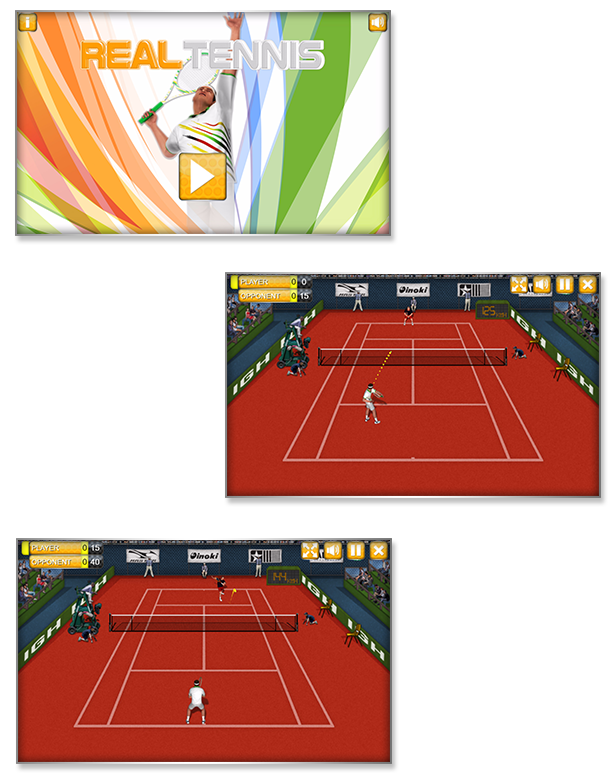

This game is fully compatible with CTL Arcade
A WordPress Plugin that allows you to create a real arcade on your website.
Easy to Install
With CTL Arcade you can:
- Monetize with your games adding Ads Banners
- Promote your website with Social Share Buttons
- Improve our games with Leaderboard, and Rating Feature
=== Even if we do our best to minimize any inconvenience, we can’t ensure the full compatibility of all our games on every device and every operating system update.
Thank you for the understanding. ===
YOU MIGHT ALSO BE INTERESTED IN:
















Download Real Tennis – HTML5 Sport Game (Games)
Headers for Visual Composer WordPress Plugin (Add-ons)
Headers bundle for Visual Composer is the best Add-on pack built to create awesome headers with special design and multiple options. All the images in the demo come with the Add-ons and are free for commercial use.
Headers Features
- Fully Visual Composer Compatible
- 23 Headers to choose from
- Fully Responsive
- Special Colors
- Editable Fields
- Social Icons
- CSS3
- Multiple headers in one page
- and many others features…
Check out the awesome headers


Download Headers for Visual Composer WordPress Plugin (Add-ons)
Video Player with Playlist – Visual Composer WP AddOn /w WooCommerce and Ads (WordPress)
Video Gallery Intro
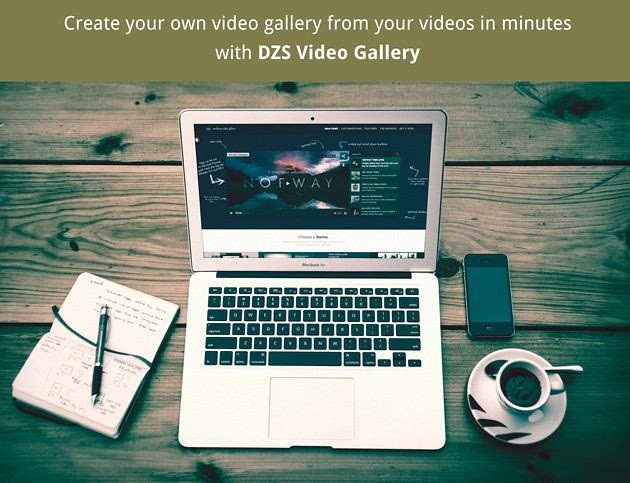
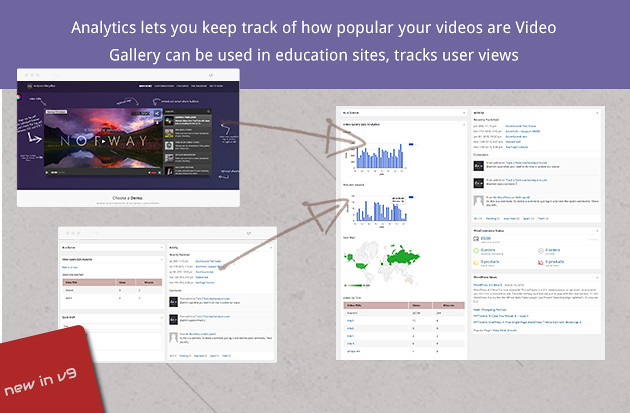
Responsive, localized, awesome, fully featured, fast. The most advanced stock video gallery in the world! Now as a Visual Composer element!
Video Gallery Features
- five skins + skin generator – we provided more then five skins to match any branding on your site, and more – you can generate your own skins with your own colors in the Design Center
- iPhone/iPad compatible – this plugin generates html5 videos if the visitor is on an iToy
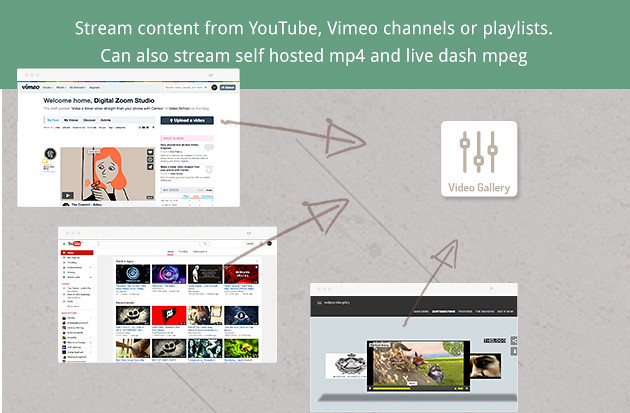
- full of choices – set up single videos, gallery of hand picked videos, gallery of mixed video types – youtube / dailymotion / selfhosted / audio files / images / vimeo / etc. , gallery of a youtube user channel, gallery of a vimeo user channel, gallery of a vimeo album, gallery of a youtube playlist etc.
- hybrid – it can be a video player / example in the preview
- stream sources – stream from self hosted videos, self hosted audios, self hosted images, youtube playlists, youtube keywords, youtube user channel, vimeo user channel, vimeo channel, vimeo album
- multiple galleries in one – add a gallery that streams from multiple galleries, this is how you can set up a combined gallery with a vimeo channel + youtube playlist + some of your own custom videos for example
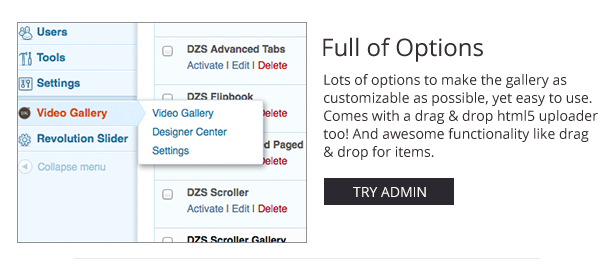
- extensive admin panel – admin panel with lots of options to make the gallery as customizable as possible, yet easy to use. Comes with a drag & drop html5 uploader too! And awesome functionality like drag & drop for items, duplicate galleries etc. to make your life easier while editing the gallery. You can setup unlimited number of galleries in the admin as well as put them in the content.
- subtitle support– you can have captioning – the gallery reads .srt type subtitles and adds captioning to your videos – wow.
- play from– you can set a initial time when the video should start. also, the position can be set to “last” which means the video will play where it was last left ( by window close or anything like that ) – via the latest html5 Local Storage API
- backup database / import, export feature – keep your database safe and do regular backups via the Export Database feature included with this plugin.
- easy to install – install and get this plugin ready in less then three minutes. Add it to your content via a simple shortcode – [videogallery id=”theidyousetintheadmin”] .
- auxiliary shortcodes – want to get a single video in your post without having to go through the admin ? The , [youtube] and [vimeo] shortcodes are built just for that. You just have to set the id for the youtube or vimeo shortcode, or the location for the video shortcode.
- shortcode generator – this gallery is based on shortcodes but you do not need to remember none because there is a Shortcode Generator above every editor in the post / page.
- connected with Vimeo API – stronly binded with the Vimeo API, retrieve Vimeo Albums or User channels, additionally, you can connect with the Vimeo API via your account or to retrieve more videos then the normal API limit. Stream private videos with Vimeo PRO account – http://vimeo.com/help/faq/sharing-videos/review-pages
- connected with YouTube API – stronly binded with the YouTube API, retrieve Playlists or User channels, additionally, you can connect with the YouTube API via your account or to retrieve more videos then the normal API limit
- deeplinking – current browser url can change to reflect the current video in the gallery, and you can link directly to that video
- social media share thumbnail on deeplinking – sharing the link to the desired video shows the video\’s thumbnail on facebook via open graph tags
- rtl admin support – the admin has been adapted to work with arabic / hebrew languages too
- linking support – link to any video in the gallery ( for example you can share the link to go to the third video in playlist directly
- meta support – attributes like og:image, og:title are automatically added to the videos so the thumbnail and title appear correctly on facebook / etc when sharing a video
- DASH MPEG support – live stream with no problem and on all major browsers and devices
- Linking for Gallery Videos – share link to a specific video
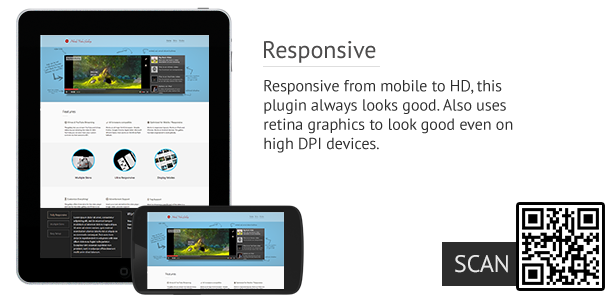
- ultra responsive – option to proportionally resize all videos in the gallery
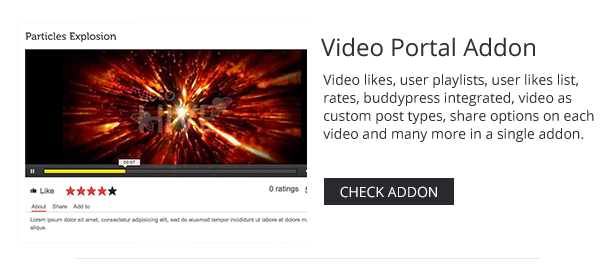
Video Gallery Reviews
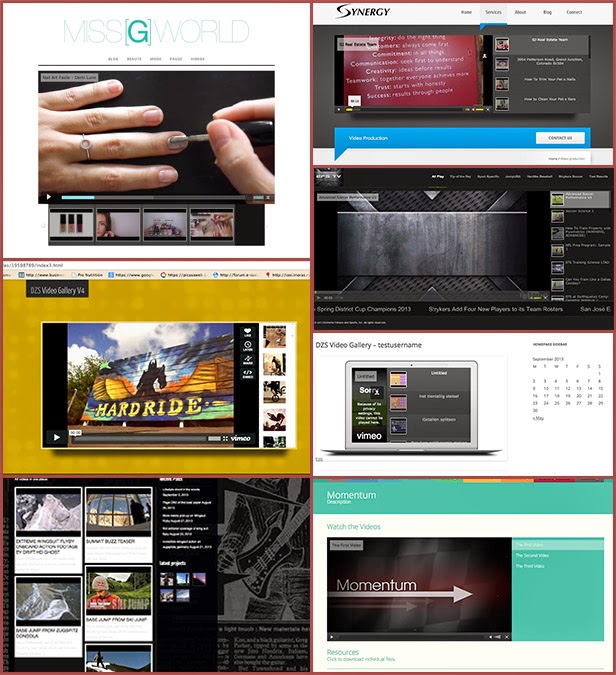
Showcase – where clients used this gallery
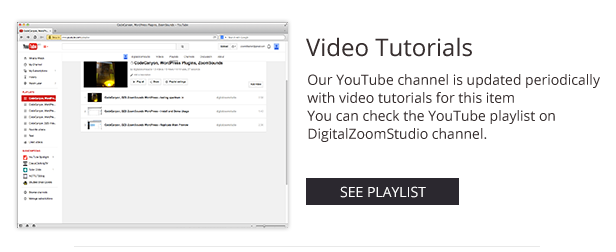
Screencasts For editing the skin
- How to: Design a custom interface for this gallery – part 1
- How to: Design a custom interface for this gallery – part 2
- How to: Changing the video player roll over colors & Resizing the menu thumbs.
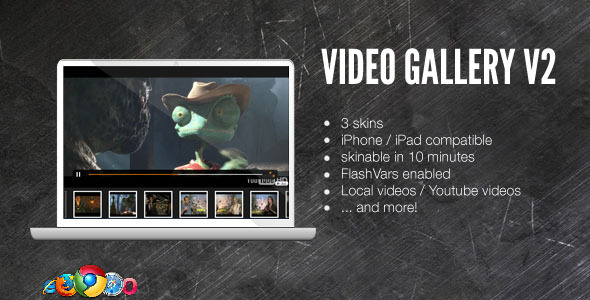
Regular Gallery ( for embedding in html )
Credits
awesome video used in preview – http://videohive.net/user/CarlB/portfolio?sort_by=sales_count&type=files&page=1
Great AJ soundtrack provided by – http://audiojungle.net/user/soundroll/portfolio?sort_by=sales_count&type=files&page=1
Download Video Player with Playlist – Visual Composer WP AddOn /w WooCommerce and Ads (WordPress)
Bookly Service Schedule (Add-on) (Add-ons)
Important: This plugin is an add-on that requires the Bookly plugin. View Bookly page at Codecanyon.
Additional capability for appointment scheduling with Bookly Service Schedule add-on – Limit the hours during the day when a service can be booked.
We’ve made this add-on specially for businesses that have got those unique types of services which you only provide during a short time within a day. Individual working hours of staff sometimes just aren’t enough, because a lot of you have staff members providing several different services, and you don’t want to limit other services of that staff member.
More on how the add-on works here.