REGULAR PRICE $25 OFFER PRICE $19 ONLY LIMITED TIME
Super Team For Visual Composer
Super Team For Visual Composer is build use of jquery and SVG component, it have mind blowing parallex effect.
Our other Plugins


Blancer.com Tutorials and projects
Freelance Projects, Design and Programming Tutorials
download PHP, ASP.NET, Java and Javascript from CodeCanyon – the marketplace for code scripts and snippets.Javascript, Java, Program, Code, Snippet, Script, Dev, Development, Codebase, MySQL, Class, Widget, System, CMS
Online Doctor finder Doctor finder app makes it easier to bring close Patients and Doctors. Find a Doctor and book appointments online instantly! Read verified doctor reviews and ratings by real patients.
So you have the widest range of options while choosing the most suitable doctor.

Url : http://takeawaymobileapplication.uk/bluehorntechapp/doctorfinder/
User Name : admin
Password : admin123
Login as : Administrator
User Name : [email protected]
Password : 12345
Login as : Doctor
User Name : [email protected]
Password : 12345
Login as : Patient
Instantly translate the contents of your PrestaShop store to over 100 languages with no change to your site style or structure.
Simply select the language you want your site translated to from the drop down menu.
Only want to translate your store into a selection of languages, we’ve got you covered. From the module configuration page you can select the languages you want to display.
Username: [email protected]
Password: demodemo
Back Office Demo
Front Office Demo
- Initial Release
What is ocGram – Photo Sharing?
ocGram – Photo Sharing is an OpenCart-based Web Application. By installing this software, you can run an Opencart-based online photo sharing service, similar to Instagram, Pinterest, Flickr, etc.
OpenCart fresh install is required.
ocGram – Photo Sharing features (v1.0.0):
– Simple registration system
– Members can upload their photos from PC or directly from their smartphones
– Members can edit their photo caption easily
– Members can delete their photos
– Members can report inappropriate photos
– Members can like photo
– Members can give comments to a photo
– Admin can review reported photos and give a proper action: No Action, Ignore Request (delete report), or Accept Request (delete report + delete post)
– Member profile, contains their personal info and photos. Member can upload photo from this page
– Dashboard, contains Followed Users Timelines, Notifications, Follow Requests, Followers, and Followed Users
– Support photo/post hashtags
Demo: http://ocgram.bukausahaonline.com
User profile page example: http://ocgram.bukausahaonline.com/superbrands
If you have any questions/suggestions, or find any bugs/error, security/privacy issues, related to the ocGram – Photo Sharing, please contact me via email at: [email protected].
If you need more information about the ocGram – Photo Sharing before purchase, please contact me via email at: [email protected].
Best Regards,
Rio
“For us, OpenCart is not ‘just’ a shopping cart. OpenCart is more than that. We bring OpenCart to the next level!”
 |


Admin Index Management Magento 2 Extension allows admin to process index management from backend.
As we know the indexing of the Magento plays very important role to run the Magento store properly. In the older version of the Magento the index management is dependent on the indexer.php file which is under the shell folder, but in the Magento 2, there is no indexer.php file now it is managed by the bin/magento.
php bin/magento indexer:status
php bin/magento indexer:info
php bin/magento indexer:reindex
But with the help of this module, you will able to do reindexing from admin side just like older version of magento and no need to use command prompt and no need to remember above indexer command.
Note: Please take backup of your Magento installation (files and database) before install/update any extension.
1) Download the extension’s .ZIP file.
2) Extract .ZIP file from magento root directory.
3) Open a terminal and Run command “bin/magento setup:upgrade” in magento root directory
4) Clear Cache
5) Go to System -> Tools -> Kerss Index Management. Select Yes and process re-indexing without cmd.
For more details please read our Documentation
If you have any suggestions on how to improve this item please let us know! We will be happy to consider any suggestion and appreciate your efforts. We will go through all your feedback weekly and pick the most requested features to be included in a future update!
v1.0.0
Features:
What you get:
7 exclusivity designed sizes:
All the images are display only, not included in the main download package. But I must want to give credit to the authors for their wonderful images.
WooCommerce Per Product Shipping plugin allows you to define different shipping costs for your products, based on the customer location. Using this plugin the admin can set the shipping price for each of his individual products. Admin can enable or disable
the plugin from the admin back-end panel and can set the name for the shipping that will be displayed on the checkout page to the customers.
This way when a customer will add products into the cart, then the shipping will be calculated based on sum of all products shipping cost. For example if the customer added two products i.e Product 1 with Per Product Shipping charges as $20 and Product
2 with Per Product Shipping charges as $30 then the total shipping charges will be – $50 for shipping both of the products


WordPress WooCommerce Per Product Shipping defines it even better –

A full functional demonstration of WordPress WooCommerce Per Product Shipping plugin can be experienced even before a purchase –


"initial release v1.0"
Ionic 2 App Support Documentation
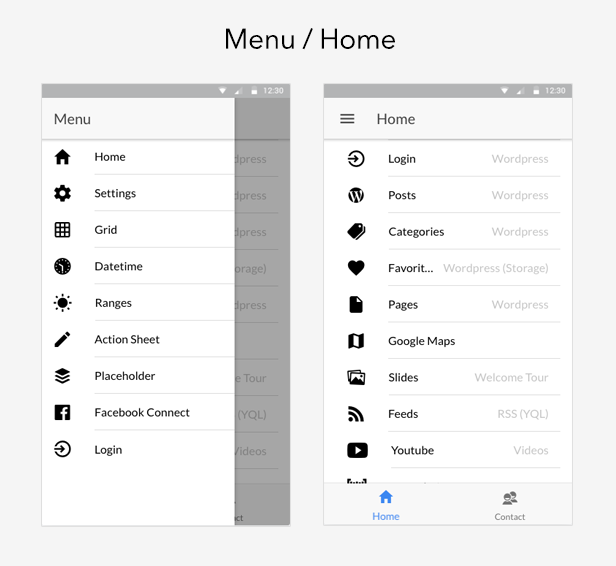
Angular 2 + Ionic 2 Modules help organize an application into cohesive blocks of functionality.
An Angular Module is a class adorned with the @NgModule decorator function. @NgModule takes a metadata object that tells Angular how to compile and run module code. It identifies the module’s own components, directives and pipes, making some of them public so external components can use them.
Modules: IonicModule.forRoot(MyApp), SharedModule, HomeModule, TabsModule, GoogleMapsModule, WordPressModule, SlidesModule, GridModule, SettingsModule, FeedsModule, YoutubeModule, AboutModule, ContactModule, DatetimeModule, RangesModule, ActionSheetModule, BarcodeScannerModule, PlaceholderModule
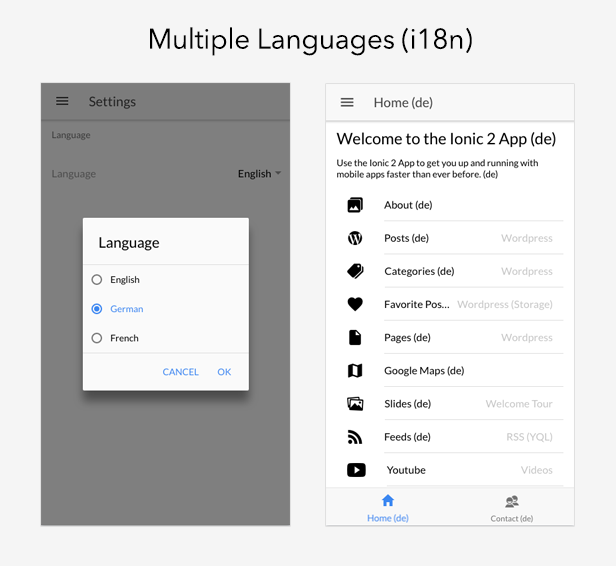
Ionic 2 App comes with Multi Languages support. Best practices and proven techniques are packed together so as to implement a real case scenario providing by default (English/German/French) a great implementation for the Internationalization of your App.
You can translate your App to multiple languages in parallel. The Ionic 2 App comes by design with the en.json, de.json and fr.json files providing you a full translation mechanism.
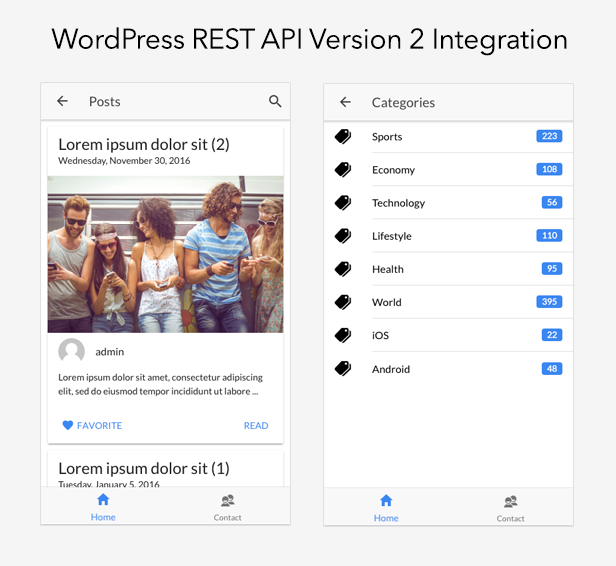
Ionic 2 App comes with WordPress REST API Version 2 Integration (/wp-json/wp/v2) https://wordpress.org/plugins/rest-api/
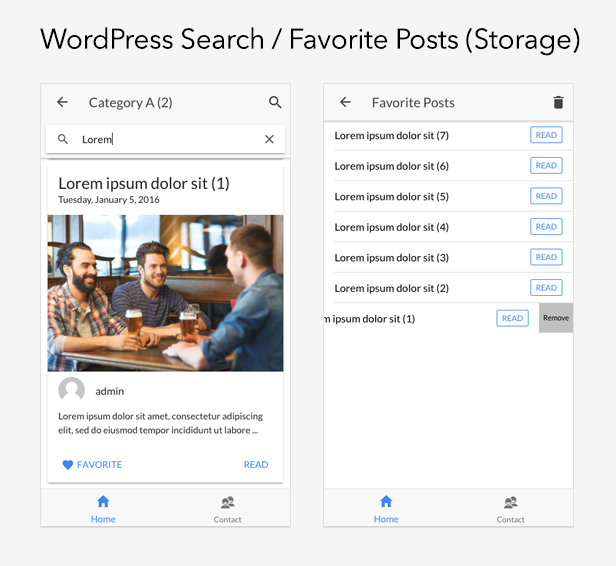
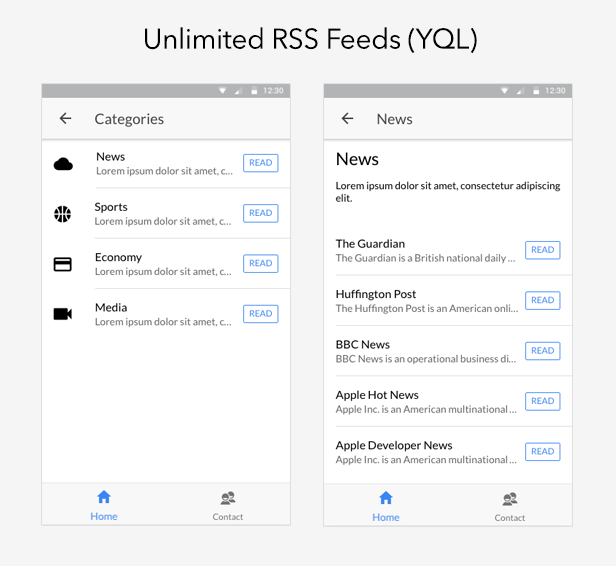
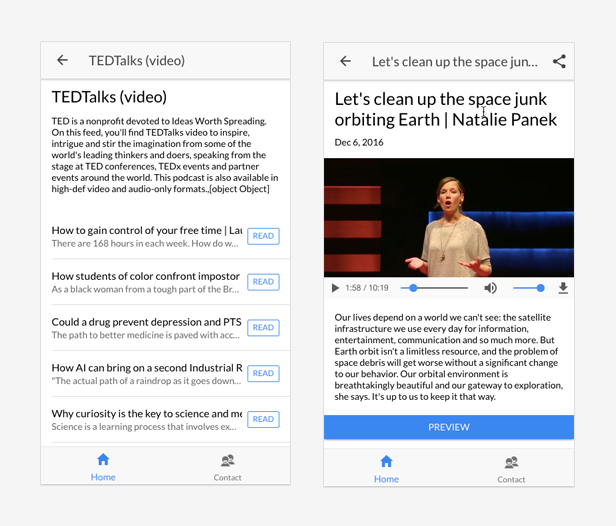
Ionic 2 App implements a Feeds Module a based on the Yahoo Query Language (YQL). Yahoo Query Language (YQL) https://developer.yahoo.com/yql/ allows you to access atom, rss, micro formats and more. YQL is an alternative to Google Feed API https://developers.google.com/feed/ as this is officially deprecated.
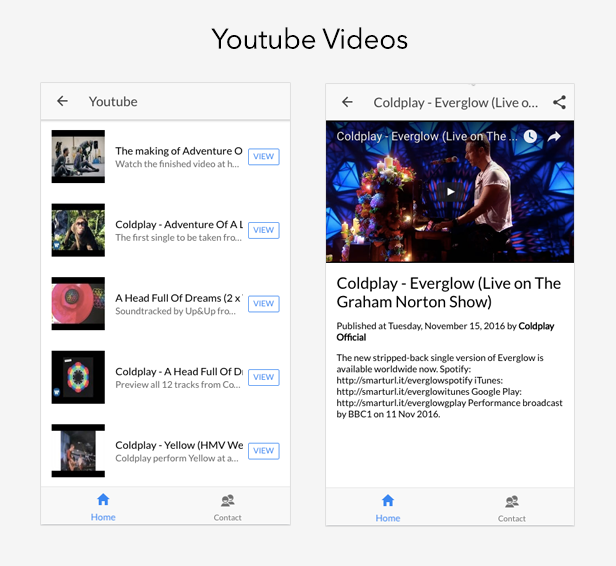
Ionic 2 App comes with full Youtube Videos integration. Additionally you can share your videos through the Ionic Native Social Sharing. All the Youtube configuration is exposed to the main App Configuration app.config.ts:
export class Config {

    public youtubeKey = 'AIzaSyClMa-MaKro_m95tb--4LaAorl-NmGPJxc';

    public youtubeApiUrl = 'https://www.googleapis.com/youtube/v3/';

    public youtubeUsername = 'ColdplayVEVO';

    public youtubeResults = 50;

}
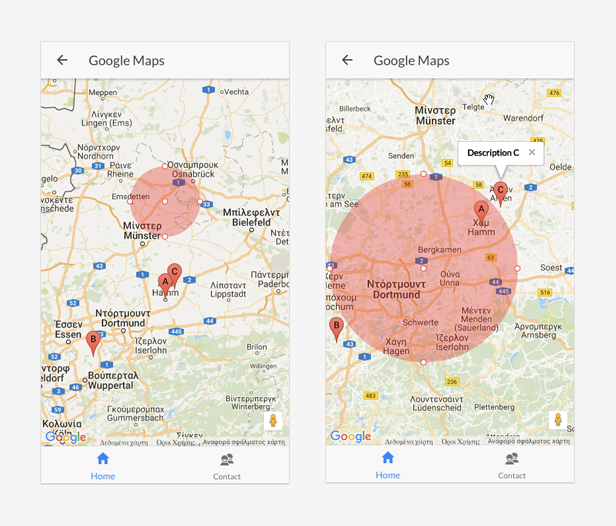
Ionic 2 App comes with Google Maps integration and it contains also the Google Maps module declaring/exposing Angular 2 components for Google Maps. Please you just need to define your Google Map key into the google-maps/google-maps.module.ts module. The Google Map key should be created here https://developers.google.com/maps/documentation/javascript/get-api-key
#Install Ionic 2

$ npm install -g ionic@latest
#Browse the App
$ cd ioni2app
#Install package.json dependencies
$ npm install
#Install Cordova/PhoneGap plugins (cordovaPlugins pakage.json branch dependencies)
$ ionic state restore
#Test your app on multiple screen sizes and platform types by starting a local development server
$ ionic serve
or
$ ionic serve --lab
#Build iOS
$ ionic platform add ios
$ ionic build ios
#Build Android
$ ionic platform add android
$ ionic build android
#Deploying/Running on emulator
$ ionic run android --prod
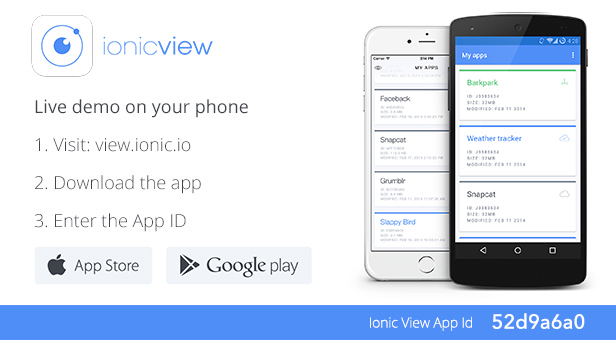
You have always the option to try the Ionic WooCommerce API App by downloading the Ionic View (http://view.ionic.io/). Then, use the following App Id to fetch a preview of the app: 52d9a6a0
https://docs.google.com/document/d/1DGka2qg5bacJw_jgVvsXDo-2g7AW0ffjjxNUtGlcEqM
1.0.0
- Initial release
Mentions AJAX Dropdown for WordPress is a lightweight plugin that enables you to easily find and mention users while writing in bbPress, BuddyPress, and even in the admin dashboard post editor.
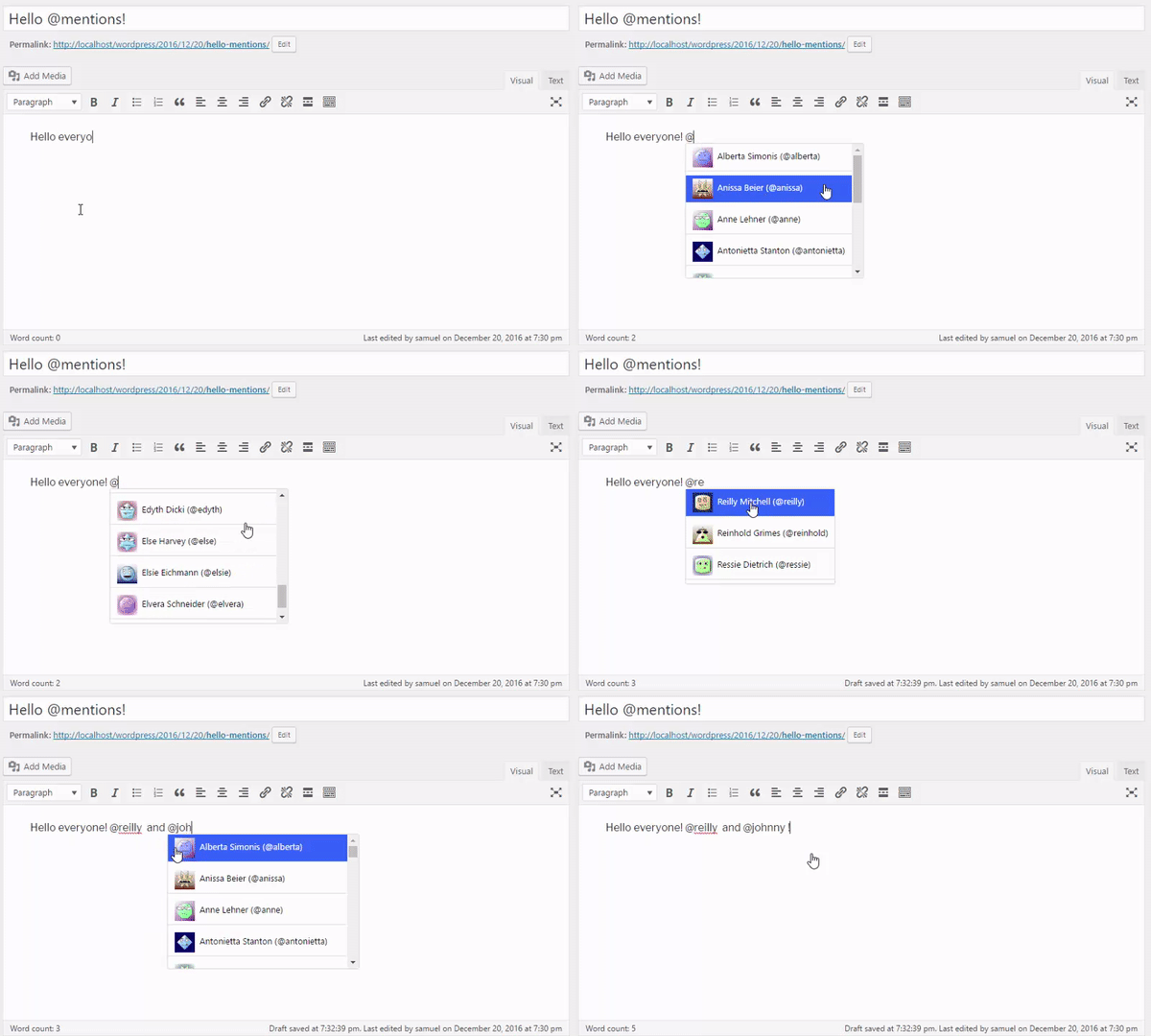
Although the plugin states bbPress and BuddyPress in the title, none of these plugins are required in order for Mentions AJAX Dropdown to work, as you can implement it to work with other fields whether in the admin or front-end, as it is quite easier to integrate it.
When it comes to technical requirements, this plugin requires at least PHP 5.3, and can work with any latest WordPress install.
Mentions AJAX dropdown is lightweight and users query is cached, so you wouldn’t worry about performance and it loads faster!
It is also easy to integrate to work with other fields, easy to extend and fully customizable.
Integrating Mentions AJAX Dropdown is simple and easy, to implement it to work with extra fields or other plugins.
You can navigate to the plugin settings interface, going to Dashboard > Options > Mentions Dropdown, and check “Show advanced settings” then, in “Targeted Fields” setting, add the DOM selector for the fields you want to add mentions dropdown feature to.
An example, I have a text box with id attribute set to “my-text” added to the bottom of each post, and I want to enable mentions dropdown on it, I will simply go to settings and add #my-text after a comma onto the previously mention setting.
For more information and details please consult the plugin’ web page or contact us
Load a Google Map on your website footer or the left or right column displaying your stores location.
Set yourself apart from the norm and choose one of the custom markers to make your map standout, want to make your map standout more simply enable the marker animation feature.
Username: [email protected]
Password: demodemo
Back Office Demo
Front Office Demo
- Initial Release
This Item only works with Webkul WordPress WooCommerce Multi Vendor Marketplace Hence the Marketplace Plugin is Required; to make use of this Plugin.
Using this plugin you can accept payments from all over the world for your e-commerce store.WordPress WooCommerce Marketplace Stripe Connect works with checkout payment gateway. This Plugin can be run in both test and live mode. In this seller has to
connect using stripe connect.
WordPress WooCommerce Marketplace Stripe Connect features are as under –







A full functional demonstration of WordPress WooCommerce Marketplace Stripe Connect plugin can be experienced even before a purchase –
"initial release v1.0"
The WordPress WooCommerce Multi Vendor Marketplace plugin converts your E-commerce store into a fully functional marketplace having multiple sellers with separate seller profile and gives sellers the functionality of adding the products from the seller panel. Using
this plugin the seller can view and edit his profile information. He can view his product list and search, edit or delete products from it. The seller can view a record of his transactions and sales charts in his dashboard. He can view his order history
for all the orders, change his password and even ask questions to the admin.
The admin can also manage the product list, seller list, commissions and settings. Admin can edit or delete products, approve, disapprove or assign sellers to products,
set separate commission rates for different sellers and can change settings like product auto-publish and seller auto-approval permissions.
WordPress WooCommerce Marketplace features define it even better –



A full functional demonstration of WordPress WooCommerce Marketplace can be experienced even before a purchase –
"initial release v1.0"
The plugin will turn your WordPress site into a Snowy WordPress site. By adding the Snow Fall and xmas music to your WordPress site you can make your visitors feel at home during the Christmass Season. If you are targeting Christmas Season Sales, this is the right Plugin for you. Snow Fall plugin has many different types of Snow Flakes to choose from.
Limited period offer!!! Please don’t miss this opportunity!!! Original price of add-on is $12.This offer valid till 6th Jan. Facebook Live Chat Support is an add-on for wowonder which allow you to put facebook live chat box on your website and visitors can chat with you or with your support staff via Facebook messenger.This is very easy and effective method to offer quick support to your website’s users.This addon is very useful to keep contact with your website users,help them to resolve their queries and increase your fanpage likes,too.Please watch screenshots and demo video for more details.
Demo video: Right Click and open this video in new tab
What is WoWonder?
WoWonder is the best way to start your own social network website!
WoWonder is fast, secured, and it will be regularly updated..
Note: Remember to rate this product after purchase.
Assistive Touch is an easy tool for Android devices. It’s fast, it’s smooth, and it’s totally FREE.
With a floating panel on the screen, you can easily use your Android smart phone. More conveniently, you can quickly access to all your favorite apps, games, settings and quick toggle. You can use smart clean function to clean running background apps, help your phone faster. Assistive Touch is also an ideal app to protect the physical buttons (home button and volume button). It is very useful for big screen smart phone.
Assistive Touch for Android
– Virtual Home button, easy touch to lock screen and open recent task
– Virtual Volume button, quick touch to change volume and change sound mode
– Virtual Back button
– Clean ram, boost speed, one tap ram booster.
– Easy touch to open your favorite application
– Go to all setting very quick with a touch
-ADMOB AND STARTAPP ADS
-ANDRO?D STUD?O PROJECT 2.14.1 (IMPORTANT)
-EASY SETUP
-FULL SUPPORT
– (PLEASE NO UPDATE PROJECT, OPEN 2.14 VERS?ON)
Play Store Examples: https://play.google.com/store/search?q=assistive%20touch&c=apps&hl=tr
APK : https://drive.google.com/open?id=0BzC6ZfPcWlqkU3p4c0FldDB0N00