Only Tweaker for WordPress (Utilities)


  • WordPress versions 4.4+
  • PHP 5.3+ (support 7.x); MySQL v.5.6+ or MariaDB v.10+
  • You can read official WordPress server requirements here

  • Control page requires modern browser(Chrome, Safari, Firefox, IE 10+) with enabled JavaScript


Release history


Branding

  • Remove “— WordPress” from title – suffix will be deleted from admin page title
  • “WordPress” rename – rename globally all words to your own CMS name
  • Appearance

    • Big menu logo – add big logo on top of side menu
    • Favicon for admin area
    • Change link, button and icon colors
  • Admin bar logo button

    • Button with logo to start of admin bar.li>
    • Use site or any url
    • Sub-menu with any links or pages
  • Admin Footer Message

    • Use logo with link to any url
    • Hide default link and text
    • Use any HTML code
  • Remove “Screen Options” panel – contextual options panels will be deleted in all pages
  • Remove “Help” panel – contextual help panels will be deleted in all pages

Email

  • Change from email address and name – will be used for all sended emails

Theme

  • Smooth scroll in Chrome
  • Enable fast click on Touch-devices
  • Load jQuery from CDN

    • jQuery CDN (provided by MaxCDN)
    • Google CDN
  • Remove version parameter from css/js files

<HEAD> Cleanup

  • Remove wlwmanifest – used in Windows Live Writer client
  • Remove the prev and next post link
  • Remove shortlink for the page
  • Remove canonical link for the page

Favicon & Logos

  • Set favicon
  • Apple Devices Logos – iPhone 6 Plus, iPhone Retina, iPhone, iPad, iPad Retina
  • Windows Pinned site

    • Application name
    • Set background color for a live tile
    • Tile image
    • Navigation button color
    • Set small, medium, wide, lange image tiles

Search

  • Search off – if you are using Google Search you can turn off default search
  • Redirect to single result
  • Pretty url
  • Search by title only
  • Define number of posts per result page

Blog

  • Automatically email contributor when their post is published
  • Show empty categories – need this if you wanna group categories in empty category
  • Categories include/exclude
  • Tags include/exclude

Content Protection

  • Obfuscate Email
  • Disable text selection
  • Disable right-click
  • Disable image dragging
  • Disable PrintScreen button

Security

  • Remove WordPress generator tag
  • Custom “generator” META-tag
  • Add nosniff header
  • Add xss protection header
  • Prevent embedding inside an iframe
  • Expire Protected Page Cookie
  • Disable file editing in admin area
  • Remove Really Simple Discovery tag – used by different desktop and online blog clients
  • Disable Pingbacks

reCaptcha 2

  • Protect Login page
  • Protect Registration page
  • Protect commenting form
  • Dark and light themes

Comments

  • Strip all tags
  • Remove all urls
  • Disable “make_clickable” function
  • Disable “wptexturize” function
  • Check comment minimal length
  • Enable comments auto-closing
  • Show close comments notify text
  • Open external comment links in new window – adds target=”_blank”
  • Remove form url field
  • Allow anonymous comments
  • Convert Twitter name to links in comments

Content

  • Open external post links in new window – adds target=”_blank”
  • Make content urls clickable
  • Convert Twitter name to links in content
  • Disable content “wpautop” function
  • Disable content “wptexturize” function
  • Custom After Post code

Admin Area

  • Block admin page for subscriber
  • Enable links manager
  • Set default page editor – which editor will be loaded on edit page by default
  • Enable additional TinyMCE buttons
  • Different status colors – pages will be highlighted in list by different colors

Admin Bar

  • Show on hover – hidden by default and shows on hover
  • Totally hide on site
  • Hide on site only for subscriber
  • Remove WordPress Logo button
  • Remove default buttons
  • Add “Log Out” button
  • Replace “Howdy” text
  • Add Custom menu

Dashboard

  • Hide widgets
  • Hide “Welcome to WordPress!” widget
  • Hide dashboard
  • Set dashboard to 1 column layout
  • Add custom widget with title and text with shortcode support

Menu

  • Add “Menus” to root level

Media

  • Rename files on upload – no original, names like ‘8d632bc0208111d6d8a435c210754eea.gif’ will be used
  • Set JPEG Quality
  • Enable SVG files support
  • Allow contributor upload files
  • In content

    • Remove links around images
    • Remove

      tags from around images

    • Remove width & height attributes
  • Public Attachment Page

    • Disable attachment pages
    • Disable comments

Themes control

  • Disable installation
  • Disable switching
  • Disable deletion
  • Disable customizing

Plugins control

  • Disable installation
  • Disable activation/deactivation
  • Disable deletion
  • Add fast access “Upload” link to sub menu
  • Hide installed plugins in list

Widgets

  • Enable shortcodes in Text Widgets
  • Hide/unregister widgets

Users control

  • Disable list users
  • Disable creation new
  • Hide “Admin Color Scheme” selection

Posts and pages

  • Disable revisions
  • Limit minimum post word count
  • Add thumbnail column in list
  • Remove short words from slug – words less 3 chars will be removed from url slug
  • Custom notice in editing page – add custom notice panel with title and text in editing page
  • Disable auto-save
  • Disable TinyMCE editor
  • Disable tag auto-complete for posts editing page

Login & Registration

  • Enable login with Email
  • Custom Login Error message
  • Add Login Form Message
  • Always check “Remember Me” by default
  • Log In required to see site
  • Redirect subscribers to home page after login
  • Registration

    • No new user email to admin
    • No password change notification
    • Auto-Login after registration
    • Redirect to special page after registration
  • Appearance

    • Custom logo image with size and paddings
    • No Shake Login Form
    • Change button & links color
    • Background image with cover of repeat modes
    • Transparent style
    • Hide “Back to blog” link

Updates

  • Disable WordPress Updates
  • Hide update message in footer
  • Hide “Updates” element menu
  • Core update Auto Installation mode
  • Disable Theme Updates
  • Disable Plugins Updates

Urls

  • Change url of author to user
  • Set special author link page

SEO

  • Add meta copyright
  • Add Google Analytics code

RSS & Feeds

  • Turn off feeds
  • Remove the standard feed links from &lthead>
  • Add featured images
  • Custom head and footer for Rss

Maintenance Mode

  • Define logo, message and background image(cover or repeat modes)

Keyboard Shortcuts

  • Ctrl+. L – Pages list
  • Ctrl+. N – New page
  • Ctrl+, L – Posts list
  • Ctrl+, N – New post
  • Ctrl+, C – Post categories list
  • Ctrl+, T – Post tags list
  • Ctrl+S – Publish action
  • Ctrl+Shift+S – Save action
  • Ctrl+Q – Preview action
  • Ctrl+M – Menus
  • Ctrl+Shift+M – Menus on new window
  • Ctrl+Y L – Users
  • Ctrl+Y N – New user
  • Ctrl+B – Comments
  • Ctrl+i P – Plugin install page
  • Ctrl+i T – Theme install page
  • Ctrl+i U – Plugin upload page
  • Ctrl+i Y – Theme upload page
  • Ctrl+Shift+L – Logout

Visual Composer

  • Close windows on Esc hotkey
  • Save element on Ctrl+Enter
  • Open editing window on icon click
  • Hide/unregister elements
  • Disable frontend editor

WooCommerce

  • Redirect to checkout after adding to cart
  • Remove WooCommerce generator tag
  • Remove feed
  • Remove ordering combo
  • Change “Out of stock” message
  • Enable “Already in cart” button text
  • Change “Description” tab text
  • Change “Shop” title
  • Hide default tabs on product page
  • Set number of products displayed per page
  • Automatically complete orders

Duplicator tool

  • Add duplicate action in page/post list, special metabox
  • Copy taxonomies on duplicate option
  • Copy meta on duplicate option

Fast Translate tool

  • Translate admin area or site words which processed via special functions(__(),_e() and etc.)

Diagnostics

  • Show generation time – number of SQL requests, generation time and memory consumption will be shown for all pages

Download Only Tweaker for WordPress (Utilities)

eView WordPress Plugin (Add-ons)

A plugin for viewing content of private paths (directories) embedded inside an iframe. It allows to control who can see the content (registered users only, guests) and specify for each user what path is shown. The plugin exports a short code to enable embedding the eView in any page.

Features:

  • show content of private paths inside the admin panel for registered users
  • shortcode to embed eView iframe in any WordPress page
  • per user settings of private path
  • global setting of private path
  • straightforward use
  • simple configuration
  • keep private content out of webserver directory
  • no need for .htaccess rules to deny access to private path
  • serve resources linked from html files (css files, javascript files, images,
    etc.)
  • list all the files inside a directory and provide links to access them
  • auto-discover index.html or index.htm inside a directory and display it
  • clean code easy to extend

Supported Operating Systems:

It is known to work on Linux, MacOS, FreeBSD, NetBSD and OpenBSD.

Not developed for Windows, but should be easy to adapt.

Sample use cases:

  • show private documents only to registered users
  • show the documentation of provided services only to registered users

Quick getting started guide:

  • let’s consider that ‘alice’ is a registered user (subscriber) on your WordPress site and she should get access to the content of the directory ’/site/user-content/alice/’. In the directory there is a file ‘index.html’ that should be presented first to alice.
  • go to Admin Panel=>Users=>alice
  • scroll down the user profile page and locate the ‘eView Plugin Attributes’ section
  • in the field ‘eView Show Path’ add ’/site/user-content/alice/’
  • in the field ‘eView Show Index’ add ‘index.html’
  • save the user profile
  • when alice logs in, she can access Admin Panel=>eView=>Show to view the content of ‘index.html’ file from directory ’/site/user-content/alice/’

Download eView WordPress Plugin (Add-ons)

Easy 360° Product Viewer WordPress Plugin (Media)

What is Easy 360° Product Viewer WordPress Plugin?

Easy 360° Product Viewer it’s a a rich-feature and unique wordpress plugin with a fully responsive layout which allows to display a large number of images from different angles of a 2D or 3D product offering control over the layout in the way that pleases you most, allowing the user to rotate, pan or zoom the images. Additionally it has an awesome feature called deep zooming, when the image is zoomed it can be viewed in great detail by loading a more detailed version of the image this way allowing the usage of high resolution images without compression.
Easy 360° Product Viewer is mobile optimized running great on iOS (iPad,iPhone), Android and Windows mobile and desktop mobile devices and of course it works on every modern browser and older browsers like IE7 or IE8. Follow the links to view this demos. Watch demo running om IOS or Watch demo on Android
Easy 360° Product Viewer WordPress Plugin main features:

Tons of options (check them out in our live preview).

Easy to use and install (just upload your set of images and the Easy 360° Product Viewer WordPress Plugin will do the rest).

Fully Responsive & Mobile Optimized (Smartphones & Tablets).

Fast CSS3 & JavaScript engine with fall back on CSS1 for older browsers like IE7 or IE8 (exceptional performance!).

Support for a large number of images without losing performance.

Support for unlimited number of images, the 360 viewer can manage any number of images this makes it unique because it can rotate or navigate any type of product it dosen’t have to be a 3d product.

Deep zooming, when the image is zoomed it can be viewed in great detail by loading a more detailed version of the image this way allowing the usage of high resolution images without compression (optional feature).

Drag and spin (optional), the sensitivity / speed for this option can be customized.

Lazy rotation (optional), this option is limiting the rotation between the first and last image, if the viewer reaches the first or last image the product can’t be rotated it can only be rotated between the first and last image, it is useful if you don’t have a complete 360° product.

The possibility to start at a specific image once all images are loaded.

Complete control buttons bar with buttons (optional).

The control buttons bar can be positioned top or bottom.

All buttons are optional and can be easily removed if one or more are not needed.

The order of buttons can be set as you wish.

The buttons geometry (spacing and position) can be set individually offering fine tune control.

Rotation button for rotating the object.

Pan button for panning of the object.

Left and right buttons for rotating the object left or right.

Zoom in/out buttons plus scrollbar.

Slideshow button for play or pause automatic rotation of the object.

Hyperlink button for creating a hyperlink in the menu.

Info window button for showing a detailed custom made window which supports unlimited html content.

Shortcode generator.

Slideshow autoplay(optional).

Customizable buttons tooltips, the buttons tooltips text can be modified with ease based on the presented product type (please note that the buttons tooltips are optional).

Awesome markers / hotspots support! Three hotspots types (link, small info window and detailed info window) allowing to display information about the product on specific regions. Once created a hotspot can be added on more then one image.

The markers / hotspots can be of any size or shape and they can vary, for example if you want to add three link type hotspots each of them can have a different size or graphics, this applies to all markers/hotspots types.

Built in tool for finding the correct position of the marker / hotspot on an image .

Gestures events support for IOS (ipad and iphone) the image can be zoomed with two fingers.

Navigator window (optional).

Customizable custom right click menu (optional).

Keyboard support (optional).

Mouse wheel support.

The zoom factor can be set allowing to fine tune the level of zoom, this way the image can be zoomed as much as you like.

Customizable rotation speed while dragging.

Customizable slideshow rotation speed.

Customizable rotation speed while the right or left buttons are pressed and hold.

Five awesome skins along with the .psd files included (check them out in our live previews).

Many others features.

Video tutorial:


https://www.youtube.com/watch?v=lxV5OgbJAqk&t=211s

BUY ALL OUR PRODUCTS IN A MEGA BUNDLE WITH A 90% DISCOUNT!!! THIS IS A LIMITED OFFER SO HURRY UP AND GRAB IT!!! : https://codecanyon.net/item/fwd-mega-bundle/19117054

Download Easy 360° Product Viewer WordPress Plugin (Media)

SignUpToken (Administration)

User Management made easy

With the SignUpToken component for Joomla! you can prepare user account specifications and hand them out by giving away access tokens. You don’t have to worry about the actual account creation anymore. Users will create their accounts on their own, but registration is protected and controlled through the tokens.

Detailed description

In a standard Joomla! installation there are two common ways for user management: Either you allow public registration so that everyone can create an account on your site or you disable public registration and let administrators handle the work of creating dedicated user accounts.

With the SignUpToken component for Joomla! there now is a third option for your Joomla! user registration process. The component lets you add a public user registration form to your site which requires an individual token to fulfill the registration. Those tokens can easily be generated from token templates in the admin component. The tokens have two main characteristics:

  1. you can assign Joomla! groups which you want the new user to be assigned to. This way you move the assignment of an access level for the user right into the registration process and don’t have to handle that manually after the account creation.
  2. each token can have a different number of allowed account creations, so it is possible to hand out one single token to a group of possible users or treat everyone individually.

The component utilizes Joomla!s email system so that you can send invitations for your website directly from the token list in the admin component. You can even create different email templates for that.

Further development

The SignUpToken component is in production for some of our own web based products so further development is ensured. If you have ideas about additional features please drop us a message or a comment so that we can talk about that.

Download SignUpToken (Administration)

Ionic2 Restaurant app (Mobile)

Ionic 2 Restaurant template follow a flat Design standard with Ionic 2. You can use it for any restaurant , Bakery, Coffee Shop , E-commerce Shop. It contain many useful Screen and Element. It Build with Angular 2 , Ionic 2, Typescript and SASS to take advantage of the future web standards. user use this app to see the menu and last order items.

It’s complete working apps and ready to integrate any API , all the logic and Services has been written so it’s Just Hours of work and your Complete E-commerce app running Live. Services Rendering all Data through JSON files.

Screens

  • Login
  • Sigup
  • Menu
  • Category
  • Item
  • Cart
  • Checkout
  • Address
  • Last orders
  • Settings
  • User

Test before you buy
You can test the app using Ionic View (ID: 57356639) (Please note that when testing on Ionic View some Cordova plugins will not work) Download it here http://view.ionic.io/
https://www.dropbox.com/s/k69fejzv1512qj6/ionic2%20reataurant.apk?dl=0

FIREBASE VERSION COMING SOON.

Download Ionic2 Restaurant app (Mobile)

Woo Product Quantity Range Price (WooCommerce)

Features:

  1. Quick and easy installation.
  2. Multiple quantity range price set in simple & variation product.
  3. Three type price you can set in product.
    1. Percentage discount
    2. Price discount
    3. Selling price
  4. Two type quantity range you can set in product price.
    1. Between quantity range set price ( 10 – 15 )
    2. Minimum quantity or range set price ( 50 or more )
  5. Full plugin enable / disable facility option.
  6. Product wise enable / disable facility option.
  7. Front-end show quantity range price list on product detail page.
  8. Set front-end quantity price style options.

Demo Product:

Simple ProductVariation Product

Quantity Range Price Option

Simple Product

Simple Product Front-end Side

Variation Product

Variation Product Front-end Side

Quantity Range Product Price Option Settingn


Download Woo Product Quantity Range Price (WooCommerce)

Responsive AJAX Contact Form – PHP and Send Mail (Forms)

+ Ajax Submit, do not need to refresh page
+ File Attached to email
+ Send email to contacter and administrator
+ Save contact information to database
+ Responsive layout, mobile and tablet friendly
+ Many beautiful styles, easy to change style
+ Provide less css, easy to edit theme
+ Easy to Intergrate to any site or PHP framework like CodeInigter, Laravel, Zend, Cake PHP…
Please see demo here: http://demo.ocodereducation.com/contact-form/

Please change the config in config.php file.
Please make sure that you do not use any spam keyword in email title because the mail sever will treat our email as spam and user can not receive them.
Please change the CF_CLIENT_EMAIL_TITLE, do not use the current title “Thank you for contacting us!”, some users can not receive email with this title

Download Responsive AJAX Contact Form – PHP and Send Mail (Forms)

Social Mobile Sharing (Prestashop)

Description

Instantly share and promote your online business products on the increasingly popular instant social messenger applications and now, the first PrestaShop module to combine WhatsApp, Viber, Line, Telegram and BBM.

Empower your users to share product details with individual users and groups when browsing your webstore through a mobile device.

Users receiving this promotion link can click and get directed to the product page containing images, pricing and product description of the product you want to promote.

This will help improve the traffic to your online store and result into increased sales conversion.

Features

  • Promote Products on WhatsApp, Viber, Line, Telegram and BBM: By installing Social Mobile Sharing on your webstore and sharing the products and promotion links through it.
  • Change the button type from the modules configuration page.
  • Social Mobile Sharing is extremely easy to install and use
  • Compatible with Prestashop 1.6.x.
  • Compatible with iPhone, iPad and Android.
  • Compatibility (IE8+, Firefox, Opera, Safari, Chrome).
  • User Guide Documentation.
  • Demo Store

    Back Office Credentials

    Username: [email protected]

    Password: demodemo

    Back Office Demo

    Front Office Demo

    Changelog

    • Version 1.0.0 (19/01/2017)

      - Initial Release

    Download Social Mobile Sharing (Prestashop)

    Platform Jump Unity3D Game Source Code (Mobile)

    Enjoy this Ultimate ENDLESS Adventurous based game, full of fun & entertainment. Jump endlessly in adventurous journeys and help the HERO to collect more gift items. This game includes adventure games where you control a hero jumping, running, collecting powers, fruits and more exciting gifts.

    Features And Requirements
    ? Unity3D 5.3.4 or Higher
    ? Easy to Reskin & Code is very simple and easily understandable.
    ? Sound Assets including Sound Programming (SoundManagerScript.cs)

    ? Different types of POWER boosters – Ballon, Jet, Rocket, Crackers, Pick & Drop Girl at some location during the gameplay
    ? Fun Music
    ? Endless Gameplay
    ? Nice Graphics

    Unity3D 5.3.0 or Higher
    Easy Reskinning of this project and very simple code to do the same.
    There are 3 main scripts which has been used in this project
    PlayerScript.cs
    MainMenuButtonScript.cs
    gameplayButtonScript.cs
    Just look into the inspector window corresponding to PlayerScript.cs for better understanding the whole game project. You would have an idea of whole game project. Just go through this script.
    To know better about UI used , just follow the MainMenuButtonScript.cs and GameplayButtonScript.cs

    Download Platform Jump Unity3D Game Source Code (Mobile)

    Water Ring Toss Unity3D Source Code (Mobile)

    Ring toss is a 3D Childhood game full of fun. You can provide the movement to the rings slightly by tilting your device to the left or right. Ring toss contains 13 in-build levels and the rest you can create your own levels once you have gone through each scene tutorials. Enjoy this tutorial package and the game as well. This game package is supported for both iOS as well as Android platform. Download this Childhood memorable game now.

    • Unity3D 4.3.4 or Higher
    • Supported for iOS, Android, Windows, Mac OSX
    • Physics based game. Good Physics implementation.
    • Contains 13 In-built levels
    • Create your own levels by learning and going through all 13 levels in this project
    • Sound Assets including sound programming
    • Good graphics
    • Extract project zip file
    • Zip file contains WaterRingToss.unitypackage
    • Open Unity3D and import the above mentioned package.
    • Project reskin can easily be done by going and learning through already created 13 levels. Code is simple and easy to understand.

    Download Water Ring Toss Unity3D Source Code (Mobile)

    Valentine Card 1 – Special Edition (Canvas)


    Description:

    • Get this valentine card and share it with your love.. Enjoy this card, enjoy the valentine’s day!

    Help:

    • Modify the card and upload the folder to your hosting. Use the card as is, or as iframe. Example:
    <iframe frameborder="0" width="1000" height="500" src="http://yoursite.com/card/"></iframe>
    • Replace link (src) with yours, use your own sizes (width, height).

    Computers (Any Browser):
    Use mouse wheel to zoom, click the card and move around.
    Mobile-Browsers:
    Use 2 fingers to zoom, touch-hold the card and move around.

    • You will have my full support concerning my items. Primary contact method is by e-mail. Please make sure to contact me asap if you have any questions and/or requests..

    Features:

    • HTML5 eCard
    • 2 Versions (With and Without Logo) Included
    • Mouse and/or Touch
    • Online Fonts
    • Replace Messages/Images/Any With Yours
    Use Mouse/Touch to Zoom
    • High Definition
    • Responsive Design
    • Help (Image) Steps Included
    • Email Support

    Credits:

    • Music “Be My Valentine” by Tim McMorris, you can find it here: Link here

    Changelog:

    Version 1.0
    • Initial Release
    

    Screenshots:


    Support:

    • If you have any questions and/or requests, please contact me at [email protected] or using contact form.

    Download Valentine Card 1 – Special Edition (Canvas)

    Carom Unity3D Game Project (Mobile)

    The game simulates the physics of the carrom accurately. Carrom is a board game similar to billiards, pools game. It is basically a  strike and pocket game. You can try out any zig-zag shots you used to play in a carrom board.

    Realistic 3D simulation and intuitive touch controls has been implemented in this carrom board game. you will use the finger to shoot the pieces in this physics based Carrom Board game. The game simulates the physics of the carrom accurately. It is a 2 player game developed in Unity3D.

    • Unity3D 5.3.4 or Higher
    • Game is supported for following platforms – Windows, Windows Touch Screen, Android, iOS and the same is tested on the specific platforms.
    • Realistic 3D simulation and intuitive touch controls
    • Game simulates the physics of the carrom accurately.
    • 2 player Game with standard rules & regulations at professional level
    • Pool Game logics can be created using carrom logics with simple and easy carrom logics.
    • Three important scripts has been coded for whole carrom game logics.
      1. StandardTouchScript.cs
      2. WhiteCoinScript.cs
      3. BlackCoinScript.cs
    • Zip file contains Carrom.unitypackage
    • Open Unity3D and import the above package in Unity3D. Make Sure
    • Unity3D has already been istalled on your device either Windows or Mac OSX.
    • Easy Reskinning of this project and very simple code to do the same.There are 5 most important scripts included in this project
             StandardTouchScript.cs
             BlackCoinScript.cs
             WhiteCoinScript.cs 
             SoundManagerScript.cs
             GameUIScript.cs

    Just look into the inspector window corresponding to StndardTouchScript.cs for better understanding the whole game project. You would have an idea of whole game project. Just go through this script. Scrips have logics regarding Player turn, Striker Code, Carrom Physics, Foul Logic, Due Coins placement, How many coins pocketted by player during player’s turn, No Coin pocketted by player and many more logics. In Inspector window, look at public variables assigned with gameobjects (Such as game Over Screen, Player Win Screen, Quit Confirmation window, Carrom Coins aassigned to variables, Striker Assigned)
    To know better about UI used , just follow the GameUIScript.cs 
    To handle Sound, Just go through SoundManagerScript.cs with few lines of code only. Sounds can easily be replaced-just drag & drop.
    Project is easy to reskin and code is simple to understand. 

    Download Carom Unity3D Game Project (Mobile)

    WP Merge + Similar Finder | Optimization & SEO Tool (Utilities)

    WP Merge + Similar Finder Online Documentations
    WP Merge + Similar Finder Support Desk
    WP Merge + Similar Finder Video Tutorials at WordPress Merge Youtube Channel


    This product has 2 different parts that can actually get 3 jobs done:

    • 1. Merge / Mix Posts
    • 2. Find Similar & Duplicated Posts
    • 3. Or work together to Find Similar / Duplicated contents and Merge them into one

    This is not just an Optimization Tool for better Performance, it’s also a great SEO Tool to avoid duplicated or very similar contents and get higher SEO Score by growing content during merge. Because let’s face it Google hates duplicated contents after all.

    It’s a handy tool specially for RSS Reader & Auto-pilot websites that gather content from different sources like download or news sites or any other kind of articles / magazine / blog sites.

    You can also select and merge posts in admin posts list or posts search results page for any other reason. You can define Merge Order and choose Primary / Main post.

    For thoes metabox / fields that are possible to multi select (e.g categories, tags) the final merged post will have all atrebutes & propeties from all selected posts.
    But for thoes metabox / fields that are not possible to multi select and only can have one value (e.g title, thumbnail) the final post will keep value from Primary / Main post that you choose during the merge process.

    You can choose any Content Separator to set between merged posts.
    And for the Similar Finder part you can add common words to exclude list so the finder ignore them during the process.

    It supports Custom Post Type and if you have any Custom Fields / Metabox created by other plugins this plugin keeps their data from Primary / Main post.

    Merge is in Bulk Actions now, so you can use it in any posts list page.

    Define merge order with drag & drop, select primary / main post

    Custom Post Type support & Advanced Custom Fields compatible

    Find Similar Post to any post with 1 click & merge theme

    Define Separator Content between merged posts, Exclude common words, re-index title database

    WPML WordPress Multilingual Compatible

    Get Better & Higher SEO Score with content merge

    == Main Features

    – WordPress Multilingual Support (WPML)
    – Quick & Light Similar Post Finder Engine & Merger
    – Store Merge & Similar Search Records (show as icon & date on tooltip)

    WordPress Merge

    – “Merge” as a bulk action. Use in any post list page
    – Custom Post Type Support
    – Custom Metabox Support
    – Advanced Custom Fields Support
    – Define Merge Order
    – Select Primary / Main Post
    – Define Custom Separator Content between merged posts
    – Yoast SEO Compatible (possible to add redirect for merged post after process)

    Similar Posts Finder ==

    – Find Duplicated / Similar posts to any post with 1 click
    – Exclude Common Words (e.g. the, from, download (for download sites))
    – re-index words database for better & faster results
    – Possibility to select posts in Similar Posts Finder results to merge
    – Define Merge Order
    – Select Primary / Main Post
    – Define Custom Separator Content between merged posts

    – Show Similar Finder record when mouse overs “Find Similar” button

    – Credits
    Special Thanks to:

    jQuery
    Sortable | jQuery UI
    WordPress
    FreePik
    Marian Arlt (docs template)

    Download WP Merge + Similar Finder | Optimization & SEO Tool (Utilities)

    Strong Password Generator (Forms)

    Strong Password Definition / Requirements

    A strong password has:

    • At least 15 characters
    • Uppercase letters
    • Lowercase letters
    • Numbers
    • Symbols, such as ` ! " ? $ ? % ^ & * ( ) _ - + = { [ } ] : ; @ ' ~ # | \ < , > . ? /

    A strong password is not:

    • Your login or username
    • Your name, your friend’s name, your family member’s name, or a common name
    • Your date of birth
    • Like your previous passwords
    • A dictionary word
    • A keyboard pattern, such as qwerty, asdfghjkl, or 12345678

    Featured

    • Specify the password in the event of pressure on the text field easily copied word.
    • Easy to use.
    • Change the password when you press the button
    • Directed by a strong password
    • and more..

    Download Strong Password Generator (Forms)

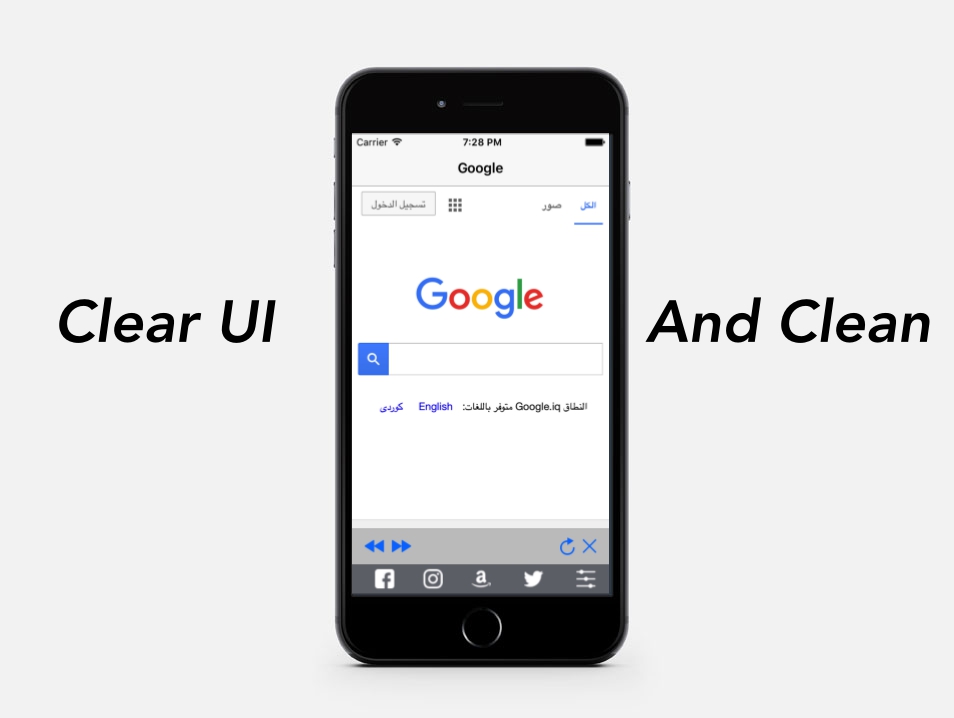
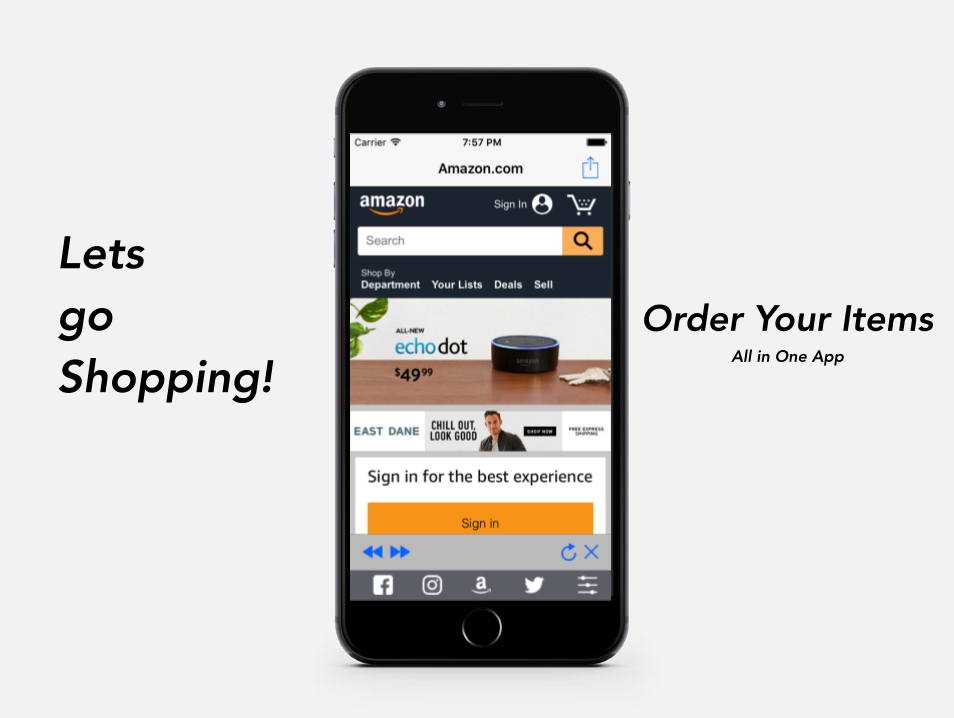
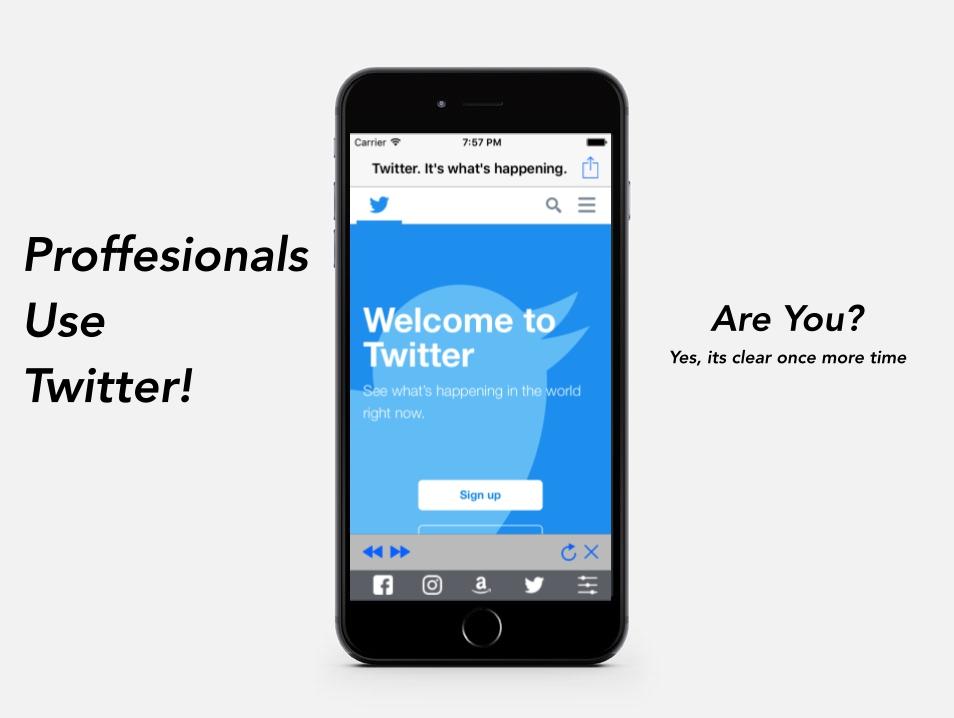
    Magnet View : the fastest web-view based app (Network / Connectivity)

    Hurry Up! GET it for %40 OFF for a Limited TIME

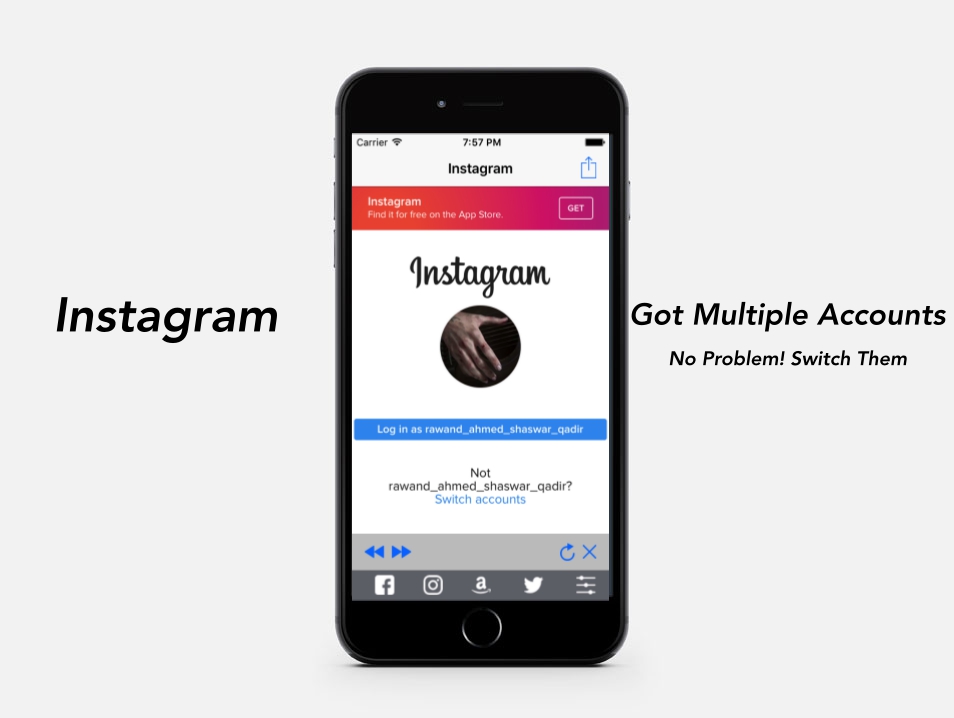
    Have Multiple accounts? like instagram,facebook or etc? Magnet Web View Lets You manage them in one app
    or… do you have a social network? you can use this web view with these cool features .. you’re all set :D

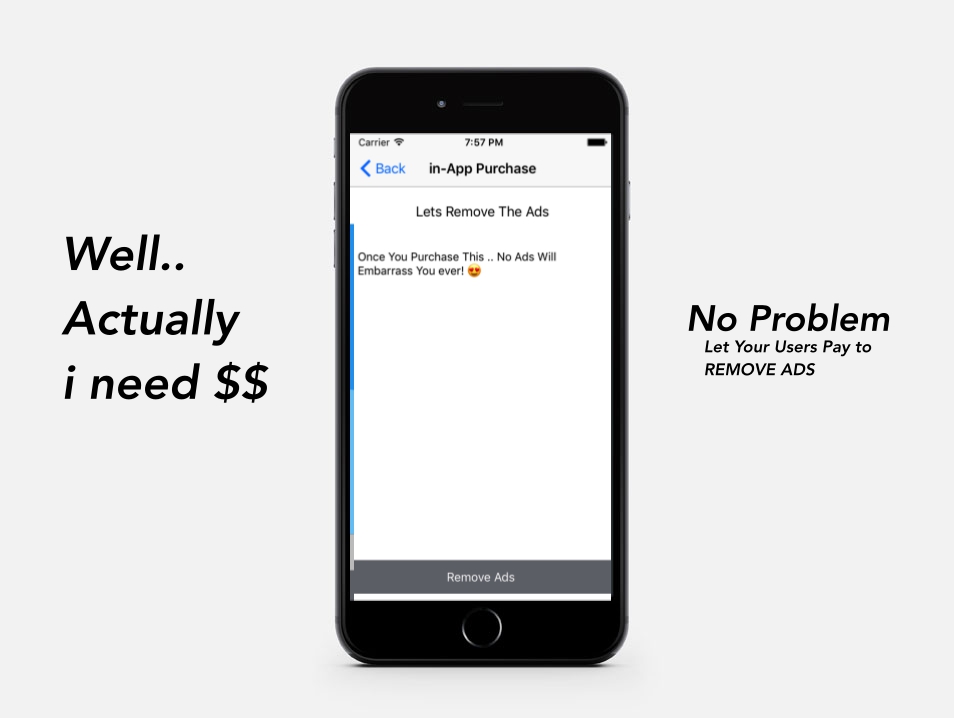
    And a Great Way to earn money with our in- App Purchase lets your customers pay to remove ADS

    Magnet Comes With –

    • Xcode 8 project, with IOS/8/9/10
    • Admob integrated – banner (too)
    • Universal – Storybord
    • in-app purchases integrated
    • Only 2 seconds so load the website
    • internet connection check (cannot enter with no internet connection connected)
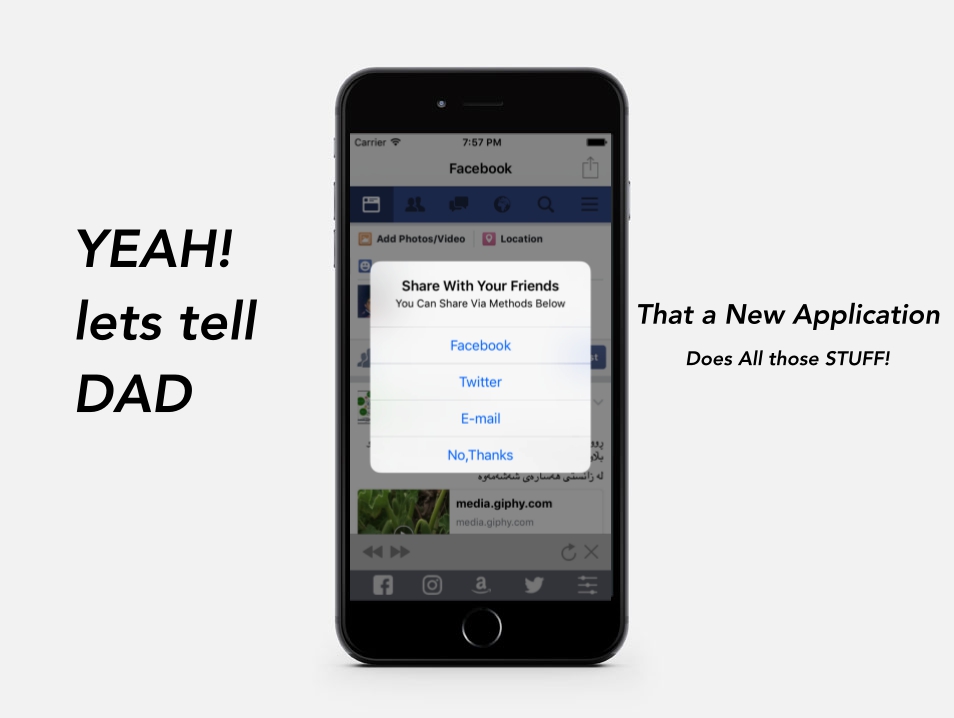
    • share your app (to Facebook,Twitter, And EVEN mail )
    • Clean Code And Well Documented with Video and images


    18 Jan 2017
    initial release!
    

    Please Rate us +5 stars if you satisfied with our item
    Thanks

    Download Magnet View : the fastest web-view based app (Network / Connectivity)