Skype Live Chat For PHP (Social Networking)

SKype Live Chat is a script php allow put your Skype live chat box on your website, visitors can chat with you via it or APP, Website,.. Skype. This is easy way to support and keep contact with your customers

Features

  • REALTIME CHAT WITH CUSTOMERS
  • ADD SKYPE CUSTOMERS
  • UNLIMITED BANDWITH
  • CHAT WITH YOUR CUSTOMERS ANYTIME
  • UNLIMITED HISTORY CHAT
  • MULTIPLE CHAT AT SAME TIME
  • NO SETUP REQUIRE
  • UNLIMITED COLORS
  • And more..

Admin settings

skype live chat

CHANGELOG

25/05/2017: (version 1.0)

- Version 1.0 Initial Release

Download Skype Live Chat For PHP (Social Networking)

WooCommerce Artworks view in Room (WooCommerce)

Are you an artist and you want to sell your Artworks on a WooCommerce store ? Or do you have a WooCommerce site where artists upload their paintings to sell on the site? if yes, May this plugin is the tool you have been looking for! Now you can add the “View in Room” feature to your artworks products pages such as Saatchiart and increase your sales ;) by making your site depict the painting on a wall relative to other objects of another image so the customer can see approximately what it looks like relatively in a room..
It works with most standard woocommerce themes and could be integrated in minutes … for support, Please email us to : [email protected]

Download WooCommerce Artworks view in Room (WooCommerce)

Booksi – Rental & Directory Management CMS (PHP Scripts)

Are you tired of all the WordPress fame all around you? Do you want to make your website different than the others, to be unique and recognizable by your clients? Are you ready to meet the best Rental & Directory Management CMS?

Booksi is a Rental and Directory Management CMS, that will help you make your own website instantly. Booksi is fast, secured, and it will be regularly updated. After you see what our CMS can do, we guarantee you that you wont think twice before buying it.

Full List of Features

  • View Statistics about your website – Latest Visits, Properties, Members, Bookings.
  • View Latest Bookings and Purchases.
  • Charts with statistics about your website.
  • Properties – type of posts that has so much information. You can post Property Information like Size, Rooms, Guest Number …, add Images, select Category and Location, add Address, pin marker to the Map, add Contact information, add multilanguage content … You can make a Property Featured and it will have more exposure than the default ones. Easily edit/activate/deactivate your Property, also you can delete them one by one or mass delete selected Properties. You can search and filter Properties.
  • When someone makes a Booking for your Property those days are automatically disabled for the next user, but there is also an option for Pre-Booked dates, which are dates for your Properties that will be disabled when an user tries to Book. This is useful if someone made a Booking via phone, email, or you are having a maintenance at our Property and it wont work for while …
  • Services – Similar to Properties, Services are type of post with can have so much information. The main difference with the Properties is that Services dont have Property Information (size, rooms, …), but have Business Hours, which you can use to tell users when your Service is open for business. Services can be Restaurants, Clubs, Museums, Theaters, Cinemas … Everything other than Property.
  • Categories – Categorize your Properties/Services so users can easily find them on your website. Categories have an map icon, so when you for example open the half-map page, the Service will be shown on the map with its category’s map icon.
  • Locations – Same as Categories, except the only difference is that they dont have map icon.
  • Features – Add Features for your Property/Service. These can be something like Parking, WiFi, Internet, TV … You get the point.
  • Bookings – Manage your Bookings with ease. You can reject or confirm (the user will get an email of confirmation/rejection) your bookings. You can also see information about the user which made the booking.
  • Reviews – Manage user reviews for the Properties/Services – approve them or delete them.
  • Pages – Manage Static Pages – make an About Us, Privacy Policy, Terms of Use page or anything else which fits your needs.
  • Blog – You can add latest news, promotions, or anything you like to inform your users. You can disable blog in settings.
  • Users – Manage users on your website – Edit/Approve/Delete/Disable them, or upgrade them to Owners(hosts).
  • Owners – Manage Owners(hosts) on your website – Edit/Approve/Delete/Disable them. You can also see a list of their Properties/Purchases/Activities/Services with just one click.
  • Requests – Every single request that needs your attention is listed here so you dont have to wonder around and see if anything required your action.
  • Settings
    • Site Settings – Enter your Site name, description, add your logo, edit currency and measurement unit, add API keys for Google Maps, add Google Analytics, reCaptcha, add your contact information and address …
    • Property/Service/User/Owner Settings- Manage settings for your Properties/Services/Owner/Users.
    • Language/Strings settings – Manage Languages on your site, translate strings, export them so you can translate them easily and import back ..
    • Design/Style settings – Manage your Home page(disable/enable sections, edit their settings), edit your Footer, change section backgrounds, change colors on your website …
    • Payment Settings – Manage packages for Owners, their entrance fee (if you want to add one), how much do packages for Featured Property/Service cost … Enable disable Payment Gateways, enter their API key, enable/disable sandbox.(read more about Point System)
  • Entrance fee – you can enable users to pay one-time entrance fee so they are able to post on your website.
  • Approve all Properties/Services posted by Owner before they are visible.
  • Points System – Users add Points on your website via any of the available Payment Methods, and then they pay for everything on your website with their points. Currently Owners can spend their Points on entrance fee, and making an Property/Service featured.
  • Same as in the Admin Panel, Owners have access to their Properties/Services and can manage them easily, also they can confirm/reject their bookings.
  • Admin is fully in control of what Owners post, and can enable/disable settings via Admin Panel.
  • Full screen section with search form so users can easily find what they search for.
  • Featured Location section – you can expose the most searched locations here with beautiful pictures.
  • Featured Properties section – a slider with Featured Properties (you can also enable all properties here).
  • Quick Search section – you can add any ‘guide’ about searching/using your website here.
  • Latest Blog section – your latest blog.
  • Explore (half-map) – An interactive half-map page with Google Map and your Properties/Services so users can easily find what they search for.
  • Filter – Users are able to filter for search results with many options like Category/Location/Check In/Check Out date, price range and much more …
  • Locations/Categories – User are able to visit the Category/Location page so they quickly get what they are searching form.
  • Contact – User are able to fill a simple contact form and send you a query with a question/suggestion … Also, on the contact page there will be your Company’s information and Location on a Google Map.
  • Language Picker – Users can easily switch language of your content with a single click.
  • Footer with Widgets – In the footer there are Menus and information about your website.
  • Users Account – Users can register and they will be able to visit an My Account section. There, they can see their Bookings, change their information etc. Also, they can send an request to became Owners.
  • Service Page – When users opens an Service they will see all images from that Service, information about that service, location on map, features, make an review …
  • Properties Page – Same as for the Services, except on the Properties there will be an Booking form, so when users fill it they will be able to Book your Property.

Demo, Documentation, Support

Admin Panel:

http://demo.booksicms.com/admin
Username: [email protected]
Password: booksi

Owners(Hosts) Panel:

http://demo.booksicms.com/owner
Username: [email protected]
Password: booksi

Users:

http://demo.booksicms.com
Username: [email protected]
Password: booksi

Documentation: http://booksicms.com/documentation
Support: http://booksicms.com/support

More information: http://booksicms.com

Technical Information

Booksi is built with Laravel, which means that your website will be super fast, reliable, and most importantly SAFE. In order to install Booksi, you will need an domain, hosting which at least the following (most of the hosts nowadays have these requirements):

  • PHP > = 5.6.4.
  • OpenSSL PHP Extension.
  • PDO PHP Extension.
  • Mbstring PHP Extension.
  • Tokenizer PHP Extension.
  • XML PHP Extension.

Changelog

Version 1.0 - May 30, 2017
-- Initial Release

Download Booksi – Rental & Directory Management CMS (PHP Scripts)

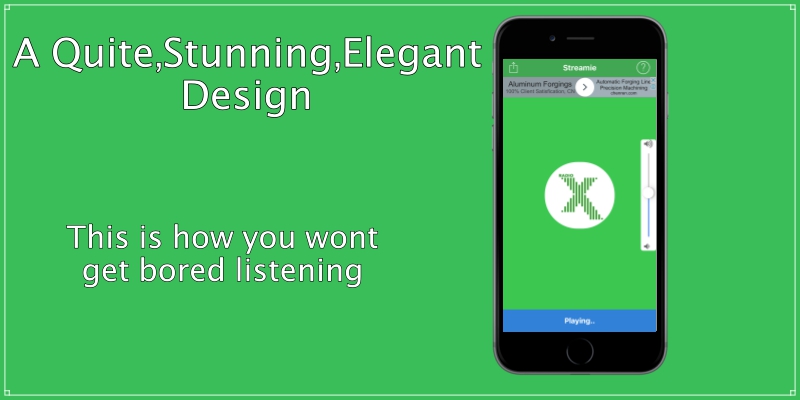
Streamie | Multi-station radio app (iOS)

looking for a new radio app? you dont know what to choose ? or where to start.? alright, you’re in the right place. smart move.
give yourself a new stunning look to your new IOS application. let the world listen to your radio. while they do, you’ll earn money using google’s admob

The APP is ALL SET! what you basically need is downloading the project, and having some modifications such as the bundle identifier and the name! and you’re all set and upload it to appstore!


Key Features

  • Xcode 8 project, with IOS/8/9/10
  • No Coding Knowledge Required!
  • Volume Control on Screen
  • Supported all streaming formats
  • Admob integrated – banner
  • Custom contact us page
  • Universal – Storybord
  • Fast and easy to use
  • A few Seconds to load the whole detail
  • Nice and clear design
  • Easy to Re-skin
  • Clean Code And Well Documented with Video and images
  • Much More!!
20 June 2017
initial release!

Please Rate us +5 stars if you satisfied with our item
Thanks

images used in the app are for purpose only! we don’t own anything except for the written app! thanks for everyone..-
with respect
to (http://iconfinder.com/) for used icons
Cocoapods required to be installed

Download Streamie | Multi-station radio app (iOS)

Socialsharer Share Easily Selected Text (Social Networks)

Socialsharer is a jquery plugin for sharing hilghlighted text on differents social networks (facebook, twitter and linkedin).
Demo-http://diasihammouten.5gbfree.com/socialsharer/

# Features

– 3 Social Networks
– Free updates
– Well documented
– Clean And Detailed Code
– Support provided
– COMPATIBILITY

Download Socialsharer Share Easily Selected Text (Social Networks)

Installation Wizard – CodeIgniter (Miscellaneous)

Installation Wizard – CodeIgniter provides strongest and easiest setup system to install CodeIgniter application. You don’t need to know the coding knowledge for using this installation wizard. You need to flow 3 steps (such as requirements, installation and complete). It automatically generates config.php, .htaccess and database.php for your CodeIgniter application.

Download Installation Wizard – CodeIgniter (Miscellaneous)

Maintenance Mode (Magento Extensions)

Webinse Maintenance Mode

Plan to upgrade your website or about to start technical works on it? And you’re looking for a possibility to hide ‘constructional works’ from your user, notify them that the site is currently unavailable and want to avoid boring blank screen with notification message?

Webinse Maintenance Mode extension is created for that purpose, and is easy to install and configure.

It lets your users know that currently the store or website is on maintenance.

It’s absolutely unique in the feature of creating a fully customized page that will be displayed to your visitors. No more boring placeholder informational pages! You can create this page in your company’s brand style and customize every element of it. So that simple info page looks like it was created by designers and is a part of the site.

Extension is totally responsive for any screen resolution including mobile.

We included contact form in case user wants to ask question or leave feedback while your site is on maintenance.

Additionally we’ve added cool features like:

  1. notifications about maintenance mode start and end for users who applied for notification;
  2. redirect to another page or site if necessary;
  3. countdown timer so that visitors would see visually when the store will be back on track;
  4. links to your social networks to check while the site is not available.

Note: In order to have the ability to send emails, you must configure your mail server first.

Features

  1. Restrict access to the frontend of your store during periods of maintenance.
  2. Enable and disable maintenance mode.
  3. Maintenance mode page full customization.
  4. Configuring Allowed IP Addresses.
  5. Enable access to the frontend for admins.
  6. Redirect to another page/store if necessary.
  7. Simple and advanced customization of the message about technical works on the site.
  8. Customizable countdown timer.
  9. Adding custom page background and site logo.
  10. Notifying customers by email about starting or resuming work of the site.
  11. Grid-table with customers email addresses who have left applications for notification.
  12. Notification filter by IP which prevents from spam.
  13. Feedback form.
  14. Notification on the frontend for the administrators that Maintenance mode is on.
  15. Adaptive design.
  16. Displaying social network links.
  17. Button that restores extension settings to default.
Administration & Configuration

All features and user interface are fully configurable, installation is fast, and all module settings can be controlled from the Magento Administration Panel.

Version and Compatibility

Maintenance Mode Extension version 1.1.3 is compatible with Magento Community Edition version 1.7-1.9.3.2 and guaranteed to work with Magento default theme.

Click here to see the Documentation

Updates

May 19 2017 – Version 1.1.3

- Minor fixing

May 16 2017 – Version 1.1.2

- Minor bugfixing

May 15 2017 – Version 1.1.1

- Minor bugfixing

May 12 2016 – Version 1.1.0

- Improve performanse
- Better code style
- Refactoring

May 05 2017 – Version 1.0.0

- Initial release

Download Maintenance Mode (Magento Extensions)

Quick View (Magento Extensions)

Webinse Quick View

Webinse Quick View extension allows your visitors to see product details quickly right from Quick View pop-up without going to product page . This prevents users from making many annoying steps while browsing the store.

It is unique among similar extensions as works without jQuery library on the backend which could get in conflict with Magento websites.

When it comes to visual part, Quick View pop-up is fully customizable, so you can create it to your own taste changing the style, size, color and content.

Extension allows to view zoomed in product pictures by hovering over the image, so you don’t need to open product details to see more.

Lastly you can leave your feedback about the product right from the pop-up as well as add products to cart.

Extension is fast to install and easy to configure.

Features

  1. Supports all product types
  2. Integrates with different themes
  3. Product details preview on the category and search pages
  4. Fast AJAX to make navigation faster
  5. Allows to add products to cart/wishlist right from the pop-up
  6. Allows to submit reviews from the pop-up
  7. Updates the sidebar cart box and cart top link
  8. Responsive for mobile / tablet
  9. Compact Javascript without using jQuery
  10. Supports all major browsers
  11. Gracefully disables itself on unsupported browsers
  12. Easily configure the size of the quick view window
  13. Easily change colors of the different quick view window elements
  14. Allows you to Enable/Disable Quick View Extension through backend
  15. Does not override any Core classes or template file

Administration & Configuration

All features and user interfaces are fully configurable, installation requires little time and can be controlled from the Magento Administration Panel.

Version and Compatibility

Quick View Extension version 1.1.1 is compatible with Magento Community Edition version 1.7-1.9.3.2 and guaranteed to work with Magento default theme

Click here to see the Documentation

Updates

May 15 2017 – Version 1.1.1

- Minor bugfixing

May 12 2016 – Version 1.1.0

- Improve performanse
- Better code style
- Refactoring

Apr 28 2017 – Version 1.0.0

- Initial release

Download Quick View (Magento Extensions)

Image Resizer and Thumbnail Creator | watermark | ImageMagick (Images and Media)

follow
portfolio
reviews
support
demo

ULTRA THUMBNAIL CREATORPRO ImageMagick Version

UTCPRO is an ImageMagick based php class for on-the-fly image resizing and creating thumbnails.

UTCPRO allows you to create multiple (different settings & sizes) thumbnails/resized images from one source file. It is very easy to use and requires only basics of php knowledge.
Learn more about usage

UTCPRO could be a great addition to any:

  • image processing application
  • online photography portfolio
  • online shop
  • website
  • image manager
  • gallery creator
  • wordpress plugin
  • content management system (cms)

Ultra Thumbnail Creator PRO Lib GD version

Features

  • 5 work modes:

    • image – scale to fit given dimensions
    • image by width – scale to match given width, height is calculated dynamically
    • image by height – scale to match given height, width is calculated dynamically
    • mini – crop to exact, given dimensions
    • logo – fit to exact, given dimensions by adding additional areas
  • multi-upload – instant gallery example (demo)
  • multi-format – JPG/PNG/GIF support
  • watermark – protect your images (9 watermark positions + pattern watermark)
  • precision – maintain aspect ratio
  • cache – using 304 header to save your bandwidth
  • speed – create and use predefined sets of settings
  • customization – custom ‘no-image’
  • security – original images can be stored at restricted-access directory
  • protection – all user input is sanitized
  • upload – use custom, uploaded images
  • multi-purpose – can be used on any website or as a part of plugin or application
  • extensive documentationread full documentation
  • WYSIWYGlive demo available

Includes

Requirements

A PHP enabled server (version 5.0+) with ImageMagick (version 6.0+) available and enabled is required for the script to work.

UTCPRO set-up doesn’t require any php knowledge (all right, maybe just basics of basics).

Documentation

Learn more from official UTCPRO documentation

Changelog

Version 1.0 – May 11, 2017

  • Initial Release
  • All improvements and updates from UTCPRO (LibGD Version) 1.0 to 3.1 were implemented into UTCPRO (ImageMagick Version) 1.0

Download Image Resizer and Thumbnail Creator | watermark | ImageMagick (Images and Media)

Cookie Alert (Magento Extensions)

Webinse Cookie Alert

Socialize your website with new Webinse Cookie Alert.

This free, modern and easy-to-use extension will help you to get approval from your customers for personal data collecting.

It has flexible configuration where you can easily change text, colour of the frame according to your company corporate style.

Features

  1. Notify users that your site collects cookies
  2. Easy flexible configuration
  3. Alert customization
  4. Select type and position of the alert
  5. Turn on/off the animations

Administration & Configuration

All features and user interface are fully configurable, installation is fast, and all module settings can be controlled from the Magento Administration Panel.

Version and Compatibility

Cookie Alert Extension version 1.1.0 is compatible with Magento Community Edition version 1.7-1.9.3.2 and guaranteed to work with Magento default theme.

Click here to see the Documentation

Updates

May 19 2017 – Version 1.1.0

- Bug fixing
- Improving performance 

Apr 26 2017 – Version 1.0.0

- Initial release

Download Cookie Alert (Magento Extensions)

Nova | Fashion HTML 5 Animated Google Banner (Ad Templates)

Nova fashion | Animated Google Banner is a beautiful set of banner templates, made for all business purposes.

Features:

    -7 standard sizes: -300×250, 728×90, 160×600, 250×250, 300×600, 728×210, 336×280.

  • -HTML5/CSS3 effects;
  • -Easy to Edit;
  • -Google Web Fonts;
  • -Made with Google Web Designer;

What you get:

  • 7 HTML Ad template, ready to use
  • 7 PSD template
  • easy to customize with Google Web Designer free
    software

Image courtesy:

All the images are display only, not included in the main download package. But I must want to give credit to the authors for their wonderful images. To view all image

source please visit the following link

Download Nova | Fashion HTML 5 Animated Google Banner (Ad Templates)

Flipkart.com , Amazon.in … :: Indian Marketplace Inventory and Price Synchronization (Add-ons)

Inventory Management & Marketplace auto sync inventory – flipkart.com – Amazon.in – Snapdeal.com
Version: 1.0

What Does this do?
You Manage your Inventory in one place, and sync Price and inventory in Indian Marketplaces – Flipkart.com Amazon.in, Snapdeal.com, Shopclues.com, Limeroad.com

How to Manage the Product?
Add / Edit – through web form or Bulk Add / Bulk Edit products through CSV file

How to manage Inventory?
Three options –
one by one edit
Bulk inventory Update
Bulk inventory Deduct -Duduct stock for Daily orders

How to configure?

Creating New MySQL database tables:
Create a database and import the database.sql file , which will create 3 tables in your DB

Update the database credential on settings file

Update your API credential of different marketplaces on settings file

Download Flipkart.com , Amazon.in … :: Indian Marketplace Inventory and Price Synchronization (Add-ons)

Fake Notifications for WordPress – creating effective herd effects (Marketing)

WordPress Plugin Fake Notifications – an effective marketing tool designed to stimulate the conversion of site visitors into customers. Create and place in the required location on your website animated notifications, showing to the visitor sham activity of the registered users, like logins to the site, ordering or subscriptions, mentioning on social networks and any other activity.

Through the demonstration of notifications generated to create a “sense of queue” or “herd effect” with plugin for WordPress, the visitor receives a subconscious motivation to join the actions of other users.

Key features of the plugin:

  • create a template and configure settings of notifications display with a kind of activity to which you want to motivate the visitor – registration, purchase or order of services, distribution of publications on social networks;
  • set the variables of time, what gives the demonstrations realistic effect;
  • create an unlimited number of different types of notifications to provide comprehensive impact on visitor;
  • select the most effective text messaging for your target audience;
  • set the notifications style and its animations so that they harmoniously woven into the sites design, depending on the used WordPress theme;
  • set the notifications display to registered users or all users;
  • for the sites with localization, set the display depending on the selected language.

Select the best type of impact on the user.

Use Fake Notifications for WordPress to create the effect of demand for your product or service, constant registration of new users, subscription to email-newsletter or events conducted by you. For business, in which the promotion of SMM is important, set the demonstration of mentions on social networks.

Insert the demonstration window on any place of the site via short code, generated by the plugin. This makes possible to fine-tune the shows, on separate pages or entire resource. In addition to the text, add your own icons to notification, or use icons from a basic set of WordPress Fake Notifications.

If you consider the demonstration of a fictitious activity inadmissible, use the notifications to display useful information for the site visitors, including the real users activity.

For greater efficiency, use the plugin of social evidence creation for WordPress, along with other plugins, developed by our team.

Download Fake Notifications for WordPress – creating effective herd effects (Marketing)

Feedback Rating (Miscellaneous)

Feedback Rating is a small jQuery Plugin.
When a user has arrived at the end of your page, a simple Feedback form appears and allows him to give you a feedback from 1 to 10.

Cookies are used to not display the form every time you reload the site or close the form.

There’s a simple PHP File included to insert the feedback into your Database.

Installation

add jQuery plugin if you dont have it already in your project
add included js and css files to your project
- feedback-rating.css
- feedback-rating.js

call the plugin with your custom options
$.FeedbackRating({
    count: 10,
    headlineTitle: '<h2>Hi, we want your Feedback</h2>,
    cookieExpires: 30,
    showOnClose: false,
    showOnCloseExpires: 30
});

more options in the documentation.html file or online check it out with demo

Files included

– feedback-rating.css
– feedback-rating.js
– index.html as documentation
– save.php as example

Files included in demo, not in download

– jQuery
– bootstrap.css
– bootstrap.js

Download Feedback Rating (Miscellaneous)

EmoHumb – Android Game – Emoticon Game ! + Eclipse Project(with Admob&Heyzap) (Games)

The code is made with Buildbox, compatible with both Android Studio and Eclipse.

EmoHumb is a fantastic and fun mobile game. Get ready to have fun with adventure game content. New game style this emoticons ! Keep likes and unlock new emoticons enjoy !

Features:

• Admob Banner/Interstitial

• Leaderboards

• Points

• Splash screen

• Coins

• +5 Characters

• Hardly Adventure

• Adventure gameplay

• My Stats Screen

• Character Shop

• NEW ! Game Menu Sound

• Phone and Tablet support

• Addictive and Challenging

What You Get:

1. Game Template (.bbdc)

2. Full Android Studio – Eclipse Source Code

3. Documentation in Website

4. 7/24 SUPPORT

Download EmoHumb – Android Game – Emoticon Game ! + Eclipse Project(with Admob&Heyzap) (Games)