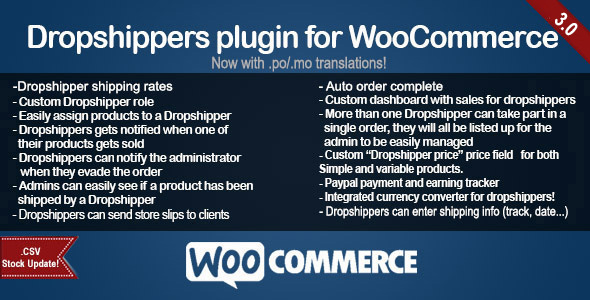
Woocommerce Dropshippers Vendors AddOn (Shipping)

WooCommerce Dropshippers Vendors is an Add-on for WooCommerce Dropshippers. It will NOT work unless you also have WooCommerce Dropshippers installed.

This plugin will allow the dropshippers of your shop to upload their own products.

What this plugin will do:

– Each dropshipper will be able to upload a product from their backend panel
– Admins will receive an email every time a new product is posted
– After a product has been submitted by a dropshipper, an user with an Admin or Shop Manager role can approve/refuse/edit it from the backend before the product goes live

NOTES:

– After a product has been approved, Dropshippers will no longer be able to modify it!

Changelog:

v1.0 – 27/10/2017
– First stable release

Other Products:


Download Woocommerce Dropshippers Vendors AddOn (Shipping)

Stripe Integration for Contact Form CF7 (Forms)

WordPress CF7 Stripe - Online Documentation WordPress CF7 Stripe - Online Demo

Integrate Stripe into Contact Form 7

With our Stripe Extension for the popular Contact Form 7 plugin you can easily start selling products. Simple and easy integrate the Stripe Payment Gateway, configure it for your needs and you are done. 3 easy Steps:

  1. Create a new Contact Form
  2. Add the Stripe Button
  3. Make Money

Create a Stripe Account, Setup a form, embed it on a page and make money.

Features

  • Step by Step Tutorial for the Setup. See here
  • Transactions will be saved into database
  • Unlimited Products to sell
  • All Countries supported
  • 135+ Currencies supported
  • Auto locale detection
  • Set Success / Cancel URLs
  • Keep the normal submit button if you want

Note: A Stripe Account, the free Redux Framework and the Contact Form 7 plugin are required to use this plugin!

Compatibility

  • WordPress 3.8.1+
  • PHP 5.2+

Changelog

======
1.0.0
======
- Inital release

Download Stripe Integration for Contact Form CF7 (Forms)

Lawyer – Law and Attorney Website CMS (PHP Scripts)

Overview

Lawyer is a responsive Law and Attorney Firm related Website Content Management System (CMS). It is a complete solution for a law firm or justice website. This CMS is built completely with PHP and MySQL. It has a nice and attractive front end and back end interface that are really awesome and eyecatching. The back end has a lot of nice and maintainable features that are needed for a modern and professional website to handle the contents easily by client. Almost all kinds of changes are possible to do using the admin panel without having any kind or programming language knowledge.

This CMS is built using the procedural php and without any framework. For this reason, it can be customized easily by most of the developers. This CMS script was prepared using the PDO feature of PHP language. That’s why, no SQL injection and XSS attack is possible here and your website will be safe. Also in all pages, admin level security and invalid page url submission checking were done.

Features

This CMS System has the following features:

  1. Easy and simple interface to use
  2. Fully responsive for any kind of device
  3. Powerful admin backend like WordPress
  4. Clean coding with proper commenting
  5. Secured coding against SQL injection
  6. Direct access or invalid URL press stopped for each pages
  7. Statistics of some data in dashboard
  8. Multilevel user management
  9. Multiple category layouts for the home page sections
  10. Unlimited news category and post creation and management
  11. Unlimited photo and video category creation and management
  12. Unlimited photo and video post creation and management
  13. Unlimited page creation and management
  14. Unlimited menu creation with dropdown
  15. Unlimited attorney creation and management
  16. Unlimited service creation and management
  17. Unlimited testimonial creation and management
  18. Unlimited partner or sponsor creation and management
  19. Unlimited FAQ categories and item creation and management
  20. Facebook comment section for each post
  21. SEO meta data setup for each post, page and category
  22. SEO friendly URL structure
  23. Unlimited file uploading system
  24. All major social media URL setup for top bar and sidebar

Demo

Front End: Click Here
Back End: Click Here

Login

Super Admin
Username: [email protected]
Password: 1234

Admin
Username: [email protected]
Password: 1234

Publisher
Username: [email protected]
Password: 1234

Note: Data will not saved in demo version.

Download Lawyer – Law and Attorney Website CMS (PHP Scripts)

EPI Events Calendar for PHPMaker 2018 (Miscellaneous)

The EPI Events Calendar and TImeline, now available for PHPMaker 2018 as an extension!

A fully featured events calendar, nicely integrated into PHPmaker 2018 with full access to server-side recurring events, user sharing and styling.

You have a choice between styling with classes or hex values. Using classes has the benefit of bubbling up into the modal class. Using hex values has the benefit of reliable color representation. You can also roll your own CSS class and use that for both!

Timelines allow you to have something like our EPI Changelog, grouping items by day and sorting them chronologically with a respective icon and color class. Keeps everything on one tidy page for keeping your fans up to date.

Both are responsive, and could even be grouped on a dashboard alongside your other widgets.

Download EPI Events Calendar for PHPMaker 2018 (Miscellaneous)

myChurch – Full Ionic Application (Full Applications)

myChurch is a mobile application powered by Firebase built for Church organizations to communicate with their congregation in a modern way. The app features push notification services, unlimited sermons that are dynamically added and edited through a powerful Admin Panel, a modern design, events page with features that allow you to add events dynamically through the dashboard, this includes the ability to set calendar events as well as the map locations dynamically through the admin panel. Pretty powerful stuff!

A news page is also included for sharing your awesome Church news with your congregation, with the added ability to share each news article via the social sharing platform installed with the app. The notes for the social sharing and added info can all be set dynamically for each event via the admin panel.

OTHER FEATURES INCLUDE:

  • Ability to dynamically add Church branches and to show each branch’s location separately using Google Maps.
  • A leaders page were you can add unlimited leaders and link to their social profiles.
  • Ministries section that allows you to dynamically add, edit or remove your Church ministries.
  • Dedicated tithing page.
  • Get your Church to learn the songs you sing with the inspirational music section were you can add both video and audio.
  • Dedicated social media page which links to your Church’s various social media platforms.
  • and much more…. All the changes done in the admin panel reflect immediately in your app!

VIEW THE DEMO ADMIN PANEL HERE and use the following credentials:

email: [email protected] | password: demoPassword

**please note, I’ve restricted the functionality to write and edit data via this demo admin panel, it is strictly for demo purposes only.

Download demo apk.

Download myChurch – Full Ionic Application (Full Applications)

Obituaries – Funeral services and obituaries (Miscellaneous)

Overview

This script is designed to offer an alternative practice to funeral services. The administrator, from the administrative area, will be able to put photos and details of the deceased, as well as the date and place where the funeral will take place.

But that’s not all! This script can also be useful to everyone, in fact, you can create a site to collect all famous death people.

You can leave your condolences in two different ways, by clicking on the button with the sad smile or by leaving a message via facebook comments.

“Obituaries” installs in just 10 min. It is designed for everyone, even for less experienced ones, its installation is very simple and fast! Our staff is at your disposal if you need it, just send an email.

Features

  1. It is installed in just 10 min
  2. Easy to manage with the administrative area
  3. Easy to manage, even for inexperienced!
  4. Add new obituary with photos
  5. Edit and Delete Obituary
  6. Change status “Active-Inactive”
  7. Give the condolences with a Click
  8. Post your condolences through FB comments
  9. Create new pages
  10. Translate all in one file

Administration

Download Obituaries – Funeral services and obituaries (Miscellaneous)

Ultimate Church Manager (Project Management Tools)

Ultimate Church Manager provides effective and easy to use all-in-one church management solution that doesn’t cost the world so you can focus on ministry and loving people. Explore each powerful feature to find out how Ultimate Church Manager handles the simplest to the most complex needs.

Key Features include:

  • Unlimited People
  • Track Giving
  • Email People & Groups
  • Text Messaging
  • Follow Ups
  • Access Restrictions
  • Contribution Reports
  • Volunteer Management
  • Event Management
  • Attendance Tracking

Download Ultimate Church Manager (Project Management Tools)

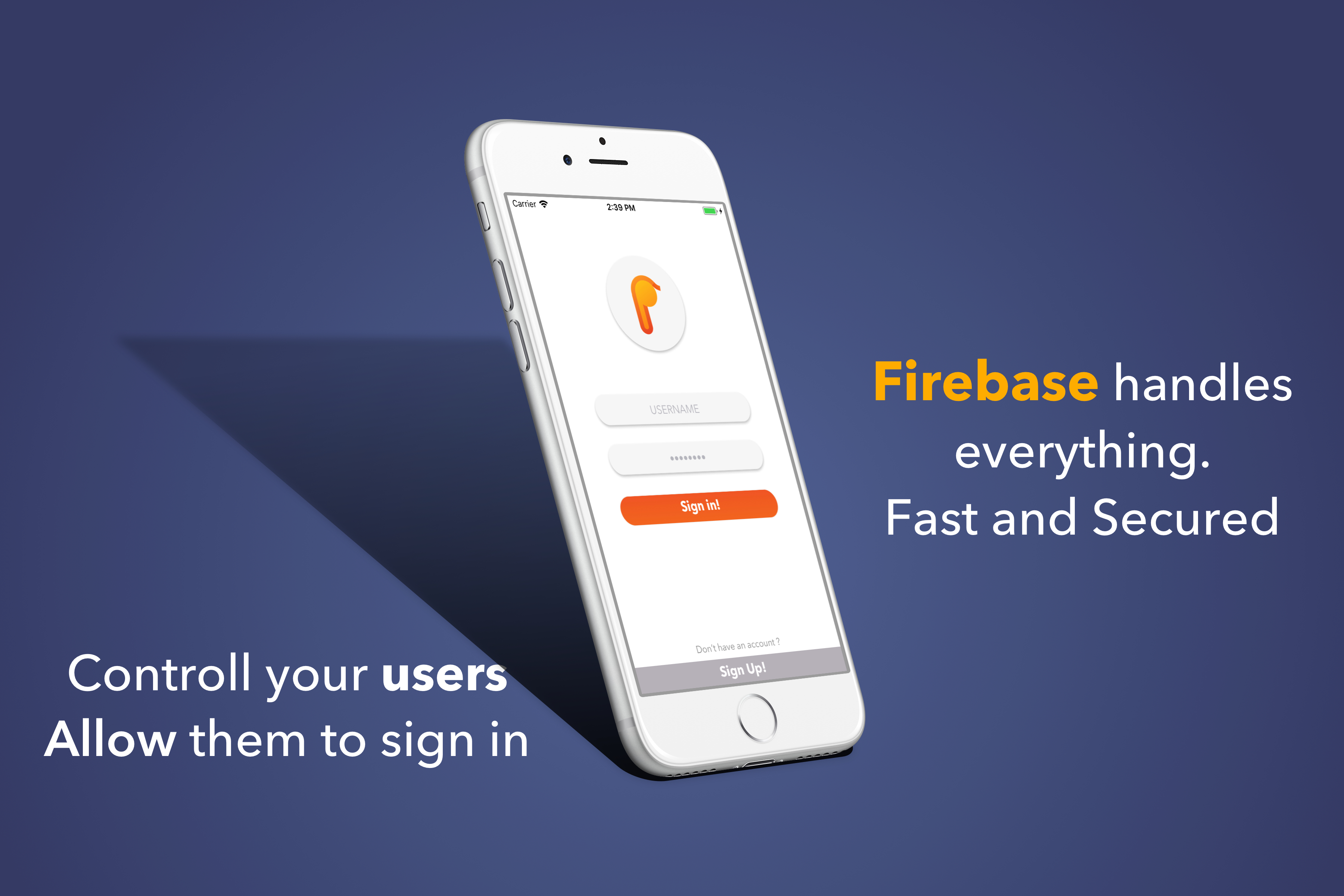
Personal Diary | Swift 4 – Firebase (Full Applications)


Capture life as you live it. From once-in-a-lifetime events to everyday moments.
PRESERVE EVERY MOMENT: There’s no limit to the memories you can save in Perdia

Features

  • Flat Design
  • Unlimited Records (can be Edited to limit the user)
  • Supports Admob, both banner and interstitial
  • Supports iAP, (may need extended license)
  • Sharing feature, you can share your diary to messages, facebook, notes. and etc..
  • Easy and well documented

Package includes

  • Full Source Code
  • Full Flat icon (P)
  • Full Documentation. and support

Requirements

  • A Firebase account (FREE)
  • A cup of coffee :)

How do i setup this project?
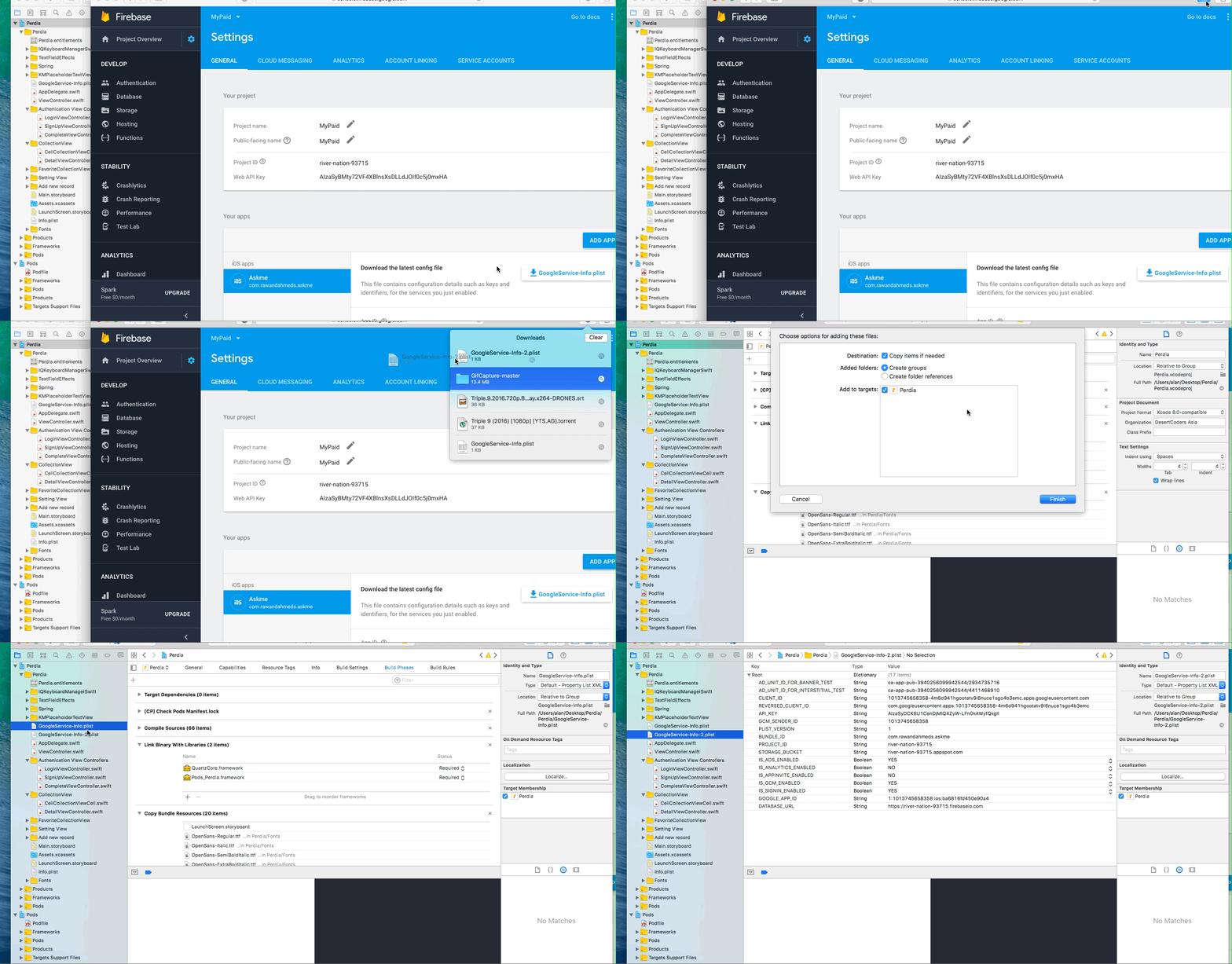
the easiest part is setting up the project, all you need to do is create a iOS project on Firebase. download the GoogleService-info.plist and drag it to your folder, and everything will be fine and RUN THE APP

media&token=d648f6f7-edf3-4eb6-ba10-f917875c9e8b

Thanks for purchasing our code, if you have any questions, any.. be sure to ask it on the comments section, everything is welcome there

Flag Counter

Download Personal Diary | Swift 4 – Firebase (Full Applications)

User Management in Asp.net Web API And Angular JS (Membership or Authentication Tools)

User Management is Asp.net Web API And Angular JS, That allows website owners to quickly add and

enable authentication, authorisation and user management to their website. It is designed following

latest security and code standards and it is ready for high availability websites. Although it is

written in Laravel, it can be used to provide secure login, authentication, authorization and complete

user management for any ASP.NET MVC 5.

Features

Secure user registration and login
Remember Me feature on login
Login with username
Interactive Dashboard
Unlimited number of user roles
Powerful admin panel (Admin LTE)
Unlimited number of permissions
Manage permissions from admin interface
Assign permission to roles
Easily check if user has permission to perform some action
Client side and server side form validation
Fully customisable from settings section
Complete and detailed documentation
Create Menu from admin user
Password Security
Advance Search Option in Table

Demo Login

http://user.adityainfosol.com
username : admin
password : 123

System Requirement

Windows Server or Windows Hosting.
IIS7 OR above
.Net framework 4.5.1 OR above
Sql Server 2008 OR above

Installation by asp.net mvc developer
:Unzip Solution
:Paste Code In IIS wwwroot directory
:Create Database In MS Sql Server
:Take Database script from root and run in your mssql server
:Change Connection string of database on Web.Config file in Code
:Run It

Download User Management in Asp.net Web API And Angular JS (Membership or Authentication Tools)

OKomatic Automatic Post Generator and Odnoklassniki Auto Poster Plugin for WordPress (Miscellaneous)

You will Love this item!

OKomatic Automatic Post Generator and Odnoklassniki Auto Poster Plugin for WordPress

What Can You Do With This Plugin?

OKomatic Automatic Post Generator and Odnoklassniki Auto Poster Plugin for WordPress is a breaking edge (made in 2017) Odnoklassniki To WordPress and WordPress To Odnoklassniki post importer plugin that is ideal for auto blogging and automatical Odnoklassniki post publishing. It uses the Odnoklassniki API to turn your website into a auto blogging or even a money making machine!
What is interesting to know is that content from Odnoklassniki groups and pages are not indexed by search engines. So, content generated in this way is automatically considered as unique in term of SEO.
It also can be used to automatically publish Odnoklassniki posts every time you publish a new post to your blog.
Using this plugin, you can automatically generate posts based on a set of predefined rules. These rules can generate posts from:

  • Any public Odnoklassniki group based on hashtag search
  • Any Odnoklassniki page based on hashtag search
  • Any public Odnoklassniki profile based on hashtag search

Other plugin features:

  • Automatical Odnoklassniki Post generator every time you publish a new post to WordPress – you can publish to a selected wall, page, group or album (if you have the specified rights for it – besides image posting, each posting type needs approval from OK.ru)
  • Google Translate support – select the language in which you want to post your articles
  • Text Spinner support – automatically modify generated text, changing words with their synonyms – great SEO value!
  • customizable generated post status (published, draft, pending, private, trash)
  • automatically generate post categories or tags from marketplace items
  • manually add post categories or tags to items
  • generate post or page
  • define publishing constrains: do not publish posts that do not have images, posts with short/long title/content
  • automatically generate a featured image for the post
  • enable/disable comments, pingbacks or trackbacks for the generated post
  • customize post title and content (with the included wide variety of relevant post shortcodes)
  • ‘Keyword Replacer Tool’ – It’s purpose is to define keywords that are substituted automatically with your affiliate links, anywhere they appear in the content of your site. For example, you can define a keyword ‘codecanyon’ and have it substituted by a link to http://www.codecanyon.net/?ref=user_name anywhere it appears in your site’s content.
  • ‘Random Sentence Generator Tool’ (relevant sentences – as you define them)
  • detailed plugin activity logging
  • scheduled rule runs
  • Open Graph meta tags inclusion for the entire blog
  • Maximum/minimum title length post limitation
  • Maximum/minimum content length post limitation
  • Add post only if predefined required keywords found in title/content
  • Add post only if predefined banned keywords are not found in the title/content

Try it out now

Testing this plugin

  • You can test the plugin’s functionality using the ‘Test Site Generator’. Here you can try the plugin’s full functionality. Note that the generated testing blog will be deleted automatically after 24 hours.

Learn more about this plugin

Plugin Requirements

PHP DOM -> how to install it (if you don’t have it, but probably you already have it): http://php.net/manual/en/dom.setup.php

Need support?

Just email me at [email protected] and I will respond as soon as I can.

coderevolution
coderevolution
coderevolution
coderevolution

Changelog:

Version 1.0 Release Date 2017-10-31

First version released!

Are you already a customer?

If you already bought this and you have tried it out, please contact me in the item’s comment section and give me feedback, so I can make it a better WordPress plugin!

WordPress 4.7 Tested!

Purchase this item now!

Like this? Give it a 5 star rating!

Download OKomatic Automatic Post Generator and Odnoklassniki Auto Poster Plugin for WordPress (Miscellaneous)

LearnDash Disclaimer (WordPress)

Introduction

Learndash disclaimer plugin is an WordPress plugin that allows the creation of Terms & Conditions? ?or? ?Disclaimer? ?popup? ?windows? ?for? ?your? ?Learndash? ?course? ?or? ?quiz.

You can create a single popuptoappearacrossyourentiresite,assignittospecificcourse or? ?quiz.

Disclaimer plugin is used in websites where visitors are required to agree to disclaimer conditions? ?before? ?taking? ?course/quiz.

The? ?popups? ?you? ?create? ?can? ?be? ?easily? ?created? ?to? ?control? ?popup? ?message.

Plugin Features

  • Manage? ?disclaimer? ?popup? ?content.
  • Hide/Enable? ?the? ?disclaimer? ?popup? ?to? ?be? ?visible? ?per? ?course/quiz.
  • User? ?must? ?confirm? ?disclaimer? ?agreement? ?to? ?proceed? ?for? ?course? ?or? ?quiz.
  • Must? ?install? ?Learndash? ?plugin? ?as? ?prerequisite.
  • Popup? ?works? ?with? ?the? ?following? ?Course? ?types? ?only? ?(Free? ?–? ?Recurring? ?-? ?Buy? ?Now).

Plugin general options

Course disclaimer popup settings per course/quiz:
  • Add popup title.
  • Add default message name.
  • Add default 2 buttons (Confirm-Ignore) text.

Learndash course/quiz settings

Select checkbox “Disclaimer option” from course or quiz.

Select from the following Course types (Free – Recurring – Buy Now).

Add specific message setting per course/quiz which will override general settings for popup.

  • Add popup title.
  • Add default message name.
  • Add default 2 buttons (Confirm-Ignore) text.

Changelogs

Version : 1.0
Date : 2017-10-26
First Release.

Download LearnDash Disclaimer (WordPress)

Best Prestashop Blog Module – Responsive & SEO Friendly Blog (Prestashop)

With PrestaShop blog module, you can integrate a blog within a PrestaShop store to educate, entertain, and inform your users. Start writing creative posts and accompany them with captivating images and useful videos. Publish posts right away or schedule them to go live later. With import option, you can move your old WordPress blogpost to your PrestaShop website in a click.

This Prestashop Blog Module is developed by FmeModules.com – Official Prestashop Partners with experience of developing over 45 modules.

Prestashop blog module works smoothly with your existing system whether it’s a multi-lingual or Multi-store. Show recent posts at store homepage, enable Facebook comments and display blogposts slider at blog home and images slider in each blog post.

Write, publish and schedule blog-posts on your website

PrestaShop Blog module allows you to write and publish innovative content for your eCommerce website. It also allows you to schedule a post for publishing at the right time.

Compose and format blog-posts

Start with a custom title and proceed to posts composition and formatting with WYSIWYG editor. You can add Meta details to make the post SEO friendly.

  • You can add a custom post title
  • Add permalink to
  • Write a post summary
  • Compose and format a complete post
  • Configure Meta details for maximizing reach
  • Publish the post or schedule for later

Add images and videos to make the posts captivating

Apart from textual content, you can add images and videos as well to the posts. Simply select files from your personal computer and add them to the post. Try these options.

  • Upload multiple images one by one or in a bulk
  • Add numerous videos to form a complete video gallery
  • Add related posts to improve blog impressions and bounce rate
  • Show rated products to blog for converting readers into leads

Add Categories to Showcase Content Brilliantly

You can add categories to your blog that segregate topics for easy navigation and search. It allows users to quickly access all the posts published under a category.

  • Write title and description for each category
  • Add a friendly URL
  • Upload a category cover image
  • Setup Meta title, keywords, and description
  • Assign a position to each category
  • Handle users’ access to categories

Enable Comments with Email & Facebook:

Enable comments section along with Google Recaptcha to let the users comment on the posts without fearing for spam. You can also enable the Facebook commenting box to facilitate users in sharing views through their social account. You can,

  • Modify name and comment of the commenter
  • Enable auto approval of comments
  • Allow registered as well as guest users to comment
  • Enable Captcha as anti-spam check
  • Configure Facebook comments block
  • Add a recent comments block to the home page

Import WordPress Blog to Your Prestashop Store

PrestaShop blog module empowers you to import a WordPress blog into your eCommerce website to manage it along with the store. Enjoy a centralized control panel for blogging and web shop.

  • Upload file or select it from the history to import
  • Setup a category if not created before
  • Select a language for the blog import

Prestashop Blog Configuration Settings:

Start with basic blog settings to make the blog search engine friendly and reachable. You can opt to display Date and comment counter or Read more link to the posts. You can avail these options to start with the basic configuration.

  • Add a Blog Slug
  • Blog Page Title, Meta keywords, and Description
  • Show Posts per page
  • Add a ‘Read More’ link
  • Show Date, and comment counter
  • Show Sharing block
  • Sort Posts by Date or Alphabetical order

Add Responsive slider to your blog

You can add a slider that displays posts with transition effects to catch user attention. You can also add images slider within a blogpost. Following are the configuration settings of slider.

  • Add a slider
  • Select a theme
  • Configure slider effects
  • Display Previous and Next posts
  • Enable Pagination

Add A Variety Of Optional Blocks:

With the help of PrestaShop blog module, you can add blocks to highlight the content further. You can enable blocks for the recent posts, recent comments, archives, categories, etc. select any on them and display it on your website accordingly.

  • Display Recent Posts in a block
  • Showcase all your posts in home posts block
  • Enable the display of video gallery
  • Add a search block
  • Show blog categories in a block
  • Enable blog tab on product pages
  • Add archives block to the blog
  • Show Facebook Facebook page
  • Twitter activity block

Create RSS Feed and/or Integrate Feed from External Link

Display external content by integrating the RSS Feed from an external link such as BBC, Bloomberg, etc. You can also add an RSS feed block to let the users subscribe to the content feed of your blog. It allows the readers to get updates when fresh content is published on your blog.

Additional Features

  • Add Banners to promote products, deals, and discounts
  • Select a listing view either Grid or List
  • Choose a blog layout either full width or column wise
  • Setup a theme for the blog
  • Set any of the Google Fonts

Download Best Prestashop Blog Module – Responsive & SEO Friendly Blog (Prestashop)
Social Subscriber Pro – easily subscribe users to mailing, using social networks (Social Networking)

Social Subscriber Pro – it’s an ideal WordPress plugin, that allows users of your site to subscribe easily to mailing, using account one of their favorite social network.

Using Social Subscriber Pro plugin you can be sure that your subscribers have entered the correct email address, also the given name and the family name. Integration with email marketing services allows you to immediately add a user to the appropriate mailing lists. Flexible customization of button styles will help to harmoniously fit subscription buttons into your website.

Features:

  • subscribing via 4 social networks;
  • integration with 5 mailing services;
  • sending an email to administrator and user after subscription;
  • flexible customization of button styles and subscription;
  • redirection the user after subscription.

4 Social Network:

  • Facebook
  • Google
  • Twitter
  • LinkedIn

5 Email Marketing Services:

  • MailChimp
  • Getresponse
  • Activecampaign
  • Aweber
  • Sendinblue

Email sending:

  • Send email to admin
  • Send email to user

Style setting:

  • Padding
  • Border
  • Border Radius
  • Font size text
  • Font size icon
  • Display icon
  • Margin between icon and text

Organize a quick and easy subscription to mailing through social networks with the help of Social Subscriber Pro plugin.

Download Social Subscriber Pro – easily subscribe users to mailing, using social networks (Social Networking)

Fire Forum – Ionic 3 & Firebase 4 Forum – Questions & Answers App (Mobile)

Fire Forum is a full modern Forum / Questions and Answer app.

Built on Ionic 3 and Firebase 4 – The app is compatible with Android, iOS and Windows. Download the android APK below and test drive the app.

Thanks for purchasing and if you have any questions: https://cueapps.on.spiceworks.com/portal/tickets

App Features
· App Icon
· Splash Screen
· Clean Modern UI
· Live Search
· Cards UI
· User Profile
· Date & Time
· Comments
· Categorises
· Social Sharing
· Pull to Refresh
· View profile image
· Infinite scroll
· Google Analytics
· Up and down vote
· SQLite
· InApp Browsing

Profile
· Username
· Email signup
· Date of birth
· Activity view
· Threads, comments, favourite counter

Extras
· Pages
· Blogs
· External links

Try before you by: https://drive.google.com/open?id=0Bxwow66RLOQpNE5NYkFDTDlQa3M

Download Fire Forum – Ionic 3 & Firebase 4 Forum – Questions & Answers App (Mobile)