WooCommerce to GoToWebinar connector 1 (Integrations)

Automate your selling of webinars on GoToWebinar!

Well, it’s finally here: WooCommerce to GoToWebinar connector plugin!

Now even with the One Click join for your customers from “My Account” page. To be able to utilize this effectively you need to force your customers to create an account on your site (or get a plugin that does that for you as soon as the order gets completed).

TEST DRIVE BEFORE YOU BUY! – You can always use the demo site to configure the plugin using your credentials from GoToWebinar and test things out – http://demo.relit.ca/wp-admin use “demo” for login and password.

This plugin will allow you to specify the webinar that you have created and setup in GoToWebinar and those who buy it online will be created as users and automatically added to that webinar in GoToWebinar!

They will even have a welcome e-mail sent to them from GoToWebinar and also get all of their personal GoToWebinar join links as part of the order confirmation e-mail that WooCommerce sends out once you set the order to “Completed”

Just install the plugin, provide your GoToWebinar server details and some WooCommerce optional settings and you are ready to sell!

It is highly recommended to disable the error logging in the plugin settings once you fine tune it and all works well. Error logs will get quite big. Error logging is disabled by default.

Support is available on the site – http://relit.ca/support or via the comments section above.

Plugin Logic:
Once the order in WooCommerce is set to “Completed” (otherwise the plugin will not fire it’s actions) the plugin will
– the plugin adds the customer to a sold Webinar in GoToWebinar
– An order confirmation email is sent by WooCommerce with the link to the sold webinar.

Notes about known issues with GoToWebinar:

  • None so far. Watch this space if any will surface

How to install/update

PLEASE BACKUP YOUR SITE BEFORE UPDATING ANYTHING (INCLUDING THIS PLUGIN)
Upload files overwriting the old plugin files.

After enabling the “My Account” integration, if you get 404 errors, please open the permalinks section in WP settings and just hit the save button.

Change Log for version 1.0

– Initial Release

Download WooCommerce to GoToWebinar connector 1 (Integrations)

Happy Cloud In The Space – Buildbox Template ( BBDOC + Android Studio + Eclipse + Xcode ) (Android)

Happy Cloud in The Space is a beautiful game,Tell a story about clouds are lost in space, This game made by buildbox software have 3 Worlds and Multiple characters. you can add admob banner and easy to get more revenue from this game . this game also have share button , mute button , that you can customize easily .. made by Buildbox Software.

+ This game has been created with buildbox 2.2.8 (BBDOC file included)

+ Game Features :

  • Multiple worlds
  • Multiple characters
  • Endless gameplay
  • Universal (phone & tablet)
  • AdMob Banner and Interstitial
  • Share buttons
  • Facebook buttons
  • Rate Button
  • Sound On/Off Option
  • Eclipse / Android studio
  • EASY TO RESKIN

+ This File Includes :

  • Buildbox (BBDOC) Project
  • Eclipse Project
  • Android Studio Project
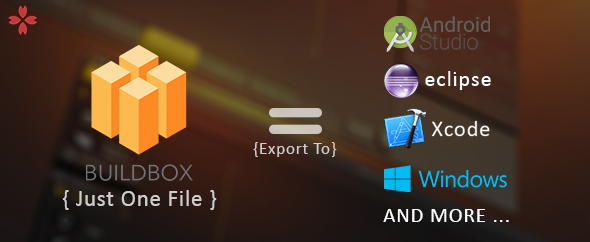
  • IOS Xcode Project
  • APK File
  • Documentation File

Download Happy Cloud In The Space – Buildbox Template ( BBDOC + Android Studio + Eclipse + Xcode ) (Android)

Moko Currency Converter (Miscellaneous)

Moko Currency Converter is a simple and beautiful standard currency price converter script that updates all info in realtime. This script allows you to create your very own Currency converter website that supports 170 currencies with the ability to change the default currency extremely easily!.

Features

  • Realtime standard currency price
  • Title bar currency rate.
  • Configurable advertisements space
  • Configurable Currencies
  • 170 Country Currencies supported
  • Clean coding with proper commenting
  • Any shared hosting or even free hosts can be used
  • 100% Ajax Based
  • Configurable fetch rate
  • SEO meta data setup homepage
  • Bootstrap + jQuery for best user experience
  • Beautiful Mobile responsive design
  • 100% Easy Installation
  • Multilingual support
  • Change everything such as site title, description easily
  • Configurable bitcoin donations (Wallet link)
  • Beautiful Design Template
  • SEO friendly HTML5 Markup

Supported countries

Afghanistan Afghani, Albania Lek, Algerian Dinar, Angolan Kwanza, Argentina Peso, Armenian Dram, Aruba Guilder, Australia Dollar, Azerbaijan New Manat, Bahamas Dollar, Bahraini Dinar, Barbadian Dollar, Bangladeshi Taka, Belarusian Ruble, Belize Dollar, Bermudan Dollar, Bhutanese Ngultrum, Bitcoin, Bolivian Boliviano, Bosnia and Herzegovina Convertible Marka, Botswana Pula, Bulgaria Lev, Burundian Franc, Brazilian Real, Brunei Darussalam Dollar, Cambodian Riel, Canadian Dollar, Cape Verdean Escudo, Cayman Islands Dollar, Central African CFA Franc, Chile Peso, China Yuan Renminbi, Colombian Peso, Comorian Franc, Congolese Franc, Costa Rica Colon, Croatian Kuna, Cuba Peso, Czech Republic Koruna, Danish Krone, Djiboutian Franc, Dominican Republic Peso, East Caribbean Dollar, Egyptian Pound, Salvadoran Colon, Eritrean Nakfa, Estonia Kroon, Ethiopian Birr, Euro Member Countries, Falkland Islands (Malvinas) Pound, Fijian Dollar, Finnish Markka, French Franc, Gambian Dalasi, Georgian Lari, German Mark, Ghana Cedis, Gibraltar Pound, Guatemalan Quetzal, Guernsey Pound, Guinean Franc, Guyanaese Dollar, Haitian Gourde, Honduran Lempira, Hong Kong Dollar, Hungarian Forint, Icelandic Krona, Indian Rupee, Indonesian Rupiah, Iran Rial, Iraqi Dinar, Irish Pound, Isle of Man Pound, Israeli New Shekel, Italian Lira, Jamaican Dollar, Japanese Yen, Jersey Pound, Jordanian Dinar, Kazakhstan Tenge, Kenyan Shilling, Kuwaiti Dinar, South Korea Won, Kyrgyzstan Som, Laos Kip, Latvia Lats, Lebanese Pound, Lesotho Loti, Liberian Dollar, Libyan Dinar, Lithuanian Litas, Macanese Pataca, Macedonian Denar, Malagasy Ariary, Malawian Kwacha, Malaysian Ringgit, Maldivian Rufiyaa, Mauritanian Ouguiya, Mauritian Rupee, Mexican Peso, Moldovan Leu, Mongolian Tughrik, Moroccan Dirham, Mozambican Metical, Myanmar Kyat, Namibian Dollar, Nepalese Rupee, Netherlands Antilles Guilder, New Zealand Dollar, Nicaraguan Cordoba, Nigerian Naira, Norwegian Krone, North Korea Won, Omani Rial, Pakistani Rupee, Panamanian Balboa, Papua New Guinean Kina, Paraguayan Guarani, Peruvian Nuevo Sol, Philippines Peso, Polish Zloty, Qatari Riyal, Romanian New Leu, Russian Ruble, Rwandan Franc, Saint Helena Pound, Samoan Tala, Sao Tome and Principe Dobra, Saudi Arabian Riyal, Serbian Dinar, Seychellois Rupee, Sierra Leonean Leone, Singapore Dollar, Slovak Koruna, Solomon Islands Dollar, Somali Shilling, South African Rand, Sri Lanka Rupee, Swazi Lilangeni, Swedish Krona, Switzerland Franc, Sudanese Pound, Surinamese Dollar, Syrian Pound, Taiwan New Dollar, Tajikistani Somoni, Tanzanian Shilling, Thai Baht, Tongan Pa’anga, Trinidad and Tobago Dollar, Tunisian Dinar, Turkish Lira, Turkmenistani Manat, Tuvalu Dollar, Ugandan Shilling, Ukraine Hryvna, United Arab Emirates Dirham, United Kingdom Pound, United States Dollar, Uruguayan Peso, Uzbekistani Som, Vanuatu Vatu, Venezuela Bolivar, Vietnamese Dong, Yemen Rial, Zambian Kwacha, Zimbabwe Dollar

Demo Link: http://catonite.website/mokocurrency

Download Moko Currency Converter (Miscellaneous)

WP-SpamShield (WordPress)

Powerful and user-friendly WordPress anti-spam defense that prevents spam on blog comments, contact forms, registrations, and everything else.

The All-in-One Anti-Spam Plugin for WordPress – Without CAPTCHAs

Leading edge WordPress spam protection, with NO CAPTCHAs, challenge questions or other inconvenience to site visitors. This plugin works silently in the background, and simply makes WordPress spam disappear.

Supports: Contact Form 7, Gravity Forms, Ninja Forms, JetPack Contact Forms & Comments, BuddyPress, bbPress, WooCommerce, s2Member, WP-Members, Mailchimp, Fast Secure Contact Form, Formidable Forms, almost all WordPress forms, and almost all WordPress registration forms. Automatically!

NEED HELP?

Plugin Documentation | Troubleshooting Guide | FAQs | Support Requests

How It Works

Most of the spam hitting your site originates from bots, but quite a bit comes from humans too. This plugin works like a firewall to ensure that your commenters are in fact, human, and that those humans aren’t spamming you.

Two Layers of Spam Blocking

There are two layers of leading edge anti-spam protection that work together to block both automated (spambots) and human spam:

  1. The JavaScript/Cookies Anti-Spam Layer
  2. The Algorithmic Anti-Spam Layer

The first anti-spam layer uses a dynamic combination of JavaScript and cookies to weed out the humans from spambots, preventing 100% of automated spam from ever getting to your site. Even if bot authors could engineer a way to break through the JavaScript/Cookies Anti-Spam Layer, the Algorithmic Anti-Spam Layer would still stop almost all of the spam that the JavaScript Layer blocks, and provides close to a fully redundant backstop. This JavaScript Anti-Spam Layer utilizes multiple randomly generated keys, and is algorithmically enhanced to ensure that spambots won’t beat it. The powerful Algorithmic Anti-Spam Layer consists of over 100 advanced filters, and eliminates trackback spam and most human spam as well. And, it does all that without hindering legitimate comments, trackbacks, contact forms, or registrations.

No More Wasted Time Sifting Through the Comment Spam Queue

This type of solution works invisibly in the background, with no inconveniences. You won’t have to waste valuable time sifting through a spam queue any more, because there won’t be anything there.

WP-SpamShield is different from other anti-spam plugins in that it BLOCKS spam at the front door of your site and doesn’t allow it into the WordPress database at all. Many other anti-spam plugins simply label a comment as spam, leaving you to sort through a spam queue, which wastes your valuable time. WP-SpamShield will give you back your time!

Improves User-Friendliness of Your Website

If you want to improve the user-friendliness of your site, this is THE anti-spam plugin you want. After all, why should your users have to prove they are human? Since your users won’t be inconvenienced by outdated and frustrating anti-spam methods, you will provide a smoother, trouble- experience for your website users, which leads to improved readership, ad revenue, sales, or other types of conversion, and therefore greater success for your website.

Improves Security

Not allowing spam into the database improves security by potentially preventing SQL injection, DDoS, and XSS exploit attacks through automated spam comment submissions. WP-SpamShield fixes the security issues inherent to Pingbacks, and prevents Pingback-based DDoS attacks. As part of the Miscellaneous Form Spam Protection, the plugin protects against XML-RPC brute force amplification attacks. The plugin also has several other features that improve security, such as blocking certain potentially dangerous URLs in spam comment submissions, and limiting comment size to 15kb. (15kb of text is roughly the equivalent of 3 typed pages in Microsoft Word, single-spaced, so that’s more than enough for even the longest of comments.) See this blog post for more info.

Helps Improve Overall Website Performance

The plugin helps keep your WordPress database slimmer and more efficient (keeping your site running faster in the long term) by not allowing the thousands upon thousands of spam comments into it, which could bloat the database and potentially corrupt it. Keeping your database lean is extremely important, because bloated databases result in much longer query times and increased server load, slowing down a site dramatically even for simple functions. If website performance is important to you, then you definitely want an anti-spam plugin like WP-SpamShield instead of a plugin that uses a spam queue. See this FAQ for more detailed info.

ZERO False Positives

It does all this with ZERO false positives, because of the method used to block spam. Notice we didn’t say a “low false positive rate” – we said ZERO false positives. If a comment/contact form/registration gets blocked as spam, the user is given instant feedback and has a chance to correct their comment/contact form/registration/etc and try again, which means there cannot be false positives. This leads to fewer frustrated website visitors, and less work for you. We are committed to keeping the promise of zero false positives.

100% Pingback/Trackback Validation and Anti-Spam

The trackback validation contains a filter that compares the client IP address of the incoming trackbacks and pingbacks against the IP address of the server where the link is supposedly coming from. If they don’t come from the same server, then it is guaranteed spam, without fail. This alone eliminates more than 99.99% of trackback & pingback spam. Trackback spammers don’t send spam out from the same server where their clients’ websites reside. There are algorithmic anti-spam filters in place to ensure 100% trackback/pingback spam blocking. You can be confident that only legitimate trackbacks and pingbacks will get through.

Includes a Spam- Contact Form, and Anti-Spam for Contact Form 7, Gravity Forms, Ninja Forms, JetPack Contact Forms, and Most Other Forms

Includes drop-in spam- contact form, with easy one-click installation. Easy to use – no configuration necessary, but you can configure it if you like. (See Installation for info.) WP-SpamShield also includes automatic anti-spam protection for Contact Form 7, Gravity Forms, Ninja Forms, JetPack Contact Forms, Fast Secure Contact Forms, Formidable Forms, and more. (You don’t have to do a thing…just add your Contact Form 7, Gravity Forms, Ninja Forms, JetPack Contact Forms, or other forms to your site, and they will automatically be protected.) It will automatically protect most forms on your WordPress site from automated spam, even if they are not listed here.

WordPress Registration Anti-Spam

The plugin also includes powerful protection from user registration spam. Once you install WP-SpamShield, you don’t have to worry about bots or spammy users signing up any more. (Note: This protects almost all registration forms, including the WordPress default registration form, and registration forms for bbPress, BuddyPress, WooCommerce, s2Member, WP-Members, and many more. See this FAQ for more info.

Stops Email Harvesters

The plugin has a feature to thwart email harvesting bots and keep them from scraping your site for email addresses. (Which helps reduce spam in your email inbox.) The plugin automatically obfuscates plain text email addresses and mailto links in your website content by encoding them into HTML entities (hexadecimal and decimal character codes that look like gibberish to harvesters, but render the email addresses perfectly in a browser). It protects email addresses on pages, posts, comments, excerpts, and text widgets.

Why Not Just Use a CAPTCHA-Based Anti-Spam Method?

The concept of using a CAPTCHA as an anti-spam solution in this modern day and age is flawed for several reasons:

  1. It’s an outdated concept that has far outlived its usefulness, and was originally developed before user-friendliness was a high priority.
  2. It goes in the exact opposite direction of user-friendly design principles. Think about it. Users of your website have to type in numbers and letters obscured by squiggly lines and symbols, only to be told they are wrong several times, even after typing in the correct answer. This is proven to hurt website business and revenue because of the negative feelings it causes. People simply don’t like CAPTCHAs.
  3. It is not the user’s responsibility to separate humans from bots, or to stop spam; it’s the web developer’s responsibility. Even if the CAPTCHA is simple, and all the user has to do is click a button, it is still annoying and unnecessary. It’s one extra step that you are putting between your user and their end goal.
  4. CAPTCHAs can be defeated. In fact, bots have been cracking CAPTCHAs since 2008. The only benefit of a CAPTCHA was that it was considered to be unbeatable by bots. That day is long past.
  5. Why use a CAPTCHA when there are better solutions that don’t inconvenience your website users?

Optimized and Scalable – Won’t Slow Down Your Site

This plugin has an extremely low overhead and won’t slow down your site, unlike some other anti-spam plugins. Each of the filters in the plugin have been benchmarked, and when processing comments for spam, the fastest filters are put at the front of the stack. Once a comment tests positive for spam, the testing process terminates and will not engage the remaining filters. Additionally, as mentioned above, by keeping spam out of the WordPress database altogether, WP-SpamShield helps keep your database slimmer and more efficient, which in turn helps keep your site running faster. This efficiency helps keep the server load down, and helps improve the overall performance of your site. WP-SpamShield is optimized to work well with all major caching plugins.

Faster than the Cloud

Speaking of scalability, WP-SpamShield can kill spam faster than any cloud-based anti-spam solution. Cloud-based anti-spam plugins are inherently slower at processing spam because they have to connect to an external server to check the spam status, which in turn will increase your site’s server load. With WP-SpamShield, all anti-spam processing happens directly on your website’s server, with lightning speed.

Responsive and Helpful Tech Support

If you have any issues with the plugin, we are here to help. Simply submit a support request at the WP-SpamShield Support Page, and we’ll help you diagnose and fix the issue quickly.

Additional Features

  1. WP-SpamShield provides automatic anti-spam protection for: Contact Form 7 forms, Gravity Forms, Ninja Forms, JetPack Contact Forms; BuddyPress, bbPress and WooCommerce registration forms; Mailchimp signup forms; almost all other WordPress forms; and almost all registration forms!
  2. As of version 1.9.2, WP-SpamShield protects JetPack Comments from spam. (Making it one of the few anti-spam plugins that works with JetPack Comments.)
  3. A counter on your dashboard to keep track of all the spam it’s blocking. The numbers will show how effective this plugin is.
  4. See what’s been blocked with “Blocked Comment Logging Mode”, a temporary diagnostic mode that logs blocked spam (comments, trackbacks, registrations, and contact form submissions) for 7 days, then turns off automatically. If you want to see what spam has been blocked, or verify that everything is working, turn this on and see what WP-SpamShield is protecting your site from.
  5. Multiple languages available and more on the way. Currently includes Dutch (nl_NL), French (fr_FR), German (de_DE), Indonesian (id_ID), Italian (it_IT), Serbian (sr_RS), and Swedish (sv_SE) translations. Ready for translation into other languages.
  6. Easy to install – truly plug and play. Just upload and activate. (Installation Status on the plugin admin page to let you know if plugin is installed correctly.)
  7. Compatible with, and optimized for all major cache plugins, including WP Super Cache, WP Fastest Cache, and many others. Not all anti-spam plugins can say that.
  8. Display your blocked spam stats on your site. Customizable widgets for graphic counters to display spam stats, in multiple colors, sizes and options.
  9. Works in WordPress Multisite as well. (See the related FAQ for details.)
  10. Enhanced Comment Blacklist option. Instead of just sending comments to moderation as with WordPress’s default Comment Blacklist functionality, with this turned on, anything that matches a string in the blacklist will be completely blocked. Block specific human spammers by IP, email address, or a number of other options. The Enhanced Comment Blacklist has some improvements over the default WordPress blacklist functionality, and adds a link in the comment & contact form notification emails that will let you blacklist a spammer’s IP with one click. It also provides some advanced custom options for blocking spam on everything else that WP-SpamShield protects.
  11. WP-SpamShield Whitelist option. Allows you to specify certain users who you want to let bypass the antispam filters.
  12. This plugin is legal to use in Germany and the EU, and does not violate European privacy laws. It does not use any type of cloud-based service, data is not transmitted from your server to any other server, and all anti-spam processing happens directly on your website’s server.

Languages Available

  • English
  • Dutch (nl_NL)
  • French (fr_FR)
  • German (de_DE)
  • Indonesian (id_ID)
  • Italian (it_IT)
  • Serbian (sr_RS)
  • Swedish (sv_SE)

If you would like to help translate, please get in touch with us.

Minimum Requirements

  • WordPress 4.0+ (Recommended: WordPress 4.5 or higher)
  • PHP 5.3+ (Recommended: PHP 5.6 or higher) [PHP 7 Compatible: YES – 100%]
  • Your server must be configured to allow the use of an .htaccess file. The vast majority of users will have no issue here, because most web hosts allow this by default. However, if yours does not, you will need to contact them and ask them to enable it on your site. If they won’t, then it’s time to get a better web host. WordPress loses a lot of functionality if you don’t have use of .htaccess enabled, so this is important for full functionality of WordPress and other plugins as well.) Note: By definition, a standalone Nginx server would not meet this requirement, but an Apache/Nginx hybrid setup would. (Nginx is setup as a reverse-proxy in front of Apache. This type of setup offers high-performance and is recommended.)

Please see the plugin documentation’s minimum requirements section for more information.

To find web hosts that meet and exceed the requirements, see our list of recommended web hosts.

Download WP-SpamShield (WordPress)
WooCommerce Drag & Drop Uploader | Ajax File Upload (WooCommerce)

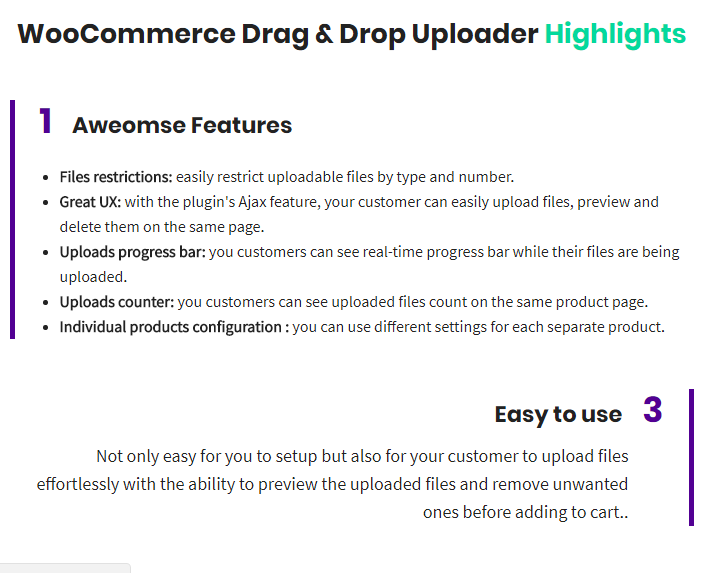
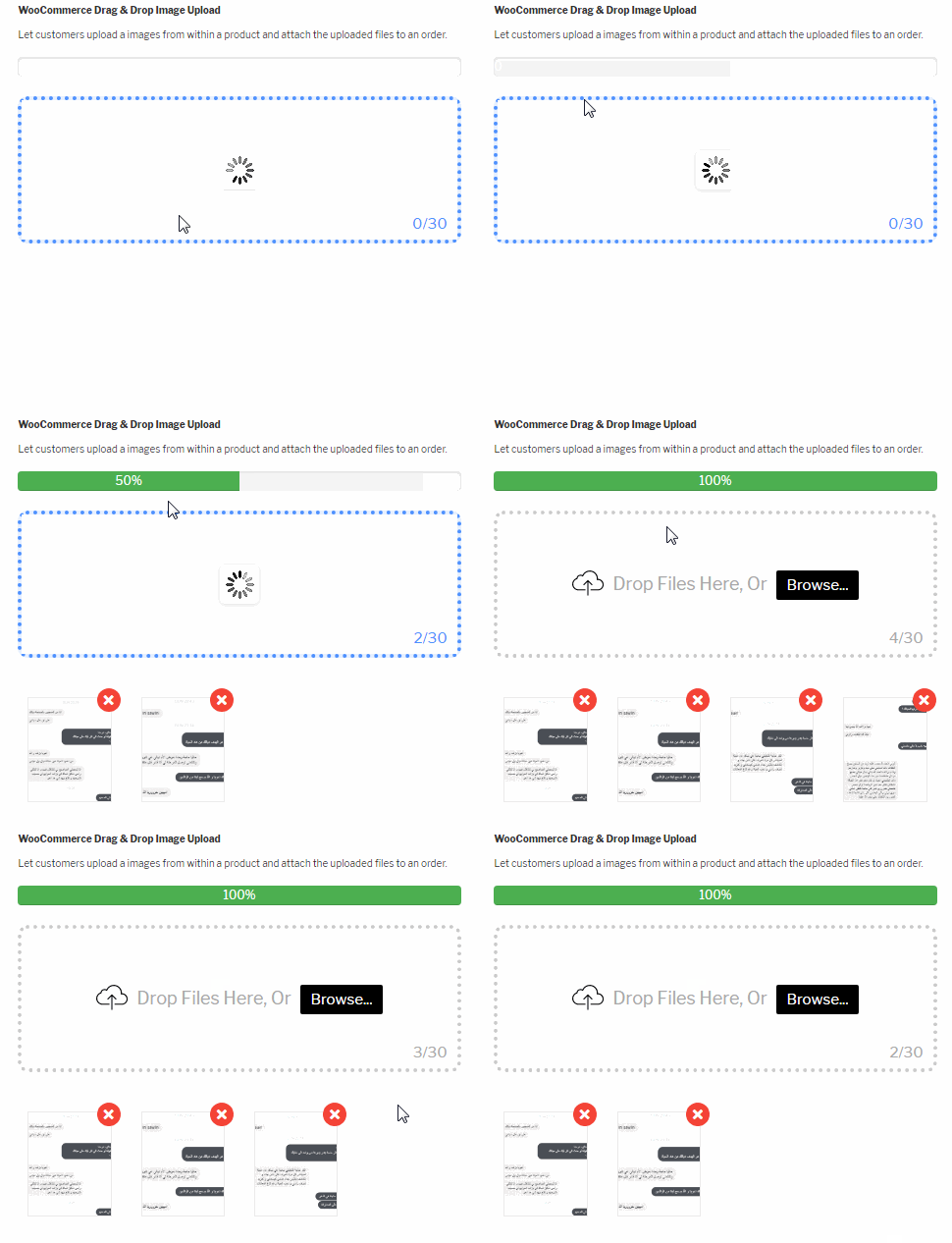
Let your customers upload files easily for purchased products directly from the product page. WooCommerce Drag & Drop Uploader plugin allows customers to upload one or multiple files inside the product page with a simple and easy to use Ajax drag & drop box.


See the professionally designed drag & drop WooCommerce product file uploader in action. The plugin is built entirely with our options and require no custom coding.


Please view the documentation for full demonstration of how the plugin works, If you still have any questions please submit here before buying the plugin to make sure it will work well for your specific need.

Changelogs

= 1.0.0 = 11/30/2017
*  First Release

Download WooCommerce Drag & Drop Uploader | Ajax File Upload (WooCommerce)

Cryptocurrency Charts (JS / PHP) (Miscellaneous)

About Cryptocurrency Charts

Cryptocurrency Charts is a JS / PHP plugin, which allows to easily embed fully customizable interactive cryptocurrency charts into a website.

Plugin features:

  • More than 1800 cryptocurrencies are supported, including but not limited to Bitcoin, Ether, Litecoin, Monero, Ripple, Dogecoin, Dash, Zcash, Waves.
  • Historical performance of all coins can be compared against each other.
  • Historical cryptocurrency quotes can be converted and displayed in almost any major fiat currency, including EUR, GBP, CHF, AUD, CAD, CNY, JPY, HKD, SEK, RUB and others.
  • Display settings of the chart can be customized to a greatest degree.
  • Background logo images are provided for each cryptocurrency.

Warning: This is NOT a WordPress plugin.

System requirements

  • PHP 5.4.x and above

Please note that this plugin will NOT work on WIX, WEEBLY and similar site builder platforms

Stay in touch

Do you have a question or would like to suggest a feature? Contact us and we will do our best to help!

Follow us on Facebook
Ask a question

Rate our product

Please help us to make our product better and rate it 5 stars. Your support is priceless.
Please rate Cryptocurrency Charts 5 stars

Download Cryptocurrency Charts (JS / PHP) (Miscellaneous)

JobSearch WP Job Board WordPress Plugin (Add-ons)

WP Job Search brings you the most simple solution to display jobs on any type of websites. You may already know, some really big Job Portals provides the option to use their database and extend your website with job offers. This plugin can make everything automatically, some job providers also pay commission when any of your visitors click on the job links.

  • Highly Customizable
  • Extensive Admin Interface
  • Demo Import
  • No coding knowledge required
  • Page Templates
  • Responsive & Retina Ready
  • Large collection of useful inner pages
  • Choose your grid size
  • Boxed layout option
  • Powerful typography options
  • Translation ready
  • WooCommerce compatible
  • WPML Plugin compatible
  • Powerful sorting options for job listings and resumes
  • Multiple ways of showcasing job listings and resumes
  • Listing List shortcode
  • Listing Search shortcode
  • Listing Advanced Search shortcode
  • Listing Simple Search shortcode
  • Resume List shortcode
  • Resume Advanced Search shortcode
  • User login
  • User Dashboard page template
  • Enable users logging in via Facebook and Google accounts
  • Pricing Tables shortcode
  • Comparison Pricing Tables shortcode
  • Smooth Page Transitions
  • Fontawsome & Flaticon
  • User Login Form

Download JobSearch WP Job Board WordPress Plugin (Add-ons)

Silk | Shopping HTML 5 Animated Google Banner (Ad Templates)

Silk Shopping | Animated Google Banner is a beautiful set of banner templates, made for all business purposes.

Features:

    -7 standard sizes: -300×250, 728×90, 160×600, 250×250, 300×600, 728×210, 336×280.

  • -HTML5/CSS3 effects;
  • -Easy to Edit;
  • -Google Web Fonts;
  • -Made with Google Web Designer;

What you get:

  • 7 HTML Ad template, ready to use
  • 7 PSD template
  • easy to customize with Google Web Designer free
    software

Image courtesy:

All the images are display only, not included in the main download package. But I must want to give credit to the authors for their wonderful images. To view all image

source please visit the following link

Download Silk | Shopping HTML 5 Animated Google Banner (Ad Templates)

FlyWord | iOS Universal "Message in a bottle" App Template (Swift) (Full Applications)


Dec 6th 2017
• Initial release | XCode 9.x project, Parse SDK hosted on back4app

Think about a message in a bottle, in a digital way: that’s basically FlyWord.
This is a Universal App Template where you can send messages to specific locations in the world and have people find them. Once a user finds a message, he can choose to throw it away forever, keep it and contact the message sender via the built-in chat.
If you find a message, it becomes automatically yours and will not be visible to other people – it’s like when you find a message in a bottle, it’s yours forever.

This is an innovative and fun application for who is looking for new penpal friends, establish relationships around the world or simply have fun.

FlyWord includes a Report inappropriate content feature, block/unblock users in Chats, embedded iOS MapView and Terms of User HTML file, along with an Account screen where you can see the messages you’ve sent, the ones you read and your active chats.

Since its backend is by Parse you don’t have to buy any domain/hosting, there are NO PHP files to upload to a web server so you’ll save some money for server side.

FlyWord is a native XCode project, Swift language, Storyboard, Universal, super easy to customize, backend with Parse SDK hosted on http://back4app.com


I’m new to Xcode UI interface, any help?

Sure, start by reading this tutorial, it will surely help you get familiar with Xcode and its UI interface: https://hubpages.com/technology/iOS-About-Xcode-and-its-interface

About Parse SDK and back4app

Read this article for more info about back4app and Parse SDK: https://hubpages.com/technology/Parse-SDK-will-not-shutdown-in-thanks-to-back4app

Can I host Parse Server on my own server?

Yes, although I don’t provide support for the setup process, you can read the official Guide here: http://parseplatform.org

I get a Code signing error in Xcode 8.x

That’s a bug of Xcode 8 with macOS Sierra, check this sample video to see how to fix it: https://youtu.be/z2LemT1_LqA

How to remove AdMob banner ads

Check this video out to see how to remove the code that shows AdMob banners: https://youtu.be/e-HQYnta2Jg

Keep in mind that you must repeat the shown steps for every .swift file that contains this line on the top:

import GoogleMobileAds

What about free support for this template?

I can offer free support for bugs encountered in the original code.
Instead, if you’ve edited the code and messed something up with it, I may apply some fee to fix it either via TeamViewer or by checking your app project files directly on my computer.

Should I use the latest version of Xcode to edit this template?

Yes, I always update my apps to the latest version of the IDE.


  • XCode 9.x project – Swift – 64bit
  • iOS 8+ – Universal – Storyboard
  • AdMob banners
  • Send messages at specific location with the embedded Map
  • Push Notifications for Chat messages
  • Account screen with Sent and Found messages lists, Chats and How it works screen
  • Edit profile screen
  • Throw messaghes away forever and Report inappropriate users
  • PDF User Guide and PSD included
  • Easy to customize | Well commented code

  • Apple Mac with its latest OS version installed
  • The latest version of Xcode and some knowledge about its UI interface
  • Photoshop or any other image editor software
  • An Apple Developer account to submit apps to the App Store
  • An AdMob account to generate your own banner UNIT ID
  • A free account on https://back4app.com and/or https://adminca.com


We’ve recently found out that some developers have bought our app templates, reskinned them just a bit and put them on sale on other source code markets similar to CodeCanyon, saying that they developed and own such source codes.
That is a serious copyright infringement, developers who buy our templates are allowed to reskin and sell them as apps on the App Store (accordingly to the License type they’ve purchased a template for) but are not allowed to put our original source codes for sale on source code markets, including CodeCanyon.
We will report developers who made copyright infringements to the competent authorities.
Thanks.

Download FlyWord | iOS Universal "Message in a bottle" App Template (Swift) (Full Applications)

Christmas Card Delivery of Gifts (Canvas)

Santa Claus is leaving to deliver the Christmas presents. And the road will be full of magic and happiness. Check out this beautiful card with many animations and amazing color effects.

You can see the animation on the tablet and phone, because the card was made with html5. Fully touch!

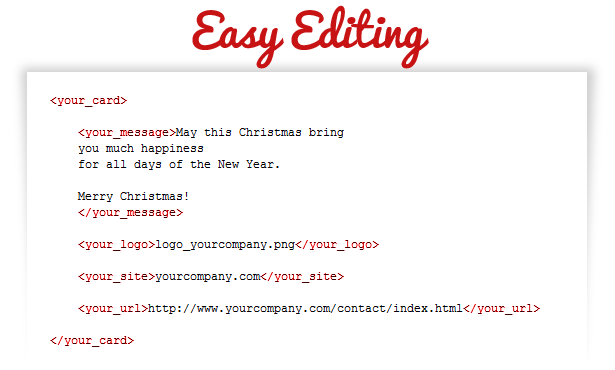
In this card you can change the music, all the images and the text, through an xml file. The text size and color are also editable. Animations developed with javascript files are not editable. The card was developed using the Construct program (capx not included). The psd files of layouts are included, and a help file.


Download Christmas Card Delivery of Gifts (Canvas)

Space Shooter 25 missions! Android & iOS universal! Ads & IAP included! (Games)

25 missions, lots of upgrades for player ship!

Project is universal: you can build for Android & iOS!

Android 7.x & iOS 11.x supported!

iOS game //
Android game

iOS RESKIN TUTORIAL //
Android RESKIN TUTORIAL

Most graphics in the template are watermarked with red stripes and are for preview only.

features2 low

Download Space Shooter 25 missions! Android & iOS universal! Ads & IAP included! (Games)

Space Shooter 25 missions! iOS & Android universal! Ads & IAP included! (Games)

25 missions, lots of upgrades for player ship!

Project is universal: you can build for Android & iOS!

Android 7.x & iOS 11.x supported!

iOS game //
Android game

iOS RESKIN TUTORIAL //
Android RESKIN TUTORIAL

Most graphics in the template are watermarked with red stripes and are for preview only.

features2 low

Download Space Shooter 25 missions! iOS & Android universal! Ads & IAP included! (Games)

Custom Fields Add-on For WooCommerce Ultimate Reports (WooCommerce)

Custom Fields Add-on helps you to add custom fields on WooCommerce Ultimate Report’s Order Detail Report. Admin can add fields like Order currency, customer notes, billing/shipping details etc. this information is centralized at one place for admin’s ease of use for getting orders custom fields on the order detail page.

Admin can add or remove new custom fields using Settings page, you can also define custom fieldsnames to be displayed on details page. This plug-in will work with most of the 3rd party plug-ins whose custom fields details are stored in POSTMETA table.

Important : This is an add-on for “WooCommerce Ultimate Reports Plugin”, you need to have WooCommerce Ultimate Report Plug-in installed on your system, this plugin is available on Codecanyon – https://codecanyon.net/item/woocommerce-ultimate-reports/19947381

Download Custom Fields Add-on For WooCommerce Ultimate Reports (WooCommerce)