jQuery TimelineXML (Calendars)

TimelineXML does exactly what it’s name says – it generates an interactive timeline from an XML file. It’s a perfect addition to your blog, corporate website, news site, portfolio, or anything that suits the idea.

It’s also really flexible – the width is liquid, you can fill in the content in any order (doesn’t need to be chronological) and the script will do the rest for you. It will set the correct scale for the timeline, position the events in just the right spot, decide if it needs to show months and a bunch of other cool stuff. It will also sort the events chronologically and will make sure they don’t stack one on top of each other.

Using it is really easy. You fill the content for the timeline in a clean and semantic XML file and from there you need one line of jQuery and one line of HTML to hold the timeline.

Features:

  • Super easy to use!
  • Fill the contents in a clean and semantic XML file.
  • Only one line of jQuery and HTML required!
  • Cross-browser
  • Easily customizable with CSS
  • Very flexible – liquid width and timespan

Download jQuery TimelineXML (Calendars)

WordPress Mobile Redirect Plugin (WordPress)

WordPress Mobile Redirect/Detect is a small plugin that can detect most of popular internet enabled mobile devices and redirect according to URL you provide. It is also easy to customize redirect URL ’s and devices. There is a counter on the right of every device name, so you know how many users are redirected. Please type in full URL . To disable redirect, just delete URL .

This plugin is based on 150 sales plain PHP class (http://codecanyon.net/item/php-mobile-device-detect/246397), can we at least double that? :)

New features will be added per your request!

For all support, please use comments and you will be given reply ASAP !

  • Please not that live preview is not WordPress plugin, please see screenshots!

Download WordPress Mobile Redirect Plugin (WordPress)

WebCode – Get the code from any web (Windows)

WebCode lets you get the source code (HTML/PHP) from any web page with the possibility to activate different User-Agent. Then you can save the code in different formats or copy it.

Features:

  • Get the source code (HTML/PHP) of any site by simply entering the URL .
  • Switch between different User-Agents: Firefox, Chrome, Opera, Safari, Internet Explorer, iPad, iPhone and HTC .
  • Export, save or copy the code to a PHP , HTML or TXT file.
  • Available in English and Spanish.
  • Includes documentation and user manual.

Download WebCode – Get the code from any web (Windows)

Tweet to Download for WordPress (Social Networking)

Tweet to Download for WordPress is here! Turn the Tweet and Follow buttons into a social download system for your site and drives tons of new social traffic and backlinks to your WordPress websites! More Tweets = More Traffic = More $$$$$$

Features

  • Works with both the Tweet and Follow buttons!
  • Built in tinyMCE toolbar plugin allows you to quickly and easily create fully customized download lockers with just a few clicks!
  • Customize the text and URL that is pre-loaded in the tweet box!
  • Works with any download URL !
  • Cookies remember users who already tweeted / followed!
  • Unlimited number of lockers per page!
  • Customize locker styles right from the AJAX Admin Panel!
  • Control counter / button appearance!
  • API enable / disable support.
  • Comes with sample download script to push downloads to users’ browsers!
  • Comes with full install instructions and documentation on how to use!
  • Make Twitter your slave and generate tons of new social traffic!

Custom Event Tracking

Tweet to download for WordPress is the only script utilizing this new framework I have created that allows for pinpoint action / button tracking unlike other bugy twitter content and tweet to download knock offs.

It also allows you to do some other cool things such as multiple button configs right now there are three ways you can use Tweet to Download.

  • Tweet Only – Create a download button that requires the user to tweet, you can pre populate the text of the tweet and define the URL that will be tweeted with the tweet as well! After the tweet is sent, the download will be started.
  • Follow Only – Create a download button that required the user to follow a given username, on which the download will be started.
  • Use both buttons – You can also include both buttons in one download locker! You can than require the user completes just one, or both of the actions to get their download!

Great For…

Tweet to Download is great for all kinds of uses! They are endless.

  • Plus to download free design resources like icons, PSD templates, etc.
  • eBook downloads.
  • Video and audio downloads.
  • App downloads.
  • Tutorial downloads.
  • Shareware sites.
  • Wallpaper sites.
  • Literally any kind of content!

Download Tweet to Download for WordPress (Social Networking)

WP Comment Word Filter (WordPress)

Keep your comments clean of bad words, without moderating each comment!

WP Comment Word Filter is a smart little plugin that does one thing – it filters certain words from the comments. Setting it up is super simple – just specify in the settings page which words you’d like to filter and that’s all there is to it. Don’t waste your time constantly moderating!

Features

  • Super easy to setup
  • No bad language in your comments anymore
  • You choose which words to filter
  • Very lightweight!

Download WP Comment Word Filter (WordPress)

TouchCarousel – Posts Content Slider for WordPress (Sliders)

TouchCarousel is a posts content slider WordPress plugin with touch navigation for mobile devices. You can slide custom post types, with custom taxonomies (categories, tags, e.t.c.) and create layout templates using simple templating system. It’s created based on TouchCarousel jQuery plugin, selling on CodeCanyon.

Features:

WordPress related

  • Slide any post type (for example Jigoshop products, or events from Event Calendar plugin)
  • Select what taxonomies to include in carousel (categories, tags, e.t.c.).
  • Select how much posts to include and order them by popularity or publish date.
  • Four pre-built layouts and five skins with photoshop files. You can edit them, or create your own.
  • Grab content from post custom fields.
  • Multiple carousels per page is allowed.
  • Post featured images are resized using built-in WordPress functions. Thumbnail keyword, or dimensions can be used to get thumbnail in layout template.

JavaScript related

  • Touch navigation for iOS, Android and BlackBerry.
  • Over 20 settings to control layout, speed, slideshow e.t.c.
  • Fast CSS3 transitions for supported devices with fallback.
  • Smart auto play – pauses on hover and stops at any user action with carousel.
  • Mouse drag navigation (can be disabled).

You should know before you buy:

  • Layouts may vary depending on your theme CSS (but not much), skins are rendered exactly the same across any theme.
  • Video inside carousel will block touch navigation, use lightbox to open it.
  • You can use inputs inside carousel, but you should add “non-draggable” css class to them to allow default browser action.

More detailed description coming soon…

Download TouchCarousel – Posts Content Slider for WordPress (Sliders)

WordPress Blog on your Facebook Fan Page (Social Networking)


WordPress Blog on your Facebook Fan Page

Welcome to our brand new WordPress plugin. WordPress Facebook Blog will enable you to post your latest or featured posts from your WordPress blog directly on your Facebook Fan Page.

Many website administrators now frequently post their news from WordPress blogs on their Facebook pages. This plugin simplifies the process since all your posts are automaticlly posted on your Facebook Fan Page at the same time.

Plugin currently has 7 available themes with different designs to suit a variety of design choices. I will add more themes each month.

If you have some css/html knowledge you can easily change the design of all templates you just need to follow the basic structure.

Secure https browsing

If you do not wish to buy a SSL certificate you have another option. A site called Social Server allows you to convert your existing URL into a secure one (https) for free. Sign up and enter the link that our plugin provides. You will get a secure link in return which you now have to add to Secure Canvas URL and Secure Page Tab URL like seen here and you are all set.

I prepared a more thoroughal guide on my website.

CHANGELOG OF WORDPRESS BLOG ON FACEBOOK FAN PAGE

– 1.0 – official release (31.1.2012)

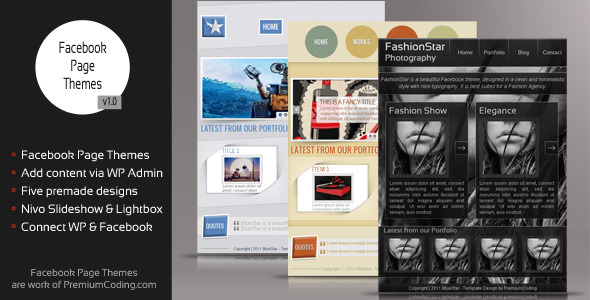
Facebook Fan Page Themes

If you prefer to have a complete mini website within your Facebook Fan page instead of just your latest posts please check our Facebook Fan Page Themes plugin that will allow you to add and edit a fully functional mini website within your Facebook Page.

\

WordPress Fading Menu with Notification Bar

\

WordPress Events Calendar

\

WordPress Accordion Slideshow

\

WordPress 3D Banner Rotator with Statistics

\

First version of accordion image rotator

\

Facebook flash photography template

\

Images in previews are not available for download and are only used in previews.

Featured items

\

CREATIVE BANNER ROTATOR WITH THUMBS AND CAPTIONS

\

CREATIVE BANNER ROTATOR WITH THUMBS

\

Download WordPress Blog on your Facebook Fan Page (Social Networking)

Classipress Amazon Auto Post (Search)

This will integrate Amazon search results into your classipress theme so you can make money. There is support for all major Amazon stores including .com, .ca, .de, .fr, .jp, .uk

This plugin will pull images and descriptions from Amazon and post it in your search results as if were just another ad and when someone clicks on the ad it will take them to Amazon under your referral ID so you can get PAID !

You also have the ability to choose whether you want the ads to display on the top or bottom of your searches.

And we don’t like to be sneaky so it says Sponsored Result so you don’t fool your users. You have the option to remove that if you are more of the sneaky nature.

Download Classipress Amazon Auto Post (Search)

CSS Pricing Table (Pricing Tables)

This slick pricing table is perfect to showcase the features of your product and expose them in different packages, marking one as the “recommended” or “best buy” package.

The header stands out using CSS 3 ’s @font-face capabilities with the excellent League Gothic font, while the rows containing the features are clearly marked using alternate styles. Finally, the footer has the price tag highlighted with a sweet button that works in both image mode and plain text mode.

This item makes use of modern CSS 3 features like text shadows, gradients and transitions. In browsers where these features are not supported, a pleasant fallback is provided.

The layered psd for the button is included, so you can make different images for it. The text version of the button is a good option if you need to plug this into your e-commerce cms.

If you need to make further customization to the design, you can acquire the Pricing Table full layered file from GraphicRiver.

See also on CodeCanyon:

Slider Gallery Shortcode for WordPress
Tabs Widget for WordPress - CodeCanyon Item for Sale
User Profile Widget for WordPress - About Me - CodeCanyon Item for Sale

Check these items on GraphicRiver

5 delicious text effects - GraphicRiver Item for Sale
Wooden Box with Label and Coins - GraphicRiver Item for Sale
Daxion Dotted Font - GraphicRiver Item for Sale

Broken paper (hole in a paper) - GraphicRiver Item for Sale

Flip Clock and Date
Blank Notepad - GraphicRiver Item for Sale
Web/Twitter background - GraphicRiver Item for Sale

Download CSS Pricing Table (Pricing Tables)

CSS3 Fixed Slide Out Tabs (Tabs and Sliders)

These tabs include notification bubbles and 20 icons to use (in both dark and light). The tabs also come wth 8 colour options but as these tabs have been created using CSS you can customise them to fit into your website.

These have been compatibility checked in all the major browsers including: Internet Explorer 7+, Firefox, Google Chrome, Safari & Opera.

Please note that the CSS3 effects will only work in browsers that support them but the basic functionality with remain.

If you do see any issues please let me know and I will look into correcting the problem.

Download CSS3 Fixed Slide Out Tabs (Tabs and Sliders)

3D Navigation (Navigation and Menus)


Description

“3D Navigation” is a set of four 3D navigation bars, with a clean & modern look and realistic ‘push’ effect. They’ll fit great in any minimalist/modern looking site.

Features

  • Simple HTML structure
  • Easy to use & modify
  • 3D look & push effect
  • Sleek & modern look
  • Pure HTML /CSS3 (no images used)

Compatibility

  • Internet Explorer 9+
  • Chrome
  • Opera 11+
  • Firefox 4+
  • Safari 5+

Download 3D Navigation (Navigation and Menus)

The Uploader (Loaders and Uploaders)

With this script files can be easily uploaded to the website. The filetype and maximum size of the file is adjustable. Size of the uploadable file is limited to 15728640 Bytes ie 15 Mbytes and the following filetypes are allowed: jpg, jpeg, png, gif, xps, pdf, zip, rar, doc, docx, xls, xlsx

You can modify this in the first lines of the function.js file. The uploaded files are arriving into the upload_files folder, where a .htaccess file provides for the security. For example that man cannot see, cannot list what kind of files can be found in the folder.

I aimed to create an easily manageable, modern CSS design, which you can easily modify e.g. with Adobe® Dreamweaver® software.

You can use the script immediately, it is very easily manageable.

XHTML 1 .1 Valid
CSS Level 3 Valid
SSL /TLS HTTPS : OK (Google Chrome and Mozilla Firefox don’t indicate failure on SSL /TLS websites)

Download The Uploader (Loaders and Uploaders)

Awesome dropdown and megadropdown CSS3 menus (Navigation and Menus)

Features:

  • 2 Different styles of menus;
  • CSS3 Effects;
  • No Images! Fully CSS gradients!
  • 15 color variations of pure CSS dropdown menus;
  • 15 color variations of pure CSS Mega Dropdown menus;
  • CrossBrowser Support (FF3+, Chrome, Opera, Safari, IE7 +);
  • Valid HTML by w3c consortium;
  • Easy to Implement;

Download Awesome dropdown and megadropdown CSS3 menus (Navigation and Menus)

AJDE Newsletter subscription form – WP Plugin (Forms)

AJDE Newsletter Subscription Form – WordPress Plugin

Easy newsletter signup form that runs from WordPress and store data to WordPress database. Also allow bulk emailing to the subscribers email list. This form uses real-time AJAX for form submission that makes subscriptions so easy for users. You can customize almost everything about this form very easily from the back-end.

Features

  • Easy implementation to your website
  • WordPress back-end based customization – text messages and styles
  • AJAX driven secure form submissions
  • Store subscriber’s email list in one place
  • Newsletter subscriber’s list management
  • Bulk email subscribers using WordPress back-end

Demo

Demo Link – front end

Change log

v1.0 - January 27, 2012
* Initial Launch of the plugin

Download AJDE Newsletter subscription form – WP Plugin (Forms)