Facebook Traffic Pop for Joomla (Social Networking)


Facebook Traffic Pop is finally on Joomla! Tap into Facebook’s 650+ Million users now with the hottest Facebook traffic plugin. Facebook Traffic Pop for Joomla is a new breed of ‘popups’ that will allow you to have your users like your pages, instead of trying to get them to click popup ads. More likes = more exposure = more traffic = more money!

Facebook Traffic Pop for Joomla

Features

  • LOCKS out page functionality behind the popup!
  • Set options right from your Joomla admin panel!
  • Set-up takes less than 3 minutes!
  • Optional delay timer allows you to open the popup after user has been on page for certain amount of time.
  • Use any URL you want with the Like Button!
  • Easily change background opacity from admin panel!
  • Cookies remember users who already ‘Liked’ the page
  • Can automatically set the like button to user the visitor’s current page / post / whatever!
  • Optional close button
  • Optional close on escape key, and on click of area outside the plugin!
  • Works on all sites and big and small
  • Viral Facebook styled pop-up is proven to induce more ‘Like’ clicks!
  • Make Facebook your slave! Facebook Traffic Pop, is the original, and still the best! Dont be fooled by knock off’s and buggy clones.

Change Log

Version 1.0 Released 5/10/2012
- First Release

Download Facebook Traffic Pop for Joomla (Social Networking)

Fast Image Resizing Script (Images and Media)

Fast script for resizing image on the go. Its easy to install and you have the ability to control almost every aspect of the result:
– you can use whatever width or height you want for resizing image
– you can choose the name of the new image
– you can choose the quality (low for faster loading or high for HD image)
– the script can be used to create thumbnails or wallpapers in any size
– the script has low CPU and RAM usage thanks to the ImageMagick library and thus is perfect for high traffic sites
– a demo html gallery is included, free for use

Download Fast Image Resizing Script (Images and Media)

expressQR for Joomla – Easy qrcodes (Utilities)

Description

expressQR for Joomla is an easy way to insert qrcodes into posts, templates or anywhere on your Joomla setup by using shortcodes.

Main Features:

  • Easy to use.
  • Allow Shortcodes in Joomla!
  • Fully configurable
  • 10 Different modes:
    • bookmarks
    • contacts
    • email
    • geo
    • phone
    • sms
    • text
    • url
    • wifi
    • self
  • No PHP knowledge required.
  • Clean design.
  • OOP code.

What you get out of the box:

  • expressQR plugin
  • Full documentation
  • Support
  • Requirements:

    • Joomla 2x
    • php 5.3.x

    Documentation:

    • Included on downloaded file.

    Live Demostration:

    Have new ideas?

    If you have some ideas, reqs or want a new feature use the comments tab or send us an email through profile page.

    Download expressQR for Joomla – Easy qrcodes (Utilities)

    SP User Export (WordPress)

    Export your user-data and user-meta-data by mail or FTP as an CSV -File with the possibility for scheduled exports.
    The CSV -File could be read with Microsoft Excel or OpenOffice Calc.

    At the Demo there is a possibility to export the Data from the Demo-Server.

    Features :

    – scheduled export supports the WordPress CRON -API
    – download the file by FTP
    – select the needed user-fields and user-meta-fields at the backend
    – enter the needed field-sort-position at the backend
    – define sender, recipient and eMail subject
    – full featured backend
    – wordpress mutlisite ready
    – wordpress multilanguage ready
    – german translation included

    Changes :

    Release 1.01 (2012-05-10)
    – added a small shortcode feature to add a “export now” feature to the front-end for testing only.

    Download SP User Export (WordPress)

    Web Menu eCommerce 2.0 (Navigation and Menus)

    This theme consists of a simple menu based on a list.
    On this list you will find all the menu tabs.
    When passing the mouse over one of them, a complete submenu will appear.

    For each menu tab, we can:
    – Create a simple text menu.
    – Create a menu with a sub-menu includes 1, 2, 3 or 4 column(s) (Default : 4).

    For each submenu, we can create from one to four columns. In a colums of Submenu we can find:
    – A colums of best selling products
    – A colums of sub-categories with links
    – A colums image, an image representing the theme menu
    – A colums whith a contact form
    – And custom columns

    Download Web Menu eCommerce 2.0 (Navigation and Menus)

    Simple Campaign Monitor Signup Forms (Newsletters)

    Campaign Monitor is one of the net’s most popular email newsletter services. This is a little plugin that adds several ways for you to add email list signup forms to your WordPress website.

    When a visitor fills out the form, they are immediately added to your email subscription list.

    The plugin is very simple, yet very effective. Signup forms can be displayed using any of three different methods:

    • Short code
    • Dedicated widget
    • Template tag (for advanced users)

    Features

    • Complete setup in less than 5 minutes
    • Very simple to setup
    • Can display any number of signup forms, even for different lists
    • Fully localized and ready for translation into your language
    • Well documented

    Support

    All support for this plugin is now provided through my dedicated support forum. Please go there to ask support related questions.

    Download Simple Campaign Monitor Signup Forms (Newsletters)

    Premium Username Login for OpenCart (OpenCart)

    An module let your customers register with a username and use it to login , instead of using e-mail address to login .

    *VERY USEFUL when you solve problems or issues with your customers , all you need just to ask them about their username

    Cheap , very useful and its for Opencart

    compatible with OpenCart : 1.5.x , 1.5.x.x

    documentation is available with the zip file :)

    Download Premium Username Login for OpenCart (OpenCart)

    Joomla Social Feedr (Social Networking)

    Item Description:

    The DP Social Feedr plugin lets you retrieve status/posts/videos/images from different social networks.

    Features:

    • Retrieve status/posts/videos/
      images from different social
      networks.
    • Twitter, Facebook Page, Youtube, Delicious, Flickr, Dribbble, Digg
    • Translation supported.
    • Cross Browser Support.
    • Simple to Customize.
    • Well Documented.

    Credits:

    jQuery Version

    Click Here for the jQuery version of this plugin.

    WordPress Version

    Click Here for the WordPress version of this plugin.

    Recommended Items


    Download Joomla Social Feedr (Social Networking)

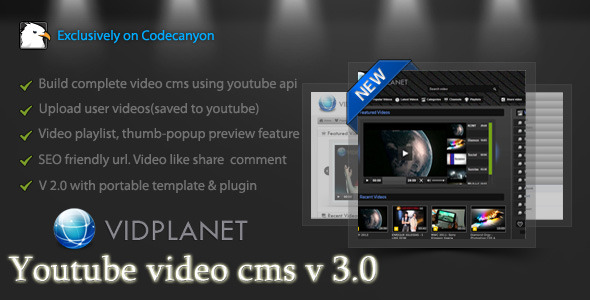
    Vidplanet WordPress Video Sharing Plugin (Galleries)

    This plugin can create a comprehensive amount of video playlist and video gallery with full custom controls of shortcode.

    Key features are :

    • Create and manage unlimited numbers of playlists.
    • Add any and unlimited numbers of videos to a playlist.
    • Videos can be added by certain video id of youtube
    • Videos can be added by searching youtube instantly.
    • Lot’s of themes and plugins are integrated to watch a video playlist in style.
    • Create and manage unlimited numbers of video gallery.
    • Add videos in gallery from :
    • Youtube, Vimeo, Dailymotion, Metacafe, Facebook, Ustream

    • Create beautiful video galleries with pop-up thumbnail preview of the videos
    • Create a video blog by posting single video shortcodes to a post
    • Video playlist and video gallery can be posted in any page or blog post with full customizable shortcodes.
    • This is a plugin for the Vidplanet video cms

      Support:

      Feel free to knock me for any support via PM. You may also hire me for your project or any customization at oDesk.


      free counters

    Download Vidplanet WordPress Video Sharing Plugin (Galleries)

    Android Video In Splash Screen! (Utilities)

    Welcome !

    Are you getting bored with routine splash screens?
    This is one which is innovative and creative!

    Splash screens typically serve to enhance the look and feel of an app, hence they are often visually appealing. They are used to capture the user’s attention for a short time as a promotion or lead-in to the main activity.
    They generally have animations, graphics, and sound, but this one have a landing video which describes your whole at once !

    So, Impress upon your user with this simple and yet robust tool.
    Very easy to implement. Just follow the instructions in read-me file and you go…

    You can even customize the colors/fonts and layout as per your needs!
    If you have suggestions let me know for further enhancement.

    Download Android Video In Splash Screen! (Utilities)

    Fireode Framework PHP (Miscellaneous)

    Firecode PHP Framework is designed to be simple. Ideal for developing small sites and for those who have advanced knowledge of PHP programming.

    Have you tried using various frameworks and not to be adapted to any complex or have a lot more you need? The Firecode was made to meet short-term demands and quality. The firecode was done only with functions required for small sites without xmls configuration, without the command line, without building and without the database. Now this easy to use a framework for small projects.

    You bought a template in html ThemeForest? Now apply it in Firecode easily, so you do not have to repeat code at the top, menu and footer on each page, with Firecode you use templates, ie, only once does the general template and then just change the content.

    Are you tired of manually updating links in their htmls when you have to put into production? The Firecode handle it, just change one line of setup and ready!

    Making websites in HTML you have to keep creating folders to have friendly URL ? The firecode already addresses this by default, just create the html and voila, the page will be available with friendly URL .

    Besides all this the Firecode was made ??to be changed to whatever you need, you can create new functions, change and delete. For this the developer needs to know a little PHP programming.

    Download Fireode Framework PHP (Miscellaneous)

    eXtroForms (Utilities)

    eXtroForms – the form component for Joomla 2.5

    eXtroForms allows the user to create any number of forms, which in turn can contain any number of input fields.
    The entire range of available HTML input fields was mapped to eXtroForms.

    An input field can be created in the backend as easy as writing a standard Joomla article, then you determine the position at which it will be displayed on the form and that’s it. For this there are 5 different display positions.

    Of course you can copy the fields, delete or rearrange them if you are not satisfied with the original arrangement.
    A preview function in the backend ensures that you can preview your form at any time, without the hassle of sharing it in the frontend.

    In the front end 4 different output options are available: static tooltips, instant tooltips, tooltips with sliding effect or bubble-tooltips. The layout can be customized via CSS in the backend, every single form has it’s own CSS style sheet, so that maximum variability is guaranteed. The meta-information (description, title and keywords) can also be specified separately per form.

    If a user has filled in the form in the frontend, he can receive (depending on the settings in the backend) a confirmation email and be forwarded to a selected thank you page.

    eXtroForms is also perfectly suitable for multilingual sites: From Joomla 2.5, the forms can be translated natively without an additional component.

    To protect your form against misuse, you can secure it in addition to the built-in security-mechanisms by extro-media.de with Google ReCaptcha. If a filled in form should still be spam then this request will be filed automatically under suspicion of spam. You can view this folder in the back end separately, and if you decide that an inquiry is not spam, you can move it with a single click to the normal requests.

    You can view all queries in the backend or export them via CSV or XML .

    eXtroForms was built completely from scratch according to the Joomla MVC design and is based on the Joomla Framework.
    It produces no so-called spaghetti code in the frontend, is XHTML and CSS3 compliant and accessible through the renunciation of tables and is therefore ideal for users and search engines.

    Quick Overview

    • Any number of forms
    • Any number of fields
    • 4 different layouts
    • Anti-spam mechanisms
    • Can be used as autoresponder
    • Inquiries exportable by CSV / XML
    • Simple operation
    • Joomla MVC compatible
    • Easily adaptable
    • a new ajax upload function has been included
    • you can now set the upload directory
    • nicer styles for the backend have been included

    Download eXtroForms (Utilities)

    Sitelinkx Pro (Miscellaneous)

    Sitelinkx Pro replaces keywords with links.

    • native Joomla 2.5 component
    • PHP 5 .3
    • seo friendly
    • created code is w3c-valid
    • define unlimited sitelinkx
    • works with many 3rd party extensions e.g. Virtuemart, Community Builder Enhanced etc.
    • shows links in existing or new window/tab
    • define a title for your link
    • component can be translated in any language
    • localisation files : german, english, more possible
    • possibility to sort Sitelinkx
    • Checks if the site that you want to link to is reachable
    • Added pagination
    • Termination , ie determine a date when links should be published/unpublished
    • Directly select an Joomla article as a link
    • Select a replacement method, strict or loose
    • links can be styled via the class name ‘sitelinkx’, can be edited by CSS
    • multiple keywords per link, comma separated
    • you can determine per link if it’s a nofollow link or not
    • you can limit the number of generated links per keyword
    • you can determine menus/articles where keywords shouldn’t be linked

    Download Sitelinkx Pro (Miscellaneous)

    CSS Photo Gallery Menu (Navigation and Menus)

    A simple Photo Gallery menu made ??using only css.
    There is no javascript or jquery.
    There are no click, the operation of the entire structure is made with the hover effect.
    it is possible to use horizontal and vertical photos.
    You can change the color and structure of the gallery in very simple way.
    – HTML & CSS validated –

    Download CSS Photo Gallery Menu (Navigation and Menus)