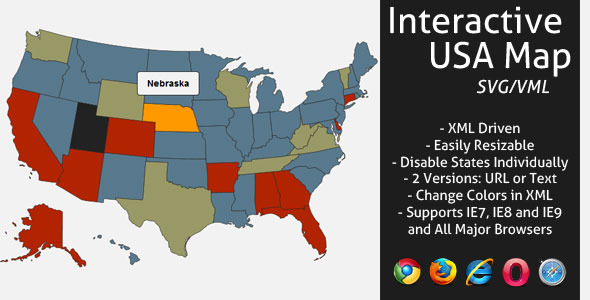
Interactive SVG Canada Map (Navigation)

Features

  • XML Driven – Provinces in alphabetical order
  • Resizable map, you can change the size of the map directly in the XML file.
  • Change all colors in XML .
  • 2 versions included, navigate to URL or display text when state is clicked.
  • Optional text area size and padding in XML .
  • Activate/Deactivate each state independently.
  • Full documentation included.

Credits

Featured on CodeCanyon

More Files by LGLab

Categories

Download Interactive SVG Canada Map (Navigation)

Exit Through Social Share (Social Networks)

Exit Through Social Share is a jQuery module that raise popup box once user click any external links on your website. Popup box suggests user either to like webpage on Facebook, +1 on Google, share on Twitter for immediate redirection to target link or to wait some time to be redirected. As webmaster you can configure delay period, content and size of popup box or exclude any external links from consideration.

You know, Facebook, Google Plus and Twitter all together have over 1.2 billions of registered users. Google is most popular search engine as well as most visited website in the world. Could you imagine more successful spots to promote your website? Exit Through Social Share jQuery module will help to add thousands of fans to your website on Facebook, Google Plus, Twitter as well as get mor organic traffic from Google Search. More fans is more traffic.

Please also try Exit Through Social Share for WordPress.

Features

  • Take traffic from Facebook, Google and Twitter: get more shares on social networks and increase traffic.
  • Easy to install: you only need to copy-paste several lines of code into website HEAD section.
  • Configure popup box: customize popup box, its content and overlay color.
  • Exclude desired external links: if you don’t need popup box for particular links, you can exclude them from consideration.
  • Set delay length: determine the length of delay period.
  • No 3rd party popup engines: module have its own popup engine.
  • Remember users who already clicked like: module set cookie on users machine to avoid repeated popups on the same page.

Installation

Let’s imagine that you have website: http://www.website.com/ and you want to install there.

1. Create folder “sharetoexit” (use any other name) in root of your domain. Once created it can be reached by URL : http://www.website.com/sharetoexit/

2. Unpack zip-archive into this folder.

3. Insert this lines of code into HEAD section of your website (above tag </head>):

<!-- Insert these lines in HEAD section of your HTML document - begin -->
<link rel="stylesheet" href="http://www.website.com/sharetoexit/sharetoexit.css" type="text/css" />
<script type='text/javascript' src='https://connect.facebook.net/en_US/all.js#xfbml=1'></script>
<script type='text/javascript' src='https://apis.google.com/js/plusone.js'></script>
<script type='text/javascript' src='https://platform.twitter.com/widgets.js'></script>
<script src="http://www.website.com/sharetoexit/sharetoexit.js"></script>
<script>
    jQuery(document).ready(function() {
        jQuery("a").sharetoexit();
    });
</script>
<!-- Insert these lines in HEAD section of your HTML document - end -->

Do not forget to include jQuery library above this code. You can do it like that:

<script src="http://ajax.googleapis.com/ajax/libs/jquery/1.7.1/jquery.min.js"></script>

4. You can adjust popup box by sending the following parameters into function sharetoexit().

jQuery("a").sharetoexit({
    delay: 120,            // delay before redirection, seconds
    exclude: new Array("google.com", "facebook.com"), // exclude this domains
    content: "Please share our page on Social Networks or wait <span class="sharetoexit_delay" /> seconds to be redirected.", // content of popup box
    url: location.href,    // URL that must be shared
    width: 500,            // popup box width
    height: 150,           // popup box height
    overlayColor: "#000",  // overlay color
    popupColor: "#FFF"     // popup box color
});

That’s it! Enjoy using the module.

Support

If you have problems regarding using the module, please contat me and I’ll help you.

Free counters!

Download Exit Through Social Share (Social Networks)
Exclusive Full Page-Fullscreen jQuery XML Gallery (Images and Media)

Exclusive Full Page-Fullscreen jQuery XML Gallery

Give your pictures extra professional style!

Want to create a practical and professional image gallery without any programming skills? It’s very fast and easy using our Exclusive Full Page-Fullscreen jQuery XML Gallery

Nowadays is essential to have a professional unique way to present our work/portfolios to clients. Who wants to hire someone that has a faded portfolio as presentation?
With out Exclusive Full Page-Fullscreen jQuery XML Gallery you can enhance the quality of your work in just couple of minutes.

You can buy it exclusive here, and I’ll asure you that you’ll be 100% satisfied.

Hurry up and get it today!

Here are the top features of our gallery!

  • Very easy – Implement in minutes! Manage and personalize your gallery from XML files.
  • No need to be an expert or have knowledges of Javascript / jQuery or HTML .
  • Full screen / full page gallery with fullscreen button
  • You can add unlimited number of images on the gallery
  • Works on any resolution,it adjusts based on browser size
  • Each image has unique link, so you can share anywere a specific image
  • Thumbs from gallery auto aranges after the browser window size, centered.
  • Thumb files are automatically generated and cached using php.
  • Scrollable gallery with autoplay feature
  • Exclusive maximizing viewport using Idle function. When user doesn’t move mouse cursor the gallery hides the logo, menu and thumbs and plays.
  • Image caption with trimmed text and title
  • Images preload
  • Navigation arrows / bullets with play / pause buttons
  • Custom generic pages
  • Generic page with custom typography
  • Contact page with working PHP contact form(and antispam checkup) and interactive google map
  • Social media buttons : Facebook, Twitter, Vimeo, Dribble,
  • Works on any webhost
  • Can be used as a standalone website, as well as a part of bigger website
  • Works perfect in Firefox, Chrome, Internet Explorer (7+), Safari and Opera
  • Browse gallery using keyboard arrow keys
  • Low CPU usage
  • Tooltip on buttons hover

Download Exclusive Full Page-Fullscreen jQuery XML Gallery (Images and Media)

Fisheye Context Menu for Joomla (Miscellaneous)

Fisheye Context Menu for Joomla

Fisheye Context Menu module is a customisable Right click menu for you Joomla powered website. You can add as many icons as you want, you can set the menu direction and the icon sizes as well.

Features
  • Works with every major browser
  • Fully customisable
  • Documentation included
  • You can test it on the demo page!

Download Fisheye Context Menu for Joomla (Miscellaneous)

WordPress Plugin: Post By Date Range (Utilities)

“Post By Date Range” is a WordPress plugin for admin. It will enhance your Post/Page search/filter capability. Now you can find any post by date and/or data range. This “Post By Date Range” plugin uses WP core functionality. So, you require ZERO configuration to install it. Filter posts can be done via pre-defined and jQuery based drop down options. Such as –

Today, Last 7 Days, Month to date, Year to date, The previous Month, Specific Date, All Dates Before, All Dates After, Date Range

Download WordPress Plugin: Post By Date Range (Utilities)

AWS Backup Manager (WordPress)

Amazon Web Services (AWS) Backup Manager is a WordPress plugin that allows you to quickly sync your WordPress site and Amazon Web Services hosting account for extremely simple backup management.

Set-up is as simple as:

  1. Upload the plugin files under wp-content/plugins and activate it
  2. Enter the AWS Access Key and Secret Key
  3. Choose your S3 Bucket (You can even create a new bucket from the plugin)
  4. Choose your back-up schedule (daily, weekly, or monthly)
  5. Choose the files you want to back-up (configuration, MySQL Database, Theme, Plugins, Medial Uploads)
  6. Save changes and you are done!

Think of this purchase as an investment in your future!

Some ways to make your money back (and more):

  • Give your clients peace of mind that their data is backed up. Trust builds business.
  • Bundle this plugin with your hosting plans as an additional hosting feature you offer your clients.
  • Just resell it as part of a web development feature. We’re cool with that (kinda shady, but we won’t tell).

Amazon S3

AWS Backup Manager allows you to easily connect to Amazon Simple Storage Services for WordPress website backups.
Amazon S3 is storage for the Internet. It is designed to make web-scale computing easier for developers.

Amazon S3 provides a simple web services interface that can be used to store and retrieve any amount of data, at any time, from anywhere on the web. It gives any developer access to the same highly scalable, reliable, secure, fast, inexpensive infrastructure that Amazon uses to run its own global network of web sites. The service aims to maximize benefits of scale and to pass those benefits on to developers.

Requirements

  • WordPress 3.0 or greater
  • PHP 5

Compatibility

This plugin has been tested and is compatible with Firefox, Chrome, Safari, and IE8 +.

Download AWS Backup Manager (WordPress)

HTML5 Dock Menu Gallery (Canvas)

Highly customizable HTML5 Dock Menu XML with a nice design.

This dock menu gallery can be used horizontaly or verticaly, also it has unique presets with pre-defined movements and presentations. You can also set the colors of the background, border etc. Every setting can be easily modified from the XML file.

All you need in order to setup the dock menu gallery in your HTML document is just one line of code.
Dock Menu Features:

XML driven
all the positions, sizes and theme colors can be changed inside the XML file
supports any image files (png, jpg, gif) also with transparent backgrounds
set the component gallery canvas width and height
set the thumbs minimum and maximum width and height, when they are small and expanded
set the dock menu gallery images space
set the horizontal or vertical presentation
set the thumb border size and color
tooltip thumb option, which can be dynamic or static
set the tooltip background color and the text size and color
it has an autoplay option for when the mouse leaves the gallery
set the autoplay speed
it can open URLs when an image is clicked
you can choose the location or name of the window that is opened at click
the performance of this product is so good that you can have multiple dock menu gallery instances set to autoplay in the same page of your project or website

Many other cool features!

Download HTML5 Dock Menu Gallery (Canvas)

Imgur Uploader (iPhone)

This iPhone app provides the interface and functionality for uploading images to Imgur via iOS Devices, using the Built in Cameras, or pictures from the users Camera Roll.

Features include:

  • Upload images directly from the Camera or the Camera Roll to the Imgur gallery.
  • Receive immediate embed codes.
    • Image Link
    • Direcy Image Link
    • HTML Image Link
    • BBCode
    • Linked BBCode
    • Markdown Link (reddit)
  • Ability to copy embed codes.
  • Ability to e-mail embed codes.
  • History Tab that keeps track of past uploads along with their dates and times.
  • Detail history view that gives a full size version of the uploaded image.

With an easy to use interface, it is easy to implement into any existing app, or build upon it to make a one of a kind Image sharing network.

Download Imgur Uploader (iPhone)

Contextual (Miscellaneous)

Looking to add some animated presentation tools to showcase or promote specific aspects of your website or the experiences of your clients? Do you want it to be dynamic and sexy with multiple options and configurations? Promote specific content or testimonials to any Page or Post in your site and drive your content where and how you want!

Contextuals, from the team at Themereactor.com, provides this with an easy to manage and easy to administer jQuery-based content cycler to use within your site.

Our jQuery Cycler provides you with the following features included:

  • Manage your featured content with the ability to add, edit or delete them
  • Content driven through separate custom post type
  • Implement via Shortcode or as a Widget or as PHP within your site
  • Fully customizable appearance with many configurations
  • Pre-loaded Google Fonts integration
  • Custom Font Support – insert any Google Font you want!
  • Featured Image Supported
  • Link Featured Content to anywhere and any url!
  • Easy to use Customization Tools
  • jQuery animation
  • jQuery powered Admin panel
  • “Preview” your customizations before implementation in our Admin panel
  • CSS3
  • Plugin and go within minutes!
  • Quick Start Guide Included!

Contextuals can be used on any Page or Post with the use of a simple Shortcode and also comes with a functional widget you can drop into any sidebar. Contextual can also be implemented with a simple line of PHP anywhere within your website.

Download Contextual (Miscellaneous)

MoodThingy Mood Rating Widget for WordPress PRO (WordPress)

MoodThingy is a plugin that any blogger can use to track the emotional feedback of an individual blog post or article. The plugin can be configured to automatically appear below all of your posts, or manually placed anywhere within a post using a handy WordPress tag. A dashboard of MoodThingy stats is also offered so you can see which articles excite, amuse, or bore your readers, sorted by mood or number of votes in the past day, week, or month.

A WordPress Widget is also included in the plug-in as a way to show readers the most popular blog posts in the past day, week, month or year. The PRO version allows publishers to customize the moods and colors of the plug-in for their blog.

Features

  • MoodThingy Plugin – Better than a “like” or “dislike,” this handy widget is a simple way to express how an article makes them feel; we’ve found it encouraging feedback from lurkers and reducing flame bait from trolls too.
  • Admin Dashboard – See which articles excite, amuse, or bore your readers. Sort the content by mood and number of votes in the past day, week, or month. Use this data to learn about the mood of your audience, decide which stories to chase, or as an internal leaderboard to encourage your writers. You can customize the moods and colors as well.
  • MoodThingy Widget – Feature the most voted on articles on your site. Mood-based ratings are a better indicator of interest than number of comments or pageviews, making this widget a good compliment or replacement to typical “Most Popular” modules. Articles can also be filtered for just the most recent, or of all time.

How do I install this plug-in?

  1. Download and unzip the plugin file.
  2. Upload the “moodthingy” folder into your /wp-content/plugins/ directory.
  3. Go to the Plugins section of your WordPress admin and activate the MoodThingy plugin.
  4. Optionally, if your WordPress theme supports Widgets, you can insert a MoodThingy widget which lists the posts that have been voted on over a period of time.
  5. And you’re done!

In the options, you can set the settings so that the MoodThingy automatically appears at the end of each post. You can also set the plug-in to display on specific posts or pages by using the shortcode [moodthingy].

If you wish, you can customize the colors and the moods of your MoodThingy plugin. Go to the “MoodThingy” link under Settings in your WordPress Admin navigation screen.

Questions?

Contact us at [email protected] or read how we came up with the concept.

Versions

  • 1.1 – 15 May 2012 – Integrated the bug fixes from the regular version of MoodThingy up to version 0.8.4.3 into the PRO version.
  • 1.0 – 15 May 2012 – Version live. Here we go!

Download MoodThingy Mood Rating Widget for WordPress PRO (WordPress)

jQuery Card Toggle Plugin (Miscellaneous)

The jQuery Card Toggle plugin provide a simple solution to trigger a front/back card style navigation. You can provide the content and use the plugin to generate it easily. It use the CSS3 transition, works fine in the iOS too.

followrss

Note

Some CSS3 transition only works on the modern browser like Firefox, Safari and Chrome, it seems IE10 will support it too. IE9 and below will works with the fade transition.

Features

  • CSS3 driven animation, graceful degradation, it will toggle the fade transition in the old browser.
  • Optional animation transition style.
  • Optional go back animation delay.
  • Extendable, support the jQuery chain.
  • FAQ and source files are included in the download package.
  • Free update in the future.

Recommendations For You

jQuery OneByOne Slider Plugin:
onebyone

Download jQuery Card Toggle Plugin (Miscellaneous)

Tabs! (Navigation and Menus)

CSS3 Accordion and Tabs

Add texts, images or even HTML content!

A simple CSS3 Accordion without javascript, jquery – made with only HTML5 and CSS3 .
You can click on the tabs and the content will open below the tab. You can edit the sourcecode and add animations to the tabs and the contents. The content can be plain text, images or HTML content, everything is editable. You can add as many tabs as you want to by editing the source code.

Features:

  • Add texts, images or HTML content
  • Simple Interface
  • Just HTML5 and CSS3
  • Easy implementation
  • Add more or less tabs
  • Works on iOS devices too
  • Tabs is a beautiful CSS3 Accordion. You can add texts, images or even HTML content to your tabs!

    Download Tabs! (Navigation and Menus)

    Welocally Places (Widgets)

    Welocally Places Map Plugin, Great Maps Linked to Your Content

    Many plugins let you map places to that standard Google Map pin look and feel, but Welocally Places Map Plugin lets you actually link those places back to your content and categories with maps that stand out and engage your readers. With rich information such as website, phone number, and driving directions you can improve our site’s reputation as a local referrer.

    • Most mapping plugins dont link places to the category and content, we do.
    • 2 Shortcodes, a Place Card Shortcode and Category Shortcode
    • 1 Power Widget Intelligently Filters Places by Viewed Post Content Category
    • Place and Category shortcodes on any post or page.

    Place Card Shortcode

    We want to make it really easy for site owners to identify real places associated with their content. Our plugins provide wizards that make adding places that authors are writing about as easy. We also make it easy for your readers to engage those places with our Place Card Map, and Interactive Category Map. Just put one or many place tags in any post or page like this…

    [welocally id="WL_4D0MODJzEKTJZZZzztwb84_40.709288_-74.006166@1293134755" /]

    Lets you embed a place card on on any post or page in wordpress that engages your readers with the places you are writing about:

    Category Map Shortcode

    One of the powerful features of Welocally Places is its ability to associate places to your wordpress categories automatically. Once you have created posts that talk about great places you can start making directories quickly using the Category Shortcode. Love talking about New York Tailors? Why not monetize your blog with a sponsored tailors of NYC page with one simple shortcode?

    [welocally category="NYC Tailors"/]

    Places Smart Widget

    The Places Widget Guides People To Your Content By Location and Category The places sidebar widget looks at the category of a post that your reader is looking at and shows a map of all the places associated to that category. Once someone is interested in a place all they have to do is click the title link and they will be automatically taken to the post that place is associated with.

    Requirements

    • WordPress 3.3.1 or greater
    • jQuery 1.7.1 or greater
    • jQuery UI 1 .8.1 or greater

    We attempt to manage the version of jquery support using the enqueue script hooks.

    wp_deregister_script( 'jquery' );
    wp_register_script('jquery' , 'https://ajax.googleapis.com/ajax/libs/jquery/1.7.1/jquery.min.js');
    wp_enqueue_script( 'jquery' );
    

    this should work on earlier versions of wordpress but we have found that sometimes it does not. You should try to use the latest version of wordpress, at least 3.3.1, and make sure no plugins are enqueueing old versions of jQuery.

    Browser Support

    End User Browser Support We have tested compatibility for end users the following platforms using Adobe Bowser Lab:

    Authoring Support Authoring has a more limited group of browsers that we have tested, we are sure that webkit and firefox is 100% compatible for authoring.

    Product Support

    Support Site Available Welocally wants to provide great support and build a developer community, so we have created support site for our products so you can bring up detailed technical questions. We request that you go there for technical support so people can use the comments section for simple comments about the product.

    Download Welocally Places (Widgets)

    WPD Shopper add-on (Add-ons)

    Intro

    This WPD Shopper add-on allows you to sell e-goods. (it does not contain shipping information, this plugin is purely e-commerce).

    This is an add-on for the WPdeposit plugin ! It will not work properly without it.

    Features

    • Categorize products/items.
    • Coupon system.
    • Promotion system (using images).
    • Zip extraction for product screenshots (to upload batch images)
    • Statistics

    The live demo can be found at http://uwebic.com/wpdeposit/wpd-shopper-demo/

    The documentation of the plugin can be found at http://docs.uwebic.com/products/wpd_shopper/

    Download WPD Shopper add-on (Add-ons)