Android Video In Splash Screen! (Utilities)

Welcome !

Are you getting bored with routine splash screens?
This is one which is innovative and creative!

Splash screens typically serve to enhance the look and feel of an app, hence they are often visually appealing. They are used to capture the user’s attention for a short time as a promotion or lead-in to the main activity.
They generally have animations, graphics, and sound, but this one have a landing video which describes your whole at once !

So, Impress upon your user with this simple and yet robust tool.
Very easy to implement. Just follow the instructions in read-me file and you go…

You can even customize the colors/fonts and layout as per your needs!
If you have suggestions let me know for further enhancement.

Download Android Video In Splash Screen! (Utilities)

eXtroForms (Utilities)

eXtroForms – the form component for Joomla 2.5

eXtroForms allows the user to create any number of forms, which in turn can contain any number of input fields.
The entire range of available HTML input fields was mapped to eXtroForms.

An input field can be created in the backend as easy as writing a standard Joomla article, then you determine the position at which it will be displayed on the form and that’s it. For this there are 5 different display positions.

Of course you can copy the fields, delete or rearrange them if you are not satisfied with the original arrangement.
A preview function in the backend ensures that you can preview your form at any time, without the hassle of sharing it in the frontend.

In the front end 4 different output options are available: static tooltips, instant tooltips, tooltips with sliding effect or bubble-tooltips. The layout can be customized via CSS in the backend, every single form has it’s own CSS style sheet, so that maximum variability is guaranteed. The meta-information (description, title and keywords) can also be specified separately per form.

If a user has filled in the form in the frontend, he can receive (depending on the settings in the backend) a confirmation email and be forwarded to a selected thank you page.

eXtroForms is also perfectly suitable for multilingual sites: From Joomla 2.5, the forms can be translated natively without an additional component.

To protect your form against misuse, you can secure it in addition to the built-in security-mechanisms by extro-media.de with Google ReCaptcha. If a filled in form should still be spam then this request will be filed automatically under suspicion of spam. You can view this folder in the back end separately, and if you decide that an inquiry is not spam, you can move it with a single click to the normal requests.

You can view all queries in the backend or export them via CSV or XML .

eXtroForms was built completely from scratch according to the Joomla MVC design and is based on the Joomla Framework.
It produces no so-called spaghetti code in the frontend, is XHTML and CSS3 compliant and accessible through the renunciation of tables and is therefore ideal for users and search engines.

Quick Overview

  • Any number of forms
  • Any number of fields
  • 4 different layouts
  • Anti-spam mechanisms
  • Can be used as autoresponder
  • Inquiries exportable by CSV / XML
  • Simple operation
  • Joomla MVC compatible
  • Easily adaptable
  • a new ajax upload function has been included
  • you can now set the upload directory
  • nicer styles for the backend have been included

Download eXtroForms (Utilities)

Sitelinkx Pro (Miscellaneous)

Sitelinkx Pro replaces keywords with links.

  • native Joomla 2.5 component
  • PHP 5 .3
  • seo friendly
  • created code is w3c-valid
  • define unlimited sitelinkx
  • works with many 3rd party extensions e.g. Virtuemart, Community Builder Enhanced etc.
  • shows links in existing or new window/tab
  • define a title for your link
  • component can be translated in any language
  • localisation files : german, english, more possible
  • possibility to sort Sitelinkx
  • Checks if the site that you want to link to is reachable
  • Added pagination
  • Termination , ie determine a date when links should be published/unpublished
  • Directly select an Joomla article as a link
  • Select a replacement method, strict or loose
  • links can be styled via the class name ‘sitelinkx’, can be edited by CSS
  • multiple keywords per link, comma separated
  • you can determine per link if it’s a nofollow link or not
  • you can limit the number of generated links per keyword
  • you can determine menus/articles where keywords shouldn’t be linked

Download Sitelinkx Pro (Miscellaneous)

Tiles Gallery (Galleries)

Would you like to present your images and photos in an innovative, artistic and original way? Then Tiles Gallery for WordPress is perfect for you!

NO PROGRAMMING SKILLS REQUIRED

Tiles Gallery arranges your images inside a random-generated grid, it’s much more than a simple multiple column layout, it’s a beautiful and fancy way to present your showcases, galleries, photos… and so on. If you don’t know where to start just copy/paste the script in the demo file bundled with the script.

NO GRAPHIC SKILLS REQUIRED

This script preloads and resizes images to fit them inside each “cell”, so you don’t need to make images of same size or proportions! Be just sure the weight of your photos is good for web (that could mean from few Kb up to 100Kb depending on desired quality).

CAPTIONS

It’s also possible to add captions simply adding them as ALT attribute of each image. The captions can be static or shown on rollover.

LIGHTBOX

By default clicking on an image tile it will popup the full size using the jQuery Lightbox plugin by Leandro Vieira Pinho

Download Tiles Gallery (Galleries)

Decentralized ACL Class (Miscellaneous)

The ACL class was designed to do nothing other then do Access Control.
The goal is that this Access Control List is completely decentralized, and therefor it is no tailored to any particular membership script.

Features

Changelog:

Update 1.1 (Update 1.1 is still under review, thank you for your understanding.)

  • Changed class to support MVC Frameworks.
  • Updated Documentation

Download Decentralized ACL Class (Miscellaneous)

3C-Events : WordPress All-in-One Event Calendar (Calendars)

3C-Events : WordPress All-in-One Event Calendar

3c-events is a powerful WordPress All-in-One event calendar plugin that may be easily integrated and used. 3c-events has a user-friendly interface and navigation. It can be viewed in various ways : mini calendar, big calendar or events list.

Our calendar plugin is more than just some boxes on a screen. We offers a comprehensive suite of events publishing, viewing and statistical information. 3c-events allows you to improve and simplify event exposure and publishing. With many features, 3c-events is the complete solution for all of your calendar needs.

Informations

Item URL : freelanceonweb.com/wp-3c-events
Contact: [email protected]
Support: freelanceonweb.com/forum

What you get?

Plugin with all Features (+Widget, Shortcode)
Free Support (+Docs & Help)
Free Updates (+Request Features)
Convert any existing Script to 3c-events (With Fee)

Features

  • Full AJAX
  • 3 Formats : Mini Calendar – Big Calendar – Events List
  • Multiple colors included! (Red, Blue, Grey, Green, Orange)
  • Multiple dates, Recurring events
  • Ajax Search Events feature
  • Cross-Browser Compatible (IE6+, FF, Safari)
  • Google Map Integration for Event
  • Ajax Contact Integration for Event
  • jQuery Lightbox for Day Event
  • Beautiful Admin Control Panel
  • Change Any Setting Easly
  • Manage Events in seconds

Live Demo:

Homepage: http://freelanceonweb.com/wp-3c-events/demo
Admin Demo: http://freelanceonweb.com/wp-3c-events/demo/wp-admin

Support/Suggestion:

Forum: http://freelanceonweb.com/forum/index.php
We would like to thank everyone who contributed to release and improving this script, with your useful advice and suggestions, we can develop the script together.

Changelog

Version 1.0 – 05/20/2012:

  • First Release

free counters

Download 3C-Events : WordPress All-in-One Event Calendar (Calendars)

Donation Manager Pro (WordPress)

Donation Manager Pro is a plugin which handles donations on your WordPress website. You create donation campaign, place shortcode on page and start receiving donations. The plugin allows your visitors/readers to donate and include them into list of donators. The plugin does it in automated mode and accept payments through PayPal, AlertPay, Authorize.Net, 2Checkout and InterKassa. This is only one donation plugin that support 5 payment gateways.

Features

  • Handle donations on website: use this plugin to handle donations.
  • Multiple payment gateways: accept donations via PayPal, AlertPay, Authorize.Net, 2Checkout or InterKassa.
  • Shortcode driven: insert shortcodes like [donationcampaign id="XXX"].
  • Multiple campaigns: manage multiple donation campaigns.
  • 2 templates: best view for light and dark themes.
  • AJAX -ed donation form: submit donation form details without refreshing the page.
  • Easy to install: install and activate the plugin as any other plugins.
  • Translation ready: plugin might be translated to any language.
  • WordPress Best Practices: no any alerts from Plugin Check or WP_DEBUG.

Front End Functionality

The best way to describe how the plugin works is to show live example. Click “Live Preview” or look at screenshot below. This is donation form and list of donators. You can fill up the form and click “Submit” button. If everything is OK, system asks you to confirm provided information and redirects to PayPal, AlertPay, Authorize.Net, 2Checkout or InterKassa to complete donation. After successfull payment donator’s name will be included into the list.
Front End Functionality: Donation Form

Installation

1. Install and activate the plugin. Once activated, it creates menu “Donations” in left side column in the admin area.

2. Click left side menu “Donations >>> Settings” and do required settings. Set your PayPal ID, AlertPay E-mail, InterKassa, Authorize.Net, 2Checkout parameters, e-mail templates, etc. Please look at the screenshot below to see what kind of settings you can do there.
Back End Functionality: Settings

3. Click left side menu “Donations >>> Campaigns”. In this section you can create and manage campaigns. After you created new campaign, take shortcode from “Shortcode” column and insert it into any page.
Back End Functionality: Campaigns

That’s it! Donation Manager Pro starts receiving donations for you!

As an administrator you also can manage all donors.
Back End Functionality: Donators

Support

If you have problems regarding using the plugin, please contat me and I’ll help you.

Free counters!

Download Donation Manager Pro (WordPress)

Soundboard and Ringtones with AdMob (Android)

Description

Soundboard and Ringtones app lets you to create unlimited number of soundboards for your favorite celebrities and stars. You can create ringtone applications like movie ringtones, scary ringtones, etc. The application is packed with AdMob template to start making money right away. You can easily customize the application and build your soundboard within minutes. The application UI has been tested in all Android versions and it works uniformly without any bugs.

Features

This application package has some good features to mention, they are:

  • Supports Android 1.6 and above
  • Easy Customization
  • Tab Layout with Grid View
  • Smooth Scroll
  • Set as Ringtone, Alarm and Notification
  • AdMob Template – Ready to Use
  • Good and Uniform UI design
  • About Section

Download Soundboard and Ringtones with AdMob (Android)

WordPress Multi Network (Add-ons)

WordPress Network Modifier(WNM) – This plugin was made to modificate a standard wordpress network and allow admins to create and manage multiple Networks from one WordPress installation.

Each site can exist on its own domain, and have its own set of sites.

Each administrator can select posts from sub-sites that he wants to see on his site. You can show the posts with widget or you can use special WNM function for those purposes.

Features

  1. You can create multi site/level networks.
  2. You can set to each site it`s own domain.
  3. You can specify which administrators can create new sites.
  4. You can show(link) specified posts from other sites on your site.
  5. You can view & manage all linked posts.
  6. You have two ways to show the linked posts: widget & special function.
  7. Caching system to improve performance.

Easy to Use

WNM has a very simple and intuitive interface,
everything you need is in the plugin menu and divided by tabs
and also can be accessed from the admin toolbar.
The installation of the plugin is very simple, just like the other plugins:
You need to extract the plugin into your WordPress plugins folder
and activate the plugin in the Admin Menu.

Note: The standard WordPress network need to be activated!

Future plans

  1. You will be able to set each site its own set of plugins.
  2. You will be able to set each site its own set of themes.
  3. You will be able to add posts to your blog from other blogs simply from the frontend.
  4. You will be able to move sub-sites(Changing the parent site of sub-site).

Requirements

  1. WordPress 3
  2. PHP 5 +.

Caveats

WNM will not automatically add the domain to your server!
Your webserver must direct requests for each domain you want to use to your WordPress install’s filesystem location.
Read the FAQ if you have trouble with it or email your web host and ask them to make this one change for you.

FAQ

How do I set the domains to points at my WordPress main installtion?
Note:DNS should resolve each desired domain to your web server.

From Web Host Manager (WHM): Add a wildcard subdomain/virtual host record to your site’s DNS record in WHM .

  1. Go to “Edit DNS Zone” and select the domain of your WPMU installation and click “Edit”.
  2. Below “Add New Entries Below This Line”, enter in the first box (Domain) an asterisk: ”*”.
  3. The second box, TTL , should be “14400”.
  4. The third box should be “IN”.
  5. Select A Record Type from the drop down “A”.
  6. And in the last box, paste in the IP address of your website/network.

From Cpanel, click on the “Parked Domains” under the “Domains” section:

  1. Under “Create a New Parked Domain” enter the domain name you want to add to your network.
  2. Click the “Add Domain” button.
  3. It should add the domain to the list of parked domains and under “Redirect to” it will say “not redirected”. That is OKAY .

From httpd.conf: If you have access to web server configuration, configure your web server to direct requests for each desired
domain to the same site (e.g. via `ServerAlias` directives or `Host Headers`) like this:

<VirtualHost %SERVER_IP%:80>
  DocumentRoot "%PATH_TO_WP%"  
  ServerName "mydomain.com" 
  ServerAlias "mydomain.com" "www.mydomain.com" 
</VirtualHost>

%SERVER_IP %- IP of your server
%PATH_TO_WP %- WordPress main installtion directory(e.g /home/webserver/httpd/).
mydomain.com -Your domain

Is WordPress Network Modifier right for me?

  • If you run blogs on one domain with WordPress and want to run new blogs on another domain, WordPress Network Modifier can help you.
  • If you want a single blog to have more than one address, it can NOT .
  • If you want different VHOST policies per-domain, it can NOT .
  • If you want to add hundreds of domains at a time, you would be better served by a Perl script.

Do I have the opportunity to translate the plugin?
YES ! Use the wnm.po file to translate – after you translate this file, compilate .mo file and save it in “langs” folder in the plugin directory
and name it like this: “wnm_text_domain-ru_RU.mo” where “ru_RU” is the name of your locale.

Download WordPress Multi Network (Add-ons)

Social Display Bundle (Social Networking)

Display your online presence with this unique bundle that contains four individual modules.

  • Facebook Like/Stream Box
  • Twitter Profile Stream
  • Xbox Live Avatar Display
  • Playstation Network Card Display

Facebook Faces/Stream Box – Display your status update via the stream or show off your followers in this lightweight module. Customizable intro text, colour schemes, parameters and border control.

Twitter Profile Stream – Show your tweets in this lightweight module that uses the Twitter API to deliver your tweets to your website. Customizable colour schemes, update lengths, tweet count, hashtag control and basic parameters

Xbox Live Avatar Display – Display your Xbox Live avatar by using this lightweight module. Simply enter your Xbox Live ID and you’re away. Customizable sizes, links and headers.

Playstation Network Display Card Module – Display your Playstation Trophies on your Joomla website with this lightweight module. Customizable templates, links and alignment control.

Download Social Display Bundle (Social Networking)

GChecker – SOFTPAE Google position checker app (PHP Scripts)

GChecker – SOFTPAE Google position checker – Easy to use position checker with statistics, graphs, email reports and virtual cron!

Forget for any “unfinished” Google position checking scripts, right now, here is the first complete position checking app – script, that give you all function you need to monitoring your current positions at Google! The GChecker – SOFTPAE Google position checker is an easy to use multiuser position checker script to automaticaly check positions of your website’s keywords in Google SERP (with ip antiblocking mechanism!). This tool is very interesting tool for all SEO /SEM/Webdesign companies that want extend their websites or services by this popular tool.

This is a very complete script, where you can upload keywords (string list, csv), run checking periodicaly (every 7 day, configurable), show statistics for all pages (urls, keywords) includes, declines, top 3, top 10, top 50 positions, etc. You can see actual and previous positions, differences, summary graph for last 10 checkings, engine is sending emails with fresh results after complete all checking, etc.

Of cource, here is the possibility to manage users/clients, add it, change it or detele it, everything you want, including make it superadmin to manage other users. Here is a virtual cron tool that is usable to run this script without real cron, eg for servers without possibility to setup real cron. And – all of this, is packed to an all in one well designed and usable package. See demonstration video bellow…

This is the tool you want to have!

Demonstration video:
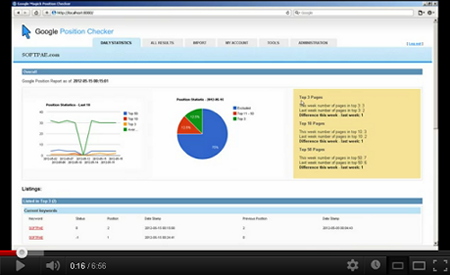
Click to see demonstration video on YouTube

Live Demo

You can find demo site of GChecker at http://apps.softpae.com/gchecker/

Improved manual and corrected install.sql file .. download before you do installation if you have first version of GChecker here.

Features included in GChecker – Google position checker:

  • Easy to install and configure (read installation manual bellow),
  • !!! AntiBlocking mechanism to prevent blocking from Google !!! you do not need any proxy servers!,
  • Prepared for working in subfolder!,
  • Users/Clients managements,
  • Checking keywords in Google SERP , Domain checking,
  • Import keywords by list or csv file,
  • Adjustable “checking’s” domain for all keywords or separately, one by one,
  • Very good statistics, graphs, summary of last 10 checkings,
  • Configurable email reporting,
  • New XML /XSLT core (engine/templates),
  • Easy to use tabbed interface,
  • Well coded, advanced code, etc ..

Requirements

  • PHP5
  • curl PHP extension enabled
  • Optionaly cron
  • Know how to upload files to your website (eg: with FTP )
  • Optionaly some HTML /CSS knowledgeto style look & feel to your needs.

Installation and Configuration:

  1. Unzip the file from CodeCanyon
  2. Upload extracted files to your website (eg: to new /gchecker/ folder)
  3. Prepare (create) and empty MySQL database with appropriate user
  4. Set up user, database and cron informations to configuration file in /System/Plugins/configuration.php
  5. Set write access rights to /System/Plugins/ folder
  6. Run DB installation by open http://yourwebsite.com/gchecker/install.php (replace yourwebsite.com with URL of your website)
  7. Set up cron to be keywords checked periodically (optional, recommended – or use virtual cron after log in on Tools tab)
  8. Open your GChecker page by going to http://yourwebsite.com/gchecker/ and log in by admin/admin (replace yourwebsite.com with URL of your website)
  9. Add new users/clients, configure account information, change password, update email, import your keywords etc. – see User Manual bellow
  10. Done!

See detailed installation informations in your downloaded zip file.

User Manual


    *** Administration ***
    **********************

    1. Log in to Google Checker by your administrator username and password (default admin/admin)
    2. Go to Administration tab, setup standard user account for your client(s)
    3. If you do not use standard cron to periodically run checker engine, go to Tools tab and start virtual cron
    4. (You can use you administrator account like any other standard account)

    *** Standard user - client ***
    ******************************

    1. Log in to Google Position Checker by your username and password
    2. Go to Import tab and setup keywords for checking
    3. You can import csv file with list of keywords and domain to checking or copy and paste this list to textarea, click "Import" to import it
       - one keyword + domain (optionaly) per line, eg: 
         seo analyzer;softpae.com - this will check position of domain "softpae.com" for keyword (phrase) "seo software" 
       - or:
         seo analyzer - if you omit domain, the URL from your account setting will be used
    4. You can check your current/imported keywords/domains bellow the input form
    5. Wait while checking engine process keywords (check status of cron on Tools tab, 25 keywords every 5 min is checked)
    6. Go to Results tab to see detailed report of keywords, reload it occasionally while you don't see all results
    7. Go to Daily Statistics tab to see some interesting statistics and graphs
    8. At Account tab you can change your user settings (eg. email, URL of your base domain, password)
    9. Log out


The next step

You can extend this tool by using our SEOLyzer – Search Engine Optimization Analyzer!

Working on:

This script is incoming:

  • GogooooSE MySQL Edition – true fulltext search engine script (SQLite3 version here)
  • SmallSense – Google AdWord/AdSense clone with easy implementation to GogooooSE search script
  • XMLWebCore – Awesome website construction framework
  • Some WordPress / OpenCart templates :)

Demo

You can find demo site of GChecker at http://apps.softpae.com/gchecker/

SOFTPAE .com

SOFTPAE .com is a small and very smart development company from Slovakia. We do website programming, search engine optimization, marketing, advertising.

Support:

If you want any customizations, contact us at magic (at) softpae.com.

Others things from us:

Rate us if you love this/ours scripts :o) Thank you!

/a

Download GChecker – SOFTPAE Google position checker app (PHP Scripts)

Picture Quiz Template With Google Admob (Android)

This is a universal quiz template for quiz lovers!

No Programming Skills Required ..just prepare your images and category with your ad mob account and there you go..everything the code will take care of !

An excellent utility to create any kind of picture quiz & deploy in Google market.
Recommended for creating picture quizzes ranging from Flag quiz / animal quiz / vocabulary picture quiz / president quiz / celebrities quiz /geography quiz/ astronomy quiz/ or any visual subject quiz / or else what you can think of..

Features –
• countdown timer
• bg music
• admob integration
• unlimited categories
• unlimited images
• random questions
• automated buttons
• phone vibration on wrong questions etc
• full customization

Download a working app from

https://play.google.com/store/apps/details?id=com.nandroid.quiz.picture

This Picture Quiz Template is a complete solution, feel free to add your own images, customize and publish it by just cut and paste method!

Distribute free to android markets or earn considerable commission from Admob advertisements or even popularize any website as a channel of android device network marketing which enable you to add the extra income.

With the implementation of Media player, toggle buttons, countdown timer and menu and custom dialog, you can totally change its look and feel for your own needs. Code is commented, so you’ll find it easy to make any desired changes.

Let me know if you have any suggestions!

Download Picture Quiz Template With Google Admob (Android)

Modern News Ticker (News Tickers)

Modern News Ticker is a modern, powerful, flexible, fast, easy to use and customize news ticker. It offers a varied number of features while still being lightweight and very easy to work with:

  • It comes with 15 different themes to choose from.
  • It has 4 different effects.
  • It has 4 different layouts.
  • It can have either round or square corners.
  • It offers options to control the effects as well as the autoplay settings.
  • Data can be loaded from a RSS or Atom feed.
  • Data can be loaded from Twitter.

Download Modern News Ticker (News Tickers)

WLB: Hide Widgets in Admin (Add-ons)

If you already have our very popular and powerful White Label Branding for WordPress, then this is the perfect companion.

Have you ever been in a situation where your client wouldlike access to the appearance menu?

Of course you can provide access, but then the client can insert anyavailable widget or change widgets already inserted. This is the solution you have been waiting for. Easily hide any available widget or already inserted widgets by User Role. You have complete control! Please notice this is a Add-on for White Label Branding for WordPress.

Please notice that in order to get the full benefits of this Add-on you need a valid license for White Label Branding for WordPress.

List of features

  • Hide available Widgets by User Role
  • Hide already inserted Widgets in any dynamic widget area by User Role

Premium Add-on WLB Hide Widgets in Admin for White Label Branding

Support and Updates

We support our plugins and have a professional support ticket system setup to handle and track all issues or requests from our customers. Follow us on Envato or Twitter to stay up to date with new releases and updates.

Get updates about Codecanyon items from us!Follow us on Codecanyon!Follow us on Twitter!Do you need help? Submit a ticket on support.righthere.com

Changelog

Version 1.0.0 rev24944 – May 20, 2012

* First Release

Download WLB: Hide Widgets in Admin (Add-ons)

Recent Pins Widget for WordPress (Social Networking)


Recent Pins Pro for WordPress is a plugin that ads a powerful Pinterest widget to your site. Display up to 25 of your recent pins at a time with full high-res, high quality images and built in lightbox gallery support! Did you know that Pinterest drives more referral traffic than Google Plus, Linkedin, and Youtube COMBINED ? – Shareaholic.

Recent Pins Pro for WordPress

Feautres

  • Install takes only seconds, setup is even easier!
  • Disaply up to 25 pins / images at a time!
  • Built-in image caching creates perfect thumbnails of your Pins without slowing down your site!
  • Only widget with Pinterest URL Decoding that allows you to display the full size, high quality images!
  • Built-in lightbox support allows you to show off the high quality images via AJAX in a slick gallery with pin titles with no code needed!
  • Adjust pin count, thumbnail size, and column count right from your widget settings allowing you to create a custom look for any site!
  • You can also disable the lightbox to link directly to your pins and increase your re-pins!
  • Includes full documentation and instructions, free support, and free updates!

Compatible With All The Popular Browsers

  • Google Chrome – All Recent Releases
  • Firefox – All Recent Releases
  • Safari – All Recent Releaes
  • Opera – All Recent Releases
  • Internet Explorer 8
  • Internet Explorer 9 & 10

Download Recent Pins Widget for WordPress (Social Networking)