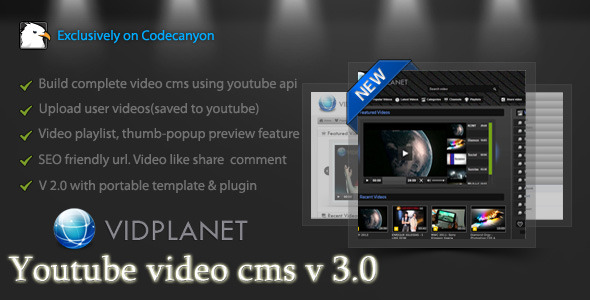
Vidplanet WordPress Video Sharing Plugin (Galleries)

This plugin can create a comprehensive amount of video playlist and video gallery with full custom controls of shortcode.

Key features are :

  • Create and manage unlimited numbers of playlists.
  • Add any and unlimited numbers of videos to a playlist.
  • Videos can be added by certain video id of youtube
  • Videos can be added by searching youtube instantly.
  • Lot’s of themes and plugins are integrated to watch a video playlist in style.
  • Create and manage unlimited numbers of video gallery.
  • Add videos in gallery from :
  • Youtube, Vimeo, Dailymotion, Metacafe, Facebook, Ustream

  • Create beautiful video galleries with pop-up thumbnail preview of the videos
  • Create a video blog by posting single video shortcodes to a post
  • Video playlist and video gallery can be posted in any page or blog post with full customizable shortcodes.
  • This is a plugin for the Vidplanet video cms

    Support:

    Feel free to knock me for any support via PM. You may also hire me for your project or any customization at oDesk.


    free counters

Download Vidplanet WordPress Video Sharing Plugin (Galleries)

Firecode PHP Framework (Miscellaneous)

Firecode PHP Framework is designed to be simple. Ideal for developing small sites and for those who have advanced knowledge of PHP programming.

Have you tried using various frameworks and not to be adapted to any complex or have a lot more you need? The Firecode was made to meet short-term demands and quality. The firecode was done only with functions required for small sites without xmls configuration, without the command line, without building and without the database. Now this easy to use a framework for small projects.

You bought a template in html ThemeForest? Now apply it in Firecode easily, so you do not have to repeat code at the top, menu and footer on each page, with Firecode you use templates, ie, only once does the general template and then just change the content.

Are you tired of manually updating links in their htmls when you have to put into production? The Firecode handle it, just change one line of setup and ready!

Making websites in HTML you have to keep creating folders to have friendly URL ? The firecode already addresses this by default, just create the html and voila, the page will be available with friendly URL .

Besides all this the Firecode was made ??to be changed to whatever you need, you can create new functions, change and delete. For this the developer needs to know a little PHP programming.

Download Firecode PHP Framework (Miscellaneous)

Android Video In Splash Screen! (Utilities)

Welcome !

Are you getting bored with routine splash screens?
This is one which is innovative and creative!

Splash screens typically serve to enhance the look and feel of an app, hence they are often visually appealing. They are used to capture the user’s attention for a short time as a promotion or lead-in to the main activity.
They generally have animations, graphics, and sound, but this one have a landing video which describes your whole at once !

So, Impress upon your user with this simple and yet robust tool.
Very easy to implement. Just follow the instructions in read-me file and you go…

You can even customize the colors/fonts and layout as per your needs!
If you have suggestions let me know for further enhancement.

Download Android Video In Splash Screen! (Utilities)

eXtroForms (Utilities)

eXtroForms – the form component for Joomla 2.5

eXtroForms allows the user to create any number of forms, which in turn can contain any number of input fields.
The entire range of available HTML input fields was mapped to eXtroForms.

An input field can be created in the backend as easy as writing a standard Joomla article, then you determine the position at which it will be displayed on the form and that’s it. For this there are 5 different display positions.

Of course you can copy the fields, delete or rearrange them if you are not satisfied with the original arrangement.
A preview function in the backend ensures that you can preview your form at any time, without the hassle of sharing it in the frontend.

In the front end 4 different output options are available: static tooltips, instant tooltips, tooltips with sliding effect or bubble-tooltips. The layout can be customized via CSS in the backend, every single form has it’s own CSS style sheet, so that maximum variability is guaranteed. The meta-information (description, title and keywords) can also be specified separately per form.

If a user has filled in the form in the frontend, he can receive (depending on the settings in the backend) a confirmation email and be forwarded to a selected thank you page.

eXtroForms is also perfectly suitable for multilingual sites: From Joomla 2.5, the forms can be translated natively without an additional component.

To protect your form against misuse, you can secure it in addition to the built-in security-mechanisms by extro-media.de with Google ReCaptcha. If a filled in form should still be spam then this request will be filed automatically under suspicion of spam. You can view this folder in the back end separately, and if you decide that an inquiry is not spam, you can move it with a single click to the normal requests.

You can view all queries in the backend or export them via CSV or XML .

eXtroForms was built completely from scratch according to the Joomla MVC design and is based on the Joomla Framework.
It produces no so-called spaghetti code in the frontend, is XHTML and CSS3 compliant and accessible through the renunciation of tables and is therefore ideal for users and search engines.

Quick Overview

  • Any number of forms
  • Any number of fields
  • 4 different layouts
  • Anti-spam mechanisms
  • Can be used as autoresponder
  • Inquiries exportable by CSV / XML
  • Simple operation
  • Joomla MVC compatible
  • Easily adaptable
  • a new ajax upload function has been included
  • you can now set the upload directory
  • nicer styles for the backend have been included

Download eXtroForms (Utilities)

Sitelinkx Pro (Miscellaneous)

Sitelinkx Pro replaces keywords with links.

  • native Joomla 2.5 component
  • PHP 5 .3
  • seo friendly
  • created code is w3c-valid
  • define unlimited sitelinkx
  • works with many 3rd party extensions e.g. Virtuemart, Community Builder Enhanced etc.
  • shows links in existing or new window/tab
  • define a title for your link
  • component can be translated in any language
  • localisation files : german, english, more possible
  • possibility to sort Sitelinkx
  • Checks if the site that you want to link to is reachable
  • Added pagination
  • Termination , ie determine a date when links should be published/unpublished
  • Directly select an Joomla article as a link
  • Select a replacement method, strict or loose
  • links can be styled via the class name ‘sitelinkx’, can be edited by CSS
  • multiple keywords per link, comma separated
  • you can determine per link if it’s a nofollow link or not
  • you can limit the number of generated links per keyword
  • you can determine menus/articles where keywords shouldn’t be linked

Download Sitelinkx Pro (Miscellaneous)

Events Widget (Calendars)

Follow Mioo on Twitter
Follow Mioo on CodeCanyon
Mioo Google+ Fan Page
Subscribe by RSS

WordPress plugin with ability to show upcoming events with date that are created as custom posts and displayed as widget. Supports categories, image oriented templates with hover effect, dark and light colored templates. Simple and nice looking addition for a website.

  • Nice wooden look
  • Custom post type and categories
  • Date management
  • Actual day highlighted
  • Suitable for both Dark and Light colored templates
  • Completely user-friendly & Easy to use

Download Events Widget (Calendars)

HTML5 Gallery / Banner with Thumbs (3D)

This gallery was coded for mobile devices and it is 100% mobile compatible and of course it will run just as great on PC. We have tested it on iPad3 and it runs great, you will interact with it as you would with a native app, you can see a video demo at the below link.

Demo on iPad3

The HTML5 Gallery / Banner with Thumbs can be used as a gallery or as a banner rotator, it has 16 transitions included and six of them are simulating the Ken Burns effect, they run really smooth and are implemented using the new HTML5 canvas element.

The entire color theme and skin can be modified and you can have more than one instance of the gallery in the same page (you may have as many galleries as you want in the same page), each instance having different settings and images. The setup and use of this gallery are extremely simple; everything is explained in detail in the help file.

Thumbnail support: this feature is optional, so it allows you to use the gallery with or without thumbs. The thumbs can be positioned top, bottom, left or right and the thumbs images can have any format and size.

Features

Fully XML driven this makes it really easy to install and maintain

Support for multiple instances in the same page: you may have as many galleries as you want in the same page and each one of the galleries / instances has its unique set of images and settings.

Buttons are optional and can be positioned anywhere by setting the x and y position for each of them, this is a unique and useful feature.

The entire color theme can be modified and also the graphics theme can be modified, each button can have different graphics, this mean that you can add your own skins, the buttons size does not have to be specific it will adjust based on the graphic (.jpg or .png) file used.

Support any type of image format (landscape, portrait or whatever)!

16 transition included, six of them are simulating the popular Ken Burns effect, you can see all of them running in the samples.

The transition length and transition delay can be set individually for each image in seconds.

Bulk image preloader, it’s a feature for fast loading and displaying the photos; the images are loading in the background, when you navigate through photos you don’t have to wait for loading pictures because the photos will already be loaded.

Open a new page each big image can have attach to it a url, this mean that if you click or touch up on mobile the big image a new page will open, the target for that window can be set (_self or _blank), please note that this feature can be activated individually for each image or disable it globally for all big images. you can see this feature in action in the last sample, the sample with the purple color theme, when the image is clicked or touched on mobile a new browser window will open.

The gallery width and height can be set to any size, this mean that you can use this gallery in any size you can think of.

The background color can be modified or it can be left transparent.

Thumbnail support, this feature is optional you can use it with or without thumbs, the thumbs can be positioned top, bottom, left or right and the thumbs images can have any format and size.

The thumbs border color, size and space between them can be configured to any value, this also include the animation color theme when a thumb is selected with the mouse or touched with the finger on mobile.

The thumbs can be hidden if the mouse leaves the gallery area and a delay in seconds can be set for this feature, this is also optional, this mean that the thumbs can be hidden once the mouse is not over the component area or always visible.

Slide show autoplay option.

Slide show preloader and images preloader, this preloders are highly customizable, you can change the radius, color theme and position.

The slide show prealoder can be position anywhere by setting it’s x and y position.

Slide show delay can be set individually for each image.

The slide show button is optional this mean that it can be disabled, also the graphics and position for this button can be modified.

Next and previous buttons to navigate between images, as mentioned above the graphics for this buttons can be modified, the position can be set anywhere inside the gallery area, this feature is optional this mean that the next and previous button can be removed.

Description window and description button for each image, this means that you can set a different description for each image, the text has full css support so you can stylize the window as you like. This feature is also optional.

The description for the selected image has full CSS support, it can be styled with a CSS class or with inline CSS . Please note that this window is optional, it can be disabled if you choose so.

Download HTML5 Gallery / Banner with Thumbs (3D)
My Job Board (Miscellaneous)

My Job Board is based on Codeigniter’s latest framework, which makes the script really secure, tried to make something bit similar to Smashing Jobs.

Run your own job board.

Changelog v2

  • Re Designed with twtter bootstrap
  • Added User registration & Login
  • Added Job submission tied to user registration
  • Added Users can edit, delete submited jobs
  • Added Admin can delete, edit users form Admin area
  • Added At Admin can search for, users, listed jobs in admin area
  • Improved Admin area

Fetures

  • Twitter bootstrap
  • Login & Register
  • Job submission tied to user registration
  • Users can edit, delete their submitted jobs
  • Administration area
  • Edit, delete job lists & Delete, create, edit categories,
  • Delete, edit, users

Download My Job Board (Miscellaneous)

WooZoom WooCommerce Product Zoom Plugin (WooCommerce)

WooZoom WooCommerce Product Zoom Plugin

Video Preview


“Enhance your Woo!”

A WooCommerce product gallery and feature thumbnail zoom plugin.

Mobile Ready! – perfect for use in mobile browsers. Tap to zoom!.

Features:

  • Magnify to any level.
  • Moving animation option.
  • Simple shortcode with only three parameters.
  • Display on any product page.
  • Works with the free WooCommerce plugin.
  • Works on most themes
  • Mobile Ready – Tap to zoom (tested in google and safari mobile).

Check third party themes to make sure they did not change the woocommerce product page gallery structure. If you are not

sure ask the theme maker or send us an email.

The demo is built into this product page. Hover over the product featured thumbnail and click the gallery thumbnails to see it in action

The plugin is also used on the LAX Slider product page.

Download WooZoom WooCommerce Product Zoom Plugin (WooCommerce)

Modern CSS3 Navigation (Navigation and Menus)


Modern CSS3 Navigation is a unique and modern looking horizontal navigation menu. It is clean, simple and really easy to use thanks to its semantic markup. It also features important things like unlimited menu levels or cool things like fade/slide effects.

Features

  • Modern look
  • Pure CSS3
  • Smooth fade/slide effect
  • Unlimited menu levels
  • Three color schemes included
  • Easy to use (semantic markup)
  • Cross-browser compatibility
  • Clean & commented code
  • Detailed documentation.

Compatibility

  • Internet Explorer 9+ (Note: it works in older version of IE, but no submenus though)
  • Chrome
  • Opera 10+
  • Firefox 4+
  • Safari 4+

Credits

Changelog

27/05/2012 – Version 1.0

  • Initial release

Download Modern CSS3 Navigation (Navigation and Menus)

Shoutcast Info & Stats (Miscellaneous)

Shoutcast Info and Stats is a PHP script where show varius informations and statistics from web radio stations who using service Shoutcast. This script is perfect if you have a web radio station and using this service for stream your music.
Shoutcast Info and Stats using PHP and AJAX (jQuery) for show these information in your website and has a very easy installation. You can make your layout by edit one CSS file. Another feature of our script is the infomations who get from LastFM.com website for current artist.
Shoutcast Info and Stats coming with two types of block layout: Vertical and Horizontal. Each type coming wtih three styles-layouts and you can edit very easy. We using Maxmind.com’s IP database for show some information about each listener of you web station. Below you can see all features of Shoutcast Info and Stats.

Features of Shoutcast Info and Stats PHP Script
  • Show the Current Song and Artist from Shoutcast
  • Show Artist's Biography (if is any in LastFM.com)
  • Show Artist's photo (if is any in LastFM.com)
  • Show Current Listeners and detailed info for each listener
  • Listeners Google map
  • Listeners per country
  • Show Played songs history
  • Auto refresh information without refresh current page (default every 10 seconds)
  • Coming with 2 types and 3 layouts per type
  • Very easy installation
  • You can edit the layout very easy
  • You can make your layout very easy if you are familiar with CSS and HTML
  • You can translate to your language some words/phrases
  • Detailed Documentation
  • Free support and updates for ever

Requirements of Shoutcast Info and Stats PHP Script

  • PHP version 5 and up
  • cUrl libraries
  • Maxmind.com database file (GeoLiteCity.dat.gz – free download)

Download Shoutcast Info & Stats (Miscellaneous)

MailChimp Comments (Newsletters)

MailChimp Comments is a plugin for WordPress that allows you to subscribe commentators of your posts/pages via MailChimp. When a users comment something on your website, they are immediately added to your email subscription list. You can configure the plugin with respect to your users to avoid any mailing violations (spam). MailChimp Comments is a perfect way to build a list of your commentators.

Features

  • MailChimp API : commentator’s name and e-mail are submitted with MailChimp API .
  • Double Opt-In: use it to avoid mailing violations.
  • Welcome Send: send welcome message configured at MailChimp list’s settings.
  • 2 modes: enable subscription for whole website or for selected posts only.
  • Flexible List IDs: specify particular list ID for selected posts.
  • Keep user IP: user’s IP is submitted to MailChimp too (perfect for statistics).
  • Easy to install: install and activate the plugin as any other plugins.
  • Translation ready: plugin might be translated to any language.
  • Built using WordPress best practices: no any alerts from Plugin Check.

Front End Functionality

The best way to understand the idea of MailChimp Comments is to see live example. Click “Live Preview”, scroll down and leave your comment. As a result you will get e-mail that ask you to confirm your subscription.

Installation

1. Install and activate the plugin. Once activated, it creates menu item “MailChimp Comments” under menu section “Settings” in left side column in the admin area.

2. Click left side menu “Settings >>> MailChimp Comments” and do required settings. Please look at the screenshot below to see what kind of settings you can do there.
Back End Functionality: Settings

3. If you selected “Selected posts/pages” mode on settings page, then you can select posts/pages to be covered by plugin functionality. Go to post/page editor and set checkbox “MailChimp Comments” (view screenshot below). You also can specify different List ID for each post/page.
Back End Functionality: Post Editor

That’s it! Enjoy using the plugin.

Support

If you have problems regarding using the plugin, please contat me and I’ll help you.

Download MailChimp Comments (Newsletters)

EZ EU Cookie Compliance (Utilities)

The easiest solution for WordPress users who need to comply with the new EU Cookie Law.

This plugin provides a simple modal pop up when a user visits your site, informing them that you site uses cookies, which they can then accept to browse your site, or deny and be redirect away from your site.

EZ EU Cookie compliance features a settings page which allows you to alter the title, text and styling options for the pop up. You can change the background of the window, as well as text colour and background colour for the button, all from one easy to use screen. More importantly, you can also choose what URL the user should be directed to, the choice is yours.

The options available to you include:

Customise the Width of the Box
Customise the Top Margin (set this to 0 and the width to 100% to create a banner!)
Customise Border Radius
Customise Border Colour
Customise Gradient Colours
Customise Text Colour
Customise Accept/Deny Button Colour

Check out the demo to see it in action.

Download EZ EU Cookie Compliance (Utilities)

App Store Screens – App Screens for WordPress (Utilities)

App Store Screens is a great plugin that makes fancy Screenshot Boxes from iTunes App Store and Mac App Store Applications. Have a look at it!


The Highlights

App Store Screens is a plugin for WordPress that allows you to add an App screens box in your posts. It’s a simple solution to make fancier your website.

Features

  • Fancy box design
  • Easy-to-use simple shorcode with popups and things
  • Custom CSS / Styling
  • Light-weight code

The Support

Need some help? If you have any questions please feel free to use the dedicated support forums. Make sure you grab your purchase code from the plugin License Certificate! (How to)

Download App Store Screens – App Screens for WordPress (Utilities)